· Digital Footprint Check · Content Marketing · 18 min read
Xbox Cloud Gaming Your Guide to Gaming Anywhere
Discover how Xbox Cloud Gaming lets you play console games on any device. Our guide covers setup, performance, and what you need to start streaming.

Ever feel the itch to play the latest AAA title but your hardware just isn’t up to snuff? Xbox Cloud Gaming is Microsoft’s answer, letting you tap into a library of hundreds of top-tier games on the devices you already have, no beastly console or gaming PC required.
Think of it as Netflix for video games. Instead of waiting for massive downloads and installs, you’re streaming the game directly from Microsoft’s powerful servers right to your screen.
What Is Xbox Cloud Gaming and How Does It Work?

Picture a high-end Xbox console sitting in a huge data center somewhere. When you fire up a game through Xbox Cloud Gaming, you’re borrowing that console for your play session. All the work—the graphics processing, the loading, everything—happens on their end.
The concept is surprisingly simple. The game itself runs on Microsoft’s hardware, which then beams the video and audio to your device over the internet. Every time you press a button, pull a trigger, or move a joystick, those commands get sent back to the server in milliseconds. The result is a seamless, interactive experience that feels like the game is running right in front of you.
The Technology Behind the Magic
At its core, Xbox Cloud Gaming is a seriously sophisticated remote play system. When you pick a game from the Game Pass library, a dedicated server blade—packed with custom Xbox Series X hardware—instantly spins up an instance of that game just for you. This powerful setup handles all the processing and rendering.
This flips the script on how we play. Your device is no longer responsible for rendering complex 3D worlds. It just needs to be good at two things: decoding a video stream and sending your controller inputs back to the server. This is exactly how a simple smartphone can suddenly run a graphically demanding monster like Starfield or Forza Horizon 5 without breaking a sweat.
The whole system is engineered to crush latency—that tiny delay between when you do something and when you see it happen on screen. Microsoft pulls this off by strategically placing data centers all over the world, shortening the physical distance your button presses have to travel.
Your Internet Connection Is the Key
The one thing that makes this all possible is your internet connection. A fast, stable connection is the bridge between your screen and that remote Xbox server. Think of it like a pipeline:
- Download Speed: This dictates the quality of the video you see. A faster connection delivers a crisp, high-resolution image (up to 1080p) without annoying buffering or pixelation.
- Upload Speed: This determines how quickly your controller inputs reach the server. A good upload speed is what makes the game feel responsive.
- Latency (Ping): This is the round-trip time for data. Lower latency is critical for fast-paced games where every millisecond counts.
When your connection is solid, the experience is almost indistinguishable from playing on a local console. But if your signal is weak or unstable, you’ll start to see visual glitches, stuttering, or that dreaded input lag.
Because it leans so heavily on connectivity, the service shines on a strong Wi-Fi network or a reliable 5G mobile signal. This remote-play model makes high-end gaming accessible to more people than ever, turning just about any screen you own into a portal to the Xbox universe.
Everything You Need to Start Playing Today
So, you’re ready to jump into Xbox Cloud Gaming? The good news is, it’s a whole lot easier than you might think. Forget about needing a super-powerful, expensive rig; the barrier to entry here is refreshingly low. Let’s walk through exactly what you need to go from reading this guide to firing up your first cloud game.
The entire service hinges on a single subscription: Xbox Game Pass Ultimate. This is your all-access pass, the one thing you need to get started. It unlocks the cloud streaming library, but it also bundles in hundreds of games for console and PC, online multiplayer, and even an EA Play membership.
This simple, all-in-one approach is a big reason the platform has taken off, attracting over 10 million people to stream games by 2024. Bundling cloud access into the already popular Game Pass Ultimate was a smart move, quickly building a massive user base. You can read more about the incredible growth in the gaming industry on blog.udonis.co.
Your Gaming Hardware Checklist
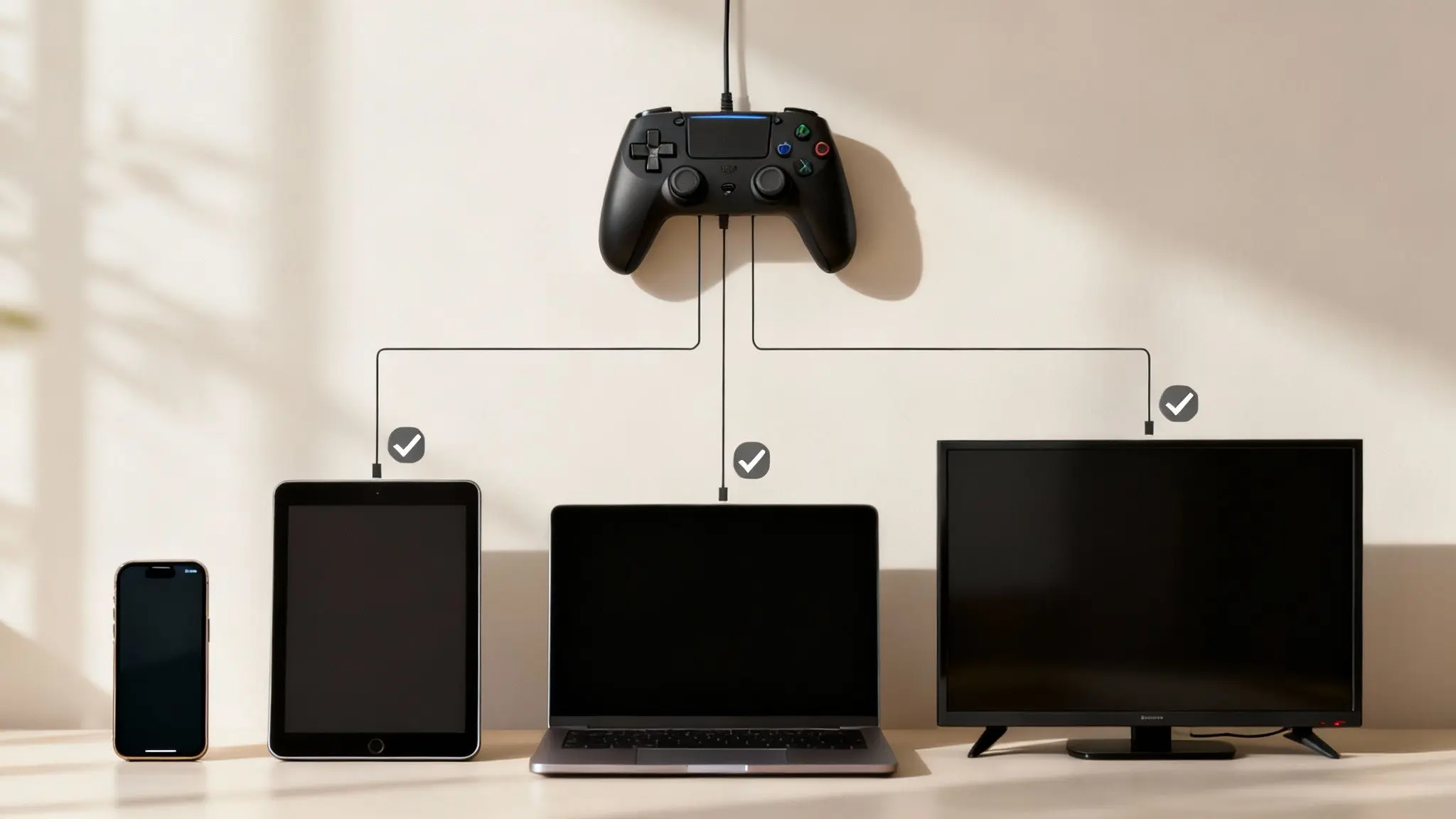
With your subscription sorted, the fun part begins: choosing where to play. The beauty of cloud gaming is its flexibility. You’re not tied to a TV; you can play on devices you probably already have in your bag or on your desk.
Here’s a quick look at what’s supported:
- Smartphones and Tablets: Got an Android (version 6.0 or higher) or an iPhone/iPad (iOS 14.4 or higher)? You’re good to go. Android users can download the official Xbox Game Pass app, while Apple users can jump in right from a web browser.
- PCs and Laptops: It doesn’t matter if you’re on a Windows 10/11 PC or a Mac. Just open a supported browser like Edge, Chrome, or Safari, and you can start playing. Windows users also have the option of a dedicated Xbox app for a more streamlined experience.
- Smart TVs and Streaming Devices: Many newer Samsung Smart TVs (2020 models and up) have a built-in Xbox app. Even niche devices like the Meta Quest VR headset are getting in on the action.
- Xbox Consoles: Yep, you can even use cloud gaming on your Xbox Series X|S or Xbox One. It’s perfect for trying out a game from the library instantly without having to wait for a massive download to finish.
Choosing Your Controller
You’ve got your screen, now you need to control the game. While a handful of titles support a keyboard and mouse on PC, a controller is still the main way to play.
Pro Tip: For the absolute best experience, an official Xbox Wireless Controller connected via Bluetooth is the way to go. The integration is flawless, which means minimal input lag and perfect button mapping right out of the box.
But you’re not locked into Microsoft’s ecosystem. Other Bluetooth controllers, like the PlayStation DualShock 4 and the excellent DualSense, work great too. Tons of third-party gamepads designed for mobile gaming are also fully compatible.
No Controller Required Games
What if you want to sneak in a gaming session on your lunch break without lugging extra gear around? This is where games with native touch controls are a lifesaver.
A growing list of over 350 games in the library have been optimized with on-screen touch controls, effectively turning your phone into a portable console. This feature alone makes Xbox Cloud Gaming an amazing option for playing on the go. Of course, gaming in new places means it’s wise to keep your online security in check—you can learn more by reading our guide on managing your digital footprint while traveling abroad.
Simple Internet Requirements
Finally, the most crucial piece of the puzzle: your internet connection. You don’t need a fast fiber-optic line, but stability is king. A choppy connection will lead to a choppy experience.
Here are the baseline recommendations from Microsoft:
- Wi-Fi: A 5 GHz Wi-Fi network is your best bet. It’s far more stable and less prone to interference than older 2.4 GHz networks.
- Download Speed: To get a solid 1080p stream, you’ll want a connection speed of at least 20 Mbps.
- Mobile Data: For gaming on the move, a 5G connection is ideal. That said, a strong 4G LTE signal can often get the job done surprisingly well.
Understanding Performance and Its Limitations
Before you dive headfirst into Xbox Cloud Gaming, it’s a good idea to set some realistic expectations. While the tech can feel like straight-up magic, its performance is tethered to some very real-world things—chief among them, your internet connection. A good way to think about it is less like a console sitting in your living room and more like a high-quality, interactive Netflix stream.
Microsoft is aiming for a sweet spot of 1080p resolution at 60 frames per second (FPS). When everything is firing on all cylinders, you get a crisp, smooth picture that looks incredible, especially on smaller screens like phones and tablets. Hitting that target consistently, though, isn’t guaranteed. It all comes down to how stable and fast your connection is.
The Reality of Input Lag
The biggest compromise you make with any cloud gaming service is input lag, often called latency. This is that tiny delay between you pushing a button and seeing the action happen on screen. Your command has to zip across the internet to a Microsoft server, get processed, and then sent all the way back to you. A little delay is just part of the deal.
For a lot of games—think turn-based RPGs or slower-paced adventures—a few extra milliseconds of lag is something you’ll barely even notice. But when you jump into a fast-paced shooter or a competitive fighting game, even a slight delay can be the difference between a win and a loss. This is where things like your physical distance from a Microsoft data center and the quality of your home network really come into play.
Your gaming experience is only as strong as your weakest link. Whether it’s a congested home Wi-Fi network, a high-latency mobile connection, or simply being far from a server, any bottleneck will impact performance.
Identifying Common Streaming Hiccups
Even if you’ve got a great internet plan, you might still hit a few snags. Knowing what to look for can help you figure out what’s going on. The usual suspects include:
- Pixelation or Blockiness: If the picture suddenly gets blurry or looks like a grainy video, your download speed might be dipping, forcing the stream to drop its quality.
- Stuttering or Freezing: This is a classic sign of network instability or packet loss, where little bits of data are getting lost on their journey to your screen.
- Audio Glitches: Sound that cracks, pops, or falls out of sync with the action is another tell-tale sign of an inconsistent connection.
More often than not, these issues lead right back to your internet. A busy home Wi-Fi network with everyone else streaming movies, a weak cell signal, or even just being on an old 2.4 GHz Wi-Fi band can hamstring your cloud gaming. A secure network is also crucial for smooth and safe play. It’s always a good idea to brush up on some personal cybersecurity best practices to keep your connection locked down.
Since Xbox Cloud Gaming lets you play from almost anywhere, your connectivity options really matter. If you’re not in a major city, checking out the best internet options for rural gaming could make a world of difference. In the end, the service is a fascinating trade-off: you get incredible freedom and convenience, but you have to accept that the performance won’t ever be quite as flawless as a dedicated local console. For millions of gamers, that’s a trade well worth making.
How Xbox Cloud Gaming Stacks Up Against the Competition
With a few heavy hitters in the cloud gaming ring, figuring out where Xbox Cloud Gaming fits in can feel a bit confusing. Each service takes a different swing at streaming, and honestly, the best one for you is all about your gaming habits, your budget, and what games you already own.
Xbox Cloud Gaming is built on a simple idea: one subscription gets you a massive, all-you-can-play library. Think of it like a gaming buffet. You pay a single monthly fee for Xbox Game Pass Ultimate, and you get to dive into hundreds of games without buying them one by one. This “all-in-one” approach is its biggest hook.
And it’s a strategy that’s clearly working. As of early 2025, Xbox Cloud Gaming has managed to grab about 60% of the global cloud gaming market share. A huge piece of that success comes from its tight integration with Game Pass Ultimate, which now has over 37 million subscribers worldwide and easily leads the pack. If you want to dig into the numbers, you can find more data on Xbox’s market performance on sqmagazine.co.uk.
Xbox Cloud Gaming vs. NVIDIA GeForce Now
NVIDIA’s GeForce Now plays by a different set of rules. It doesn’t give you the games; it gives you the rig. Picture it as renting a beastly gaming PC in the cloud. You still need to own your games on storefronts like Steam, the Epic Games Store, or Ubisoft Connect.
This “bring your own games” model is a double-edged sword. If you’ve spent years building a huge PC game library, GeForce Now is a fantastic way to play those titles on a laptop, a phone, or just about anything else. Its premium tiers also pack a bigger punch performance-wise, offering 4K streaming at up to 120 FPS—something Xbox Cloud Gaming doesn’t offer yet.
The flip side? It can be a bit of a hassle. You’re juggling multiple game libraries, and there’s no guarantee that every game you own will be supported on the service.
Xbox Cloud Gaming vs. PlayStation Plus Premium
The most direct rival is PlayStation Plus Premium, Sony’s take on cloud gaming. Just like Xbox, Sony ties its streaming service to the highest subscription tier and provides a curated library of games. They’re similar on paper, but the real difference is the content.
PlayStation Plus Premium shines with its deep catalog of PlayStation exclusives from past generations (PS3, PS4) alongside newer titles. Xbox, however, makes a huge promise: all of its first-party studio games—think Halo, Forza, and new titles from Bethesda—land on Game Pass, and by extension cloud gaming, the very day they’re released. This makes Xbox the undisputed champ for anyone who wants to play the latest Microsoft blockbusters without waiting.
This infographic gives you a good idea of the performance you can expect from Xbox Cloud Gaming.

As you can see, the service aims for a solid 1080p, 60 FPS experience. It’s a respectable target that ensures smooth gameplay, even if it’s not as flashy as the 4K options some competitors offer.
The Bottom Line: It all boils down to what you’re looking for. Xbox is for the gamer who wants an easy, all-inclusive subscription with day-one access to huge new releases. GeForce Now is tailor-made for the dedicated PC gamer who already has a library. PlayStation Plus is for the die-hard fans of Sony’s exclusive franchises.
Cloud Gaming Service Comparison
To make it even clearer, here’s a quick head-to-head comparison of how these services stack up on the features that matter most to gamers.
| Feature | Xbox Cloud Gaming | NVIDIA GeForce Now | PlayStation Plus Premium |
|---|---|---|---|
| Model | All-in-one library subscription | Rent a cloud PC (BYOG) | All-in-one library subscription |
| Game Access | Included with Game Pass Ultimate | Must own games on other stores | Included with PS Plus Premium |
| Performance | Up to 1080p / 60 FPS | Up to 4K / 120 FPS (Ultimate Tier) | Up to 4K (for select titles) |
| Day-One Games | All Microsoft first-party titles | Depends on publisher support | Select first-party and third-party |
| Best For | Simplicity and value | Existing PC gamers | PlayStation fans |
Ultimately, each platform has carved out its own space in the gaming world. Whichever you choose, remember that the security of your gaming account is just as important as the service itself. To get a better handle on the risks and how to stay safe, check out our guide on OSINT for gaming platforms investigation.
The Future of Gaming Is Unfolding in the Cloud
Xbox Cloud Gaming is a lot more than a neat feature; it’s a peek into a different way of playing. It’s about tearing down the old walls that kept people out—the expensive hardware, the day-long downloads, and being chained to one TV or monitor. The appeal is immediate: you save a ton of money over buying a beastly PC or new console, and you get the freedom to play top-tier games on pretty much any screen you already own.
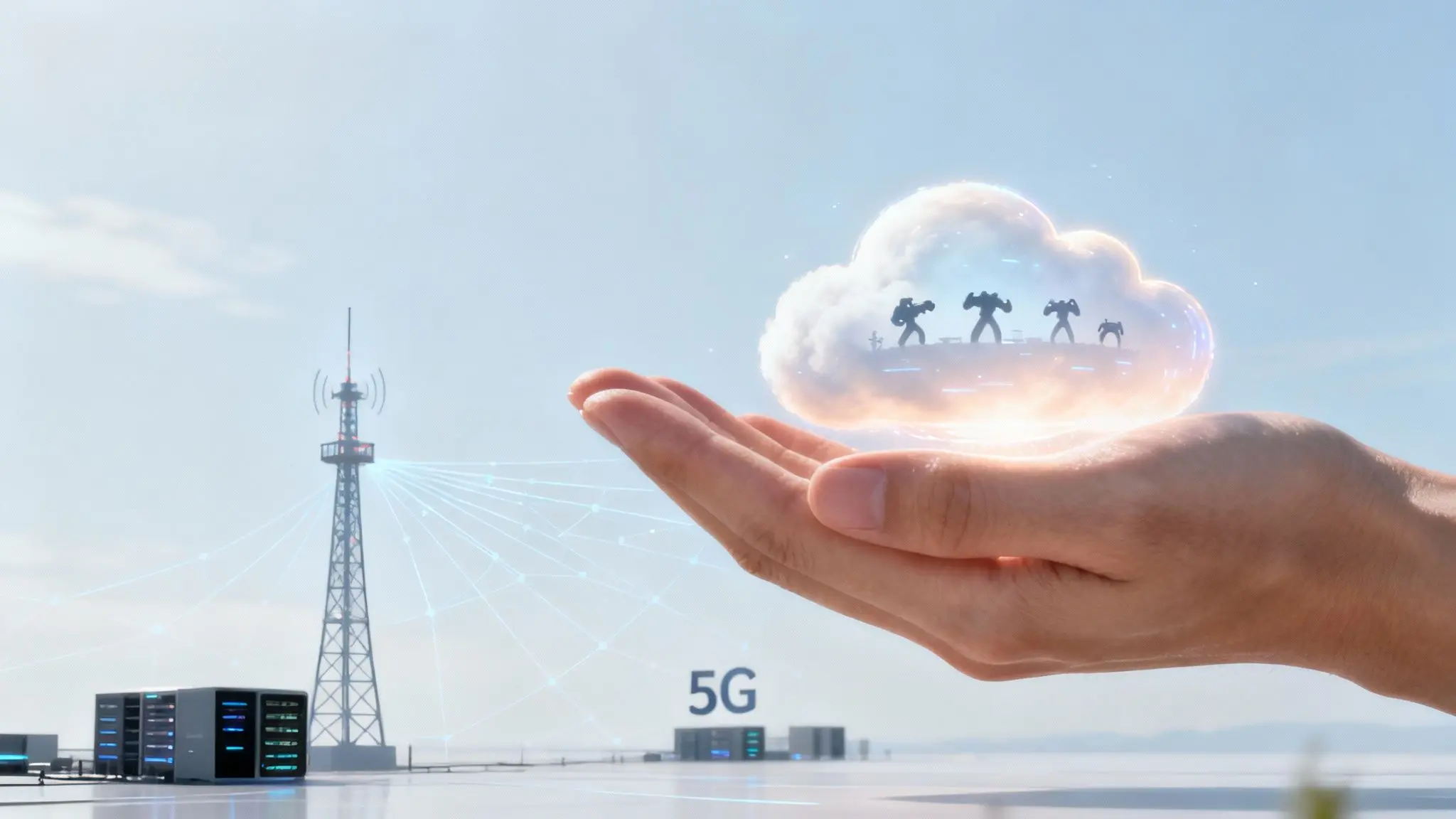
This isn’t just some gimmick, either. It’s all riding on a wave of real tech improvements that are making the experience smoother every day. As 5G networks stretch into more neighborhoods and internet backbones get beefier, annoyances like input lag and choppy streams are going to fade into the background. It’s not just about raw speed, but about smarter, more responsive networks.
The Next Wave of Innovation
The goal is to get to a point where you can’t even tell if a game is running on your device or from a server miles away. A few key developments are pushing us toward that reality:
- Edge Computing: Think of it like this: instead of your game signal traveling hundreds of miles to a massive data center, it just goes to a smaller one in your city. This shortens the trip, which means less latency and a snappier, more responsive feel, especially in fast-paced games.
- Cloud-Native Games: Imagine games built from the ground up to live in the cloud. These could have sprawling, persistent worlds and physics that would make a local console melt, all powered by the combined might of countless servers.
- AI and Machine Learning: Smart algorithms will start predicting what you’re about to do, helping to erase any feeling of lag. They’ll also fine-tune your stream quality on the fly, adjusting to your specific internet connection in real time.
This evolution is attracting some serious money. The global cloud gaming market, sitting at around $2.7 billion in 2024, is on an absolute tear. Forecasts predict it could rocket to $21 billion by 2030, and it’s all because of these technological leaps. You can dig into the numbers and what they mean for the future on the cloud gaming market page at Grand View Research.
Xbox isn’t just along for the ride; they’re in the driver’s seat. Huge acquisitions, like Activision Blizzard, aren’t just about padding the Game Pass library. It’s about locking down a pipeline of games and talent for a future where the cloud comes first.
A New Era of Play
Microsoft’s endgame is pretty clear: they want to make playing a game as simple and accessible as firing up Netflix. By bundling Xbox Cloud Gaming right into the Game Pass Ultimate subscription, they’ve built a compelling offer. You’re not just buying a game anymore; you’re subscribing to a universe of entertainment that follows you from the couch to your phone on the bus.
This is the new normal. It’s a world where your game saves are always synced, your entire library is always in your pocket, and the only thing you have to stress about is what you’re going to play next. This isn’t just a trend—it’s the next chapter in the story of gaming, and it’s being written right now.
Got Questions About Xbox Cloud Gaming?
Even after getting the full rundown on Xbox Cloud Gaming, a few questions always seem to pop up. Let’s tackle the most common ones head-on so you can clear up any confusion and get right to playing.
Do I Really Need an Xbox Console to Use This?
Nope, and that’s the beauty of it. You can stream hundreds of games straight to your phone, tablet, PC, or even some smart TVs. All you need is an Xbox Game Pass Ultimate subscription and a solid internet connection. It removes the console from the equation.
Of course, if you do own an Xbox, cloud gaming becomes a fantastic bonus feature. It lets you instantly test-drive games from the Game Pass library without having to commit your precious storage space to a full download.
Can I Use My Game Saves From My Console on the Cloud?
Absolutely. This is where the magic of the Xbox ecosystem really shines. Your game progress is automatically tied to your Xbox profile and saved directly to the cloud.
That means you can start a game on your console at home, squeeze in a few levels on your phone during your lunch break, and pick up exactly where you left off on your laptop later that night. Your saves, achievements, and friends list stay perfectly in sync, no matter which device you’re using.
This seamless cross-progression is what unifies the entire Xbox experience. It makes sure that no matter where you play, you’re always continuing your personal gaming journey without ever losing a second of progress.
How Much Internet Data Does Cloud Gaming Actually Use?
This is a big one, especially if you’re on an internet plan with a data cap. The exact number can shift depending on what you’re playing and your stream quality, but you should definitely plan for significant data usage.
On average, you can expect to burn through 7 GB to 15 GB of data for every hour you stream at the standard 1080p resolution.
Because it’s so data-hungry, it’s smart to follow a couple of best practices:
- Stick to Wi-Fi: Whenever you can, play over a stable Wi-Fi network that has an unlimited data plan. It’s the safest bet.
- Watch Your Mobile Data: If you have to play over a mobile connection, keep a close eye on your data allowance. A few hours of Xbox Cloud Gaming can chew through a huge chunk of a monthly plan in no time.
This heavy data draw is the main trade-off for the convenience of streaming, so it’s wise to plan ahead to avoid any surprise bills or throttled speeds.
Your gaming profile is a huge part of your digital life, and just like any other account, it needs to be protected. Digital Footprint Check can help you find out if your credentials have been exposed in a data breach, letting you secure your gaming identity before there’s a problem. Take control of your online presence by visiting https://www.digitalfootprintcheck.com.