· Digital Footprint Check · Content Marketing · 22 min read
Email Breach Lookup: a Practical Guide to Protecting Your
Is your email exposed? Learn how to run a real email breach lookup, protect your accounts, and secure your digital life with our practical, expert-led guide.

An email breach lookup checks specialized databases to see if your email address has been exposed in a data breach. It’s a background check on your digital identity.
A single leaked email can be a master key for cybercriminals, giving them a way into your social media, gaming accounts, and online banking, with consequences for your job prospects, finances, and safety.
Why Your Email Is a Magnet for Cybercriminals
It’s easy to tune out when another data breach hits the news, but the fallout is real and personal. Once your email is leaked, it stops being a way to communicate and becomes a commodity on the dark web, sold through OSINT (Open Source Intelligence) channels.
Cybercriminals buy, sell, and trade these lists looking for the easiest path to a payout. It’s a direct threat to your identity, finances, and reputation. Your email is the thread they pull to unravel your online life.
The Domino Effect of a Single Leak
The real danger isn’t one account being hacked. It’s the chain reaction that follows, reaching your job search and gaming profiles.
If your login for a small forum leaks, a criminal will try that email and password everywhere else: your bank, primary email, Amazon, even your Steam or Xbox profile. This attack, credential stuffing, works often because many people reuse passwords.
The real-world consequences follow. A breach from a forgotten gaming account can lead to a compromised professional email, which can hurt your job prospects if an employer finds embarrassing content linked to you. One small leak can have a large impact.
Common Threats from a Single Email Breach
Here’s a quick summary of what can happen when one account is compromised, from financial loss to dating-safety concerns.
| Type of Risk | What It Looks Like | Real-World Impact |
|---|---|---|
| Financial Theft | Unauthorized charges, drained bank accounts, or fraudulent loan applications in your name. | A hacker uses your leaked credentials to log into your PayPal account and send money to themselves, impacting your credit. |
| Identity Fraud | Criminals open new accounts, file taxes, or apply for benefits using your identity, a common form of identity theft. | Your exposed email and personal details from a breach are used to open a new credit card, ruining your credit score. |
| Phishing & Scams | You receive highly targeted and convincing scam emails, including romance scams, that appear legitimate. | An attacker, knowing you used a specific dating app from a breach, creates a fake profile to start a romance scam. |
| Account Takeover | Your social media, email, or gaming accounts are stolen and used for scams or reputational damage. | Someone hijacks your gaming profile, selling off valuable in-game assets you spent years acquiring, or uses your dating profile for catfishing. |
| Personal Safety | Exposed location data, phone numbers, or private messages lead to stalking, harassment, or doxxing. | Data from a dating app breach is used to find and harass someone offline, creating a serious personal safety risk. |
Each scenario starts with a simple piece of data, often just an email address and a password, turning your digital life into an open book for criminals.
The nightmare of finding your email on the dark web is far too common. Recent cybersecurity statistics are alarming: IBM’s 2023 report found that the average cost of a data breach reached $4.45 million. More personally, a study by the Identity Theft Resource Center revealed that 49% of identity theft victims reported significant emotional distress, with many facing issues with job prospects and personal relationships.
From Data Breach to Phishing Campaign
Once your email is in a criminal’s hands, you become a prime target for convincing phishing scams. They aren’t sending generic spam anymore. Because the attacker has real data from a breach, they can craft messages that look legitimate, often referencing a service you actually use or a recent purchase you made.
Globally, attackers launch an astounding 3.4 billion phishing emails every day. The average cost of a breach caused by a successful phishing attack now sits at a staggering $4.91 million for businesses, according to IBM.
This vicious cycle makes being proactive more critical than ever. An email breach lookup is your first line of defense, letting you see what information is floating around before it can be used against you. It’s a fundamental digital privacy habit for anyone living in the modern world.
You can explore more about the hidden dangers of your digital footprint in our detailed article. The next sections of this guide will walk you through exactly how to perform a lookup and what to do with the results, helping you reclaim control over your online identity.
So, you have a sinking feeling your email might have been exposed in a data breach. It’s a valid concern—and discovering if you’ve been compromised is the single most important first step you can take for your online identity protection. A proactive email breach lookup isn’t just about satisfying curiosity; it’s about taking back control before criminals get a chance to use your data against you.
Think of it as a wellness check for your digital privacy. The process involves a few layers of investigation, from quick checks on public websites to deeper scans using OSINT tools that poke into the darker corners of the internet. Each method gives you a different piece of the puzzle, and knowing what they can (and can’t) do is the key to a smart search.
This simple flow shows just how quickly a compromised email turns into a real-world threat.
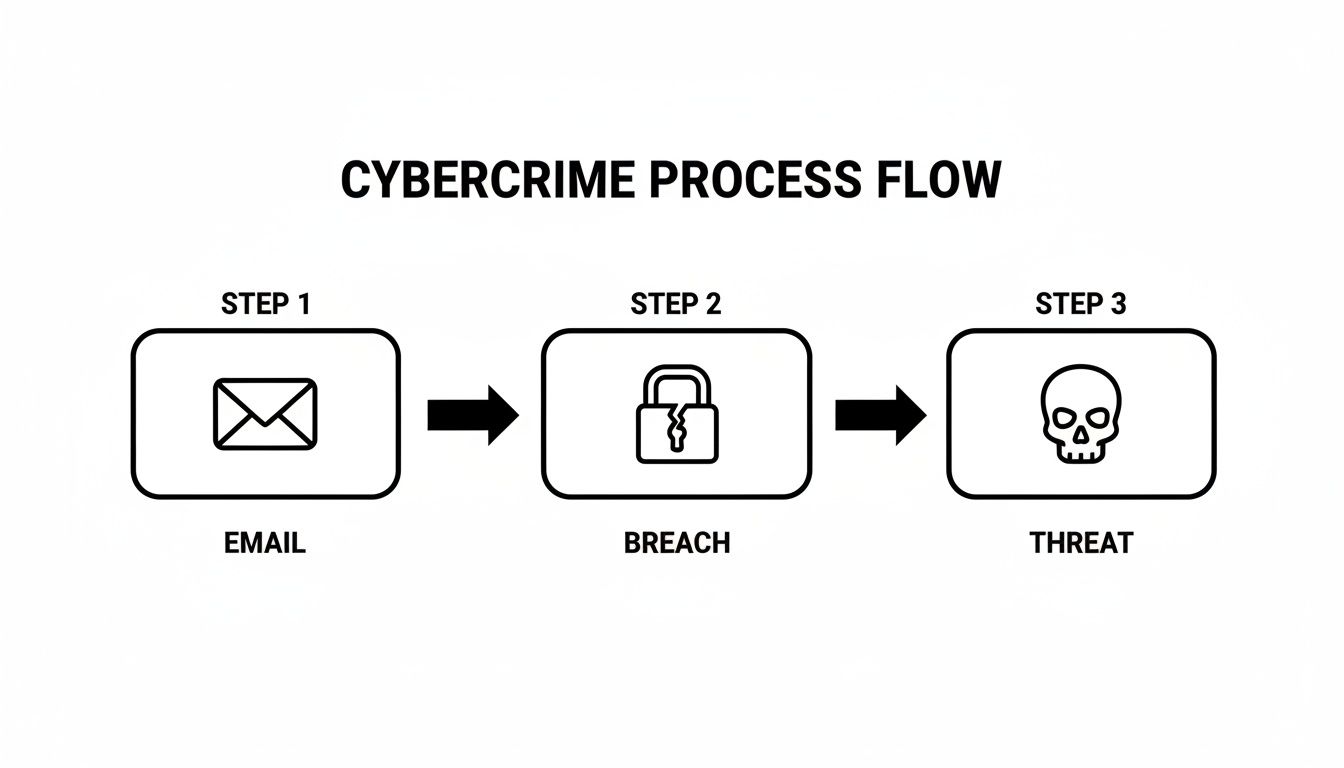
It’s a straightforward path from your inbox to a cybercriminal’s toolkit, which is why you need to know where to look for trouble.
Your First Stop: Public Breach Databases
The best place to begin your search is with well-known public breach databases. These services are massive libraries of data from publicly reported breaches. They let you quickly check if your email address was caught up in any major incidents.
Using them is dead simple: you pop in your email, and the service cross-references it against its collection of breach records. It’s a fantastic first pass that can give you answers in seconds.
A word of caution, though—stick to reputable, established sites. The security community knows who the trusted players are. Steer clear of sketchy copycat sites that might just be trying to collect your email for their own nasty purposes.
The Next Layer: Paste Sites
After checking the big databases, the next place to look is on paste sites. These are simple text-sharing websites, like Pastebin, that developers use for sharing code. Unfortunately, they’ve also become a favorite spot for hackers to dump samples of stolen data. They’ll post a chunk of a breach there to prove they have the goods before trying to sell the full dataset on the dark web.
Finding your information on a paste site is often a very early warning that you’ve been compromised, sometimes weeks or months before the breach becomes public knowledge. Searching them is a bit more manual—you’ll need to use specific search queries like “your_email@example.com” site:pastebin.com.
This method feels a lot like looking for a needle in a haystack, and the data is often temporary. But if you get a hit, it’s an undeniable sign that you need to act immediately to prevent identity theft.
Comparing Email Breach Lookup Methods
Not all lookup methods provide the same level of insight. Some are quick and surface-level, while others dig much deeper. This table breaks down the different approaches to help you decide which one makes the most sense for your cybersecurity needs.
| Method | What It Checks | Pros | Cons |
|---|---|---|---|
| Public Databases | Large, publicly known data breaches. | Free, fast, and easy to use for a quick check. | Limited to public data; misses private sales and fresh leaks. |
| Paste Site Searches | Publicly accessible text-sharing websites. | Can provide early warnings of new breaches. | Manual, time-consuming, and often yields no results. |
| Dark Web Scans | Hidden forums, marketplaces, and stealer logs. | Finds data actively being traded, including fresh leaks that affect personal safety. | Requires specialized OSINT tools and expertise to access safely. |
| Comprehensive Tools | Aggregates all of the above sources continuously. | Offers the most complete picture and real-time alerts for proactive reputation management. | Typically part of a paid monitoring service. |
Ultimately, a combination of methods gives you the clearest view of your exposure. The free tools are a great start, but the real risks often hide in places they can’t see.
Data breaches are a relentless problem. In 2023, the number of data compromises in the U.S. soared by 78% to a record high of 3,205 incidents, affecting over 353 million individuals. The scariest part? It takes companies an average of 277 days just to identify and contain a breach, which makes proactive and regular lookups non-negotiable for anyone concerned with their digital privacy. You can read more of these stark data breach statistics from Secureframe.
The Limits of Free Tools and Why Deeper Scans Matter
While free public databases are an essential starting point, they only show you the tip of the iceberg. They’re great for tracking large, documented breaches, but a huge volume of stolen data gets traded quietly, far from public view.
This is where advanced OSINT tools like Digital Footprint Check give you a serious edge. These services go way beyond the public databases. They actively scan dark web forums, hidden marketplaces, and the nasty infostealer logs where your credentials are being actively bought and sold. They aren’t just looking for your email—they’re hunting for associated passwords, phone numbers, and other bits of your identity that contribute to identity theft.
This deeper dive is what reveals your risk. It helps you understand if your credentials are in active circulation among criminals right now, which is a far more urgent threat than being on a list from a five-year-old breach. For a powerful, instant analysis of your exposure, use our free data breach checker to get started.
Decoding Your Breach Lookup Results
Okay, you ran a breach lookup and found your email. It’s a gut-punch moment, for sure. Seeing your address listed in the fallout of a major hack can be unsettling, but it’s critical not to panic. This is where cybersecurity becomes personal.
The key now is to shift from that initial shock into investigator mode and figure out what this really means for your personal safety and digital privacy.
The first thing you have to understand is that not all data exposure is created equal. A leak from a ten-year-old gaming forum is a different animal than a recent breach of a dating app. We need to move from “What do I do now?” to a concrete plan based on the specific data that got out.
Assessing Your Personal Threat Level
Interpreting the results of an email breach lookup is all about understanding the different types of data you’re looking at. Every piece of information is another tool in an attacker’s toolkit, so knowing what’s out there helps you prioritize your next steps for online identity protection.
For example, a typical public breach lookup on a service like Have I Been Pwned will give you a result that looks something like this.
This tells you which sites were hit and, just as importantly, what specific data was stolen in each incident—email addresses, passwords, IP addresses, and more. Seeing it all laid out is the first step toward building a solid defense and preventing identity theft.
Let’s break down what these data types really mean.
- Email Address Only: This is the most basic level of exposure. It confirms your email is active and lands you on lists for spam and, more dangerously, targeted phishing attacks and romance scams.
- Email and Password (Hashed): A hashed password has been scrambled by a security algorithm. While it’s better than nothing, older or weak hashing methods can be cracked with modern tools, making this a very real risk to your gaming accounts, social media, and more.
- Email and Password (Plain Text): This is the worst-case scenario for your credentials. An attacker has your exact password and will immediately start trying it on every other site they can think of.
- Personal Information (PII): This is the jackpot for identity thieves. We’re talking about your name, date of birth, physical address, and phone number. This data fuels sophisticated social engineering attacks, catfishing, and identity fraud, directly impacting your personal safety.
The severity of a breach depends entirely on the data that was exposed. An exposed password from a gaming forum requires a different response than an exposed address from a dating site. Your priority should always be on breaches that expose credentials or sensitive personal details that could impact your job prospects or physical safety.
Real-World Scenarios and Responses
To make this crystal clear, let’s walk through two common scenarios. This should give you a mental framework for sizing up your own breach results.
Scenario 1: Old Gaming Forum Breach
- Data Exposed: Email, username, and a hashed password from 2015.
- Threat Level: Medium. This is a gaming account security risk. The password is old, but if you’ve ever reused it (or a close variation), other accounts like your primary email or social media are now vulnerable to credential stuffing attacks.
- Immediate Action: If that password sounds even vaguely familiar, change it immediately on any site where you might still be using it. Start with your most important accounts: email, banking, and major gaming profiles (Steam, Epic, etc.) to prevent asset theft.
Scenario 2: Recent Dating App Breach
- Data Exposed: Email, plain text password, private messages, and location data.
- Threat Level: Critical. This is a major online dating safety and personal safety threat. Attackers have your login, potentially intimate conversations, and location history. This is everything they need for account takeovers, highly convincing romance scams, catfishing, or even real-world stalking.
- Immediate Action: This is an emergency. Change that password everywhere, right now. Enable Multi-Factor Authentication (MFA) on any critical account that offers it. Be on high alert for blackmail or catfishing attempts, and monitor for any signs of identity theft. This is a severe digital privacy violation.
Understanding the difference here is everything. Research from IBM X-Force found that on average, it took nearly 11 months to detect and recover from intrusions that started with stolen credentials. A rapid, informed response is your best defense against identity theft.
You can learn more about what a data breach really means in our comprehensive guide. In the next section, we’ll dive into the concrete, step-by-step action plan you need to follow once you’ve figured out what you’re up against.
Your Immediate Action Plan After a Breach
Finding out your email was in a data breach can feel overwhelming, but this is the moment for calm, methodical action—not panic. Your goal is to slam the door shut on attackers before they can use your exposed data for identity theft or scams. Every second counts, as cybercriminals move fast to exploit fresh credentials.
The first thing you must do is change your passwords. This isn’t a suggestion; it’s a critical first step for your online identity protection. If your login details were leaked, you have to assume they’re already in the wrong hands.
Prioritize and Secure Your Core Accounts
Start by making a triage list of your most important online accounts. The immediate goal is damage control, which means locking down the accounts that can cause the most harm if they’re taken over.
Your priority list should look something like this:
- Primary Email Account: This is the master key to your digital kingdom. If an attacker gets in, they can reset the password for almost every other service you use.
- Financial and Banking Accounts: Immediately secure your online banking portals, credit card sites, and payment platforms like PayPal or Venmo.
- Major Social Media & Professional Accounts: Compromised accounts can lead to reputational damage, harm job prospects, or be used to scam your friends and family.
- E-commerce Sites with Stored Payment Info: Places like Amazon or eBay, where your credit card is saved, are high-value targets for fraud.
- Gaming & Dating Profiles: Secure your gaming account to prevent theft of valuable items and protect your dating app profile from being used for catfishing.
When you change these passwords, don’t just add a “1” to the end of your old one. Each new password needs to be long, complex, and unique to that account. A password manager is your best friend here—it can generate and store these credentials for you, breaking the dangerous habit of reusing passwords.
Enable Multi-Factor Authentication Everywhere
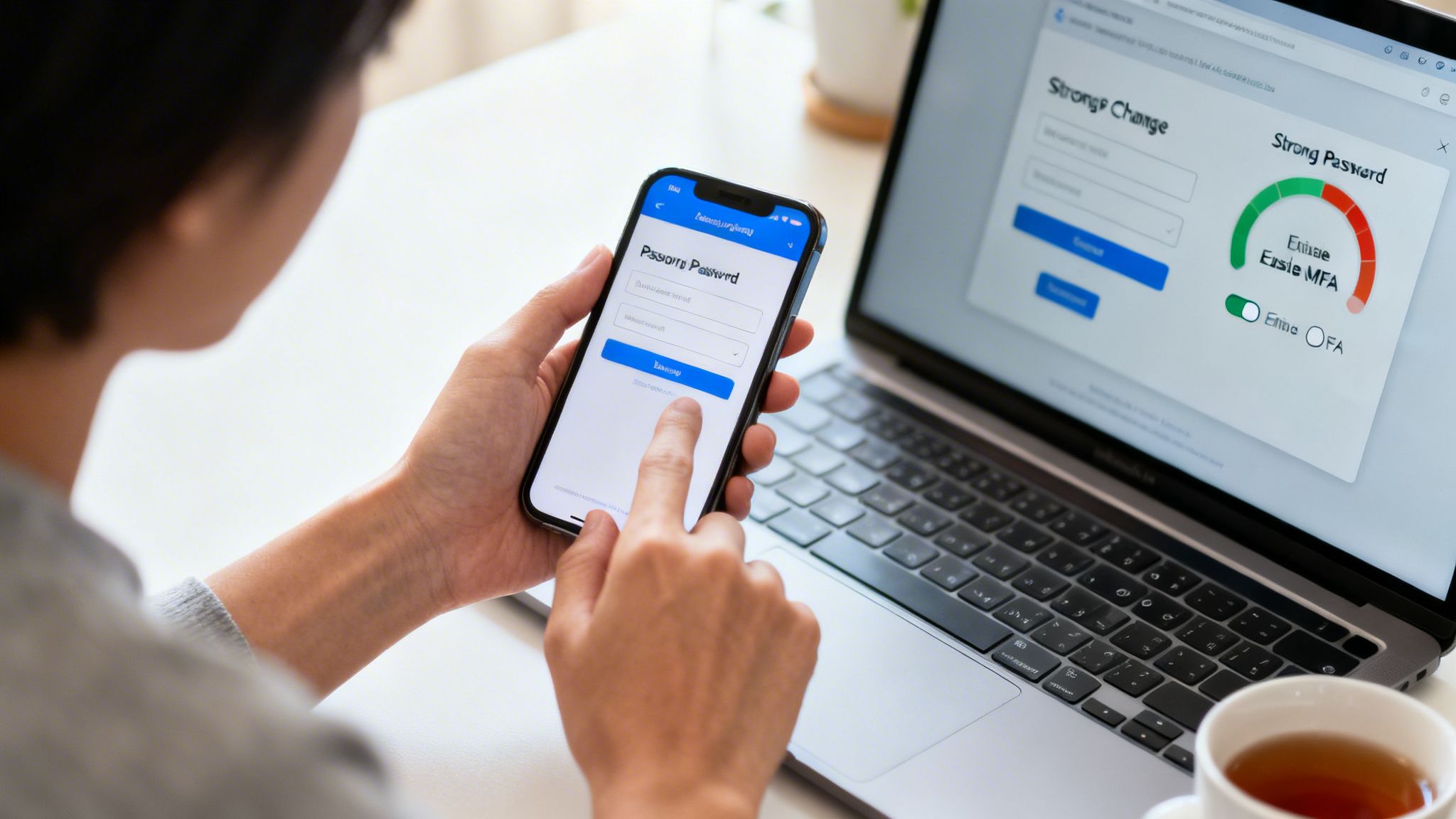
Once your passwords are changed, your next move is to enable Multi-Factor Authentication (MFA) on every account that offers it. MFA is your most powerful defense against account takeovers, full stop. Microsoft’s own data shows that MFA can block over 99.9% of account compromise attacks.
Think of it like this: your password is the lock on your front door. MFA is the deadbolt, the security chain, and the alarm system all in one. Even if an attacker has your key (the password), they can’t get inside without that second factor.
MFA forces anyone trying to log in to provide a second piece of evidence to prove their identity. This is usually a code from an authenticator app, a text message, or a physical security key. With MFA active, an attacker with your password is stopped cold, a critical step for gaming account security and financial protection.
Whenever you have the choice, use an authenticator app like Google Authenticator or Authy instead of SMS text messages. It’s a much more secure method that isn’t vulnerable to SIM-swapping attacks.
Tailor Your Response to the Threat
The specific data that was leaked should shape your next actions. Your response needs to be tailored to the context of what was lost and how it affects your own life.
For example, a gamer whose credentials were exposed in a forum breach needs to move fast. Their top priority is securing gaming accounts like Steam or Epic Games to prevent thieves from stealing valuable in-game items or hijacking the account entirely. They also must change that same password on any other site where it was reused.
A professional whose data was leaked from a job site faces a different set of risks, like reputational damage or business email compromise. They need to lock down their LinkedIn profile, corporate accounts, and personal email to stop attackers from impersonating them or sending phishing emails to colleagues, which could harm their job prospects.
Understanding the specific threat helps you focus your efforts where they matter most. To learn more about building a robust defense, you can read our guide on how to protect your data online with our comprehensive guide.
Find What You Don’t Know
One of the biggest post-breach dangers comes from the accounts you’ve forgotten about. You might have secured your ten most critical sites, but what about that old forum account from five years ago that uses the exact same password? Attackers rely on these backdoors.
This is precisely why running an email breach lookup is only the beginning. The real work is finding every account tied to that email address.
A comprehensive scanner, like the one we offer at Digital Footprint Check, is crucial for this. It goes far beyond a simple breach check to map out your entire digital footprint, uncovering old, dormant, and forgotten profiles linked to your email. By getting a complete picture of your exposure, you can make sure no account is left vulnerable, turning a frantic cleanup into a full security overhaul. Take the first step with our free data breach checker.
Building Long-Term Digital Resilience
Fixing the damage after a breach is one thing. Actually staying safe is another. True cybersecurity isn’t a one-time cleanup; it’s about building strong digital privacy habits that become second nature.
This is your chance to shift from just reacting to a crisis to proactively protecting yourself. Think of it less like a chore and more like essential maintenance for your digital life—the part that guards your career, your money, and your personal safety. The goal is to build an online presence that’s secure by design for effective reputation management.
Adopting Proactive Digital Hygiene Habits
The core of long-term safety comes down to a few simple, repeatable habits. These practices shrink your “attack surface,” making you a much less appealing target for criminals looking for an easy win.
One of the smartest moves you can make is using email aliases. Instead of handing out your primary email to every website, create unique addresses for different categories like shopping.yourname@email.com or gaming.yourname@email.com. If an alias ever shows up in a breach, you can just delete it. The damage is contained, and your main account stays safe.
It’s also crucial to periodically check your connected apps. Do you really remember every service you’ve given access to your Google or Apple account over the years? Each one is a potential backdoor. Spend five minutes a month revoking access for apps you don’t use anymore. It’s a simple move with a huge security payoff.
The Power of Continuous Monitoring
A manual email breach lookup is a great snapshot, but it’s just that—a picture of a single moment in time. Breaches are happening constantly. Attackers aren’t just recycling old data; they’re hungry for fresh credentials.
When a device gets hit with infostealer malware, for instance, your logins can be snatched and listed for sale on criminal forums in as little as 24-72 hours.
This is where automated monitoring changes the dynamic. Instead of you having to remember to run a check, these services are on watch 24/7.
Think of continuous monitoring as your personal security detail for the internet. These services constantly scan the dark web, hacker forums, and data dumps using advanced OSINT tools. The moment your information appears, you get an alert, giving you a critical head start to take action.
This proactive warning system is a major advantage. The average time to even detect a breach is nearly a year. With monitoring, you can find out almost instantly. That lets you change the compromised password and lock down the account before a criminal ever gets the chance to use it, protecting you from identity theft and romance scams.
Securing Your Digital Ecosystem
True resilience also means locking down the devices you use every day. After a breach, fortifying your computer and phone is non-negotiable. This is where you deploy tools to block malware designed specifically to steal your credentials.
For anyone running a small business or working as a freelancer, choosing the best antivirus software provides a foundational layer of defense, helping to stop infostealers before they can even get started.
Make these security practices part of your routine:
- Quarterly Password Audits: Fire up your password manager and run an audit. Hunt down and replace any weak, old, or reused passwords.
- Social Media Privacy Check-ups: Go through the privacy and security settings on your social accounts. Make sure you aren’t publicly sharing more information than you need to, which is key for reputation management.
- Subscription Cull: If you’re not using an account, delete it. A dormant account is just another liability waiting to be exposed in a future breach, whether it’s for gaming, dating, or shopping.
By weaving these habits into your life and leaning on automated monitoring, you move from a position of defense to one of control. Digital resilience isn’t about becoming untouchable. It’s about being prepared, aware, and able to act fast.
Answering Your Questions About Email Breaches
When you start digging into email security and digital privacy, a lot of questions pop up. We get them all the time. Let’s tackle some of the most common ones to help you get a handle on your digital safety.
How Often Should I Check for Breaches?
As a general rule of thumb, running a manual check every 3 to 6 months is a decent habit for some peace of mind. The problem is, new breaches are found almost daily. That leaves a pretty big window where your data could be floating around without you ever knowing it, putting your gaming accounts, job prospects, and personal safety at risk.
A much better approach is to use an automated monitoring service. These tools don’t sleep. They scan for new threats 24/7 and can alert you the moment your info appears in a new data dump, giving you a critical head start to lock down your accounts.
Are Free Breach Lookup Sites Safe to Use?
The big, reputable sites are generally safe and serve as a great first-line check. The real risk lies with sketchy copycat websites that are just designed to phish for your email address. Always stick with trusted sources that security pros recommend.
It’s crucial to understand what free tools don’t do. They mostly track large, publicly announced breaches. They’ll almost always miss sensitive data being passed around on hidden forums or sold in private deals on the dark web, which is where many OSINT tools find critical threats.
Am I Completely Safe If My Email Is Not Found?
Getting a “not found” result from a public breach database is good news, but it’s not a guarantee of safety. It just means your email hasn’t popped up in the massive, well-known breaches that these public checkers have in their index.
Your data could still be exposed in smaller, uncatalogued incidents or be for sale right now on private dark web markets. This is exactly why strong cybersecurity habits—like using unique passwords and MFA—are non-negotiable, no matter what a quick lookup says. If you’re worried your identity is already at risk, our guide on using an identity theft checker can walk you through the next steps.
What Is the Difference Between Free Lookups and Paid Services?
Think of free lookups as a surface-level scan. They’re perfect for a quick spot-check against public data, but they only see the tip of the iceberg on the full threat landscape of identity theft and digital privacy risks.
A comprehensive paid service goes way deeper. It actively scours the hidden corners of the internet where criminals actually buy and sell stolen data—places like dark web forums, paste sites, and underground marketplaces. By providing continuous monitoring and instant alerts, these services give you a much more complete and actionable picture of your actual risk, helping with everything from preventing romance scams to ensuring gaming account security.
Ready to move beyond basic checks and see your complete online exposure? Digital Footprint Check scans hundreds of sources, including the hidden forums and marketplaces that others miss. Discover your full digital footprint and take back control of your identity today. Use our free data breach checker now.