· Digital Footprint Check · Content Marketing · 22 min read
Protect Your Online Identity: Your Ultimate 2026 Guide
Learn how to protect online identity with real-world strategies. Discover your digital footprint, secure your accounts, and prevent identity theft for good.

If you want to protect your online identity, you have to start thinking like an asset manager. Your digital footprint—that massive collection of data you leave all over the internet—isn’t just a random assortment of posts and logins. It’s your personal digital portfolio, and it needs active management. This goes way beyond just locking down your social media; it’s about hunting down and cleaning up old accounts, wrestling with privacy settings, and keeping a sharp eye out for data breaches that could impact your job prospects, personal safety, or financial well-being.
Your Digital Identity Is Under Constant Threat
Let’s be clear: your online identity isn’t just your email address and a profile picture. It’s a sprawling web of data points. Think old forum posts from a decade ago, forgotten accounts for online stores that don’t even exist anymore, public records, and your gaming profiles. Each piece might seem harmless on its own, but in the hands of a skilled threat actor using Open Source Intelligence (OSINT) techniques, they become weapons.
This isn’t just some vague warning to “be careful online.” The consequences are very real and can be devastating. A data breach from a gaming site you used in high school could expose a password you’ve reused, giving an attacker a key to your current bank account. A public social media profile packed with personal details is a rich source for scammers looking to run a convincing catfishing scheme on a dating app or commit identity theft against you or your family.
The Scale of Online Fraud and Identity Theft
This threat isn’t theoretical; it’s a daily, expensive reality for millions. The Federal Trade Commission’s own data paints a grim picture. In 2023, the Consumer Sentinel Network was flooded with 5.4 million reports of fraud and identity theft. Identity theft alone accounted for a staggering 1.4 million of those cases.
Credit card fraud remains the top offender, but scams originating from online shopping, email, and social media are right behind it. You can find more identity theft statistics and trends on the Insurance Information Institute’s website.
While the median fraud loss per person was $550 in 2023, that number doesn’t tell the whole story. Every one of those statistics is a real person who lost money, had their reputation damaged, or wasted countless hours just trying to get their life back. For many, the impact extends to their job prospects and personal safety.
From Data Points to Devastation: How OSINT Fuels Attacks
So, how does it all go so wrong? Attackers are masters of OSINT (Open Source Intelligence). They excel at gathering scattered, publicly available breadcrumbs and piecing them together to build a complete profile of their target.
Imagine this all-too-common scenario:
- A hacker gets your email and an old password from a 2018 data breach involving a forum you’d forgotten about.
- They plug that email into LinkedIn and instantly find your public profile, revealing your job title and where you work.
- From there, they pivot to your public Instagram or Facebook. Now they see your friends’ names, where you just went on vacation, and maybe even your dog’s name—a classic answer to a security question.
In just a few minutes, they have everything they need. They can craft a highly believable spear-phishing email targeting your colleagues, try to reset your passwords on more sensitive accounts, or even apply for credit in your name. You can see just what hackers can learn about you from our detailed guide.
Your digital footprint isn’t a liability; it’s a personal asset that demands proactive protection. The most important thing you can do is shift your mindset from being a passive user to an active manager of your own data. It’s time to take back control.
It’s an old saying, but it’s true: you can’t protect what you don’t know is out there. Before you can lock down your digital life, you first have to find all the doors and windows you’ve left open across the web. This means doing a full self-audit, using the same Open Source Intelligence (OSINT) methods that security pros—and the bad guys—use to map out a person’s entire online presence.
This isn’t about a quick Google search of your name. This is a deep, systematic hunt for every forgotten account, old username, and stray piece of personal data you’ve ever left behind. It’s the foundational first step to taking back control of your online identity.
Each of those stray data points might seem harmless on its own, but for a threat actor, they are puzzle pieces. When assembled, they create a clear path to identity theft, romance scams, and financial fraud.
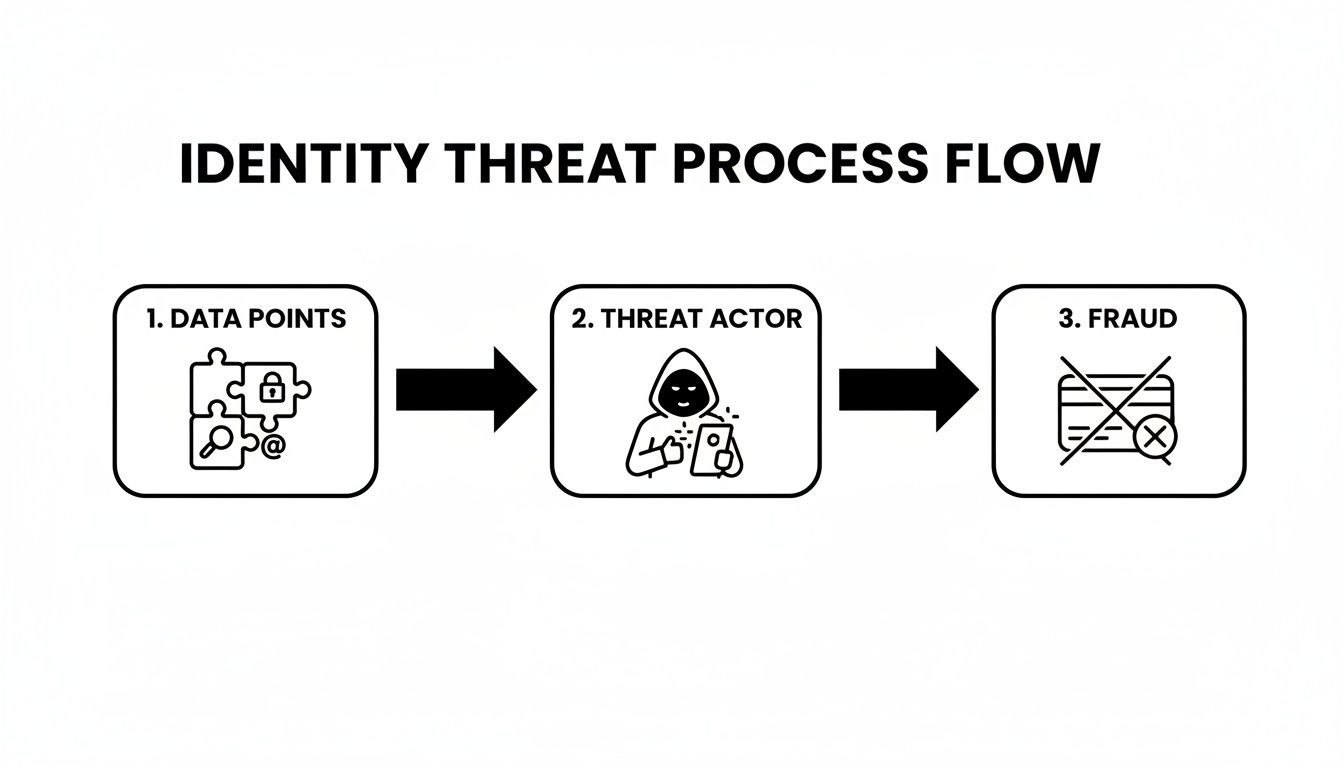
As you can see, the process starts with simple, exposed information. For an attacker, these bits and pieces are the raw materials they need to build a profile, target you, and ultimately commit fraud.
Mapping Your Data Manually: An OSINT Self-Audit
Going on a manual hunt for your data requires patience and a bit of a detective mindset. You need to think like an investigator, searching for every online identifier you’ve ever used.
Start by making a list of your personal identifiers. This is your starting point for your investigation.
Your goal here is to get a baseline understanding of what’s easily found. This checklist can help you organize your initial search.
Your Digital Footprint Discovery Checklist
This table provides a structured way to begin your manual audit, covering the most common vectors where your personal information might be exposed.
| Information Vector | Where To Search | What To Look For | Real-World Impact |
|---|---|---|---|
| Names & Usernames | Google, Bing, DuckDuckGo | Your full name (in quotes), old gaming tags, forum handles. | An old, unprofessional username can be linked to your real identity and hurt your job search. |
| Email Addresses | Social media platforms, forums, HaveIBeenPwned.com | Old college or work emails, any email linked to forgotten accounts. | Exposed emails are prime targets for phishing scams and can be used to reset other account passwords. |
| Phone Numbers | People search sites (e.g., Whitepages), Google | Both current and old numbers. Look for public listings or accounts they’re tied to. | Can lead to spam calls, SMS phishing (smishing), and account takeovers via SIM swapping. |
| Physical Addresses | People search sites, public records databases | Your current address and any previous addresses from the last 10-15 years. | Poses a direct threat to your personal safety and can be used for financial fraud. |
| Photos & Videos | Google Images (reverse image search), social media | Old profile pictures, photos you’ve been tagged in, any public videos. | Can be used for catfishing, creating fake profiles, or damaging your professional reputation. |
Once you’ve run through these searches, you’ll have a much better picture of your most visible data. But as you’ll see, this is just the tip of the iceberg.
It’s no surprise that people are getting more worried. In fact, 70% of global internet users took specific actions to protect their online activities back in 2022. Yet, the trust isn’t there—only 47% of U.S. consumers actually believe websites are doing a good job protecting their data.
The Hard Limits of a Manual Search
While a manual search is a crucial first step, it has some serious blind spots. You’re stuck on the surface web, the part of the internet that search engines like Google can see and index. You’ll almost certainly miss:
- Deep Web Content: This includes information locked away in databases, behind website login walls, or inside specific forums that search engines can’t crawl.
- Data Broker Profiles: These companies exist to collect and sell your personal information. Their massive databases are not designed to be easily searched by the public.
- Data Breach Leaks: Your usernames, passwords, and personal details could be sitting in a data dump on a criminal marketplace on the dark web, invisible to a standard search.
Imagine you’re a job seeker. A manual search might not turn up that unprofessional forum post you made ten years ago under an obscure username. But a thorough background check service used by an HR department could. That’s why a comprehensive scan is so important for your professional reputation management.
Companies are required to tell you how they handle your data, usually in a document like a Privacy Policy, but digging through these for every service you’ve ever used is a monumental task.
Why You Need an Automated Tool
This is where automated tools become a major advantage. A dedicated service like Digital Footprint Check goes lightyears beyond what any manual search can realistically achieve. It runs a systematic check across hundreds of sources on the surface, deep, and dark web.
Instead of spending days playing a guessing game and sifting through search results, a single scan can check your name, emails, and usernames against massive breach databases, social networks, and data broker sites. The result is a complete, actionable map of your digital exposure, delivered in minutes.
Ready to see what’s really out there? Get an instant, comprehensive picture of your exposure by using the free checker at www.digitalfootprintcheck.com/free-checker and start taking back control of your identity.
A Practical Plan For Data Removal And Cleanup
Okay, you’ve done the detective work and now you have a map of your digital footprint. The next step is moving from discovery to cleanup. This is where you roll up your sleeves and start scrubbing away the digital breadcrumbs you’ve scattered across the web over the years.
Think of it as digital spring cleaning. It’s essential for lowering your risk of everything from identity theft and romance scams to professional reputation damage.
Let’s be realistic: achieving total digital invisibility is a ghost story. It’s practically impossible. The real goal here is strategic cleanup. That means deleting what you can, locking down what you can’t, and minimizing the damage of any info that has to stay public.
Prioritizing Your Cleanup Efforts
Staring at a long list of exposed data can feel like you’re about to climb a mountain. The key is to not get overwhelmed. Instead, you need to triage based on risk.
A public photo from a family vacation isn’t nearly as dangerous as a leaked password or your home address floating around on a data broker site.
Start by sorting what you found during your audit into a few buckets:
- High-Risk Data: This is the critical stuff. We’re talking leaked passwords, exposed home addresses, phone numbers, financial details, and anything that showed up in a data breach. This is your immediate priority.
- Reputation-Risk Data: This bucket is for old, cringey social media posts, heated comments you made on a forum a decade ago, or anything a potential boss or new date might find that could paint you in a bad light. This directly impacts job prospects and online dating safety.
- Low-Risk Data: This is the less urgent stuff. Think old, dormant accounts with no sensitive info, your name mentioned in a local news article, or public business directory listings.
By sorting your findings like this, you can put your energy where it counts and tackle the biggest fires first.
Taming Your Social Media and Old Accounts
Your online accounts—both the ones you use daily and the ones you forgot you even had—are the lowest-hanging fruit. Most platforms have tools built right in to help you manage your data, tweak privacy, and even delete accounts entirely.
For Social and Professional Networks:
- Review Your Privacy Settings: Go through Facebook, Instagram, LinkedIn, and X (formerly Twitter) with a fine-tooth comb. Limit who sees your posts, who can tag you, and how you show up in searches. “Friends Only” or “Private” is almost always the safest bet.
- Untag Yourself: Go back through photos you’ve been tagged in. Remove the tag from anything that looks unprofessional, is too personal, or just doesn’t represent who you are today.
- Delete Old Posts: Manually delete or archive old posts that are no longer relevant. Some platforms even have tools to bulk-manage old content, which can be a huge time-saver.
For Old, Forgotten Accounts:
The average person has dozens of accounts they don’t even remember creating. Use the list of emails and usernames you gathered earlier and check out a site like justdelete.me. It provides direct links to the account deletion pages for hundreds of services.
Deleting these “zombie accounts” is a crucial move to protect your online identity from data breaches on platforms you haven’t touched in years.
Real-World Scenario: A marketing professional, “Alex,” was looking for a new job. A quick footprint scan dug up some inflammatory comments made on a political forum 10 years ago under an old gaming handle. While the username was random, it was tied to an old email that was easy to trace back to Alex. He couldn’t delete the forum posts, but he could delete the account itself. This anonymized the posts, breaking the direct link to his real identity and neutralizing the threat to his job hunt.
This just goes to show that even when you can’t erase something completely, simply severing the connection between the data and your name can be just as effective.
Tackling Data Brokers and Public Records
This is often the toughest, most frustrating part of the cleanup. Data brokers are companies whose entire business model is to collect and sell your personal information. They get it from public records, by scraping social media, and by buying it from other companies.
Getting your info off these sites is a slow, tedious, but necessary grind. Each broker has a different, often confusing, opt-out process. You might have to fill out online forms, send emails, or even mail physical letters.
You can do this yourself, but be prepared for a long game of digital whack-a-mole. This is where automated data removal services come in. If you’re curious, you can check out this comprehensive guide on data broker removal and how to reclaim your privacy. These services do the legwork, submitting opt-out requests for you and then monitoring the sites to make sure your data doesn’t just reappear a few months later.
To discover your exposure and begin the cleanup process, run a scan now with our free checker at www.digitalfootprintcheck.com/free-checker.
Hardening Your Accounts Against Digital Threats
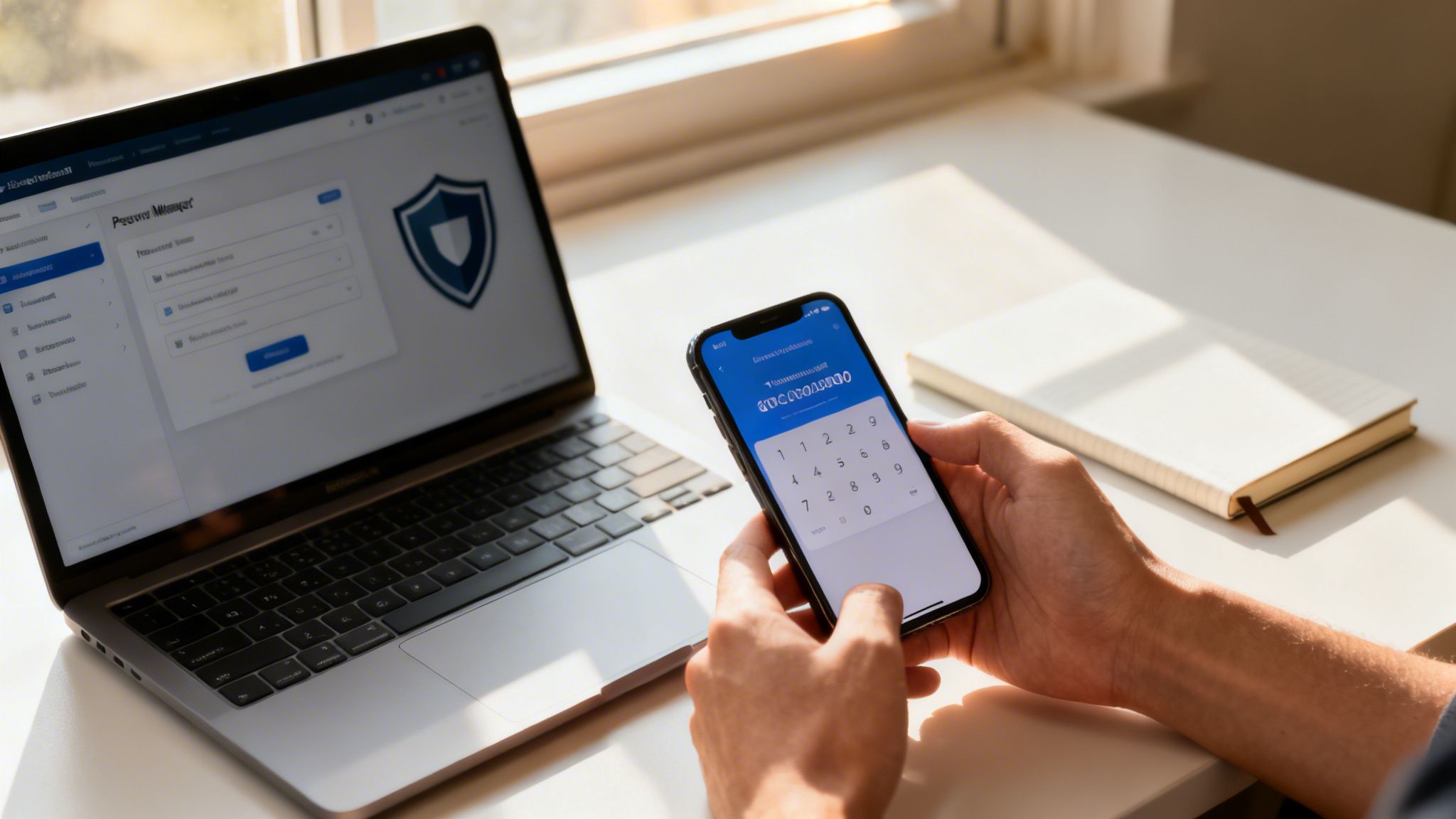
Cleaning up your exposed data is a huge win, but the work isn’t over. Now it’s time to shift from defense to offense by fortifying the accounts you use every day. Think of it as moving from cleaning up a mess to installing a state-of-the-art security system. This is where you make yourself a hard target and protect your online identity.
The old advice about passwords just doesn’t cut it anymore. Reusing the same password across multiple sites is the single biggest security mistake I see people make. All it takes is one breach on a forgotten forum or old shopping site, and suddenly criminals have the keys to your email, your bank, and your social media kingdom.
That’s why every account needs its own unique, complex password. I know that sounds like an impossible task. Who can remember dozens of random strings of characters? Nobody. That’s why a password manager is non-negotiable. These tools generate, store, and fill in strong passwords for you, so you only have to remember one single master password. To get this set up correctly, our guide on password manager best practices will walk you through making this transition smoothly.
Multi-Factor Authentication: The Non-Negotiable Security Layer
Even with unique passwords, you’re still leaving the door unlocked. A strong password is a good lock, but Multi-Factor Authentication (MFA) is the deadbolt, the alarm system, and the security camera all rolled into one. It demands a second piece of proof that it’s really you trying to log in.
This “second factor” is usually something you have (like a code from an app on your phone) or something you are (like your fingerprint). So, even if a hacker manages to steal your password from a data breach, they’re stopped cold because they don’t have your phone.
The latest Digital Identity Guidelines from NIST (SP 800-63-4) are pushing hard for syncable authenticators like passkeys. This shows a clear industry-wide move away from single-layer defenses and toward stronger, multi-layered security.
You need to turn on MFA for your most critical accounts today. No excuses. Start with these:
- Your primary email account: This is the master key to everything. If it’s compromised, your entire digital life can be unraveled.
- Banking and financial apps: This one is obvious. Protect your money.
- Social media accounts: Prevents hackers from taking over your accounts, impersonating you, and destroying your reputation or engaging in romance scams.
- Gaming accounts: Don’t underestimate this one. High-value accounts on platforms like Steam and Epic Games are constantly targeted by thieves looking to sell your assets, costing you hundreds or thousands of dollars in digital goods.
Auditing Permissions And Dodging Phishing Scams
Great security is about more than locks and keys; it’s about good habits. A fantastic place to start is by regularly auditing the permissions you’ve given to third-party apps.
Go through your Google, Facebook, and Microsoft account settings. Do you really need that silly quiz app from 2017 to have ongoing access to your contacts and posts? Probably not. Revoke access for anything you don’t recognize, use, or trust.
You also have to stay vigilant against phishing. These attacks have become personal and sophisticated. Scammers use the data they’ve gathered about you to craft emails and messages that look legitimate.
Always be skeptical. If you get an urgent request for information, see a link that looks just a little “off,” or receive a message that tries to make you emotional, stop and think. When in doubt, never click the link. Instead, open your browser and type in the website’s address directly.
This is especially critical for online daters and a key part of catfishing detection. Never give out your full name, financial details, or home address on a dating app. Stick to the app’s messaging system and be cautious of anyone trying to rush you onto a personal email or messaging platform, as this is a classic tactic used in romance scams.
Finally, secure your home base: your Wi-Fi network. Make sure it’s protected with a strong, unique password and is using WPA2 or, even better, WPA3 encryption. An unsecured home network is like leaving your front door wide open for any passerby to snoop on your digital life. These small but consistent habits are what build a resilient online defense.
Building Your Early Warning System For Data Breaches

Cleaning up your old accounts and hardening your current ones are huge steps. But let’s be clear: the mission to protect your online identity isn’t a one-and-done project. It’s a constant practice. Your digital footprint shifts with every new app you try and service you sign up for, and fresh data breaches expose millions of records every day.
This means you need an early warning system. You need a way to know the second your personal information pops up somewhere it shouldn’t, giving you a crucial head start to act before any real damage is done.
Setting Up Basic Alerts
You can rig a very basic, manual monitoring system on your own. This involves setting up alerts for mentions of your key personal details, like your full name, common usernames, and email addresses.
Think of it as casting a wide, but very shallow, net. It’s better than nothing, but you have to understand the limitations. These alerts mostly skim the surface web and won’t flag your data if it lands in a password dump on a criminal marketplace or a private database.
The hard truth is that a major breach can happen at any moment. The average time it takes a company to even identify a breach is a staggering 277 days. A proactive monitoring system is your personal watchtower, spotting trouble long before you’d ever hear about it on the news.
The Power of Automated Breach Monitoring
This is where a dedicated service like Digital Footprint Check becomes your personal cybersecurity lookout. Instead of you searching manually, these tools automate the entire process, running continuous scans across the internet—including the places you can’t see.
They don’t just look at the surface web. They dive deep into the places where your stolen data is most likely to show up first:
- Dark Web Marketplaces: These are the underground forums and shops where cybercriminals buy, sell, and trade stolen credentials.
- Hacker Forums: Online communities where breach data is often shared or leaked publicly.
- Massive Breach Databases: Huge compilations holding billions of records from thousands of past data breaches.
When a match for your email, password, or other personal info is found, you get an immediate alert. This notification is your signal to spring into action.
Responding When the Alarm Sounds
Getting a breach alert can be jarring, but it’s really a gift of time. It lets you get ahead of the criminals. The moment you’re notified, you have a clear plan.
For example, if an alert shows your email and password for a gaming site were just leaked, you know to immediately:
- Change the password on the breached site.
- Change the password on any other site where you reused that same password.
- Enable Multi-Factor Authentication on those accounts if you haven’t already.
This swift response can be the difference between a minor headache and a major identity theft crisis. For a gamer, this means securing a high-value Steam or Epic Games account before it’s stripped of its assets. For a job seeker, it means protecting the professional reputation tied to their email and LinkedIn profiles before they’re compromised.
In a world where data breaches are a matter of when, not if, this proactive warning system is one of the most powerful tools in your arsenal. You can see if your information is already exposed by running a free data breach check right now.
Frequently Asked Questions About Online Identity
Even with the best plan, you’re going to have questions. When you start digging into your online identity, a lot of “what ifs” and “how oftens” pop up. We get it.
Here are the answers to some of the most common questions we hear from people just like you, designed to give you clarity and confidence.
How Often Should I Check My Digital Footprint?
Think of it like a regular health check-up. A deep-dive audit of your digital footprint should happen at least quarterly. This gives you a baseline and helps you spot slow-creeping changes.
But some life events demand an immediate check. Don’t wait.
- When you’re job hunting: Your online presence is your modern resume. A single unprofessional photo or an old, forgotten forum post can sink an opportunity before you even get an interview. Reputation management is key.
- Before you start dating online: Know what a potential partner will find when they inevitably search for your name. This is about managing your own story, ensuring your personal safety, and being aware of information that could be used against you in a catfishing or romance scam.
- After any major life change: Getting married, moving to a new city, or a career change all create fresh data trails. It’s smart to see what that new information looks like online.
For constant threats like data breaches, a quarterly check is nowhere near enough. Breaches happen 24/7. That’s where continuous, automated monitoring becomes non-negotiable.
Can I Ever Completely Erase My Online Identity?
The short, honest answer is no. For the average person, a complete digital wipe is a myth.
Information gets copied, archived, and sold. It lives on in databases you’ll never see. Once something hits the internet, you have to assume a copy of it exists somewhere, forever.
The goal isn’t to become a digital ghost; it’s to become a difficult and uninteresting target. By removing the easy-to-find, high-risk data points, you make yourself a headache for opportunistic scammers and identity thieves. They’ll simply move on to easier prey.
Focus on what you can control. Deleting old accounts, purging ancient social media posts, and getting your info off data broker sites are powerful actions. It’s all about risk reduction, not impossible erasure.
What Are The Absolute First Things I Should Do If My Identity Is Stolen?
If you even suspect your identity has been stolen, you need to move fast. The first few hours are critical for containing the damage. Time is not on your side.
Here’s your immediate action plan:
- Lock Down Your Credit: Immediately place a credit freeze with all three major credit bureaus: Equifax, Experian, and TransUnion. A fraud alert is okay, but a freeze is better—it blocks anyone from opening new credit in your name, period.
- Change Your Core Passwords: Start with your primary email account—this is the skeleton key to your digital life. Then, hit your online banking and any financial accounts. Use a password manager to generate strong, unique passwords for every one.
- Make It Official: File a report immediately with the Federal Trade Commission at IdentityTheft.gov. This generates an official report and a personalized recovery plan. You should also file a report with your local police department to create a paper trail.
These three steps create immediate roadblocks for the thief and give you the official documentation you’ll need to prove the theft and recover your identity.
Is Using Public Wi-Fi Really That Bad?
Yes, it can be. Using that free, unsecured Wi-Fi at the coffee shop, airport, or hotel is like shouting your bank password across a crowded room. You have no idea who is listening.
The biggest threat is a “Man-in-the-Middle” (MitM) attack. This is where a hacker on the same network positions themselves between your device and the internet, intercepting everything you send and receive—login credentials, credit card numbers, private messages.
If you must use public Wi-Fi, you have to take precautions:
- Stick to “HTTPS” Sites: Always look for the padlock icon in your browser’s address bar. This means your connection to that specific website is encrypted.
- Use a Virtual Private Network (VPN): This is the real solution. A reputable VPN creates a secure, encrypted tunnel for all of your internet traffic, making it unreadable to anyone snooping on the network.
A good VPN isn’t a luxury; it’s an essential tool for anyone who ever connects to a network they don’t own and control.
Knowing how to handle these common situations is the foundation of a secure digital life. Ready to turn these answers into action? Digital Footprint Check gives you the tools to see what’s out there and take control.
Start with our free checker at www.digitalfootprintcheck.com/free-checker to get an instant report on your online exposure.