· Digital Footprint Check · Content Marketing · 20 min read
Your Digital Footprint to Protecting Your Online Identity
Discover your digital footprint, the risks to safety and career, and simple steps to protect your online identity.

Every click, post, and search leaves an impression, and over time those impressions form your digital footprint: a searchable record of your life online. It affects your job prospects and your safety, so managing it is essential, not optional.
What Is Your Digital Footprint Really?

Your digital footprint is the sum of your online activity and the data it generates: who you are, what you like, where you go, what you think. That information sits scattered across countless companies, and it shapes job offers, romance scams, and everything between.
The trail grows with each interaction: a liked photo, a streamed movie, a directions search, a scroll through the news.
As of October 2025, there are an estimated 5.66 billion social media user identities, 68.7% of the population. The average person runs more than six social accounts, and every piece contributes to a digital footprint.
Active vs. Passive Footprints
Your footprint forms two ways. Some data you share on purpose; more is collected quietly in the background.
The table shows how each type is generated.
Active vs. Passive Digital Footprint
| Footprint Type | How It’s Created | Common Examples |
|---|---|---|
| Active | You deliberately and knowingly share this data online. It’s the content you create and publish yourself. | • Posting a social media update • Sending an email • Publishing a blog post • Leaving a product review |
| Passive | This data is collected without your direct action, often happening behind the scenes as you browse. | • Websites using cookies to track your activity • Your IP address revealing your general location • Apps collecting location data |
The difference matters: you control your active footprint directly, while the passive one requires more technical effort. A quick website visit can reveal your location, interests, and device type.
Your active footprint is what you say; your passive footprint is the notes someone takes on your behavior. Both shape how others see you.
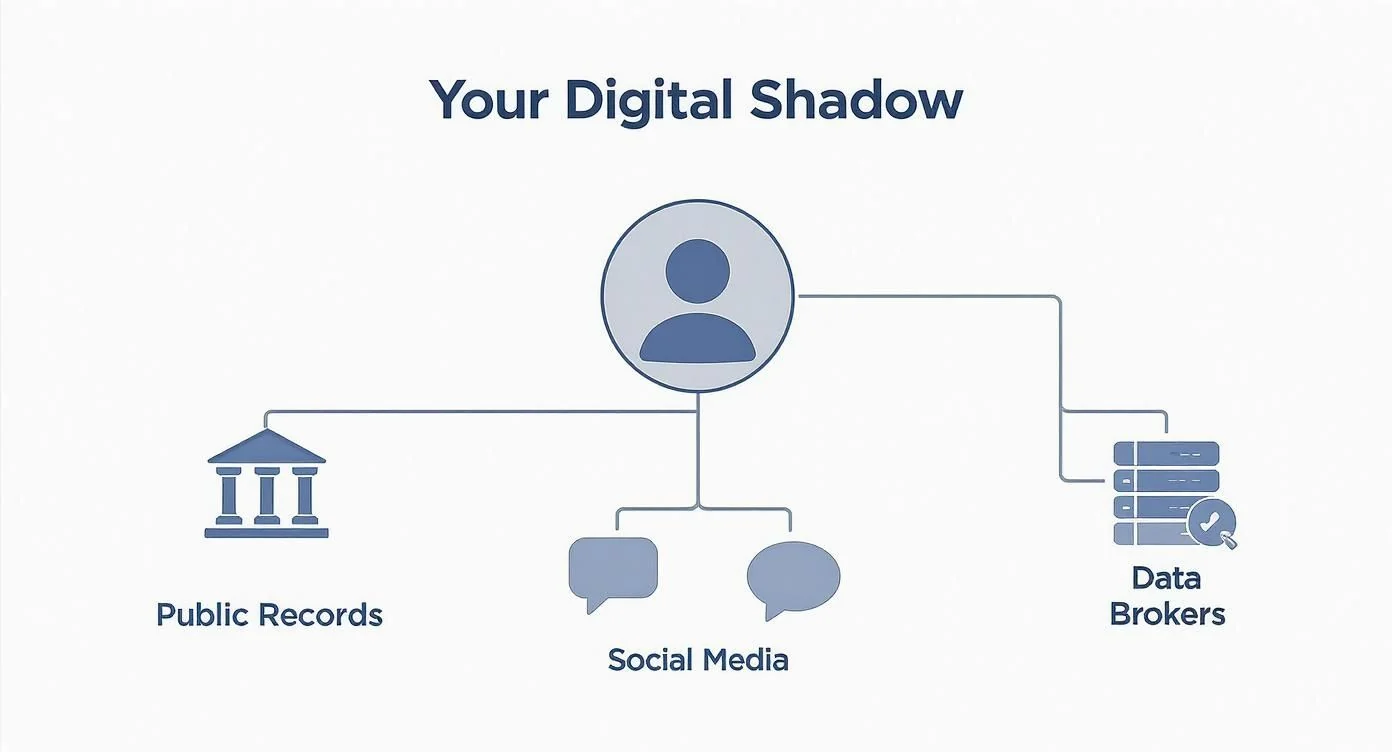
Many people confuse a digital footprint with a “digital shadow.” See the difference between your digital footprint and digital shadow to understand how unseen data builds your profile for advertisers, employers, and criminals.
Where Your Online Data Is Collected and Stored

Your footprint extends beyond social media. It’s a web of data points spread across servers and databases worldwide.
Every browse, job application, and cloud save adds data. Globally, we generate an estimated 2.5 quintillion bytes every day, on track for 181 zettabytes by 2025, much of it from the posts and emails that build our identities.
The Obvious Data Collectors
The services you use every day collect the most. You know it’s their business model, but the depth of what they gather still surprises people.
Here are a few of the most common places your information ends up:
- Social Media Platforms: Every post, like, comment, and direct message on sites like Facebook, Instagram, X (formerly Twitter), and LinkedIn is logged and stored. This includes metadata telling them exactly when you posted and from where.
- Search Engines: Google, Bing, and others keep a meticulous history of every query you make. This builds a detailed profile of your interests, health concerns, and private curiosities, all for the purpose of targeted advertising.
- E-commerce Sites: Retailers like Amazon and Shopify track everything. They know your purchase history, the items you browse, what’s on your wish list, and even how long you stared at a product before deciding not to buy it.
Just your daily browsing habits create a massive trail of data. Our guide on the invisible trail left by your browsing habits shows how this seemingly harmless activity reveals far more about you than you’d ever guess.
The Hidden Data Harvesters
Behind the services you use, a hidden economy buys and sells your personal information. These companies assemble your life story from hundreds of sources without ever interacting with you.
The biggest players in this hidden world are data brokers. These companies are information aggregators, and their entire business is built on scraping public records, social media, browsing histories, and purchase data. They then sell these personal profiles to advertisers, financial firms, and just about anyone else willing to pay.
But plenty of other, less obvious sources are constantly adding to your footprint:
- Gaming Accounts: Your username, in-game chats, friend lists, and purchase history are all stored. In many cases, this information is public by default, creating a vector for scams and account takeovers.
- Dating Apps: Profiles on Tinder, Bumble, and others hold sensitive data, including your photos, location, and personal preferences—all of which can be exposed in a data breach or used by catfishers.
- Public Records: Government websites and online databases host a trove of personal information, like property records, court filings, and business licenses, making them easily accessible online.
- Smart Home Devices: That smart speaker, thermostat, or security camera is always listening and watching. It collects data on your daily routines, voice commands, and private habits.
As technology evolves, so do the methods of data collection. For instance, decentralized systems are changing how information is handled in emerging Web3 apps, creating new challenges for privacy.
Ultimately, your digital footprint is fragmented across public forums, private company servers, data broker databases, and even the blockchain. This makes it difficult to track, let alone control. Finding out what’s out there is your first step to digital privacy. Take control by getting a comprehensive view of your own online presence with a free digital footprint scan.
The Real-World Consequences of an Exposed Footprint
An unmanaged digital footprint isn’t just some abstract privacy issue—it creates real, tangible problems that can derail your career, threaten your personal safety, and empty your bank account.
The data trail you leave behind is actively being used by others to make judgments about you, often without you even knowing it. From romance scams to job rejections, the impact is significant.
Your digital footprint directly shapes your career and personal security in ways that can be shocking. While one survey found that 90% of Americans know they leave a digital trail, a staggering 75% of employers admit they’ve rejected candidates because of what they found online. With over 4.8 billion people using the internet, this isn’t a niche problem. It’s a global one.
How Your Footprint Impacts Job Prospects
In a tough job market, recruiters don’t just stop at your resume and LinkedIn profile. They’re digging deeper, searching for anything that might raise a red flag. Think of it as an informal, unregulated background check that can make or break your reputation management efforts.
A single inappropriate photo, an angry forum comment from ten years ago, or even an online association with a controversial group can be enough to get your application tossed in the bin. This is standard practice for a lot of companies now.
Here are a few real-world scenarios where a digital footprint costs someone a job:
- Old college party photos: A picture showing unprofessional behavior can make an employer question your judgment and maturity, even if it’s ancient history.
- Controversial social media posts: Strong political or social opinions, even from years ago, can be seen as a liability if they don’t mesh with a company’s culture.
- Negative comments about a past employer: Publicly trashing a previous job is a massive red flag. A new boss will assume you’ll eventually do the same to them.
The harsh reality is that your online persona is now an extension of your resume. What you say and do online can either reinforce your professional qualifications or undermine them.
To get a better handle on this, check out our full guide on how your digital footprint affects job opportunities and what employers are really looking for. It’s essential reading for anyone trying to build a career.
Personal Safety: From Stalking to Scams
The fallout from an exposed footprint goes way beyond your job. Oversharing personal information can put your physical safety and financial security on the line. Details that seem harmless by themselves can be pieced together by malicious actors to build a detailed profile of your life.
Online Dating Safety & Romance Scams
Your digital footprint is a rich source for scammers. Romance scams are a particularly devastating form of fraud where criminals use your public information to build a fake online identity and manipulate you emotionally.
Real-World Example: A scammer finds a recently divorced individual on Facebook. Using details from their public posts about their hobbies and interests (like their love for dogs or travel), the scammer creates a fake persona that seems like a perfect match. This is catfishing. They build trust over weeks or months, often using a stolen photo for their profile, before fabricating an emergency and asking for money. According to the FTC, victims lost $1.3 billion to romance scams in 2022 alone. A clean and private digital footprint makes you a much harder target.
Gaming Account Security & Identity Theft
Every piece of your digital footprint is a potential breadcrumb for an identity thief. Data breaches are a fact of life, exposing billions of records containing names, emails, passwords, and other sensitive details.
This stolen data is then often combined with publicly available information from your social media or gaming profiles to launch specific, targeted scams.
Think about these real-world examples:
- The Hijacked Gaming Account: A gamer’s public profile shows their username and favorite games. A scammer uses this information to craft a convincing phishing email, pretending to be the game developer. The gamer is tricked into giving up their password, and their account—along with hundreds of dollars in purchased content—is stolen and sold on the dark web.
- The Targeted Identity Theft: A criminal finds your full name, birth date, and old addresses from data broker sites. They combine this with information from your public social media, like your mother’s maiden name or your first pet’s name (common security questions). Suddenly, they have enough to try to open credit cards in your name or access your bank accounts.
Beyond direct theft, an exposed footprint can create security holes that lead to the loss of important data on your personal devices. In those situations, having access to professional data recovery services can be a lifesaver for retrieving lost files.
Understanding these threats makes one thing crystal clear: managing your digital footprint isn’t just about privacy. It’s about protecting every part of your life. Discover your exposure now with a free check at www.digitalfootprintcheck.com/free-checker.
How to Audit Your Own Digital Footprint
Okay, enough with the theory. It’s time to get your hands dirty and see what the internet really knows about you. The best way to audit your footprint is to think like a researcher—or even a hacker.
You’re going to use a set of techniques known as Open Source Intelligence (OSINT). That might sound like something out of a spy movie, but it’s just a fancy term for collecting information from publicly available sources. This is exactly what a curious employer, a determined scammer, or a nosy stranger would do to build a profile on you.
This process shines a harsh light on exactly what personal data is exposed, where it’s hiding, and how it could be weaponized. It’s not an abstract problem; exposed data leads to very real consequences.

As you can see, a small data leak can snowball into a major life event, like losing a job offer or fighting off identity theft. Let’s walk through how to conduct your own audit, step-by-step.
Step 1: Use OSINT Tools for Advanced Searches
Your first stop is Google, but a simple name search won’t cut it. You need to dig deeper using advanced search operators, often called “Google dorks.” These simple OSINT tools let you slice through the noise and find specific information with surgical precision.
Fire up Google, Bing, or DuckDuckGo and try these:
"Your Full Name": Putting your name in quotes forces a search for that exact phrase, filtering out irrelevant results."Your Name" AND "Your City": This combination is great for uncovering local news mentions, public records, or community involvement.site:facebook.com "Your Name": Thesite:operator restricts the search to a single website. It’s powerful for checking your visibility on specific social media platforms or old forums.filetype:pdf "Your Name": This unearths any PDF documents associated with your name. You might be surprised to find old résumés, academic papers, or club newsletters you forgot ever existed.inurl:username "Your Username": Use this to find URLs that contain a specific username you’ve used over the years.
Get creative and combine these operators. Search for your name alongside old hobbies, schools, or former employers. The goal is to mimic the process an investigator would use to piece together your life story from public scraps of data.
Step 2: Check Your Usernames and Email Addresses
Chances are, you’ve used the same handful of usernames and email addresses to sign up for countless services over the years. Each one acts as a thread, connecting accounts and activities you probably wanted to keep separate.
A username audit is non-negotiable. Grab a piece of paper and list every username you can remember using on:
- Gaming Platforms: Steam, Epic Games, Xbox, PlayStation.
- Social Media: Instagram, X (formerly Twitter), Reddit, TikTok.
- Forums and Communities: Any old forums for cars, music, or other hobbies.
Once you have your list, use online username checkers to see where those names pop up across the web. This is the fastest way to find forgotten accounts on ancient forums or gaming sites, which are often treasure troves of cringeworthy posts and outdated personal info. For a deeper look, our guide on the top tools for monitoring your digital footprint points you to more specialized resources.
Step 3: Discover Your Exposure in Data Breaches
Here’s the frustrating part: even if you do everything right, your data can still get exposed. Companies get hacked every day, and your personal information—from email addresses to passwords—could be sitting on a dark web marketplace right now.
Checking your breach exposure is a crucial part of any footprint audit. A single compromised password is a skeleton key for criminals, especially if you reuse it across multiple sites.
The highest standard for this is Have I Been Pwned, a free and highly respected service. Just enter your email address, and it will scan a massive database of known data breaches. The site tells you exactly which breaches your email was found in and what kind of data was stolen, giving you a clear to-do list of which passwords need to be changed immediately.
By following these three steps, you’ll have a much more realistic picture of your online self. But to get the full picture, you need more than manual checks. Start with a free, instant scan at www.digitalfootprintcheck.com/free-checker to see your exposure across hundreds of sites.
A Practical Guide to Protecting Your Online Identity

Knowing what’s out there about you online is the first step. Now for the important part: taking back control. Once you’ve audited your presence, it’s time to actively manage and protect your identity by cleaning up the past and building smarter habits for the future.
This isn’t about trying to scrub yourself from the web completely—that’s nearly impossible. It’s about making deliberate choices to build a digital footprint that helps you, rather than one that puts you at risk. Let’s walk through the essential actions you can take right now.
Delete Old Accounts and Posts
Your first mission is a digital spring cleaning. Every forgotten account is a potential security risk, and every embarrassing old post is a reputational landmine just waiting to go off.
Start by hunting down and permanently deleting accounts for services you’ve abandoned. This could be anything from an old MySpace profile to a forum account you made a decade ago for a one-time question. If an account can’t be deleted, scrub it of all personal information and replace it with generic, non-identifiable data.
Next, it’s time to manually review your active social media profiles. It’s tedious, but you need to scroll through your old posts, photos, and comments, and get rid of anything that doesn’t align with the person you are today.
Configure Your Privacy Settings
Privacy settings are your first line of defense, but their default configurations almost always favor public sharing over your own protection. You have to be the one to proactively lock them down on every platform you use.
A revealing study found that 64% of users haven’t checked or changed their social media privacy settings in the last year. This leaves a massive, unlocked door for data harvesting and bad actors.
Don’t be part of that statistic. Go through your accounts on Facebook, Instagram, X (formerly Twitter), LinkedIn, and even your gaming services.
- Set your social media profiles to private so only people you approve can see your content.
- Turn off location tracking for any app that doesn’t need it to function.
- Limit how search engines can find and index your social media profiles.
- Review app permissions and revoke access for any service that asks for more data than it needs.
The Job Seeker’s Reputation Checklist
For anyone on the job hunt, a clean digital footprint is non-negotiable. With over 70% of employers using social media to screen candidates, your online presence is part of your resume. Use this reputation management checklist to make sure your footprint is reinforcing your professional brand.
- Google Yourself Incognito: Open a private browser window and search for your name. This shows you exactly what a recruiter will find. Take note of any problematic links on the first few pages.
- Scrub Your Socials: Delete any unprofessional photos, controversial comments, or posts that criticize past employers or colleagues. If you wouldn’t say it in an interview, it doesn’t belong on your profile.
- Optimize LinkedIn: Make sure your profile is current, professional, and full of your key skills and accomplishments. Your goal is for this to be the very first result when someone searches your name.
- Create Positive Content: If your search results are negative or just empty, start building a positive footprint. Write a professional blog post, or start engaging in thoughtful industry discussions on LinkedIn.
The Gamer’s Account Security Checklist
A gamer’s online identity is a rich source for hackers looking to steal accounts, in-game items, and personal financial data. Protect your profiles and assets with these crucial cybersecurity steps.
- Use Unique Usernames: Never use the same username across all gaming platforms, forums, and Discord. This makes it much harder for someone to connect your accounts and track your activity.
- Enable Two-Factor Authentication (2FA): This is the single most important thing you can do for your gaming account security. Requiring a second code from your phone makes it nearly impossible for a hacker to get in, even if they steal your password.
- Keep Your Profile Private: Set your gaming profiles on Steam, Xbox, and PlayStation to private or friends-only. This hides your game library, friend list, and activity from public view.
- Beware of Phishing Scams: Never click on suspicious links in chats or emails promising free skins, currency, or items. Always log in directly through the official website or game client.
By following these targeted guides, you can systematically shrink your exposure and start building a more secure and intentional digital footprint. You have the power to decide what the internet knows about you.
If you’re ready to discover and manage your entire online presence across hundreds of platforms, our free digital footprint checker can give you the comprehensive view you need to take action.
Automate Your Digital Footprint Protection
Trying to manually audit your own digital footprint is a great first step, but let’s be realistic—the internet is a sprawling, chaotic place. Keeping track of every new post, data broker profile, and potential breach on your own is a full-time job. This is where automation stops being a simple convenience and becomes an absolute necessity for real cybersecurity and digital privacy.
Instead of losing hours searching for your data, an automated service can do all the work for you. This shifts your strategy from one of reactive cleanups to proactive, ongoing protection.
How Automated OSINT Works for You
A dedicated service like Digital Footprint Check uses professional-grade Open Source Intelligence (OSINT) to constantly scan the public and hidden corners of the internet for traces of your identity. It’s like having a team of digital detectives working for you 24/7, tirelessly searching for your exposed information.
This isn’t just a simple Google search. The process involves scanning over 500 platforms, including:
- Social Media Networks: Finding not just public profiles but also hidden ones linked to your identity.
- Forums and Communities: Digging up old posts and accounts you probably forgot you even made.
- Data Breach Lists: Alerting you the moment your login details show up in a new leak.
- Public Records: Discovering what official government sources and other public databases reveal about you.
Using just an email, phone number, or username as a starting point, these automated tools can assemble a comprehensive picture of your digital footprint—one that goes far beyond what you could ever find on your own.
Think of it this way: a manual audit is like checking the locks on your doors and windows once a year. An automated service is a full-time security system that monitors every entry point, all the time, and alerts you to any suspicious activity the moment it happens.
This automated approach gives you a massive advantage over doing periodic manual checks. For example, knowing how to protect yourself on the dark web requires constant vigilance, which is exactly what automated monitoring is built for. If you’d like to dive deeper, our guide on the best dark web monitoring services provides more context on this critical aspect of digital safety.
Ultimately, automation is the logical next step for anyone serious about securing their digital life. It empowers you to manage your professional reputation, shield yourself from identity theft, and even keep an eye on the online exposure of your loved ones with comprehensive, continuous protection. Ready to see what the internet really knows about you? Get your free, instant scan now and discover your footprint across hundreds of platforms.
Your Top Questions, Answered
Even after you start cleaning things up, a few key questions always pop up. Let’s tackle some of the most common ones head-on to clear up any confusion and help you manage your online world with more confidence.
Can I Completely Erase My Digital Footprint?
The short answer? No. Trying to erase your digital footprint is practically impossible. As soon as information hits the internet, it can be copied, shared, and archived on servers you have zero control over. This creates permanent records that are often beyond your reach.
But that doesn’t mean you’re powerless. You can significantly reduce and control it. By methodically deleting old accounts, scrubbing past posts, and locking down your privacy settings, you take back the reins on what’s visible. The real goal isn’t total erasure—it’s strategic minimization and smart, ongoing management of your online identity.
How Often Should I Audit My Digital Footprint?
A deep, manual audit of your digital footprint is a smart move at least once or twice a year. It’s also a must-do whenever you’re about to make a big life change, like hunting for a new job. This routine check helps you spot and clean up any outdated or problematic information that may have surfaced.
For real protection, though, continuous monitoring is king. A problem can pop up online at any second, and a yearly check-in might be far too late to fix it. Automated services give you the real-time alerts you need to take action right away.
Is Using a VPN Enough to Protect My Privacy?
A VPN is a fantastic tool for privacy, but it’s definitely not a complete fix for protecting your entire digital footprint. It does a great job of masking your IP address and encrypting your internet traffic, which is a crucial step in securing your connection.
But a VPN won’t stop websites from using cookies to track your behavior, and it won’t stop you from leaving data trails every time you post on social media or sign up for a new service. Think of a VPN as one essential layer in a much bigger, multi-layered privacy strategy.
Ready to move from asking questions to taking action? Digital Footprint Check provides the comprehensive discovery and monitoring you need to protect your online identity.
Get your free, instant scan now at www.digitalfootprintcheck.com/free-checker and see what the internet knows about you.