· Digital Footprint Check · Content Marketing · 22 min read
How to Run a Background Check on Myself in 2026: an Osint
Discover what others see when they search your name. Learn how to run a background check on myself to review your records and manage your digital footprint.

Running a background check on myself is a smart move for your career, safety, and dating life. It shows you what employers, landlords, and romantic partners see before they do.
This guide shows you how to manage your online reputation, using OSINT (Open-Source Intelligence) techniques to protect your privacy.
What a Self-Background Check Reveals About You

What people find when they search your name can have real consequences. A background check on yourself is essential maintenance, not vanity.
It means managing your own public profile: finding what’s out there gives you a head start on preventing identity theft, securing job prospects, and avoiding scams.
The Professional Stakes Are Higher Than Ever
Your online presence is an extension of your resume. One marketing candidate lost a job offer because a hiring manager found old party photos on a forgotten profile. Nothing illegal, but it didn’t fit the company’s image.
Background screening is now the norm. The market for employment screening services is projected to grow from $7.78 billion in 2026 to $13.71 billion by 2034, driven largely by automated systems.
A deep self-check also prepares you for these automated gatekeepers, helping you understand how AI resume screening works and what it might flag in your digital history, from past employers to social media activity.
Taking control of your digital story means you can address potential red flags on your own terms. When you find and clean up your online presence, you ensure the first impression you make—whether for a job or a date—is the one you actually want.
Key Information Uncovered in a Self-Check
A self-check goes beyond a simple Google search. It gives you a comprehensive look at the data points that form your public-facing identity, often used by scammers and employers alike. Here’s a breakdown of what you can find and why it’s so important to know.
| Information Category | What It Includes | Real-World Impact (Job Prospects, Safety, Scams) |
|---|---|---|
| Personal Identifiers | Full name, aliases, current/past addresses, phone numbers, emails, relatives, date of birth. | The raw material for identity theft, doxxing, phishing attacks, and bypassing account security questions. |
| Public Records | Criminal history, court records, marriage/divorce, property ownership, bankruptcies. | This data is used in formal background checks for employment, housing, and loans, directly impacting your financial future. |
| Social Media & Online Presence | Old and current profiles, photos, posts, comments, forum activity (e.g., Reddit), personal websites, gaming profiles (e.g., Steam). | Creates a picture of your personality and judgment for employers and personal connections. Unprofessional content can cost you a job. |
| Data Breach Exposure | Usernames, passwords, and personal details leaked from compromised websites. | Reveals specific vulnerabilities that hackers exploit to take over your active accounts, leading to financial loss or identity theft. |
By seeing this information through the eyes of an outsider, you gain the perspective needed to secure your data and curate a professional, safe online identity.
Protecting Your Personal Safety and Digital Privacy
It’s not just about job prospects. Your exposed information is a treasure trove for scammers, identity thieves, and online harassers. A 2023 FTC report noted that consumers lost a staggering $10 billion to fraud, a significant increase fueled by data available online.
Think about the real-world dangers:
- Identity Theft: Your date of birth, old addresses, or even your mother’s maiden name—details often scattered across the web—are the keys thieves use to bypass security questions, open new lines of credit, and drain your accounts.
- Online Harassment and Stalking: Publicly available information makes you an easy target. A simple location check-in on a social media post or a photo that reveals your street can put your physical safety at risk.
- Catfishing and Romance Scams: Old photos and personal details are routinely scraped from forgotten profiles to build fake personas for romance scams. The FBI reported over $652 million in losses from romance scams in 2023 alone. Your public data could be used to create a profile to scam someone else, or a scammer could use it to target you with a highly personalized con.
Knowing your digital exposure is your first line of defense. When you perform a background check on yourself, you can finally see exactly what information is online about you and start locking it down. It’s your chance to tighten privacy settings, remove sensitive data, and spot potential threats before they spiral out of control.
Finding Your Digital Traces with Manual OSINT Searches

Time to roll up your sleeves and become your own digital detective. Before using automated tools, running manual searches is the single best way to see what’s easily floating around about you online. This isn’t just a vanity search; it’s about using the same open-source intelligence (OSINT) techniques that employers, data brokers, and even online stalkers might use.
It all starts with a search engine, but there’s a right way and a wrong way to do it. Just typing in your name is like casting a wide, clumsy net. We’re going to use a fine-toothed comb to find what’s hidden in plain sight.
Mastering Advanced Search Engine Queries
Google is your best friend here, but you need to know how to give it precise instructions. A few simple tweaks to your search queries—called search operators or “dorks”—will transform the quality of your results. This is the absolute first step when you perform a background check on myself.
- Exact Match Searches: This is the most basic, yet most powerful, trick. Wrap your name or username in quotes, like
"Jane Doe". This forces Google to find that exact phrase, filtering out millions of irrelevant pages that just have “Jane” or “Doe” on them. - Site-Specific Searches: Use
site:[website.com]to hunt for yourself on one specific website. For example,site:reddit.com "YourOldUsername"filters the noise and shows you only what Reddit has indexed about that username. - Filetype Searches: This one is a real eye-opener. The command
filetype:[pdf/doc/xls]can dig up old documents you forgot you ever uploaded. A quick search for"Jane Doe" resume filetype:pdfmight uncover a resume from ten years ago that you thought was long gone, exposing old contact info.
The real power comes from combining these. Try a query like site:facebook.com "Jane Doe" "New York" to zero in on profiles matching your name and location, instantly weeding out the countless others who share your name.
Practical Search Queries to Start Your Investigation
A scattershot approach won’t work. You need a methodical plan to map out your digital identity. Go beyond your name and start searching for all your personal identifiers.
Here’s a checklist of search combos to get you started:
Full Name Variations:
"First Last""First Middle Last""Last, First"
Contact Information:
"your.email@email.com""123-456-7890"(and other formats like(123) 456-7890)
Usernames and Handles (Gaming, Social, Forums):
"YourGamerTag123"site:steamcommunity.com "YourGamerTag123"site:reddit.com "YourCringeyOldUsername"
Associated Locations or Employers:
"Jane Doe" "XYZ Company""John Smith" "University of State"
As you find things, document them in a simple spreadsheet. Log the URL, what kind of data you found, and a quick note on whether it’s positive, negative, or a privacy risk. This list will become your action plan for the cleanup phase. You can check our guide to get a better sense of how to check your digital footprint and what to look for.
Searching Public Records Databases
Your digital footprint extends far beyond Google. A significant chunk of your personal data lives in official public records databases. These are often maintained at the county level and can be a rich source of information, though their websites can be clunky and outdated.
Most county clerk or court websites have a free public records search portal. Here’s what you should be looking for:
- Court Records: Search your name to find any civil or criminal cases. This can be anything from a minor traffic ticket to more significant legal matters.
- Property Records: If you own a home, your name, address, and sometimes the sale price are public information, easily found through the county assessor’s office.
- Voter Registration Files: Your voter status, political party affiliation, and address are often publicly available through your state’s Board of Elections website.
Finding this information yourself shows you what a formal background check for a job or apartment might dig up. It also gives you a critical opportunity to spot and correct any errors before they become a real problem.
Auditing Your Social Media and Gaming Profiles
Finally, it’s time to audit your social media and gaming accounts. This isn’t just about what you’ve posted; it’s about what others have posted about you. Search your name on Facebook, Instagram, X, and LinkedIn. Look for photos you’ve been tagged in or mentions you might have missed. Understanding how to properly save and review this content is a key step, as detailed in this developer guide to social media archiving.
Remember, even with a private profile, tagged photos from friends with public accounts can expose your activities and social circles. It’s crucial to review your tag settings and immediately untag yourself from anything you don’t want publicly associated with your name. Don’t forget your gaming profiles on platforms like Steam or Xbox Live, which often contain years of comments and activity.
This manual audit can be an eye-opening and sometimes uncomfortable process. But it gives you a clear baseline of your online exposure and is the first real step toward taking back control of your identity.
Uncovering Your Deep Web and Data Breach Footprint
What you find about yourself on Google is really just the tip of the iceberg. A huge chunk of your digital identity lives in places that standard search engines never touch, specifically within massive data breach records and the deep web. If you’re serious about running a background check on myself, you have to be willing to dig into these hidden corners to see where your personal information has been exposed.
This hidden data is a much bigger deal than an embarrassing public social media post. When hackers breach a company—a social network, an online store, or even a tiny gaming forum you forgot you signed up for—they steal the user database. This stolen data, packed with usernames, emails, passwords, and home addresses, gets sold on dark web marketplaces.
Why Data Breach Exposure Is So Dangerous
That one leaked password from a gaming forum you used a decade ago might not seem like a big deal, but for a criminal, it’s a skeleton key. They use a technique called credential stuffing, where bots take your leaked email and password and automatically try them on hundreds of other sites—your Amazon account, your gaming profiles, and even your online bank. And since statistics show over 70% of people reuse passwords across multiple sites, this method works well.
The threat isn’t just about money. Scammers can stitch together your old usernames and personal details from multiple breaches to build a complete profile. For example, they might find your old email from the 2012 LinkedIn breach and your personal interests from a hacked gaming forum. They can use this to create convincing fake profiles for catfishing on dating apps or launch highly targeted phishing attacks against you, your friends, and family, ultimately leading to full-blown identity theft.
This decision tree breaks down the essential process: check if your data was leaked, and if it was, you need to act immediately to lock down that account.
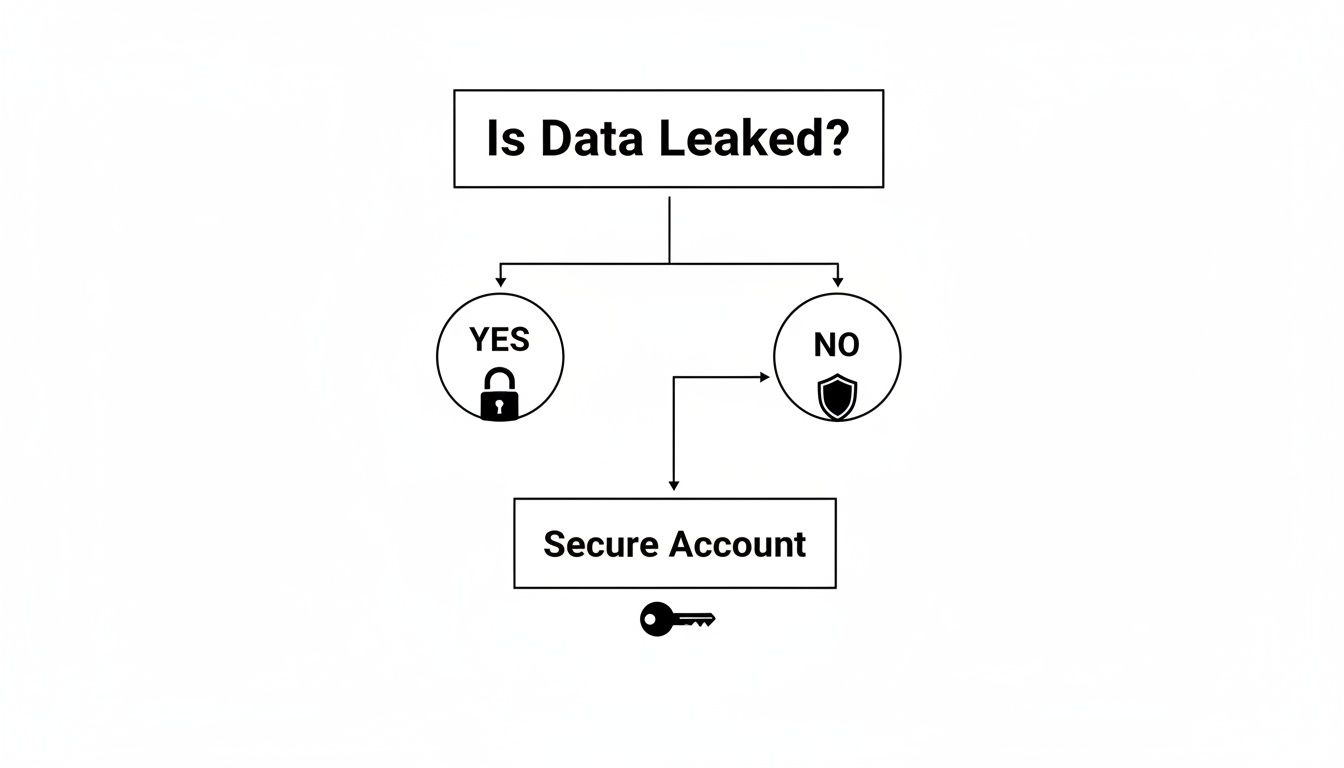
The key takeaway here is that finding a data leak isn’t the end of the story—it’s the starting gun for taking proactive steps to protect your digital identity.
How to Find Your Compromised Information
You don’t need to be a cybersecurity pro to find out if your data is floating around in the wild. There are several reputable services that index data from security breaches, letting you search your email addresses and usernames to see if they’ve turned up in a known leak.
If you find a hit, here’s your immediate action plan:
- Change Your Password Immediately: If the account is still active, change the password to something long, unique, and complex.
- Update Other Accounts: If you used that same password anywhere else (especially for your email, bank, or major social media), change it on those sites, too. This is critical to shut down credential stuffing attacks.
- Enable Two-Factor Authentication (2FA): Turn this on wherever it’s offered. It adds an extra layer of security by requiring a code from your phone, making it almost impossible for someone to get in, even with your password.
You can run a quick check right now with our free data breach checker to see if your email has been exposed in a known security incident. It’s a vital first step in plugging security holes you might not even know exist.
Hunting for Forgotten Accounts and Usernames
Beyond major data breaches, your past digital self is probably scattered across the internet on forgotten accounts. I’m talking about old usernames from platforms like Steam or Xbox Live, forums you joined back in college, or even long-dead social media sites like MySpace or Friendster. These old profiles are often tied to outdated email addresses and contain personal info that’s ripe for exploitation.
A good OSINT technique is to search for your old usernames and emails in quotes. Try a few variations like these:
"YourOldUsername123"site:someoldforum.com "YourOldUsername123""your.old.email@example.com"
When you find these old accounts, you can either delete them outright or, at a minimum, update the passwords and tighten the privacy settings. Think of it as digital hygiene—cleaning up the abandoned parts of your online identity before someone else decides to use them for identity theft or to create a catfish profile.
This kind of personal data verification is becoming a massive industry. In fact, the global background check market was projected to hit $16.35 billion by 2025, a huge expansion driven by the demand for better screening in all aspects of life.
Every forgotten account is a potential security risk. By unearthing and securing them, you’re not just managing your reputation; you’re actively closing backdoors that could lead to identity theft, catfishing, or other online scams.
How to Interpret and Clean Up Your Results: A Reputation Management Guide
When you run a background check on myself, the pile of information that comes back can feel overwhelming. You’ll likely find a mix of harmless data, a few things that raise an eyebrow, and maybe one or two discoveries that are concerning. The key is to sidestep the panic and get methodical with your reputation management.
Think of it like finally tackling that messy closet you’ve been avoiding. The first step isn’t just to start throwing things out; it’s to sort everything into piles so you know what you’re dealing with.
Categorizing Your Findings for Action
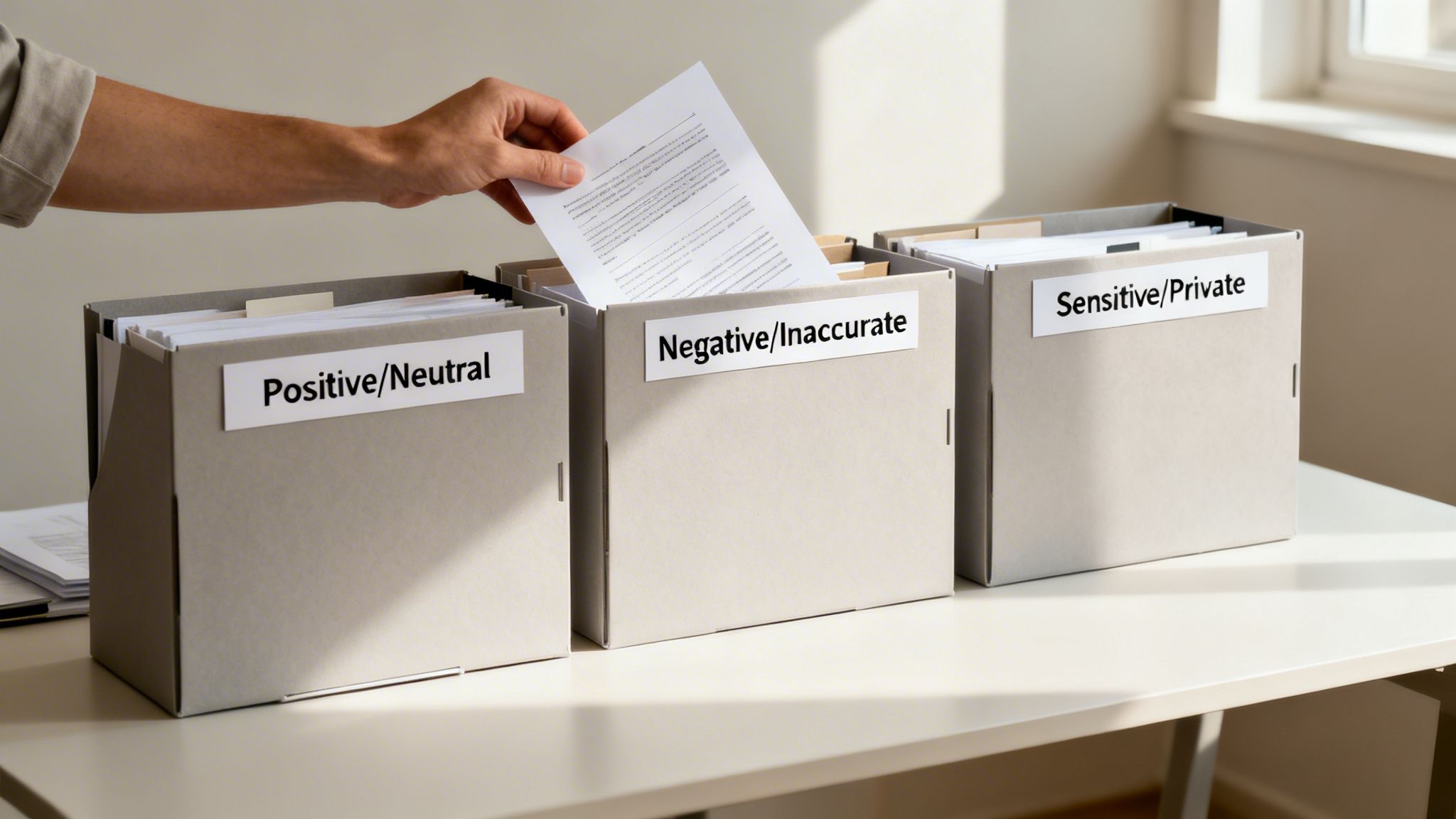
I recommend creating three simple buckets for everything you find. This bit of organization turns a confusing data dump into a clear, actionable plan for managing your reputation and digital privacy.
- Positive/Neutral: This is the good stuff. It includes your accurate, professional LinkedIn profile, any positive mentions in the press, or neutral public records like property ownership.
- Negative/Inaccurate: This is your high-priority pile. It’s where you’ll put embarrassing old social media posts, cringey forum comments from a decade ago, or—most importantly—factually wrong information in official records that could cost you a job.
- Sensitive/Private: This category is for data that’s correct but you’d rather not have plastered all over the internet. This includes your home address on people-finder sites, your personal phone number on data broker lists, or your email showing up in a data breach.
This sorting process is the bedrock of a targeted digital cleanup. It lets you focus your energy where it’s needed most, starting with the biggest threats to your privacy, safety, and reputation.
Addressing Negative or Inaccurate Information
Finding something negative or just plain wrong about yourself online is jarring, but you have more power to fix it than you might think. How you respond depends on where the information is.
If you find an error in a formal report from a Consumer Reporting Agency (CRA)—like a mistake on your credit report—you have legal rights under the Fair Credit Reporting Act (FCRA). You can file a formal dispute with both the CRA that created the report and the organization that supplied the bad data. By law, they have to investigate.
For embarrassing or outdated content on your own social media, the fix is much more direct:
- Delete It: If you still have access, just get rid of the post, photo, or comment for good.
- Adjust Privacy: Switch the post’s audience from “Public” to “Friends” or “Only Me.”
- Untag Yourself: If someone else posted it, you can usually remove your tag, which breaks its direct connection to your profile.
A word of caution: Going on a panicked, mass-deletion spree can sometimes attract more attention than just letting an old, forgotten post sit. Be surgical. Remove the most damaging content first instead of trying to scrub your entire online history overnight.
Securing Sensitive and Exposed Private Data
This is where your self-background check really pays off from a security standpoint. When you find your personal info on data broker sites or discover it was part of a breach, you need to act fast to stop it from being weaponized for identity theft, online dating scams, or worse.
If you find your login credentials in a data breach, these first steps are non-negotiable: change your passwords immediately, turn on two-factor authentication (2FA) everywhere you can, and consider a fraud alert on your credit files. This throws up immediate roadblocks for criminals trying to use your leaked info to take over your gaming accounts, bank accounts, or social media.
When your details pop up on people-search sites, the cleanup is more of a slog, but it’s just as crucial. These data brokers are a primary source for doxxing, harassment, and targeted phishing attacks. You’ll have to go to each site one by one and follow their opt-out process. Our guide on data broker removal gives you a detailed walkthrough for this.
Your Action Plan for Digital Cleanup
Getting your response organized is half the battle. This table breaks down a structured plan for the different types of information you might come across during your self-check.
| Finding Type | Potential Impact | Recommended Action | Tool/Resource |
|---|---|---|---|
| Inaccurate Criminal Record | Job or housing denial, reputation damage. | File a formal dispute with the CRA under FCRA. | Fair Credit Reporting Act (FCRA) |
| Old Embarrassing Photos/Posts | Negative impression on employers, dating prospects. | Delete the content or adjust privacy settings to private/friends only. | Social media platform settings |
| Exposed Home Address/Phone | Risk of stalking, doxxing, and physical safety. | Submit opt-out requests to data broker and people-search sites. | Data Broker Opt-Out Guide |
| Leaked Password/Username | Account takeovers, identity theft, catfish profile creation. | Immediately change the password and enable 2FA on all related accounts. | Password Manager, 2FA Apps |
It’s interesting to note that even when formal checks do turn something up, it’s not always a dealbreaker. Research shows that while felony convictions are found in a high percentage of relevant checks, less than 1% of job candidates are actually disqualified based on their background check results alone. This suggests that being honest and providing context often carries more weight than the record itself. You can find more industry trends shaping the background check industry in this Informdata analysis.
By interpreting and acting on your results, you turn a passive self-check into an active defense of your digital life. For an automated and continuous way to keep an eye on things, our Free Checker can help you monitor your exposure and take back control.
Automating Your Digital Defense with Continuous Monitoring
Doing a deep-dive OSINT investigation into your own background is a fantastic first step, but it’s just that—a snapshot in time. Your digital footprint isn’t static; it grows and changes every day with new social media tags, data broker profiles, and unexpected data breaches.
Trying to keep up with all of that manually is like trying to empty the ocean with a bucket. It’s exhausting and unsustainable. The hard truth is that new information about you is going to pop up online—from a data breach at a store you shop at to a new people-search site scraping your info—often without your knowledge. This is where continuous monitoring shifts from a “nice-to-have” to an absolute necessity for cybersecurity and reputation management.
The Problem with One-Time Manual Checks
A one-time search is valuable, but it’s reactive. You only find what’s already out there. What happens a week from now when a new data broker scrapes your details, or an old gaming forum you forgot about gets hacked? By the time you get around to another manual check months later, your identity could have already been stolen or your reputation damaged.
This manual process is also time-consuming. You have to juggle dozens of search queries, wrestle with clunky public records websites, and try to keep track of countless old accounts. It’s a huge effort that most people simply don’t have the time to repeat regularly.
The real danger lies in the time between your manual searches. A single data breach or a newly public piece of personal information can create a window of vulnerability for identity thieves, scammers, and harassers to exploit.
Shifting from Manual Labor to Automated Intelligence
This is exactly where automated tools change the game. Instead of you having to hunt for every trace of your data, a dedicated service does the work for you, continuously and efficiently. This moves you from a defensive, reactive stance to a proactive one, essential for modern digital privacy.
Automated services are built to:
- Scan Broadly: They search across hundreds, sometimes thousands, of sources at once—far more than anyone could ever cover by hand. This includes the deep web, data broker sites, social media, and breach databases.
- Monitor Continuously: They don’t just search once and stop. They keep looking for new mentions of your name, email, phone number, and other personal details 24/7.
- Provide Real-Time Alerts: This is the biggest advantage. You get notified almost immediately when new information about you surfaces—like your password appearing in a new breach—letting you take action right away to prevent account takeover.
After seeing firsthand how complex and fragmented your digital footprint is, an automated approach is the logical next step for effective online identity protection.
How Digital Footprint Check Provides Continuous Protection
We built Digital Footprint Check to solve this very problem. Our platform automates the entire OSINT discovery process, turning the chaotic task of a self-background check into an ongoing defense system. We continuously scan a massive network of platforms, from social media and data breach databases to public records and even old gaming profiles.
All the scattered pieces of your digital identity get pulled into a single, easy-to-understand report. You no longer have to spend hours piecing together clues from dozens of different websites. But the real power is in our ongoing monitoring.
When our system detects new information about you—whether it’s a new social media mention, your details on a data broker site, or your email appearing in a fresh data breach—you get an alert. This means you can react in minutes, not months, to prevent scams, identity theft, or reputation damage. After going through the challenges of doing it all yourself, using an automated tool like our Free Checker is simply the smartest way to protect your online identity, job prospects, and personal safety for the long term.
Frequently Asked Questions
Running a background check on yourself for the first time can feel a bit strange. You’re bound to have a few questions about how it all works, what’s legal, and what you might find.
Let’s clear up some of the most common questions people have when they decide to run a background check on myself.
Is It Legal to Run a Background Check on Myself?
Absolutely. It’s not only 100% legal, but it’s also one of the smartest things you can do for your personal security and reputation management. You have every right to access public records and see what information is out there about you.
Think of it this way: you’re just auditing your own publicly available data. The laws you hear about, like the Fair Credit Reporting Act (FCRA), are designed to regulate how others—like employers or landlords—use your information to make decisions. When you’re the one doing the looking, those rules don’t apply.
How a Self-Check Differs from an Employment Background Check
This is a big one. While both types of checks might pull from similar databases, their purpose, scope, and legal implications are worlds apart.
A self-check is for your own eyes only. It’s about seeing what a new date, a potential employer doing a casual search, or even a scammer could dig up with OSINT techniques. An employment background check, on the other hand, is a formal, regulated process that always requires your written consent.
Key Difference: An employment check is an official screening done by a Consumer Reporting Agency (CRA) for hiring. A self-check is an informal audit you do for your own peace of mind, digital privacy, and reputation management.
Here’s how they stack up:
| Feature | Self-Background Check (OSINT) | Employment Background Check (CRA) |
|---|---|---|
| Purpose | Personal knowledge, reputation management, online dating safety, scam prevention. | Formal hiring, tenancy, or credit decisions. |
| Consent Required | No (it’s your own information). | Yes, written consent is mandatory. |
| Legal Framework | Unregulated (accessing public data). | Strictly regulated by FCRA and state laws. |
| Information Included | Public records, social media, breach data, forum posts, gaming profiles. | Verified criminal, employment, education history. |
A manual self-check often turns up the informal stuff an official report would miss—like that old forum post from a decade ago or unflattering tagged photos that an employer could easily find on their own before even scheduling an interview.
What Should I Do If I Find Inaccurate Information?
Finding errors is actually one of the best reasons to do a self-check. If the mistake is on an official report from a CRA (like your credit history), you have the legal right under the FCRA to dispute it.
You’ll need to contact both the CRA that created the report and the company that supplied the wrong information. They are legally required to investigate your claim and fix any proven errors.
For the other stuff—like a misleading post on a website, a catfish profile using your photos, or an old social media profile—you’ll need to contact the site’s administrator directly to ask for a correction or removal. Always have screenshots or documents ready to back up your claim. You can find out more about the different options and what they entail in our guide on background check pricing.
Ready to put your digital defense on autopilot? Manual searches are a great start, but Digital Footprint Check offers continuous monitoring and real-time alerts so you’re never caught off guard. See what’s being said about you online—from social media to the dark web—and gain lasting peace of mind.
Start Your Free Scan at www.digitalfootprintcheck.com/free-checker