· Digital Footprint Check · Content Marketing · 15 min read
How to Use Osint for Safer Online Investigations
Learn how to use OSINT the right way with practical workflows, search operator tips, validation methods, and ethical boundaries for safer investigations.

You’ve probably had the same moment many people do. A recruiter goes quiet after a great call, a dating-app match feels too polished, or an old email address shows up in a breach alert and you’re left wondering what’s out there. The instinct is to start searching, and that instinct is right. The problem is that people jump straight into scattered Googling instead of using OSINT, the disciplined process of turning public information into something you can trust.
That gap matters because the difference between casual searching and real investigation is methodology, not access. Practitioners consistently start with a clear objective, choose the right public sources, cross-check findings, and only then turn raw material into something usable. That same workflow is what makes OSINT defensible for online identity protection, reputation management, gaming account security, romance scam checks, and privacy review. Tools like Digital Footprint Check’s OSINT overview fit into that reality by helping non-specialists apply the same public-data logic across many sources without losing the thread.
The practical version of how to use OSINT is simpler than people think, but stricter than they expect. You define the question, collect from the right places, validate what you find, stay inside legal and ethical boundaries, then decide whether you need a one-time answer or ongoing monitoring. That’s the backbone of safer online investigations.
Why Most People Reach for OSINT Without Realizing It
A lot of OSINT starts with a small alarm bell. A match on a dating app has perfect photos and a thin profile. A recruiter’s background feels off because the company page is vague. A breach notice lands in your inbox and you want to know whether the exposed address connects to anything else. Users respond by searching names, usernames, domains, and emails, which is already OSINT in spirit. The difference is whether the search is random or structured.
OSINT is just open-source intelligence, which means publicly available information collected without special access. That includes social platforms, public records, news coverage, company pages, archives, and other open sources. The key point is that OSINT is not a spy-movie trick. It’s the disciplined version of what careful people already do before they trust a stranger, sign a contract, or hand over personal information.
The line between casual searching and real OSINT
Casual searching asks, “What shows up?” Real OSINT asks, “What question am I trying to answer, what sources are relevant, and what would prove me wrong?” That shift changes the outcome because it forces you to work from evidence instead of impressions.
Practical rule: if you can’t state the question in one sentence, you don’t have an investigation yet.
The best workflows also keep scope tight. One practitioner guide explicitly recommends narrowing the search to the data needed for a specific investigation instead of collecting everything available, because broad collection turns into overload fast. That’s why due diligence, compliance checks, and digital-footprint reviews work better when the analyst starts with a narrow objective and cross-checks the result before calling it intelligence. The field treats triangulation as the minimum standard for confirmation, and it treats provenance, timestamps, and confidence levels as part of the evidence, not optional extras.
For a non-specialist, that can sound formal. In practice, it just means you stop guessing and start documenting.
Where platforms fit into the workflow
A service like Digital Footprint Check fits into the same model when someone wants broader coverage without building the process by hand. Its value is not magic. It’s breadth across public sources, breach data, professional profiles, gaming identities, and other places where a person’s digital footprint can surface. That matters when the issue isn’t curiosity, but a real-world decision about trust, safety, or exposure.
The rest of the workflow follows a predictable arc, even when the tools change:
- define the objective,
- choose the right sources,
- collect and preserve evidence,
- validate what matches,
- stay inside legal and ethical boundaries,
- decide whether the result needs ongoing monitoring.
That sequence is what keeps the work from becoming noise.
Defining Your Objective Before You Touch a Single Source
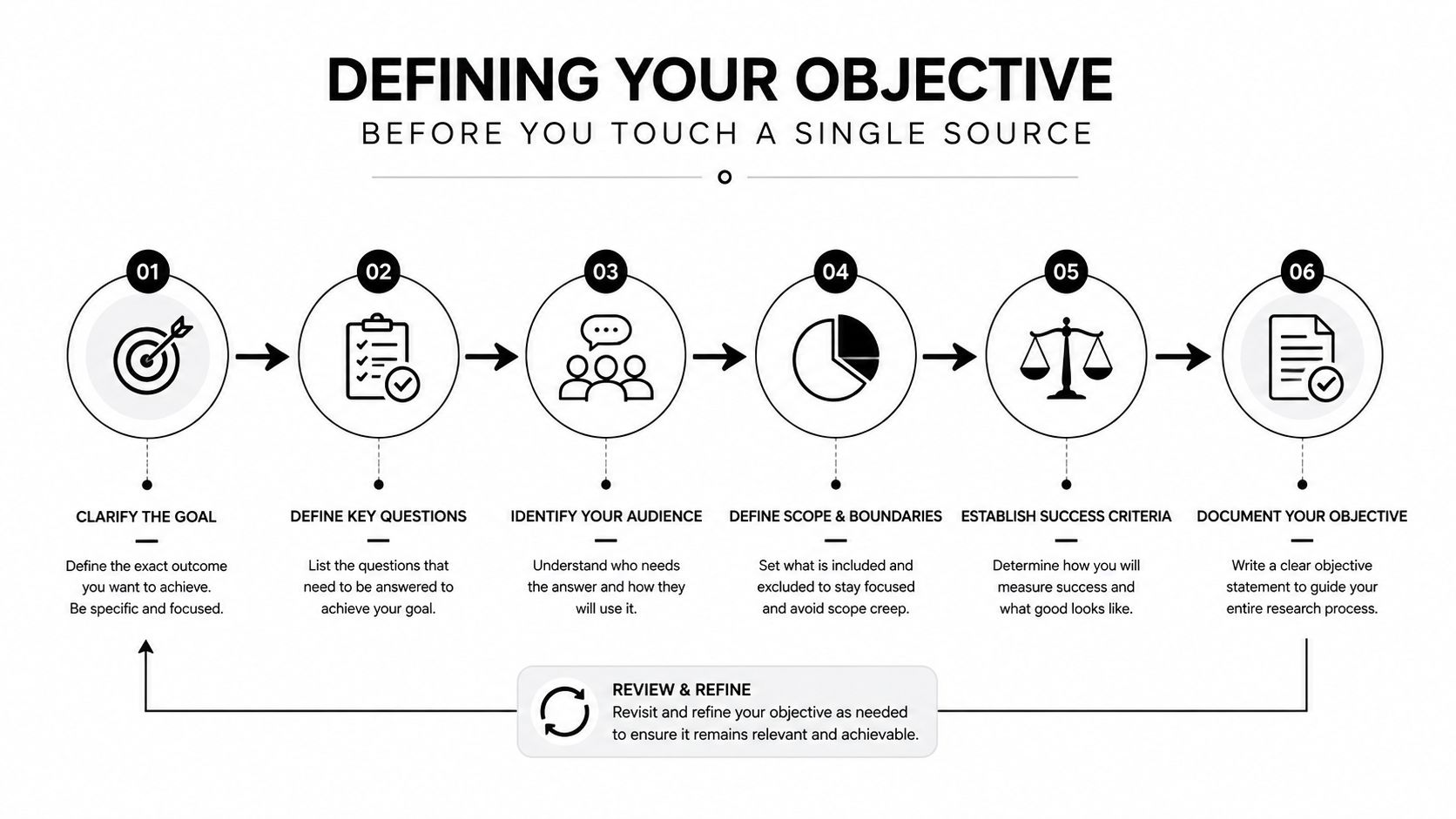
The weakest investigations usually fail before the first search. People start with a vague goal like “check my exposure” or “look into this person,” then they bounce between tools and end up with a pile of half-matches. A better objective is specific, testable, and narrow enough to finish.
Take a concrete question like, “Has my work email appeared in any new breach since January?” That single sentence changes everything. It tells you which sources matter, what date range matters, and what counts as a relevant hit. It also tells you what not to chase, which is where most time is lost.
Write the question before you collect
A defensible OSINT plan usually starts with four things:
- Primary question: the exact issue you need answered.
- Subquestions: two or three smaller checks that support it.
- Ranked source list: the best public sources in order of value.
- Time budget: how long you’ll spend before you stop or escalate.
That sounds basic, but it’s what keeps an investigation from mutating into a hobby project. Practitioner guidance also recommends recording every artifact with a URL, timestamp, and retrieval method from the first click, then preserving evidence with screenshots, archives, or hashes. That’s not bureaucracy. It’s what makes the result auditable if a profile disappears, a post gets deleted, or someone challenges what you found.
Why structure helps ordinary users
Digital Footprint Check’s report style mirrors this discipline by separating raw findings from interpretation, which matters more than people realize. When raw evidence, analysis, and recommendations stay distinct, you can decide what’s confirmed, what’s only suggestive, and what needs another pass. That’s especially helpful in privacy checks and reputation review, where one alarming result can easily pull you into overreaction.
A vague goal invites scope creep. A written objective limits it.
Useful habit: write the question, the date range, and the “stop condition” before you search. If the answer is still unclear after the planned pass, pause and reframe instead of widening the hunt blindly.
That single planning step makes the rest of the investigation more honest and far easier to repeat later.
Collection Techniques That Actually Surface Signal
Collection works best when each method has a job. Search operators help you find hidden pages. Username enumeration links identities across platforms. Email and phone pivots expose connected accounts. Archive tools recover material that no longer sits on the live web. Used together, they turn a scattered digital trail into something coherent.
Search operators that go beyond plain Google
A plain search is fine for a first pass, but operators help when you need precision. site: narrows results to a domain, inurl: finds terms in the page address, intitle: looks inside page titles, filetype: targets documents, and intext: searches page content. These work best when you know part of the target, but not the exact location.
| Operator | Example Query | What It Surfaces |
|---|---|---|
| site: | site:example.com "John Smith" | Pages tied to a specific domain |
| inurl: | inurl:profile "John Smith" | Pages with the term in the URL |
| intitle: | intitle:"John Smith" | Pages that name the target in the title |
| filetype: | filetype:pdf "John Smith" | Public documents and reports |
| intext: | intext:"John Smith" "London" | Pages mentioning both terms in body text |
The best use of operators is not random hunting, it’s narrowing. If you’re checking a professional profile, site:linkedin.com or a similar domain-limited search is cleaner than asking the whole web. If you’re looking for a resume, filetype:pdf often surfaces documents that casual searches miss. If you’re looking for hidden references in news or blogs, intitle: and intext: can expose pages that don’t rank well otherwise.
Pivots that connect the dots
A useful pivot chain might start with an email address, move to a profile, then uncover a username that appears on a forgotten forum account. Another search path might start with a phone number, connect to a messaging profile, and then expose a name used elsewhere online. The value is not in any single hit. It’s in how the pieces reinforce each other.
That’s where broad scanning tools save time. A username search across many platforms can show where the same handle appears, and a footprint scan across public sources can surface the same identity pattern faster than hand-searching each site. For people who want a starting point, Digital Footprint Check’s beginner tool guide belongs in the same workflow as the manual methods, because it automates the cross-platform sweep without replacing the analyst’s judgment.
Preserve evidence before it disappears
Screenshots matter. Archived copies matter. Hashes matter if you need to prove a file hasn’t changed. If you find a profile, post, or document that could disappear, capture it immediately and log where it came from.
Public safety searches sometimes benefit from specialized reference sources too. If you’re checking whether a name or alias connects to formal registry data, a resource like Sex-offender registries can be useful as part of a broader verification pass, provided you treat it as one source among several, not a conclusion.
Validating Findings So You Don’t Get Burned
Collection is easy to overestimate. Validation is where the work starts. A name match can be real, stale, or planted. A photo can be reused. A company page can exist without the person behind it being who they claim. If you do not validate, you are just building a neat-looking error.
Entity resolution and contradiction hunting
The most reliable habit is entity resolution. Check whether names, dates of birth, middle initials, and addresses line up across at least two independent sources before you treat a data point as confirmed. If the details do not align, the match is weak, even if the profile looks convincing.
The next habit is even more important, contradiction hunting. Search for things that break your working hypothesis, not just evidence that supports it. If a person says they work at a specific company, look for signs they existed there during the claimed period. If a profile says it is local, compare time zones, posting behavior, and contextual details with the claimed location. In practice, that also means checking whether adjacent claims fit the subject’s wider footprint, including domain ownership, profile reuse, and other linked identifiers. When the trail points at crypto-related impersonation or a suspicious token project, a tool like the Solana rug risk endpoint can help separate a surface-level match from a higher-risk pattern before you treat the account as credible.
What a catfishing check looks like in practice
A fake dating profile often survives a naive review because the pictures look polished and the bio sounds plausible. It can even include a real-sounding employer and a clean social footprint. A better check breaks that surface layer apart.
First, run a reverse-image search on the photos to see whether they appear elsewhere under a different identity. Next, inspect domain registration details for the employer’s site or the personal website the person links to, then compare those details against the claimed timeline. After that, check posting times against local time, holidays, and daylight-saving context. Those timing inconsistencies are often among the fastest ways to spot impersonation or romance-scam behavior.
A single convincing profile is not confirmation. It is only a lead until the identity holds up under cross-checks.
Why timestamps matter more than people think
Timestamp validation is an underrated part of OSINT. A message sent at a local hour that does not fit the claimed time zone, a post that lands on a holiday in the supposed region, or a pattern of activity that shifts oddly around daylight-saving changes can all expose sloppy deception. None of those details prove fraud on their own, but they do make a claim harder to trust.
That is why cross-source platforms are useful for ordinary users. Digital Footprint Check’s user search can help surface where a handle appears, which shortens the path from one clue to the next when you are trying to validate identity patterns without manually checking every site.
The goal is enough confidence to act safely, not to chase false certainty.
Legal and Ethical Boundaries You Cannot Skip
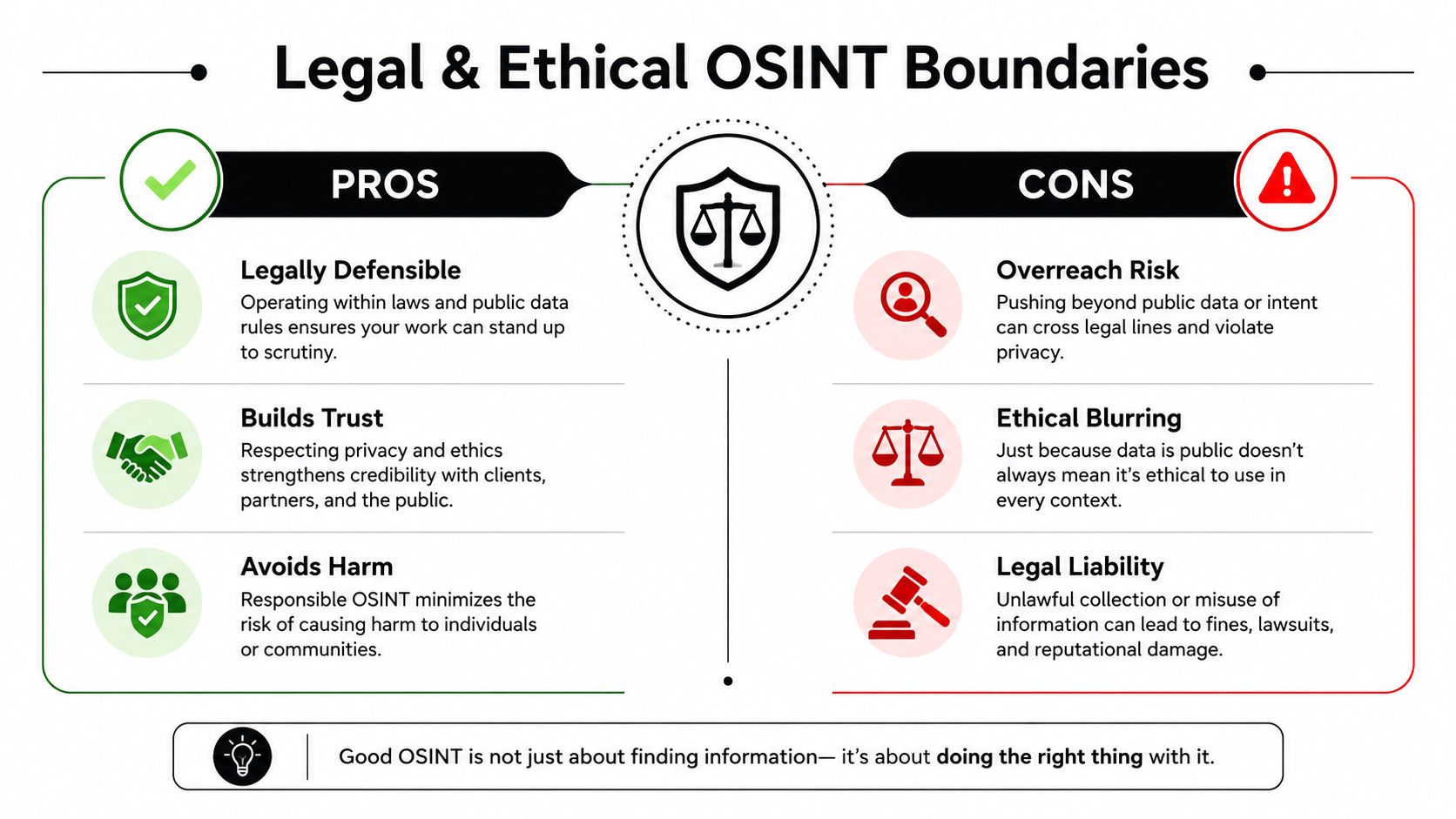
A lot of beginner advice treats OSINT as if the only job is finding data. That’s incomplete. The harder question is how to keep an investigation legally defensible and ethically narrow so the result can be used in HR, legal, safety, or personal contexts without creating new problems.
Public doesn’t mean unlimited
One guide states the rule plainly, use only publicly available information and balance investigative necessity against privacy. That matters because public data can still be sensitive, and collecting it indiscriminately creates avoidable harm. Doxxing-style dumps, unrelated family details, and excessive personal storage are signs the investigation drifted beyond its purpose.
Keep the work tight. Document why each source was accessed. Separate facts from inferences in your notes and final write-up. If you don’t know whether a detail matters, don’t preserve it just because you can.
Jurisdiction and access risks
OSINT also runs into jurisdictional and access issues quickly. If the subject is in the EU, GDPR concerns can apply. If you start probing login-protected systems, CFAA-adjacent risk becomes relevant. And platform terms of service can turn a casual scrape or mass collection into a violation even when the data is visible on the surface.
Practical rule: if the source wasn’t public, or if your method had to bypass the normal user path, stop and reassess.
That rule protects more than your workflow. It protects the usefulness of the result. Findings that come from sloppy collection are harder to defend and easier to dismiss later.
Consent and defensible use
When you’re checking someone else’s footprint in a formal context, consent and documentation matter. A consent form won’t solve every problem, but it makes the scope of the review clearer and keeps the process cleaner for employment, family, or shared-account scenarios. Digital Footprint Check’s background check consent forms belong in that part of the workflow because they help define what’s appropriate to review before collection starts.
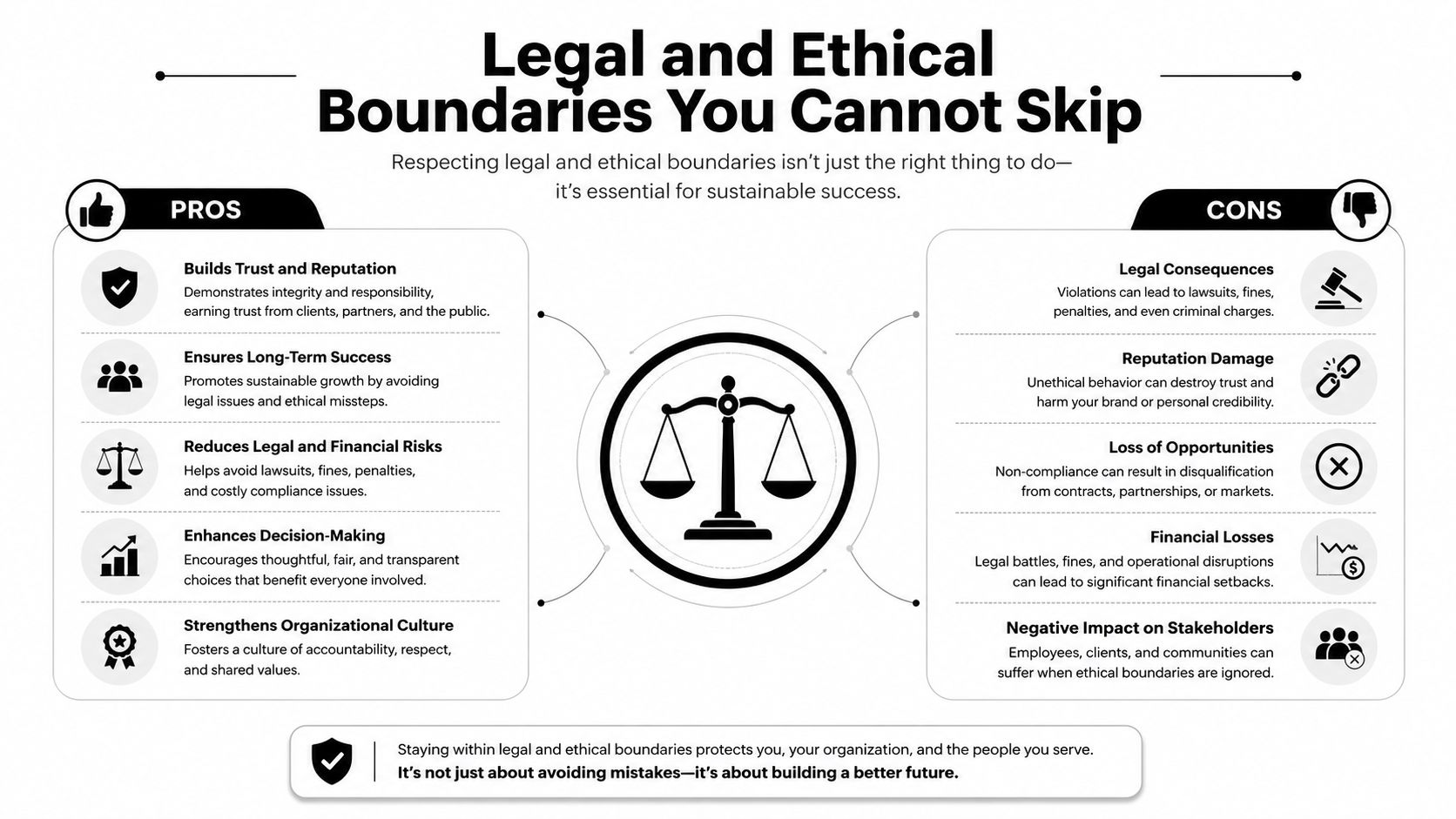
Ethics isn’t a brake on OSINT. It’s what keeps the work usable after the excitement of discovery fades.
Manual OSINT Versus Automated Platforms
The right approach depends on the problem. Manual OSINT gives you control and teaches you how the evidence behaves. Automated platforms give you reach and repeatability when you need to track a footprint across many sources. Most real users need both at different times.
How the two paths differ
| Dimension | Manual OSINT | Automated Platforms |
|---|---|---|
| Control | Full control over source selection and notes | Less granular, more structured |
| Speed | Slower, especially across many platforms | Faster for broad scanning |
| Coverage | Limited by your time and patience | Broader across many public sources |
| Learning value | High, because you see every step | Moderate, because the workflow is abstracted |
| Documentation | You build it yourself | Often built into the report |
| Best use case | One-off curiosity, learning, targeted checks | Ongoing exposure tracking, larger footprint reviews |
Manual work is still the cleanest way to understand what a result means. You can inspect source quality, note conflicts, and decide which platforms deserve more attention. That makes it ideal for a single question, a deep-dive on a person or alias, or a situation where you need complete transparency.
Where automation earns its keep
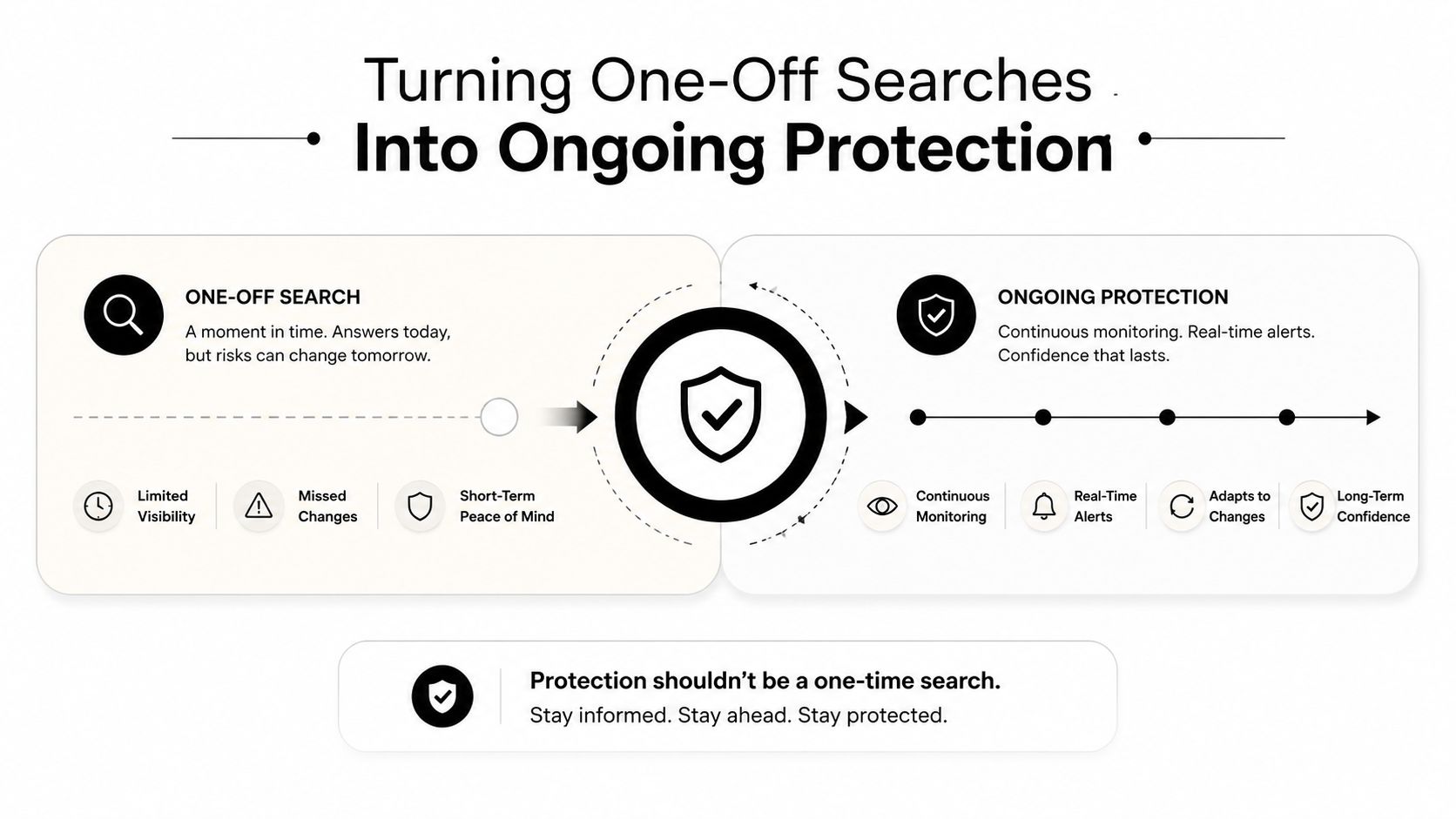
Automated tools make more sense when the footprint is broad, the risk is ongoing, or the reviewer doesn’t have hours to spare. Identity theft monitoring, gaming account security, and hiring due diligence all benefit from repeatable checks because the footprint can change after the first search. The newer guidance around OSINT increasingly emphasizes continuous monitoring and real-time alerts for exactly that reason.
The trade-off is simple. You get reach and speed, but you give up some of the micromanagement that manual work provides. That’s fine if your goal is to spot exposure early and then investigate what matters.
For readers who want a practical example of that automation layer, Digital Footprint Check’s internet footprint scan is an option that fits the broad-sweep part of the workflow. It’s useful when you want a structured pass across many platforms before you decide where to dig deeper by hand.
The best investigators don’t pick a side. They use manual methods for judgment and automation for coverage.
Turning One-Off Searches Into Ongoing Protection
The biggest mindset shift in OSINT is moving from a one-time check to a standing habit. Identity theft, breach exposure, romance-scam patterns, gaming-account takeovers, and reputation changes usually unfold over time, not in a single afternoon. That makes periodic review, re-checking, and alerting more useful than a one-and-done lookup.
A simple operating checklist
- Define the question: write the exact issue you want answered.
- Pick the sources: choose the most relevant public places first.
- Document everything: keep URLs, timestamps, and retrieval notes.
- Triangulate: confirm key details across independent sources.
- Respect boundaries: stay public, narrow, and legally defensible.
- Schedule the next review: treat OSINT as a recurring control, not a one-time event.
That checklist is boring in the best way. It keeps you from chasing every stray result and helps you notice real changes when they happen.
The practical upside is that you stop being reactive. Instead of discovering an exposed account after someone else uses it, you build a baseline and watch for drift. Instead of guessing whether a dating profile or seller account is trustworthy, you validate it, then revisit if the signal changes. Instead of assuming your professional reputation is stable, you check it before a job search or promotion cycle puts it under stress.
A free baseline check is often the smartest starting point because it tells you what’s already visible before you decide how much monitoring you need. If you want to anchor that process, Digital Footprint Check’s free checker is a straightforward way to establish the first snapshot, and the premium option extends that into ongoing monitoring across the same broad public footprint.
The point is not to become obsessed with your digital shadow. It’s to operate your own investigation with discipline, so you catch exposure early and make decisions from evidence instead of surprise.
If you want a structured way to see what’s publicly visible about you, start with a free scan and build from there. Digital Footprint Check helps turn a scattered online footprint into something you can review, validate, and monitor with a cleaner OSINT workflow.