· Digital Footprint Check · Content Marketing · 23 min read
How to Check My Digital Footprint: a Practical Guide to
Learn how to check my digital footprint, uncover what data exists about you, assess risks, and protect your personal information with practical steps.

Before you can manage your digital footprint, you must understand what it is: the complete, ever-growing record of your activity online. It’s the trail of data you leave behind with every click, post, search, and swipe.
It includes content you create on purpose, like social media posts (your active footprint), and data collected as you browse, like search history and location (your passive footprint). It’s a digital resume, updated by you and by others, that shapes how the world sees you.
Your Digital Footprint Is Your New First Impression
A resume used to be a polished document you handed over. Now your digital footprint often arrives first, and it’s more revealing. That identity has real consequences for your job prospects, safety, dating life, and gaming reputation.
Each post, comment, review, and like adds a layer to that profile. The trail shapes opinions and decisions that affect your career, relationships, and safety.
Your digital trail is split into two distinct categories:
- Active Digital Footprint: This is the data you intentionally put out into the world. It includes the emails you send, the photos you upload to Instagram, the comments you leave on a blog, or that professional profile you’ve built on LinkedIn. You are the author of this content.
- Passive Digital Footprint: This is data collected without your action, in the background. It includes your IP address, browsing history tracked by cookies, and location data your apps gather. Websites create this trail just by you using them.
Here’s how common activities break down.
Active vs Passive Digital Footprint Sources
This table breaks down common online activities and how they contribute to your digital footprint, showing the difference between what you choose to share and what’s collected automatically.
| Activity Type | Contribution Type | Real-World Example |
|---|---|---|
| Social Media Posting | Active | Uploading a photo to your Facebook profile or sharing a status update. |
| Website Browsing | Passive | A news website using cookies to track which articles you read. |
| Writing a Review | Active | Leaving a 5-star review for a product you purchased on Amazon. |
| Location Tracking | Passive | Your phone’s map app recording your route to work. |
| Subscribing to a Newsletter | Active | Entering your email address into a signup form on a website. |
| Ad Tracking | Passive | An advertiser tracking your visit to a shopping site to show you ads later. |
| Commenting on a Blog | Active | Sharing your opinion on a recent article. |
| Using a Fitness Tracker | Passive | Your smartwatch syncing your heart rate and step count data to the cloud. |
Understanding this split is key. You have direct control over your active footprint, but your passive footprint requires a more defensive strategy to manage.
Why This Trail Matters More Than Ever
The sheer volume of data being created is staggering. A 2023 report from Statista revealed that the average US adult spends over 7 hours per day on screens, much of it creating digital data. With the average person having around 7.6 social media accounts, that activity creates an enormous trail of posts, reactions, logins, and metadata.
This massive collection of information is no longer just for advertisers. It has profound, real-world consequences.
A poorly managed digital footprint can become a significant liability. What might seem like a harmless old post or an unsecured account is often the exact vulnerability that cybercriminals, data brokers, or even employers are looking for.
Employers, for instance, routinely use this data to vet candidates. A 2022 survey found that 70% of employers check social media profiles as part of their hiring process, and 57% have rejected a candidate based on what they found. An old, unprofessional photo or a controversial comment from years ago can easily get an otherwise perfect applicant tossed from the running. In fact, understanding the impact of your digital footprint on job opportunities is a critical part of modern career management.
It doesn’t stop at your professional life. On dating apps, your online persona is your first impression. A potential match will likely search your name, and what they find can determine if they swipe right or left. Understanding the psychology behind first impressions on dating apps highlights just how much this digital image matters.
Beyond your reputation, your digital footprint is a rich source for cybercriminals. They piece together seemingly harmless bits of information—your pet’s name, your birthday, your high school—to crack passwords, answer security questions, and orchestrate sophisticated identity theft schemes. This makes learning to check your digital footprint not just a good idea, but an essential skill for personal security.
How to Uncover Your Hidden Digital Footprint
To get a real handle on your online presence, you have to start thinking like a digital investigator. It’s all about learning how to uncover what the internet actually knows about you, using a mix of automated tools and good old-fashioned manual digging. The goal here is to piece together your entire digital story, from forgotten accounts to data that’s been quietly collected in the background.
The discovery process means looking at both your active footprint (the stuff you’ve knowingly shared) and your passive footprint (the data that’s been gathered about you). This diagram shows how your daily online interactions build this complete digital identity.
As you can see, every thing you do online—whether it’s a deliberate photo upload or a background browser cookie—adds another piece to a larger, discoverable profile that makes up your digital footprint.
Start with Automated Discovery Tools
The fastest way to get a bird’s-eye view is to use tools built specifically for this job. These services act like a search engine for your personal data, scanning hundreds of sources in just a few minutes.
A great starting point is to check your digital footprint with an automated scanner. All you need is a single piece of info, like an email address or a username, and these tools can unearth an incredible amount of information. They cross-reference your details against:
- Data Breach Databases: Find out if your login info has been exposed in known security breaches.
- Public Records: Scour government and public databases for any mention of your name and related details.
- Social Media Platforms: Identify profiles linked to your email, phone, or username—including those ancient accounts you forgot about.
- Gaming and Professional Networks: Locate accounts on sites like Steam, Epic Games, or LinkedIn.
This initial automated scan gives you a powerful baseline. It quickly reveals the low-hanging fruit and any immediate risks without you having to spend hours searching manually.
Dive into Manual Search Techniques
Once the automated scan is done, it’s time to put on your detective hat and start searching yourself. This hands-on approach helps you find the nuanced results and contextual information that automated tools can sometimes miss.
This is where advanced search operators become your best friend. Instead of just plugging your name into Google, you can get way more specific.
"Your Name": Putting your name in quotation marks searches for that exact phrase. Simple, but effective."Your Name" -site:facebook.com: This searches for your name but tells Google to ignore any results from Facebook, helping you find mentions on other sites."Your Name" filetype:pdf: This can dig up old résumés, academic papers, or official documents that have your name on them.
Mixing and matching these operators can turn up some surprising finds, from ancient forum posts you wrote in college to a mention in a local news article you never knew existed.
The real trick to a manual search is to think like someone who’s trying to find you—whether it’s a potential employer, a data broker, or someone with bad intentions. What keywords and methods would they use?
A 2023 report from Verizon found that 83% of data breaches involved an external actor, many of whom used publicly available information (OSINT) from digital footprints to craft their attacks. With over 4.4 billion social media users worldwide, the amount of discoverable information creates an immense attack surface for cybercriminals.
Conduct a Social Media and Account Audit
The final piece of the puzzle is a direct audit of the accounts you already know about. This means logging into each of your social media, gaming, and professional profiles and looking at them from an outsider’s perspective.
Start by digging into your privacy settings. So many platforms default to public settings, which means your posts, photos, and personal details are visible to anyone. You have to manually go through the privacy and security sections on Facebook, Instagram, Twitter, LinkedIn, and any other platform you use.
Next, try a reverse image search. Take your main profile pictures and upload them to services like Google Images or TinEye. This will show you everywhere else on the internet those images appear, which can help you uncover old or even unauthorized accounts using your photo. These methods are a core part of Open Source Intelligence (OSINT); you can learn more in our guide to OSINT tools for beginners.
By combining automated scans, advanced manual searching, and a thorough account audit, you create a complete map of your online presence. This empowers you to move from just discovering information to taking action, armed with the knowledge of exactly what needs to be cleaned up, secured, or removed entirely.
Making Sense of Your Findings to Prioritize Real Risks
Alright, you’ve done the digging. You’re probably looking at a fascinating, and maybe slightly alarming, collection of old profiles, public records, and maybe a few data breach notices. The key now isn’t to get overwhelmed—it’s to make sense of it all. The goal is to separate the harmless noise from the genuine threats so you can build a smart, effective action plan.
Not every digital breadcrumb carries the same weight. An old, anonymous gaming handle on a defunct forum is a world away from a public social media profile listing your full name, city, and employer. First things first, we need to categorize everything you found based on the level of risk it poses to your privacy, reputation, and security.
Sorting Your Data Into Risk Categories
The easiest way to do this is to think of your findings as fitting into three main buckets: high, medium, and low risk. This simple framework helps you focus your energy where it matters most, tackling the biggest vulnerabilities first.
A practical way to approach this is to evaluate each piece of information on two simple factors: how directly it can be tied to your real-world identity and how sensitive that data actually is.
High-Risk Information:
- Exposed Passwords or Credentials: If any of your passwords pop up in a data breach list, this is an immediate, critical threat. Stop everything and fix this.
- Exposed Personally Identifiable Information (PII): This is the bad stuff. Your full name combined with your home address, phone number, social security number, or date of birth on public records or data broker sites is a major problem.
- Compromising Content: This is anything that could jeopardize your job, reputation, or personal safety. Think unprofessional photos, rants about your boss, or sensitive personal opinions you wouldn’t want the world to see.
Medium-Risk Information:
- Outdated Professional Profiles: An old LinkedIn profile with an inaccurate job history isn’t an emergency, but it can create confusion for recruiters or colleagues.
- Public Social Media Posts: Even innocent posts can be risky. A public Instagram post announcing you’re on a two-week vacation is also a public announcement that your home is empty.
- Location Check-ins: A long history of checking in at your local gym, coffee shop, or office creates a predictable pattern of your movements that others can track.
Low-Risk Information:
- Anonymous Forum Posts: Comments you made under a username that isn’t linked to your real name usually pose very little threat.
- Product Reviews: An Amazon review under your first name is generally benign.
- Newsletter Subscriptions: They can definitely lead to spam, but on their own, they don’t typically expose sensitive personal data.
Connecting the Dots Like a Cybercriminal
The real danger often isn’t in one single piece of data but in how multiple, seemingly harmless data points can be woven together. Hackers and identity thieves are masters at this. This technique, a cornerstone of OSINT (Open-Source Intelligence), is called data aggregation.
A cybercriminal’s goal is to build a complete profile of you. They’ll link your pet’s name from an old Instagram post to your birth year from a public Facebook profile to guess security questions like “What was the name of your first pet?” or “What year were you born?”
Think about this real-world scenario: a gamer proudly posts a screenshot of a new achievement on Twitter. Buried in the corner of the image is their gaming handle and a glimpse of their desktop. A motivated attacker could use that handle to find associated accounts on other platforms, maybe digging up an old forum where the gamer used the same username and once mentioned their high school mascot.
Just like that, the attacker has a potential answer to another common security question. Each small detail adds another piece to the puzzle, making password guessing or a targeted social engineering attack much more likely to succeed.
This is exactly why you need to approach your own footprint with a critical eye, looking for connections you might have missed.
Building Your Prioritized Action Plan
Once you’ve sorted everything into risk categories, you can create a logical to-do list. The idea is to neutralize the most critical threats before moving on to the less urgent cleanup tasks.
- Address High-Risk Items Immediately: This is your fire drill. Change any compromised passwords right away. Enable multi-factor authentication on every critical account you have (especially email and banking). Then, start the process of requesting the removal of your PII from any data broker sites you found.
- Tackle Medium-Risk Exposures: Now, go through all your social media accounts. Lock down your privacy settings, making profiles private or “friends-only.” More importantly, audit your friends and followers lists—do you really know all those people? It’s also time to delete old, embarrassing, or unprofessional content that doesn’t reflect who you are today.
- Manage Low-Risk Data: Finally, handle the small stuff. Unsubscribe from all those old email newsletters you never read. Consider deleting old, inactive accounts on forums or services you haven’t used in years.
This methodical approach transforms what feels like a mountain of data into a manageable set of tasks. For ongoing protection, it’s worth exploring the top tools for monitoring your digital footprint to stay ahead of new exposures. By prioritizing effectively, you focus your efforts on the actions that will actually make the biggest difference for your digital safety and reputation.
A Practical Guide to Cleaning Up Your Online Presence
Okay, you’ve done the digging and have a clearer picture of what your digital footprint looks like. Now comes the most empowering part: taking control. It’s time to move from discovery to action. This isn’t about trying to erase yourself from the internet; it’s about being intentional.
The goal here is simple: curate an online identity that’s secure, professional, and reflects who you are today—not the person you were five or ten years ago. Let’s get to work.
Locking Down Your Social Media Fortress
Your first and most important line of defense is securing the accounts you actually use. Social media is built for sharing, but the default settings often tip the scales toward oversharing. It’s your job to pull back the reins.
Head straight to the privacy and security settings on each of your profiles: Facebook, Instagram, LinkedIn, X (formerly Twitter), TikTok, you name it. The layout is a little different on each one, but the core ideas are the same.
- Switch to Private: For personal accounts like Instagram and Facebook, this is the easiest win. Making your profile private instantly ensures only approved followers can see your posts, photos, and stories.
- Audit Your Audience: Seriously, go through your friends or followers list. Do you recognize everyone? If not, it’s time to remove accounts you don’t know or trust. Think of it as spring cleaning for your social circle.
- Limit Past Posts: Facebook has a fantastic tool that lets you change the visibility of all your past posts to “Friends” in one click. It’s a super-fast way to hide years of potentially public content from strangers.
- Control Tagging Permissions: Find the setting that requires you to approve any photo or post you’re tagged in before it shows up on your profile. This stops other people from associating you with content you don’t control.
Remember, your digital footprint isn’t just what you post; it’s also what others post about you. Taking control of tagging and mentions is a critical step in managing your public image.
Tackling Data Breaches and Securing Passwords
If your search turned up evidence that your info was part of a data breach, you need to act now. This is not something to put off. IdentityTheft.org reports that password reuse is a major factor in account takeovers, which means one breach can give a criminal the keys to your entire online life.
Once you know an account has been compromised, do these three things immediately:
- Change the Password Immediately: Create a new, strong, and unique password for that specific account. A good password is long (12+ characters) and mixes uppercase letters, lowercase letters, numbers, and symbols. Don’t be lazy here.
- Enable Multi-Factor Authentication (MFA): This is non-negotiable for important accounts like your primary email, banking, and financial apps. MFA adds a second layer of security, like a code sent to your phone, making it harder for someone to break in.
- Update Passwords on Other Sites: This is the tedious part. If you reused that compromised password anywhere else—and be honest with yourself—you have to change those, too. It’s a pain, but it’s the only way to prevent a domino effect of account takeovers.
Requesting Removal of Unwanted Information
Sometimes, the information you want gone is on a website you don’t own. It could be an unflattering photo on a blog, an old forum post from your teenage years, or your personal details plastered on a data broker site. It can be a challenge, but getting it removed is often possible.

This is where automated scans really shine. They filter the noise and show you exactly which data broker sites and public records databases have your information, giving you a clear hit list to start the removal process.
To get started, look for a “Contact Us,” “Privacy Policy,” or “Opt-Out” link on the website in question. Most legitimate sites have some kind of procedure for removal requests. When you reach out, be polite, clear, and specific about what you want removed and why.
For data brokers, the process can feel like navigating a maze. Our comprehensive data removal guide walks you through their specific opt-out procedures. Taking these proactive steps is fundamental to reclaiming your digital privacy.
Maintaining Your Digital Hygiene for the Long Term
A one-time cleanup is a fantastic start, but your digital footprint grows with every click, post, and login. The real goal is to shift from a reactive cleanup to a proactive, long-term management strategy. This means building simple, sustainable habits that keep your online identity secure and professional for years to come.
Think of it like physical hygiene. You don’t just brush your teeth once and call it a day; you do it every day to prevent problems down the road. The same exact principle applies to your digital life. Consistent, small actions are far more effective than a massive, frantic cleanup every few years.
Building Sustainable Digital Habits
Weaving a few key practices into your regular routine can make a huge difference. These habits become your ongoing defense system, catching new exposures before they have a chance to become significant risks.
One of the easiest habits to form is setting up automated alerts. A service like Google Alerts is free and powerful for this. You can create an alert for your full name (use quotes, like “Jane Doe”), your common usernames, and even your email addresses. Any time new public content matching your query pops up online, you get an email notification, letting you review it immediately.
Another crucial habit is to regularly review the app permissions on your phone and tablet. It’s shocking what you’ll find—a recent study found that many popular apps request location data and contact list access even when it’s not needed for their core function. By doing a quick check on these permissions every quarter, you can revoke access for apps that have no business knowing where you are.
Your Ongoing Maintenance Checklist
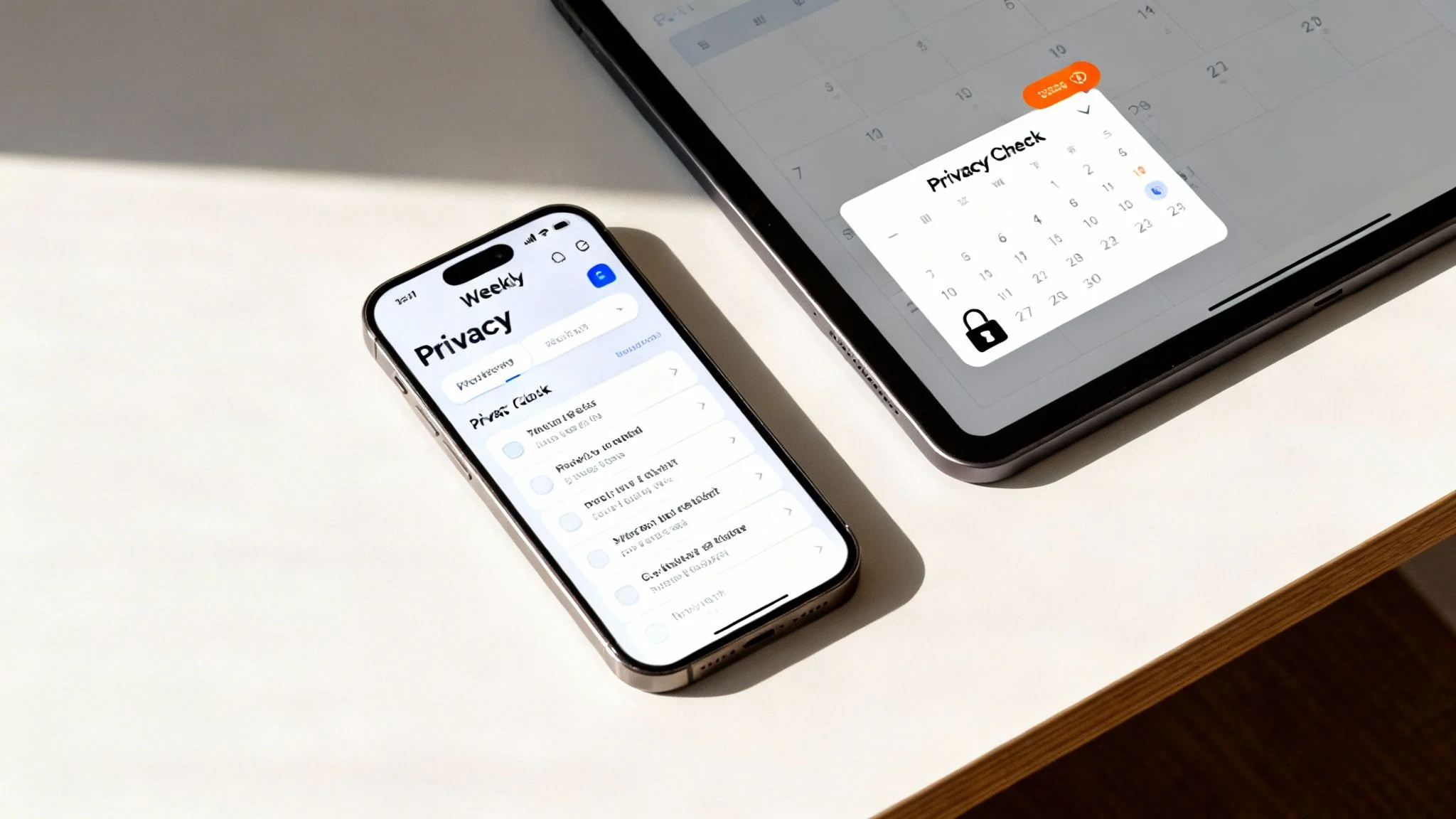
To make long-term management feel less like a chore, break it down into a simple, repeatable checklist. This turns an abstract goal into a concrete set of actions you can knock out in just a few minutes each month.
Weekly Checklist:
- Review Social Media Tags: Check any photos or posts you’ve been tagged in. Don’t hesitate to untag yourself from anything unprofessional, unflattering, or that you just don’t want associated with your name.
- Clear Browser History and Cookies: This simple step makes it harder for advertisers and data brokers to track you as you browse the web.
- Check Automated Alerts: Quickly scan any notifications from your Google Alerts. This keeps you on top of any new mentions of your name or usernames.
Monthly Checklist:
- Audit Privacy Settings: Spend 15 minutes reviewing the privacy settings on your most-used social media accounts. Platforms constantly update their policies, and your settings can sometimes revert to a less private default without you realizing it.
- Update Critical Passwords: While you don’t need to change every password every month, make it a habit to update the ones for your most important accounts, like your primary email and online banking. One of the best password managers is an indispensable tool for this.
- Run a Fresh Footprint Scan: Use a quick scanning tool to see what’s new. This helps you catch any information that has surfaced since your last check.
Maintaining your digital footprint isn’t a one-and-done task; it’s an ongoing commitment to your personal and professional well-being. By adopting these simple routines, you stay in control of your online narrative.
The Power of Proactive Monitoring
Ultimately, the best defense is a good offense. Instead of waiting for a problem to find you—like a data breach notification or a negative search result—proactive monitoring puts you firmly in the driver’s seat. You become the first to know when your information appears somewhere new online.
This approach transforms your relationship with your online presence. You move from a position of anxiety and uncertainty to one of confidence and control. For a deeper dive, you can explore more ways to protect your online privacy.
By consistently applying these hygiene practices, you ensure the answer to “What happens when someone decides to check my digital footprint?” is one you’re proud of.
Questions We Hear All the Time About Digital Footprints
Once you’ve taken that first real look at your digital footprint, it’s normal to have a flood of questions. Seeing your entire online life laid out like that can be a shock, and it naturally leads to new worries about privacy, security, and what it all means for your reputation.
Let’s walk through some of the most common questions we get, with straight-to-the-point answers to help you figure out what to do next.
Can I Just Erase My Digital Footprint Completely?
The short answer? No, not really. Your digital footprint is like a trail of breadcrumbs you’ve left all over the internet, scattered across thousands of servers and databases around the globe. You can definitely clean up a huge chunk of your active footprint—deleting old social media accounts, untagging yourself from photos, and taking down old blog posts.
But the passive footprint is a different beast. Information stuck in data breach databases, archived by news sites, or hoarded by data brokers is difficult, if not impossible, to remove for good.
The goal isn’t to become a digital ghost; it’s to take control of your story. By actively managing what’s publicly visible, you ensure your online presence reflects who you are today—not who you were ten years ago.
Think of it less like trying to burn down your digital house and more like a deep spring cleaning. You’re tidying up, getting organized, and deciding what you want people to see.
How Often Should I Check My Digital Footprint?
Treat it like a regular health checkup for your online self. For most people, doing a deep dive twice a year is a solid routine. However, there are specific times when you need to check it immediately.
- Before you start a job search: You have to see what potential employers are going to find before they do. This isn’t optional anymore.
- Before using dating apps: Your online presence is your first impression. Checking for outdated or misleading information can prevent awkward conversations and improve your matches.
- If you think you’ve been in a data breach: Get a notification from a service you use? See some weird activity on an account? It’s time to do a full audit to see what was exposed.
For ongoing maintenance, running a quick check once a month with an automated tool can keep you from being blindsided by new information popping up online. It’s all about consistency.
Is It Actually Legal for My Boss (or a Potential One) to Check Me Out Online?
Yes, in most countries, it’s legal for employers to look at anything about you that’s publicly available. If you posted it on a public social media profile, wrote it on an open forum, or it’s part of a public record, it’s fair game.
This is exactly why managing your online presence is a critical part of your career strategy now. A recent CareerBuilder survey found that more than 70% of employers use social media to screen candidates, and you can bet that what they find influences their decision. That one unprofessional photo or an angry public comment could be the silent reason you never get a call back for an interview.
What if I Find Something About Me That’s Just Plain Wrong?
Finding inaccurate or flat-out false information tied to your name is infuriating, but don’t panic. You have options. Your first move should be to contact the administrator or owner of the website where the information is posted.
Keep it professional. Calmly explain the situation, provide any proof you have that the information is wrong, and politely ask them to either correct it or remove it entirely.
If the bogus info is showing up in Google search results, you can use their built-in reporting tools to request removal, especially if it falls under their policies for harassment or exposing sensitive personal information. For really stubborn cases, especially if something is defamatory, you might need to consult a legal expert. But honestly, a direct and clear request often does the trick.
Your online identity is one of your most valuable assets. Don’t leave it up to chance. Running a free scan is the first step toward building a safer, more professional digital presence. It provides a fast, powerful look at your public exposure, helping you spot risks before they snowball into real problems with your job prospects, personal safety, or online reputation. Take control of your online life today at www.digitalfootprintcheck.com/free-checker.