· Digital Footprint Check · Content Marketing · 21 min read
How to Check if Your Email Was Hacked: a Practical Guide
Learn how to check if email was hacked and secure your accounts with quick, actionable steps and expert tips.

Realizing someone may be inside your email is alarming. Before you assume the worst, run a quick check to see if your credentials have been exposed.
You don’t need to dig through settings yet. The first question is simple: are your login details already circulating online?
Your First Move: Check the Breach Databases
The fastest way to find out if your email has been compromised is to use a public data breach scanner. These databases compile information from thousands of security incidents, letting you instantly see if your email address was caught up in a third-party hack.
Start here because hackers rarely break into email directly. In credential stuffing, they take emails and passwords stolen from weaker sites and try them on Gmail, Outlook, and Yahoo with automated software.
If your email shows up in a breach, your account credentials may be for sale on the dark web or in hacker forums.
Real-World Impact: A compromised email is a master key. Attackers use it to reset passwords for banking, social media, and other accounts, leading to identity theft, damaged job prospects, or harassment.
To see if your data has been exposed, a quick scan is your best first step. You can use our free email breach check to search multiple sources and get a rapid assessment of your risk.
Before going into account settings, here are the most common warning signs.
Immediate Red Flags of a Compromised Email
This table breaks down the most common symptoms you might see, what they likely mean, and the immediate action you should take.
| Symptom | What It Reveals | What to Do Now |
|---|---|---|
| Friends report receiving spam or strange emails from you. | Your account is actively being used to scam your contacts. | Change your password immediately and enable Multi-Factor Authentication (MFA). |
| You receive unexpected password reset notifications. | Someone is actively trying to lock you out of your accounts. | Do not click links in the email. Go directly to the service to secure your account. |
| Unfamiliar emails appear in your “Sent” or “Trash” folder. | An attacker has used your account to contact others and may be covering their tracks. | Review sent items, change your password, and check for hidden forwarding rules. |
| You’re suddenly locked out of your account. | The attacker has successfully changed your password. | Use the service’s official account recovery process immediately. |
| You see logins from unfamiliar devices or locations. | Someone else has your credentials and is accessing your account. | Sign out of all active sessions and change your password. |
Spotting any of these signs means it’s time to act decisively.
Look Beyond the Inbox with OSINT Tools
While breach databases are essential, they only show part of the picture. True digital reconnaissance involves Open Source Intelligence (OSINT) tools. These tools map out where your email address is publicly visible online—from old forum posts and social media profiles to marketing lists and public records.
This information reveals your attack surface, showing hackers exactly where they can target you with convincing phishing attacks or other social engineering schemes. Knowing where you’re exposed is just as important as knowing if your password has leaked. For instance, if your email is linked to a public dating profile, a scammer might use that context to craft a believable romance scam.
This initial check is all about triage. If a breach scan comes back positive or you’ve spotted any of the red flags, you’ve confirmed your suspicions. Now you have a clear mandate to move on to the next steps: a full-scale inspection of your account and locking it down for good.
How to Find Evidence of an Intruder in Your Account
If those initial breach checks make your stomach drop, it’s time to switch gears from high-level recon to a full-blown investigation. You need to become a digital detective inside your own email account, hunting for the concrete evidence an intruder leaves behind. This means moving past the external tools and meticulously combing through your account’s activity logs and settings—the digital crime scene.
This deep dive is critical. A savvy attacker isn’t going to announce their presence with a flashing banner. They operate in the shadows, making subtle changes they hope you’ll overlook until it’s far too late. By knowing exactly where to look, you can drag their actions into the light.
Scrutinize Your Login History
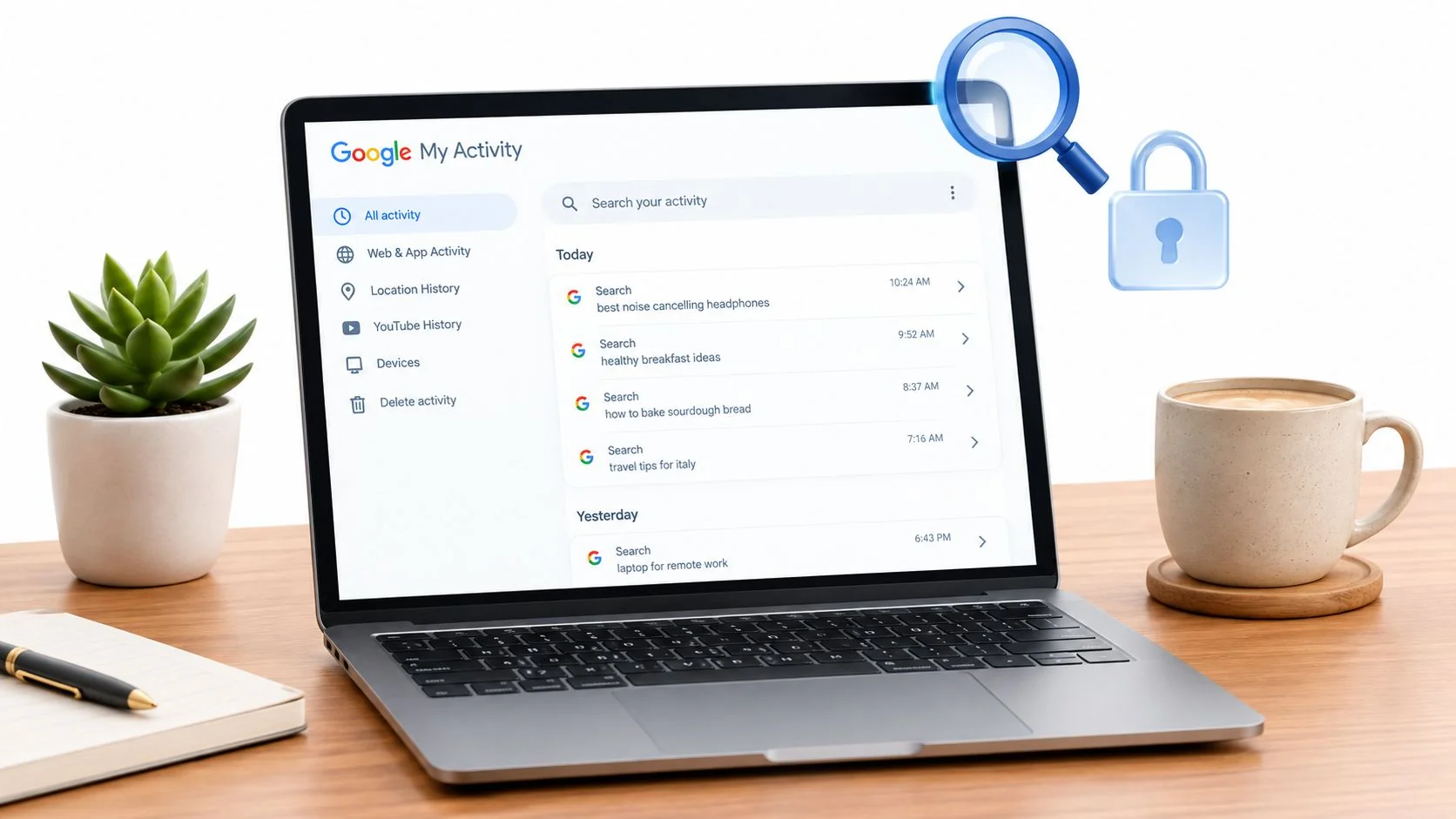
Think of your account’s login history as a digital passport, stamped with the time, location, and device of every entry. For an investigator, this is ground zero—often the first place you’ll find undeniable proof of a hack. Major email providers like Gmail and Outlook make these detailed logs surprisingly easy to access.
You’re looking for anything that doesn’t add up. Do you see a login from another country while you were sound asleep? Is there an access attempt from a browser you never touch, like Opera, when you live and breathe Chrome? These aren’t just quirks; they’re glaring red flags signaling unauthorized access.
Real-World Scenario: Let’s say you live in Chicago and your digital life revolves around an iPhone and a Windows laptop. As you scan your login history, you spot a successful login from an Android device located somewhere in Eastern Europe. This isn’t a glitch. It’s a crystal-clear sign that your credentials are out in the wild and someone is actively using them, potentially to access your gaming profiles or financial accounts.
Uncover Hidden Forwarding Rules and Filters
One of the most dangerous and sneaky tricks in an attacker’s playbook is setting up hidden email forwarding rules. They create a simple rule that silently sends a copy of every incoming message to an external email address they control. Just like that, they can passively spy on your entire digital correspondence without ever needing to log in again.
To cover their tracks, they might even add a filter that sends specific emails—like password reset confirmations or bank alerts—straight to the trash after forwarding them. You’d never even see the warning signs.
A thorough audit of your “Forwarding” and “Filters and Blocked Addresses” settings is non-negotiable. If you find any rules or email addresses you don’t recognize, kill them on sight. This is a classic tactic for harvesting sensitive data and laying the groundwork for full-blown identity theft.
How do they get in to set these up? Phishing is still the number one way attackers gain that initial foothold. Statistics show the scale of this threat is hard to grasp; security researchers estimate that a mind-boggling 3.4 billion phishing emails are sent across the globe every day. These attacks lead directly to stolen credentials, which is the key that unlocks your account. For a closer look at the numbers, you can read up on the latest trends in phishing and data breaches.
Audit Connected Apps and Permissions
Over the years, we all grant dozens of third-party apps and services access to our email accounts for the sake of convenience. While most are harmless, a hacker can either trick you into authorizing a malicious app or exploit a vulnerability in a legitimate, but less-secure, app you’ve already connected.
This creates a persistent backdoor into your account that stays open even after you change your password. You have to regularly audit the list of applications that have permission to access your account data.
- Review every app: Go through the list one by one. Do you recognize and actively use each service?
- Question broad permissions: Be wary of any app that requests full access to read, send, and delete your emails. Does a calendar app really need the ability to delete your messages?
- Revoke anything suspicious: If an app looks unfamiliar or you just don’t use it anymore, revoke its access. Immediately. A dormant, forgotten connection is a security vulnerability just waiting to be exploited.
Inspect Sent Items, Drafts, and Trash
Finally, don’t forget to check the most obvious places. An attacker might use your account to blast out spam or phishing emails to your contacts, hijacking your good reputation to scam others. Sift through your “Sent” folder for any messages you know you didn’t write.
Also, poke around in your “Drafts” and “Trash” folders. An intruder might compose malicious emails and save them as drafts to send later. Or they might try to cover their tracks by deleting the spam they’ve sent, but most email providers keep deleted items in the trash for a while. Finding unfamiliar emails in any of these folders is a smoking gun. For a more detailed walkthrough, check out our guide on how to check if an email was part of a data breach.
By methodically checking these four key areas, you can move from a nagging suspicion to absolute certainty, gathering the proof you need to lock the intruder out and take back control of your account.
What To Do The Second You Suspect a Hack
That sinking feeling in your stomach when you realize an intruder might be in your email account is awful. But what you do in the next few minutes is critical. Forget panic—it’s time for a clear, deliberate emergency response.
Every second you hesitate is another second an attacker has to dig deeper, lock you out for good, or use your email to pivot into your other, more sensitive accounts. Your immediate goal is to slam the door shut, take back control, and start reinforcing your defenses. Right now.
First, Change Your Password Immediately
This is your first, non-negotiable step. Change your password. And don’t just add a “1” to the end of your old one. You need something new, long, and complex. Aim for at least 16 characters with a solid mix of uppercase letters, lowercase letters, numbers, and symbols.
This single action will force a logout on all active sessions, which should hopefully kick the intruder out. But don’t stop here. This is just step one. Attackers are clever and often leave backdoors to sneak back in.
For help creating and managing passwords that are both strong and unique, check out our guide on best practices for using a password manager.
This flowchart shows the critical areas to check for signs of an intruder’s activity within your account settings.
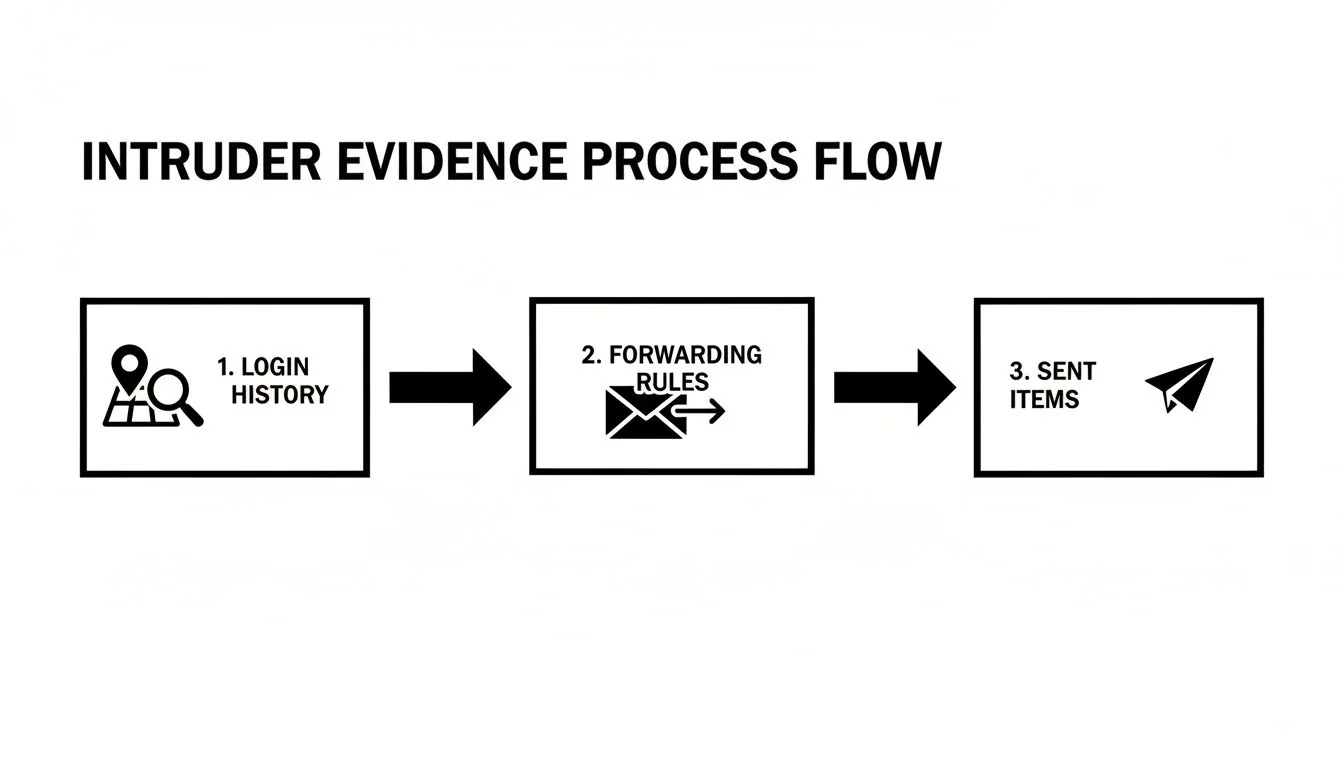
As the diagram shows, hackers leave footprints. They tamper with login histories, create forwarding rules to siphon off your mail, and send messages from your account. These are the exact places you need to audit.
Next, Turn On Multi-Factor Authentication
With a new password in place, your next move is to enable multi-factor authentication (MFA), also known as two-factor authentication (2FA). Honestly, this is one of the most powerful moves you can make to protect any online account. MFA adds a second layer of security, requiring a code from an app on your phone (or another method) in addition to your password.
Now, even if an attacker manages to steal your new password, they’re stuck. Without physical access to your phone, they can’t get in. It’s a simple step that neutralizes the vast majority of automated attacks that rely on stolen credentials.
Real-World Example: Don’t think MFA makes you invincible. Cybersecurity expert Troy Hunt shared a story about how a sophisticated phishing attack tricked him into giving up both his password and an MFA code. The attacker immediately logged in and started exporting his mailing list. This is a stark reminder that while MFA is essential, you still have to stay vigilant. Without it, though, his account would have been gone in a flash.
Finally, Purge All Connected Apps and Devices
You’ve changed the locks and barred the front door. But what about the windows you left open? Attackers love to authorize malicious third-party apps or log into your account on different devices, creating persistent backdoors that a password change alone won’t close.
It’s time for a full security audit.
- Review Every Connected App: Dig into your account’s security settings and find the list of third-party applications that have access. Go through this list one by one. If you don’t recognize something or haven’t used it in years, revoke its access immediately. Be ruthless here—every dormant connection is a potential security risk.
- Force a Sign-Out Everywhere: Look for an option in your security settings like “Sign out of all other web sessions” or “Log out all other devices.” Use it. This feature forcibly ends every active session on every computer, phone, and tablet where your account is logged in, kicking out any device an attacker was using.
Once you’ve methodically completed these three steps—resetting the password, enabling MFA, and revoking all access—you’ve built a solid, immediate defense. You’ve locked the hacker out, blocked their reentry, and sealed the side doors they might have created. Now, you can move on to assessing the damage.
Managing the Aftermath and Protecting Your Identity
Securing your email is a crucial first victory, but the battle isn’t over. Think of it as putting out a fire in one room of your house; now you have to check every other room for smoke damage and make sure the fire can’t reignite somewhere else.
The hacker had temporary control of the central hub of your digital life, and the fallout can spread far beyond your inbox. This phase is all about damage control. You have to assume that any account connected to your compromised email is now at risk. An attacker can easily use the “Forgot Password” feature on other websites—from your bank to your social media profiles—to take them over, one by one.
Audit Your Entire Digital Footprint
Your immediate priority is to conduct a thorough audit of all your other online accounts. Start with the most critical ones and work your way down. It’s a methodical process that requires patience, but it’s essential for containing the breach.
Create a list and check off each account as you secure it:
- Financial Accounts: This is ground zero. Lock down your online banking, credit cards, investment platforms, and payment services like PayPal or Venmo. Scour them for any unauthorized transactions right away.
- Social Media & Dating Profiles: Secure your Facebook, Instagram, LinkedIn, and any dating apps you use. A compromised profile can be used to scam your contacts, damage your reputation, or engage in catfishing.
- Gaming & E-commerce Sites: Accounts like Steam, Epic Games, Amazon, or eBay often have stored payment information and valuable digital assets, making them prime targets.
- Work-Related Accounts: If you used this email for anything work-related, your employer’s systems could now be vulnerable. This requires immediate and careful handling.
For each of these accounts, change the password to something new, long, and unique. Do not reuse the password you just set for your email account.
Notify Contacts and Monitor Your Reputation
Once a hacker has your email, they also have your entire contact list. A common tactic is to send phishing emails from your account to your friends, family, and colleagues, using their trust in you to spread malware or ask for money.
You need to get ahead of this. Send a brief, clear message to your contacts explaining that your account was compromised. Tell them to be wary of any strange messages that appear to come from you. This simple act can prevent a lot of harm to the people you know.
Beyond securing your account, a hacked email can significantly damage your digital standing. An attacker can post malicious content or send inappropriate messages, impacting how you’re perceived online by potential employers or romantic partners. It’s wise to learn how to navigate your online reputation management to repair any potential damage.
Check Financials and Report Identity Theft
While you’re auditing your accounts, pay close attention to your bank and credit card statements. Look for any charges, however small, that you don’t recognize. Hackers often make tiny test purchases to see if a stolen card is active before making much larger fraudulent transactions.
If you find any suspicious activity, report it to your financial institution immediately. They can freeze the card, block further charges, and start the process of reversing the fraudulent ones. The longer you wait, the more complicated recovery becomes.
So, when should you report the hack to the authorities?
- If you’ve lost money: If there has been any financial fraud, file a report with your local police and the FTC. This creates an official record that is essential for identity theft recovery.
- If sensitive data was exposed: If the email contained sensitive personal information (like tax documents or medical records) or confidential work data, reporting it is critical for both legal and professional reasons.
Protecting yourself after a hack involves more than one action; it requires a layered defense. For more in-depth strategies, check out our guide on how to protect against identity theft for a complete overview.
Building a Proactive Defense for Email Security
Once you’ve handled the immediate crisis of a hacked account, the mission shifts from damage control to long-term prevention. Moving from a reactive to a proactive security mindset is the single most important change you can make. It’s about building a digital fortress so strong that most attackers decide it’s simply not worth the effort.
This approach goes way beyond just setting a strong password and hoping for the best. It requires a real understanding of the threats you’re up against and the tools available to shut them down.
Recognize Sophisticated Phishing Attempts
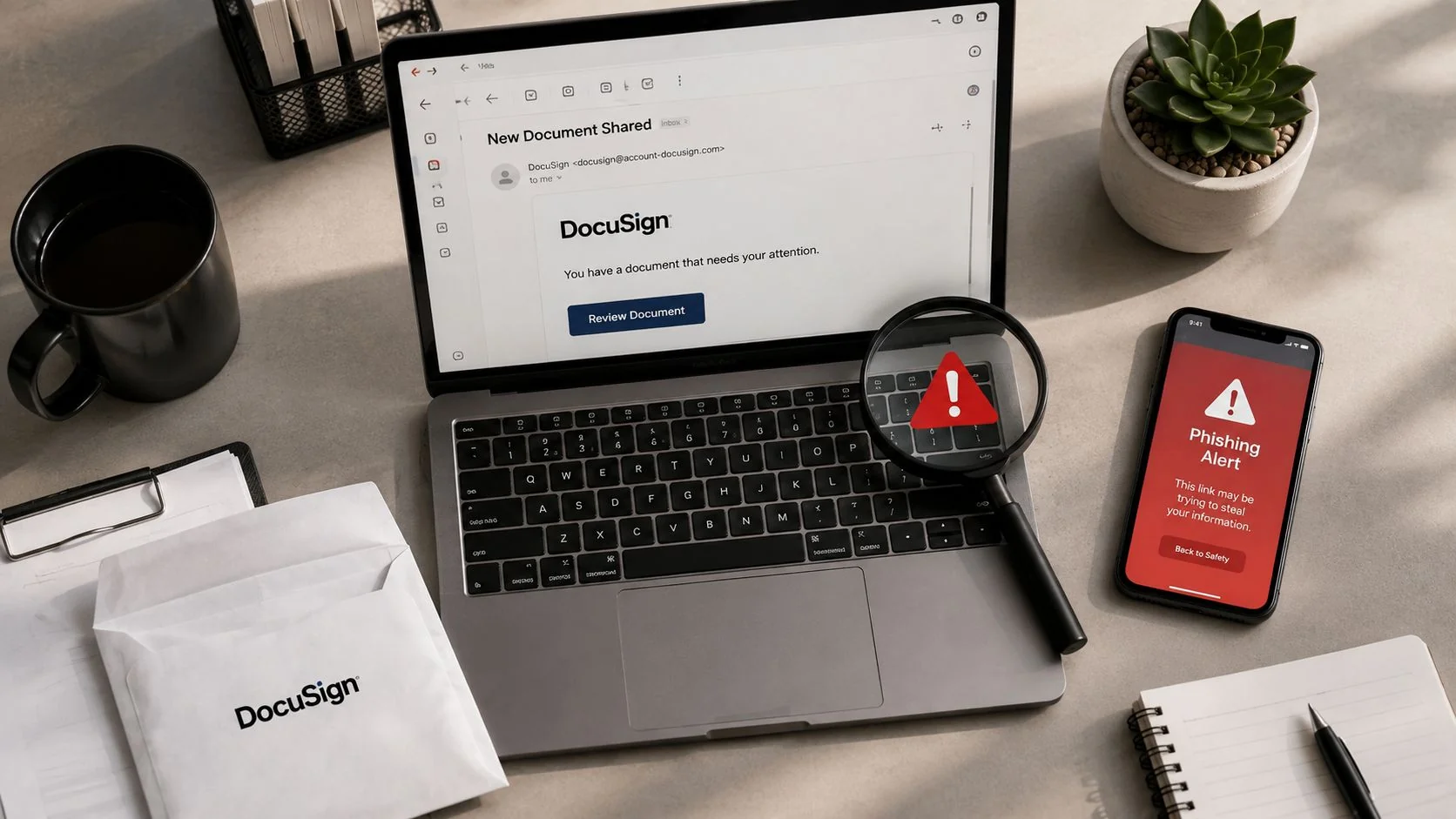
Forget the old phishing emails riddled with typos and weird formatting. Today’s attacks are often polished, perfectly mimicking legitimate communications from your bank, a tech company, or even your own HR department. The key to spotting them is to recognize the psychological triggers they use.
These emails almost always create a sense of urgency or fear. They’ll claim your account is suspended, a huge payment just went through, or you’ve missed a critical security update. This is a deliberate tactic to make you act impulsively—clicking a malicious link before you have time to think. Always pause. If an email raises your blood pressure, verify the claim by going directly to the official website, never through a link in the email itself.
The Power of a Dedicated Password Manager
One of the cornerstones of proactive security is using a dedicated password manager. These tools generate and store complex, unique passwords for every one of your accounts. This immediately shuts down the threat of credential stuffing, where a password stolen from one data breach is used to break into your other accounts.
A password manager also acts as a surprisingly powerful shield against phishing. Since the tool only autofills your credentials on the legitimate website URL it has saved, it simply won’t work on a fake phishing site with a slightly different web address. When you’re tired or distracted, this feature can be the last line of defense that saves you.
To really harden your email’s long-term security, it’s also worth understanding email authentication protocols like DKIM and DMARC, which help prevent spoofing and protect your account’s integrity from the inside out.
Automate Your Security Monitoring
Let’s be realistic: you can’t manually check if your email was hacked every day. Cybercriminals work around the clock, and data breaches happen constantly. The only effective long-term strategy is to automate your digital footprint monitoring.
This is where proactive defense comes into its own.
Tools that continuously scan the web for your leaked credentials can send you real-time alerts the moment your data pops up in a new breach. This allows you to react instantly—changing your password and securing your account before an attacker even has a chance to use the stolen information.
This kind of ongoing vigilance protects more than your inbox. It safeguards your:
- Job Prospects: Prevents reputation damage from a compromised professional email or LinkedIn account.
- Personal Safety: Alerts you if sensitive information that could be used for stalking or harassment gets exposed.
- Gaming Profiles: Protects the valuable digital assets and communities you’ve spent years building.
- Online Dating: Helps you maintain control over your personal information and prevents your accounts from being used for catfishing or romance scams.
By shifting your focus to prevention, you take back control. Instead of just waiting for the next disaster, you build a resilient defense that anticipates and neutralizes threats before they can do any real damage. To explore more advanced strategies for securing your inbox, our detailed guide on email security best practices offers a wealth of actionable advice.
Common Questions About Hacked Email Accounts
When you’re dealing with the stress of a possible email hack, the uncertainty can be overwhelming. It’s normal to have a ton of questions swirling around. Let’s filter the noise and get you some clear, straightforward answers.
Is Changing My Password Enough to Secure My Account?
Changing your password is the absolute first thing you should do, but stopping there is a critical mistake. Think of it like this: your password is the lock on your front door. If a burglar gets inside, they don’t just walk back out the front. They might jimmy open a window or leave the back door ajar for later.
That’s exactly what attackers do. They create digital backdoors to maintain their access long after you’ve locked them out. They might set up secret email forwarding rules, authorize malicious third-party apps to read your mail, or even change your account recovery info to lock you out.
So, after you’ve created a new, strong password, your work has just begun. You must:
- Turn on Multi-Factor Authentication (MFA): This is non-negotiable. It’s the digital deadbolt on your door that stops them even if they have the key.
- Audit Your Account Settings: Go through every setting with a fine-toothed comb. Check for forwarding rules, new filters, or changes to your signature that you didn’t make.
- Revoke Unrecognized Access: Review every app and device connected to your account and kick out anything you don’t recognize immediately.
Can My Email Be Hacked Even with a Strong Password?
Yes, and it happens all the time. A super-strong, complex password is a fantastic defense against brute-force attacks, where software hammers your login page with guesses. But it offers zero protection against the most common threat: phishing.
A phishing attack is all about tricking you into voluntarily handing over your credentials. You get an official-looking email from a service you trust, it links you to a pixel-perfect fake login page, and you type in your password yourself. The strength of that password becomes irrelevant at that point.
The key takeaway: A strong password protects your account from being broken into. Multi-Factor Authentication protects you from being tricked into opening the door yourself.
This is exactly why MFA is the single most important security feature you can enable. Even if you fall for a clever phish and the attacker gets your brand-new password, they’re stopped dead in their tracks. They can’t get past the second step without the code from your phone.
What Is the Biggest Risk of a Hacked Email Account?
The single greatest danger is that your email account is the “master key” to your entire digital life. Once an attacker has control of your inbox, they can start hitting that “Forgot Password” link for nearly every other online service you use.
From there, the damage can spiral out of control with terrifying speed:
- Complete Identity Theft: They can hijack your social media, lock you out of your banking apps, and even intercept communications from government services.
- Direct Financial Loss: With access to your accounts on shopping or financial sites, they can go on a spending spree or drain funds before you even realize what’s happening.
- Reputation Catastrophe: They can impersonate you to send scams and malicious links to your family, friends, and professional contacts, destroying trust you’ve spent years building and harming your job prospects.
- Personal Safety Risks: Attackers can use information from your emails for blackmail, harassment, or even real-world stalking.
Years of your private conversations, sensitive documents, and personal details become an open book for blackmail or highly targeted fraud.
How Can I Spot a Phishing Attempt?
Spotting a phishing email comes down to developing a healthy sense of skepticism and training your eye for the details. Attackers are getting good at making their fakes look real, but they almost always leave a few tell-tale clues.
Keep an eye out for these classic red flags:
- A False Sense of Urgency: The email is designed to make you panic. It threatens to suspend your account, claims you owe money, or says you’ll lose access to something important if you don’t act now.
- A Suspicious Sender Address: The name might look right, but the actual email address is just slightly off. Look for minor misspellings or a generic domain like
security-alert@gmail.cominstead of an official company email. - Weird-Looking Links: This is the big one. Always hover your mouse over a link before you click it. Your browser will show you the actual destination URL in the bottom corner. If it looks strange or doesn’t match the company’s real website, do not click it.
- Generic Greetings: Instead of your name, you might see “Dear Customer” or “Hello Valued Member.” Legitimate companies usually address you personally.
Remember, legitimate companies will almost never ask you to provide your password or other sensitive info directly through an email.
Staying on top of these threats is a constant battle. That’s where Digital Footprint Check comes in. We automate the hard part by continuously scanning data breaches and the web for any sign of your exposed information. You get the real-time alerts needed to lock down your accounts before an attacker can make their move. Take back control of your digital identity, protect your job prospects, and secure your personal safety—start with our free scan at www.digitalfootprintcheck.com/free-checker.