· Digital Footprint Check · Content Marketing · 20 min read
10 Essential Email Security Best Practices for 2025
Discover the top 10 email security best practices for 2025. Protect your inbox with actionable steps on MFA, phishing, DMARC, and more to prevent breaches.

One compromised email can mean financial loss, identity theft, and reputational damage. The average employee gets over 120 emails a day, many of them phishing or malware disguised as legitimate mail. Basic precautions help, but a secure inbox needs a fuller strategy. Start with these simple ways to protect your email account.
This guide goes beyond ‘don’t click suspicious links.’ It’s a prioritized roundup of 10 email security best practices covering technical controls and behavior changes. Each point includes implementation steps and pitfalls to avoid, from DMARC and encryption to security training and incident response. The practices apply whether you’re an individual, a parent, or an employer.
1. Multi-Factor Authentication (MFA) for Email Accounts
Multi-factor authentication (MFA) is one of the most effective steps you can take. It requires two or more verification factors to reach your email: something you know (a password), something you have (a phone or hardware key), or something you are (a fingerprint or face scan).
Even with your password, an attacker can’t get in without the second factor. MFA blocks most automated and targeted attacks.

How to Implement MFA Effectively
Setting up MFA is straightforward on most major email platforms like Google Workspace, Microsoft 365, and Apple iCloud. When you enable it, you will choose your preferred secondary authentication method.
Actionable Tips for Strong MFA:
- Prioritize Authenticator Apps: Use apps like Google Authenticator, Microsoft Authenticator, or Authy over SMS (text message) verification. SMS codes can be intercepted through SIM swapping attacks, making app-based codes a more secure option.
- Use Hardware Keys for Critical Accounts: For accounts containing highly sensitive information, a physical security key (like a YubiKey) offers the strongest protection, as it requires physical possession to authorize a login.
- Secure Your Backup Codes: Immediately after setting up MFA, you’ll receive backup codes. Print them out and store them in a secure, physical location like a safe. Do not store them as a digital file on your computer or in cloud storage.
- Enable MFA Everywhere: Don’t just protect your primary email. Activate MFA on every online account that offers it, especially banking, social media, and other communication platforms. This keeps security consistent across your accounts.
2. Email Encryption End-to-End (E2E)
End-to-end (E2E) encryption protects the content of your messages. It ensures that an email is encrypted on your device and can only be decrypted by the intended recipient. This means your email provider, internet service provider, or any intermediary cannot read the message, safeguarding your sensitive information from interception, server breaches, or unauthorized access.
Implementing E2E encryption is essential when handling confidential business data, personal identifiable information (PII), or any regulated content. Services like ProtonMail and Tutanota offer this feature by default, making high-level security accessible to everyone.

How to Implement E2E Encryption Effectively
While some providers build E2E encryption into their platform, you can also add it to existing email accounts using established protocols. The key is to manage the cryptographic keys that allow for the secure exchange of messages.
Actionable Tips for Strong E2E Encryption:
- Use PGP/OpenPGP Tools: For platforms like Gmail or Outlook, use tools like PGP (Pretty Good Privacy) or its open-source alternative, OpenPGP. Browser extensions and email clients like Thunderbird (with the Enigmail add-on) can simplify the process of generating and managing keys.
- Implement S/MIME for Enterprise: In corporate environments, S/MIME (Secure/Multipurpose Internet Mail Extensions) is a widely supported standard. It integrates with major clients like Microsoft Outlook and Apple Mail, allowing for digitally signed and encrypted emails within a managed IT framework.
- Establish Clear Key Management Policies: The security of E2E encryption depends on your private key. Keep your private key secure and never share it. Develop a process for securely sharing your public key with contacts so they can send you encrypted messages.
- Train Users on Encryption Workflows: E2E encryption requires both the sender and recipient to participate. Ensure anyone you communicate with understands how to use the technology, as a single misstep can compromise the entire communication chain.
3. Strong Password Policies and Management
A strong password is the first line of defense for your email account. Implementing robust password policies and using management tools are essential email security best practices that protect against brute-force attacks and credential stuffing, where attackers use stolen passwords from other breaches to try and access your accounts. Since weak and reused passwords are a primary cause of account takeovers, strengthening them is a critical security step.
This practice moves beyond simply creating a complex password; it involves a comprehensive strategy for creating, managing, and protecting credentials across all your services. Modern standards, like those from NIST, now favor length and uniqueness over forced complexity and frequent, mandatory changes.
How to Implement Strong Password Management
The best approach combines strong creation guidelines with secure storage, making it easy to use unique, complex passwords for every account without needing to memorize them. This significantly reduces your vulnerability to common password-based attacks.
Actionable Tips for Strong Passwords:
- Embrace Passphrases: Create long passphrases that are easy for you to remember but hard for computers to guess (e.g., “Correct-Horse-Battery-Staple”). Aim for a minimum of 15 characters, as length is more effective than random special characters.
- Use a Password Manager: Tools like 1Password, Bitwarden, or LastPass generate and securely store unique, complex passwords for all your online accounts. This eliminates password reuse, a major security risk.
- Enforce Uniqueness: Never reuse your email password on any other website or service. If another service is breached, attackers will use that password to try and access your email.
- Monitor for Breaches: Proactively check if your credentials have been exposed in a data breach. You can learn more about how to check if your email has been hacked and take immediate action to change compromised passwords.
4. DMARC, SPF, and DKIM Authentication Protocols
For businesses and domain owners, implementing email authentication protocols is a non-negotiable email security best practice. DMARC, SPF, and DKIM work together as a powerful trio to prevent email spoofing and phishing attacks. They verify that an email claiming to be from your domain was actually sent by an authorized server, protecting your brand’s reputation and your recipients’ trust.
These protocols function like a digital passport for your emails. SPF (Sender Policy Framework) lists authorized sending servers, DKIM (DomainKeys Identified Mail) adds a tamper-proof digital signature, and DMARC (Domain-based Message Authentication, Reporting & Conformance) tells receiving servers what to do with emails that fail these checks, providing crucial enforcement and reporting.

How to Implement Authentication Protocols Effectively
Properly configuring these DNS records is critical for preventing unauthorized use of your domain. Major platforms like Google Workspace and Microsoft 365 rely on these standards to filter malicious mail, and companies like PayPal and LinkedIn use strict DMARC policies to prevent fraudulent communications.
Actionable Tips for DMARC, SPF, and DKIM:
- Start in Monitoring Mode: Begin your DMARC implementation with a
p=nonepolicy. This allows you to receive reports on who is sending email from your domain without impacting mail delivery. - Gradually Increase Enforcement: Once you have analyzed the reports and identified all legitimate sending sources, move to a
p=quarantinepolicy (sends unauthenticated mail to spam), and finally top=reject(blocks unauthenticated mail entirely). - Maintain an Authorized Sender List: Keep your SPF record up to date with every third-party service you use to send email, such as marketing platforms or CRM systems.
- Validate Your Configuration: Use free online tools like MXToolbox to regularly check your SPF, DKIM, and DMARC records for syntax errors or misconfigurations that could weaken your security.
5. Regular Security Awareness Training
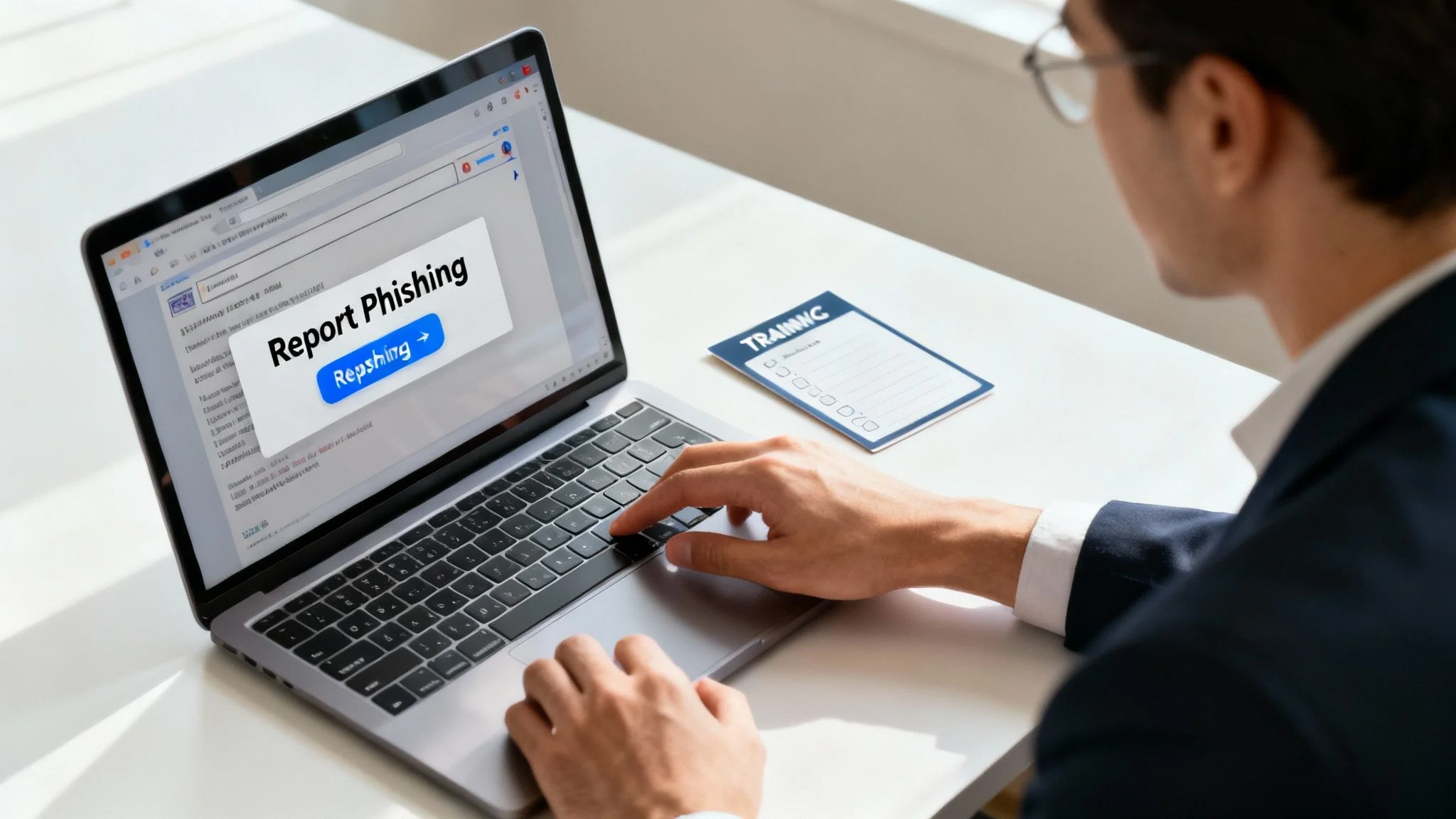
Technology alone cannot solve all security challenges; the human element is a critical component of any robust email security strategy. Regular security awareness training educates users on how to recognize, report, and respond to cyber threats. Since human error is a factor in the vast majority of security breaches, empowering your team with knowledge is one of the most effective email security best practices for an organization.
Effective training transforms your employees from potential targets into an active line of defense. By understanding the tactics used in social engineering and phishing attacks, they can prevent security incidents before they cause damage.
How to Implement Effective Training
A successful program goes beyond a one-time presentation and involves continuous, engaging education. Platforms like KnowBe4 and Proofpoint offer comprehensive modules and simulated attacks to build lasting security habits. Effective training should equip users to recognize and report common threats, such as Phishing and Internet Fraud, which are constantly evolving.
Actionable Tips for Strong Security Awareness:
- Conduct Regular Phishing Simulations: Send simulated phishing emails every two to four weeks to keep staff vigilant and measure their response. Use platforms like Microsoft’s Attack Simulation Training for realistic scenarios.
- Provide Immediate, Actionable Feedback: When a user clicks a simulated phishing link, provide instant feedback explaining the red flags they missed. This reinforces learning at the most critical moment.
- Make Training Interactive and Relevant: Move beyond static slides. Use videos, quizzes, and real-world examples relevant to your organization’s industry to keep employees engaged.
- Tailor Content for Different Roles: Customize training modules for various departments. For example, finance teams face different threats than IT or marketing teams, and the training should reflect those specific risks.
6. Email Gateway and Content Filtering
Email gateways and content filtering systems serve as a critical frontline defense, inspecting all incoming and outgoing emails for malicious content before they ever reach a user’s inbox. These advanced security tools act like a digital checkpoint, scanning for threats like malware, ransomware, phishing attempts, and spam. By using multiple detection methods, including signature-based scanning, behavioral analysis, and sandboxing, they can effectively neutralize a wide range of cyberattacks.
For organizations and even advanced home users, implementing this layer is a fundamental email security best practice. It significantly reduces the volume of threats that employees or family members have to deal with directly, minimizing the chance of human error leading to a breach. Platforms like Microsoft Defender for Office 365, Mimecast, and Barracuda provide robust filtering capabilities.
How to Implement Email Filtering Effectively
Proper configuration is key to maximizing the effectiveness of an email gateway. It involves setting up rules that balance aggressive threat blocking with the need to avoid flagging legitimate emails as malicious (false positives).
Actionable Tips for Strong Email Filtering:
- Deploy Multi-Layered Filtering: For maximum protection, deploy filtering at both the network gateway and directly at the email server. This creates redundant security checks.
- Enable Attachment Sandboxing: Use sandboxing features to open and analyze suspicious attachments in a secure, isolated virtual environment to see how they behave before allowing them through.
- Implement URL Rewriting: Configure the system to rewrite links in incoming emails. This allows the gateway to check the link’s destination for threats in real-time when a user clicks it.
- Regularly Monitor the Quarantine: Review the quarantine folder daily or weekly. This helps you release any legitimate emails that were mistakenly blocked and fine-tune your filtering rules to prevent future false positives.
- Keep Threat Signatures Updated: Ensure your system is set to automatically update its threat intelligence and signatures multiple times a day to protect against the latest emerging threats. This is one of the most crucial cybersecurity tips for small businesses to stay ahead of attackers.
7. Principle of Least Privilege (PoLP) Access
The Principle of Least Privilege (PoLP) is a foundational concept in information security that applies directly to protecting email systems. It dictates that users should only be granted the minimum levels of access, or permissions, needed to perform their job functions. This proactive strategy significantly minimizes the potential damage from a compromised account, insider threats, or even accidental data exposure.
By restricting access, you limit an attacker’s ability to move laterally within your systems if they gain control of a single email account. For organizations, this is a critical component of a robust email security posture, ensuring that a breach of a standard user account does not automatically escalate into a full-blown administrative compromise. It is a core tenet of modern frameworks like Zero Trust security.
How to Implement PoLP Effectively
Applying PoLP involves a strategic approach to managing user roles and permissions within your email platform, such as Microsoft 365 or Google Workspace. Instead of granting broad administrative rights, you define specific roles with tailored access levels.
Actionable Tips for Strong PoLP:
- Audit and Document Roles: Regularly review all user accounts and document the specific permissions each role requires. Remove any access that is not essential for day-to-day responsibilities.
- Use Dedicated Admin Accounts: Administrators should use a standard, unprivileged account for daily tasks and a separate, dedicated account for administrative duties only. This reduces the exposure of high-privilege credentials.
- Implement Time-Limited Access: For tasks requiring elevated permissions, use systems that grant temporary, time-bound access (just-in-time access). This ensures privileges are automatically revoked after the task is complete.
- Restrict Delegate and Mailbox Access: Tightly control who can access shared mailboxes or act as a delegate for another user’s account. Ensure these permissions are necessary and regularly reviewed.
8. Incident Response Planning and Email Breach Protocols
An incident response plan is a predefined set of instructions for detecting, responding to, and recovering from security incidents. On email, this plan acts as a critical playbook, enabling you to act swiftly and effectively when a breach, phishing attack, or account compromise occurs. Without a plan, chaos can lead to greater damage and longer recovery times.
Having clear email breach protocols is one of the most vital email security best practices for businesses and even for individuals managing sensitive communications. This structured approach minimizes financial and reputational harm by ensuring every action is deliberate and efficient, from initial containment to post-incident analysis and recovery.
How to Implement Email Breach Protocols
Developing an effective plan involves anticipating common scenarios and defining clear roles and procedures. Organizations like the SANS Institute and NIST provide comprehensive frameworks that can be adapted to your specific needs, whether for a large enterprise or a personal security strategy.
Actionable Tips for Incident Response:
- Develop a Written Plan: Document the step-by-step procedures for different email incidents, such as a successful phishing attack or a compromised account. Include who to contact and what actions to take immediately.
- Establish Clear Roles: For businesses, create an incident response team with defined responsibilities. For individuals, know which experts to contact, like your IT support or a cybersecurity professional.
- Create Incident Playbooks: Outline specific responses for common threats. For example, a playbook for a compromised account would include steps like immediately changing the password, enabling MFA, and notifying contacts. If you suspect a problem, you should also know how to check if your email has been in a data breach.
- Practice and Test: Regularly conduct tabletop exercises or simulations to test your plan’s effectiveness. Ensure your backup and recovery procedures are tested and work as expected.
9. Regular Security Audits and Vulnerability Assessments
Proactive defense is a cornerstone of robust email security best practices. Regular security audits and vulnerability assessments systematically evaluate your email infrastructure, configurations, and policies to identify weaknesses before attackers can exploit them. This process involves a comprehensive review to uncover security gaps and ensure compliance with industry standards.
By conducting these assessments, you move from a reactive to a proactive security posture. Instead of waiting for a breach to happen, you actively hunt for vulnerabilities. Tools like Tenable Nessus or Rapid7 InsightVM can automate scanning, while formal audits from specialized firms provide an objective, in-depth analysis of your entire email ecosystem.
How to Implement Security Audits Effectively
Integrating regular audits into your security program ensures continuous improvement and resilience against evolving threats. This should be a scheduled, recurring activity, not a one-time event.
Actionable Tips for Audits and Assessments:
- Establish a Regular Cadence: Conduct vulnerability scans at least quarterly and a comprehensive security audit annually. High-risk organizations should consider more frequent assessments.
- Combine Internal and External Audits: Use your internal IT team for regular checks but bring in external, third-party auditors for an unbiased, comprehensive review. This combination provides a more complete picture of your security posture.
- Prioritize and Remediate Findings: Don’t just collect audit reports. Create a formal process to prioritize findings based on risk level (e.g., critical, high, medium, low) and assign clear deadlines for remediation.
- Document and Track Everything: Maintain a detailed record of all audit findings, the steps taken to fix them, and the results of re-assessment tests. This documentation is crucial for compliance and for tracking security improvements over time.
10. Secure Email Backup and Disaster Recovery
Protecting your live email account is critical, but a robust security strategy must also account for data loss. Secure email backup and disaster recovery procedures ensure that your email data is protected, recoverable, and compliant with retention policies. This practice is your safety net against ransomware, accidental deletion, hardware failure, and catastrophic breaches, allowing you to restore access and data quickly.
Without a tested recovery plan, a single event could wipe out years of critical communications and sensitive information. Implementing a structured backup system is a non-negotiable part of modern email security best practices, ensuring business continuity and personal data preservation.
How to Implement Email Backup and Recovery Effectively
Effective backup isn’t just about saving data; it’s about ensuring that data is safe, isolated, and restorable when you need it most. While services like Microsoft 365 and Google Workspace offer some native recovery, they are not a substitute for a comprehensive, independent backup solution.
Actionable Tips for Backup and Recovery:
- Follow the 3-2-1 Backup Rule: Maintain three copies of your data on two different types of media, with at least one copy stored off-site. For example, a local backup on a network drive and a cloud backup with a service like Backblaze.
- Encrypt Your Backups: All backup data should be encrypted both while it’s being transferred (in transit) and while it’s stored (at rest). This prevents unauthorized access even if the backup media is compromised.
- Use Separate Credentials: Access to your backup systems should be protected with unique, strong credentials that are separate from your primary email account credentials. This prevents an attacker from deleting your backups after a breach.
- Test Your Recovery Process: Regularly test your ability to restore data from your backups. A backup plan is useless if it fails during an actual emergency. Schedule and document these tests at least quarterly.
10-Point Email Security Best Practices Comparison
| Item | Implementation Complexity 🔄 | Resource Requirements ⚡ | Expected Outcomes 📊 | Ideal Use Cases 💡 | Key Advantages ⭐ |
|---|---|---|---|---|---|
| Multi-Factor Authentication (MFA) for Email Accounts | 🔄 Medium — user enrollment & policy config | ⚡ Low–Medium — auth apps, optional hardware keys, support | 📊 Very high reduction in account takeovers | 💡 All users; high-value/admin accounts; remote access | ⭐ Prevents phishing/credential theft; widely supported |
| Email Encryption End-to-End (E2E) | 🔄 High — key management & client compatibility | ⚡ Medium–High — PKI, key distribution, client updates | 📊 Strong confidentiality; prevents provider access | 💡 Sensitive/regulatory communications; legal & healthcare | ⭐ Ensures privacy, compliance, non-repudiation |
| Strong Password Policies and Management | 🔄 Low — policy + manager integration | ⚡ Low–Medium — password managers, monitoring | 📊 Moderate reduction in brute-force/credential reuse | 💡 Baseline security for all accounts; SMBs | ⭐ Easy to implement; low technical overhead |
| DMARC, SPF, and DKIM Authentication Protocols | 🔄 Medium — DNS records & signing setup | ⚡ Low–Medium — DNS, monitoring, reporting tools | 📊 High reduction in spoofing; improved deliverability | 💡 Organizational domains, marketing, transactional email | ⭐ Industry standard for sender authentication & visibility |
| Regular Security Awareness Training | 🔄 Medium — program design & cadence | ⚡ Medium — platforms, time, simulated phishing | 📊 Significant drop in phishing clicks and user errors | 💡 All staff; especially customer-facing and targeted roles | ⭐ Empowers users; cost-effective human defense |
| Email Gateway and Content Filtering | 🔄 Medium–High — integration & tuning | ⚡ Medium–High — licensing, sandboxing, infra | 📊 High threat blocking before inbox delivery | 💡 Enterprise mail flow, perimeter protection | ⭐ Centralized detection, DLP, zero-day protection |
| Principle of Least Privilege (PoLP) Access | 🔄 Medium — role definitions & enforcement | ⚡ Low–Medium — IAM tools, audits | 📊 Limits blast radius of compromises | 💡 Admins, shared mailboxes, privileged access | ⭐ Minimizes impact of breaches; improves auditing |
| Incident Response Planning and Email Breach Protocols | 🔄 High — playbooks, coordination, testing | ⚡ High — dedicated team, drills, forensic tools | 📊 Faster containment & recovery; lower MTTR | 💡 Organizations with regulatory/risk exposure | ⭐ Enables coordinated response and regulatory compliance |
| Regular Security Audits and Vulnerability Assessments | 🔄 High — audits, pentests, remediation cycles | ⚡ High — expert testers, scanning tools, time | 📊 Identifies weaknesses before exploitation | 💡 Compliance-driven orgs; periodic security validation | ⭐ Proactive discovery; evidence for auditors |
| Secure Email Backup and Disaster Recovery | 🔄 Medium–High — backup architecture & testing | ⚡ High — storage, off-site, staff, retention costs | 📊 Ensures recoverability after ransomware/data loss | 💡 Organizations needing retention, continuity, litigation support | ⭐ Rapid recovery; meets retention and legal requirements |
Building Your Email Fortress: From Knowledge to Action
Navigating the digital world requires more than awareness; it demands a proactive, layered defense, and your email inbox is the central keep of your digital castle. Throughout this guide, we’ve deconstructed the essential components of a formidable email security strategy, moving beyond generic advice to provide a concrete, actionable blueprint. You now have the tools to transform your email from a potential vulnerability into a fortified asset.
Weaving a Web of Layered Defenses
The core theme uniting these practices is the concept of defense in depth. A single lock on a door is easily picked, but a combination of locks, alarms, and reinforced materials creates a much harder target. Similarly, relying solely on a strong password is no longer sufficient.
True security is achieved by weaving together multiple, overlapping layers of protection:
- Technical Controls: Implementing Multi-Factor Authentication (MFA) acts as your digital deadbolt. Configuring DMARC, SPF, and DKIM serves as an official seal, verifying your identity and preventing forgeries.
- Human Vigilance: Your team’s ability to recognize a phishing attempt is just as critical as any firewall. Regular security awareness training transforms your employees from potential targets into your first line of defense.
- Proactive Processes: Establishing an incident response plan and conducting regular security audits are not just for compliance. They are strategic exercises that ensure you are prepared for the worst and constantly strengthening your defenses against emerging threats.
From Passive User to Active Defender
Mastering these email security best practices is about shifting your mindset. It’s the transition from being a passive email user to an active, informed defender of your own digital space. Each practice, from implementing end-to-end encryption for sensitive communications to applying the Principle of Least Privilege for access control, is a deliberate step toward reclaiming control over your data. This proactive stance not only protects your own information but also safeguards the data of your clients, partners, and employees, reinforcing trust and professional integrity. The value extends beyond preventing financial loss; it is about preserving your reputation and ensuring operational continuity in an era where a single breach can have catastrophic consequences.
Your Next Move in Email Security
The journey to comprehensive email security is ongoing, not a one-time project. Your immediate next step is to choose one high-impact practice from this list and commit to implementing it this week. Will you finally enable MFA on all critical accounts? Or will you begin the process of deploying DMARC to protect your domain? Whatever you choose, the key is to start now.
Remember, you cannot protect against threats you are unaware of. A crucial part of modern defense is understanding your exposure. Knowing where your email addresses have been compromised in data breaches is not just interesting information; it is actionable intelligence that allows you to prioritize password changes and secure vulnerable accounts before they can be exploited. This is the final, crucial piece of the puzzle: continuous monitoring transforms your security strategy from a static set of rules into a dynamic, responsive shield.
Ready to discover your email’s exposure and take the first step toward a more secure digital life? Use Digital Footprint Check to scan for your email in known data breaches and gain the critical intelligence you need to protect your accounts. Visit Digital Footprint Check to start your free scan and turn knowledge into action today.