· Digital Footprint Check · Content Marketing · 14 min read
Antivirus for Gamers: the Ultimate 2026 Security Guide
Find the best antivirus for gamers in 2026. Our guide explains how to get max performance and security, protecting your accounts from phishing and malware.
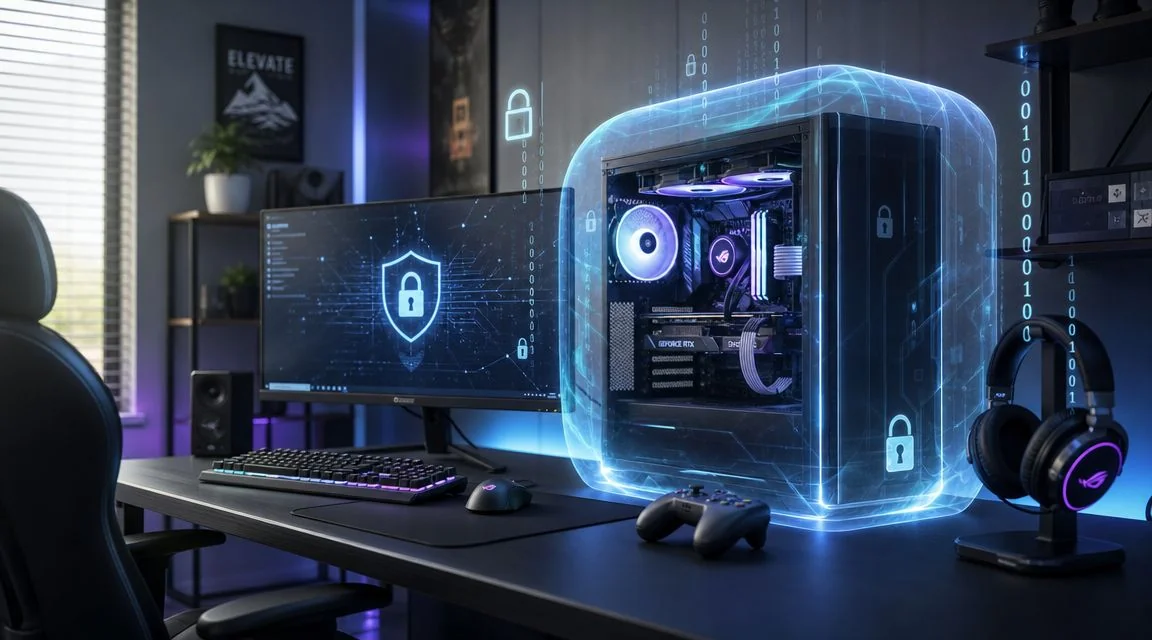
You’ve probably had this debate with yourself already. You spend serious money on a GPU, tune your settings, close every background app you can find, then stare at your antivirus and wonder if it’s the one thing sabotaging your frame rate.
That concern is fair. Gamers remember the era when security software felt heavy, noisy, and badly timed. A popup in the middle of a ranked match or a scan spinning up during a boss fight is enough to make anyone want to uninstall it.
But the bigger question in 2026 isn’t just whether antivirus hurts FPS. It’s whether your setup protects the stuff that matters when something goes wrong. Your Steam account. Your Epic login. Your Discord. Your email inbox. Your old gamer tags and public profiles that can expose more about you than you realize.
Is Your Antivirus Tanking Your FPS?
A lot of gamers still think antivirus always equals lag. That idea comes from real experience, just from an older generation of tools.
A more current benchmark tells a different story. In a 2024 gaming antivirus benchmark, Windows Defender averaged 106 FPS and Norton Gamer Edition also averaged 106 FPS, with the tester noting the gap was about 1 FPS and “within the margin of error.” The same test recorded a minimum of 78 FPS and maximum of 140 FPS. That’s a strong sign that modern antivirus for gamers can be configured so the practical frame-rate hit is negligible during play.
Why the old fear still feels true
If you’ve ever alt-tabbed and seen your security software chewing through resources, your instinct makes sense. The confusion usually comes from mixing up two different things:
- Real-time protection that monitors files and processes
- Heavy background tasks like deep scans, updates, or cleanup jobs
Those aren’t the same workload. A modern gaming-focused suite can stay quiet during gameplay, while badly timed background activity is what usually creates stutter, long asset loads, or random hitching.
Practical rule: Judge antivirus by what happens during an actual match, not by old assumptions from years ago.
The real decision gamers should make
If your whole buying decision is based on “Will I lose FPS?” you’re solving only half the problem. Your gaming life isn’t just one executable running in full-screen mode. It includes launchers, voice chat, browser logins, game marketplaces, mods, cloud saves, and linked accounts across multiple devices.
That’s why the smarter question is this: can you keep your system protected without wrecking performance, while also defending the accounts and identity wrapped around your gaming life?
Cloud gaming adds another wrinkle because your device might not be doing all the rendering locally, but your browser sessions, linked accounts, and payment details still need protection. If that setup sounds familiar, this look at Xbox cloud gaming security and privacy considerations is worth a read.
The Real Threats to Your Gaming Kingdom
Gamers often focus on malware because it sounds technical and dramatic. In practice, a lot of damage starts with something much simpler. A fake login page. A scam DM. A “helpful” link to a tournament page, skin drop, or mod installer.
Security guidance aimed at gamers keeps pointing to the same blind spot. The biggest losses often come from stolen credentials, scam links, and social engineering, not from the classic movie-version idea of a virus tearing through your PC. A gamer-focused security article from Kaspersky also highlights that antivirus is only one layer, and that MFA, unique passwords, and anti-phishing habits are usually more important for account protection than scan speed alone in gaming ecosystems (Kaspersky’s gamer security guidance).
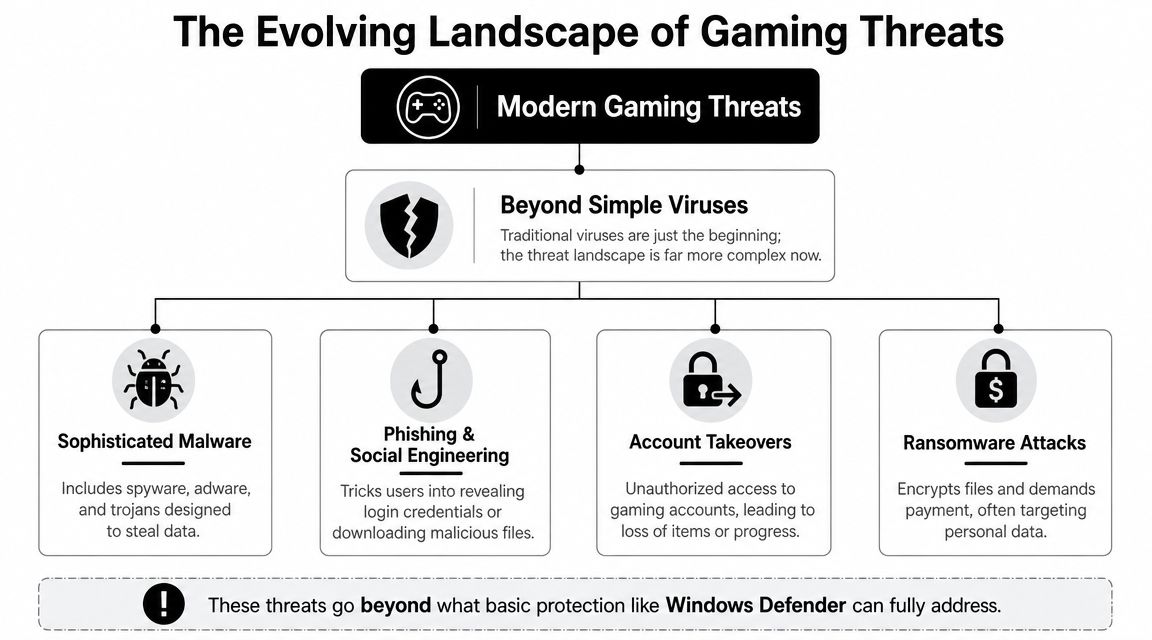
What actually targets gamers
Basic malware is still part of the picture, but it’s rarely the only risk. Gamers deal with a mix of threats that often overlap.
- Phishing pages that mimic Steam, Epic, Battle.net, or Discord sign-in screens
- Credential theft through fake giveaways, shady marketplaces, or “support” messages
- Malicious downloads hiding in mods, cheat tools, cracked launchers, or utility apps
- Doxxing and harassment when public gaming identities connect back to real-world details
- DDoS-related privacy risks for streamers and competitive players who expose too much personal data
Why “Windows Defender is enough” misses the point
Windows Defender can be perfectly reasonable for many people as a baseline, especially if they browse carefully and don’t install risky files. But “enough” depends on your threat model.
If all you do is launch games from major stores and keep to yourself, your needs are simpler. If you install mods, join Discord servers, buy and sell items, stream, click tournament links, or reuse usernames across platforms, your exposure is wider.
That’s where readers get confused. They compare antivirus products as if the only job is stopping a malicious file. For gamers, the more common disaster is losing control of an account or exposing enough public information for someone to target you personally.
Spyware adds another layer because it doesn’t have to crash your PC to hurt you. It can discreetly watch, collect, and leak. If you’re worried about that angle, this guide on how to find spyware on your phone helps explain what to look for beyond desktop gaming.
Antivirus can block a bad file. It can’t save you if you willingly type your password into a fake login page.
Evaluating Antivirus for Gaming Performance
Performance claims in antivirus marketing are often vague. “Lightweight.” “Game mode.” “Low system impact.” Those phrases sound good, but they don’t tell you what happens when you launch a match, patch a game, run Discord, and keep a browser open on a second monitor.
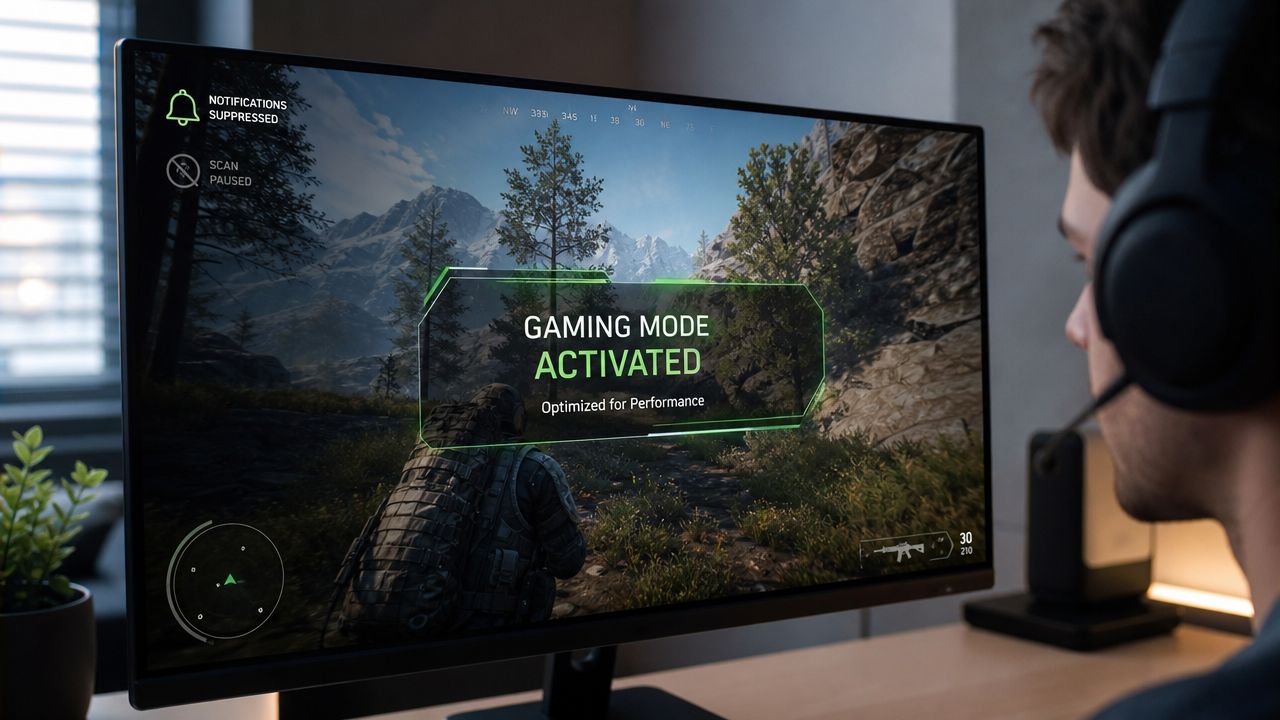
A useful way to think about antivirus for gamers is to ignore the slogan and look at behavior. Does it suppress popups in full-screen mode? Does it postpone non-urgent scans? Does it avoid hammering CPU and storage while you’re playing? That’s what “gaming mode” should mean in practice.
What gaming mode should actually do
A real gaming mode usually handles a few specific jobs:
- Silence interruptions so notifications and alerts don’t appear mid-session
- Delay scheduled work such as routine scans or background maintenance
- Prioritize gameplay by reducing resource-heavy tasks while a game is active
- Detect full-screen activity automatically so you don’t have to toggle settings manually every time
If a product says it has gaming mode but still starts chatter during a match, the feature isn’t doing its job.
What the evidence says
Independent testing is more useful than vendor copy. In one review roundup, Security.org noted that modern gaming-focused antivirus products can keep overhead low enough that real-world impact is often hard to notice. In one benchmark they cited, Aura kept RAM usage under 200 MB and CPU impact under 3% while gaming, with virtually no measurable effect on Fortnite frame times or input latency at a 240 fps target. The same review also noted that older antivirus generations were associated with 10 to 20% FPS drops, while modern products have reduced that impact to under 5% in typical use cases (Security.org’s gaming antivirus analysis).
That doesn’t mean every setup will feel identical. It means the old blanket claim that antivirus always crushes FPS no longer holds up.
How to read benchmarks without getting fooled
Benchmarks get messy fast because gaming performance is sensitive to many variables. One clean run doesn’t prove much on its own.
Use this quick filter when you evaluate reviews:
| What to check | Why it matters | What to be cautious about |
|---|---|---|
| Full-screen gameplay testing | Shows real match conditions | Idle desktop numbers |
| Frame times, not just FPS | Reveals stutter and consistency | Average FPS alone |
| Background task behavior | Exposes scan or update spikes | “No lag” marketing claims |
| CPU and RAM impact | Helps on mid-range systems | Results with no workload context |
If you manage other systems besides your gaming rig, it can help to compare priorities across use cases. This piece on Finchum Fixes IT’s small business security advice is useful because it frames antivirus around practical workload impact, not just feature checklists.
Don’t buy antivirus for gamers based on one word like “lightweight.” Buy it based on whether it stays out of the way when your system is under load.
Must-Have Security Features for Gamers
The old model of antivirus was simple. Scan files, block malware, call it a day.
That’s not enough for gamers now. Your risk doesn’t stop at an infected download. It extends to account takeover, privacy exposure, webcam abuse, and the mess that follows if someone links your gaming identity to your real one.
Norton’s gaming-focused suite reflects that shift directly. Its product page says it monitors the dark web for gamer tags, usernames, and email addresses, and it says it helps protect against threats including malware, webcam takeovers, DDoS attacks, doxxing, and SWATing. It also notes protection for up to three devices, which shows how “antivirus for gamers” has expanded into broader identity and multi-device protection (Norton 360 for Gamers product details).
The feature checklist that matters
A gamer doesn’t need every extra in a bloated suite. But some features solve real problems better than a plain virus scanner can.
| Feature | What It Protects | Why It Matters for Gamers |
|---|---|---|
| Anti-phishing web protection | Logins, payment details, linked accounts | Fake game store and launcher pages are common traps |
| Dark web monitoring | Exposed usernames, gamer tags, email addresses | Helps you spot account exposure before it becomes a takeover |
| Password manager | Reused or weak passwords | Gaming accounts often connect to valuable libraries and purchases |
| Webcam protection | Camera access | Useful for streamers and anyone who wants tighter device privacy |
| VPN or privacy network tools | Network privacy and connection exposure | Can help reduce personal exposure while gaming or using public Wi-Fi |
| Multi-device coverage | PC, laptop, and other linked devices | Your gaming identity rarely lives on one machine only |
What’s nice to have, and what’s essential
Some features sound flashy but don’t move the needle much. Others are quiet and boring and save you from a disaster.
A good anti-phishing layer matters more than a fancy dashboard skin. A password manager matters more than an optimizer tab you’ll never use. Dark web monitoring matters if you reuse usernames or emails across gaming, social, and personal accounts.
Here’s the simple split:
Essential for most gamers
- Anti-phishing protection
- Password management
- Real-time malware protection
- Alerts for exposed credentials or identifiers
Especially useful for streamers or competitive players
- Webcam protection
- Privacy tools that reduce personal exposure
- Coverage across more than one device
Situation-dependent extras
- Cleanup tools
- Performance dashboards
- Bundled utilities you may already have elsewhere
A lot of readers also assume a password manager is separate from gaming security. It isn’t. It’s one of the strongest defenses you can add to stop one stolen password from compromising your whole ecosystem. If you need a refresher, these password manager best practices explain how to use one well without making your setup annoying.
The bigger shift in gamer security
The phrase “antivirus for gamers” is almost too narrow now. The category has moved toward protecting identity, not just files.
That matters because someone who steals your account doesn’t care whether your frame rate stayed high. They care whether they can get into your email, reset your launcher passwords, impersonate you on Discord, or use your public profile data against you.
How to Configure Antivirus for Zero-Lag Gaming
Most antivirus performance problems come from bad defaults or untouched settings, not from the idea of antivirus itself.
A security reviewer focused on gaming performance made the key point clearly. The practical risk isn’t just the resident shield. It’s scan timing. When a full-system scan starts while a game is running, antivirus can consume CPU and disk bandwidth, and scheduling scans for idle periods is the single most effective optimization for gamers according to that review’s benchmarks and discussion (gaming scan timing advice from azF0-PTNI3M).
The settings that matter most
If you want your antivirus to feel invisible during play, start here:
- Turn on gaming mode
Make sure the product recognizes full-screen games automatically. If it has a list of protected apps, add your most-played titles manually.
Move deep scans to idle hours
Overnight is the obvious choice. If you suspend or shut down your PC at night, schedule scans for another block when you know you won’t be in a match.
Check update behavior
Security updates matter, but many products let you reduce interruptions or postpone noisy background tasks until you’re done gaming.
Handle exclusions carefully
Trusted game folders can be good candidates for exclusions, but people commonly overdo it.
- Exclude stable, trusted install folders if your antivirus keeps rescanning the same large game files and causing friction.
- Don’t exclude your Downloads folder just because you install mods from there.
- Be careful with mod folders unless you trust the source and understand the tradeoff.
The point of an exclusion is to remove repeated scanning from files you already trust. It’s not a free pass for everything gaming-related.
Test your setup like a gamer, not like a marketer
After you change settings, use your PC normally.
- Launch a game you know well
- Keep Discord open
- Run your launcher
- Let your usual browser tabs stay active
- Watch for stutter during map loads, alt-tab moments, and patching
Field check: If your game runs fine until a scan starts, your problem is scheduling, not necessarily the antivirus engine.
You don’t need a lab to tune this. You need one evening, a little patience, and the willingness to check whether your security software is doing work at the worst possible time.
Your Ultimate Gaming Account Security Checklist
The biggest gaming losses often don’t start on your PC. They start with your identity. One stolen password, one fake Discord message, one fake Steam page, and suddenly you’re locked out of the account that holds your library, your friends list, your purchase history, and maybe your public reputation too.
Security guidance for gamers keeps stressing the same point. MFA and anti-phishing habits are usually more important for account protection than scan speed alone, because stolen credentials and social engineering often cause the worst outcomes in real life.
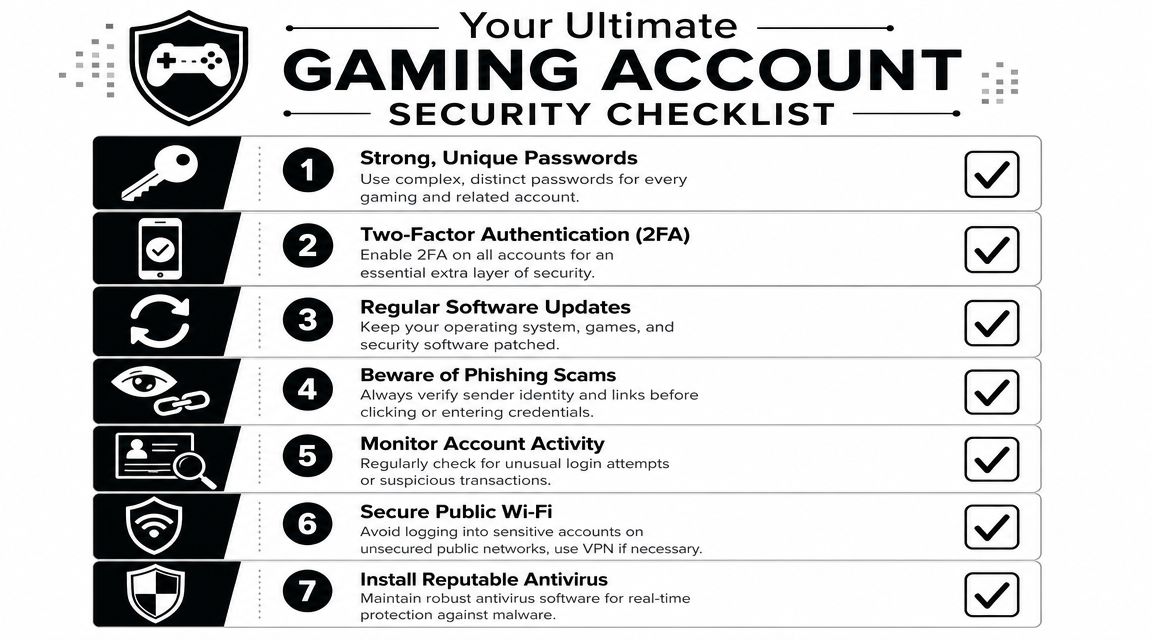
The checklist
Turn on MFA everywhere
Start with Steam, Epic, Battle.net, Discord, your email account, and any marketplace tied to purchases or trading. Your email matters most because it often becomes the reset path for everything else.
Use unique passwords
If one password appears on more than one service, fix that first. Reused passwords turn one breach into a chain reaction.
Treat DMs like email spam
If someone sends a “tournament invite,” “gift link,” or “account warning,” slow down. Check the sender, inspect the destination, and go directly to the official site yourself instead of clicking.
Habits that save accounts
Some protections are less about software and more about routine.
| Habit | Why it helps |
|---|---|
| Review login alerts | You’ll catch suspicious access sooner |
| Keep your OS and apps updated | Patches close known holes attackers like to exploit |
| Separate public and private identities where possible | It reduces how easily people can connect your gaming persona to real-life details |
| Avoid sensitive logins on risky networks | Public Wi-Fi is a bad place to handle account recovery or payments |
What antivirus can’t do for you
Antivirus can block malicious files and suspicious behavior. It can’t stop you from handing over credentials on a convincing fake page. It can’t make a reused password safe. It can’t undo years of oversharing across game forums, social profiles, and old usernames.
If account takeover is your main concern, this guide to account takeover prevention covers the habits that matter outside the antivirus app itself.
If you only install antivirus and skip MFA, you’re protecting the device better than the identity attached to it.
Beyond the Game Protecting Your Digital Footprint
A secure gaming setup is more than a clean Windows install and a quiet antivirus. It’s also about what other people can find about you.
Your digital footprint includes old usernames, public gaming profiles, forgotten forum posts, linked socials, breach-exposed emails, and bits of personal information scattered across the web. On their own, those pieces can seem harmless. Put together, they can help someone target your accounts, impersonate you, dox you, or pressure you through harassment.
That’s why the best antivirus for gamers is only one layer. It protects the device. It doesn’t map your public exposure. It doesn’t tell you which old accounts still reveal your handle, your email pattern, or personal clues you forgot were public.
Gaming safety also means identity hygiene
A complete protection mindset includes:
- Device security through well-configured antivirus
- Account security through MFA, unique passwords, and phishing awareness
- Identity security through checking what’s publicly visible about you
Gamers who spend long hours at the screen should also think about physical habits, not just digital ones. If you’re building a healthier setup overall, this ultimate guide for gamer eye health is a practical companion read.
Dark web monitoring also fits into this identity layer. If your gamer tag, username, or email shows up in exposed data, you want to know quickly. For that broader perspective, this overview of the best dark web monitoring services helps explain what those alerts can and can’t do.
Antivirus protects your machine during play. Digital footprint awareness protects the person behind the keyboard.
If you want to see what information tied to your gaming identity may already be public, run a free scan with Digital Footprint Check. It’s a simple way to look beyond malware and understand how your usernames, email addresses, profiles, and exposed data could affect your privacy, account security, and personal safety.