· Digital Footprint Check · Content Marketing · 14 min read
What Is Shoulder Surfing: Protect Your Data
Learn what is shoulder surfing, a subtle but dangerous social engineering attack. Get examples & practical steps to protect your personal data.
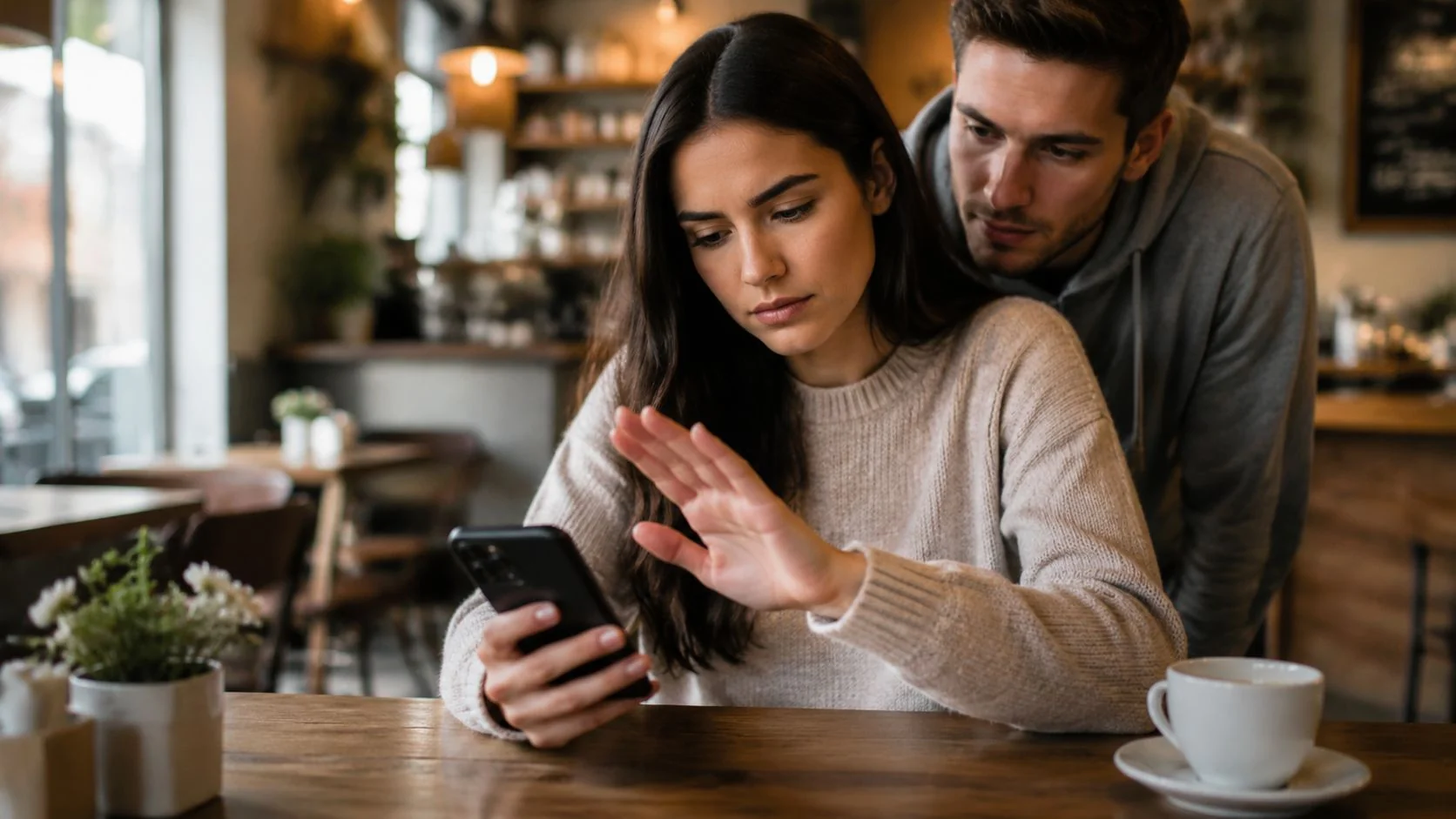
You’re probably reading this on a phone or laptop in a place where other people are nearby. A coffee shop. A train. An airport gate. A shared office. Maybe you’re checking email, logging into your bank, replying to a dating app message, or entering a one-time code without thinking twice about who can see your screen.
That tiny moment of exposure is where shoulder surfing starts.
Cyber threats are often perceived as malware, phishing links, or leaked passwords from big breaches. But some of the most effective attacks are much simpler. They rely on ordinary habits, busy environments, and a quick glance from the wrong person. What looks harmless can lead to stolen login details, hijacked gaming accounts, identity theft, and personal information spreading far beyond the place where it was first seen.
The Overlooked Threat Hiding in Plain Sight
You access your phone in line for coffee. A text message preview flashes on screen. You tap into your banking app, enter a passcode, and check whether a payment went through. The stranger behind you doesn’t need hacking tools. They just need a clear view.
That’s what shoulder surfing is in the simplest terms. It’s a social engineering attack where someone gets confidential information by watching your screen, your keyboard input, or even what you say aloud. A common definition describes it as an attack in which an adversary observes keystrokes, screen content, or conversations to obtain sensitive information for financial or political gain, sometimes from nearby and sometimes with optical aids from farther away, as described in the CAPEC-508 overview summarized here).
The reason people underestimate it is obvious. It feels low-tech. It doesn’t look like “real hacking.” But it works because people are relaxed in everyday spaces. They don’t expect a stranger in a cafe, airport, waiting room, or rideshare line to be collecting useful details.
Why it happens so often
A striking example comes from a reported NYU finding that 73% of surveyed individuals had witnessed someone else’s confidential PIN being observed, showing that this isn’t a rare fluke but a common privacy problem in ordinary settings, as cited in this discussion referencing the NYU study.
That number matters because it changes the mental model. Shoulder surfing isn’t just something that happens in movies or at ATMs late at night. It happens during normal life, around ordinary people, in places where everyone seems harmless.
Practical rule: If you can see someone else’s screen from where you’re standing, someone can probably see yours too.
Why a physical glance becomes a digital problem
The profound danger starts after that glance. A password, PIN, email address, access pattern, or verification code can be enough to open the door to much more. Once someone gets a small piece of data, they can connect it with other information that’s already public or exposed online.
That’s why shoulder surfing belongs in the same conversation as identity theft, online privacy, and your wider digital footprint. If you want to understand how small pieces of visible information can snowball into bigger exposure, this guide on what hackers can learn from your digital footprint is a useful companion.
Physical vs Digital Shoulder Surfing Explained
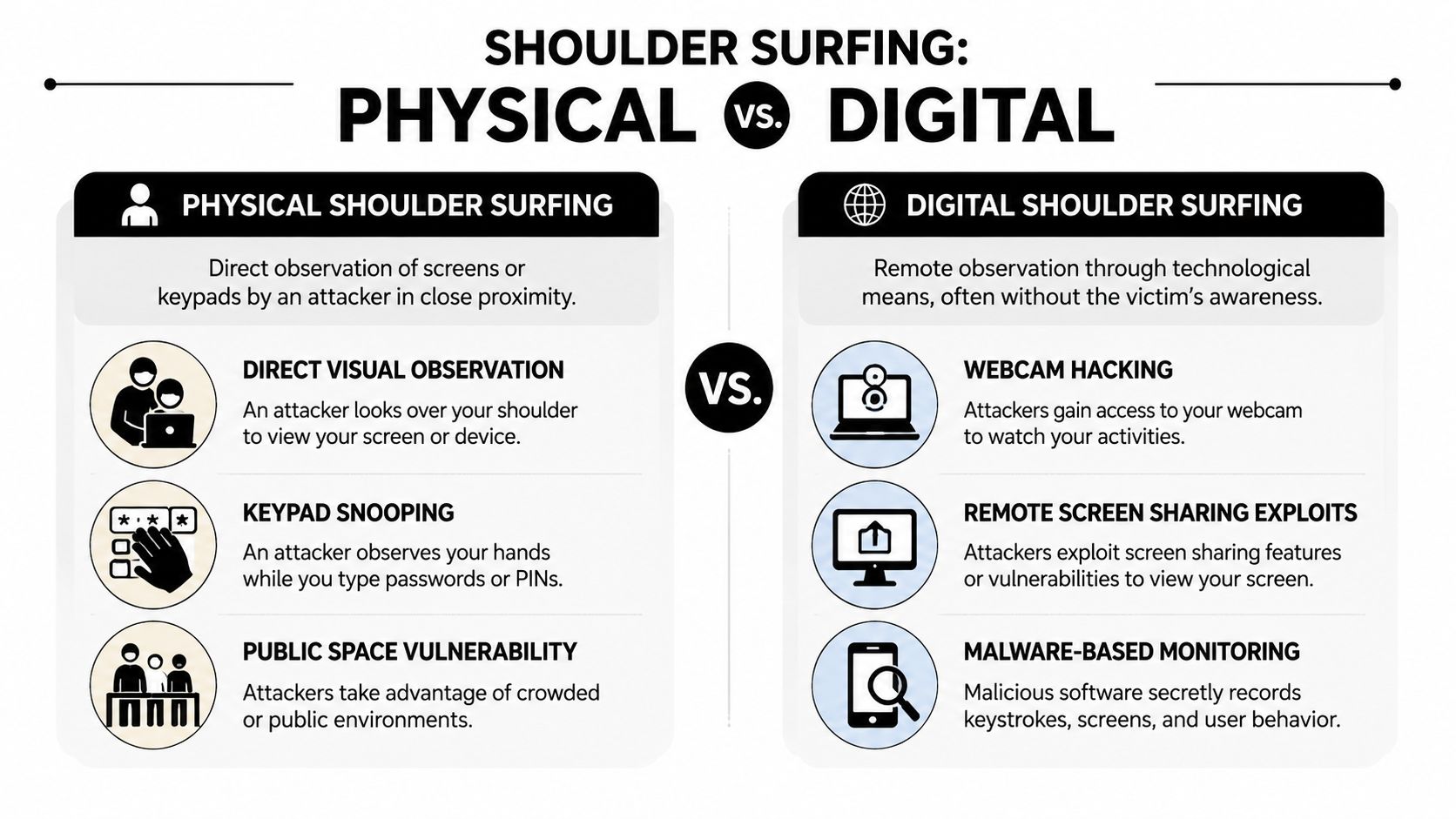
The classic version of shoulder surfing is physical. Someone stands nearby and watches. But that’s only part of the picture now. The threat has expanded, and the confusing part for many readers is that “shoulder surfing” can describe both direct visual snooping and technology-assisted observation.
The old version still works
Physical shoulder surfing is straightforward. Someone watches you enter a PIN at an ATM, access your phone on public transport, or type a password in an open office. The attacker may be close enough to read your screen directly or positioned to catch reflections and hand movements.
That’s still common because people tend to focus on the task in front of them, not the person drifting into their peripheral vision.
The newer version is less obvious
The overlooked variation is remote shoulder surfing. A glossaries-focused security explainer notes that most content covers only basic blocking while missing the growing issue of remote observation using binoculars, telescopes, or miniature cameras in crowded places like airports and stadiums, as noted by Beyond Identity’s shoulder surfing overview.
That matters because many people assume safety as long as no one is standing right beside them. But line of sight can exist at a distance.
Shoulder Surfing Attack Vectors
| Attack Vector | Method | Tools Used | Common Locations |
|---|---|---|---|
| Physical close-range observation | Attacker watches screen, keyboard, or keypad directly | Eyes, strategic positioning | Cafes, trains, offices, checkout lines |
| Physical keypad watching | Attacker focuses on hand movement while a PIN or code is entered | Direct observation | ATMs, payment terminals, building entry panels |
| Remote visual observation | Attacker captures visible screen activity from farther away | Binoculars, telescopes, miniature cameras | Airports, stadiums, hotel lobbies, shared venues |
| Device-based digital monitoring | Attacker views activity through compromised software or hidden access | Spyware, remote screen-sharing abuse, malicious monitoring tools | Infected phones, laptops, tablets |
Where digital overlap comes in
Some people use “digital shoulder surfing” to describe spyware or remote viewing tools that let an attacker see your screen without standing nearby. That isn’t the same as a stranger peeking over your shoulder, but the end result can look similar. Someone sees information you thought was private.
If you’re worried that a screen privacy issue might be a compromised device, it helps to learn the warning signs. This guide on how to find spyware on your phone explains what to check.
A useful way to think about it is this. Physical shoulder surfing steals information with eyesight. Digital surveillance steals it with software.
The True Risks of a Stolen Glance
A lot of articles stop at “someone might see your password.” That’s only the start. In real life, a stolen glance often exposes much more than credentials.
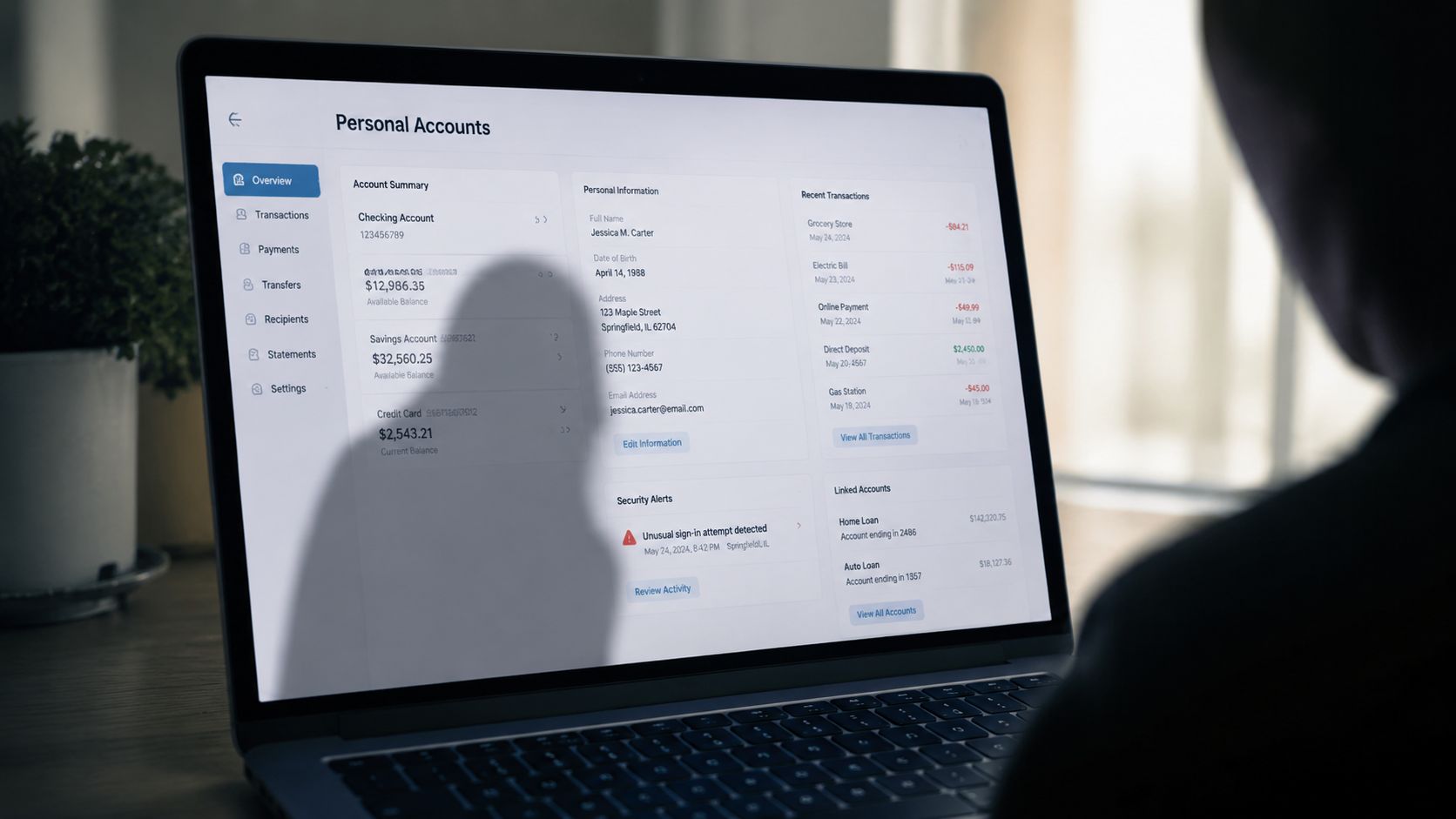
Academic research on shoulder surfing in the wild found that observers uncovered personal information in 79% of instances, including user interests, hobbies, weekend plans, work schedules, shopping habits, appointments, and in some cases intimate details about a person’s sex life and sexual preferences, according to the UMass research paper. That finding changes the stakes. Shoulder surfing isn’t only about account access. It’s about broad privacy loss.
One detail can unlock several others
Suppose someone sees your email address and a partial password hint on a login screen. Later, they notice a texted verification code lighting up your lock screen. That’s enough for an account takeover attempt. If they also saw your name on a boarding pass, a company email signature, or a social profile notification, they now have material to impersonate you.
This kind of chaining is what turns a public-space privacy mistake into a deeper digital security incident.
The fallout looks different for different people
- For banking and identity security: A visible PIN, account number, or card detail can support fraud and impersonation.
- For job seekers and professionals: A compromised email or social account can affect your credibility, especially if someone sends messages pretending to be you.
- For gamers: A stolen login can mean losing access to in-game purchases, rare items, friends lists, and linked payment methods.
- For people using dating apps: Account takeover can lead to scams, fake messages, or catfishing activity sent from a real profile.
- For families: Exposed calendars, school messages, and travel details can reveal routines and locations.
If you work in a business that handles sensitive customer or employee data, the physical security side matters too. Good workplace design, visibility controls, and training all reduce risk, which is why broader guidance such as this Australian security risk assessment can be helpful for thinking beyond passwords alone.
It’s not just financial harm
The emotional side is often overlooked. People feel violated when strangers learn private medical details, relationship information, travel plans, or confidential chats by watching a screen in public.
The damage from shoulder surfing isn’t limited to stolen money. It can expose routines, relationships, and personal history that people never meant to share.
If you’re trying to understand how a small observation can evolve into a larger identity crime, this explainer on how identity theft happens fills in that bigger picture.
Your First Line of Defense Personal Prevention Tactics
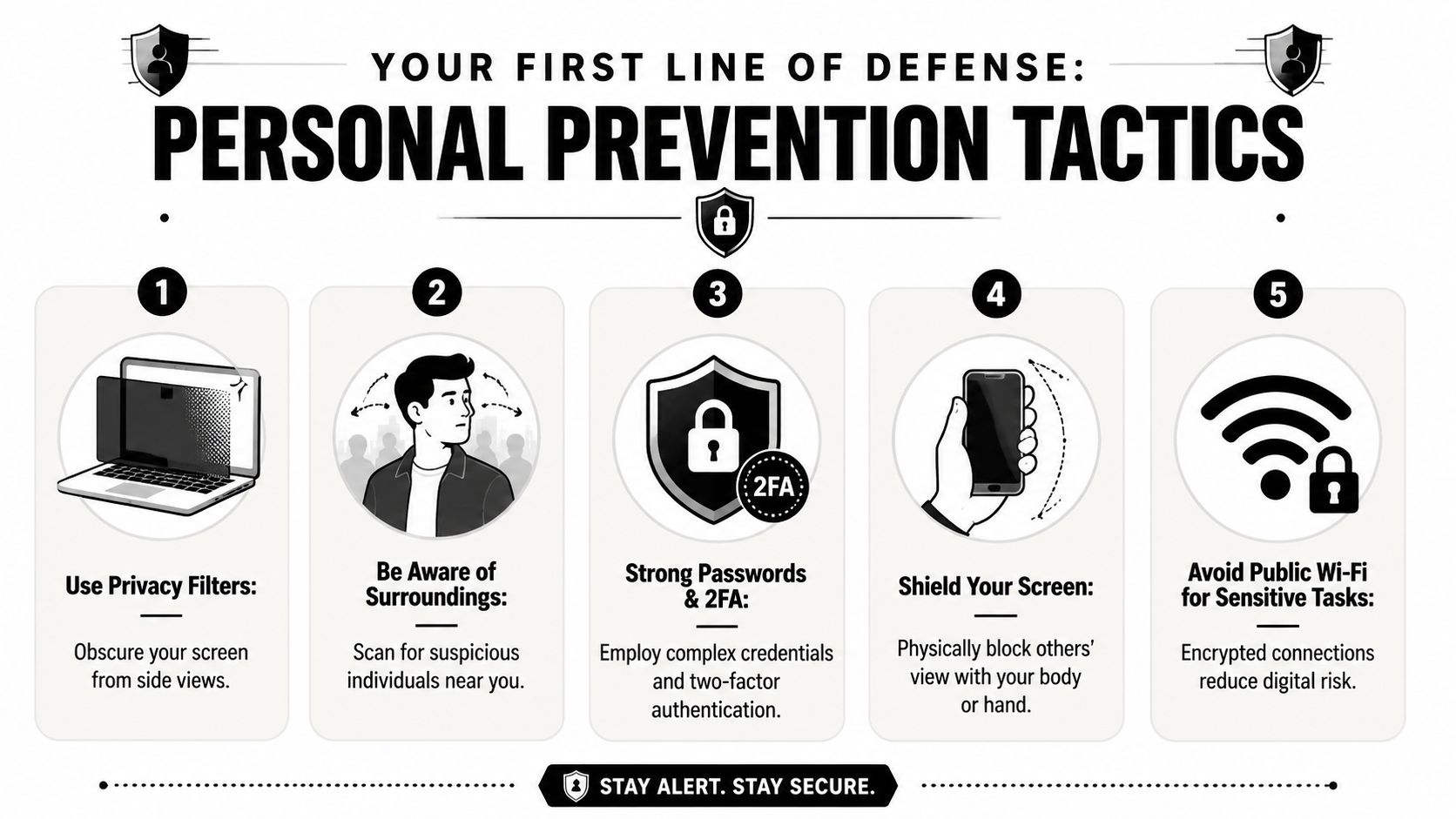
The good news is that shoulder surfing is often preventable. You don’t need to become paranoid. You do need a few habits that make your screen, your codes, and your routines harder to observe.
Start with where you sit and stand
Your position matters more than people realize. If possible, sit with your back to a wall. In a cafe, don’t face your screen toward the room. On a train, angle your phone down and keep it close to your body. At an ATM or payment terminal, shield the keypad with your hand.
These moves sound basic because they are. Basic works.
Use tools that reduce visibility
Industry guidance recommends privacy screen films that narrow the viewing angle to about 60 degrees (±30 degrees) and auto-lock timers set to 2 minutes or less, according to LastPass guidance on shoulder surfing prevention. Those two settings do different jobs. A privacy filter cuts side-angle visibility. A short lock timer limits what happens if you leave your device unattended for even a moment.
Here’s a simple setup worth applying on phones, tablets, and laptops:
- Add a privacy filter: It won’t make you invisible, but it helps stop casual side glances.
- Shorten screen timeout: Don’t leave the default if it keeps your device exposed longer than necessary.
- Turn off lock-screen previews: Message content and one-time codes shouldn’t appear to anyone who can see your phone.
- Use biometric access when available: Fingerprint or face authentication reduces visible typing in public.
- Avoid sensitive logins in crowded places: If it can wait until you have privacy, let it wait.
Be smarter about passwords and MFA
People often assume that two-factor authentication solves this problem completely. It doesn’t. It helps, but some forms are still visible. If a one-time code appears in an SMS preview on your lock screen, a nearby observer may not need your phone to gain full access at all.
That’s why your MFA choice matters. App-based approvals and biometric prompts usually create less visible information than texted codes displayed on screen. Password quality matters too, especially because exposed credentials are often reused across multiple services. If you want a practical refresher, Bridge IT Solutions’ password guide covers the basics well.
A short video can help make the threat feel more concrete:
A quick routine you can use anywhere
Try this before handling anything sensitive in public:
- Scan the area: Who’s beside you, behind you, or reflected in glass?
- Adjust your angle: Turn your body, not just the screen.
- Hide the input: Cover PINs and passcodes.
- Delay non-urgent tasks: Bank transfers, password resets, and private messages can wait.
- Lock immediately when finished: Don’t leave your screen glowing on a table.
“If I wouldn’t read this aloud to the room, I shouldn’t display it carelessly to the room either.”
For a broader set of device, account, and privacy habits, this guide to personal cybersecurity best practices is a strong next step.
How to Protect Your Employees and Family
Shoulder surfing isn’t only an individual problem. Employers, parents, and caregivers all influence how safely other people use devices. The strongest results usually come from making privacy habits normal, not exceptional.
What employers should change
A workplace can have strong passwords and still leak information through visible screens. Open offices, reception desks, hot desks, shared meeting areas, and employees working from cafes all create exposure.
Leaders should focus on behavior and environment together:
- Train for real situations: Staff should know that screen privacy matters on trains, in airports, at conferences, and during client visits.
- Set clear device rules: Sensitive work shouldn’t be handled casually in high-traffic public spaces.
- Use physical controls: Privacy filters, desk positioning, and quick lock policies make a measurable difference in practice.
- Prepare for loss and misuse: A broader operational mindset helps. Resources like Overton Security’s lossprevention guide are useful because they frame observation, theft, and procedural gaps as connected risks.
The key point is cultural. If managers treat visual privacy as “just common sense,” employees may never receive concrete guidance. Policies work better when they include examples people face.
What parents should teach
Kids and teenagers often understand apps better than adults, but they don’t always spot social risk. They game in shared spaces, access phones around friends, and show screens freely while chatting. That’s exactly why they need practical rules.
Teach them to protect:
- Gaming accounts: Friends, classmates, or strangers can capture usernames, passwords, and visible codes.
- Social media profiles: Notifications can reveal names, locations, and private conversations.
- Dating and messaging apps for older teens: A visible profile or direct message can expose personal details very quickly.
- School portals and family apps: Shared calendars and school messages can reveal routines.
A simple family and team standard
Create one repeatable rule: private actions need private spaces. That includes entering passwords, reading personal messages, checking bank balances, changing account settings, and using recovery codes.
Household rule: If a task involves money, identity, location, or private messages, step away from the crowd before doing it.
That rule works at home, at work, and on the move.
Detecting the Aftermath with a Digital Footprint Check
Even careful people make mistakes. You might access your phone in the wrong place once. You might type a password while distracted. You might not realize someone saw a code until much later.
The hard part is that shoulder surfing often leaves no immediate trace. There’s no pop-up. No clear warning. No instant alert telling you what someone copied from your screen.
That’s why the next question matters so much: if someone did capture your information, what happened after?
A stolen login, email address, phone number, or recovery detail can show up in places you don’t regularly monitor. It might be used to access an old social profile, probe a gaming account, impersonate you on a dating platform, or connect your identity to data that’s already floating around online. The risk isn’t only the moment of observation. It’s the digital trail that follows.
Checking your broader online exposure then becomes useful.
A good follow-up step is to review what information about you is already visible across public sources, breached datasets, old accounts, and searchable profiles. If you haven’t done that before, you can check your digital footprint to see what’s exposed and what might need attention.
What to look for after a suspected incident
- Unexpected account activity: New logins, changed settings, or password reset emails.
- Visible old profiles: Forgotten accounts can become easy targets if they share usernames or recovery details.
- Public identity clues: Phone numbers, email addresses, and usernames can help attackers connect one account to another.
- Signs of impersonation: New profiles, strange messages, or suspicious contact from people who appear to know personal details.
Detection doesn’t replace prevention. But once a private detail leaves your screen, visibility becomes part of defense.
Quick Action Checklist and Final Thoughts
If you remember only a handful of things from this article, make them these:
- Use privacy filters: Choose screen filters that reduce side-angle viewing.
- Shorten auto-lock time: Keep devices set to lock quickly when unattended.
- Turn off notification previews: Don’t let texts or codes appear on your lock screen.
- Cover PINs and passcodes: Use your hand or body when entering anything sensitive.
- Delay high-risk tasks in public: Banking, password resets, and private messages can wait.
- Prefer less visible authentication methods: Biometric authentication and app-based prompts often reveal less than typed or texted codes.
- Review your online exposure: Look for old accounts, exposed identifiers, and signs of misuse after any suspicious incident.
The legal side can be murky in some places. Looking at a visible screen may not always be treated as a standalone crime. But the actions that often follow, such as fraud, identity theft, unauthorized access, impersonation, or financial abuse, can be.
Shoulder surfing is easy to dismiss because it doesn’t look dramatic. That’s exactly why it keeps working. The strongest defense is a combination of physical awareness, smarter device settings, and regular attention to your wider digital footprint. When you protect the moment and the aftermath, you make this old attack much harder to turn into a lasting problem.
If you want to see what personal data, profiles, and exposure points may already be connected to you online, try the free scan from Digital Footprint Check. It’s a practical way to spot publicly accessible information, review potential identity risks, and take action before a stolen glance turns into a bigger privacy problem.