· Digital Footprint Check · Content Marketing · 15 min read
Identity Theft Protection Reddit: Top Advice for 2026
Identity theft protection reddit - Searching for identity theft protection Reddit advice? We summarize what Redditors say about paid services, free
You open Reddit to answer one simple question. Should you pay for identity theft protection, or is that just expensive peace of mind with better branding?
An hour later, you’ve read a dozen threads in r/personalfinance, a fight about LifeLock, a paranoid but useful comment about freezing your credit, and a long post from someone who swears every paid service is a scam unless you want hand-holding after the damage is done. That’s usually how the identity theft protection reddit search goes. You get fragments of truth, strong opinions, and almost no clean plan.
The frustrating part is that Reddit isn’t wrong. It’s also not complete. The smartest comments usually point toward a solid baseline, but they rarely explain when paid monitoring might help, where those services fall short, or why gaming accounts, social profiles, and data broker records matter just as much as your credit file.
Lost in the Reddit Rabbit Hole of ID Protection
Individuals searching Reddit for identity theft advice are already uneasy. Maybe a breach notice hit your inbox. Maybe your info showed up somewhere it shouldn’t. Maybe you got a weird credit alert, or maybe you just realized how much of your life is tied to one email address and a handful of reused usernames.

That’s when the scrolling starts. One commenter says paid services are useless because they can’t stop identity theft. Another says the insurance alone is worth it. Someone else drops a detailed checklist about credit freezes, fraud alerts, password managers, and locking down your email. Buried three levels deep, there’s usually one practical comment that makes more sense than the entire thread.
Why Reddit feels confusing but useful
Reddit is chaotic because people answer from their own pain points. A parent worries about fraud on a child’s file. A gamer worries about Discord, Steam, and account recovery. A frequent victim of data breaches wants dark web monitoring. A finance-minded user only cares whether a thief can open a loan in their name.
All of those are valid. They’re just talking about different problems under the same label.
Reddit’s best identity theft advice usually comes from users who separate prevention, detection, and recovery instead of treating them like the same thing.
That’s the frame that makes the noise manageable. Prevention means stopping new fraud where you can. Detection means spotting misuse fast. Recovery means cleaning up the mess after something gets through.
If you’ve also gone down adjacent threads about account exposure, username tracing, or phone-based lookups, guides like this Reddit-focused number lookup resource can help connect the dots between scattered account clues and broader privacy risks.
The practical way to read Reddit advice
Use Reddit as a filter, not as your final authority. The community is very good at identifying what feels overpriced, what companies overpromise, and which free tools people trust in real life. It’s much less reliable when a thread turns into absolutes.
That matters because “never pay” and “you need full protection” are both lazy answers. What is effective depends on how much effort you’ll put in yourself, how fast you want alerts, and whether you want help if your identity gets abused.
The Reddit Consensus on Identity Theft Services
Across privacy and finance threads, the dominant Reddit view is pretty clear. Paid identity theft protection is often seen as reactive, not preventative. Users repeatedly argue that these services don’t stop someone from trying to use your information. They mostly watch for signs that something already happened.
That skepticism isn’t just anecdotal. NerdWallet’s review notes that Reddit users are strongly skeptical of paid services, often arguing they offer limited value beyond what people can do themselves, while discussions around LifeLock and IDShield frequently describe them as overpriced, with plans ranging from $7.50 to $30+ per month and many Redditors preferring free credit freezes instead. The same review notes that over one-third of U.S. adults have adopted credit freezes, reflecting how mainstream that DIY defense has become in practice, as covered in NerdWallet’s review of identity theft protection services.
What Reddit gets right
The strongest Reddit advice usually comes down to one principle. Lock down the parts of your identity that thieves need most. If someone can’t open new credit in your name easily, you’ve removed one of the highest-impact fraud paths.
That’s why you see the same recommendations over and over:
- Freeze your credit reports with Equifax, Experian, and TransUnion.
- Set a fraud alert if you want an added flag for lenders.
- Secure your email account first because it controls password resets for everything else.
- Use unique passwords so one breach doesn’t spill into ten accounts.
- Turn on two-factor authentication wherever you can.
This advice is boring. It’s also the most useful part of the conversation.
Why Reddit dislikes the sales pitch
Users tend to push back when identity theft protection is marketed as if it can “keep you safe” in some broad, magical sense. Redditors are quick to point out that monitoring isn’t prevention. If a service tells you a hard inquiry appeared, that’s helpful. But it means an application attempt already happened.
That’s the core philosophical split. Reddit favors self-reliance and control. A frozen credit file, strong login security, and careful account hygiene feel more tangible than paying a subscription to watch the aftermath.
Community takeaway: If a service can’t block the underlying action, Reddit wants to know exactly what you’re paying for.
That’s a fair question.
Where the consensus can oversimplify
Some threads treat all paid services like they’re the same. They’re not. Some are mostly polished dashboards. Others bundle credit monitoring, insurance, restoration support, breach alerts, dark web checks, and privacy features into something more substantial.
Still, Reddit’s broader point stands. If you haven’t done the free basics, paying for a subscription first is backwards.
If you want a broader breakdown of the category before picking anything, this guide to identity theft protection service options is a useful companion to the Reddit consensus.
Are Paid ID Theft Services Ever Worth the Money
Yes, sometimes. But usually for narrower reasons than the marketing suggests.
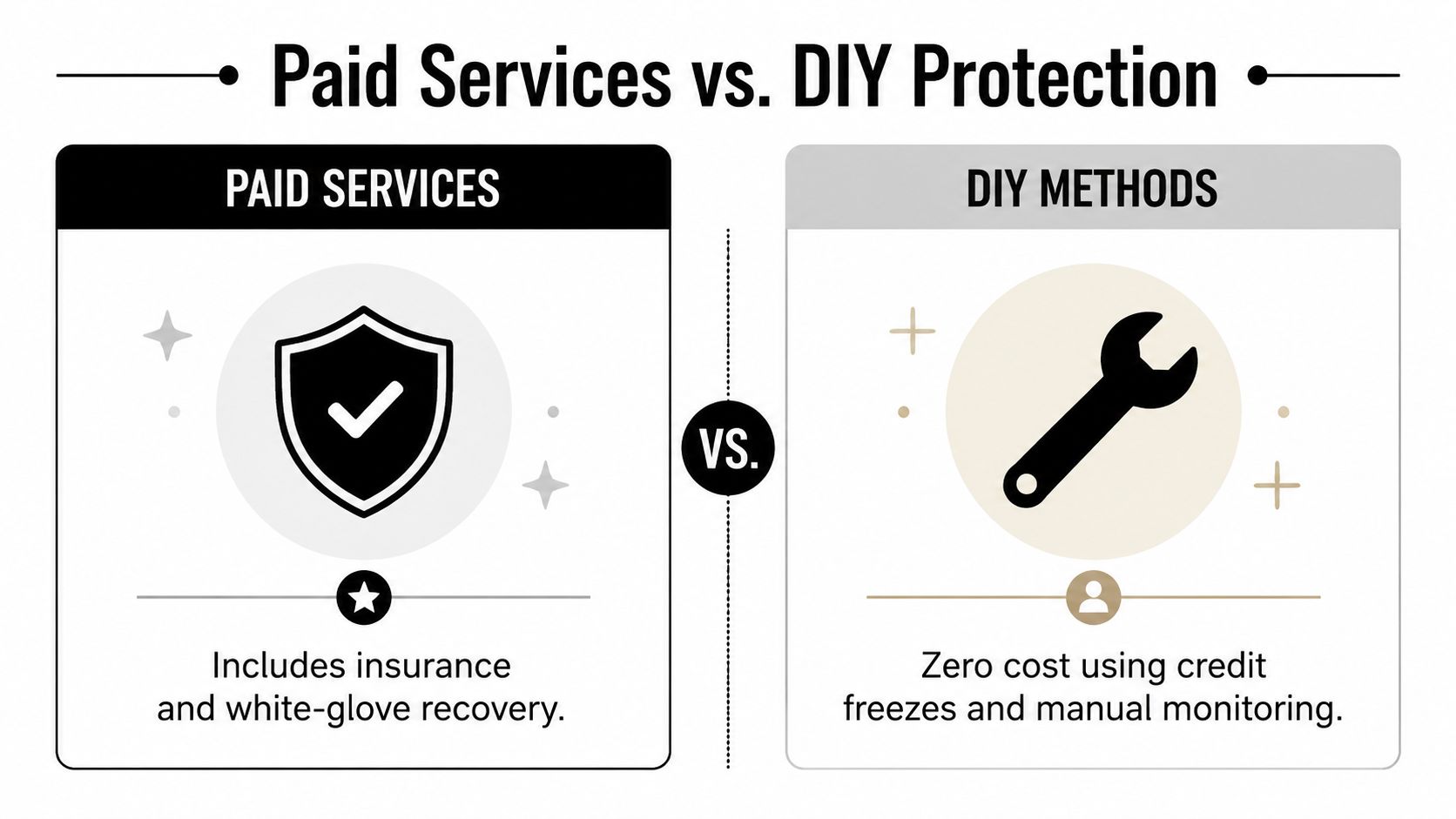
Paid services make the most sense when you want faster detection, less manual work, or help during cleanup. They make less sense if you expect them to prevent identity theft on their own, or if you’re disciplined enough to manage your own freezes, alerts, password security, and account checks without much friction.
The real advantage of paid monitoring
The strongest case for paid plans is speed. According to the cited expert testing, advanced services can monitor all three major credit bureaus simultaneously and detect hard inquiries within 2 to 5 minutes, compared with a more traditional alert window that can leave victims waiting 48 to 72 hours, as described in this three-bureau monitoring overview.
That gap matters if someone is actively trying to open credit in your name. Minutes can give you time to call a lender, flag the activity, and lock things down before an application fully settles into a bigger mess.
Where paid plans still disappoint
Fast alerts are useful. They’re still alerts.
A subscription doesn’t erase the need for your own actions. You may still need to call banks, dispute activity, replace documents, reset credentials, and watch for follow-on fraud. A paid service can reduce the burden, but it can’t make you passive.
And if your core problem is exposed usernames, reused passwords, data broker listings, or account takeover risk on social and gaming platforms, traditional credit-focused services may only cover part of the threat surface.
DIY Protection vs. Paid Services a Quick Comparison
| Feature | DIY Approach (Free) | Paid Service (Typical) |
|---|---|---|
| Cost | No subscription cost | Recurring monthly fee |
| Prevention | Strong if you use credit freezes and secure accounts consistently | Limited on its own, still relies on your actions |
| Detection speed | Manual and slower unless you check often | Can be much faster for credit inquiry alerts |
| Effort required | Higher, you manage setup and follow-through | Lower day-to-day effort |
| Recovery support | You handle calls, disputes, and paperwork yourself | Often includes guided restoration support |
| Best fit | Organized people who will actually maintain the system | People who want convenience and backup |
A better decision rule than Reddit usually gives
Ask yourself three questions.
- Will you maintain the free setup? If you won’t freeze your credit, secure your email, and monitor your accounts, paying for alerts won’t fix the underlying problem.
- Do you need speed? If the idea of catching activity quickly matters to you, paid three-bureau monitoring has a distinct advantage.
- Do you want recovery help? Some people don’t mind handling disputes and cleanup themselves. Others want support the moment something goes wrong.
Paying for identity theft protection makes sense when you’re buying time, speed, and support. It doesn’t make sense when you’re buying vague reassurance.
That’s also the right lens for product-specific debates. People don’t ask whether a service is “good” in the abstract. They ask whether it’s worth the price for their habits, risk profile, and tolerance for admin work. If you’re weighing one of the biggest names specifically, this analysis of whether LifeLock is worth it helps frame the trade-offs more clearly than most Reddit fights do.
Your Ultimate DIY Identity Protection Checklist
If you follow Reddit’s best advice, your setup should feel plain and slightly annoying. That’s a good sign. Solid identity protection usually looks like routine admin, not clever hacks.

Start with the highest-impact moves
Do these first, in this order.
Freeze your credit at all three bureaus
This is the backbone of the DIY approach. A freeze makes it harder for someone to open new credit in your name. Keep a secure record of how to temporarily lift it when you need legitimate credit.Place a fraud alert if it fits your situation
A fraud alert tells lenders to take extra steps to verify identity before extending credit. It’s a lighter-touch option than a freeze, but many people use it as an added signal.Lock down your email account
Your email is the reset lever for almost everything else. Change the password to something unique, turn on two-factor authentication, and review recovery settings. If your email is weak, every other account inherits that weakness.
Then close the common breach-to-takeover path
A lot of identity trouble starts with reused credentials rather than dramatic financial fraud. One old breach leaks an email and password. An attacker tries the same combo elsewhere. Suddenly your shopping account, social profile, and cloud storage become stepping stones.
Use this checklist:
- Switch to unique passwords for important accounts first. Email, banking, payment apps, primary social accounts, and app stores come before everything else.
- Use a password manager so you don’t fall back into reuse.
- Turn on two-factor authentication on high-value accounts, especially email and anything tied to purchases.
- Review old accounts you no longer use. Delete or secure them instead of letting them sit forgotten.
- Check account recovery options so old phone numbers or stale email addresses don’t become a weak link.
Good general guidance on this sits under broader online security best practices, especially around password hygiene, device updates, and reducing easy account-takeover opportunities.
Practical rule: If an attacker gets your email, they don’t need your whole identity. They can often rebuild access to it account by account.
Build a simple review routine
A common pitfall is attempting to become a full-time fraud analyst for a week, then stopping. A short recurring routine works better.
Try a monthly check that covers:
- Bank and card activity for transactions you don’t recognize
- Primary email inbox for security notices, password resets, and login warnings
- Connected apps and devices on important accounts
- Public-facing profiles that could expose too much personal detail
- Document storage so you know where sensitive files live and who can access them
This is also where an identity exposure scan can help surface accounts or data traces you’ve forgotten. If you want a tool-based starting point, an identity theft checker can help you spot obvious exposure before it turns into cleanup work.
Watch this before you start locking things down
A short walkthrough can make the process less abstract, especially if you’ve never handled freezes, account security, or fraud prep before.
What people often miss
The Reddit threads that save people time usually mention the same neglected details.
- Secure your phone number because SMS-based recovery can become a target.
- Don’t ignore shopping and delivery accounts since they often store cards, addresses, and order history.
- Review gaming and community accounts because those can expose reused usernames and linked email addresses.
- Save documentation habits now so if fraud happens later, you have a place for dates, screenshots, and call notes.
A DIY setup works best when it’s written down. Keep a private checklist of what you froze, where 2FA is enabled, and which accounts would cause the biggest pain if someone took them over.
Beyond Credit Scores Protecting Your Gaming and Social Identity
One reason the identity theft protection reddit conversation often feels incomplete is that it focuses heavily on credit files. That’s understandable, but it’s too narrow for how identity theft plays out online.
Your identity isn’t just your legal name and financial records. It’s also your usernames, your login patterns, your old forum handles, your Discord account, your Steam inventory, your social media history, and the breadcrumbs that let someone connect all of those pieces.
Gaming accounts are a real identity surface
This has become much more visible in Reddit gaming communities. Verified data shows that 30% of identity theft cases were tied to gaming hacks per FTC 2025 data, and a 2026 BitDefender study reported 2.1 million gaming accounts breached in 2025, highlighting how standard credit monitoring can miss the places where account takeover often begins.
That matters because gaming profiles tend to carry exactly the kind of signals attackers love:
- Reused usernames that appear on other platforms
- Linked email addresses that point to broader account ecosystems
- Stored payment methods for purchases and subscriptions
- Social trust inside communities, which scammers can abuse
- Recovery clues like friends lists, habits, and public profile details
A compromised Steam, Discord, Epic Games, or Roblox account might not look like “identity theft” at first glance. But it often gives attackers a foothold into your broader digital life.
Credit monitoring won’t catch this
Traditional services are built around financial identity events. They’re watching bureaus, inquiries, and certain categories of alerts. That’s useful for one slice of the problem.
It doesn’t necessarily help if someone is testing a leaked password on your gaming accounts, impersonating you in communities, or using a long-reused alias to map your other profiles.
If someone can connect your gamer tag, email, social account, and breached password history, they may know more about your real identity than a credit alert ever reveals.
Treat online personas like assets
The practical fix is to stop separating “serious accounts” from “fun accounts.” Attackers don’t care about that distinction. They care about links.
Protect gaming and social identity by doing the following:
- Break username reuse when possible, especially between gaming and professional or financial-adjacent accounts.
- Audit account links so one takeover doesn’t cascade into another.
- Remove old public profile details that reveal location, school, workplace, or other identifying context.
- Use stronger recovery protection on the email account tied to gaming platforms.
- Watch for impersonation signs such as odd messages, spam, unexplained purchases, or changed profile settings.
In this context, a broader privacy mindset beats a narrow fraud mindset. If you only watch for new credit, you may miss the early signals that someone is assembling your profile from much noisier corners of the internet.
Find Your Hidden Risks with a Digital Footprint Check
Most identity theft tools alert you after a visible event. The stronger approach is to find the exposure before someone weaponizes it.

According to the verified source material, attackers use OSINT, or open source intelligence, to cross-reference breach data with public information from social media, gaming profiles, and professional networks. That lets them validate stolen details and build convincing social engineering attacks, which is why exposure mapping matters before fraud shows up in a more obvious form, as described in Tom’s Guide coverage of identity theft protection features.
What proactive discovery looks like
A proper digital footprint review looks for the connective tissue attackers use:
- Old usernames that still lead back to you
- Forgotten accounts that expose email addresses or profile details
- Public records and broker-style listings that reveal too much context
- Social and gaming profiles that make impersonation easier
- Leaked credentials or reused identifiers that turn one breach into many
If you’re trying to stay ahead of mentions or patterns tied to your identity, tools that monitor keywords with Karmic Proxies can also help you watch the open web more deliberately instead of waiting for a surprise.
Why this matters more than another passive alert
A lot of fraud prevention advice starts too late. By the time an alert arrives, someone has already tested your information somewhere. OSINT-style checking flips that around. It helps you see what’s already exposed, what can be connected, and what needs to be cleaned up first.
If you want to inspect that exposure from your own side, use a digital footprint checking tool to see what public traces and account links are visible before an attacker does the same homework.
If you want a practical next step, run a free scan with Digital Footprint Check. It helps you spot exposed accounts, public traces, and identity clues across the web so you can fix the weak points before they turn into fraud, impersonation, or account takeover.