· Digital Footprint Check · Content Marketing · 15 min read
Linkedin Search by Phone Number How to Find Profiles
Learn LinkedIn search by phone number methods, privacy limits, OSINT pivots and ethical tools to find profiles safely and verify identities.
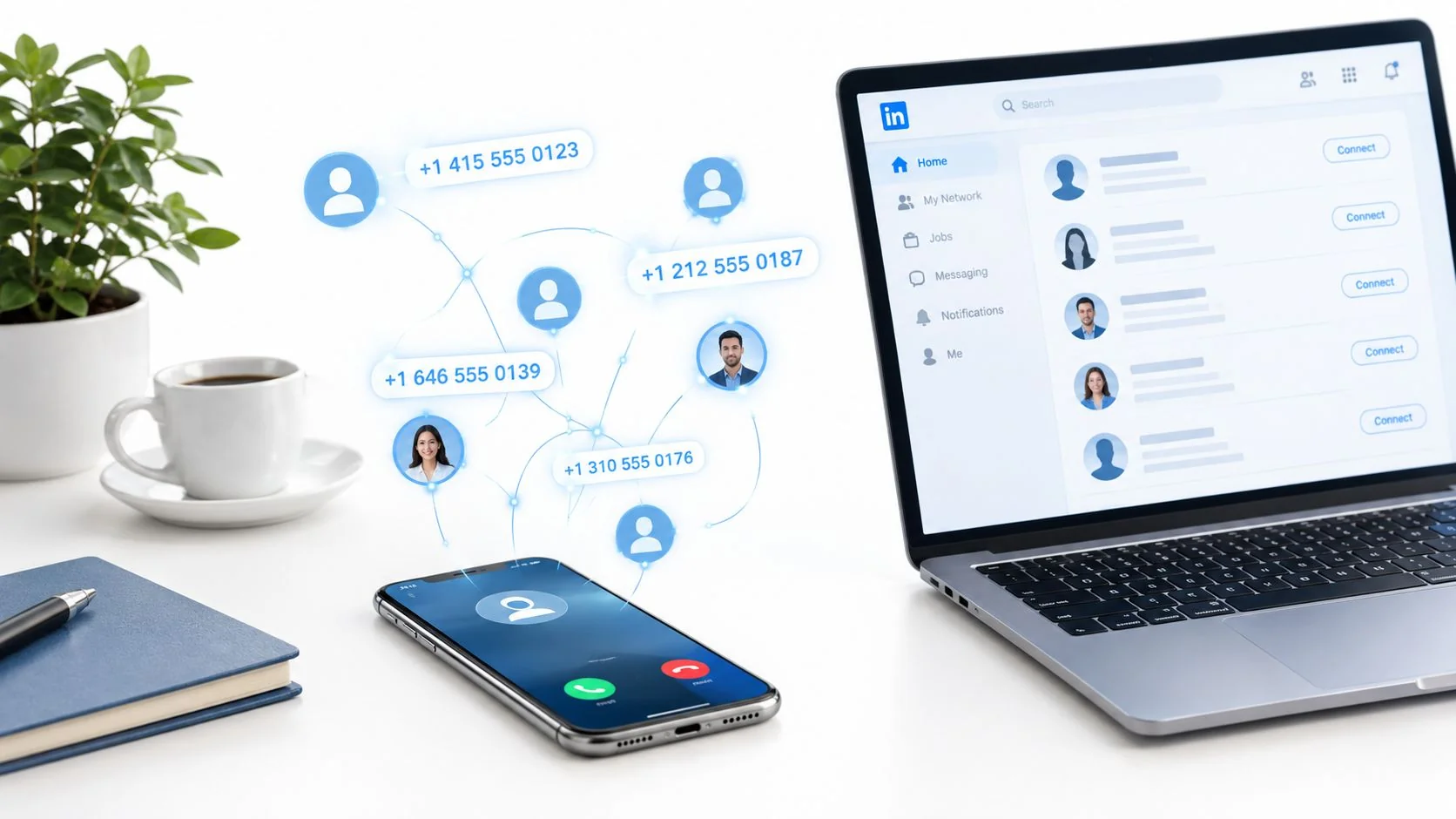
A phone number lands in your call log, and you need to know who’s behind it before you respond. Sometimes it’s a recruiter who says they found your résumé. Sometimes it’s a client using a personal mobile. Sometimes it’s a dating match whose story sounds polished enough to deserve a quick verification pass.
A lot of people jump straight to LinkedIn because it feels like the cleanest professional identity layer on the web. That instinct makes sense. LinkedIn’s size matters here. Industry summaries published in 2026 describe a network with more than 1.3 billion registered members worldwide, roughly 310 million monthly active users, and reach across 200+ countries and regions via Joe Apfelbaum’s 2026 LinkedIn stats summary. If a phone number is tied to a real professional identity anywhere, LinkedIn is one of the first places people expect to confirm it.
The catch is simple. LinkedIn search by phone number isn’t a true public search feature. The number is often just a pivot. The profile match only appears when privacy settings, connection level, contact sync behavior, and the target’s own choices line up. That’s why experienced OSINT work starts with realistic expectations, not clever tricks.
Why LinkedIn Search by Phone Number Rarely Works as Expected
Most failed lookups follow the same pattern. Someone has a number and assumes LinkedIn works like a reverse phone directory. They try the search bar, maybe try Premium, maybe paste a few number formats, and get nowhere. They conclude the person has no LinkedIn profile when the answer is usually that LinkedIn never exposed one.
The mental model that saves time
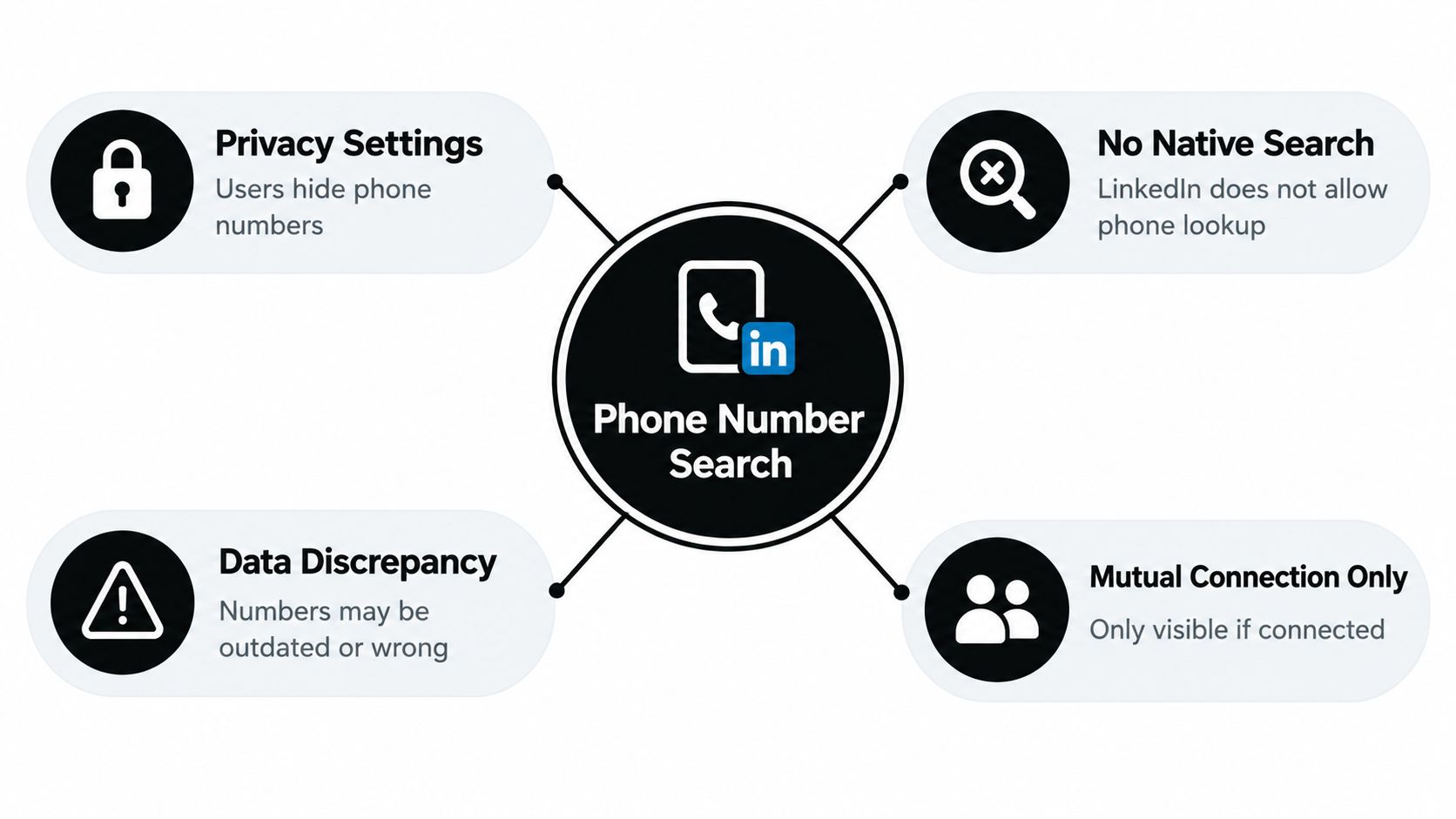
LinkedIn isn’t built as a public reverse phone lookup tool. It’s a professional network where phone discoverability is conditional. If the target has hidden discovery by phone number, your skill level doesn’t matter. If they’ve allowed it only for a certain relationship tier, your search will fail outside that boundary.
That matters in common situations:
- Recruiter verification: You want to confirm a caller works where they claim.
- Client screening: You need to tie a mobile number to a real company identity.
- Dating safety: You’re checking whether someone’s job history exists beyond messages and curated photos.
- Reputation management: You’re auditing whether your own number connects too easily to your work identity.
When people ask me about LinkedIn search by phone number, the first correction is always the same. Stop treating LinkedIn like the destination. Treat it like one checkpoint in a wider phone-number investigation.
Practical rule: If a phone number lookup succeeds on LinkedIn, it’s usually because the owner allowed it, not because the searcher found a secret method.
What usually blocks the match
A few friction points show up constantly in practice:
- Privacy controls: The person may have set phone-based discovery to a narrow audience or nobody.
- No native public lookup: The search bar isn’t designed for broad reverse phone searching.
- Bad data hygiene: Numbers get reformatted, replaced, ported, or reassigned.
- Weak assumptions: People confuse synced contacts, imported address books, and third-party enrichment with LinkedIn-native visibility.
If your goal is to identify an unknown caller, start by broadening the workflow. A reverse international phone number check often tells you more, faster, than brute-forcing LinkedIn’s interface.
The practical takeaway
LinkedIn is useful here, but only when you know what “useful” means. It can confirm a match cleanly when a profile is discoverable. It can also tell you nothing at all about a person who definitely has an account. That’s not a contradiction. It’s the platform working as designed.
How LinkedIn Privacy Settings Control Phone Number Discovery
The difference between a successful lookup and a dead end usually isn’t search technique. It’s permission architecture.
LinkedIn’s own recruiter help material explains that discoverability by phone number depends on the member’s privacy setting, with selectable scopes such as Anyone, 1st-degree connections, 2nd-degree connections, 1st and 2nd-degree connections, or Nobody via LinkedIn Recruiter Help on phone-number discoverability. That single fact changes how you should interpret every result.
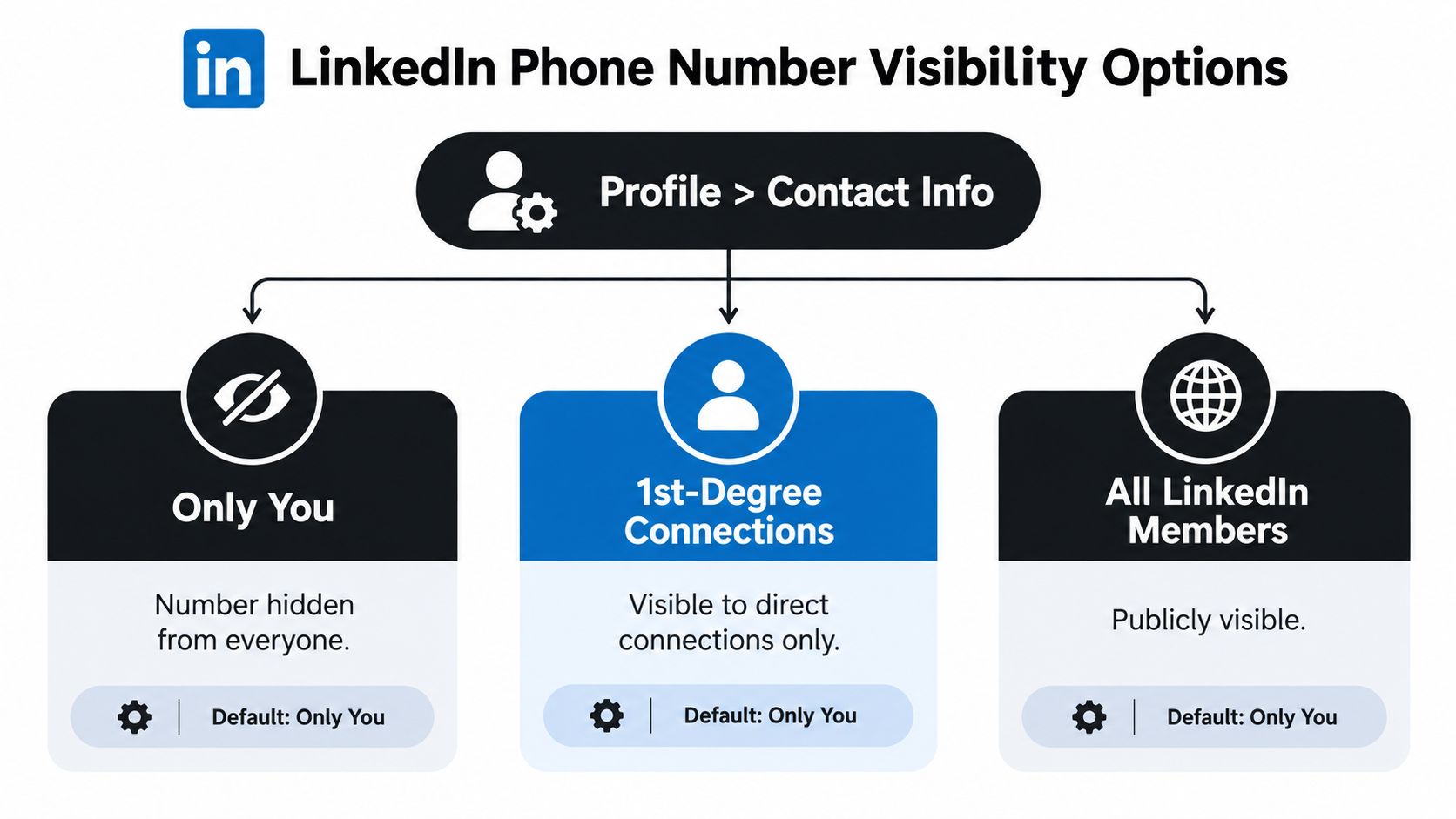
Discovery and contact sync are not the same thing
People get tripped up. They upload contacts or sync an address book, then assume any resulting suggestion means the number is publicly visible on LinkedIn. It doesn’t.
Contact sync, profile discovery, and account security are separate functions. A person can have a phone number attached to their account for security while keeping it undiscoverable to you. LinkedIn says a phone number may be used for account security, including sending an authentication code during suspicious activity or an unusual sign-in attempt, as described in LinkedIn’s phone verification and security help page.
A phone number can exist inside LinkedIn’s identity graph without being available to your lookup.
The privacy setting matters more than your subscription
Premium access doesn’t override a member’s phone discoverability settings. That misconception wastes a lot of time. People also assume that if a number exists in a profile’s backend data, a recruiter seat or paid account can surface it. That’s not how this works.
The useful diagnostic questions are narrower:
- Did the person voluntarily add a phone number?
- Did they expose it in Contact info?
- Did they allow discovery for your relationship level?
- Are you relying on LinkedIn-native visibility or on an outside data provider?
If the answer to the third question is no, the search often stops there.
What to check on your own account
If you care about digital privacy, audit your own profile settings. People often expose far more than they intended, especially after years of old imports, recruiter activity, job searching, and phone-based account recovery choices.
A quick review should include:
- Phone discoverability: Set the audience intentionally rather than leaving old defaults in place.
- Contact info visibility: Check whether your number appears where other members can access it.
- Synced contacts: Remove old uploads you no longer want connected to your account graph.
- Security dependencies: Keep recovery options current so privacy changes don’t lock you out.
A broader social media privacy settings audit helps if you want to reduce matchability beyond LinkedIn.
Why this matters outside recruiting
This isn’t only a recruiter or sales issue. Job seekers, gamers, daters, executives, and parents all run into the same problem from different angles. A mobile number can connect a person to work history, side accounts, old usernames, and public contact trails. When the lookup works, it can help verify identity. When your own settings are too open, it can also expose more of your digital footprint than you meant to share.
Native Ways to Find a LinkedIn Profile With a Phone Number
If you want to stay inside LinkedIn’s rules, there are only a few methods worth your time. They’re straightforward, but each one has a clear failure point. That’s useful, because a failed check can still tell you why the match didn’t surface.
Start with the profile’s Contact info
If you already suspect the person’s identity, go to the likely profile first. Open the Contact info card and see whether the number is there. This is the cleanest confirmation method because it doesn’t depend on guesswork. It confirms that the member chose to expose the number on-profile.
This works well when you already have a shortlist. It doesn’t help much when the phone number is your only starting point.
Success looks like a direct match between the number you have and the number shown in Contact info. Failure usually means one of three things. The number was never added, the person removed it, or visibility doesn’t include you.
Test relationship-based discoverability
If you’re connected to the person, or likely to be within the audience they allowed, LinkedIn search by phone number can sometimes work through permitted discovery behavior. The key is relationship level. If they restricted visibility to 1st-degree or 2nd-degree connections, an outsider won’t get the same result as someone already inside that network radius.
That’s why context matters more than repeated searches in different formats.
Use the number carefully:
- Try normalized and local formats: The number may be stored differently than you received it.
- Check likely profile candidates: Names, titles, and companies narrow the field faster than search-bar guessing.
- Confirm mutual context: Shared connections, employer overlap, and location clues reduce false matches.
Don’t stop at the first plausible profile. A reused or reassigned number can point you toward the wrong person if you verify only on name similarity.
Use contact syncing ethically
Contact syncing can be helpful, but it’s also where people become overconfident. If you import a contact and LinkedIn suggests a profile, treat that as a lead, not proof. Suggestions can reflect stale address-book associations or older identity links.
The confirmation standard should be stricter:
- Name aligns with the phone contact
- Current title fits what you know
- Employer matches
- Profile geography makes sense
- Mutual network context supports the match
If two of those line up, you have a lead. If all of them line up, you probably have a usable confirmation. If only the first name matches, keep digging.
Confirm with profile-level details
Experienced investigators avoid false positives. A number by itself is weak evidence. A number tied to a full professional profile is much stronger, but only if the profile details are coherent.
Look for consistency across:
| Check | What you want to see | Why it matters |
|---|---|---|
| Name | Full name or recognizable variation | Filters out weak contact-sync suggestions |
| Title | A role that fits the caller’s claim | Helps verify recruiter, vendor, or client identity |
| Company | Current employer matches what they told you | Exposes impersonation quickly |
| Network | Mutuals or industry overlap | Adds context that random enrichment lacks |
If you want a visual walkthrough before trying it, this quick explainer is useful:
What native LinkedIn methods won’t do
They won’t reliably identify every unknown caller. They won’t override hidden discoverability. They won’t tell you whether a third-party database attached that number to the wrong person years ago.
For broader account correlation, a social media profile search workflow usually does better than relying on LinkedIn alone. That’s especially true when the same number touches gaming accounts, messaging apps, old usernames, or dating profiles that expose context LinkedIn never will.
OSINT Pivot Techniques When Direct Search Fails
A direct LinkedIn search misses a lot of real-world matches. I see this constantly with recruiter checks, unknown caller verification, and lead validation. The number is still useful, but not as a LinkedIn lookup key. It works better as a pivot that helps you build enough context to confirm the right profile later.
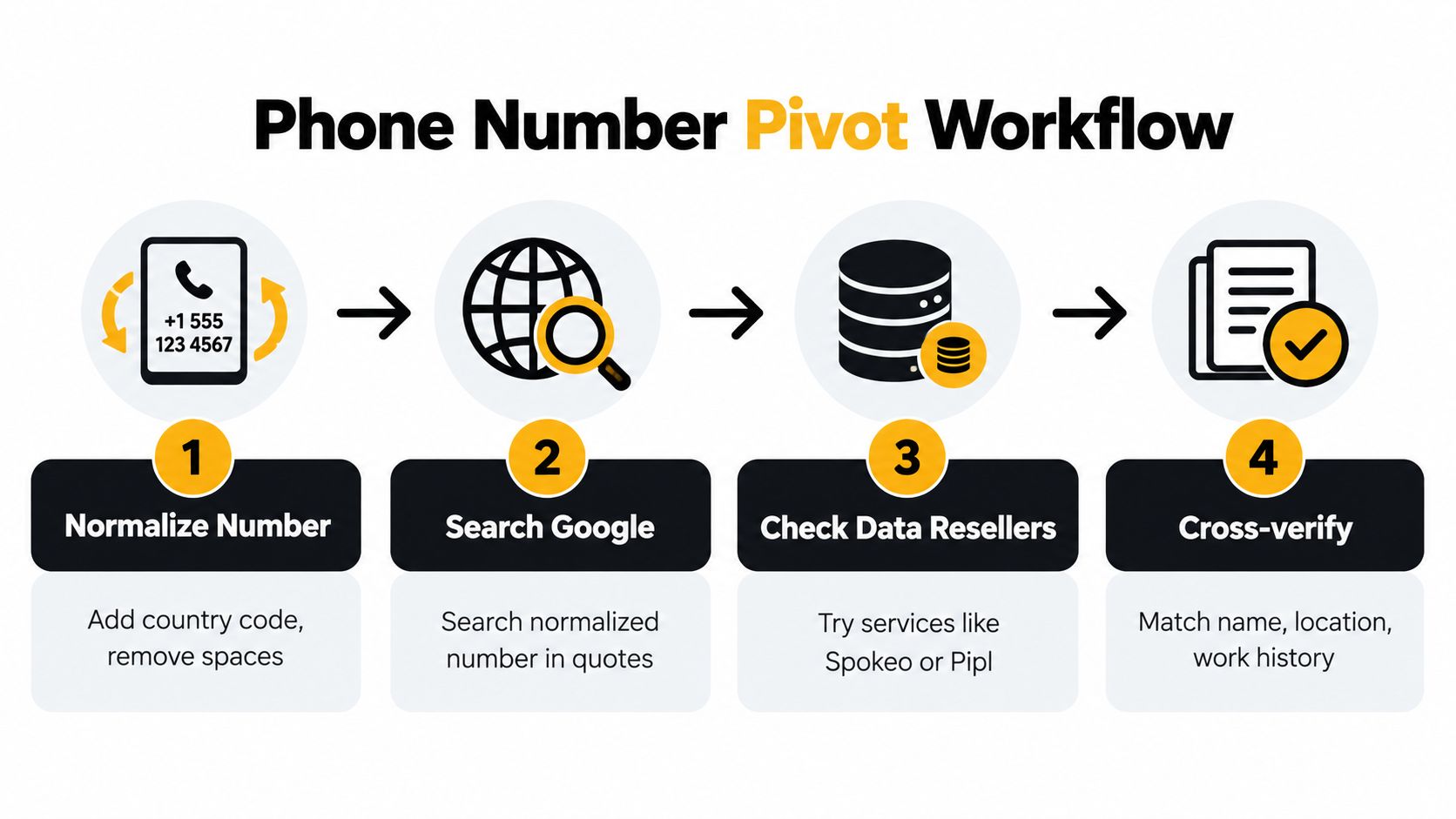
Independent OSINT guidance recommends normalizing the number to international format such as E.164 before anything else, then checking carrier and line type to see whether you are dealing with a mobile, landline, VoIP line, or an invalid record, as outlined in OSINT UI’s guide to tracing a phone number. That first pass is boring. It also prevents a lot of false confidence.
Normalize before you search
Formatting mistakes waste time and create fake dead ends. A number copied from a signature block, CRM export, WhatsApp chat, or call log often appears in different forms across different systems.
A clean workflow usually includes:
- Country code first: Convert local notation into international form.
- Remove formatting noise: Drop spaces, brackets, and punctuation variants.
- Keep a second version: Store the local human-readable format too, because some platforms display one version while indexing another.
This is the same basic sequence used in a practical OSINT workflow for normalizing, validating, pivoting, and confirming identifiers. Without that step, a valid number can fail in contact sync, search, or enrichment just because the formatting is inconsistent.
Validate the number type
Carrier and line-type checks help set expectations. A mobile line may connect to messaging apps and contact discovery flows. A landline often points to a switchboard, office, or family record. A VoIP number can belong to a startup founder, a sales team, a burner signup, or a privacy-conscious user, so it needs more scrutiny before you tie it to a person.
An invalid or disconnected number changes the job entirely. At that point, the phone number is evidence of past contact, not proof of current identity.
A bad phone pivot usually starts with an unverified number and ends with the wrong profile.
Move outward, then return to LinkedIn
Once the number is normalized and validated, use it to collect other identifiers. That is where phone-based OSINT gets results without forcing LinkedIn to do something it does not reliably support.
Useful pivots include:
- Breach exposure: A leaked record may reveal an email or username tied to the number.
- Messaging platforms: Account presence can show whether the number is active and sometimes expose a display name.
- Username and email searches: These often surface social accounts more reliably than the number itself.
- Open web mentions: Quoted searches can reveal bios, resumes, classifieds, business listings, or cached contact pages.
After that, return to LinkedIn with a narrower target. Search the likely name. Check the claimed company. Review title, geography, and network overlap. In practice, this confirmation step is what turns a weak phone clue into a defensible identification.
Scraping is the wrong shortcut
Serious practitioners avoid scraping LinkedIn for phone retrieval because the risk is not just policy-related. Independent guidance notes that LinkedIn prohibits scraping for this purpose and that scraping can lead to account restriction or deletion, as discussed in Lobstr’s LinkedIn search guide.
The bigger problem is data quality. Scraped or brokered records often blend LinkedIn-adjacent details with external databases, old exports, and stale enrichment. That is how people end up treating a reassigned number or an outdated contact record as a current LinkedIn match.
The reliable workflow is slower. Normalize the number. Validate it. Pivot to stronger identifiers. Then confirm on LinkedIn only after the surrounding details line up.
Choosing Ethical Tools and Avoiding Risky Shortcuts
The biggest mistake in this space isn’t failing to find a profile. It’s trusting a weak match too early.
Independent guidance aimed at sales and enrichment workflows makes this clear. The highest-yield method is usually using the phone number as a pivot into contact sync or enrichment systems, then confirming on-profile by name, title, company, and mutual-network context. It also warns that direct retrieval only works when the owner exposed the number or allowed discoverability, and that third-party providers may return matches from external databases rather than LinkedIn itself, which creates false positives when numbers are stale, reassigned, or formatted differently, as explained in Snov.io’s discussion of getting phone numbers from LinkedIn.
What each method is good at
Some methods are safer than others. Some are cleaner but narrower. Some give wide coverage but require more skepticism.
| Method | Accuracy and Risk | Best Use Case |
|---|---|---|
| Manual LinkedIn checks | High accuracy when the profile is already suspected. Low platform risk. Limited by privacy settings. | Verifying a recruiter, client, coworker, or dating match when you already have likely identity clues |
| Contact sync and enrichment tools | Useful for lead generation and correlation, but higher false-positive risk because results may come from outside LinkedIn-native data | Building candidate leads or investigative starting points that still need confirmation |
| Digital Footprint Check | Searches across multiple platform types using phone-number input and is better suited to exposure assessment than LinkedIn-only discovery | Auditing whether a number connects to broader online profiles, breaches, gaming accounts, and social traces |
Risk sits in the interpretation, not just the tool
A lot of tools can return data. Fewer can tell you whether the match is current, voluntary, and platform-native. That distinction matters if you’re doing pre-employment screening, verifying a dating profile, or checking whether your own number exposes too much.
Use a stricter standard when the stakes are personal or financial:
- Job prospects: A wrong identity tie can affect reputation and hiring decisions.
- Personal safety: Misidentifying a caller can expose your own number or workplace.
- Dating verification: A shallow match can miss catfishing or support a false sense of trust.
- Gaming security: Shared phone numbers often connect to gamer tags and old recovery paths.
The shortcut to avoid
Don’t treat “found somewhere” as “confirmed on LinkedIn.” Those are different claims. Ethical OSINT keeps them separate.
That distinction also matters in scam prevention. Independent coverage reports that victims in the United States lost more than $1.3 billion to romance scams in 2023, which is why even simple phone-based verification steps matter before trust, money, or intimate details enter the conversation. The exact median-loss figure in the gathered material was uncertain, so I wouldn’t rely on it without a fresh primary-source check.
Protect Your Own Number and Verify Others Safely
The most useful lesson from LinkedIn search by phone number isn’t how to find other people. It’s how easy it is to underestimate what your own number can reveal.
If you want less exposure, tighten the obvious settings first. Change phone-based discovery to the narrowest audience you’re comfortable with, or to nobody if your risk profile justifies it. Review Contact info. Remove old synced contacts you no longer want influencing discoverability. Then check what your number exposes beyond LinkedIn, because identity trails rarely stay inside one platform.
A defensive routine that actually helps
A practical audit looks like this:
- Review LinkedIn visibility: Make sure your number isn’t discoverable more broadly than intended.
- Reduce account-linking sprawl: Old imports and reused recovery numbers create unnecessary correlation.
- Check broader exposure: Look for traces across social platforms, breach records, public mentions, and gaming accounts.
- Verify before trusting: Use profile context, not just a number match, when screening callers or dating profiles.
If you’re thinking about threat models, what someone can do with your phone number is a good frame. The issue usually isn’t one platform. It’s what the number gives access to across many of them.
Why this affects everyday life
Phone-number exposure hits more than privacy enthusiasts. It affects job prospects, because recruiters and hiring teams often form first impressions from what they can verify online. It affects personal safety, because a mobile number can lead back to workplace identity. It affects gaming profiles, where old recovery paths and reused usernames often linger. And it affects dating app verification, where a quick phone pivot can help expose catfishing before a conversation turns into pressure, manipulation, or money requests.
The best habit is simple. Treat every phone number as both an identifier and a risk surface. Use it carefully when verifying others. Lock it down deliberately when protecting yourself.
If you want to see what a phone number connects to beyond LinkedIn, Digital Footprint Check lets you assess cross-platform exposure across social profiles, breach records, professional traces, and other public-facing signals. It’s a practical next step when a native LinkedIn check comes up empty or when you want to audit your own number before it affects privacy, dating safety, reputation, or hiring outcomes.