· Digital Footprint Check · Content Marketing · 19 min read
How to Reverse Search an Email Address for Free: a Guide
Learn how to reverse search email address to verify who is behind messages, protect yourself, and track origins with simple, free steps.

A reverse email search takes an email address and works backward to uncover the person behind it and the trail attached to it.
You might be vetting a suspicious job offer, checking a contact from a dating app, or figuring out who sent that cryptic inbox message. Whatever the reason, this skill helps you stay safe online, from preventing romance scams to securing your gaming profiles.
What a Reverse Email Search Actually Reveals About an Online Identity
Getting an email from a stranger can be jarring. Who is this person, and what do they want? A reverse search answers those questions. It finds a name and pieces together someone's online identity from the digital trail they've left behind, a core OSINT (Open-Source Intelligence) concept.
The goal is to verify and understand, especially in the professional world. Nearly 75% of qualified applicants' resumes are filtered out before a hiring manager sees them. A direct, personalized email can get you past those filters, but only with the right contact information.
Building a Digital Identity Profile
When you run a reverse email lookup, you're mapping that person's online life. The clues add up to a detailed picture, useful for catfishing detection and identity theft prevention.
You can often find:
- Personal and Professional Details: This is the basics—a full name, current or past employers, and job titles.
- Social Media and Online Profiles: Think accounts on LinkedIn, Facebook, Instagram, or even niche forums and gaming communities.
- Data Breach Information: This is a big one. Finding out if an email was exposed in a major data breach can reveal associated usernames and passwords, signaling a major security risk and a potential avenue for identity theft.
- Public Records: Sometimes a search can connect an email to publicly available records, though this is less common with basic, free methods.
This process connects an email address to an actual person, giving you context that a string like john.doe123@email.com can't provide. See how the pieces fit together in our guide on what a digital footprint is.
The table below breaks down a few common situations where this kind of search is useful.
Common Scenarios for a Reverse Email Search
This table highlights practical situations where a reverse email lookup is useful and the potential benefits for personal safety and privacy.
| Scenario | What You Can Uncover | Primary Benefit |
|---|---|---|
| Vetting an Online Seller/Buyer | Social media profiles, past online activity, potential scam warnings on forums. | Avoiding financial scams and ensuring the transaction is legitimate. |
| Verifying a Dating App Match | Real name, social media presence, potential inconsistencies in their story. | Personal safety, catfishing detection, and confirming the person is who they claim to be. |
| Investigating a Suspicious Email | Sender's identity, associated online accounts, whether the email is linked to phishing scams. | Protecting yourself from phishing, malware, and identity theft. |
| Confirming a Professional Contact | LinkedIn profile, company affiliation, job title, and professional history. | Ensuring your professional outreach is targeted and credible, protecting your job prospects. |
| Securing a Gaming Account Trade | Linked gaming profiles (Steam, etc.), community reputation, scam reports. | Preventing gaming account security breaches and theft of digital assets. |
Each of these scenarios shows how a quick search can empower you to make smarter, safer decisions online.
Why This Matters in the Real World: From Job Prospects to Personal Safety
The need for reverse email searches goes way beyond simple curiosity. It's a practical safety measure for countless online interactions with significant real-world impacts.
An author recently told us a story about receiving AI-generated phishing emails from people pretending to be fans and literary agents. A quick reverse image search of the sender's profile picture and the complete lack of a credible digital footprint immediately exposed the scam. It saved them from potential identity theft or serious financial loss.
That story is a perfect example of how a quick check can be the only thing standing between you and a sophisticated scam. With online fraud getting more clever by the day, these verification skills are more critical than ever. The demand is so high that the market for email lookup tools is projected to hit $2.5 billion by 2025. You can find out more about the email lookup tool market growth and see just how essential this has become for cybersecurity.
A Guide to Manual OSINT Email Investigations
Automated tools are fantastic time-savers, but sometimes, the most valuable insights come from rolling up your sleeves and doing some old-school digital detective work. This is the heart of Open-Source Intelligence (OSINT)—using publicly available information to piece together a puzzle. When you run a manual reverse email search, you can follow leads as they appear, adapting your strategy in real-time as you uncover new clues.
This hands-on approach puts you in the driver's seat. You're not just getting a result; you're understanding the context behind the data, learning the process of discovery itself. It’s a foundational skill for digital privacy and reputation management.
Mastering Search Engine Operators
Your first and most powerful tool is a search engine like Google, but you have to go beyond simple keywords. Using advanced search operators, often called "Google Dorks," can turn a generic search into a laser-focused investigation.
The simplest operator is just using quotation marks. Searching for "john.doe@email.com" tells the search engine to find that exact string of text. This can instantly tell you if the email has ever been posted publicly on a forum, a personal blog, or a company's staff directory.
You can also get more creative by combining operators for highly targeted results:
site:linkedin.com "John Doe": This limits your search to a specific website—in this case, LinkedIn—to hunt for profiles associated with a name you think is linked to the email.intext:"john.doe@email.com": This command searches for the email address within the body text of websites, which is great for uncovering mentions in articles or public comments.
These techniques are the bedrock of any OSINT investigation. If you want to go deeper into these methods, we have a comprehensive guide on background checking using OSINT that's worth a read.
This visual shows the basic flow of a manual reverse email search, from your initial query to finding a potential profile.
As you can see, it's a logical progression. You start with the one thing you know—the email address—and expand outward, using search engines and social media to build a more complete picture.
Choosing the Right Email Lookup Tools
Manual OSINT techniques are powerful, but let's be honest—they can eat up a lot of time. When you hit a wall or just need answers now, specialized reverse email lookup tools are your best bet. These platforms do the work for you, acting as powerful data aggregators for online identity protection.
These services work by systematically scanning and compiling data from a huge number of sources. They pull information from public records, social media profiles, marketing databases, and countless online directories to build a cohesive profile tied to a single email address. Think of them as automated investigators that can sift through billions of data points in seconds, not hours.
Free Versus Paid Services
Your first big decision is whether to stick with a free tool or invest in a paid service. The right choice really comes down to what you need, how deep you need to dig, and how often you'll be running these searches.
Free tools are great for quick, surface-level checks. They can often confirm a name or find a public social media profile linked to an email. If you're just doing a one-off verification—like checking a seller on an online marketplace or a match on a dating app for initial red flags—a free search might give you all the basic info you need for a little peace of mind.
Paid services, on the other hand, offer a much deeper dive. They typically give you access to more extensive databases, including historical records, professional connections, and even more obscure online accounts. For any serious investigation, whether for personal safety, identity theft prevention, or professional vetting, a paid subscription usually provides the comprehensive data you need to make an informed decision.
A key advantage of paid tools is data freshness and accuracy. Free services might rely on outdated or cached information, whereas premium platforms continuously update their records, giving you a more reliable and current picture of an individual's digital footprint.
Ultimately, you have to balance cost against the need for detailed, accurate intelligence. Beyond the usual search engines, there are many dedicated contact finder tools out there, each with its own features and pricing.
What to Look For in a Quality Tool
Not all reverse email lookup tools are created equal. As you weigh your options, a few key factors should guide your decision to ensure you're getting reliable information while respecting legal and ethical boundaries.
Here’s what I always look for:
- Accuracy and Data Sources: How reliable is the information? A good tool is transparent about where its data comes from. Look for services that pull from a wide range of verified sources, not just scraped, low-quality directories.
- Privacy Policy: How does the service handle your data and the data of the person you're searching for? A reputable tool will have a clear privacy policy that outlines its data practices and respects user consent. This is a critical aspect of digital privacy.
- Comprehensiveness of Reports: Does the tool connect the dots for you? The best services consolidate information into an easy-to-read report, linking social profiles, usernames, breach data, and other identifiers into one profile.
- User Interface and Experience: The platform should be easy to navigate. A cluttered or confusing interface just wastes your time and makes it harder to find what you need.
The technology behind these tools has improved dramatically. Leading platforms now report accuracy rates between 87% to 92% for reverse search email address queries, with some specializing in business or international contacts.
Manual OSINT vs. Automated Tools Comparison
To give you a clearer picture, here’s a quick comparison of doing the work yourself versus letting a tool handle it.
| Feature | Manual OSINT Methods | Automated Tools |
|---|---|---|
| Speed | Slow; can take hours or even days for a deep dive. | Fast; results are typically generated in seconds or minutes. |
| Cost | Mostly free (your time is the main cost). | Varies from free (limited) to paid subscription models. |
| Data Depth | Can be very deep, but depends entirely on your skill level. | Access to vast, aggregated databases you couldn't access alone. |
| Effort | High; requires significant skill, patience, and persistence. | Low; just enter the email and let the platform do the work. |
| Scope | Limited by the sources you know and can access manually. | Broad; simultaneously queries hundreds of private & public sources. |
| Repeatability | Tedious and time-consuming to repeat for multiple targets. | Easy to run multiple searches efficiently. |
While manual methods give you granular control and can uncover unique insights, automated tools provide unparalleled speed and access to aggregated data. Often, the most effective approach is a hybrid one—start with an automated tool to get a baseline, then use manual techniques to verify and dig deeper into specific leads.
To help you decide, our guide on how to compare OSINT tools offers a more in-depth look at their strengths and weaknesses. Making the right choice from the start will make your entire investigation more effective and efficient.
Spotting Scams and Ensuring Personal Safety
The OSINT techniques we've covered aren't just for professional investigators or the morbidly curious; they're your digital shield. Learning how to run a reverse search email address is one of the most direct ways to protect yourself from fraud, manipulation, and even physical danger. It's about turning a bad gut feeling into actionable intelligence to prevent identity theft and other cybercrimes.
This becomes important in situations where you're asked to trust someone you've only met online. Think about online dating safety—a quick search can instantly validate (or invalidate) someone's story. Does the name linked to their email even match their profile? Do they have any social media accounts that line up with the life they've described? This is practical catfishing detection.
Unmasking Romance and Marketplace Scams
Romance scams are a brutal and devastatingly common threat, costing victims billions. Scammers are masters at creating compelling but fabricated personas. When you run a reverse email search on a new love interest, you might find that their email address is brand new or, even worse, linked to entirely different names and photos on obscure forums. That's a massive red flag and a classic sign of a romance scam.
The same logic applies to online marketplaces. Before you send money to a stranger on Facebook Marketplace or Craigslist for that perfect vintage chair, run their email address. If the search turns up nothing, or it links to accounts with scam warnings from other users, you’ve just saved yourself from a guaranteed financial loss.
Keep an eye out for these critical signals to pause the interaction:
- Mismatched Identities: The email is tied to a name or photo that is different from the one they're using to talk to you.
- No Digital History: An email address created just days ago with zero online presence often means it's a disposable account built for one purpose: fraud.
- Breach Appearances: If the email shows up in multiple data breaches, it might be a compromised account that scammers are now using, or an old, abandoned one they've taken over. This is a major cybersecurity risk.
Verifying Professional and Gaming Identities
Your personal safety extends beyond dating and shopping into your professional life and even your hobbies. While job hunting, you might get an offer that seems almost too good to be true. Verifying the sender's email can confirm if it actually comes from the company's real domain and is connected to a legitimate HR manager's LinkedIn profile, protecting your job prospects.
In the gaming world, high-value accounts are constantly targeted for theft. A player offering a trade or sale through a private message can be vetted in seconds. Does their email link back to a reputable gaming profile with a long history, or does it pop up on scammer-alert lists within the community forums? This simple check is key for gaming account security.
A proactive reverse email search is what gives you the power to trust your instincts. If something feels off about an online interaction, a quick investigation provides the evidence you need to either build confidence or walk away safely.
This kind of proactive verification is quickly becoming standard practice. Reverse email lookup tools are now a vital part of fraud prevention stacks in fintech, e-commerce, and gaming. Industry analysis shows how these services use complex algorithms and OSINT to check emails against millions of data points—from social profiles to device connections—to flag high-risk behaviors. You can read more about these fraud prevention trends to get a sense of their broader impact.
Ultimately, using a reverse search on an email address isn't about being paranoid; it’s about being prepared. By making this simple step a regular part of your online routine, you create a powerful buffer against deception. For a deeper dive into protecting your inbox, check out our guide on email security best practices. It’s a must-read for anyone looking to fortify their digital defenses.
Automate Your Search with Digital Footprint Check
Manual OSINT techniques give you an incredible amount of control, but let's be honest—the process can be slow and overwhelming. Sifting through search results, social media profiles, and data breach lists for a single email address often feels like searching for a needle in a digital haystack.
What if you could get the same comprehensive results in minutes instead of hours? There’s a much smarter, more efficient way to run a reverse search email address investigation. Instead of chasing down clues one by one, you can automate the entire process and get a clear, consolidated picture of someone's online presence almost instantly.
One Click Instead of Countless Searches
Digital Footprint Check streamlines the entire investigation by scanning over 500 platforms in a single search. This covers a massive range of sources that would be nearly impossible to check manually on your own, making it an essential OSINT tool for anyone concerned with digital privacy.
- Social and Professional Networks: We're not just talking about the big players like Facebook and LinkedIn. The scan digs into niche forums and online communities, too.
- Data Breach Repositories: It instantly cross-references the email against known data breaches to uncover compromised credentials and any associated usernames, helping in identity theft prevention.
- Public Records and Databases: The tool pulls from publicly available information to connect emails to real-world identities, where possible.
- Gaming and Online Profiles: It often uncovers accounts on platforms like Steam, Discord, and other gaming sites where usernames might be reused across the web, boosting your gaming account security.
Instead of you having to hunt for the data, the data is brought directly to you in one easy-to-understand report. This doesn't just save a tremendous amount of time; it also ensures you don't miss critical information hidden on a platform you might not have thought to check.
Understanding Your Comprehensive Report
An automated search doesn't just dump a list of links on you. It delivers a structured, actionable report that connects all the dots. Rather than presenting raw data, the platform organizes its findings into a clear profile, showing you exactly how different pieces of information are linked to the email address you’re investigating.
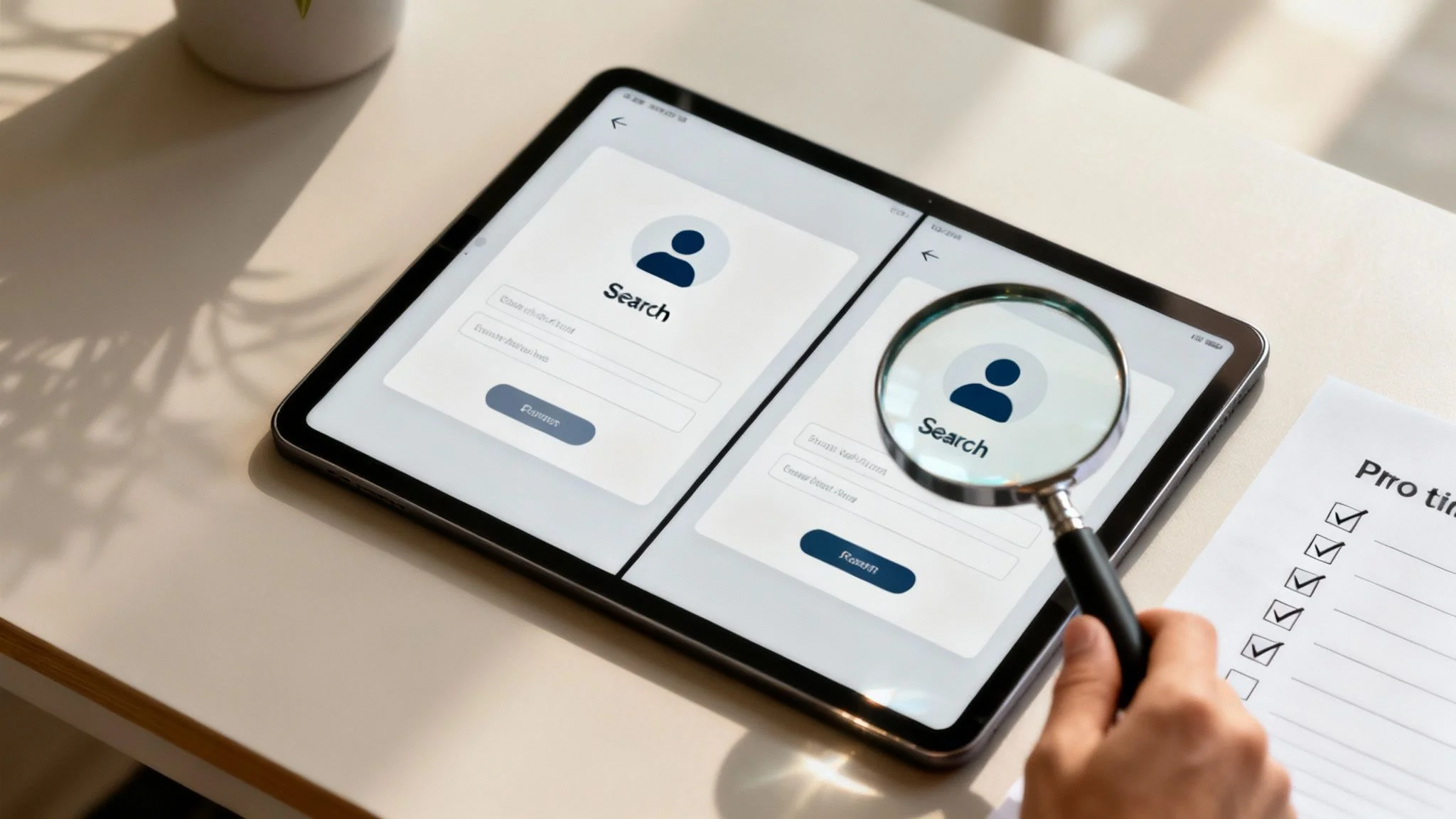
Here’s an example of the clean, simple interface where you begin your search.
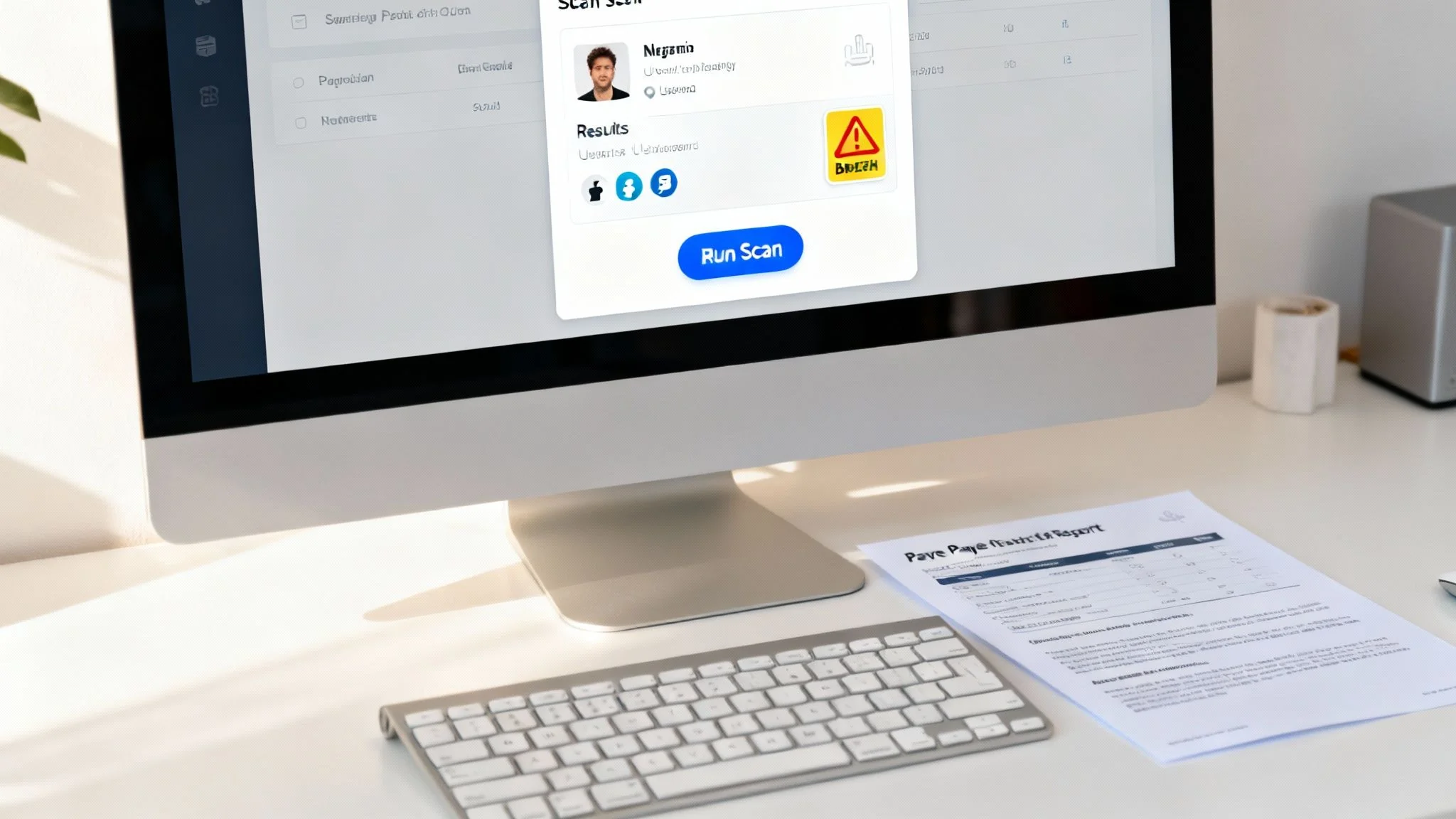
The report that comes back from this simple search will clearly lay out associated names, known usernames, social media profiles, and potential security risks tied to that email. This curated information gives you immediate context, helping you make faster, more informed decisions.
A typical report highlights key areas of concern, such as appearances in major data breaches or links to suspicious online activity. It’s designed to give you a complete overview, helping you quickly assess someone's digital identity for personal safety, job prospects, or scam prevention.
By automating the OSINT process, you shift your focus from data collection to data analysis. The real value is in interpreting the results, not in spending hours just trying to find them.
This automated approach is your practical next step to taking control of your online identity. It provides the speed and depth needed to stay ahead of potential threats and verify online contacts with confidence. If you're curious about what a full scan can uncover, our free digital footprint checker offers a great starting point for understanding your own online exposure.
Ultimately, automation turns a complex investigation into a simple, repeatable process. You can see what’s publicly available about an email address by running a free scan and get the answers you need in minutes.
Frequently Asked Questions About Reverse Email Lookups
To wrap things up, let's tackle some of the most common questions people have about this process. These are the kinds of things that come up again and again, from whether you're breaking the law to what to do when your search hits a brick wall.
Is It Legal to Reverse Search an Email Address?
Yes, performing a reverse search on an email address is generally legal. Why? Because the entire process relies on gathering information from publicly available sources. OSINT techniques and most lookup tools simply aggregate data that’s already out there in the public domain—things like social media profiles, public records, and website data. There's no law against looking up information someone has already shared online.
However, the legality hinges entirely on how you use what you find. It is strictly illegal to use this information for malicious purposes like stalking, harassment, discrimination, or identity theft. Privacy regulations like GDPR and CCPA also place serious restrictions on using personal data without consent, especially for any commercial purpose. The bottom line: use this information ethically and responsibly for your personal safety and reputation management.
What Should I Do If My Search Yields No Results?
Hitting a dead end is frustrating, but an empty search result is often a clue in itself. If your initial lookup comes up blank, it tells you a few potential things about the email address you're investigating.
First, consider that it might be a new or even a disposable email address. Scammers and bad actors love using freshly created emails to avoid leaving a digital trail, so a total lack of history is a pretty big red flag for catfishing detection. On the other hand, the person might just be using a privacy-focused email provider or have a very minimal and locked-down online presence.
When a search returns nothing, the absence of information is the information. It tells you the email is not widely used or is intentionally kept private, which should factor into your assessment of the situation.
If you suspect the email is legitimate but just very private, here are a few things to try next:
- Check for Variations: Try searching just the username part of the email on different social media sites or forums. People often reuse usernames even when they switch email providers.
- Use a Different Tool: Not all lookup services have access to the same databases. A search that fails on one platform might turn up something on another that has a more specialized or extensive data set.
- Broaden Your Search: If you have any other tidbits of information, like a name or a known username, combine it with the email address in an advanced Google search to see if any new connections pop up.
How Can I Protect My Own Email from Being Easily Searched?
After seeing just how much information a simple email address can uncover, it's natural to want to lock down your own digital privacy. Protecting your digital footprint is a critical step in preventing your personal data from falling into the wrong hands. Luckily, there are several practical things you can do to make your primary email much harder for others to find and trace.
Your best line of defense is to compartmentalize your digital life. Use separate email addresses for different things.
- Primary Email: Keep one email address reserved only for trusted personal and professional contacts. Never, ever post it publicly.
- Public-Facing Email: Create a separate email for signing up for websites, posting on public forums, or making online comments. This acts as a buffer, protecting your main account from spam and unwanted searches.
- Disposable Emails: For one-time sign-ups or sites you don't fully trust, use a temporary or disposable email service.
Beyond that, make a habit of regularly reviewing the privacy settings on all your social media accounts. Many platforms default to making your email address visible to a wide audience. Dig into the settings and make sure it's set to "private" or "only me." Finally, you should periodically check your email against data breach repositories like Have I Been Pwned. If your email shows up in a breach, change your password immediately and turn on two-factor authentication.
Ready to see what your digital footprint looks like or need to verify an unknown contact? Instead of spending hours on manual searches, let Digital Footprint Check do the work for you. Our tool scans over 500 platforms to give you a complete picture in minutes, empowering your online identity protection.