· Digital Footprint Check · Content Marketing · 18 min read
Scan My Username: Your Guide to Online Identity Protection
Thinking 'I need to scan my username'? This guide shows you how to find your hidden accounts, check for data breaches, and secure your digital footprint.

To effectively “scan my username,” you must first accept a simple, slightly uncomfortable truth: your online handle is a public breadcrumb trail. It links your activities across the entire internet, from professional networking sites to decade-old gaming forums.
A quick scan can reveal every social profile, forum post, and gaming account tied to that name, creating a detailed—and often surprising—map of your digital footprint. This map is visible not just to you, but to potential employers, new acquaintances, and unfortunately, cybercriminals.
Why Your Username Is a Major Privacy Risk
That username you’ve used for years—the one that feels unique and personal—is far more than a login credential. Think of it as a digital name tag you wear across hundreds of platforms. Every time you register for a new service, comment on a blog, or join a gaming lobby, you leave that tag behind, creating a web of connections that can reveal far more about you than you realize.
This interconnectedness has severe real-world consequences. A 2020 study found that 70% of employers use social media to screen candidates during the hiring process. That hiring manager might not find your professional LinkedIn profile, but they could easily stumble upon embarrassing forum posts from a decade ago linked to the same username. A seemingly harmless gaming profile could expose personal details a scammer might use for a targeted phishing attack. The need to “scan my username” has shifted from a niche cybersecurity practice to an essential step for anyone who cares about their online reputation, job prospects, and personal safety.
Before we dive into the “how,” let’s quickly break down why this is so critical.
The Real-World Impact of an Exposed Username
This table summarizes the core risks of an unchecked username and the immediate benefits of taking a closer look at your digital trail.
| Risk Area | Potential Impact If Unchecked | Benefit of a Scan |
|---|---|---|
| Job Prospects & Reputation | Old, unprofessional, or embarrassing content can resurface, harming job prospects or personal relationships. | Identify and remove outdated or damaging content before it becomes a problem for employers or family. |
| Personal Safety & Privacy | Harmless-looking profiles can leak your location, age, interests, or connections, making you a target for stalking or scams. | Pinpoint where your personal data is exposed so you can lock down privacy settings or remove the information. |
| Identity Theft & Scams | A username linked across many sites makes you an easy target for impersonation, romance scams, or account takeover attacks. | Discover impersonator accounts and find weak links in your security, like accounts without two-factor authentication. |
| Gaming Account Security | Compromised gaming accounts can lead to the loss of valuable digital assets and be used to scam your friends. | See which of your accounts have appeared in known data breaches, prompting you to change passwords immediately. |
Understanding these risks transforms a username scan from a “nice-to-have” into a non-negotiable part of managing your online life.
The Scale of Your Digital Exposure
Trying to track these connections manually is nearly impossible. Just look at the numbers.
By the start of 2025, the internet is projected to have around 5.56 billion users, and the average person juggles about 7.5 social media accounts. A single, reused username can easily appear across a vast digital ecosystem, making it ripe for discovery across hundreds of services—from mainstream social media apps to obscure data broker lists. For more on these trends, check out the latest from DataReportal.
This exposure isn’t just about what you’ve actively shared. It also includes your “digital shadow”—the data collected about you without your direct input. You can learn more about the critical differences in our article about your digital footprint vs digital shadow.
Your username is the key that unlocks the story of your online life. Scanning it is like reading the table of contents—it shows you every chapter, including the ones you forgot you wrote. It’s the first step toward managing your public narrative and preventing identity theft.
The Double-Edged Sword of Username Convenience
Sure, using the same username everywhere is convenient. But that convenience creates a single point of failure for your entire online identity.
If that username is part of a data breach on one site, malicious actors will immediately use OSINT tools to find other accounts with the same handle. They’re betting you’ve reused passwords, too. This is exactly how a minor breach on a small forum can escalate into a full-blown identity theft crisis, affecting everything from your social media to your online banking.
Preparing for a Thorough Username Scan
Before you dive in and start scanning, a few minutes of prep work can make a world of difference in your results. A successful scan isn’t just about plugging in your most common handle; it’s about systematically tracking down every corner of your online identity—especially the parts you’ve long forgotten.
Think of it like gathering evidence before starting an investigation. This prep work ensures you get the full, accurate picture of your digital footprint. If you rush it, you might miss old accounts tied to a slightly different username or an old email, leaving huge chunks of your online history in the dark. The goal here is to be methodical, not just fast.
Create Your Master List of Usernames
First things first, start listing every username you can remember using. Don’t just stick to your current primary one. You need to dig deep into your memory for those old screen names from the early internet days, your gaming tags, and any random forum aliases you might have used.
Now, think about all the possible variations you might have created over the years. We all do it—your preferred name is taken, so you adapt. Make sure you document these common patterns:
- Number Suffixes:
GamerPro,GamerPro99,GamerPro1999 - Underscores or Dashes:
Gamer_Pro,Gamer-Pro - Alternate Spellings:
GamerPro,GamrPro - Initials or Prefixes:
J_GamerPro,TheGamerPro
Every one of these variations is a potential breadcrumb leading back to a forgotten account—a potential weak point in your cybersecurity. A comprehensive list is your single most powerful tool for a thorough search.
Document Associated Email Addresses
Usernames are only one piece of the puzzle. Email addresses are the glue that holds your digital life together. Countless accounts are linked directly to an email, and that connection can uncover profiles even when the username is different, providing another avenue for hackers or scammers.
Jot down every email address you’ve ever had, both personal and professional. Be sure to include that ancient one from your first internet provider, your old university email, and any free accounts you spun up for specific signups. It’s common for a data breach on one platform to expose an email, which attackers then use as a key to find your other accounts and build a profile for identity theft.
By linking your list of usernames to specific email addresses, you’re creating a detailed map of your online presence. This simple step helps you connect the dots between that forgotten forum account from 2008 and the email you used to create it, revealing risks you would have otherwise missed.
Once your lists are ready, you’re equipped to run a much more effective search. For an in-depth guide on how these pieces fit together, check out our post on using a username tracker to find associated profiles. This groundwork is what elevates a casual search into a powerful security audit.
How To Scan Your Username Across Hundreds of Platforms
Okay, you’ve done the prep work and have your list of usernames and their variations. Now comes the interesting part: actually scanning the web to see where they pop up.
It’s tempting to just jump on Google and start searching. You might even try some advanced queries like inurl:"yourusername" or intext:"yourusername". While that’s better than nothing, it’s a bit like searching for a needle in a haystack by only checking the top layer of hay. This kind of manual search will only scratch the surface.
You’ll miss mentions on platforms that search engines don’t easily crawl, like private forums, specific gaming networks, or the corners of the deep web where data breach information gets passed around. It’s a slow, frustrating process that gives you a dangerously incomplete picture of your real exposure.
Using a Specialized Tool for a Deep Scan
The only effective way to scan your username is with a specialized Open Source Intelligence (OSINT) tool built for exactly this task. These tools do the work for you, automating the mind-numbing process of checking hundreds of websites, databases, and platforms all at once.
The process itself is designed to be dead simple. For example, the free checker at Digital Footprint Check lets you plug in a username and immediately starts searching across a massive, constantly updated index of sites.
This is where your prep work from the last step pays off. Having your primary handles, old variations, and associated emails ready makes the scan far more comprehensive.
This thorough approach ensures you catch not just your main handle, but also those old, forgotten usernames you used a decade ago that might still be tied to a vulnerable account.
Initiating Your First Scan
Getting started is usually as simple as heading to a username checker tool. You’ll see a straightforward search bar where you can type in the username you want to investigate.
The real power here is the sheer speed and scope. A manual search could take you days or even weeks to accomplish a fraction of what a dedicated tool can do in minutes. It consolidates everything into a single, easy-to-read report showing you exactly where that username exists online.
Once you hit “scan,” the tool gets to work querying hundreds of different sources. This isn’t just social media sites. It’s checking gaming platforms, niche forums, developer communities, and paste sites (a common dumping ground for breached data). If you want to dig deeper into how these techniques are used professionally, you can learn more about these powerful social media investigation tools and their applications.
This same principle of automated, wide-net scanning is used in enterprise security with proactive threat detection tools. The goal is the same, whether for personal or corporate use: use technology to find risks before they blow up into major problems.
The initial results you get from your scan will give you an immediate, high-level overview of your public exposure. This report is the foundation for the next crucial step—analyzing what you’ve found and figuring out how to protect your digital identity.
Making Sense of Your Scan Results
Okay, the scan is done, and now you’re staring at a list of links and mentions. This is where the abstract idea of a “digital footprint” gets very real, very fast. It can definitely feel like a lot to take in at first.
The trick is to go through it methodically. Don’t just look for accounts you recognize; you’re on the hunt for risks. Each result is a piece of your online story, and our goal is to figure out which pieces are harmless public profiles and which are genuine security threats. Let’s sort through the noise and find what actually matters.
Categorizing Your Findings
Think of this process like sorting a big pile of mail. Some of it is junk, some is personal, and some of it is an urgent bill that needs to be paid right now. A systematic approach ensures you don’t overlook a critical threat hiding among all the harmless mentions.
Most of your results will probably fall into one of these four buckets:
- Public Social Media Profiles: These are the obvious ones—your active accounts on platforms like Instagram, X (formerly Twitter), or LinkedIn.
- Old or Forgotten Accounts: This is where things get interesting. We’re talking about that old MySpace profile, a long-abandoned gaming account, or a forum you signed up for a decade ago and forgot about.
- Mentions in Public Content: This could be anything from a comment you left on a news article years ago to a public project you contributed to or a mention by someone else in a blog post.
- Data Breach Lists: This is the most critical category, hands down. If your username shows up here, it means it was compromised in a security breach, likely along with an associated password and email.
The most eye-opening discoveries usually come from the dusty corners of the internet. An old forum post might reveal personal hobbies a scammer could exploit to build trust in a romance scam, while a hit on a breach list is a red flag telling you that your credentials are out in the wild.
Assessing the Real-World Impact
Not every result carries the same weight. A public LinkedIn profile is generally low-risk; in fact, it’s probably beneficial for your career.
But that old, unsecured gaming account? That could be a gateway for an attacker. They can use it to test your username and password combination on more important sites, like your email or banking apps. This is exactly how a minor, forgotten exposure can snowball into a major security headache.
This is especially true on your professional reputation. Industry studies show a huge share of hiring managers review a candidate’s online presence. Nearly half of employees even admit to having a digital footprint that could be professionally damaging. A username scan uncovers these landmines before they have a chance to blow up your career. You can discover more insights on digital footprint statistics and how they connect to employment.
Identifying High-Priority Threats
Once you’ve sorted your results, it’s time to zero in on the immediate dangers.
Your #1 priority should always be any mention of your username in a known data breach. A single hit on a breach list means you have to assume the password you used for that account is compromised. If you’ve reused that password anywhere else—and most people have—those accounts are now vulnerable, too.
Your next priority should be tackling those old, forgotten accounts. These are often ticking time bombs because they usually have weak, outdated passwords and might be linked to old email addresses you no longer check. A scammer could take over such an account to impersonate you and defraud your friends or family.
For a deeper dive into this process, check out our detailed guide on how to find your digital footprint. By dealing with these high-risk items first, you can reduce your exposure to account takeovers and identity theft.
Your Action Plan for Securing Your Digital Footprint
Discovering where your username is exposed online is a huge first step. But the real work—the part that actually secures your online identity—starts now. With your scan results in hand, it’s time to shift from discovery to cleanup.
The key is to work through everything systematically, hitting the most critical risks first. This isn’t about trying to erase yourself from the internet completely. It’s about being deliberate and taking back control over what personal information is out there for anyone to see. A prioritized plan keeps you from feeling overwhelmed and makes sure you deal with the biggest threats right away.
Prioritize Data Breach Exposures
First things first: tackle any accounts that showed up in a data breach list. This is your absolute top priority. No excuses.
If an account was in a breach, it means your username, email, and a password (or at least a hashed version of it) are floating around on the dark web, available to cybercriminals.
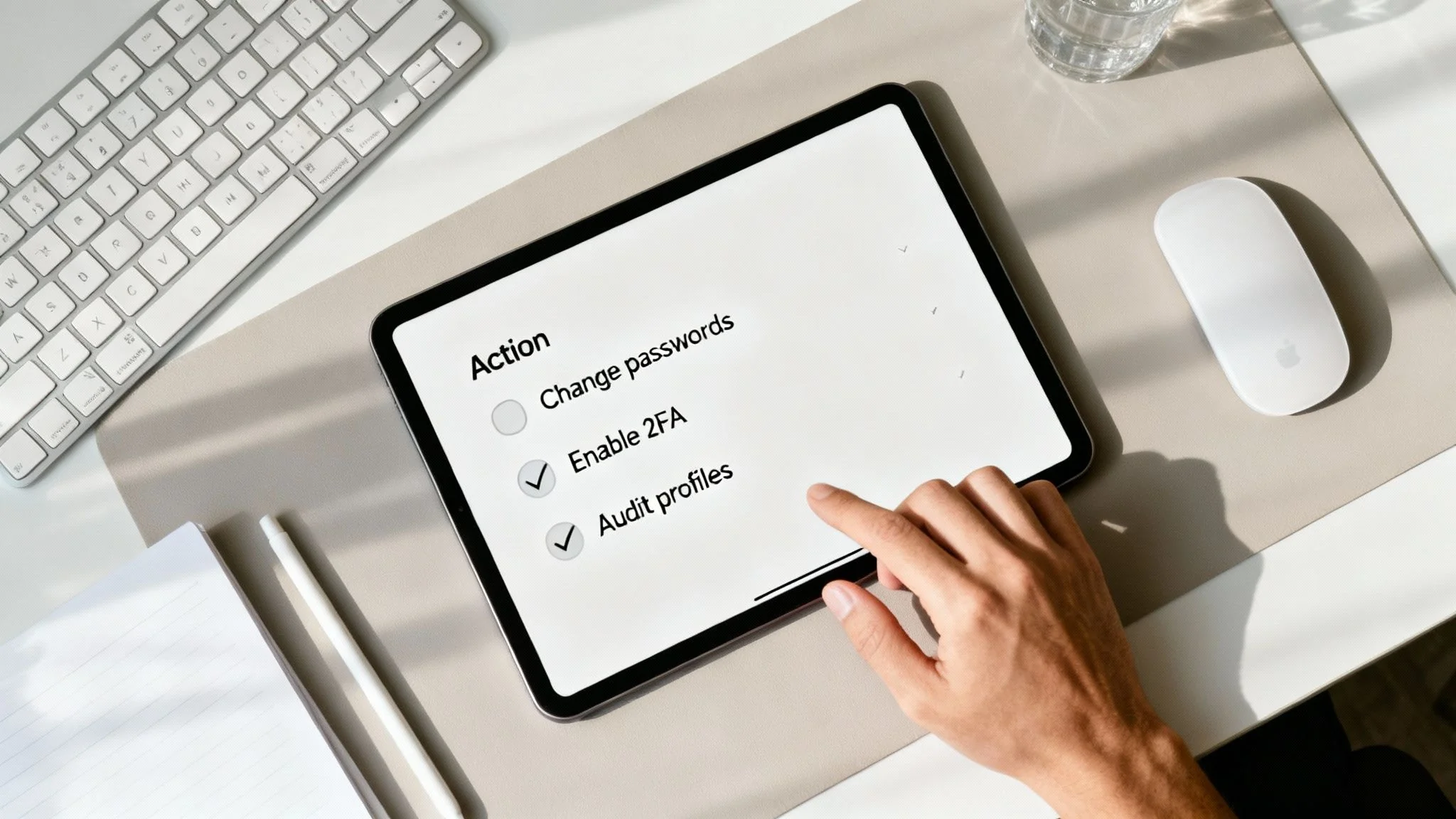
Here’s your immediate action plan:
- Change the Password Immediately: Go to that compromised account and create a new, strong, and unique password. Right now.
- Enable Two-Factor Authentication (2FA): If you haven’t already, turn on 2FA. This is one of the most powerful security moves you can make, period. It adds a second layer of defense, like a code sent to your phone, making it much harder for someone to break in.
- Update Passwords on Other Sites: Did you reuse that compromised password anywhere else? Be honest. If you did, go change it on those accounts, too. Attackers will take your leaked credentials and try them on other popular sites. It’s a tactic called credential stuffing, and it works surprisingly often.
Audit and Sanitize Public Profiles
Once you’ve handled the urgent breach-related threats, you can turn your attention to the public-facing profiles your scan dug up. This part is less about immediate security and more about managing your long-term reputation and privacy.
Go through each discovered account one by one—from that old social media page you haven’t touched in years to that forgotten forum profile.
For each profile, ask yourself these questions:
- Does this still represent who I am today?
- Is it sharing more personal info than it needs to (like your full birthday, location, or personal photos)?
- Could anything on this profile be misinterpreted by a future employer, client, or even someone you met on a dating app?
Based on your answers, you can either update the content, crank up the privacy settings to “friends only” or “private,” or just delete the account entirely if it’s no longer serving you. You’d be amazed how many old, public-facing accounts people have just floating out there, creating unnecessary risk.
Tackle Information You Cannot Directly Remove
Sometimes, your username pops up on websites you don’t control, like in the comment section of a news article or on a data broker’s list. Getting rid of this information is trickier, but it’s definitely not impossible.
Taking control of your digital footprint involves a mix of direct action, like changing a password, and strategic requests, like asking a website administrator to remove outdated personal information. Each small step you take reduces your overall risk profile.
For data broker sites, you’ll have to navigate their specific opt-out procedures. For other mentions, a polite, direct email to the site owner or administrator can often do the trick. If you need a more detailed walkthrough, our comprehensive guide on how to remove yourself from the internet breaks down the exact steps to take.
As you build out your action plan, it’s also a great idea to brush up on general data security best practices to help harden your defenses across the board. Remember, consistent monitoring and cleanup are the keys to long-term digital safety.
Got Questions About Username Scanning?
Digging into your own digital history can feel a little weird at first. It’s normal for questions to pop up as you start exploring your online presence. Getting a handle on how the process works and whether it’s safe is the first step toward taking back control.
Let’s walk through some of the most common concerns people have when they decide to scan their username.
Is It Safe to Use a Username Scanning Tool?
Absolutely, as long as you’re using a reputable and privacy-focused service. A legitimate tool, like the one we offer at Digital Footprint Check, isn’t a hacking tool. It operates using ethical Open Source Intelligence (OSINT) techniques.
Think of it as a highly specialized search engine that only looks for information already available to the public. These services never ask for your passwords or require access to your private accounts. They simply automate the tedious work of finding the public breadcrumbs you’ve left across the web, all while prioritizing your privacy and data security.
What If I Find Accounts That Aren’t Mine?
This happens more often than you’d think, and it’s a perfect example of why scanning is so important in the first place. When you stumble upon a profile using your username that you didn’t create, it usually falls into one of two buckets:
- It’s just a coincidence. Someone out there simply has the same great taste in usernames. This is usually harmless, and you can just make a mental note of it to avoid any mix-ups down the road.
- It’s an impersonator. This is the serious one. If an account is actively using your name, photos, or other personal details to pretend to be you—a tactic known as catfishing—you need to act fast. Use that platform’s reporting tools immediately to get the fake account taken down.
Catching an impersonator account early is a huge win for your personal security. You get to shut down a potential source of romance scams or reputation damage before it can mess with your friends, family, or career.
How Often Should I Scan My Username?
Your digital footprint is always changing. It grows and shifts every time you sign up for a new app, post on social media, or get swept up in another company’s data breach. Because of this, a one-and-done scan just isn’t enough to stay secure long-term.
A good rule of thumb is to run a thorough scan of your main usernames at least once every few months. Setting a recurring calendar reminder is a great way to stay on top of it. These regular check-ins help you spot new exposures quickly, keep your online identity clean, and get ahead of threats before they become real problems.
Ready to see what’s out there? Taking the first step to secure your online identity is easier than you think.
Use our powerful scanner at Digital Footprint Check to get an instant, comprehensive look at your digital footprint and uncover any hidden risks.