· Digital Footprint Check · Content Marketing · 18 min read
How to Find Someone's Digital Footprint: a Complete Guide
Learn how to find someone's digital footprint with our expert guide. We cover search tactics, social media, tools, and ethical methods for safety and research.

You are probably here for a reason that feels personal, not academic.
Maybe you met someone on a dating app and their story is polished enough to sound right, but not solid enough to trust. Maybe a new client, seller, roommate, or gaming contact gave you just enough information to be interesting and not enough to be verifiable. Maybe you are checking your own name because you want to know what a recruiter, ex-partner, scammer, or stranger can see in five minutes.
That instinct is healthy. How to find someone’s digital footprint is no longer a niche OSINT skill. It is part privacy hygiene, part reputation management, and part self-defense. The useful version of this skill is not snooping for entertainment. It is learning how to connect public clues carefully, verify them, and stop before you cross ethical or legal lines.
Why Your Digital Detective Skills Matter in 2026
A digital footprint rarely sits in one place. It spreads across old usernames, comment histories, gaming handles, breached accounts, cached files, public records, marketplace listings, and social profiles that were never meant to be viewed together.
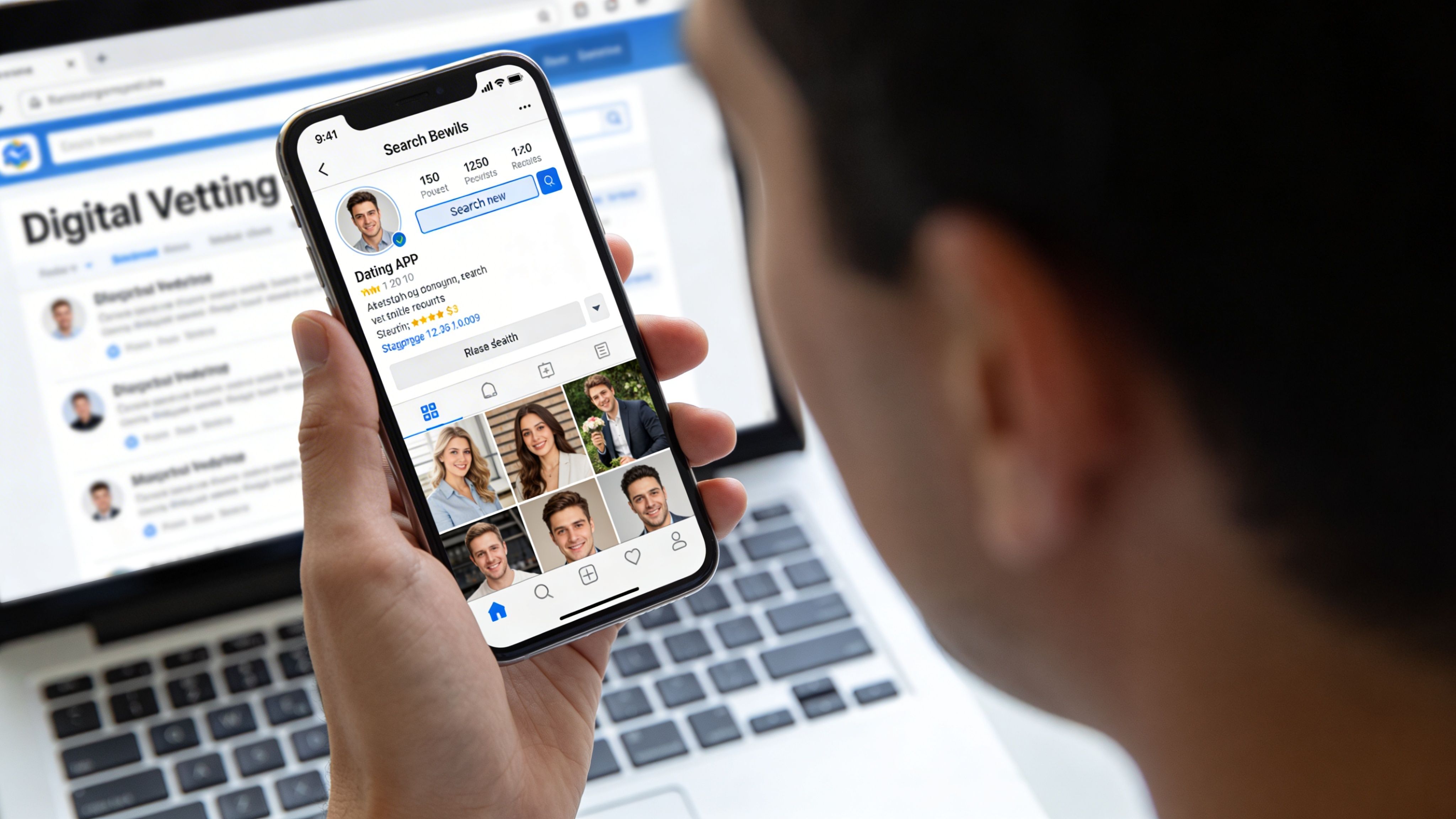
That matters because people make decisions from fragments. A hiring manager may see an old forum post before they ever see your portfolio. A person on a dating app may reuse the same photo, bio language, and username across platforms. A scammer may build credibility by stitching together harmless public details into a convincing identity.
Digital footprints shape real outcomes
The stakes are practical.
- Job prospects: Old posts, visible aliases, and neglected profiles can distort your professional image.
- Personal safety: Public clues can help you spot catfishing, romance scams, or identity impersonation.
- Financial risk: Exposed email addresses, usernames, and broker listings can make identity theft easier.
Awareness of this has changed sharply. As of 2007, only 22% of adult internet users had searched for information about themselves online. Today, that awareness has more than doubled to 47%. With 5.45 billion global internet users spending an average of 6.5 hours online daily, the scale of data being created is immense (Pew Research).
What a footprint includes
Most beginners think “digital footprint” means social media. That is too narrow.
A useful investigation treats a footprint as a mix of:
- Active identity data: Profiles, posts, comments, bios, reviews
- Semi-public artifacts: Old PDFs, event pages, resumes, cached mentions
- Behavioral traces: Reused usernames, writing style, time patterns, communities joined
- Third-party aggregation: People-search sites, broker listings, breach exposure
The most important shift is mental. Stop asking, “Can I find their Facebook?” Start asking, “What identifiers connect this person across systems?”
Practical rule: One data point is a clue, not a conclusion. A real footprint emerges when several independent clues line up.
If you want a broader view of where this is heading, this piece on the future of digital identity and how your online footprint might evolve is a useful companion.
The Core Investigation Search Engine Mastery
A real search usually starts with a weak clue.
A seller uses one username on a marketplace. A forum comment exposes part of an email address. A profile photo appears polished but oddly generic. At this stage, search engines are not for finding a final answer. They are for testing whether one identifier connects to anything else, and whether those connections hold up under scrutiny.
Treat search like triage. Start with the identifier that is least likely to be invented and most likely to repeat across systems. Email addresses, usernames, phone numbers, and profile images usually produce cleaner pivots than a common full name. Names still matter, but names alone create noise, especially with people who share a city, school, or employer.
Start with exact-match and narrowing operators
Search engines still surface pages that platform search misses, old pages that users forgot about, and documents that reveal more than a profile bio ever will.
Use a tight set of queries first:
- Exact name match:
"First Last" - Name plus context:
"First Last" cityor"First Last" employer - Username search:
"rarehandle123" - Email search:
"name@example.com" - Phone search:
"5551234567"and formatted variations - Site restriction:
site:linkedin.com "First Last" - File search:
"First Last" filetype:pdf - Text search inside pages:
intext:"First Last"
Precision beats volume. Fifty vague results waste time. Three well-matched results can identify the right person, or rule them out.
| Operator | Best use | Example |
|---|---|---|
"quotes" | Exact strings | "Jane Doe" |
site: | Limit to one platform or domain | site:reddit.com "Jane Doe" |
filetype: | Find resumes, PDFs, docs | "Jane Doe" filetype:pdf |
intext: | Find mentions inside page content | intext:"Jane Doe" |
inurl: | Find usernames in URLs | inurl:jdoe92 |
One caution from field work. Search operators are not equally reliable across every engine, and some platforms block or suppress indexing. If a query should work but returns nothing, change the engine, shorten the query, or remove one qualifier before assuming the trail is dead.
Search for documents, not just profiles
Profiles are curated. Documents are often careless.
A PDF resume may list a city, graduation year, certification number, or old employer. A conference agenda can confirm a niche specialty. A school newsletter might tie a legal name to a nickname. These details help separate one John Smith from another without guessing.
Useful queries include:
- Resume or CV:
"First Last" filetype:pdf - Portfolio mention:
"First Last" site:behance.net - Forum history:
"username" site:reddit.com - Old bios:
"First Last" intext:"about me" - Professional directory pages:
"First Last" company name
Save the exact query that produced a useful result. Reproducibility matters. If you cannot repeat the search and reach the same page again, the finding is weak and harder to defend later.
Reverse lookup is where weak clues become usable
The strongest leads often come from reverse searching an identifier across multiple services. An email address, handle, or phone number can expose account reuse patterns that a name search would never catch.
That approach works because people reuse fragments of identity. The same handle appears on a gaming forum and an Instagram account. An old email shows up in a cached portfolio page. A phone number ties a marketplace listing to a business directory entry. None of those clues proves identity on its own. Together, they can establish continuity.
A practical manual workflow looks like this:
Start with the seed
Search the email, phone number, or username in quotes exactly as written.Test direct matches
Look for profile pages, comments, cached bios, old account pages, and public directory entries.Try known variations
Add dots, underscores, year numbers, shortened names, and common swaps such asalex.ross,alexross92, ora_ross.Check for corroboration
Match city, occupation, hobbies, posting times, writing style, linked sites, or reused photos.Record uncertainty
Mark findings as confirmed, likely, or unverified. That discipline prevents bad merges between two different people.
Image checks help here too. A repeated headshot can confirm account continuity, while a stock photo or widely copied image can expose a fake persona. If you need that workflow, this guide to reverse image search for people fits naturally into the search phase.
What wastes time, and what causes mistakes
Common errors are predictable.
Searching only a name produces noise. Trusting one matching username creates false positives, because handles get copied, recycled, and sold. Treating the top result as the right result confuses ranking with proof. Ignoring dates can tie a current investigation to an old owner of the same phone number, domain, or alias.
Another mistake is collecting results without ranking their evidentiary value. A public PDF from a university domain usually carries more weight than an unverified social account. A profile that matches on username, city, and profile image is stronger than one that matches on username alone.
The output of this phase should be a shortlist of candidate identities and tested pivots. It should not be a final conclusion. In OSINT work, speed helps, but clean attribution matters more.
Platform-Specific Deep Dives Where to Look
Once you have a few identifiers, generic searching loses value, making platform logic very important. Different platforms expose different kinds of truth. Social networks show relationships and habits. Professional networks show career continuity. Gaming communities reveal long-term aliases. Forums expose tone, niche interests, and unfiltered history.

Social platforms reveal identity consistency
Facebook, Instagram, TikTok, X, and similar platforms are useful for consistency checks.
You are looking for overlap in:
- profile photos
- bio phrases
- location references
- friend or follower overlap
- recurring usernames
- posting cadence
- visible events, pets, workplaces, or hobbies
A dating profile that says “travels constantly” may connect to an Instagram with local routines that tell a different story. A seller claiming to be in one city may post neighborhood-specific content from another. A “new” account may have recycled photos from an older profile elsewhere.
Do not just read the profile page. Check:
- tagged photos
- comments left on public posts
- old usernames in profile URLs
- public likes or group memberships, where visible
Professional networks give cleaner identity anchors
LinkedIn and professional directories tend to be less noisy because people tie them to jobs and reputations. That makes them useful anchors, but not perfect truth machines.
A profile can still be exaggerated, abandoned, or selectively edited.
What you want from a professional profile is corroboration:
| Signal | Why it matters | Common mistake |
|---|---|---|
| Job history | Establishes timeline continuity | Assuming every title is verified |
| City or region | Helps disambiguate common names | Ignoring relocations |
| Connections and endorsements | Shows community overlap | Treating them as proof of character |
| Activity and comments | Reveals recent engagement | Missing that the account is dormant |
Look for matching details that can travel across platforms. A niche certification, volunteer role, old university club, or industry event mention can connect a professional profile to a forum account or personal site.
Gaming profiles are stronger than many people expect
Gaming identities are sticky. People reuse gamertags for years because rank history, friends, purchases, and reputation accumulate around them.
That makes gaming communities useful when you are auditing exposure, checking for impersonation, or tracing an alias across subcultures.
Look for:
- Steam handles
- Xbox or PlayStation usernames
- Discord display names
- Twitch or streaming aliases
- tournament brackets
- forum signatures
- modding communities
Gaming accounts often bridge into other spaces through shared avatars, voice chat names, merchandise usernames, or linked social channels. A handle on Steam may lead to a Reddit account. That Reddit account may reference a city, school, or relationship detail. That clue may then line up with a public profile elsewhere.
If social-platform hunting is your main concern, finding a person on social media is the closest adjacent workflow.
Investigator habit: Treat a gamertag like an email address. It is often more durable than a display name.
Forums and Reddit expose the person behind the polished profile
Forums are where people forget they are building a long-term record. Reddit, niche boards, Q&A sites, hobby communities, and old discussion forums can be revealing because users speak more casually there.
A forum history can expose:
- repeated cities or local events
- relationship status changes
- technical interests
- health issues
- travel habits
- work frustrations
- buying and selling activity
- ideological patterns
This does not mean every forum post is fair game for judgment. It means forums are useful for verification because people often reveal details they do not repeat on polished profiles.
Follow identifiers across subcultures
Mastering one platform is not the key skill. Learning how identities leak between them is.
A common trail looks like this:
- A dating profile provides a first name and one photo.
- The same photo appears on Instagram.
- The Instagram bio links to a Twitch channel.
- The Twitch alias matches a Steam profile.
- The Steam username appears in an old forum account.
- The forum account mentions a city and employer that confirm the LinkedIn profile.
None of those clues alone proves identity. Together, they usually tell you whether you are looking at one person, a copycat, or a fabricated persona.
Using Advanced Tools and Breach Databases
Manual searching teaches judgment. It also misses things.
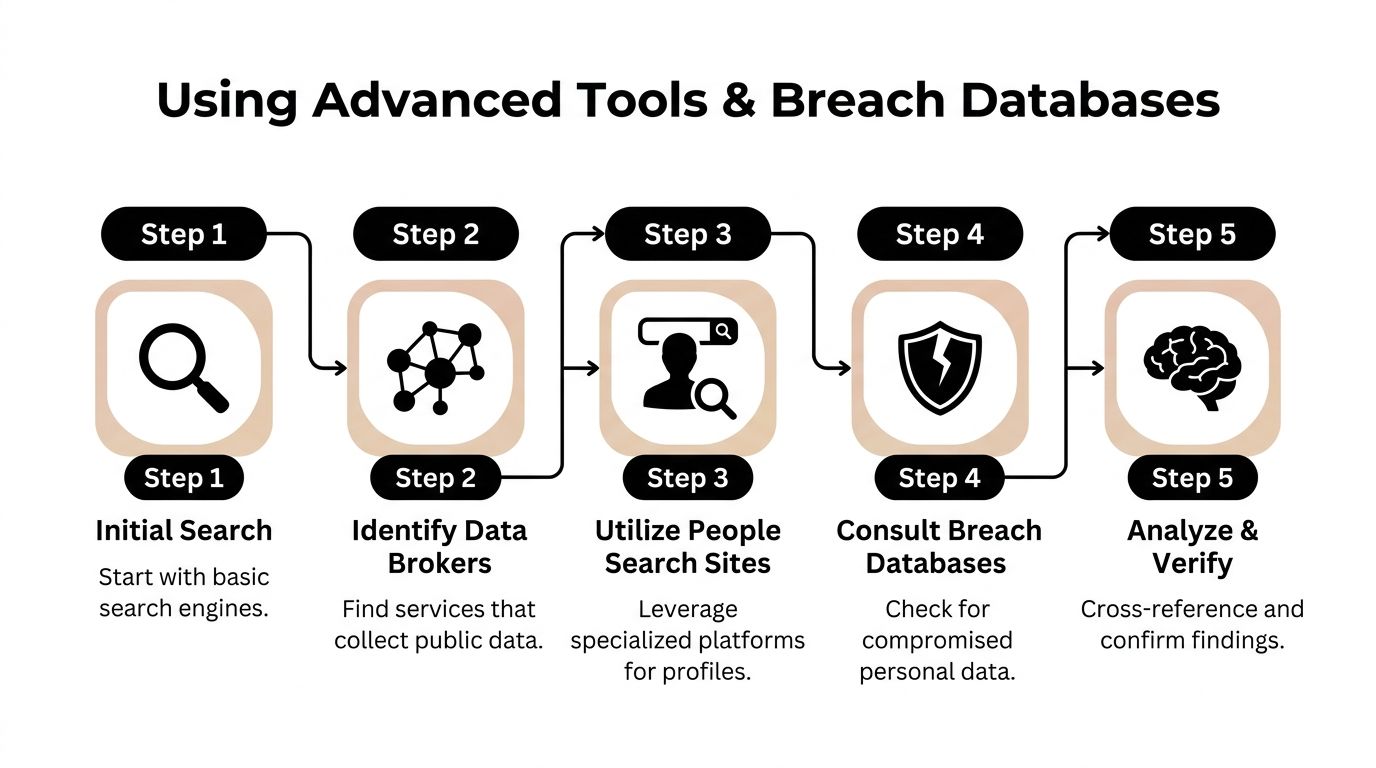
People do not leave data in neat, searchable rows. Their information gets copied into broker databases, scraped into people-search sites, reused in forgotten account registrations, and exposed in breach records that never appear in ordinary search results. If you stop at search engines and platform browsing, your picture will often be incomplete.
Data brokers and people-search sites
Data broker sites aggregate public and semi-public information into one profile. They are useful because they collapse scattered records into something searchable. They are dangerous for the same reason.
Modern digital footprint discovery tools scan over 500 platforms, including social networks, data brokers, public records, and gaming profiles. Specialized search operators like ‘intext:’ and ‘filetype:’ are used to find specific personal information, while data broker sites like PeekYou and Spokeo aggregate details like names, ages, and addresses in one place (Digital Footprint Check).
Common sources in this category include:
- PeekYou
- Spokeo
- Radaris
- Pipl
- other people-search and public-record aggregation services
These sites are useful for leads, not certainty. Broker data can be outdated, merged incorrectly, or attached to the wrong person with the same name.
Breach databases answer a different question
Search engines tell you what is public. Breach databases tell you what has been exposed.
If you have an email address, checking whether it appears in known data breaches can reveal:
- old account relationships
- services the person used
- whether the identity has a wider exposure problem
- whether a “private” email is tied to many public traces
Have I Been Pwned is the best-known public check for this type of lookup. It is useful for self-audits and for confirming whether an email has appeared in breach records.
If your priority is email exposure, use a dedicated free data breach checker before you make assumptions from scattered web results.
Automation changes the scope of the search
There is a point where manual searching becomes inefficient. That point arrives quickly when you have more than one identifier or when you want breadth across social, gaming, public-record, and broker environments.
A platform such as Digital Footprint Check can automate much of that discovery process by scanning many platforms across social media, public records, gaming profiles, and other public sources, then organizing the results into a single view based on a username, email, or related identifier. That is useful when you need coverage that manual searching will not reliably provide.
The trade-off is straightforward:
| Approach | Strength | Weakness |
|---|---|---|
| Manual search | Better judgment and context | Slow, easy to miss hidden trails |
| Broker search | Fast lead generation | Can contain stale or merged data |
| Breach lookup | Strong for exposure mapping | Limited to breach-related evidence |
| Automated scanning | Broad discovery across many sources | Still requires human verification |
What to trust and what to question
Automated tools are good at surfacing candidates. They are not good at making nuanced identity calls on their own.
Be skeptical when:
- the name is common
- the location is missing
- usernames differ slightly
- data appears old or recycled
- a broker profile contains too many unrelated age ranges or relatives
Be more confident when multiple independent systems match on unusual details, such as the same username pattern, the same region, the same recovery email clues, the same avatar style, or the same long-used alias.
Key takeaway: Advanced tools help you find more. They do not remove the need to verify who the data belongs to.
Assembling the Puzzle Verifying and Documenting Findings
Collecting clues is the easy part. Sorting truth from coincidence is the critical work.
Many bad digital footprint investigations fail for one reason. The investigator falls in love with the first plausible match. That is how you confuse two people with the same name, attach the wrong Reddit account to the wrong LinkedIn profile, or mistake a copied avatar for a real identity link.

Verify with clusters, not single matches
A digital identity is strongest when it is supported by a cluster of details.
Good corroboration usually combines several of these:
- location references
- job or school history
- consistent usernames
- profile photos or avatars
- mutual contacts or community overlap
- posting times and language style
- linked websites or bios
One matching detail means little. Three or four related details from separate sources mean much more.
Build a timeline
A timeline solves many identity problems.
People change jobs, cities, usernames, profile photos, and relationship status. A result that looks wrong today may fit perfectly when placed in time. An old gaming forum account might connect to a current professional profile through an old city, a graduation year, or a persistent handle.
In a forensic audit, metadata extraction from images and documents can reveal geolocation and edit timestamps, which can be correlated with login IPs and recovery emails. While automated SaaS tools can achieve 95% coverage with under 5% false positives, over 50% of manual investigators miss timeline gaps from deleted data (YouTube reference).
You do not need advanced forensics for every search, but the principle matters. Dates often decide whether a match is valid.
A simple documentation method
Use a basic working log. Keep it tidy.
Record the source Save the exact URL, profile name, and date viewed.
Note the identifier found Username, email fragment, location, employer, image match, or quote.
Write why it matters Say what it confirms or what it might connect to.
Mark confidence level Possible, probable, or strongly corroborated.
This is more useful than screenshots dumped into a folder with no context.
A practical way to keep searches organized is with a structured user search workflow so each clue stays tied to the identifier that produced it.
Red flags for false positives
| Warning sign | Why it misleads |
|---|---|
| Common full name | Can connect unrelated profiles |
| Shared city only | Too weak by itself |
| Similar but not exact username | Often coincidence or impersonation |
| Reused stock or stolen photo | Common in scams and fake accounts |
| Broker listing with mixed relatives or ages | Possible merged record |
Tip: If you cannot explain why two records belong to the same person in one clean sentence, do not merge them yet.
Ethical and Legal Guardrails Navigating with Integrity
A search can start with a public username and end with a home address, relatives, old forum posts, and breach exposure. That is exactly why method matters as much as skill.
OSINT is the practice of collecting and verifying information from lawful, publicly accessible sources. The line is not blurry in the ways beginners often assume. Public does not mean permission to harass. Discoverable does not mean safe to share. A legitimate investigation stays tied to a clear purpose, uses proportionate methods, and avoids causing avoidable harm.
What lawful OSINT looks like
Common examples include:
- reviewing search engine results and cached public pages
- checking public social media profiles and forum histories
- searching public records and people-search aggregators
- examining metadata in files you obtained lawfully
- using breach notification services and public breach-check tools
The test is simple. You can access the information without bypassing a barrier, without pretending to be someone else, and without pressuring a person into revealing more than they chose to make public.
What crosses the line
Some methods are not OSINT at all. They are intrusion.
Do not:
- access accounts without permission
- guess or reuse passwords
- use phishing, pretexting, or fake personas to pull information
- buy, swap, or test stolen credentials
- install stalkerware, spyware, or hidden trackers
- evade a platform’s access controls or technical restrictions
I tell new investigators to treat this as an evidence-quality issue as well as an ethics issue. Information gathered through deception is more likely to be incomplete, misleading, or unusable if the situation later reaches an employer, platform trust team, attorney, or law enforcement.
The legal question is usually context
Privacy law does not only apply to large companies. It can affect freelancers, internal investigators, landlords, hiring teams, and anyone compiling personal data into a profile or report. If you collect sensitive details, store them carelessly, or share them beyond the original purpose, risk rises fast.
That is especially true when minors are involved. Research into social media’s impact on mental health is a useful reminder that exposure is not just a privacy problem. It can become a safety and wellbeing problem.
A practical integrity check
Before collecting, saving, or sharing anything, ask four questions:
- What legitimate purpose does this serve?
- Is this source public, and did I access it lawfully?
- What harm could follow if I am wrong?
- Who needs to see this finding?
If you cannot answer those clearly, pause and reconsider the search.
Good OSINT connects scattered clues without crossing into surveillance, intimidation, or doxxing. The goal is to reduce uncertainty and risk, not to win access to information you were never entitled to collect.
From Discovery to Action Managing Your Digital Identity
Finding a footprint is not the finish line. It is the decision point.
If you searched yourself, your next move is remediation. Remove what you can. Tighten what you keep. Monitor what you cannot fully control.
If the footprint is yours
Focus on the parts you can change directly:
- Delete or deactivate old accounts: Dormant profiles become attack surface.
- Request broker removals: Start with the most visible people-search listings.
- Update privacy settings: Reduce public visibility on social platforms and old community accounts.
- Untangle identities: Separate professional, personal, dating, and gaming usernames where possible.
- Review old files and bios: PDFs, portfolio pages, and forum signatures often leak more than current social profiles.
If you are researching someone else
Use the information for a legitimate purpose. That might mean verifying a dating profile, checking for impersonation, reducing a scam risk, or understanding whether a professional contact is who they claim to be.
It should not mean public shaming, doxxing, retaliation, or sharing sensitive findings casually with others.
Make monitoring a habit
Digital footprints keep changing. New mentions appear. Old breaches resurface. Fresh profiles get created. Data brokers repopulate removed records.
That matters for adults, but it matters for families too. The emotional side of online exposure is easy to overlook. If you are thinking about younger users in your household, this overview of social media’s impact on mental health is worth reading because digital exposure is not only a privacy issue. It can also affect anxiety, comparison, and self-image.
The best long-term approach is simple. Audit, reduce, monitor, repeat.
If you need a starting point, visit www.digitalfootprintcheck.com/free-checker and run an initial scan. Use what you find to clean up old accounts, track exposure, and decide which identifiers need the most attention.
Run a scan with Digital Footprint Check if you want a faster view of where an email, username, or public identity appears online. It is a practical first step for checking your own exposure, spotting hidden profiles, and finding the public traces you may want to remove or monitor.