· Digital Footprint Check · Content Marketing · 21 min read
A Practical Guide to Remove My Information From the Internet
Discover how to remove my information from internet with practical steps to erase data, stop brokers, and protect your privacy.

Trying to remove your information from the internet can feel like an impossible task. That’s because your data is being actively collected, packaged, and sold by a vast, interconnected network of data brokers, social media platforms, and public record aggregators. This isn’t just about privacy; it’s about protecting yourself from real-world threats like identity theft, romance scams, and even risks to your personal safety.
Your personal details—from your home address and phone number to your gaming profiles and dating history—are a valuable commodity, legally traded behind the scenes. Understanding this digital ecosystem is the absolute first step to taking back control of your online identity.
Why Your Personal Data Is Everywhere
Ever wonder how your phone number, home address, or even details about your family ended up on some random website you’ve never heard of? It wasn’t an accident. Every time you sign up for a store loyalty card, enter a contest, or even just browse the web, you’re leaving a trail of digital breadcrumbs.
This collection of data points is your digital footprint. It includes everything from your social media posts and gaming account details to public records like property ownership and voter registration. Alone, a single piece of data might seem harmless, but when OSINT (Open Source Intelligence) tools combine all those pieces, they paint a surprisingly detailed picture of who you are. To learn more, check out our detailed guide on what a digital footprint is and see just how quickly these traces pile up.
The Data Broker Industry: How Your Identity is Bought and Sold
At the heart of this whole system are the data brokers. These are companies whose entire business model is built on gathering your personal information from thousands of sources, bundling it into detailed profiles, and selling it to other companies for marketing, risk assessment, and identity verification. It’s a massive, multi-billion dollar cybersecurity risk that most people don’t even know exists.
They pull information from places like:
- Public Records: Court documents, property records, and marriage licenses are often publicly accessible and easy for them to scrape in bulk.
- Commercial Sources: Warranty cards, mailing lists, and store loyalty programs are gold mines for your contact details and purchasing habits.
- Online Activity: Your social media profiles, forum posts, gaming accounts, and even website cookies all contribute to the profile that brokers are building on you.
This means that even if you’re careful online, your information is almost certainly being bought and sold without your direct knowledge or consent, fueling everything from targeted ads to sophisticated scams.
The Real-World Impact on Your Life and Safety
This isn’t just some abstract privacy issue; it has tangible consequences that can affect your real life, job prospects, and personal safety. For instance, a surprising 70% of employers now use social media to screen candidates during the hiring process. An old, unprofessional photo from a gaming forum or a careless comment you’ve long forgotten about could easily cost you a job opportunity.
Your digital footprint is no longer just a record of your online activity; it’s a key part of your modern resume, your dating app verification, and your personal security risk assessment.
Beyond just getting a job, your exposed data can impact your life in other serious ways:
- Personal Safety: Publicly available home addresses and phone numbers put you and your family at risk of stalking, doxxing, or harassment.
- Identity Theft and Financial Scams: Scammers use leaked information to craft convincing phishing attacks, which can lead directly to identity theft and financial loss. Statistics show that identity theft cases have skyrocketed, costing victims billions annually.
- Online Dating Safety: Catfishing and romance scams thrive on the personal details people find online. A scammer can use your public information to build a fake profile, making it harder to trust new connections and increasing your vulnerability. For example, a romance scammer might use your mother’s maiden name or pet’s name, found online, to guess your security questions.
Auditing Your Digital Footprint Like a Pro
Before you can start scrubbing your information from the internet, you first need a clear map of what’s actually out there. A quick Google search of your name is a start, but it’s just scratching the surface. To really get a handle on your exposure, you need to think like an OSINT investigator and perform a deep, thorough audit of your digital footprint.
This isn’t just about finding your main social media profiles. It’s about uncovering those old gaming accounts you forgot about, finding random mentions on obscure forums, and seeing exactly what data brokers have scraped together about you. This is the essential first step to taking back control and managing your online reputation.
Beyond a Basic Search: Using OSINT Techniques on Yourself
First things first, you need to move beyond standard search techniques. Using advanced operators—simple commands you add to your search—is key to refining your results. For example, putting your full name in quotation marks (like “Jane Doe”) forces the search engine to look for that exact phrase, immediately filtering out a ton of irrelevant noise.
Try this with your usernames (especially old gaming handles), email addresses, and phone numbers, too. It’s a simple OSINT trick, but you’ll be surprised at what pops up—old forum accounts, decade-old newsletter sign-ups, you name it. This method is often how people first discover their contact details are plastered all over data broker sites.
This is a huge problem because of how easily data travels online. The flowchart below gives you a sense of how your personal information can get from point A (you) to point B (the entire web), often without you ever realizing it.
As you can see, once you share information in one place, third-party companies can easily collect it, package it, and spread it across the internet, creating a significant cybersecurity vulnerability.
Your Digital Footprint Audit Checklist
To make this process less overwhelming, it helps to have a structured plan. The checklist below breaks down the major areas you need to investigate to get a complete picture of your online presence. Think of this as your roadmap for the audit.
| Information Source | Where to Look | What You Are Searching For |
|---|---|---|
| Search Engines | Google, Bing, DuckDuckGo | Your full name (in quotes), common misspellings, usernames (including old gaming handles), email addresses, phone numbers, home address. |
| Social Media | Facebook, X (Twitter), Instagram, LinkedIn, TikTok, Reddit, Pinterest | Search for your name and usernames. Look through tagged photos and posts you’ve been mentioned in. Check your privacy settings. |
| Old/Forgotten Accounts | Username checkers (e.g., Namechk), old email accounts | Search for old usernames you used to use on gaming sites, forums, or dating apps. Check your email archives for “welcome” messages. |
| Images & Videos | Google Images, TinEye, YouTube, Vimeo | Use reverse image search with your profile pictures to detect potential catfishing profiles. Search for your name on video platforms. |
| Data Brokers | Spokeo, Whitepages, BeenVerified, MyLife, Intelius | Search for yourself to find detailed profiles containing your address history, phone numbers, relatives, and more. This is crucial for identity theft prevention. |
| Public Records | County clerk/court websites, property records databases | Look for your name in court records, property deeds, business registrations, and voter registration lists. |
| Forums & Comments | Search engine queries like "Your Name" + "forum" or "Your Username" + "comment" | Find old discussions you participated in or comments you left on blogs and news articles years ago. |
| Data Breaches | Have I Been Pwned? | Check your email addresses to see which of your accounts have been compromised in known data breaches, a key step in cybersecurity. |
Using this checklist will give you a systematic way to uncover data you might have otherwise missed. Keep a running list or spreadsheet of every link and piece of information you find—this document will become your action plan for the removal phase. For a more detailed walkthrough, you can follow a complete guide on how to conduct a personal online audit.
Taking Down the Data Brokers
Once you’ve mapped out your digital footprint, the next big fight is with the data brokers. Think of these companies as the wholesalers of the data economy. They scrape up your personal details from public records, social media, and your purchase history, then package it all up and sell it to anyone who will pay—all without you ever clicking “I agree.”
Taking them on feels like a monumental task, but it’s a critical step in clawing back your online privacy and preventing identity theft.
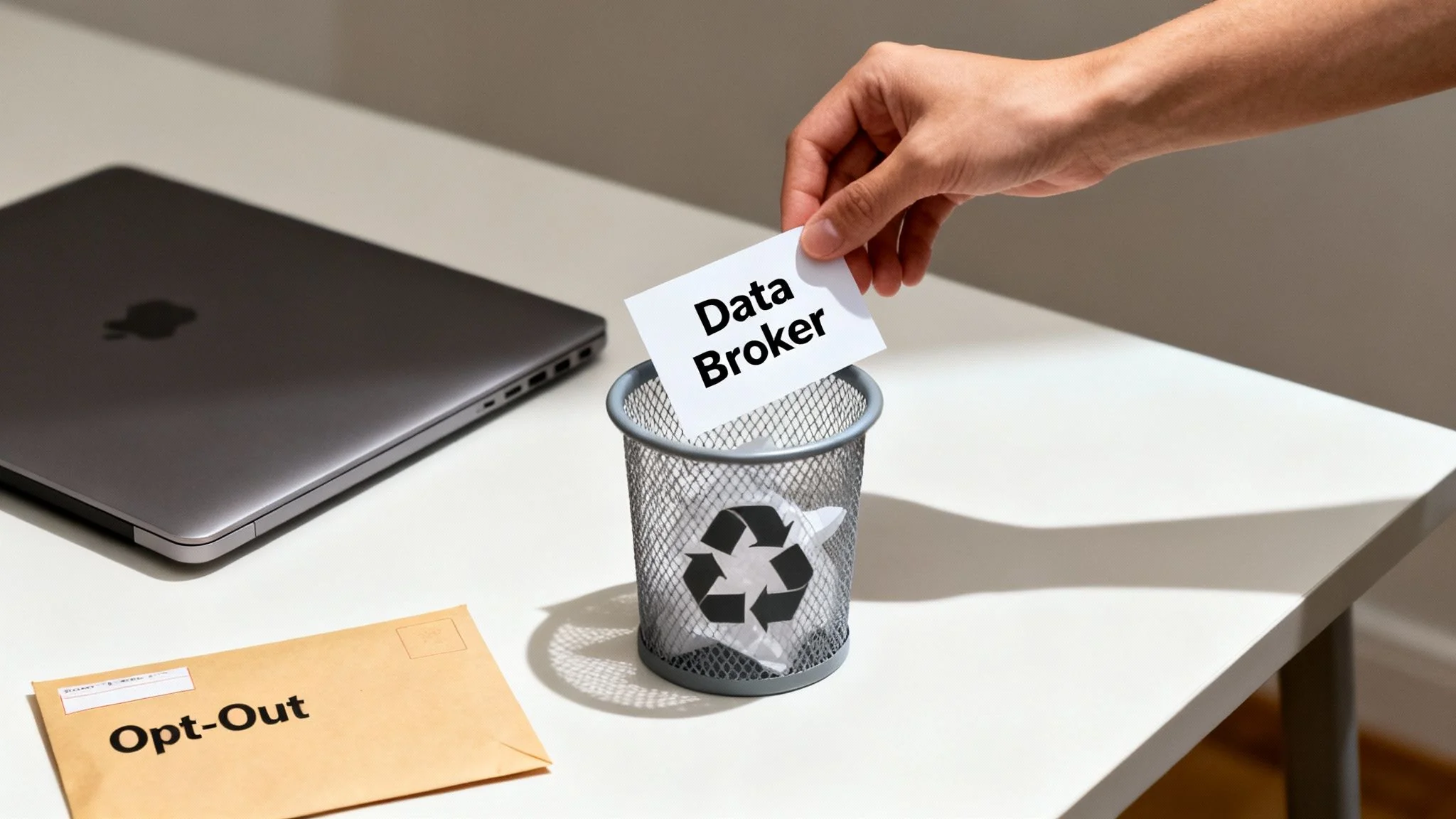
The sheer scale of this industry is staggering, and people are rightfully concerned. We’ve reached a point where over two-thirds of consumers feel that big tech has far too much control over their personal data. It’s not just a feeling; it’s reality. A shocking 72.6% of iOS applications track your data, often with vague consent buried deep in a privacy policy nobody reads.
Identifying the Major Players
The first hurdle is just figuring out who these companies are. There are hundreds of them, but a handful of giants hold the lion’s share of the data. Your best bet is to target these big players first to make the biggest dent in your public exposure.
A good starting list includes:
- Acxiom: A massive data aggregator that’s been in the game for decades, mainly serving marketers.
- Spokeo: One of the most well-known “people search” sites that builds surprisingly detailed profiles.
- Whitepages Premium: The paid version of the directory service, which often includes cell phone numbers and past addresses.
- BeenVerified: Another aggregator that pulls from public records, social media, and other online sources.
- Intelius: An older people-search service that provides background checks and contact information.
Manually finding every broker with your info is a slog. For a more exhaustive approach, our guide on how to find what data brokers have on you offers advanced techniques and a longer list of companies to tackle.
Navigating the Opt-Out Maze
Here’s the frustrating part: there’s no universal “unsubscribe” button. Every broker has its own opt-out process, and many of them are deliberately confusing. Some offer a simple online form. Others will make you mail a physical letter or even demand a copy of your driver’s license to “verify” your identity.
Be prepared for a long game that demands patience. Some brokers make it easy, but most are betting you’ll get frustrated and give up halfway through their convoluted process.
This is where organization becomes your best weapon. I recommend a simple spreadsheet to track which brokers you’ve contacted, the date you sent the request, the method you used, and any confirmation number you receive. It’s the only way to stay sane and follow up effectively. A free scan at www.digitalfootprintcheck.com/free-checker can automate this discovery step and give you a checklist to start with.
Using Privacy Laws to Your Advantage
Your removal requests have more teeth when you cite actual privacy laws. Regulations like the California Consumer Privacy Act (CCPA) and Europe’s General Data Protection Regulation (GDPR) give you the legal right to ask for your data to be deleted.
Even if you don’t live in California or Europe, mentioning these laws signals that you’re serious and know your rights. It often gets your request moved up the queue.
Here’s a straightforward template you can adapt for your emails:
Subject: Data Deletion Request Pursuant to Privacy Regulations
Dear [Data Broker Name] Privacy Team,
I am writing to formally request the permanent deletion of all personal information you hold related to me, pursuant to my rights under privacy laws such as the CCPA and GDPR. This is critical for my online identity protection.
My personal details are as follows:
- Full Name: [Your Full Name]
- Current Address: [Your Full Address]
- Previous Addresses: [List any relevant past addresses]
- Email Address(es): [Your Email Address(es)]
- Phone Number(s): [Your Phone Number(s)]
Please remove all associated data from your databases and confirm in writing once the deletion is complete. I do not consent to the sale or sharing of my personal information.
Thank you for your prompt attention to this matter.
Sincerely, [Your Name]
The Follow-Up Game
Sending the request is just step one. Don’t be surprised if some brokers flat-out ignore you, while others reply claiming they can’t find your profile. You have to be ready to follow up every few weeks until you get that written confirmation.
Remember, their entire business model relies on having your data. They have zero financial incentive to help you. In this fight, persistence isn’t just a virtue—it’s your most powerful tool.
Cleaning Up Search Results and Old Content
Getting your info removed directly from a data broker site is a great first step, but the job isn’t quite done. Just because the source is gone doesn’t mean the ghost has vanished from the internet. Search engines like Google and Bing are fast, but they don’t update in real time.
They often hold onto a cached version of a webpage—a snapshot saved on their servers. This snapshot can hang around in search results for days, sometimes even weeks, after the original post was deleted. This final cleanup phase is about making sure those digital ghosts are gone for good, a key part of reputation management.
Targeting Outdated Search Engine Content
This is where you can be proactive. Both Google and Bing have official tools to hurry this process along. You can’t ask them to take down content that’s still live on a website, but you can request the removal of a search result if the page it points to has already been changed or deleted.
It’s a straightforward process. For Google, you’ll head over to their “Remove Outdated Content” tool.
- Grab the URL of the page that used to have your information and plug it into the tool.
- Google’s system will then crawl the page to confirm that the specific content you’re targeting is actually gone.
- Once it confirms the change, the URL gets added to a removal queue. Usually, it disappears from search results within a day or two.
Bing has a nearly identical “Content Removal Tool” that works the same way. By submitting these requests yourself, you’re taking back control instead of just waiting for the search engine’s next crawl. For a deeper dive, check out our complete guide on how to remove personal information from Google.
Politely Contacting Webmasters
What if your name is buried in an old forum thread, a forgotten blog post, or a small local news article? This is where a little human decency and direct communication go a long way. Most people running smaller sites are reasonable and will honor a request to anonymize your name or remove a specific detail if you explain the situation.
The key is your approach. Avoid making demands or threats. A simple, respectful email is almost always more effective.
Pro Tip: Keep it short and make it easy for them. Give them the exact URL where your information appears and clearly state what you’d like changed. The less work they have to do, the more likely they are to help you out.
Here’s a simple template that works well:
Subject: Request to Remove Personal Information
Dear [Webmaster Name or “Site Administrator”],
I’m writing to request the removal of my personal information from a page on your website. My name is mentioned in an old post located at this URL: [Insert Exact URL].
For personal privacy and safety reasons, I would be grateful if you could remove my name from the article. Thank you for your time and understanding.
Sincerely, [Your Name]
Leveraging Legal Takedown Options
Sometimes, a polite request just doesn’t cut it. If you’re dealing with something like a photo of you being used without your permission, you can file a DMCA (Digital Millennium Copyright Act) takedown notice. This is a formal legal request sent to the website’s hosting provider, and it legally compels them to remove the copyrighted material.
For people in certain parts of the world, like the European Union, the “Right to be Forgotten” is another powerful option. This legal framework lets you ask search engines to remove links to personal information that is irrelevant, excessive, or no longer accurate.
If the information haunting your search results stems from a past criminal record, you have to tackle the problem at its source. Getting the record itself cleared is the only way to permanently solve the problem. Following a step-by-step guide to clear your record through expungement or nondisclosure is the most critical move you can make for a lasting cleanup.
Locking Down Your Social Media and Online Accounts
We give away an incredible amount of personal information on social media. While these platforms are great for keeping up with friends and family, their default settings are built for public visibility, not your personal privacy. Taking back control means doing a serious audit of what you’re sharing and who you’re sharing it with—this is vital for gaming account security and online dating safety.

Every online account you have—from your primary social profile to that gaming forum you forgot about a decade ago—is a potential liability. These dormant accounts are often locked down with old, weak passwords and contain personal details that are a rich source for identity thieves. If you really want to remove my information from internet searches, the first step is to stop feeding the beast with easily accessible data.
Tightening Your Privacy Settings
Think of your social media profiles like a digital storefront. It’s up to you to decide what goes in the display window and what stays locked up in the back room. You need to go through each platform’s privacy settings with a critical eye.
- Make Your Profile Private: This is easily the most powerful change you can make. On platforms like Instagram and X (formerly Twitter), going private means only approved followers can see what you post.
- Limit Post Visibility: Facebook has a great tool that lets you change the audience for all your past posts in one go. From here on out, set future posts to be seen only by “Friends” instead of “Public.”
- Control Tagging Permissions: Flip the switch that requires you to manually approve any photo or post you’re tagged in before it ever shows up on your profile.
- Remove Personal Identifiers: Go through your bio and profile sections and scrub any sensitive details. This includes your full birthdate, phone number, and specific location information, especially on dating apps.
Dormant accounts are not harmless digital relics; they are active security risks. Each one is a potential backdoor for hackers to access your personal data, especially if you reuse passwords across different services. This is a common vector for gaming account takeovers.
Data breaches are a constant threat, and those old, forgotten accounts are prime targets. In the U.S. alone, a shocking 67.7% of companies reported major data loss events in the past year, most of them driven by cyberattacks. You can find more stats on the scale of this problem over at Infrascale.com.
The Scorched Earth Approach to Old Accounts
While tightening your privacy settings is a solid move, deleting unused accounts is even better. This is what I call the “scorched earth” strategy for digital hygiene, and it’s the best way to shrink your digital attack surface.
Start by making a list of every online service you can remember signing up for. Think about old email providers, forgotten dating apps, decade-old gaming profiles, or e-commerce sites you only used once. Every one is holding a piece of your personal data.
Be careful if a service only offers a “deactivate” option. Deactivating an account often just hides your profile while leaving all your data on their servers. What you’re looking for is the option to permanently delete your account. This is the only way to be sure your information is scrubbed from that company’s system, and it’s a critical step in any serious effort to clean up your online presence. For more tips on this, check out our guide on social media clean-up steps.
Staying Private in a Public World
Getting your information removed from the internet is a major victory, but it’s only half the battle. Digital privacy isn’t a one-time cleanup project; it’s an ongoing practice. The real work begins when you shift from reacting to data exposure to proactively protecting your information from the get-go.
This means building new, privacy-conscious habits into your everyday online life. It’s all about creating a smaller, harder-to-hit target for data collectors, making sure your personal details stay personal. The goal is to make privacy your default setting, not an afterthought.
Adopting Proactive Privacy Habits
Start by thinking critically about every piece of information you share online. When a new app or service asks for your details, pause and ask yourself if it’s really necessary. This simple mindset shift is your first line of defense.
Even small changes can make a huge difference:
- Use Email Aliases: Instead of handing out your primary email address to every website, use a service that generates unique, disposable aliases for each signup. If one site gets breached, your main account remains untouched.
- Be Ruthless with App Permissions: Does that flashlight app really need access to your contacts and location? Probably not. Regularly audit the permissions on your phone and revoke anything that seems excessive.
- Choose Privacy-Focused Tools: Ditch the browsers and search engines that track your every move. Switching to options like DuckDuckGo and Brave offers a much more private way to navigate the web.
And while we’re focused on digital data, don’t forget about your physical devices. When it’s time to retire old hard drives, simply deleting files isn’t enough. For irreversible data removal, check out a guide to secure hard drive shredding.
Setting Up Your Own Watchdogs
You can’t watch every corner of the internet 24/7, but you can set up automated tools to do it for you. A Google Alert for your name is a simple, free, and surprisingly powerful way to get an email notification whenever you’re mentioned on a new webpage.
Think of it as an early warning system. It alerts you the moment your information appears somewhere unexpected, allowing you to tackle new exposures before they have a chance to spread.
The hard truth is that data breaches are a constant threat, not a rare event. Staying vigilant is non-negotiable for anyone serious about protecting their personal information online.
In 2025, data breaches remain a critical global concern. The average time it took to even identify and contain a breach was a staggering 241 days—giving attackers access to sensitive information for nearly six months. With over 4 billion records exposed in 2025 alone, ongoing monitoring is essential. You can dive deeper into these breach statistics on deepstrike.io.
Ultimately, protecting your digital life requires consistent effort. By combining these proactive habits with regular check-ups using a tool like the Free Checker from Digital Footprint Check, you can maintain control and stay one step ahead of potential threats.
Still Have Questions? Let’s Clear Things Up
Navigating the maze of online privacy brings up a lot of questions. As you start digging in and trying to reclaim your data, you’re bound to hit some confusing roadblocks or run into common myths. Let’s get you some clear, straightforward answers to the things people ask most often.
Can I Ever Completely Erase Myself from the Internet?
Let’s be realistic: achieving a true 100% digital disappearance is pretty much impossible. And that’s okay.
Certain things, like property deeds, court documents, and voter registration files, are public records by design. They’re meant to be accessible, and in our digital age, that means they live online. On top of that, old data can stick around for years in website backups and archives, long after the public-facing version is gone.
The goal isn’t to become a digital ghost. The real aim is to shrink your public footprint so that a casual search turns up next to nothing. This is how you boost your privacy and personal security.
How Long Does This Actually Take?
Patience is key here, because the timeline is all over the map.
An automated opt-out from a big data broker might take effect almost instantly. But sending a manual email request to the webmaster of some ancient forum you posted on? You could be waiting weeks just for a reply.
Once you get the source content taken down, you still have to nudge the search engines to remove their cached copies. That part usually takes anywhere from a few days to a couple of weeks. Following up is essential—many of these steps won’t happen without a little persistence.
You should never have to pay a website or data broker just to remove your own basic information. Privacy laws like the CCPA and GDPR give you the legal right to request deletion for free.
Sure, there are paid services that will manage this whole cleanup process for you, but the actual opt-out procedures with the brokers and site owners themselves are free. If a site tries to demand payment just to take down a public profile they created without your consent, be very skeptical.
Ready to see what information of yours is floating around out there? Our Digital Footprint Check is a powerful first step to auditing your online presence and starting the cleanup.
Get your free, instant scan and see what your digital footprint looks like today at www.digitalfootprintcheck.com/free-checker.


