· Digital Footprint Check · Content Marketing · 16 min read
Cyber Threat Detection: Finding Hidden Attacks in 2026
Explore how cyber threat detection uses AI and OSINT to uncover hidden attacks. Practical strategies for individuals, HR teams, and organizations.
The scale of cyber threat detection changed the moment scanning activity reached 993 billion detections in 2024, a 16.71% year-over-year increase worldwide, according to Fortinet’s 2025 Global Threat Landscape Report. That’s not a background number for security teams to admire. It means adversaries are probing exposed systems constantly, so detection now has to work like a live monitoring system, not a quarterly audit. Fortinet’s 2025 Global Threat Landscape Report
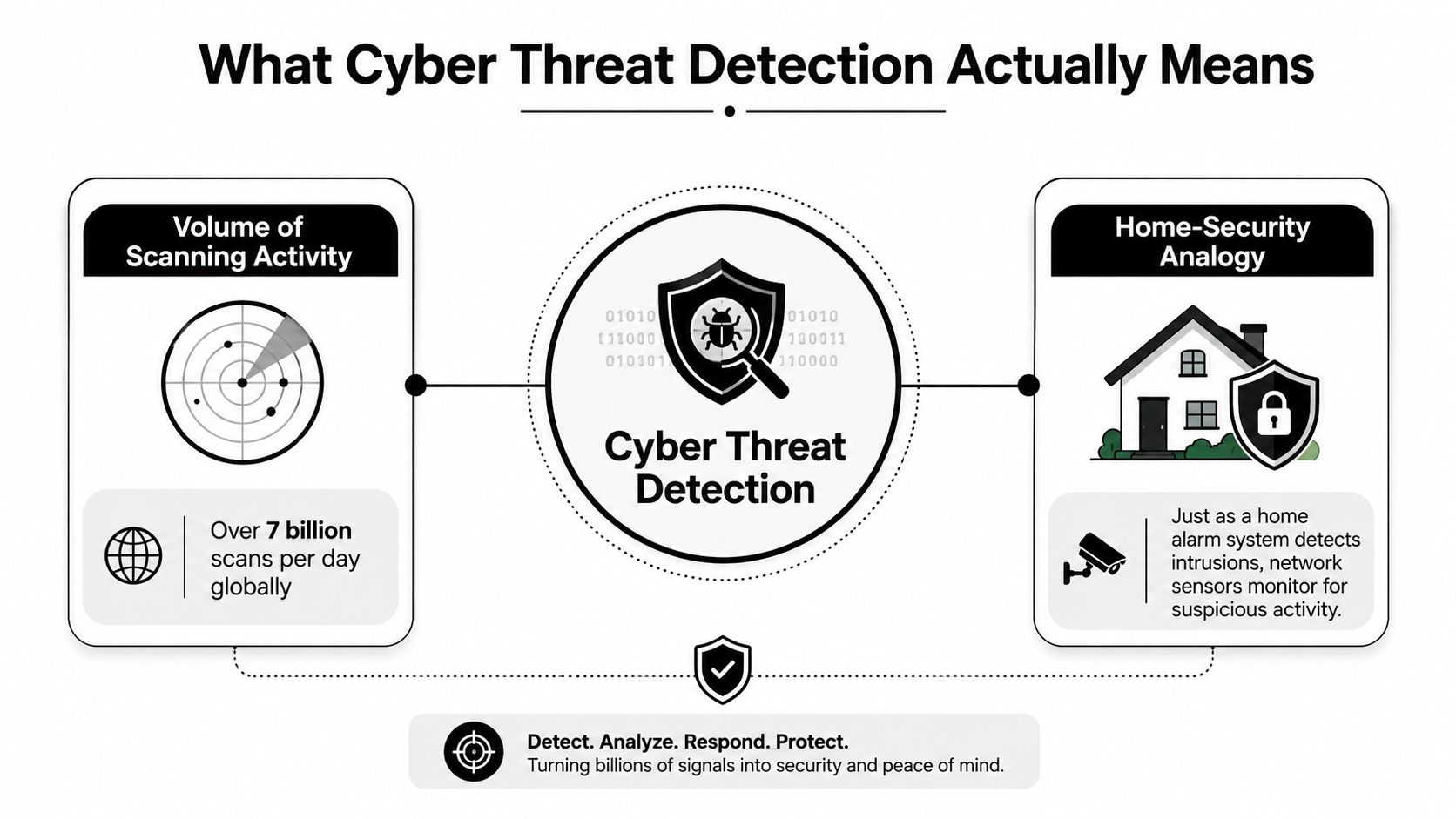
Cyber threat detection is the process of finding suspicious or malicious activity before it turns into damage. A home security system gives the clearest analogy. Cameras, motion sensors, and door contacts each catch different signs of intrusion, and none of them is enough alone. Detection works the same way, because defenders have to combine endpoint activity, identity logs, network telemetry, and email signals to recognize the full shape of an attack.
The best way to think about the job is simple. Prevention tries to stop an attack at the gate. Detection assumes something will get through and asks, “How fast can we see it, understand it, and contain it?” That difference matters because perimeter-only defense breaks down when attackers use stolen credentials, trusted accounts, cloud services, or ordinary-looking email to move inside a network.
For readers managing a business, a useful reference point is an MDR program such as the MDR guide for Dallas businesses. The value isn’t the label, it’s the model. Detection becomes a continuous practice of watching for weak signals, not a one-time scan that says everything is fine.
What Cyber Threat Detection Actually Means
Cyber threat detection starts with a basic truth, attackers don’t need to break every lock if they can find one open door. That’s why the volume of scanning described in Fortinet’s report matters so much. Security teams aren’t just defending their own perimeter, they’re defending against a constant wave of internet-scale probing that looks for exposed services, vulnerable systems, and configuration mistakes. Fortinet’s 2025 Global Threat Landscape Report
Why detection is more than blocking
A firewall can reject known-bad traffic, but it can’t explain everything that happens after a user logs in with stolen credentials or opens a malicious file. Cyber threat detection fills that gap by looking for patterns that indicate reconnaissance, compromise, escalation, and exfiltration. In practice, that means one alert might show a strange login, another might show a new process starting, and a third might show data leaving the environment. Alone, each alert is noisy. Together, they can reveal an intrusion.
Practical rule: if a control only tells you what it blocked, you still don’t know what got through.
That’s why detection is now central to cybersecurity. The modern environment is too distributed for perimeter defense alone to carry the burden. Laptops, cloud workloads, SaaS accounts, mobile devices, gaming profiles, and personal identities all create surfaces an attacker can touch. Detection is the layer that tries to connect the dots across those surfaces.
The home-security analogy that makes it click
Think of a house with smart cameras, motion detectors, and door sensors. A camera might notice someone lingering near the garage. A motion sensor might catch movement inside. A door contact might show forced entry. None of those devices solves the problem by itself, but together they give the homeowner enough context to act.
Cybersecurity works the same way. Endpoint sensors watch what software does. Identity logs show who authenticated and how. Network data shows where systems talked. Email metadata shows what entered the environment. A strong detection program brings those signals into one view so an analyst can tell whether an event is harmless, suspicious, or clearly hostile.
One reason this matters in smaller environments is that many teams assume detection starts after the full security stack is already deployed. It doesn’t. It starts with whatever visibility exists, then grows as more telemetry comes online. That’s the mindset behind practical managed services and also behind personal OSINT tools that uncover what’s already exposed about a person or company.
Major Detection Approaches and How They Work
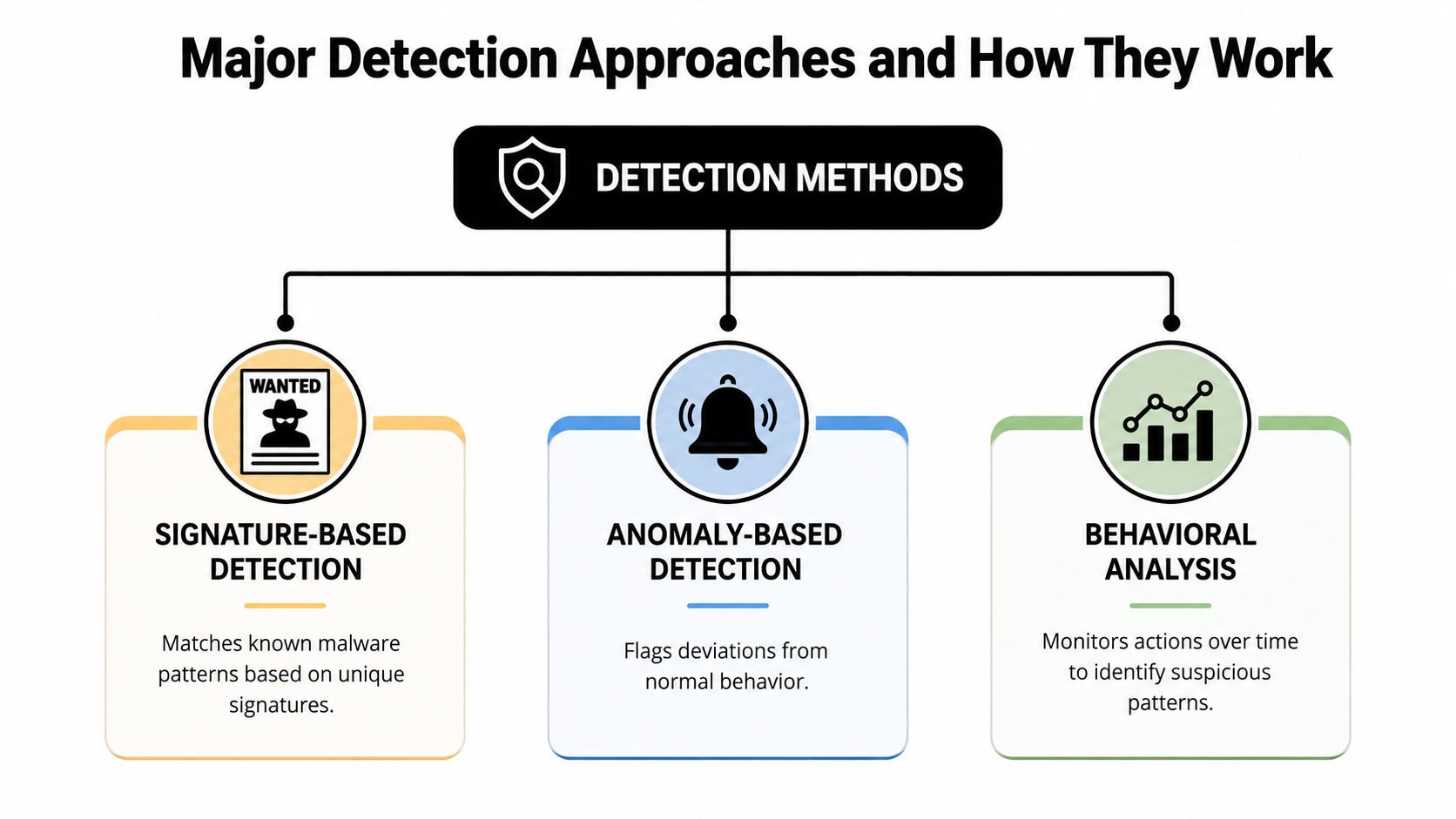
Detection methods evolved because attackers kept changing tactics. Simple tools worked when threats reused the same patterns. They struggled once adversaries began mutating malware, abusing legitimate tools, and hiding inside normal-looking behavior. Today’s systems usually blend three ideas, signature matching, anomaly spotting, and behavior analysis.
Signature-based detection
Signature-based detection is the oldest mental model. If you already know the shape of a threat, you can look for that exact shape again. A security product may recognize a known ransomware sample the same way a security guard recognizes a wanted poster. That’s fast and reliable for threats that have already been seen, but it won’t help much with something new or slightly changed.
Behavioral and anomaly-based detection
Behavioral analysis watches for actions that don’t fit normal patterns. A user account that usually accesses payroll files suddenly starts pulling large archives at odd hours. A workstation that normally only opens a few business apps begins spawning unusual processes. Those shifts don’t prove an attack on their own, but they’re strong clues that something is off.
AI and machine learning
AI-based detection expands the field of view by learning patterns across many signals at once. A systematic review of cyber threat detection methods found that approaches are often grouped into machine learning, deep learning, statistical analysis, static analysis, and other AI techniques, and it specifically reported that Random Forest was the most frequently used and consistently effective classification algorithm across the reviewed studies. Systematic review of cyber threat detection methods
That matters because different detection jobs require different tools. A known malware family may be caught by a signature. A strange data transfer may need behavior analysis. A novel phishing message may require language modeling to spot subtle manipulation. One AI review reported that AI-based systems improved threat detection by 78.5% versus traditional methods, achieved 93.7% accuracy for zero-day attack identification, and reached 94.3% accuracy for phishing detection using natural language processing. Review of recent cybersecurity AI studies
A useful way to remember the stack is this, signatures catch what’s already known, behavior catches what looks wrong, and AI helps generalize across the messy middle. A threat and incident manager has to balance all three because no single method covers every attack path. For readers who also care about supply-chain exposure, the same logic applies when checking interconnected systems through supply chain security monitoring.
For teams building this function into operations, the role definition for a Threat and Incident Manager shows how detection and response need to sit close together. Detection that never leads to investigation or containment is just noise.
Connecting the Signals That Reveal Real Attacks
A single alert rarely tells the full story. A failed login, a file change, or an unusual domain lookup might be innocent by itself. Real detection work begins when analysts connect those events into a chain that explains how an attacker moved from initial access to deeper control.
The signals defenders rely on
Endpoint telemetry shows what happened on the machine, including process creation, file changes, and registry modifications. Identity telemetry shows who authenticated and whether a session looked normal, including Windows events such as 4624, 4771, 4768, and 4769. Network telemetry shows where systems reached out, including DNS requests and traffic flows. Email telemetry adds sender and recipient IPs, subject lines, message IDs, attachment hashes, and URL indicators. ReliaQuest’s overview of key detection data sources
A broken window is only the start of an investigation. Fingerprints, camera footage, and witness statements make it meaningful.
That same burglary logic applies in cyber threat detection. One login from a strange location may not mean much. A login followed by privilege escalation, then unusual process execution, then outbound traffic to a new destination starts to look like an actual intrusion. Analysts care about the sequence because adversaries rarely stay at one stage.
Why correlation beats isolated alerts
Correlation engines do the hard work of stitching together separate clues. If an endpoint alert says a process started, an identity log says the account was just authenticated, and a network log says the host began reaching out to suspicious infrastructure, the combined picture is far more valuable than any one event. That’s why modern SOCs invest in unified analytics instead of expecting every alert to be self-explanatory.
The same thinking helps when visibility is partial. A small team might have endpoint logs but weak network coverage, or email alerts but limited cloud telemetry. In those cases, the right move isn’t to wait for perfect data. It’s to start correlating the sources that already exist, then expand coverage where the risk is highest.
A practical example is a phishing email that delivers a fake login page. Email metadata can show the message details, identity logs can show the compromised account, endpoint telemetry can show the browser process used during login, and network logs can show exfiltration or follow-on contact. Correlation turns those fragments into a coherent attack narrative.
For another detection lens, teams often compare correlated logs with external monitoring, such as dark web monitoring services, because credentials and personal data often surface outside the organization before internal tools catch the impact. That outside-in view is increasingly part of real incident work.
Enterprise Detection Versus Personal OSINT Tools
Enterprise detection and personal digital protection use the same logic, but they begin with different assets. A SOC watches systems, users, and data across a company. An individual watches a personal public footprint, leaked credentials, social profiles, and exposed accounts. Both are trying to answer the same question, what information is already visible, and what could an attacker do with it?
How enterprise teams collect intelligence
Cyber threat intelligence supports detection by pulling from open-source intelligence, dark web monitoring, threat feeds, vulnerability databases, internal logs, and network traffic, then turning that data into actionable insight. That broader method does not wait for one alert to fire. It gathers context from many places so analysts can decide what matters. Cyber threat intelligence guide
Personal OSINT tools use the same idea at the individual level. Digital Footprint Check searches exposed information across social media networks, data breach databases, gaming profiles, professional networks, and public records to show what is publicly accessible, as described on what OSINT is used for. That is not enterprise SIEM. It is a personal visibility layer, and it follows the same detection logic SOC teams already use.
Enterprise detection vs personal OSINT detection
| Detection Capability | Enterprise SOC Approach | Personal OSINT Approach |
|---|---|---|
| Threat collection | Threat feeds, vulnerability databases, internal logs | Breach database monitoring, public record checks, exposed profile discovery |
| Exposure discovery | Network telemetry, cloud logs, endpoint alerts | Search across social, gaming, and professional accounts |
| Identity analysis | Authentication events, privilege changes, account behavior | Digital footprint auditing across usernames, emails, and visible profiles |
| Context building | Correlate endpoint, network, email, and identity data | Correlate public data, leaked credentials, and profile consistency |
| Response trigger | Incident triage, containment, reset, escalation | Account cleanup, privacy hardening, password reset, verification |
The important takeaway is that detection does not belong only to large organizations. A job seeker can use it to understand reputational risk. A gamer can use it to find accounts exposed through old usernames. A parent or partner can use it to verify whether a profile belongs to the person it claims to represent.
That makes OSINT platforms practical instead of abstract. The same discipline that helps a SOC spot suspicious patterns can help an individual see what an attacker, recruiter, scammer, or impersonator might notice first.
Real-World Use Cases Across Everyday Digital Life
Cyber threat detection feels technical until it touches something personal. Then it becomes very concrete. A careless post, a reused password, or a fake profile can affect a job application, a relationship, or a gaming account just as surely as a malware alert affects a company laptop.
Job seekers and reputation checks
A candidate applies for a role and assumes the hiring team will only see the resume. That’s rarely true. Public social posts, old usernames, and searchable photos can shape the first impression long before an interview. A digital footprint scan helps a job seeker notice embarrassing or misleading content before a background check does, which gives them time to clean up profiles, tighten privacy settings, or correct public information.
HR professionals and resume fraud
HR teams face a different problem, identity claims that don’t line up. A candidate may present polished credentials, but open-web and OSINT checks can reveal mismatched employment histories, contradictory professional profiles, or repeated names across suspicious accounts. That doesn’t prove deception on its own, but it gives recruiters a reason to verify more carefully instead of taking a résumé at face value.
Gamers and account takeover risk
Gaming accounts are easy targets because they often hold payment details, valuable skins, or long histories tied to a username. A scan that turns up exposed credentials associated with a gaming handle can help a player reset passwords, turn on stronger authentication, and watch for takeover attempts. For people who stream or trade in-game assets, that kind of exposure isn’t a nuisance, it’s a direct financial and reputational risk. Account takeover prevention guidance
Dating app verification and catfishing checks
Dating apps add another layer of risk because identity claims are personal as well as financial. A match who avoids verification, reuses photos elsewhere, or has very little consistent footprint can raise concern. Digital footprint analysis can help a user compare names, photos, and public profiles before trust builds too quickly.
The goal in all four cases is the same, reduce surprise. Whether the risk is a job rejection, an impersonation scam, or account theft, early detection gives people options. Waiting until the damage is visible usually means the attacker already moved first.
The Visibility Gap That Undermines Detection
Many security guides assume the hard part is choosing the right detection rule. The harder problem is that many people and organizations don’t have the telemetry they think they have. Logs are missing, fields are incomplete, traffic is encrypted, and some assets aren’t visible from the inside at all.
Why blind spots persist
ENISA’s gap analysis found that 75% of respondents said their organizations lacked at least one proactive-detection measure, including endpoint monitoring, DNS-request monitoring, flow monitoring, cloud monitoring, and long-retention logging with correlation capability. ENISA proactive detection gap analysis That’s a major reason detection fails in practice. If the data isn’t there, the alert can’t be there either.
The first step in detection engineering is admitting what you can’t see.
SANS makes a similar point, a log source isn’t useful if it lacks the fields needed for a real detection. That’s why some teams feel “covered” because they have tools, while attackers still slip through. The tool exists, but the useful telemetry doesn’t.
How to close the gap without waiting for perfection
Start by protecting the assets that matter most. Then add targeted logging where it gives the clearest return, such as identity events, endpoint processes, and high-value network paths. External OSINT scans help too, because they show what’s visible outside your perimeter, not just what your internal tools can see.
The same idea helps individuals. If you don’t know which social accounts, old usernames, or breach records are public, you can’t protect them intelligently. A personal footprint scan creates a starting map, then you can decide where to change passwords, remove posts, or tighten privacy settings.
For readers who deal with evidence, reporting, or incident reconstruction, the challenges in digital forensics are closely related. Forensics and detection both suffer when logs are sparse, inconsistent, or missing at the moment you need them most.
Measuring Whether Your Detection Actually Works
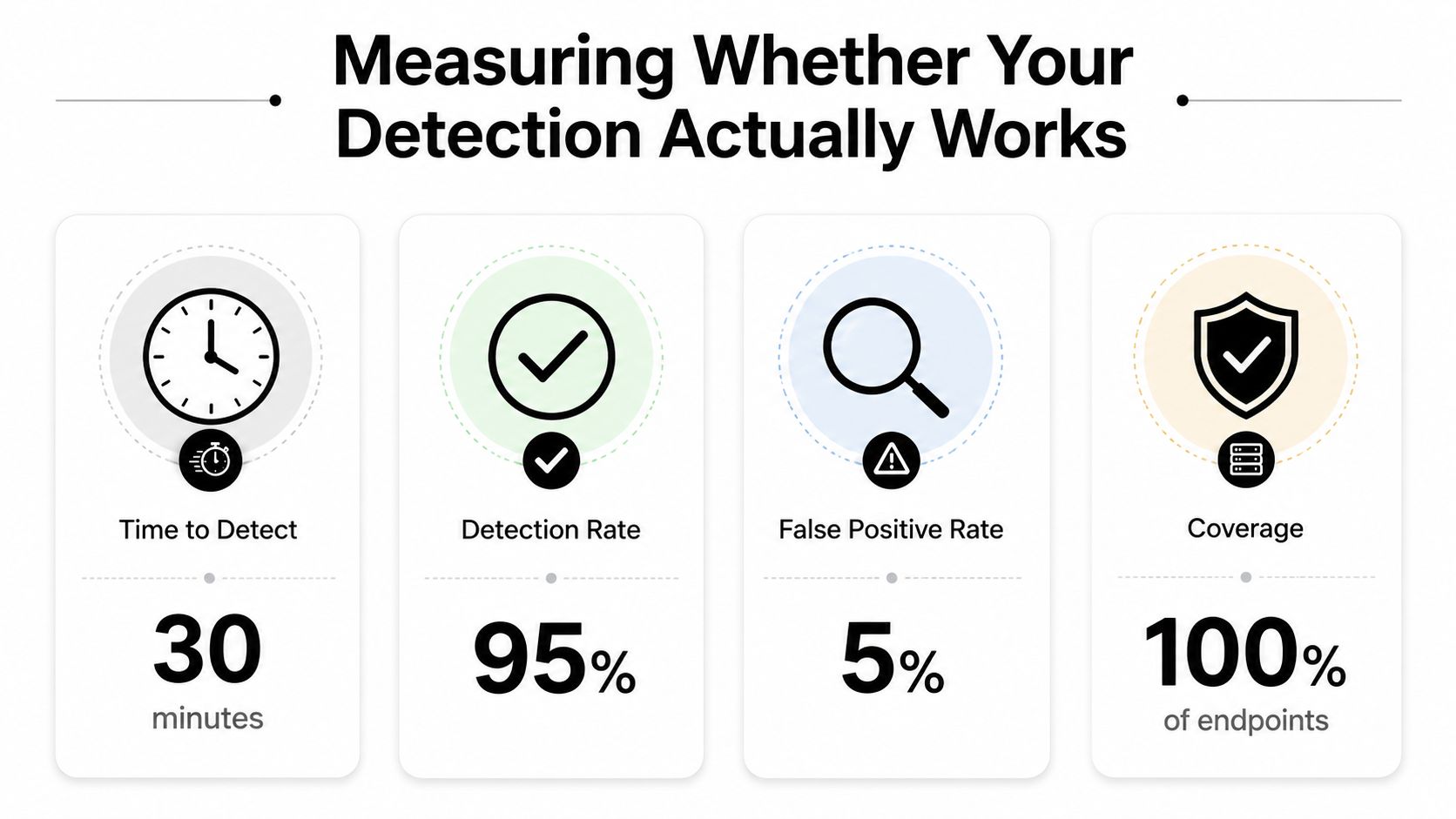
A detection program is only useful if it can prove it’s fast, accurate, and actionable. The most important measures are Mean Time to Detect (MTTD), Mean Time to Respond (MTTR), false positive rate, and dwell time. These tell you whether you’re spotting threats quickly or just generating noise.
What the core metrics mean
MTTD is how long it takes to notice a problem. MTTR is how long it takes to contain or fix it. False positive rate shows how often the system cries wolf. Dwell time measures how long an attacker remains inside before being found. Those numbers matter because attackers exploit the gap between intrusion and detection, and in one M-Trends 2025 data point, global median dwell time rose to 11 days from 10 days in 2023, while Unit 42 reported dwell time in 2024 decreased 46% to 7 days from 13 days in 2023, with nearly one in five cases seeing data exfiltration within the first hour of compromise. Google Cloud M-Trends 2025
Benchmarks to aim for
Industry SOC benchmark guidance in 2026 sets MTTD under 24 hours, MTTR under 4 hours, MTTC under 72 hours, false positive rate under 30%, and dwell time under 21 days. SOC benchmark guidance Those aren’t guarantees, but they’re useful targets because they emphasize speed and precision over alert volume.
For personal users, translate those metrics into plain language. How quickly do you notice a breach? How fast can you lock down an account after a suspicious login? How many false alerts waste your time every month? If a monitoring tool keeps alerting on harmless activity, it’s not helping you.
A free starting point for exposure checks is the Free Data Breach Checker, which helps you see whether an email or username has already appeared in breach records. That kind of visibility is simple, but it’s often the first step toward measurable improvement.
Your Next Steps for Stronger Threat Detection
Start with visibility, not complexity. Run a free digital footprint scan, review what’s already exposed, then audit the tools and accounts you already rely on. After that, fix the biggest gaps first, weak passwords, missing authentication, poor logging, and public profiles you no longer need.
Treat detection as a routine, not a project. The threat environment keeps moving, and one statistics source says more than 2,300 unique cyberattacks occur every day, while another review notes that common estimates say the number of new threats is doubling every year. Cybersecurity statistics overview Those figures are a reminder that static defenses age quickly.
A simple cadence works better than a big one-time cleanup. Check exposed accounts, review alerts, update recovery options, and confirm that the data sources you depend on are still producing useful logs. Then repeat it.
Digital Footprint Check helps you see what’s already public about your identity, accounts, and online presence across a wide range of sources, including breach records and public profiles. If you want to apply the same detection mindset used in security operations to your own life, start with a scan at Digital Footprint Check.