· Digital Footprint Check · Content Marketing · 17 min read
How to Protect Children Online: a Parent's Guide
how to protect children online: A practical guide with tips on communication, safety tools, and healthy digital habits to keep kids safe.

Protecting your kids online is about so much more than software and settings. It's a delicate balance of open conversations, clear house rules, and using technology smartly. The real foundation is built on trust and communication, with the technical stuff layered on top. This approach doesn't just restrict—it empowers them to navigate the internet safely and gives you some much-needed peace of mind.
Your Practical First Steps in Online Child Safety
Jumping into online safety doesn't mean you need to be a tech wizard. Honestly, the first and most important moves are all about setting clear expectations and building a family culture where digital transparency is the norm. The goal is to make online safety a team effort, not just a list of things they can't do.
"The first conversation about online safety is the most important one. It sets the tone for every discussion that follows, framing it as a partnership in navigating the digital world together."
When you start with this collaborative mindset, you create a space where your child actually feels comfortable coming to you if they run into something weird or confusing online.
Create a Family Tech Agreement
One of the most powerful things you can do right away is to sit down and create a family tech agreement. This isn't some rigid, legally binding contract; think of it more as a shared understanding of how your family agrees to use devices and the internet responsibly. You can write it down or just have a clear verbal agreement.
For a great deep dive into the fundamentals, this a comprehensive parent guide to online safety for children is an excellent resource to get you started.
A good agreement usually covers a few key areas:
- Screen-Free Zones and Times: Maybe it's no phones at the dinner table or in bedrooms after 9 PM. Designating these tech-free zones helps everyone disconnect.
- Information Sharing Rules: Talk about what's okay to share online and what isn't. This includes basics like their full name, school, or current location. It's a simple rule that can prevent a lot of problems.
- Kindness and Respect: This one's huge. Your agreement should spell out the expectation to treat others online with the same kindness you'd expect in person. It’s about being a good digital citizen.
This simple agreement becomes a handy reference point for the whole family, making the rules clear and taking the guesswork out of it. And for more ideas on locking down your family's digital life, it's worth exploring these personal cybersecurity best practices.
Online Safety Quick Start Checklist
Feeling a little overwhelmed? It's normal. This checklist breaks down the immediate, high-impact actions you can take to get started on the right foot.
| Action Area | Key Objective | First Step Example |
|---|---|---|
| Communication | Establish trust and open dialogue | Have a calm, no-judgment conversation about online risks and create a family tech agreement. |
| Device Settings | Limit access to inappropriate content | Enable built-in parental controls on your child’s phone, tablet, and gaming consoles. |
| Privacy Configuration | Protect personal information | Review and tighten privacy settings on all social media apps and online accounts your child uses. |
| Education | Teach safe browsing habits | Show them how to identify secure websites (HTTPS) and recognize suspicious links or downloads. |
Think of this table not as a to-do list to stress over, but as a simple launchpad. Tackling just one of these areas today is a huge step forward in creating a safer digital environment for your family.
Let’s Talk: Why Open Communication Is Your Best Tool
While technology offers a fantastic safety net, your most powerful tool for protecting your kids online isn’t an app—it’s the relationship you have with them. Software can block a website, but it can't teach resilience or critical thinking. Those skills only come from real, honest conversations about what’s actually happening on the internet.
The first step is creating a judgment-free zone. When your child knows they can come to you with anything they see online—whether it's confusing, scary, or just plain weird—you’ve already won half the battle. This means your first reaction has to be empathy, not panic or punishment.
How to Start Age-Appropriate Conversations
These talks don't need to be a big, formal sit-down. You can weave them into everyday life pretty easily. See a story on the news about an online scam? Use it as a casual opener to chat about why we never share passwords, even with friends.
Here are a few ways to get the ball rolling, depending on their age:
- Younger Kids (6-9): Keep things simple and focus on clear, black-and-white rules. A great question is, "If someone you don't know from school asks to be your friend in a game, what's our family rule about that?" Framing it as a shared team strategy makes it feel less like a lecture.
- Pre-Teens (10-12): They get a bit more nuance, so you can start exploring different scenarios. Try asking something like, "What would you do if a friend shared a mean meme about another classmate in a group chat?" This helps them think through peer pressure and what it means to be kind online.
- Teenagers (13+): Your focus should shift to critical thinking and the long-term consequences of their actions. A good starter could be, "Let's talk about what a 'digital footprint' really means for stuff like college applications or getting a job down the road."
The goal isn’t to lecture; it’s to listen. Ask open-ended questions and let their answers guide where the conversation goes. This back-and-forth approach builds their confidence and your connection.
By making these discussions a regular thing, you normalize the topic of online safety. It just becomes something you work on together, which strengthens their ability to make smart choices when you're not looking over their shoulder.
Addressing the Toughest Topics with Empathy
Unfortunately, some online risks are far more serious than just stumbling upon inappropriate content. The statistics on child exploitation are a sobering reminder of why these conversations are so critical. For instance, the National Center for Missing & Exploited Children reported a staggering 300% rise in online enticement reports between 2021 and 2023. You can dig into more data on the challenges in protecting children online to stay informed.
When your child does encounter something serious, like cyberbullying or an inappropriate approach from a stranger, how you respond is everything.
The key is to listen without judgment, validate their feelings, and thank them for their courage in telling you. Reassure them immediately that they are not in trouble and that you'll figure out the next steps together. That supportive reaction ensures they’ll trust you again in the future, reinforcing that you are always their safest harbor.
Choosing and Using the Right Protective Tools
Let's be honest: picking parental controls can feel like wading through a sea of apps, settings, and subscriptions. It’s easy to get overwhelmed. The goal isn't to find one perfect, all-seeing tool, but to build a smart, layered approach that actually fits your family.
Think of it like securing your home. You have the basic locks that came with the doors—those are your device's built-in controls. They're a fantastic first line of defense and, best of all, they're free.
Built-In Controls Versus Third-Party Apps
Every iPhone, Android, and Nintendo Switch comes with a solid set of free parental controls right out of the box. Tools like Apple’s Screen Time or Google’s Family Link let you manage how long your kids are on their devices, block apps you don't approve of, and filter out inappropriate web content.
For younger kids, these built-in options are often more than enough. They provide a strong foundation for setting clear, simple boundaries. But as your kids grow and their online world expands into social media DMs and complex group chats, you might start feeling like you need a little more insight.
That’s where specialized third-party apps come in. Services like Bark or Qustodio are designed to go deeper. Instead of just blocking content, they can monitor texts, social media messages, and emails for red flags—things like cyberbullying, signs of depression, or predatory behavior—and send you an alert. They don't just build a wall; they install a smoke detector.
The point of these tools isn't constant surveillance. It's about creating a safety net. The right software works quietly in the background, giving your child room to grow and explore while giving you the confidence that you'll know if a serious problem comes up.
Ultimately, these tools are just there to support the real work: talking with your kids. This simple chart gets to the heart of what we’re trying to teach them.
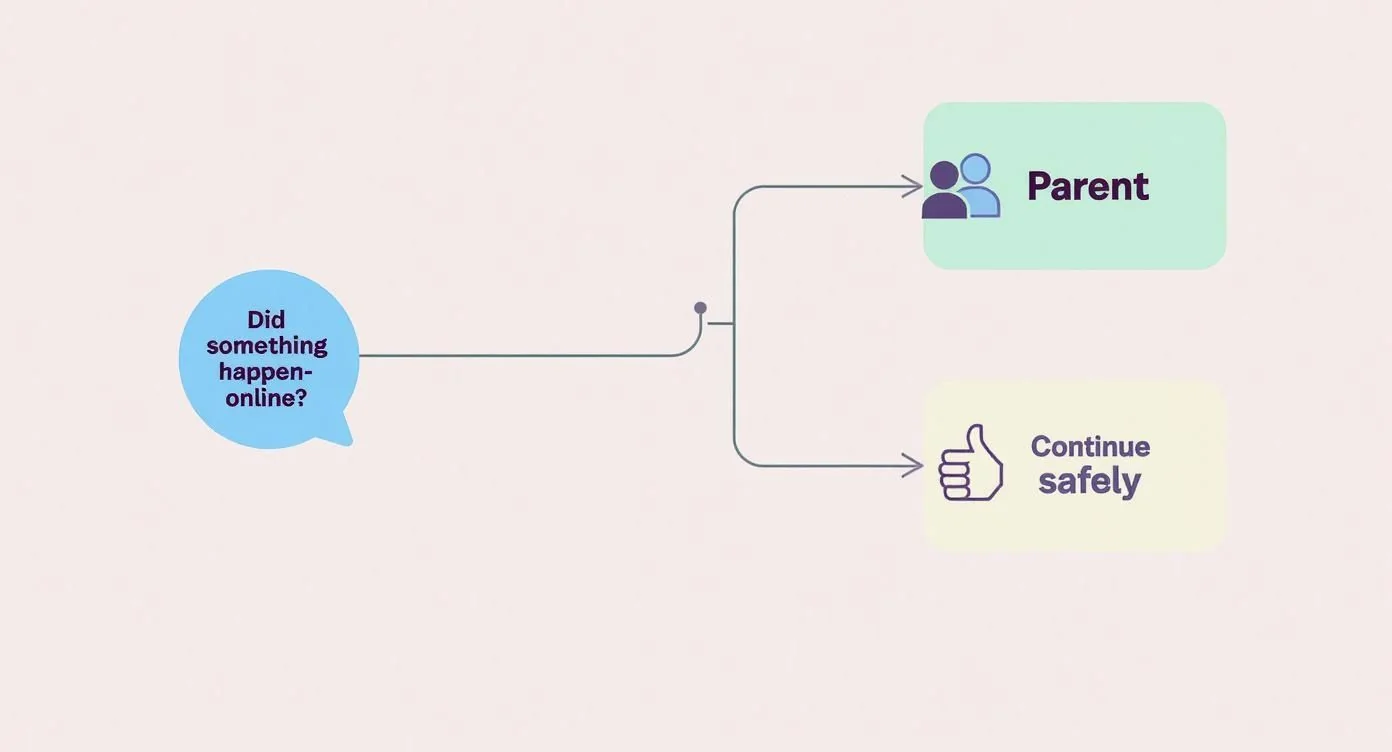
This visual is a great reminder that technology is a backup for the conversations that matter most.
What to Look for in a Protective Tool
When you're comparing tools, it's easy to get sidetracked by a long list of flashy features. My advice? Focus on what you actually need to address your biggest concerns.
Here are the core functions that I've found to be the most helpful for parents:
- Content Filtering: This is non-negotiable. The tool should let you easily block entire categories of websites (think gambling or adult content) and adjust the strictness as your child matures.
- Screen Time Management: Look for more than a simple timer. The best tools allow you to set daily limits per app and create a "downtime" schedule that shuts things down for homework or bedtime.
- App Management: You’ll want the power to approve or deny any new app downloads. The ability to set specific time limits for notorious time-sinks like TikTok or YouTube is also a major advantage.
- Location Services: Once your kids start moving around on their own, this feature brings incredible peace of mind. Look for geofencing options, which can send you an alert if they arrive at or leave a designated spot, like school or a friend's house.
To help you decide what’s right for your family, here’s a quick breakdown of how the two main types of tools stack up.
Parental Control Tool Feature Comparison
| Feature | Built-in OS Controls (e.g., Screen Time) | Third-Party Apps (e.g., Bark, Qustodio) |
|---|---|---|
| Cost | Free, included with the device | Typically requires a monthly/annual subscription |
| Content Filtering | Good for blocking websites and explicit content | More advanced and customizable filtering options |
| Screen Time Limits | Solid controls for overall device and app usage | Often includes more granular scheduling and rewards |
| Social Media Monitoring | Generally not available | A core feature; monitors DMs, posts, and comments |
| Text & Email Monitoring | Not available | Scans for concerning keywords (bullying, predators) |
| Location Tracking | Basic "Find My" features | Advanced tracking with location history and geofencing |
| Setup & Integration | Seamlessly integrated into the device OS | Requires installing an app on each device |
Ultimately, built-in controls are perfect for setting foundational rules, especially for younger kids. As social media and messaging become bigger parts of your child's life, a third-party app can provide a crucial layer of proactive monitoring that OS tools simply can't offer.
And as our homes get smarter, don't forget to look at how you can integrate smart home devices, some of which offer network-level controls or monitoring that can complement your strategy.
The best tools are the ones that can adapt as your child grows. For a deeper dive into specific options, you might want to review some of the top tools for monitoring your digital footprint. Just remember, software is there to support your parenting, not to replace it.
Teaching Digital Citizenship and Critical Thinking
 Parental controls and monitoring software are great tools, but they’re only part of the solution. Our real goal is to raise kids who can navigate the digital world safely and ethically on their own, long after they’ve outgrown any family safety settings.
This means shifting from a simple list of "don'ts" to actively teaching the skills of digital citizenship and critical thinking. It's about empowerment.
This shift is more critical than ever. A global analysis shows that by 2025, one in three internet users will be a child. Yet many of these kids are navigating complex social situations online with very little guidance. It’s on us to give them the mental tools they need to thrive. You can explore more on the global state of child internet safety on dig.watch to see the scale of the challenge.
Ultimately, we have to prepare them for the real situations they'll inevitably run into online.
Building a Framework for Critical Thinking
The heart of digital citizenship is teaching kids to pause and think before they click, post, or share. The best way to build this instinct is by using relatable, real-world scenarios as teaching moments. Don't wait for a problem to pop up; bring these things up proactively when you have a quiet moment together.
Try walking through a few common situations:
- The Suspicious Friend Request: "What would you do if you got a friend request from someone you don't know, but they have a few mutual friends with you?" This is a perfect way to start a conversation about fake profiles and why someone might pretend to be a kid online.
- The Hurtful Meme: "If a friend shared a meme in a group chat that was making fun of another student, what could you do?" This helps explore the difference between being a bystander and an upstander.
- The "Too Good to Be True" Offer: "What if a pop-up ad says you've won a new gaming console and just need to enter your email?" It's a simple, low-stakes way to introduce the idea of phishing scams and why free offers aren't always what they seem.
The most important lesson you can teach is that not everything online is what it seems. Encouraging a healthy dose of skepticism helps your child develop an internal filter for misinformation and manipulative content.
Understanding Their Digital Footprint
A huge piece of this education is helping kids grasp the permanence of their digital footprint. From an early age, they need to understand that everything they post, comment on, or get tagged in contributes to a permanent online record.
Explain that this digital history can be seen by people they haven't even met yet—future college admissions officers, coaches, and eventually, employers. This isn't about scaring them. It's about empowering them to be thoughtful creators of a positive online reputation.
You can learn more by reading our guide on educating children on their digital footprints.
By teaching these core skills, you're doing more than protecting your kids online today. You’re preparing them to be responsible, thoughtful digital adults tomorrow.
Navigating Platform Policies and Online Safety Laws
Trying to keep kids safe online can feel like a solo mission, but you're not in this alone. There's a growing wave of laws and platform policies that are finally starting to push the responsibility back where it belongs: on the tech companies themselves.
Getting a handle on this legal landscape gives you power. It helps you understand your child's rights and gives you the leverage to hold these platforms accountable. These new rules are forcing major tech companies to build safety in from the ground up, not just tack it on as an afterthought.
Key Regulations You Should Know
You don't need to be a lawyer to understand the big players here. Two of the most important pieces of legislation are the Children's Online Privacy Protection Act (COPPA) in the U.S. and the Digital Services Act (DSA) in the European Union.
In a nutshell, COPPA puts strict rules on how websites can collect personal data from anyone under 13. This is the main reason so many platforms have a "13 and up" age requirement—it’s their workaround to avoid COPPA's tough consent rules.
The DSA is even more sweeping. It forces large platforms to identify and reduce the risks of harmful content, especially for minors. This is the driving force behind new features like better age verification and safer default settings on teen accounts.
These laws are a major advantage. Instead of dumping the entire burden of safety on parents, they demand that platforms build safety features directly into their products. Think more private accounts by default and tighter restrictions on data collection for kids.
How Platforms Are Responding
And guess what? This legal pressure is actually working. We're seeing real, measurable progress.
By 2021, big names like Google, Meta, TikTok, and Snap had already made a combined 42 changes to their privacy policies in direct response to these new regulations. You can get a better sense of this trend by reviewing a roundup of online safety policy changes on digitalpolicyalert.org.
So what does this mean for your kid's day-to-day online life?
- Safer Defaults: When your teen signs up for a new app, their account is now far more likely to be set to private from the start. Only people they approve can see what they post.
- Reduced Data Collection: Companies are being forced to collect less data from younger users. This directly limits how advertisers can target them.
- Stronger Age Verification: The flimsy "age gates" of the past are slowly being replaced with better technology to keep underage kids off adult-oriented services. It's not perfect, but it's an improvement.
- Restricted Contact: Many apps now limit who can message or contact teen accounts, often restricting it to people they already know and are connected with.
These aren't changes companies are making out of the goodness of their hearts. They are direct results of new laws and public outcry. Knowing this is your advantage. When you're setting up your child's accounts, look for these built-in privacy settings. They exist because your child has a right to them, reinforcing the fact that online safety has to be a shared responsibility.
Common Questions About Protecting Children Online
Let's be honest, figuring out how to keep our kids safe online can feel overwhelming. It’s a space that changes so fast, and the questions just keep piling up. Here are some of the most common things I hear from parents, along with some straight-up advice to help you tackle these challenges.
When Should I Start the Safety Conversation?
The short answer? The second they start using a device connected to the internet. There's no magic age.
For a toddler watching cartoons on your tablet, it’s as simple as setting a rule that they can only use it when you're in the room. Easy enough.
As they get older, the conversation just grows with them. With elementary schoolers, you can start talking about why we don't chat with strangers in online games. Once they hit the teen years, you're diving into the heavier stuff—digital footprints, cyberbullying, and spotting misinformation. The trick is to make it a normal, ongoing dialogue, not a single, scary "talk."
Should I Use Monitoring Software or Just Trust My Child?
I get this one a lot, and it's not an either/or situation. The best approach is a mix of both. Trust is the foundation you're building with all those ongoing conversations, but you can think of monitoring tools as a crucial safety net, especially when they're younger.
It helps to frame these tools not as a way of spying, but as a way to help them stay safe while they’re still learning. It’s like teaching them to ride a bike with training wheels—the plan is always to take them off eventually.
As you see them making responsible choices, you can loosen the digital reins and give them more freedom. This shows them that trust is earned and respects their growing independence while still keeping them protected.
What If My Child Says Their Friends Have No Rules?
Ah, the classic "But all my friends get to..." line. It’s a parenting rite of passage, and you're guaranteed to hear it.
The first step is just to validate their feelings without getting defensive. Something simple like, "I get it, that must feel really unfair," can go a long way.
Try to avoid getting pulled into a debate comparing your rules to other families. Instead, bring it back to your family's values. You can calmly explain that your rules are in place for one reason: to keep them safe. It’s also not a bad idea to find small areas where you can compromise. Maybe you can offer some extra screen time on the weekend if they've been great about following the rules all week. It shows you’re listening while still holding firm on what really matters.
At Digital Footprint Check, we give you the tools you need to see and manage your family's online presence. Take back control of your digital safety by visiting https://www.digitalfootprintcheck.com to start your free scan today.