· Digital Footprint Check · Content Marketing · 22 min read
Deep Username Search Free: Your Guide to Finding and
Learn a deep username search free approach with ethical OSINT tools to locate and verify online footprints while staying safe and legal.
Ever wondered what story a single username tells? It’s far more than a login credential—it's a digital breadcrumb that can lead across social media, forums, gaming platforms, and forgotten websites. This is your starting point for conducting a deep username search, a critical skill for protecting your online identity and ensuring your personal safety in an increasingly digital world.
We're going to dive into the world of Open Source Intelligence (OSINT), which is simply the ethical practice of gathering information from public sources. You’ll learn how to use it to safeguard your online reputation, detect potential romance scams, or just get a clear picture of your own digital footprint. Forget expensive services; we're focusing on powerful, accessible techniques anyone can master.
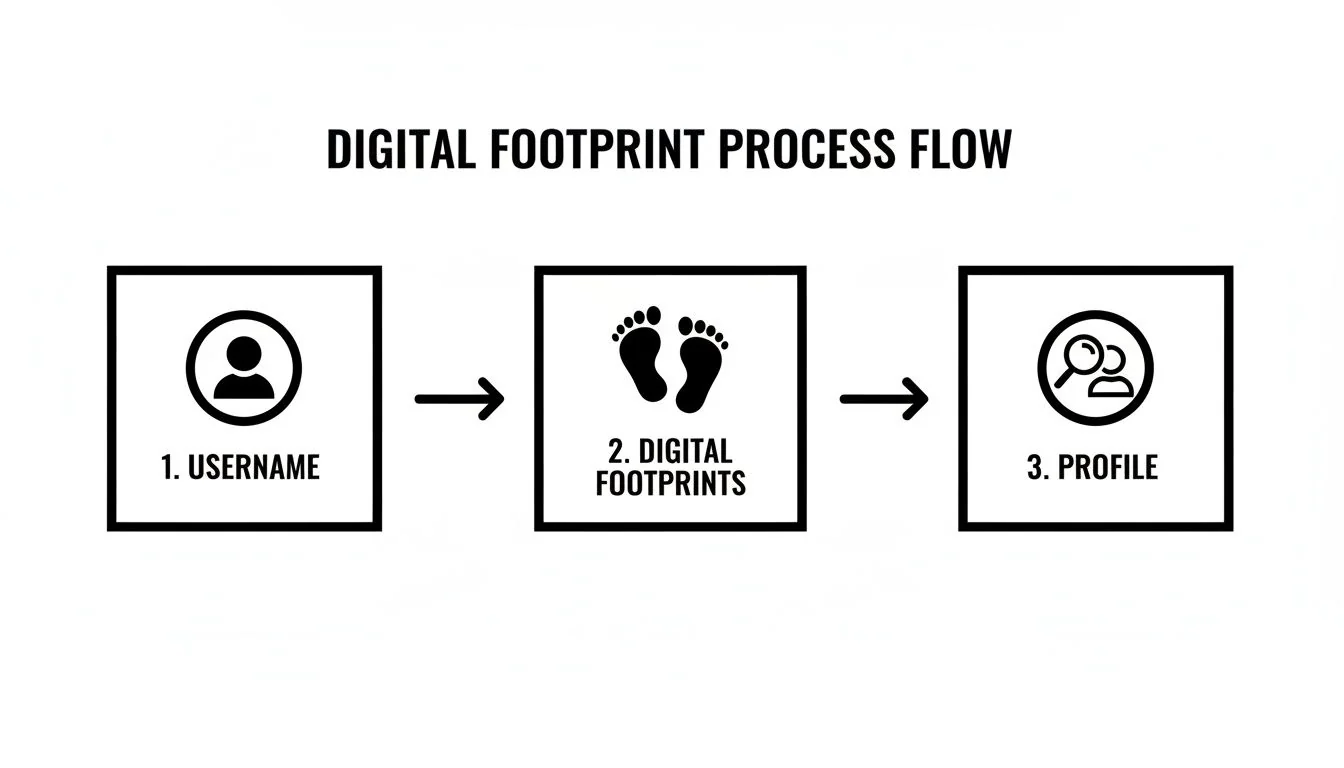
The process of piecing together a digital footprint is methodical. It starts with one piece of information, like a username, and expands outward to build a more complete profile. This visual flow shows the basic steps.
As you can see, a single username can connect to multiple digital footprints. Analyzing these footprints helps create a profile, revealing the true scope of someone's online presence, which has significant real-world consequences.
Why Your Online Identity Matters
Every comment you post, photo you share, and profile you create contributes to a larger narrative about you. This collective presence has real-world impacts that go far beyond your screen, affecting everything from your career to your personal safety.
Understanding these consequences is the first step toward managing your online self responsibly.
- Job Prospects: A 2020 survey revealed that a staggering 70% of employers use social media to screen candidates before hiring. An old, unprofessional comment or photo tied to a username you still use could jeopardize your career prospects.
- Personal Safety & Identity Theft: Seemingly innocent details shared across different platforms can be pieced together by malicious actors. This can lead to very real risks, like identity theft, stalking, or catfishing. A 2022 report from the FTC showed consumers lost nearly $8.8 billion to fraud, with identity theft being a major component.
- Reputation Management: Your digital self is an extension of your real-world identity. A trail of negative or inaccurate information from a forgotten forum or an old gaming profile can damage both personal and professional relationships, impacting how you're perceived by colleagues, friends, and family.
- Online Dating Safety: In the world of online dating, verifying someone's identity is crucial. A deep username search can help uncover red flags associated with romance scams or catfishing, protecting you from emotional and financial harm.
To grasp how scattered data points form the basis of your online reputation, check out this essential online reputation management guide. It really highlights the breadth of information involved.
Ultimately, running a search on your own usernames is a proactive step toward digital privacy and cybersecurity. The first step in protecting yourself is knowing what's out there. Let's get into the practical, real-world methods for piecing together an online identity, transforming a simple username into a clear digital profile.
Mastering Advanced Search Engine Tactics
Before you even think about specialized software, your most powerful tool is probably the one you use every day: the search engine. We’re not talking about just typing a name and hitting enter. We need to go deeper by using advanced search operators.
This technique, sometimes called “Google Dorking,” is all about giving search engines precise commands. It’s how you turn a massive, noisy search into a targeted investigation, filtering out all the junk to zero in on what actually matters. This is the foundational skill for any real OSINT work, whether you're managing your reputation or checking a suspicious online contact.

Unlocking Precision With Search Operators
Think of search operators as special instructions for Google. They force it to narrow down the results based on rules you set, saving you from clicking through pages of irrelevant garbage.
Here are the operators I find myself using constantly for username searches:
- Exact Match (
" "): Putting a username in quotes tells the search engine to look for that exact phrase. Searching for"CyberSleuth22"will only show results with that specific handle, not variations like "Cyber Sleuth" or anything similar. It's simple but effective. - Site-Specific Search (
site:): This is my go-to. It restricts your entire search to a single website. Want to know if a username exists on a specific forum, social media site, or gaming network? This is how you do it. - File Type Search (
filetype:): This one can be a rich source. Use it to find specific documents linked to a username, like PDFs, Word docs, or spreadsheets. You’d be surprised how often this turns up old resumes, public reports, or forgotten forum guides that could expose personal information.
Key Takeaway: The real magic happens when you start combining these operators. A query like
site:reddit.com "CyberSleuth22"doesn't just search—it asks a direct question: "Does this specific user exist on Reddit?" It’s a major advantage for digital privacy audits and online safety checks.
Practical Examples from the Field
Let's make this real. Imagine you're vetting a potential freelance collaborator you met online who uses the handle "GadgetGuru88." You want to see if they have a professional history—good or bad—on other platforms.
A good first step is a broad search to see what pops up: “GadgetGuru88”
From there, you start digging with targeted queries:
- Checking their presence on a professional network:
site:linkedin.com "GadgetGuru88" - Looking for public documents they might have shared, like a portfolio:
"GadgetGuru88" filetype:pdf - Finding personal blogs or portfolios where their username is in the URL:
inurl:GadgetGuru88
The numbers back up why this precision is so critical. Google processes something like 13.7 billion searches per day, and the average person searches 3-4 times daily. With 68% of all online activities kicking off with a search, the ability to cut through that noise is what separates a quick look from a deep investigation into someone's digital footprint.
If you want to streamline this kind of work, some tools can help. Our own guide on using a free people search engine covers other strategies for pulling this kind of information together.
Combining Operators for Maximum Impact
The true power of this method is chaining multiple operators together. This layered approach lets you run a highly specific and effective deep username search free of cost.
Let's say you're checking your old gaming handle, "PixelAvenger," to see if it's linked to any public profiles you've forgotten about. You suspect you used it on Twitch and an old Blogspot account.
"PixelAvenger" (site:twitch.tv OR site:blogspot.com): This query searches for the exact username on either Twitch or Blogspot in one go. The parentheses andORoperator are key here.site:github.com "PixelAvenger" -site:gist.github.com: This one is more nuanced. It looks for the username on GitHub but uses the minus sign (-) to exclude results from Gist, which can often clutter up your search with code snippets instead of profiles.
Mastering these simple commands gives you a robust framework for uncovering digital footprints. It’s always the first move for anyone serious about online identity protection, before even considering more specialized tools.
Bringing in the Free OSINT Username Tools
While using smart search operators gets you in the game, the real leap in efficiency for a deep username search comes from specialized OSINT tools. Think of them as automated scouts designed to do the work, checking a single username against hundreds of websites in seconds. This is how you go from a manual, one-by-one check to a massive digital sweep, essential for cybersecurity and reputation management.
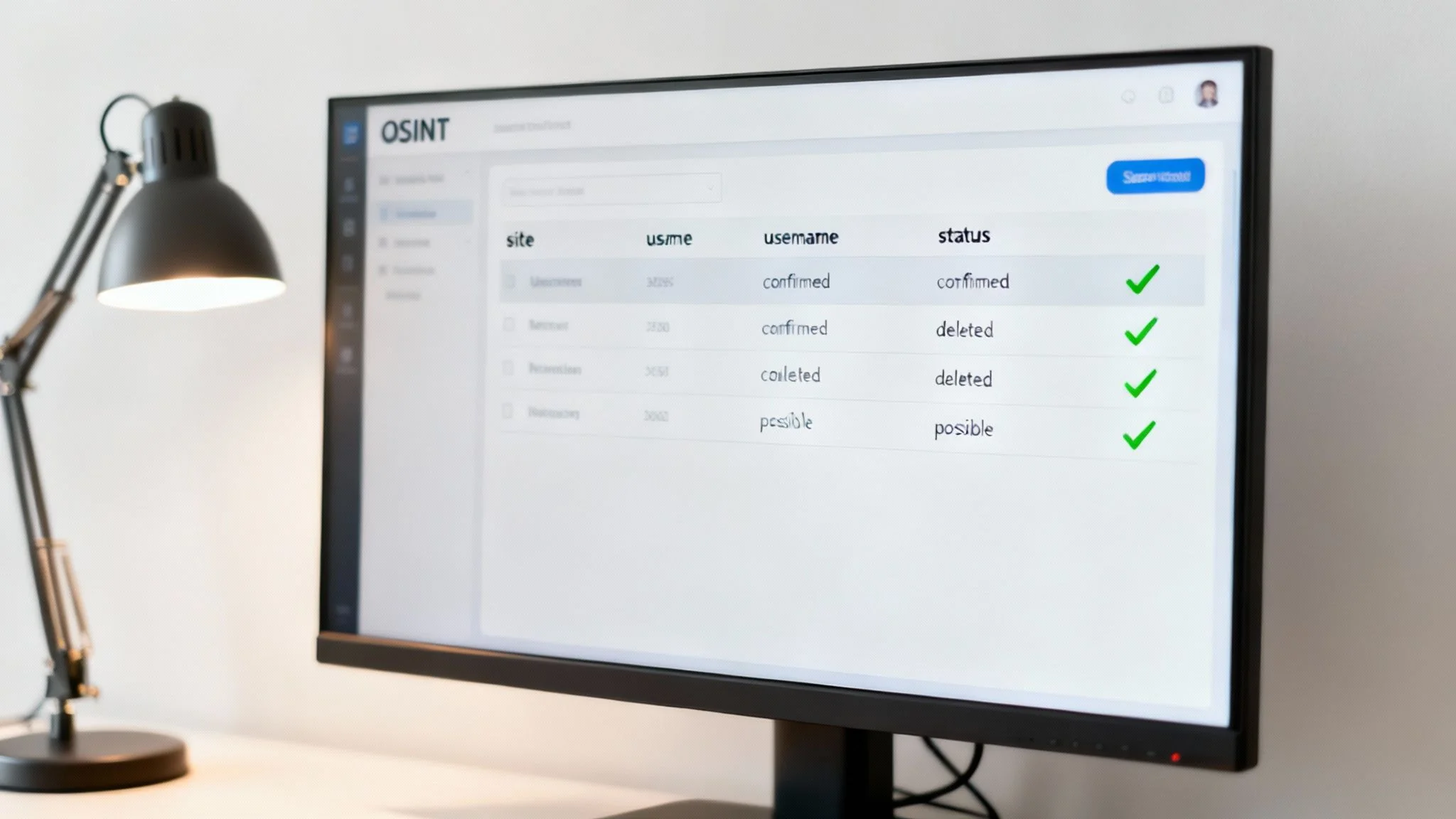
Under the hood, these tools work by rapidly checking for profiles at known URL structures—like someforum.com/user/TargetUsername. They then report back whether the page exists, is taken, or is still up for grabs.
Making Sense of Your First Scan
Running a scan is the easy part. The real skill is in interpreting the results. Not every "hit" is a direct match, and learning to read the data in the output is what separates a novice from an expert in catfishing detection or identity theft prevention.
Once you get a report back, you'll generally see a few different statuses:
- Found/Claimed: Bingo. A profile with that exact username exists. This is your hottest lead and demands a closer, manual look.
- Not Found/Available: The username isn't registered on that particular site. This is great for ruling out platforms or, if you're checking your own handle, finding places to register it to protect your online brand.
- Error/Invalid: The tool hit a snag and couldn't check the site. This could be a temporary server issue or a recent change to the website's structure. I always recommend re-checking these manually a bit later.
The crucial next step is separating the signal from the noise. Always click through to the "found" profiles to verify them yourself. Are you seeing corroborating details? Look for matching profile pictures, consistent bio information, or connections that link back to your subject.
The Magic of Username Permutations
It's rare for someone to use the exact same username on every platform. People get creative. They add numbers, underscores, or words reflecting their hobbies. A user named CyberSleuth on one site might be CyberSleuth_22 or TheRealCyberSleuth on another.
Trying to check every possible variation by hand would be a nightmare. This is where a powerful technique called username permutation comes in. Many tools can automate this, generating and searching for dozens of logical variations of your base username. This expands your search and is often how you uncover those hidden, secondary accounts that could pose a risk to your gaming account security or personal privacy.
Pro Tip: When you lock down a confirmed profile, scrutinize the full username. If you find "PixelAvenger_95," jot down "95" as a potential suffix for other searches. People tend to reuse numbers that are meaningful to them, like a birth year, a favorite number, or a jersey number.
Combining Tools for a Wider Net
Here’s the thing: no single free OSINT tool can scan the entire internet. It's just too vast. One tool might be brilliant at sniffing out social media profiles, while another has deep integrations with gaming forums or developer communities like GitHub.
To conduct a comprehensive deep username search free of cost, the best strategy is to layer your tools. Run your target username and its most likely permutations through two or three different platforms. This covers more ground and helps you cross-reference the results, giving you a much richer picture of someone's digital footprint. To see what's possible with specialized platforms, you can look into Copycat247's features for digital footprint discovery.
Different tools are built for different jobs. To help you choose the right one for your investigation, here's a quick breakdown of the main types you'll encounter.
Comparison of Free Username Search Tool Types
| Tool Type | Scope | Ease of Use | Best For |
|---|---|---|---|
| Web-Based Checkers | Broad but often shallow; checks 100-500+ popular social media sites, forums, and domains. | Very High | Quick initial scans to find low-hanging fruit, common social media profiles, and for basic online dating safety checks. |
| Command-Line Tools (e.g., Sherlock) | Highly customizable and deep; can be configured to check thousands of sites. | Low to Medium | Technical users who need maximum coverage for cybersecurity audits or in-depth OSINT investigations. |
| Browser Extensions | Contextual; checks usernames directly from a web page you're viewing. | High | On-the-fly investigations when you come across a username while browsing and want a quick verification. |
| Niche Platform Scanners | Narrow and specific; focuses only on a single ecosystem, like gaming (Steam, Xbox) or specific forums. | Medium | Deep dives into a subject's known hobbies or interests, crucial for gaming account security and reputation management. |
Each category has its place. I usually start with a broad web-based checker for a quick overview and then move to more specialized or command-line tools if the investigation requires a deeper dive.
The arrival of AI-powered search has seriously changed the game. As of 2025, modern tools can aggregate data from hundreds of sources—public records, social media, breach data—and analyze it in near real-time. This kind of analysis, which used to take hours of painstaking manual work, is now widely accessible.
A major leap forward is what's called cross-platform digital fingerprinting. AI can analyze a person's entire digital ecosystem by looking at username variations, writing style, content themes, and posting schedules. This helps create a consistent "digital fingerprint" that makes it easier to verify an identity even if the person uses different usernames.
This evolution has put powerful investigative capabilities into the hands of everyday users, a huge shift from when this was the exclusive domain of paid professionals. A great way to get started and apply these principles is with a dedicated username tracker, which can automate much of this initial discovery work for you.
Going Beyond Social Media: Digging into Niche Platforms
A thorough username search rarely ends with the usual suspects like Facebook and Instagram. The most telling clues about a person's digital life are often hiding in plain sight on niche platforms—the online communities built around specific hobbies, professions, and interests.
These are the places where people let their guard down, and their unfiltered personalities and connections come to the surface, providing critical context for everything from online dating safety to professional reputation management.
Think about it for a second. A username on a gaming forum from ten years ago could be the exact key that unlocks a professional GitHub profile today. Piecing together these seemingly disconnected accounts is how you start to build a complete, accurate picture of someone's online history and potential digital vulnerabilities.
Check Gaming Hubs and Creative Networks First
Gaming communities and creative portfolios are OSINT goldmines. Why? Because they're built around passion and identity. The usernames people choose here are often far more personal and tend to be used for much longer than on mainstream social media, which is vital for cybersecurity and gaming account security.
- Gaming Platforms: Networks like Steam, Xbox Live, and PlayStation Network are massive. A user's profile can reveal their friends list (which often includes real-world connections), hours sunk into specific games (a good indicator of habits and interests), and old forum posts that might contain personal opinions or details that could impact their reputation.
- Creative Portfolios: Sites such as GitHub, Behance, or Dribbble are where developers, designers, and artists put their work on display. A username here can tie directly to a person's professional identity, revealing their skills and even past employers through project contributions.
Let's imagine you're looking into the username "CodeNinja_07." A simple Google search might come up empty. But a targeted search on GitHub could uncover their entire coding history. Meanwhile, a quick check on Steam might show they belong to a specific gaming clan, opening up an entirely new network of potential associates. For a deeper dive, check out our guide on OSINT investigations for gaming platforms.
The Untapped Power of Hobbyist Forums and Digital Archives
Beyond the professional and gaming worlds, there are countless forums for every hobby you can think of, from vintage car restoration to cryptocurrency trading. These communities often have looser privacy settings, meaning users might share information they wouldn’t dream of posting elsewhere, creating a risk for identity theft.
A username discovered on a niche forum can provide powerful context. It might reveal a person's general location through local club meetups or give you a sense of their financial literacy from investment forums. The trick is to brainstorm the person's potential interests and search those specific online hangouts.
But what about information that’s been deleted? This is where web archives become indispensable. Tools like the Wayback Machine act as a digital time capsule, saving snapshots of websites over the years. It can unearth old profiles, forum posts, and even entire websites that have long since vanished.
For example, someone might have meticulously scrubbed their main social media accounts. But an archived version of their old MySpace page or a forum signature from 2008 could still be out there, providing the one missing link you need to connect the dots and prevent a potential scam.
From Unfiltered Posts to Real-World Clues
The whole point of searching these niche platforms is to find the unfiltered version of a person's online identity. A LinkedIn profile is carefully curated and polished. A post on a gaming forum or a comment on a Reddit thread? Not so much.
Here's a real-world scenario: An employer is vetting a candidate who looks perfect on paper. But a quick search of their unique username on a specialized automotive forum reveals a long history of aggressive and unprofessional arguments with other members. This is crucial context that would never appear on a professional network, and it provides a much more rounded view of their character, directly impacting their job prospects.
This process isn't about digging for dirt; it's about building a complete and honest picture for identity protection. By methodically checking these less-obvious corners of the internet, your deep username search (free of charge) becomes more powerful, delivering insights that a simple Google query could never find.
Connecting the Dots: Verification and Staying on the Right Side of the Law
Finding a list of potential profiles is a great start, but it’s really only half the job. The most important part of any deep username search is actually verifying that the accounts you’ve found belong to the right person. Without this step, you’re just staring at a bunch of digital noise, which can lead to false conclusions in catfishing detection or romance scam investigations.
This part of the process is all about methodical, detail-oriented work. You're looking for patterns and cross-referencing clues, transforming a simple search into a reliable investigation for online safety.
Building Confidence by Cross-Referencing
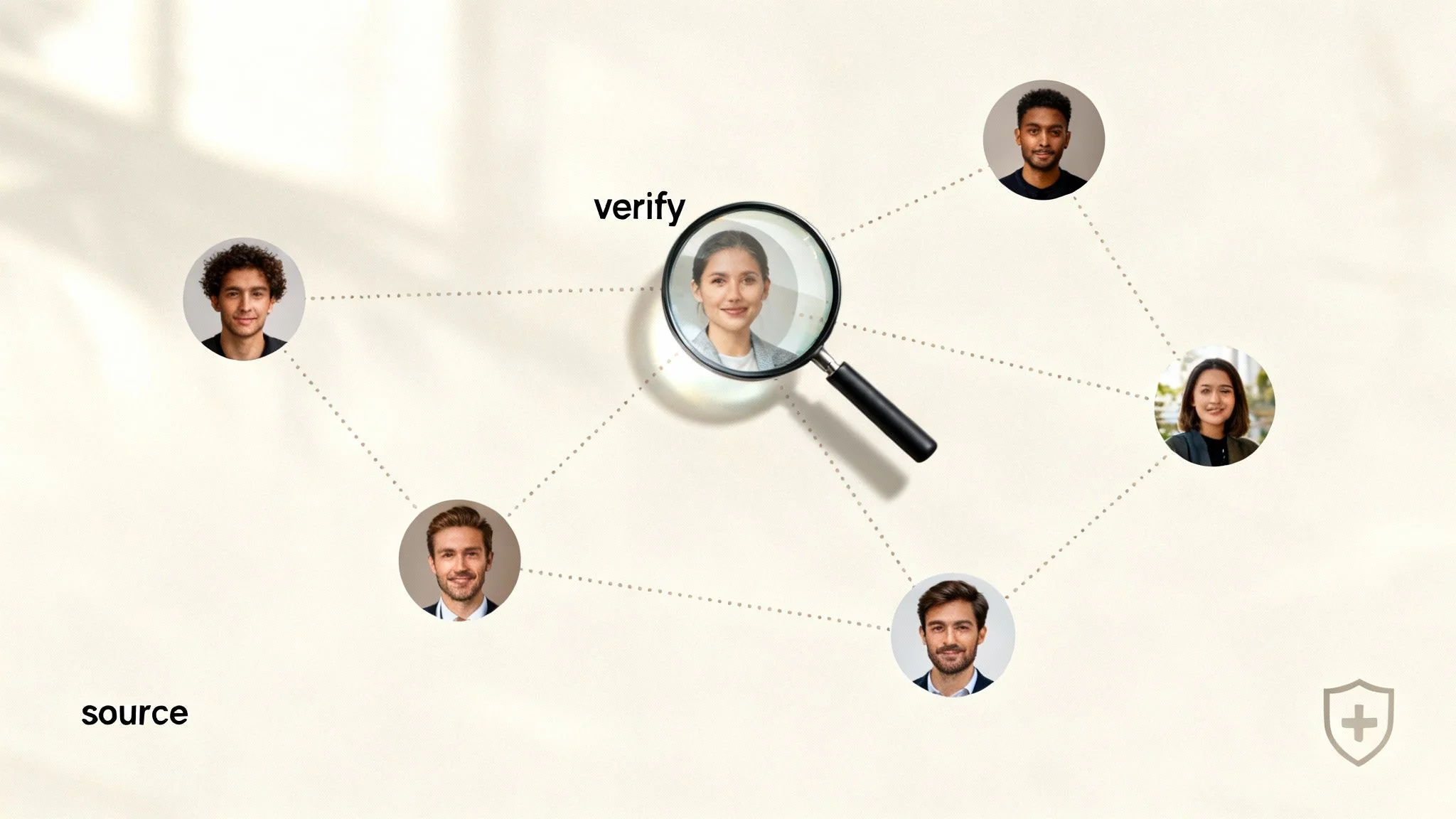
Your main goal here is to find multiple data points that confirm each other across different platforms. Think of it this way: one matching detail is a coincidence, but three or more is a solid pattern.
I always start with the easy stuff—the low-hanging fruit—and then dig deeper for the more subtle connections.
- Profile Pictures & Avatars: A reverse image search is your best friend. Use a tool to see where else that same profile picture pops up online. People often reuse a favorite photo, and that creates an immediate, strong visual link between their accounts.
- Bio Details: Look for consistency in how they describe themselves. Do the location, job title, or personal mottos line up? Someone who calls themselves a "Software Engineer in Austin, TX" on LinkedIn and a "Code Monkey in ATX" on Reddit is probably the same person.
- Friend & Follower Lists: This is a powerful technique that I rely on heavily. If you find two profiles with the same username, check their mutual connections. A significant overlap in friends or followers is one of the strongest indicators you can find.
The way we search for and verify information is also changing. While traditional search engines still lead for complex searches at 36% of usage, AI chatbots are catching up quickly at 27%, with AI search engines at 21%. With a massive 66.6% of US consumers now using social search, it's clear that a good verification process involves using multiple tools—from Google to AI. You can discover more insights about these evolving search statistics on Semrush.com.
The Bright Line Between OSINT and Hacking
Let's be clear on this. Everything we've talked about falls under the umbrella of Open Source Intelligence (OSINT)—the ethical and legal gathering of information that is already publicly available. It’s what journalists, researchers, and cybersecurity pros do every day for online identity protection.
OSINT stops where private information begins. It is never acceptable to attempt to guess passwords, exploit security flaws, or access an account you do not have explicit permission to enter.
Crossing that line takes you from legitimate investigation into illegal hacking, which carries serious legal consequences. The skills you’re learning are for protection and awareness, not for causing harm.
A solid ethical framework is non-negotiable.
- Public vs. Private: If you can see the information without needing a password or special access, it’s generally public. Private messages, friends-only posts, and locked-down accounts are off-limits.
- Intent Matters: Why are you searching? Are you doing a deep username search free of charge to protect yourself from a potential romance scam? That’s a valid, protective use. Are you doing it to harass or stalk someone? That is both illegal and unethical.
- Respect Privacy: Just because you can find information doesn’t mean you should share it. Doxing—publishing someone's private information online without their consent—is a dangerous and harmful act.
If you want to dive deeper into applying these verification techniques specifically to social media, our guide on how to find a person on social media offers more specialized strategies.
Putting Your New Skills to Good Use
When used responsibly, these techniques are powerful tools for self-protection and making smarter decisions in the digital age.
Think about these real-world scenarios:
- Dating App Verification: You match with someone whose profile seems a bit too perfect. A quick search of their username reveals no other online presence at all—a classic red flag for catfishing or a romance scam.
- Reputation Management: You search for your old gaming handle and find it tied to an embarrassing forum you posted on a decade ago. Now you can take steps to clean it up and separate it from your professional life, protecting your job prospects.
- Preventing Identity Theft: A seller on an online marketplace has a brand-new, empty profile. A username search shows the same handle is linked to scam warnings on other forums. You just protected yourself from potential fraud.
In every case, you’re simply using public information to make a more informed, safer choice. And the first person you should investigate is yourself. Understanding your own digital footprint is the foundation of online privacy. You can get started by running a free scan at www.digitalfootprintcheck.com/free-checker.
Your Deep Username Search Questions Answered
Even with the best game plan, you're bound to have questions pop up during a deep username search. Let's tackle some of the most common ones related to digital privacy, OSINT, and cybersecurity.
Is It Legal to Perform a Deep Username Search?
Absolutely, as long as you're sticking to information that's already out in the open. That's the whole point of OSINT—it's about finding and analyzing publicly available information. Everything we've covered in this guide uses public search engines, web archives, and open websites. You aren't breaking into private systems; you're just organizing public data.
Where you cross the line into illegality is when you try to get past a digital lock. This means things like trying to guess passwords, accessing an account you don't have permission for, or, of course, using what you find for malicious purposes like stalking, harassment, or identity theft. Stick to the public domain, and you're acting as an ethical researcher.
What if a Username Search Returns No Results?
Hitting a wall and finding nothing can feel like a dead end, but it's actually a valuable piece of the puzzle. A blank search often tells you one of two things. It could mean the person is careful about their digital hygiene—they keep their profiles locked down tight and use unique usernames that aren't easily found. This is a good sign for their personal cybersecurity.
Or, it could simply be that they don't have much of a public-facing life online under that specific handle. Before you give up, try username permutations. Add some common numbers or symbols. Check niche forums related to their known hobbies (like gaming or specific crafts), since those profiles don't always appear in a general Google search. In the context of online dating safety, a complete lack of digital presence can sometimes be a red flag for a scammer using a fake persona.
Key Insight: A lack of results isn't a failure. It's a finding. It often points to a deliberate choice to maintain privacy, and that tells you a lot about someone's digital footprint and commitment to online identity protection.
How Can I Protect My Own Usernames from Being Found?
The best defense is a proactive approach to your digital privacy and cybersecurity. For starters, create a separation between your personal and professional lives by using different usernames. It's a simple step that makes it much harder for someone to connect your private life to your career. Also, try to avoid using your real name, birth year, or other obvious personal details in your handles to prevent identity theft.
On top of that, here are a few practical steps you can take:
- Lock Down Your Profiles: This is the big one. Set your social media accounts to private, so only friends or approved followers can see what you post.
- Think Before You Post: Remember that anything you post on a public forum, a Reddit thread, or in a blog's comment section is likely being indexed by search engines and archived forever. This is crucial for long-term reputation management.
- Audit Yourself Regularly: Every so often, search for your own usernames. See what comes up. It's the best way to spot privacy leaks or old, forgotten accounts before they become a bigger issue for your job prospects or personal safety.
Are Paid Username Search Tools Better Than Free Ones?
Paid services can be powerful, especially for professional investigators. They often pull data from sources that are harder for the public to access, like certain data broker databases or obscure public records, which can be invaluable for deep-dive cybersecurity or identity theft cases.
But for most people, they’re usually overkill.
If you're managing your own online reputation, verifying a date from an app, or securing your gaming accounts, the free OSINT techniques in this guide are more than powerful enough. You can uncover an incredible amount of information without spending a penny—all it costs is a little bit of your time and a commitment to protecting your digital self.
At Digital Footprint Check, we believe everyone deserves to understand and control their online identity. The methods in this guide provide a strong foundation for taking charge of your digital life. To see how your own information appears online and begin managing it effectively, start with a complimentary scan.
Discover your digital footprint now with our free checker at www.digitalfootprintcheck.com/free-checker.