· Digital Footprint Check · Content Marketing · 21 min read
How to Find Someone by Username: an Osint Investigator's
Learn how to find someone by username using OSINT. Our guide covers tools and methods to trace digital footprints across social, gaming, and hidden profiles.

Think about your favorite username. The one you’ve used since you were a teenager. It’s more than a screen name, isn’t it? It’s part of your online identity. But what most people don’t realize is that this single handle often acts as a digital skeleton key, capable of unlocking a surprising amount of their online life.
If you’re like most people, you’ve probably reused that username across dozens of sites over the years. Social media, gaming forums, shopping sites, you name it. This common shortcut creates a breadcrumb trail that connects your various accounts, and anyone with a little know-how can follow it.
Your Username Is a Digital Skeleton Key

This isn’t just some abstract privacy issue; it has tangible, real-world consequences. Imagine a hiring manager is on the fence about a great candidate. On a whim, they plug the candidate’s unique username into a search engine. Suddenly, they’re staring at inflammatory posts made on a forgotten political forum from ten years ago. Just like that, a dream job offer evaporates because of a digital ghost the candidate didn’t even know was still haunting them. Identity theft, catfishing, and reputation damage all start with these small, exposed data points.
Understanding Your Digital Trail
This is the core of Open Source Intelligence (OSINT)—the practice of finding, collecting, and analyzing publicly available information. It’s about connecting the dots. And very often, the first dot is a username.
The habit of recycling usernames makes this easy for investigators, employers, and even online stalkers.
A comprehensive analysis in early 2026 found that an incredible 87% of users recycle the same username on at least three major social networks. This makes it simple to track an individual’s activity across the web, often starting with just one known account.
That same analysis, which was based on ethical OSINT scans of public data, revealed that 62% of individuals had their primary username tied to 10 or more websites. These connections ranged from predictable places like Steam and Reddit to more sensitive accounts on professional networks or niche forums. This level of exposure is a major risk for identity theft and online harassment.
Why This Guide Matters to You
Understanding how these OSINT techniques work gives you a massive advantage. On one hand, you’ll learn how to find information when you legitimately need it—maybe to verify a seller’s reputation before a big purchase, check if a new online acquaintance is who they say they are to avoid romance scams, or confirm the legitimacy of a gaming friend before sharing personal details.
More importantly, though, you’ll see exactly how others can find you. This guide pulls back the curtain on the methods used to track people online. By learning to think like an investigator, you can finally take control of your own digital footprint and decide what the world gets to see.
If you’re curious about what’s already out there, a good first step is running a deep username search on yourself. The results can be an eye-opener and are often the first push people need to start securing their online lives.
Starting Your Search with Basic OSINT Tools
When you need to find someone by their username, it’s tempting to jump straight to complex, specialized software. But that’s usually a mistake. The best investigations start with the tool you already use every day: a good old-fashioned search engine.
The real trick isn’t just using Google; it’s learning how to command it. This is where you move beyond simple queries and start wielding advanced search operators, often called “Google dorks.” These are simple commands that turn a broad, messy search into a precise, surgical strike.
Think about it. Just typing a username like “PixelPioneer” into the search bar is a shot in the dark. You’ll get millions of irrelevant results. But with a few tweaks, you can force the search engine to give you exactly what you need.
Mastering Search Engine Operators
Learning just a handful of key operators will radically improve your results. These commands are like filters, letting you pinpoint a username on specific sites or within a certain context. It’s the difference between looking for a needle in a haystack and having a powerful magnet to pull it right out.
Here are the essentials I use constantly:
- Quotation Marks (""): This is your foundational move. Putting a username in quotes, like
"PixelPioneer", forces a search for that exact phrase. It’s the single most important step for cutting through the noise, especially with common usernames. - The
site:Operator: This is your best friend for zeroing in on specific platforms. A query likesite:twitter.com "PixelPioneer"tells Google to only show you results from Twitter. It’s perfect for quickly checking if a handle is used on a specific social network, forum, or even a company website. - The
intext:Operator: This is a bit more subtle but useful. The commandintext:"PixelPioneer"finds that username mentioned anywhere in the body text of a page. This is how you find someone being talked about in a blog comment, a forum discussion, or an article, even if it’s not their own profile.
Let’s run a quick scenario. Say you’re vetting a new member of a gaming community who goes by “ShadowStriker77.” A basic search is useless—it’s too generic. This is a common problem in online dating safety, where catfishing accounts often use generic, appealing handles.
But a targeted query like site:reddit.com "ShadowStriker77" guild is a major advantage. Suddenly, you’re only looking at Reddit posts where that exact username mentions their gaming “guild.” This can instantly reveal their affiliations, the games they play, and their general community reputation, painting a much clearer picture of their online identity and gaming account security habits.
Using Automated Username Checkers
Beyond manual searches, automated username search engines are another go-to starting point. Tools like WhatsMyName and Sherlock are built for speed. You feed them a username, and they blast it across hundreds of websites, checking for registered accounts.
These tools are fantastic for getting a quick lay of the land. If a report comes back showing the username is taken on 50 different sites, you instantly know it’s a heavily used handle. If it only pings on one or two, it’s likely much more unique.
Key Takeaway: Automated checkers are powerful for rapid, broad searches. But they aren’t foolproof. Their biggest weakness is the high chance of false positives. They might flag a profile that exists, but it could belong to a different person or be an inactive, long-abandoned account. Always verify.
Comparing Username Search Techniques
Choosing the right approach depends on your goal. Sometimes you need a scalpel, other times a wide net. This table breaks down when to use each method to kick off your investigation, whether you’re managing your reputation or checking for catfishing red flags.
| Method | What It Does | Best For | Key Limitation |
|---|---|---|---|
| Search Operators | Narrows search engine results using specific commands. | Targeted searches on specific sites or finding contextual mentions. | Requires manual work and can miss profiles not indexed by Google. |
| Username Checkers | Scans hundreds of websites at once for a specific username. | Quickly discovering where a username is registered across the web for broad analysis. | Prone to false positives and often misses niche or new platforms. |
| Manual Site Search | Using a platform’s internal search bar directly. | Finding profiles on specific sites like Instagram or LinkedIn with high accuracy. | Time-consuming and only works on one site at a time. |
| Reverse Image Search | Searching with a profile picture instead of a username. | Linking accounts that share an avatar, even if the usernames are different. | Relies on the person reusing images, which is not always the case. |
Ultimately, these basic tools lay a strong foundation for any investigation. They help you map out the low-hanging fruit—the easily discoverable accounts and mentions tied to a username. For those looking to build out their arsenal, our guide on OSINT tools for beginners offers a great next step.
The intel you gather in this initial phase is the critical first layer, setting the stage for the more advanced, platform-specific digging to come.
Platform-Specific Investigation Tactics
Thinking you can use the same search trick on Instagram and a gaming forum like Discord is a rookie mistake. A tactic that unearths a treasure trove of information on one platform will get you nowhere on another. To find someone by their username, you have to stop thinking in general terms and start thinking like a platform native.
Each online ecosystem—social, gaming, or anonymous forums—has its own architecture, its own privacy norms, and its own user culture. Social media is built for public performance, gaming networks for tight-knit community, and forums for pseudonymous chatter. Cracking the code for each one is how you turn a dead-end search into a successful investigation.
It’s no secret that social media is a primary tool for research. By 2026, a staggering 72.3% of online audiences over 16 will be using social platforms to research people and brands, usually starting with just a handle. With the average person active on 6.75 networks and 52% trusting social media over AI chatbots for real insights, the connections are there to be found. A single username on Instagram can be your key to their Facebook profile, where 80.7% of Snapchat users also maintain a presence.
Uncovering Clues on Social Media
Social networks like Instagram, TikTok, and X (formerly Twitter) are often the easiest places to start. They are, by design, built for public visibility. But even here, a simple username search is just scratching the surface. The real intelligence comes from analyzing the network around the username.
- Check Tagged Photos and Mentions: This is a rich source. A user can lock down their own profile, but they can’t control what their friends post. Scour photos where your target is tagged. These can reveal their social circle, recent locations, and daily activities they’d never post themselves.
- Analyze Follower and Following Lists: People follow who they know. If you have a hunch about mutual connections, start scanning their follower lists. This is a simple but effective way to map out their web of friends, family, and professional colleagues.
- Look for Bio Links and Patterns: The bio is prime real estate. Users often drop direct links to their other social accounts, personal websites, or side projects. These are explicit bridges connecting different pieces of their digital footprint.
Pro Tip: Don’t just scroll through their curated feed—read the comments. The way someone interacts with others, the slang they use, and the accounts they reply to often reveals more about their true personality than a dozen perfectly staged photos. This is where the mask slips.
Diving into Gaming Networks and Forums
Gaming communities and anonymous forums like Reddit present an entirely different challenge. On platforms like Steam, Discord, and Reddit, usernames are more guarded, but the intense community focus leaves its own unique trail of breadcrumbs.
A gamer’s Steam profile, for example, is more than a name—it’s a detailed activity log. A quick search with a SteamID Finder can convert a simple username into a permanent, unchangeable SteamID.
With that ID, you can potentially unlock:
- Their entire game library, showing you their interests and the hundreds of hours they’ve invested in specific genres.
- A complete list of their online friends, which can be cross-referenced with usernames on other platforms.
- Past usernames and aliases, helping you connect their current handle to older, long-forgotten accounts.
Reddit, on the other hand, is the kingdom of pseudonymity. The key here isn’t the profile, but the history. You have to patiently analyze a user’s comments and posts over months or even years. Piecing together tiny, seemingly insignificant details—a mention of a local sports team, a complaint about traffic in a specific city, or the use of jargon from a niche profession—can help you build a surprisingly accurate picture of who they are in the real world. Our guide on how a social media username search works has more advanced techniques for digging into these public histories.
Of course, a powerful tool can automate much of this painstaking cross-platform work, scanning hundreds of sites at once. An initial report might look something like this.
This kind of overview gives you an immediate roadmap, showing you exactly where a username is active. It’s the perfect launchpad for your platform-specific deep dive. The real investigation begins when you start linking these scattered accounts into the story of a single, coherent identity.
Connecting the Dots: From Usernames to a Full Digital Profile
So you’ve found a handful of accounts with the same username. That’s a great first step, but the real work is just beginning. The crucial part of any investigation is confirming that those scattered accounts—the gaming profile, the old forum signature, the random social media page—all belong to the same person.
This is how you build a coherent digital profile instead of just a list of maybes. It’s about connecting the dots.
One of the fastest ways to get a confirmation is with a profile picture. People get lazy and reuse the same avatar everywhere. It becomes a sort of digital fingerprint. By running that image through a reverse image search for people using tools like TinEye or Google Lens, you can instantly see where else it’s been used. If the avatar from a “troll” account on a gaming forum matches the profile picture on a professional networking site, you’ve got a very strong link.
Sifting Through the Digital Exhaust
Beyond pictures, every person leaves behind what investigators call digital exhaust. This isn’t just the content they post, but the way they post it—their unique quirks, phrases, and even mistakes that they repeat across different platforms. It’s the online equivalent of a person’s accent or handwriting.
Learning to spot this exhaust is what separates a basic search from a real investigation. The small, consistent details are often the most telling pieces of evidence.
Think about what you’re seeing:
- Unique Taglines or Bios: Does your target use a specific quote or slogan in their bio? Finding the same obscure movie line on a Twitter profile and an old MySpace page is a powerful connector.
- Consistent Typos: We all have them. Maybe they always type “definetly” instead of “definitely.” Seeing that same error on a Reddit account and in the comment section of a news article is a surprisingly good indicator.
- Specific Self-Descriptions: Look for repeated phrases. If someone describes themselves as a “caffeine-fueled code monkey and dog enthusiast” on three separate websites, it’s almost certainly the same person.
These are the human tells that automated tools will almost always miss. By actually reading and comparing the content, you can build a solid case for linking accounts that otherwise seem unrelated.
Weaving the Threads Together
The final piece is correlation. This is where you cross-reference all the different clues you’ve gathered from separate platforms to see if they paint a consistent picture.
Let’s say you find a Twitter account with your target username that mentions living in Austin and being a fan of a niche sci-fi author. A little more digging uncovers a forum account with the same username that posts in an Austin-area subreddit and frequently discusses that same author’s books.
Taken alone, each clue is weak. But together? They create a powerful link that boosts your confidence that you’ve found the right person.
This diagram shows how clues from one platform can lead you to the next, building a more complete picture with each step.
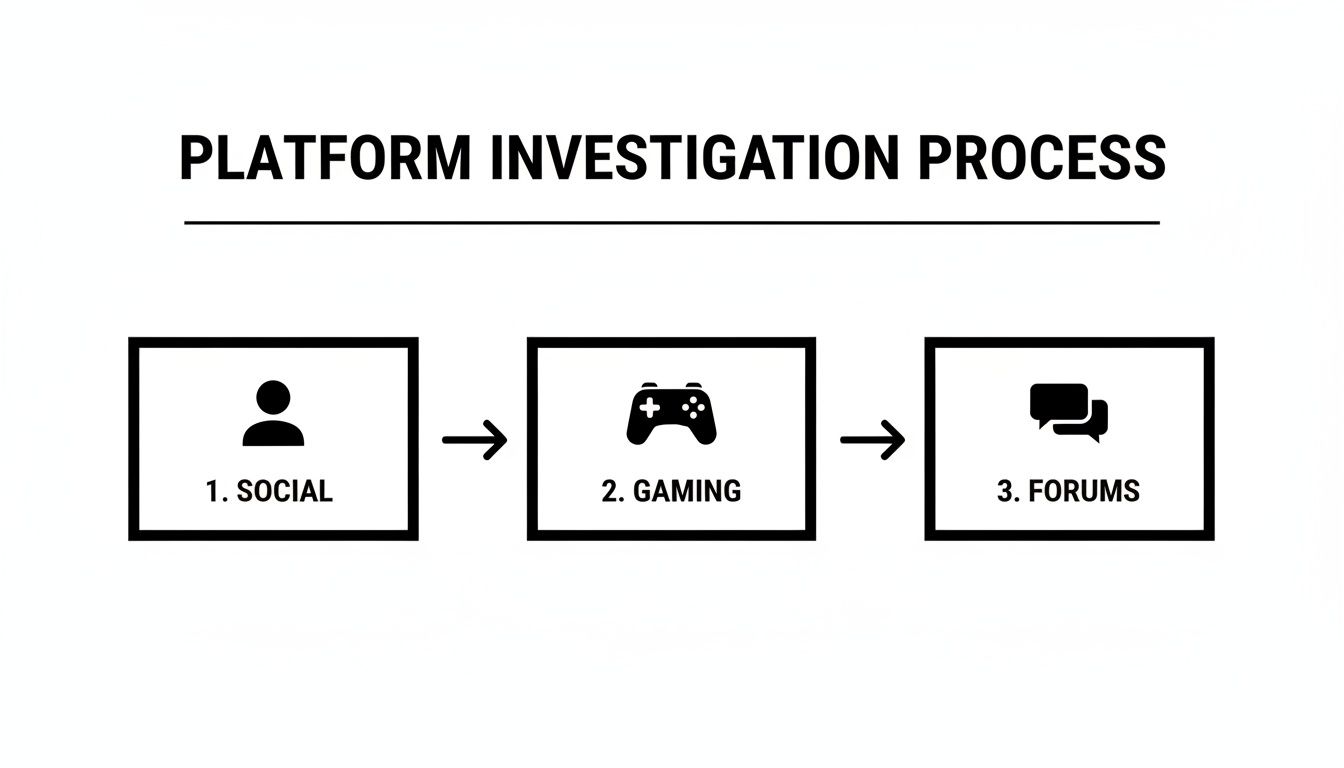
As you can see, an investigation isn’t a straight line. Information from a social profile might give you the key to unlock a forum account, which in turn might point you to a specific gaming network.
Using a Confidence Score to Stay Grounded
To keep your work organized and objective, it’s smart to use a confidence score. This isn’t some complex algorithm; it’s a simple, practical way to weigh your evidence. It stops you from jumping to conclusions and forces you to be honest about the quality of your links.
A confidence score is your personal, internal rating system. It helps you distinguish between a definite match and a speculative lead, ensuring your conclusions are based on solid evidence rather than guesswork.
I recommend sorting your findings into three basic tiers:
| Confidence Level | Criteria | Example |
|---|---|---|
| Confirmed | A direct, verifiable link. This is undeniable proof, like a user explicitly linking their accounts. | The Twitter bio reads, “Follow my gaming exploits on Twitch and Steam, same username: UserX123.” |
| Likely | Multiple strong correlations. Several pieces of circumstantial evidence all point to the same person. | A car forum username mentions owning a ‘98 Civic. A Reddit account with the same name posts photos of their ‘98 Civic in their driveway. |
| Possible | A single, weak connection. This is just a starting point for more digging, not a conclusion. | Two accounts share a common username like “MikeB2026,” but there are no other overlapping details to connect them. |
This simple system turns a messy pile of data into something you can actually use. It ensures you’re not just finding accounts but understanding the person behind them—which is the entire point of a meaningful online investigation.
Ethical OSINT and Protecting Your Online Identity
We’ve just walked through some powerful methods for tracking down accounts tied to a single username. But with great power comes even greater responsibility.
There’s a razor-thin, yet absolute, line between a legitimate investigation—like vetting a professional contact or ensuring your own safety—and illegal acts like stalking, harassment, or doxxing. Misusing these OSINT skills isn’t just a bad idea; it carries severe, real-world legal consequences.
Think about it. The same techniques you could use to uncover a romance scammer are the exact same ones a stalker could use to target someone. One action is for protection, the other is for predation. Understanding this duality is everything.
The core principle of ethical OSINT boils down to one word: intent. Are you gathering information to protect yourself and make informed decisions, or are you crossing a line to invade someone’s privacy for malicious reasons? You have to ask yourself why you’re searching before you even open a browser tab.
From Offense to Defense
Now that you’ve seen how easily a few digital breadcrumbs can be pieced together to form a complete picture, it’s time to turn that lens on yourself. The most effective way to grasp your own vulnerabilities is to run these same plays on your own usernames.
Think of it as a defensive audit. What can a complete stranger find out about you from one of your online handles? This isn’t a theoretical drill anymore. You have the playbook. Use it to see what your digital footprint reveals before someone else does.
Auditing your own online presence is the single best defense you have. Don’t wait for a potential employer, a new date, or a malicious actor to piece your life together. Find out what’s exposed and lock it down first.
Actionable Steps to Protect Your Identity
Today, protecting your identity is all about compartmentalization. You wouldn’t use the same key for your house, car, and office safe, right? The same logic applies to your online life—using the same username everywhere is a huge security risk.
Here are concrete steps you can take today to build digital walls between your different personas:
Segment Your Usernames: This is your strongest move. Create distinct, unrelated usernames for different areas of your life. Use one for professional networks like LinkedIn, another for your personal social media, a different one for gaming, and yet another for forums where you want to remain anonymous.
Use a Password Manager’s Generator: A good password manager does more than remember passwords. Many can also generate unique, random usernames that are difficult to trace back to you. This is a great way to break the habit of reusing old favorites.
Conduct Regular Self-Audits: At least twice a year, run your own usernames, email addresses, and name through the very search techniques we’ve covered. See what public profiles and bits of information pop up. Find the weak spots before someone else does.
By implementing these strategies, you create firewalls between your online identities. If one account is ever compromised or discovered, the trail goes cold, preventing it from leading an outsider to your other, more sensitive accounts.
You can take this even further by scrubbing your data from public view. Learn more in our guide on data broker removal.
Managing Your Digital Legacy
Ultimately, the goal isn’t to vanish from the internet. For most of us, that’s not realistic or even desirable. The real goal is to control the narrative.
By taking a proactive, defensive stance, you get to decide what the world sees. You curate your professional image, you protect your private life, and you ensure your gaming alter-ego stays separate from your real-world identity.
The truth is, your digital footprint is effectively permanent. But by taking these defensive measures, you can make sure that the story it tells is the one you want told. It’s your identity—own it, manage it, and protect it.
Your Top Questions About Username Searches
When you start digging into username searches, a few big questions always pop up. People want to know about the legal lines, what’s actually possible, and how it all connects back to personal privacy. Let’s tackle the most common ones head-on.
Is It Legal to Find Someone by Username?
This is the big one, and the answer comes down to your methods and, more importantly, your intent.
Using publicly available information to track down a username is generally legal. That’s the whole point of Open Source Intelligence (OSINT)—piecing together data that’s already out in the open on places like Google or public social media profiles.
The legal and ethical line gets crossed the moment you switch from passively observing to actively intruding. Things become illegal fast if you:
- Try to hack, phish, or brute-force your way into an account.
- Use the information you find to harass, stalk, or threaten someone.
- Doxx someone by maliciously publishing their private information.
The tools themselves are neutral. A search engine is just a search engine. It’s how you use it that defines whether your actions are legitimate, like for a personal security audit or reputation management, or malicious.
Can I Find Someone Who Deleted Their Account?
Finding an account after it’s been deleted is tough, but it’s not always a dead end. Once the profile is gone, the “digital echoes” can still linger for a while.
Search engine caches, for instance, might hold a snapshot of the profile from before it was taken down. More often, you’ll find traces on other platforms where people quoted their posts, took screenshots, or mentioned their handle in a discussion. A smart Google search using an operator like intext:"TheUsername" can sometimes pull up these ghosts from forums or old blog comments, giving you clues long after the source has vanished.
Remember, the goal here isn’t to access the original account—that’s gone. You’re looking for residual data that confirms the account existed and what was associated with it.
How Can I Find a Username If I Only Have an Email?
If an email is your only starting point, you can often work backward. Many people take the lazy route and simply use the part of their email before the ”@” symbol as their username. Someone with the email PixelPioneer88@email.com is very likely using “PixelPioneer88” or a close variation elsewhere.
Another, more delicate, technique involves a site’s password reset function. If you enter the email on a login page and hit “Forgot Password,” the confirmation screen might partially reveal the username (e.g., “Password reset instructions sent for user Pi****er88”). Use this method with extreme caution and only for legitimate, ethical purposes, as it almost always notifies the account owner of the attempt.
Why Can’t I Find a Specific Username?
Hitting a wall in your search is common. Even if you’re certain a username exists, there are plenty of reasons it might not show up.
- Private Profiles: The user might have all their accounts locked down. Private profiles are black holes for search engines.
- Niche Platforms: The username could be active on a small gaming forum, a private Discord server, or a brand-new app that public search tools haven’t indexed yet.
- A Recent Handle Change: The person may have changed their username. Old content might be tied to the old handle, but all new activity is under the new one, breaking the trail.
- Blocked Indexing: Some platforms have a
robots.txtfile or meta tags that specifically tell search engines like Google to stay away from user profiles.
If your broad searches come up empty, your next move is to pivot to platform-specific search tactics. The big tools can only show you what’s on the public web.
Your digital footprint is bigger than you realize, and your username is often the key that unlocks it all. Understanding what’s visible is the first step toward reclaiming your privacy. The Digital Footprint Check free tool shows you what others can find. Take control of your online identity and run a free scan on our checker today.