· Digital Footprint Check · Content Marketing · 20 min read
How to Find a Username Across All Platforms: the
Discover practical OSINT methods to find username across platforms and safeguard your digital footprint.

To find a username across the internet, you need to think like an OSINT (Open Source Intelligence) analyst. The most effective approach combines strategic Google searches with powerful, automated tools. This one-two punch is how you uncover everything—from forgotten social media profiles and gaming accounts to posts on obscure forums that could impact your job prospects, personal safety, and online reputation.
Your Username Is Your Digital DNA

That username you created for a gaming forum a decade ago? It’s likely still out there, acting as a digital breadcrumb. Think of your username as a unique identifier—a trail connecting your activity across social media, professional networks, and hobbies. This is a cornerstone of your online identity.
We all do it. We reuse handles for convenience, creating a sprawling web of personal data that’s nearly impossible to track manually. Getting a handle on your username’s reach is the first step to managing your online identity, protecting yourself from identity theft, and shoring up your personal security.
Why Your Username Trail Matters for Your Safety and Career
Every account you create adds another piece to your digital footprint. Even seemingly innocent usernames can link back to sensitive information, creating risks you’d never considered. An old, unprofessional handle might pop up during a background check, or a reused username could connect your “anonymous” forum rants to your professional LinkedIn profile.
Think about these real-world scenarios where username tracking suddenly becomes critical:
- Job Prospects: A 2020 study revealed that 70% of employers use social media to screen candidates. A hiring manager finds an old forum account with an embarrassing username and questionable posts, sinking your chances.
- Online Dating Safety: A stranger on a dating app uses your handle to find your other social media, uncovering your location, friends, and personal details. This is a common tactic in romance scams and catfishing.
- Gaming Account Security: Hackers find your username on a breached gaming site and use that same handle to try and break into your email or banking accounts—a technique known as credential stuffing.
- Identity Theft & Reputation Management: Forgotten accounts with cringe-worthy content or outdated info remain public, shaping how friends, colleagues, and strangers see you online. This data can be scraped and sold by data brokers, fueling identity theft.
This guide is your practical roadmap to using ethical OSINT to take back control. Tracing your usernames is where online identity protection begins.
Your digital footprint isn’t just what you post; it’s the sum of all the data trails you leave behind. Your username is often the most consistent marker connecting them all.
The Scale of Online Identities
The reality is, we live our lives online. That username you picked as a teenager could still be floating around on a dozen different platforms. With an expected 5.66 billion social media users worldwide by early 2026, the average person is juggling multiple accounts.
This fragmentation is exactly why usernames get repeated, creating that massive footprint. According to recent reports, the number of social media identities grew by 259 million in just one year, with the typical user spending hours a day spread across 7-8 different networks.
Before you let an automated tool do the work, it’s worth mastering the manual detective work that underpins any good username search. These are the foundational skills that give you the context to understand what the automated results actually mean.
It’s like learning to read a map before you fire up the GPS. Sure, the GPS is faster, but understanding the terrain makes you a far better navigator. Let’s dig into some practical strategies you can use right now to start finding those digital breadcrumbs.
Getting Creative with Search Operators
Google is way more powerful than most people realize. By using special commands, often called search operators or “Google Dorks,” you can slice and dice your search results with incredible precision. This is your first and most effective manual step for online identity protection.
Instead of just tossing a username into the search bar and hoping for the best, you can tell the search engine exactly where to look.
Here are the most valuable operators for hunting down a username:
site:This is your sniper rifle. It restricts your entire search to just one website, which is perfect for checking if a username exists on a specific forum or social network.- Example:
site:reddit.com "GamerPro99"will only show you results for “GamerPro99” on Reddit.
- Example:
intext:This forces Google to find pages that contain your exact keyword somewhere in the text.- Example:
intext:"GamerPro99"finds any page that mentions that specific username.
- Example:
inurl:This one is a rich source. It searches for your keyword within the page’s URL. Since so many sites put usernames directly in profile URLs, this operator is effective.- Example:
inurl:GamerPro99is great for finding profiles liketwitter.com/GamerPro99orGamerPro99.deviantart.com.
- Example:
Pro-tip: String these operators together for a seriously powerful query. A search like
"GamerPro99" site:ign.com OR site:gamespot.comchecks for that username across two major gaming forums at the same time.
The Power of Username Permutations
It’s rare for someone to use the exact same username everywhere. We add numbers, we throw in an underscore, or we tweak it slightly from site to site. A smart searcher learns to anticipate these variations. This is where you need a good permutation strategy.
Start with the core username, then brainstorm all the likely modifications.
- Numbers: People love adding birth years, lucky numbers, or common sequences (e.g.,
GamerPro99,GamerPro88,GamerPro123). - Underscores & Dashes: These are often used to replace spaces or just for style (e.g.,
Gamer_Pro,Gamer-Pro-99). - Prefixes & Suffixes: Think about common additions like “the,” “real,” or platform identifiers (e.g.,
TheGamerPro,RealGamerPro,GamerProYT). - Leet Speak: Don’t forget the classic swap of letters for numbers (e.g.,
G4m3rPr0).
Imagine a job seeker suddenly remembering their old Sk8rBoi2005 handle. They’d need to search for permutations like Sk8r_Boi_2005 and SkaterBoi2005 to find and nuke every embarrassing forum post before a hiring manager does. This kind of proactive cleanup can be the difference between getting an offer and being ghosted. If you want to dig deeper, our article on how to find a person on social media covers even more search techniques.
Reverse Image Searching a Profile Picture
Sometimes the strongest link between two accounts isn’t a username—it’s the profile picture. People are creatures of habit, and we often reuse the same headshot or avatar across dozens of platforms. This creates a powerful visual breadcrumb for catfishing detection and identity verification.
A reverse image search takes that picture and scours the web for every other place it appears. This is an effective OSINT technique, especially for verifying someone’s identity on a dating app or social media. If a profile feels a bit off, grab their picture and run it through a tool like Google Images or TinEye.
This simple trick can instantly uncover:
- Hidden social media profiles on Facebook, Instagram, or LinkedIn.
- Old posts on forgotten forums or blogs.
- Whether the photo is just a stolen stock image—a massive red flag for catfishing and romance scams.
While manual searches take effort, they give you a fundamental understanding of how digital identities are pieced together. When you’re ready to add speed and scale to your searches, you can compare these methods to what an automated platform provides.
Manual Search vs. Automated Tools for Online Identity Protection
Let’s break down how these manual techniques stack up against a comprehensive automated service. Both have their place, but they serve very different purposes in terms of speed, scope, and efficiency for cybersecurity and privacy management.
| Feature | Manual Search (Google Dorks, etc.) | Automated Tool (Digital Footprint Check) |
|---|---|---|
| Speed | Slow and methodical. Can take hours of tedious work. | Extremely fast. Delivers comprehensive results in minutes. |
| Coverage | Limited to public, indexed web pages. Misses deep web forums and niche sites. | Scans 500+ social networks, forums, data breaches, & more. |
| Effort | High. Requires creative thinking, patience, and technical skill. | Low. Just enter the username and click “search.” |
| Permutations | You must brainstorm and search each one manually. | Automatically searches common variations and permutations. |
| Best For | Targeted, deep-dive investigations on a known platform. | Broad, rapid discovery for reputation management and security audits. |
Ultimately, manual methods are fantastic for learning the ropes and doing a deep dive on a specific platform. But when you need comprehensive coverage and immediate results, an automated tool is the only practical way to see the full picture of a digital footprint.
Using Automated OSINT Tools for a Deeper Search
Manual searches are a great way to learn the ropes of finding usernames across platforms, but they have their limits. Let’s be honest—they’re slow, painstaking work. It often feels like you’re searching for a needle in a digital haystack. This is where automated OSINT tools change the game, giving you the speed and massive reach needed for a comprehensive search and effective online identity protection.
Think of it this way: a manual search is like looking for a book by wandering down a single library aisle. An automated OSINT tool scans the entire library system—including every branch in other cities—in just a few seconds.
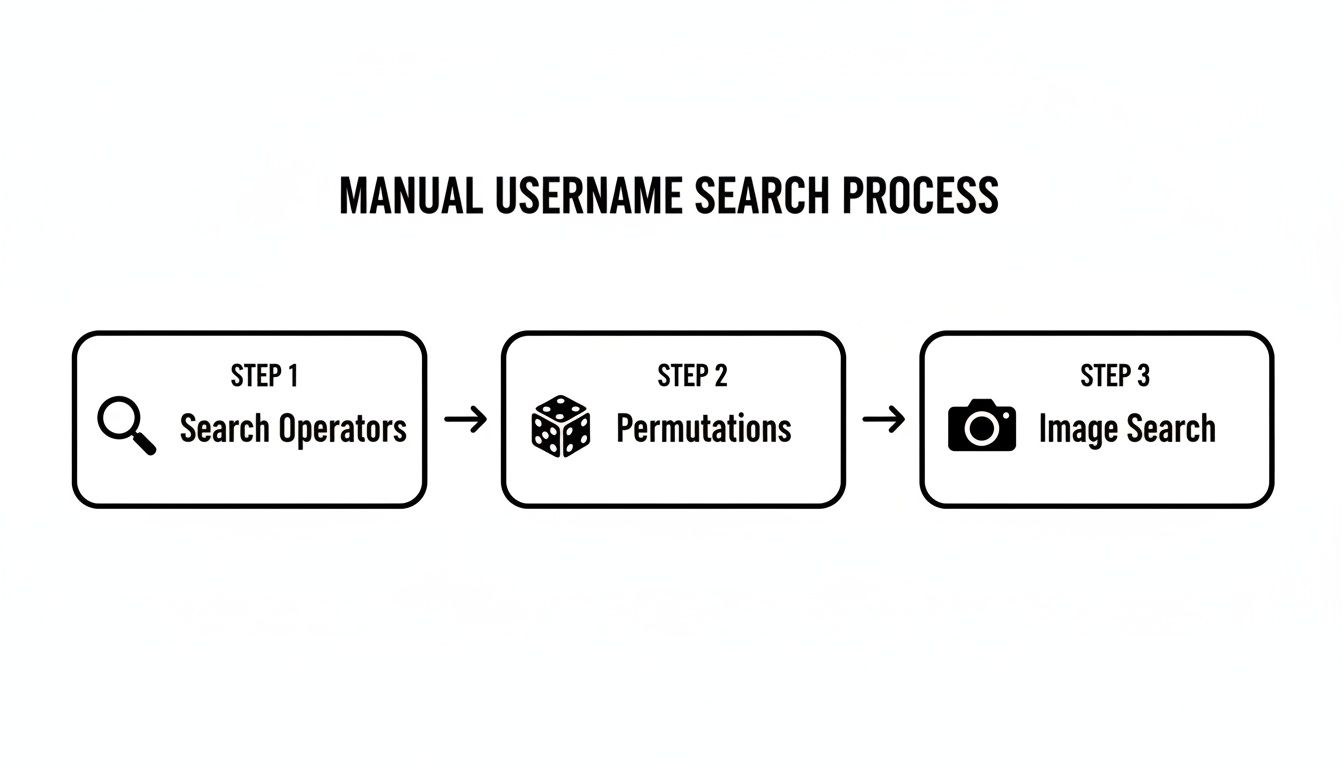
The manual process involves a lot of guesswork with search operators, username variations, and reverse image searches. Automated tools take that exact logic and apply it at a scale and speed that’s impossible for a human to match, hitting hundreds of websites, data breach databases, and public records all at once.
The Power of Automation and Scale in Cybersecurity
Platforms like ours systematically scan over 500 websites, social networks, gaming platforms, and public forums in moments. The real advantage isn’t just the speed; it’s the sheer breadth of the search. These tools dig up accounts on niche sites, data breach lists, and international platforms that you’d almost certainly miss doing it by hand.
This level of coverage is essential for anyone serious about mapping and protecting their online identity.
- Gamers: Audit your accounts across Steam, Discord, and Twitch to ensure an old, weak password on one site doesn’t compromise your entire gaming profile and lead to account takeover.
- Parents: Get a clearer picture of a child’s online exposure, uncovering accounts on lesser-known apps that might pose a personal safety threat.
- Professionals: Run a self-check before a job interview to ensure no forgotten, unprofessional profiles are lurking online, protecting your job prospects.
- Online Daters: Verify a potential partner’s identity to protect against romance scams and catfishing, enhancing your personal safety.
Why Automated Username Searches Are Essential Today
Our online lives are more fragmented than ever. The average person doesn’t just have one social media profile anymore; they have a whole web of interconnected identities. By 2026, there will be an estimated 5.66 billion social media users globally, with the average person visiting 6.75 different platforms every month.
This multi-platform reality means a single username like ‘GamerPro88’ could be tied to everything from a public Instagram account to a private gaming forum, which increases your privacy risks and exposure to identity theft.
Automated OSINT tools connect the dots between these scattered accounts. They build a cohesive map of your digital footprint, turning a chaotic mess of data into a clear, actionable report for reputation management.
This automated intelligence is what makes finding and managing your online presence a straightforward task instead of an endless chore.
Expanding Your Search Capabilities
Sometimes, a username is deliberately hidden or uses an unpredictable variation. When your standard searches come up empty, you need more advanced methods to efficiently discover hidden social media accounts that might be connected. This is another area where automation shines, as the tools can test hundreds of permutations and non-obvious links automatically.
For those looking to build their own OSINT skills, a great starting point is getting familiar with the kinds of information you can uncover. You can learn more about this by reading our guide on OSINT tools for beginners.
Ultimately, while manual searches teach you the “how,” automated tools deliver the “what”—a complete picture of an online identity, empowering you to protect it.
How to Analyze and Verify Your Results
Finding potential accounts is just the start. The real skill in this game isn’t just finding usernames across platforms—it’s confirming whether an account actually belongs to your target. This verification step is crucial for accurate catfishing detection and reputation management.
An automated search might spit out a dozen profiles for “GamerPro99,” but are they all the same person? More likely, most are false positives—unrelated accounts that just happen to share a common username. Telling the difference is where the real detective work begins, and it’s critical for avoiding embarrassing or damaging mistakes.
Creating a Verification Checklist
To prove an account is a match, you have to cross-reference multiple data points. Never, ever rely on a single piece of evidence. Instead, look for patterns and corroborating details that weave a thread between the different profiles you’ve uncovered.
Here’s a practical checklist to confirm ownership:
- Profile Pictures and Avatars: This is often the jackpot. People are creatures of habit and frequently reuse the same headshot or a favorite avatar across multiple platforms. It’s one of the strongest visual links you can find for identity verification.
- Bio Information: Look for overlap in job titles, locations, alma maters, or personal mottos. A “Marketing Manager in Austin, TX” on two different sites is a pretty strong signal.
- Friend and Follower Lists: Do the accounts share mutual connections? If a Twitter profile and an Instagram profile have 20 of the same followers, the odds are high they belong to the same person.
- Posting Style and Content: Analyze the language, tone, and subject matter. Someone who constantly posts about rock climbing on a niche Reddit forum is probably the same person sharing climbing photos on Instagram.
By layering these pieces of evidence, you can build a confident case for whether you have a true match or just a coincidence. This process is what turns a raw list of potential hits into verified, actionable intelligence.
Identifying False Positives in Your Search
Sometimes, the pieces just don’t fit. You might find a “GamerPro99” on Twitch and another on a professional networking site, but their profile pictures, connections, and content have nothing in common. That’s a classic false positive.
Never assume a username match equals an identity match. Always seek multiple points of verification to avoid misidentifying someone, which can have serious real-world consequences for your personal safety and reputation.
For instance, confronting someone in an online dating scenario about a hidden profile based only on a username match is a huge mistake if other details don’t align. Verification demands meticulous attention to detail to prevent false accusations and protect yourself from romance scams.
You can even take it a step further and run a reverse image search on a profile picture. This can reveal if it’s a stolen photo—a common tactic used by scammers and cat-fishers. Our guide on how to reverse image search for people walks you through exactly how to do this.
Analyzing the Findings for Actionable Insights
Once you’ve verified the accounts, what do you actually do with the information? Context is everything. What these profiles tell you depends entirely on why you were looking in the first place.
| Scenario | Potential Findings | Impact and Action |
|---|---|---|
| Pre-Employment Screening | An old, unprofessional forum handle is linked to your current professional identity. | Job Prospect Risk. This account should be deleted or privatized immediately to avoid giving a bad impression to hiring managers. |
| Dating App Verification | A match’s username uncovers undisclosed social media accounts with conflicting personal information. | Personal Safety Risk. This is a massive red flag for dishonesty or catfishing. Proceed with extreme caution or cut your losses. |
| Gaming Account Security | Your primary gaming username appears in a list from a recent data breach on a hacking forum. | Cybersecurity Risk. Immediately change your password on that platform and every other site where you’ve reused it to prevent identity theft. |
| Reputation Management | Forgotten personal blogs and social profiles with outdated or embarrassing content are publicly accessible. | Reputation Risk. Audit, privatize, or delete these accounts to control your online narrative and protect your professional image. |
The goal isn’t just to collect profiles; it’s to understand what they mean for your safety, reputation, and security. By properly analyzing your findings, you can move from discovery to taking decisive, protective action.
Your Digital Cleanup: Actionable Steps to Protect Your Identity

So, you’ve followed the breadcrumbs and mapped out your online presence. Finding all those accounts is a great first step, but it’s not the end of the road. This isn’t just an intel-gathering exercise; it’s about taking back control of your online identity.
The information you’ve uncovered is your personal roadmap for a thorough digital cleanup. It’s time to reduce your attack surface, strengthen your cybersecurity defenses, and build smarter habits. For a broader look at this process, it’s worth reading a practical guide on how to protect privacy online.
Nuke Your Old, Unused Accounts
Every old account you leave floating in the digital ether is a ticking time bomb for identity theft. That forum you joined in 2008? That long-abandoned social media profile? They’re potential liabilities, holding onto personal data that could surface in a future data breach.
Go through the list of accounts you found and start cutting the dead weight. Visit each site and follow their deactivation or deletion process. Yes, some platforms make this intentionally difficult, but it’s a non-negotiable step in shrinking your digital footprint and protecting your privacy. Think of it as digital hygiene—clearing out the clutter before it becomes a hazard.
Get Serious About Password Hygiene
Password reuse is the cardinal sin of cybersecurity. It’s also common. Once a hacker gets your password from one site, you can bet they’re trying that exact same login combination on dozens of other major platforms, threatening your gaming accounts, email, and finances.
This is why having a unique, strong password for every account isn’t just a good idea—it’s essential for online identity protection.
- Get a Password Manager: Seriously, do this now. Tools like 1Password, Bitwarden, or LastPass generate and store complex passwords for you. You only have to remember one master password to unlock the rest.
- Make Them Strong: A strong password is long (at least 12-16 characters) and uses a mix of uppercase letters, lowercase letters, numbers, and symbols. Let the password manager do the work here.
- Don’t Use Personal Info: Your birthday, your dog’s name, or your street address are terrible password components. They’re the first things an attacker will try.
Adopting a password manager is the single most effective security upgrade you can make. It takes the guesswork and memorization out of the equation and enforces good habits automatically.
Over 5.66 billion people will have social media identities by 2026, with the average user on 6.75 platforms each month. This digital sprawl means a single username can link disparate accounts, turning a breach on a 2015 gaming forum into a modern-day privacy crisis.
Turn On Two-Factor Authentication (2FA) Everywhere
Two-factor authentication (2FA) is your best defense against password theft and identity theft. Even if a cybercriminal steals your password, they can’t get in without the second factor—usually a code from an app on your phone.
You need to enable 2FA on every service that offers it. Prioritize these immediately:
- Email Accounts: Your email is the master key to your digital life. It’s used to reset passwords for almost everything else. Protect it above all.
- Financial Apps: Any service connected to your money needs this extra layer of security. No exceptions.
- Primary Social Media: Your main social accounts are prime targets for takeover attempts that can wreck your reputation.
This simple step blocks the vast majority of automated attacks cold. It’s a tiny inconvenience for a massive security boost. If you’re concerned about data exposure, you can also explore how data broker removal services can help.
Compartmentalize Your Digital Life
Finally, think strategically about the future. Stop using one username for everything. This practice creates an easy-to-follow trail connecting all your online activities. Instead, start compartmentalizing your usernames for better online identity protection.
Here’s a simple framework to follow:
- Professional: Use a clean, predictable variation of your real name for LinkedIn, work-related forums, and professional networking sites.
- Personal: Create a separate handle for private social media like Facebook or Instagram that you only share with friends and family.
- Anonymous: Use a unrelated, anonymous handle for gaming (Steam, Discord), forums, and other communities where you don’t want your real identity known.
This approach makes it difficult for someone to link your professional persona on LinkedIn to your anonymous comments on a Reddit thread. It breaks the chain of evidence, protecting both your privacy and your reputation.
Frequently Asked Questions
As you dive into the world of username searching, some big questions inevitably come up. It’s a space where technical skill meets real-world ethics, and knowing where the lines are drawn is just as important as knowing the OSINT tools. Let’s get into the most common ones.
Is It Legal to Search for Someone’s Username?
This is the big one, and the answer boils down to your intent and your methods. Generally speaking, using publicly available information (the core of OSINT) to find online profiles is perfectly legal. It’s not much different from typing a name into a search engine—you’re just gathering data that’s already out in the open for anyone to see.
The line is crossed, however, when that research turns into stalking, harassment, or any other kind of malicious activity. The OSINT tools are neutral; it’s all about how you use them. Using what you find to threaten, impersonate, or blackmail someone is illegal and unethical. But if you’re using these techniques for personal safety, like auditing your own accounts for reputation management, verifying a dating profile to prevent a romance scam, or protecting your child’s privacy, you’re on solid ethical and legal ground.
Think of it like this: It’s legal to look up a house on Google Maps. It’s not legal to use that information to peer into their windows or trespass. The same principle applies to online information and digital privacy.
What Are the Best Free Tools to Find a Username?
If you’re just starting out or on a tight budget, you can get surprisingly far with a few powerful, free methods. As we’ve already covered, your best first step is to get really good with advanced search operators on Google. Commands like site:, inurl:, and intext: let you run specific searches that zero in on particular websites.
Another fantastic free approach is reverse image searching. If you have a profile picture, you can run it through a search engine to find other accounts that use the same image. It’s an effective way to connect the dots between platforms when a username isn’t a direct match—a crucial step in catfishing detection.
These manual techniques are great for focused, one-off searches, but they have their limits. They can be time-consuming and won’t give you the full picture needed for comprehensive online identity protection. For real efficiency, an automated tool is almost always the best place to start.
How Can I Check If a Username Is Taken Everywhere?
Let’s be realistic: manually checking if a username is taken across hundreds of websites is an impossible task. You’d have to visit every site—from giants like Facebook and Instagram to niche gaming forums and international platforms—and search for the handle one by one. This would take countless hours, and you’d still have no guarantee you were being thorough.
This is exactly where automated tools prove their worth. They are built to solve this specific problem.
An automated username checker can query hundreds, even thousands, of sites at once in just a few seconds. It systematically pings each platform to see if a profile with that handle exists, then gives you a comprehensive report showing everywhere it’s registered. It’s the only practical way to see the full scope of a username’s online presence, saving you hours of tedious work and uncovering accounts on sites you’d never even think to look for. This is essential for both proactive reputation management and cybersecurity.
Ready to see where your username appears online? Digital Footprint Check can help you uncover your accounts across social media, gaming platforms, data breaches, and more. Take control of your online identity and protect your privacy. Get started with our free username checker today.