· Digital Footprint Check · Content Marketing · 19 min read
How to Hide Your Ip Address: a Practical Guide to Digital
Learn how to hide ip address with this practical guide. Explore VPNs, proxies, and Tor to protect your online privacy.

Hiding your IP address isn't just for hackers. It's a practical step for anyone online, with real effects on your job prospects and safety.
Your IP address is like a home address for your connection. You wouldn't hand your physical address to every stranger, and you shouldn't leave your digital one exposed either. This guide covers why it matters, how to hide it, and what it means for your digital identity.
Why Hiding Your IP Address Actually Matters for Your Safety and Career
Every time you go online, your Internet Service Provider (ISP) assigns a unique numerical label to your connection. It reveals your general location, often down to your city or neighborhood. That one piece of data is a starting point for advertisers, employers, or criminals building a profile about you.
The Real-World Risks of an Exposed IP Address
An exposed IP address has real consequences for your safety, finances, and hobbies. These are problems people face every day.
For competitive gamers, an exposed IP is a vulnerability. Someone can launch a Distributed Denial of Service (DDoS) attack, flooding your network and crashing your connection mid-match. For a streamer, that's a hit to income, not just an annoyance.
Or consider online dating. Your IP address could inadvertently reveal your general location to a stranger you've just started talking to. Combine that with a few details from your profile, and it can become easy for someone to figure out where you live or work. This is a huge personal safety risk, especially when dealing with unverified profiles on dating apps and the threat of romance scams or catfishing.
An IP address is a data point. ISPs and advertisers can use it to build a detailed picture of your habits, interests, and affiliations.
Your IP Address and Your Digital Footprint
Your IP address is part of your digital footprint. Advertisers use it for geo-targeting, websites for region locks, and criminals to pick targets for scams or identity theft.
It connects your actions to a network and location, creating a trail. Understanding the hidden dangers of your digital footprint matters, because your IP is one of many data points that can be used against you.
Protecting it is part of taking back control of your identity and reputation. It's not paranoia; it's being proactive when your data is scraped and logged. Hiding your IP address closes one of the most visible windows into your digital life.
Comparing Your Options to Hide an IP Address: VPN vs. Proxy vs. Tor
Choosing the right tool to hide your IP address is a bit like picking a vehicle for a journey. A sports car is great for a fast trip on a highway, but an armored truck is what you need for navigating a dangerous area. Each has a specific purpose, and the best choice depends entirely on your destination and the risks you expect along the way.
The three main ways to hide your IP are Virtual Private Networks (VPNs), proxy servers, and The Onion Router (Tor). Each one strikes a different balance between security, speed, and anonymity, catering to different needs—from casual streaming to high-stakes privacy protection. Getting a handle on their core differences is the key to making an informed decision for your personal security.
The Go-To Choice for Everyday Privacy: VPNs
A Virtual Private Network (VPN) has become the most popular and versatile solution for the average user, and for good reason. It works by creating an encrypted tunnel between your device and a remote server operated by the VPN provider. All your internet traffic gets routed through this tunnel, which effectively masks your real IP address with the IP of the VPN server.
Here’s the important part: your ISP can see you're connected to a VPN, but thanks to that strong encryption, it can't see what you're doing online.
The massive adoption of VPNs shows just how much people are waking up to the need for digital privacy. By mid-2025, it's estimated that over 1.75 billion people worldwide will be using VPNs—that’s roughly 31% of all daily internet users. This boom is driven by a desire to secure data on public Wi-Fi, bypass geo-restrictions on streaming sites, and stop ISPs from tracking every move.
Quick and Simple Location Spoofing: Proxies
A proxy server is much simpler, acting as a basic middleman for your web traffic. When you send a request to a website, it first goes to the proxy server. That server then forwards your request to the destination using its own IP address. The website only sees the proxy's IP, not yours.
But there's a huge catch: most proxies do not encrypt your traffic. This makes them faster than VPNs but far less secure. They're really only suited for low-stakes tasks, like getting around a simple geo-block on a website or managing multiple social media accounts without getting flagged. For more advanced needs, you can explore various dedicated or shared proxy server solutions.
The Gold Standard for Anonymity: Tor
When you need the absolute highest level of anonymity, The Onion Router (Tor) is the undisputed champion. Tor is a free, open-source network run by volunteers across the globe. It makes your traffic anonymous by bouncing it through a series of randomly selected servers, called nodes, encrypting it in layers at each step—just like the layers of an onion.
This process makes it virtually impossible to trace the traffic back to its source. Journalists, activists, and people living under heavy censorship rely on Tor to communicate safely and access the uncensored internet. It's a powerful OSINT tool for those who need to conduct research without leaving a trace.
However, that rock-solid security comes at a cost. Tor is significantly slower than a VPN or proxy, making it a poor choice for streaming or downloading large files. Plus, just using Tor can sometimes flag your activity as suspicious to certain websites or network administrators.
Choosing the right tool isn't about finding the "best" one overall, but the best one for your specific task. For daily security, a VPN is excellent. For maximum anonymity, Tor is necessary. For a quick IP change, a proxy suffices.
Ultimately, understanding that a visible IP address presents real risks is the first step toward a safer online experience. Masking your IP is a great protective layer, but remember it's just one of many ways to protect your online privacy.
Comparison of IP Hiding Methods: VPN vs. Proxy vs. Tor
This table breaks down the key differences to help you select the right tool based on your primary needs, whether it's security, speed, or ease of use.
| Method | Primary Use Case | Security Level | Speed Impact | Ease of Use |
|---|---|---|---|---|
| VPN | Secure browsing, streaming, gaming security, and bypassing geo-blocks. | High (Strong Encryption) | Moderate | Very Easy |
| Proxy | Quick IP change for low-stakes tasks and accessing geo-restricted sites. | Low (No Encryption) | Low to Moderate | Easy |
| Tor | Maximum anonymity for sensitive communications, OSINT, and bypassing censorship. | Very High (Multi-Layer Encryption) | High (Very Slow) | Moderate |
By looking at your personal threat model and what you actually do online, you can confidently choose the right tool from this table. For most people, a reputable, paid VPN offers the best blend of robust security, reliable performance, and user-friendly operation, making it the cornerstone of any solid digital privacy strategy.
Putting a VPN to Work: A Practical Walkthrough
There's a reason a VPN is the go-to tool for hiding your IP address. It hits the sweet spot between security, speed, and ease of use for most people. But grabbing the first one you see and hitting "connect" isn't enough. Let's walk through how to choose and use a VPN in a way that actually protects your privacy.
What Really Matters When Choosing a VPN Provider
The VPN market is flooded with flashy ads and bold claims. You have to cut through that noise and look at the details that actually impact your security. A provider's marketing budget means nothing if their core practices are weak.
Your first, most critical checkpoint is the logging policy. A true "no-logs" VPN provider promises not to record your online activity—the websites you visit, the files you download, none of it. Without this policy, the VPN company could hold a detailed record of your entire browsing history, defeating the purpose of using their service.
Next, look at the provider's jurisdiction. A VPN company based in a country with strong privacy laws (like Panama or Switzerland) is generally a safer bet. You want to avoid those headquartered within the "14 Eyes" intelligence-sharing alliance, which includes countries like the US, UK, and Canada.
Understanding VPN Protocols
Not all VPN connections are built the same. The protocol a VPN uses dictates the strength of its encryption and overall performance. You'll typically run into a few main options:
- OpenVPN: This has been the industry highest standard for years. It's known for being secure and reliable. Because it's open-source, its code has been poked and prodded for vulnerabilities by security experts all over the world.
- WireGuard: As a newer, more modern protocol, WireGuard delivers significantly faster speeds than OpenVPN without compromising on security. Its leaner codebase makes it easier to audit, and it's quickly becoming the preferred choice for many top-tier VPNs.
- IKEv2/IPSec: You'll often see this one favored on mobile devices. It's known for its stability and knack for automatically reconnecting if your internet drops—perfect for when you're switching between Wi-Fi and cellular data.
For most people, a provider offering both OpenVPN and WireGuard gives you the perfect blend of proven security and modern speed.
The commercial VPN market is projected to hit a valuation of around $77 billion by 2026, a clear sign of the growing demand for IP hiding tools. But be careful: studies have shown that nearly 85% of top free VPNs share user data, and a staggering 99.98% of all VPN users remain technically traceable, which really drives home the importance of picking a reputable service.
Setting Up and Verifying Your Connection
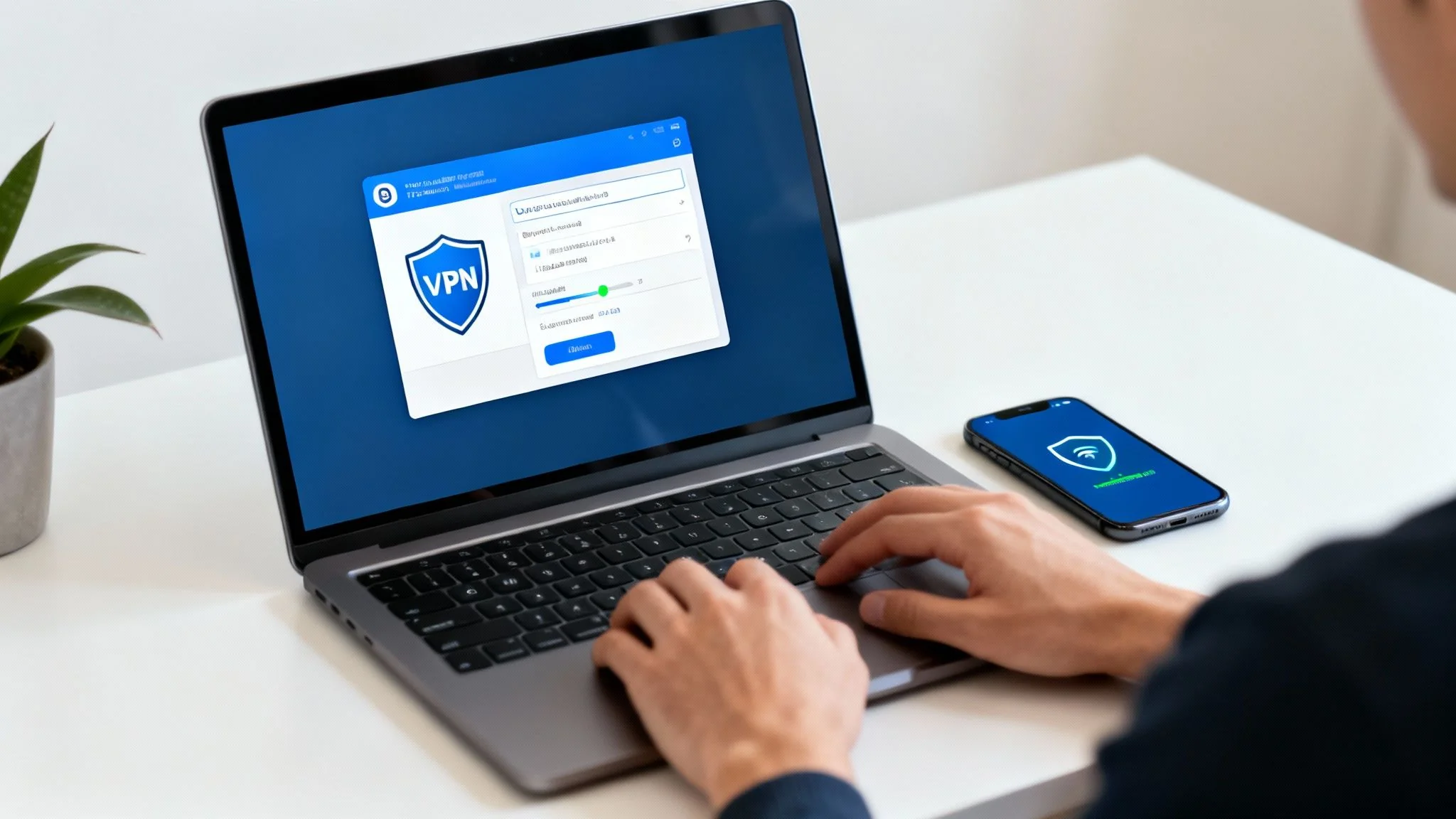
Once you've landed on a trustworthy provider, getting set up is usually pretty simple. You'll download their app for your device—computer, phone, tablet—log in, and connect to a server.
When you connect, you can typically pick a server in a specific country. This is great for getting around geo-restrictions on streaming services or just optimizing your speed by picking a server closer to your physical location. It's also an essential tool for staying secure while you're on the road; check out our guide on how to manage your digital footprint while traveling abroad for more on that.
After you're connected, you have to verify it's actually working. Don't just trust the app's little "Connected" status. Open a browser and search "what is my IP address." The result should show the IP and location of the VPN server, not your real one. If you still see your actual location, your connection isn't secure and you need to do some troubleshooting.
Common Mistakes to Avoid
The biggest pitfall is falling for the allure of "free" VPNs. Running a secure, global VPN network is expensive. If a company isn't charging you a subscription, you can bet they're making money some other way—usually by logging your activity and selling your data to advertisers and data brokers.
Another common mistake is forgetting to enable the kill switch. This is a critical failsafe that automatically cuts your internet access if the VPN connection ever drops unexpectedly. Without it, even a momentary disconnect could expose your real IP address without you ever noticing. Always make sure this feature is toggled on in your VPN's settings.
By carefully choosing a provider, understanding the tech, and verifying your setup, you can make a VPN an effective shield for your IP address. It’s a simple but powerful step toward taking back control of your online identity.
Exploring Other Ways to Change Your IP Address
While VPNs, proxies, and Tor are the heavy hitters in the world of IP privacy, they're by no means your only options. Different situations call for different tools, and sometimes all you really need is a quick, temporary fix.
Knowing these other methods gives you a much more complete toolkit, so you can pick the right approach for any scenario you find yourself in. Some are surprisingly simple and don't require any special software at all.
For instance, a classic on-the-fly trick is just using your phone's mobile network. Every time you switch off Wi-Fi and jump onto your cellular data, your carrier usually hands your phone a brand-new IP address from its available pool. It's a fast way to get a fresh IP if you're dealing with something like a temporary block from a website.
Using Your Mobile Hotspot for a Quick IP Change
A really practical way to apply this is by turning your phone into a personal hotspot, also known as mobile tethering.
When you connect your laptop or tablet to your phone's hotspot, that device piggybacks on your phone's mobile data connection. That means it also gets the temporary IP address assigned by your mobile carrier. This instantly masks the IP address from your home or local Wi-Fi.
This is a fantastic short-term fix if your home IP has been flagged or you just need a quick change for a specific task. Of course, it's not without its trade-offs. You'll be eating into your mobile data plan, which can get expensive, and the connection speed might not hold a candle to your primary internet service.
Key Takeaway: Using your mobile hotspot is a convenient, software-free way to temporarily hide your device's usual IP address. Just be mindful of data consumption and potential speed limitations.
The Cybersecurity Risks of Public Wi-Fi
Another common way people change their IP address—often without even thinking about it—is by connecting to public Wi-Fi at a coffee shop, airport, or library.
The moment you join a public network, your device is assigned a new IP address from that network's router. This effectively hides your home IP from the websites you visit.
While it technically works for an IP change, this is easily the riskiest method on the list. Public Wi-Fi networks are notoriously insecure, making them prime hunting grounds for attackers looking to snoop on or intercept data. This is a major cybersecurity risk. Without the encryption a VPN provides, your online activity, including passwords and personal information, could be wide open for anyone else on that network to see.
This method should only be a last resort, and you should never use it for sensitive activities like online banking or logging into important accounts. It really underscores why understanding the full suite of available internet privacy tools is critical for making safe choices online.
A More Permanent Home Solution: Router Configuration
Looking for a more robust, set-it-and-forget-it solution? You can configure privacy tools directly on your home router.
Many modern routers actually support installing VPN client software. By setting up the VPN on the router itself, every device connected to your home Wi-Fi will have its traffic automatically routed through the VPN. We're talking about your laptop, phone, smart TV, gaming console—everything.
This network-wide approach means you don't have to remember to connect a VPN on each device individually. It provides a constant, always-on layer of IP protection for your entire household.
The history of the internet's architecture really brings home why these measures are so relevant. The original IPv4 system, which organized addresses into classes, only provided a limited pool of about 4.3 billion addresses. Even with newer systems in place, the sheer prevalence of IPv4 means that IP addresses are a valuable and highly trackable commodity. That makes knowing how to hide your IP a fundamental digital survival skill. You can learn more about the technical evolution of these protocols by exploring the history of the IP address system.
Looking Beyond Your IP to Your Full Digital Footprint
Successfully learning how to hide your IP address is a powerful move for protecting your online privacy. Think of it as installing a high-quality lock on your digital front door—it's a critical first step that stops casual snoops and deters a lot of would-be intruders. But just like a house, your online presence has more than one point of entry.

Even with a masked IP, countless other data points are constantly being collected, creating a detailed mosaic of who you are. This ever-growing collection of data is your digital footprint, and it’s pieced together from far more than your connection's address. Understanding this bigger picture is the next logical step in securing your entire online identity and preventing identity theft.
Identifiers That Follow You Everywhere
Beyond your IP address, several other tracking technologies are working silently in the background. They act like digital detectives, piecing together your identity even when you think you're anonymous.
These trackers are persistent. They can follow you from one website to another, building a rich profile of your interests, habits, and connections that can be surprisingly accurate.
Here are some of the most common identifiers that contribute to your digital footprint:
- Browser Cookies: These small text files stored on your computer are the most well-known trackers. While some are helpful for remembering login details, third-party tracking cookies follow you across different sites to build a profile for targeted advertising.
- Device Fingerprinting: This advanced OSINT technique collects specific, often unique, information about your device—like your screen resolution, installed fonts, operating system, and browser plugins. This combination of data can create a "fingerprint" so unique it can identify you even if you clear your cookies or hide your IP.
- Account Logins: The simplest tracker of all is you. The moment you log into a social media account, email, or any online service, you have directly linked your activity to your personal identity, regardless of the IP address you're using.
Why Your Full Footprint Matters for Jobs, Dating, and Safety
Your digital footprint has real-world consequences that stretch far beyond targeted ads. For job seekers, a prospective employer might uncover old social media posts or forum comments that paint an unprofessional picture, potentially costing you an opportunity. A recent study found that 70% of employers use social media to screen candidates before hiring, a clear example of reputation management in action.
In the world of online dating, your digital footprint can expose details that compromise your personal safety. Information pieced together from different profiles could reveal your workplace, favorite hangouts, or even clues about your daily routine to someone you barely know, increasing the risk of catfishing and other scams. This is why dating app verification and a clean digital presence are so important.
Hiding your IP is a fantastic tactic, but true online privacy requires a broader strategy. You must also manage the data you willingly and unwillingly share through your browser, devices, and online accounts.
Ultimately, your digital footprint is the sum of all your online activities. Beyond your IP, understanding your full digital footprint involves grasping broader online privacy considerations. This bigger picture is crucial for anyone serious about protecting their identity. To learn more about this, you can explore the broader implications of your digital footprint and how to manage it effectively.
The first step to managing this exposure is discovering what's out there. A great starting point is to run a free scan to see what personal information is publicly accessible about you online.
Common Questions About Hiding Your IP Address
Jumping into the world of IP privacy can feel like navigating a minefield of technical jargon and conflicting advice. It's easy to get lost. Let's clear the air and tackle some of the most common questions people have when they first start to hide their IP address.
Is It Legal to Hide My IP Address?
This is usually the first thing people ask, and thankfully, the answer is pretty straightforward for most of the world: yes, it is perfectly legal.
In places like the United States, Canada, and across the UK, using tools like VPNs to protect your privacy is a well-established right. Millions of people do it every day for legitimate reasons, whether they're securing their connection on a coffee shop’s public Wi-Fi or just shielding their online identity from trackers.
But here’s the critical distinction: the legality all comes down to what you do while your IP is hidden. Masking your IP doesn't give you a free pass to break the law. Illegal activities are still illegal, and authorities have ways of investigating those crimes. It's also worth remembering that a handful of countries with heavy internet censorship have restrictions or outright bans on VPNs, so it’s always a good idea to check local regulations when traveling.
Can I Hide My IP Address for Free?
You can. Between the Tor browser and a sea of free VPNs, there's no shortage of no-cost options. But this is one of those classic "you get what you pay for" situations, and the trade-offs are massive.
Free services need to make money somehow. If they aren't charging a subscription, there's a good chance you're the product. Many free VPNs are notorious for logging everything you do and selling that data to advertisers and data brokers—the very entities you're trying to escape.
They also come with a laundry list of frustrations:
- Painfully Slow Speeds: Free servers are almost always overcrowded, which means your connection will crawl.
- Strict Data Caps: You’ll likely hit a wall after using a certain amount of data, making streaming or large downloads impossible.
- Serious Privacy Risks: The business model often relies on logging and selling your browsing history, defeating the purpose.
While a free tool might work in a pinch for a quick, low-stakes task, they're simply not a reliable choice for anyone serious about consistent privacy and cybersecurity.
Will Hiding My IP Make Me Completely Anonymous?
This is a crucial point to internalize. Hiding your IP address is a huge and necessary step toward online anonymity, but it doesn't make you a ghost online. Think of it as the first and most important move, not the entire game.
Your IP address is just one of many identifiers that can be used to piece together who you are.
Even with a masked IP, you're still leaking data in other ways. Browser cookies follow you from site to site, and device fingerprinting can build a unique profile of you based on your computer’s specific hardware and software configuration. And, of course, the second you log into an account—whether it's Gmail, Facebook, or Amazon—you've just tied all your activity directly to your real-world identity, no matter what IP you're using.
Hiding your IP is a step toward anonymity, but it’s not an invisibility cloak. True online privacy requires a multi-layered approach that addresses all the ways you can be tracked.
Protecting your IP is the first move in a much larger game of digital privacy and reputation management. The next step is understanding your full digital footprint—all the information about you that exists online. At Digital Footprint Check, we empower you to see what’s out there. Discover your exposed data and take back control with our free profile checker.