· Digital Footprint Check · Content Marketing · 17 min read
Email Breach Check Free: Protect Your Digital Identity
Is your data exposed? Use a trusted email breach check free to uncover risks. Learn actionable steps to secure your online identity and prevent fraud today.

You can run a free email breach check using trusted online tools to see if your credentials have been exposed in a known data breach. These services scan massive databases of leaked information and tell you if your email address was part of a specific incident, providing an essential first step in securing your digital identity against identity theft, online scams, and reputation damage.
Why Your Email Is Your Biggest Digital Vulnerability
It’s easy to think of your email as just a simple mailbox, but that’s a dangerous understatement. In reality, it’s the master key to your entire digital life.
Every account you create is tied to it—social media, online banking, gaming profiles, even dating apps. This single point of connection makes it an valuable, and vulnerable, target for cybercriminals.
When a hacker gets your email and password from one data breach, they don’t just stop there. They immediately test that same combination on dozens of other popular sites, an attack method known as credential stuffing. Suddenly, a password leaked from a forgotten online forum could give them the keys to your financial accounts or professional network.
The Real-World Consequences
An email breach isn’t just an abstract technical problem. The consequences can ripple through every aspect of your life, creating significant personal and professional damage. These are real threats with tangible impacts on your safety, finances, and reputation.
Here’s a look at how an exposed email can turn your life upside down:
- Financial Fraud & Identity Theft: Criminals can use your compromised email to reset passwords for banking or shopping sites. Before you know it, they’re making fraudulent purchases, draining your accounts, or opening new lines of credit in your name, destroying your financial stability.
- Reputation Damage & Job Prospects: If a work email is compromised, it can be used for corporate espionage or to send malicious emails to your colleagues and clients. Even a personal email leak can expose old, embarrassing forum posts or social media activity that a potential employer might find, jeopardizing your career opportunities.
- Gaming Account Security: A breach can lead to the takeover of your gaming accounts, resulting in the theft of valuable in-game items, virtual currency, or even the complete loss of a profile you’ve spent years building.
- Online Dating Safety & Romance Scams: For users of dating apps, a breach can expose personal details, private conversations, and even your location. This information can be used by scammers to build trust for romance scams or catfishing schemes, and in worst-case scenarios, can escalate to harassment, stalking, or real-world threats.
Breaches Are More Common and Costly Than Ever
The scale of this problem is staggering. Data breaches are happening more frequently, and their financial impact keeps climbing.
According to recent industry findings, the global average cost of a data breach has now hit $4.44 million. In the United States, that number is even more alarming, with incidents reaching a record $10.22 million. These breaches are often fueled by credential theft (22%) and phishing attacks (16%), both of which directly target your email. You can find more detailed data breach statistics that highlight just how quickly the costs and frequency of these incidents are escalating.
An email compromise is rarely an isolated event. It’s the first domino to fall in a chain reaction that can lead to widespread identity theft, financial loss, and severe personal distress. Running a free email breach check is your first line of defense.
How to Do an Email Breach Check—Safely and Effectively
Jumping right into an email breach check free of charge is a smart first move, but you have to do it safely. Not all tools are built the same. Some are legitimate OSINT (Open-Source Intelligence) services designed to protect you, while others are phishing sites in disguise, created to steal the exact information you’re trying to secure.
A trustworthy tool will never, ever ask for your password or other sensitive data beyond the email address you’re checking. It should have a clear privacy policy and a solid reputation in the cybersecurity community. Scam sites, on the other hand, often try to create a false sense of panic, have unprofessional designs, and ask for information or permissions they have no business asking for.
Using a Trusted Free Breach Checker
Sticking with a reliable service makes the whole process simple and keeps your data from being exposed during the check. Reputable platforms work by gathering data from thousands of publicly known breaches, letting you quickly see where your email has popped up without creating new risks.
Let’s walk through what you can expect from a legitimate free scanning tool like Digital Footprint Check.
The process is straightforward. You just enter your email address, and the system instantly cross-references it against a massive database of known data breaches.
Think of this initial scan as your first line of defense, immediately flagging if your email was caught up in major incidents. Understanding what these results mean is the next critical step. For a deeper dive into a specific compromise, our guide on how to check if an email was hacked provides more advanced techniques.
How to Make Sense of Your Breach Results
When you get your results, you’ll probably see a list of websites or services where your email was exposed. The first rule is: don’t panic. The next step is to calmly assess the risk level of each breach, because they are definitely not all created equal.
The context of the breach is everything.
- Low-Risk Breach: Maybe your email and username were exposed from an old online forum you haven’t touched in a decade. While it’s not great, the immediate threat is pretty low, especially if you didn’t reuse that password anywhere else.
- Medium-Risk Breach: A breach at a gaming platform like Steam or a retail site you use occasionally. This is more serious. It could expose payment details, other linked accounts, and a password you might have reused for similar services, putting your gaming profile at risk.
- High-Risk Breach: Your email was part of a breach at a financial service, a healthcare provider, or a major social media platform like Facebook or a dating app. This is a red alert. The data exposed here could be highly sensitive personal and financial information, prime for identity theft, catfishing, or romance scams.
A breach on a service holding financial data is more dangerous than one on a simple newsletter subscription. Prioritize your response based on the sensitivity of the data that was likely exposed.
By sorting each breach into these categories, you can build a clear, methodical action plan. Always start by tackling the highest-risk exposures first—the ones that could lead to financial loss or identity theft—and then work your way down the list. This approach turns a potentially overwhelming moment into a manageable, empowering one.
My Email Was in a Breach, Now What?
Finding out your email was caught in a data breach feels like that sinking moment you realize a stranger has a key to your front door. It’s unnerving, but this is the time for a calm, methodical security upgrade—not panic.
Your first and most critical move is to change your passwords. Start with the account tied to the breach, of course, but don’t stop there. The real danger is password reuse. If you used that same password for your main email, your bank, or your social media, those accounts are now wide open for the taking.
This flowchart can help you visualize the next steps and the importance of using a trusted tool for your breach check.
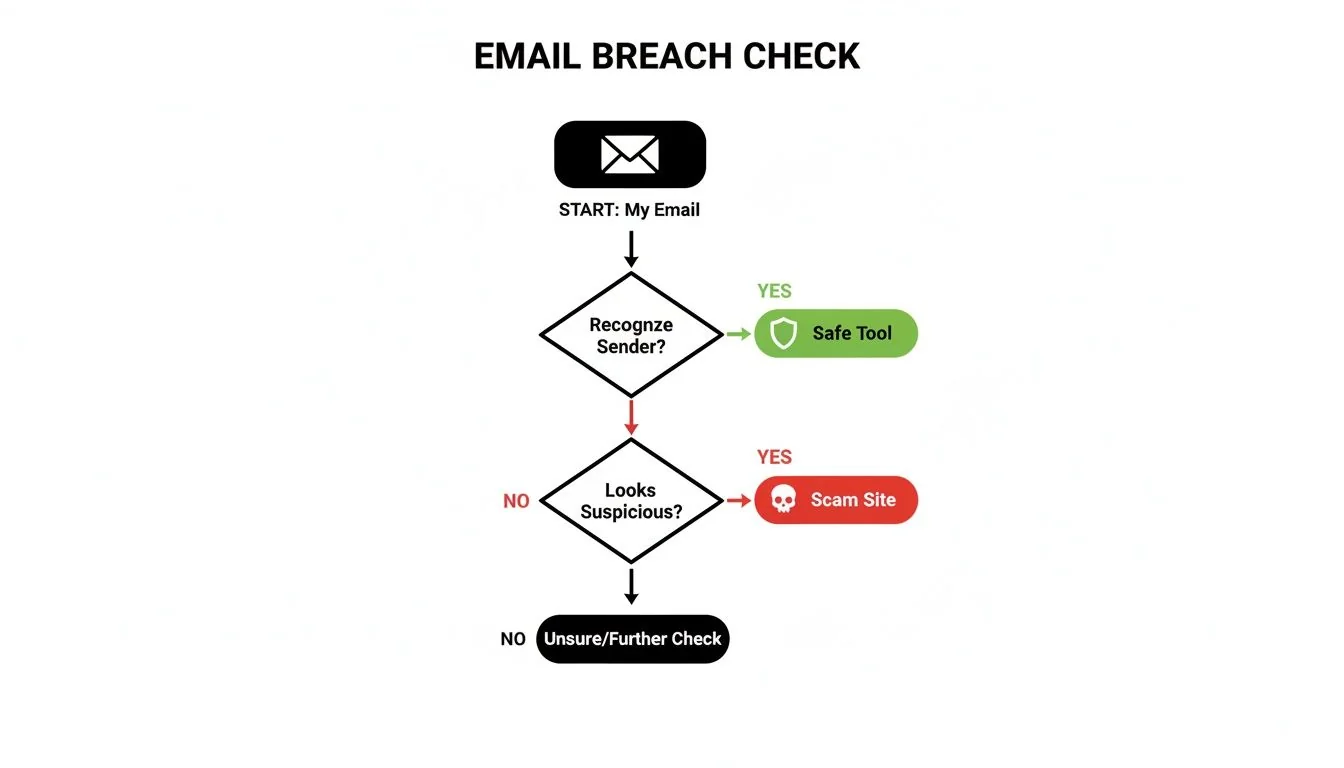
As it shows, using a safe, reputable service puts you on the path to security. A scam site, on the other hand, just leads to more trouble.
Lock Down Your Accounts Immediately
Cybercriminals love a tactic called credential stuffing. They take the email and password combination from one breach and feed it into automated software that tries the same login on hundreds of other popular websites. A password from an old, forgotten gaming forum could suddenly become their golden ticket into your primary email account.
When you discover a breach, every second counts. Below is a checklist of the most critical steps to take the moment you find out your email has been compromised. Treat this as your emergency response plan.
Your Immediate Post-Breach Action Plan
| Priority | Action Step | Why It’s Critical |
|---|---|---|
| 1 (Highest) | Change the Breached Account’s Password | This is the source of the leak. Securing it immediately stops direct access using the stolen credentials. |
| 2 | Change Your Primary Email Password | Your main email is the hub of your digital life. If a hacker gets in, they can reset passwords for all other accounts. |
| 3 | Change Passwords on Critical Accounts | Update passwords for banking, financial, social media, gaming profiles, and dating apps, especially if you reused the breached password. |
| 4 | Enable Multi-Factor Authentication (MFA) | Turn on MFA for every account that offers it. This requires a second verification step (like a code from your phone), stopping attackers even if they have your password. |
| 5 | Review Account Activity | Check for any unauthorized logins, transactions, or changes in your breached accounts. Look for signs of scams or identity theft. |
Following these steps methodically will help you contain the immediate damage and regain control of your digital identity.
A strong password is your first line of defense, but MFA is the security measure that protects you. It’s the single most effective step you can take to secure an account post-breach.
This proactive approach is essential. Stolen credentials are often just the first step in a much larger attack. In fact, 71% of organizations hit by a security breach also faced a ransomware attack, with stolen credentials fueling 22% of these incidents, according to a recent email security breach report from Barracuda Networks.
Strengthen Your Long-Term Defenses
Once you’ve put out the immediate fires, it’s time to build stronger digital walls for the future.
This is the perfect time to start using a password manager. These tools are invaluable for generating and storing complex, unique passwords for every site you use—all without you having to memorize a thing.
A data breach can also be the first warning sign of a much bigger identity theft problem. Use this moment of vulnerability to get a clearer picture of your overall exposure online. To secure your digital life for the long haul, check out our comprehensive guide on how to prevent identity theft online.
Seeing Beyond the Breach: Your Full Digital Footprint
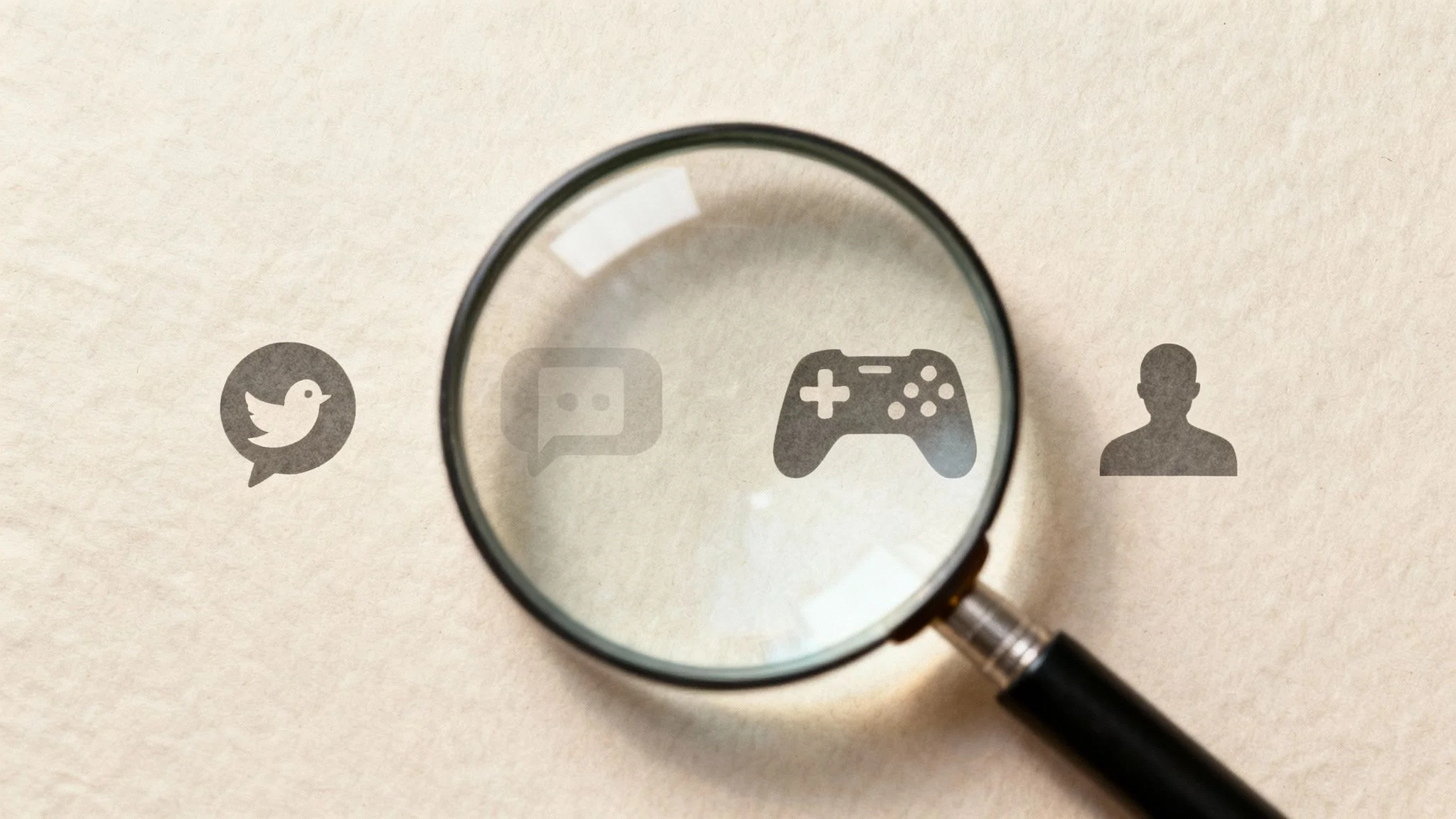
Finding your email in a data leak is a wake-up call, but it’s really just one piece of a much larger puzzle. A standard email breach check free tool does exactly what it says—it scans known data breaches. That’s a vital first step for cybersecurity.
But here’s the thing: it doesn’t show you the full, public-facing picture of who you are online, which is essential for true online identity protection.
Your digital footprint is the sum of every trace you’ve left on the internet. This goes way beyond breached passwords. We’re talking about forgotten social media accounts, old forum comments you made years ago, your gaming profiles, and even public records. Each of these breadcrumbs can be pieced together by cybercriminals, scammers, or even potential employers to build a surprisingly detailed and exploitable profile of you.
What Is Your Digital Footprint, Really?
Think of it as the collection of all the digital breadcrumbs you’ve scattered across the web over the years. Modern OSINT (Open-Source Intelligence) tools are built to find and connect those breadcrumbs. Instead of just looking at breach databases, they scan more than 500 platforms for any public information tied to your email, phone number, or username.
This kind of deep dive can uncover things you’ve long forgotten, such as:
- Forgotten Accounts: Old MySpace, Bebo, or forum profiles you no longer use but that still hold personal information that could be used for identity theft.
- Public Comments: That edgy or unprofessional comment you left on a blog a decade ago? It’s still out there and could be seen by a future employer, harming your job prospects.
- Gaming Profiles: Usernames and associated details that might create a direct link between your real identity and your gaming persona, exposing you to harassment.
- Hidden Dating Profiles: Disturbingly, someone could have created an account with your email without you ever knowing, impacting your personal relationships and opening you up to catfishing accusations.
Why a Full Footprint Check Matters
Understanding your complete digital footprint is no longer optional—it’s essential for reputation management, protecting your personal safety, and preventing identity theft. For instance, a job seeker might have no idea that an unprofessional comment from their college days is the first thing a recruiter sees when they Google their name.
Or consider a more personal scenario: someone on a dating app wants to verify the person they’re talking to isn’t a catfish. A full digital footprint check could reveal inconsistent profiles or suspicious activity, preventing a potential romance scam. These examples show how disconnected bits of information can have very real, and often painful, consequences. A full digital footprint analysis connects these dots for you, giving you the power to manage what the world sees.
A data breach tells you where your key was lost. A digital footprint analysis shows you every door that key could potentially unlock, giving you a complete map of your vulnerabilities.
This holistic view is more critical than ever, especially given the sheer scale of exposed data. An unprecedented 16 billion login credentials were recently discovered in a massive compilation breach. This data was aggregated from years of infostealer malware infections that quietly stole usernames and passwords from services like Google and Facebook right from people’s computers. You can learn more about how these massive breaches amplify risks for everyone online.
To get a clear, actionable view of your own online presence, you can check my digital footprint and see what information is publicly available far beyond what typical breach databases show.
Proactive Strategies to Prevent Future Breaches
Once you’ve stopped the bleeding from a recent breach, the game changes. You need to shift from playing defense to playing offense. The best long-term strategy isn’t just about cleaning up the current mess; it’s about building strong digital hygiene to keep your information out of the next big data leak.
This means getting beyond one-time fixes. It’s time to adopt habits that create layers of security around your entire digital life. If you do only one thing, make it this: stop memorizing passwords. Get a password manager to generate and store complex, unique passwords for every online account you have. That one change alone crushes the risk of a single breach taking down your other accounts.
Fortify Your Email and Online Accounts
Another seriously effective technique is using email aliases. Think of an alias as a disposable email address that forwards everything to your main inbox. When you use a unique alias for every service you sign up for—one for your gaming account, one for a dating app, another for that random newsletter—you’re compartmentalizing your digital identity.
If an alias starts getting spammed or shows up in a breach, you know exactly which company got hit. Better yet, you can just delete that alias, cutting off the threat instantly without disrupting any of your other accounts. It’s like having a different key for every door in your house instead of one master key that a thief can steal.
For a deeper dive into making your inbox a fortress, check out these essential email security best practices.
Adopting a proactive security mindset means treating your digital identity like a valuable asset. It’s not about being paranoid; it’s about being prepared and in control of your personal data.
These practical steps shrink your attack surface. But remember, the bad guys are always leveling up their game, especially with phishing scams that look more convincing than ever. Stay skeptical of any urgent requests for information, triple-check sender email addresses, and never, ever click links or download files from messages you weren’t expecting.
Embrace Continuous Monitoring for Peace of Mind
Here’s the hard truth: even with perfect personal security, you can’t control the shoddy security practices of every company holding your data. That’s where continuous monitoring becomes your secret weapon. Think of these services as a 24/7 alarm system for your digital identity.
They constantly scan the web, including the dark corners, for any mention of your email, passwords, or other private details. The second your data appears in a new breach, you get an alert. This lets you take action immediately instead of finding out six months down the road when the damage is already done.
This “assume breach” mindset is becoming standard practice. The most secure organizations are even implementing a Zero Trust security model, which operates on the principle that no user or device is ever automatically trusted.
For the rest of us, it all starts with awareness. Making a regular email breach check free of charge is a great habit, but real security is a mix of smart personal practices and constant vigilance.
The best way to kickstart this proactive stance is to get a clear, honest look at your current exposure. Use our free profile check at Digital Footprint Check to see where your information is already floating around online. This initial scan gives you the baseline you need to start locking down your digital world for good.
Got Questions About Email Breach Checks? We’ve Got Answers.
Jumping into the world of online security can feel a little overwhelming, and it’s natural to have questions. Let’s clear up some of the most common things people wonder about when they run a free email breach check. Think of this as your practical guide to making sense of it all.
How Often Should I Check My Email for Breaches?
A good rhythm to get into is checking your main email addresses at least once every few months. Make it a quarterly habit.
But here’s the exception: if you see a news headline about a massive data breach at a service you use all the time—like your favorite online store or social media site—don’t wait. Check it immediately.
Turning this into a regular routine transforms cybersecurity from something you do in a panic into a proactive, manageable habit. A simple calendar reminder is all it takes to stay ahead of the game.
What if I Find My Email but Can’t Change the Password?
This happens more often than you’d think, especially with old accounts for services that don’t even exist anymore. If you can’t log in because the website is gone or the company shut down, the direct risk from that specific account is lower, but it’s not zero.
Here’s what really matters: that old password. The single biggest danger from old breaches is password reuse.
You must ensure the password from that defunct account isn’t being used anywhere else active. If you recycled it for your email, your bank, or any current account, change those passwords right now. That’s the critical move.
Are Paid Breach Monitoring Services Worth the Money?
Honestly, for most people, free tools give you everything you need to take the most important security steps. A solid free data breach checker will tell you if your info has shown up in known public leaks, which is the perfect launchpad for locking down your accounts.
Paid services, however, do offer a few extra layers of protection that can be valuable for certain people:
| Feature | Free Tools | Paid Monitoring Services |
|---|---|---|
| Monitoring | Manual, periodic checks | Automatic, 24/7 continuous monitoring |
| Alerts | You have to remember to check | Instant alerts when your data is found |
| Scope | Publicly known data breaches | Dark web forums, paste sites, and deeper sources |
| Support | Typically self-service | Often includes identity theft insurance and restoration support |
For the average person, starting with a free check is the smartest first step. If your results are extensive or if you’re responsible for highly sensitive information, upgrading to a paid continuous monitoring service can offer some serious peace of mind.
Ultimately, the best tool is the one you’ll actually use. Whether it’s free or paid, what’s most important is taking that first step, understanding your exposure, and then acting on what you find. That’s how you protect your digital life. Start today by running a comprehensive scan with our free checker at www.digitalfootprintcheck.com/free-checker to gain control over your online identity.