· Digital Footprint Check · Content Marketing · 19 min read
User Search: Find Anyone Online with These OSINT Techniques [2025 Guide]
Learn how to conduct a user search to find profiles, verify identities, and protect yourself online. Free tools and step-by-step methods included.
![User Search: Find Anyone Online with These OSINT Techniques [2025 Guide]](/images/blog/user-search.webp)
A "user search" pieces together someone's digital footprint from the traces they leave online: a name, username, email, or phone number. It's a useful skill for verifying who people are, avoiding romance scams, and managing your own reputation. It's more structured than a Google search, aimed at protecting yourself from identity theft and other threats.
Why a User Search Is an Essential Modern Skill for Digital Privacy
Knowing how to run a user search has gone from a niche skill to a necessity. Every time you connect with someone new — on a dating app, a freelance site, or in a gaming lobby — you're dealing with a digital identity. Checking whether it's real is part of protecting your safety, finances, and reputation.
It's about asking the right questions and knowing where to look. A quick search on your own name before a job interview might reveal an old forum post. A 2020 study found 70% of employers use social media to screen candidates, and 57% have rejected someone based on what they found. Your online identity has real consequences, and a user search is the first step in managing it.
When Does a User Search Actually Matter?
The need for a user search comes up in everyday situations. It's due diligence in a world where identities are easy to fake.
Here are common scenarios where a quick, ethical search helps your security and safety.
Common Scenarios Where a User Search Helps
| Scenario | Objective | Potential Impact |
|---|---|---|
| Online Dating Safety | Verify a potential partner's identity and background to detect catfishing. | Avoid romance scams (which cost victims over $1.3 billion in a recent year), catfishing, and personal safety risks. |
| Hiring a Freelancer | Confirm credentials, check for a history of bad reviews, or verify past work. | Prevent financial loss, project delays, and low-quality work by vetting contractors before hiring. |
| Gaming Account Security | Check a new teammate's reputation or link a suspicious account to other platforms. | Protect your gaming profile from scammers, cheaters, and toxic players that could compromise your account security. |
| Selling on Marketplaces | Vet a potential buyer or seller to ensure they are legitimate. | Avoid payment scams, fake listings, and potentially dangerous in-person meetups. |
| Reputation Management | See what employers, colleagues, or new acquaintances find when they search for you. | Find and manage embarrassing or outdated content before it hurts your job prospects or personal brand. |
A user search turns uncertainty into clarity: a modern background check anyone can perform to protect their privacy and identity.
By following the traces people leave behind, you can build a fuller picture of who you're dealing with and navigate the online world safely.
This guide provides a practical framework for conducting a user search responsibly and ethically, using OSINT tools to connect scattered pieces of information.
To see what a search can uncover about your own footprint, start with a free scan at Digital Footprint Check.
Building Your Search Strategy: A Practical Guide
Jumping into a user search without a plan is a surefire way to get lost in a sea of irrelevant information. You'll end up chasing dead ends and clicking through endless profiles, missing the important connections hidden in plain sight. An effective search starts long before you ever type a name into a search bar.
The first step is to define your mission. What are you actually trying to accomplish?
Are you trying to ensure your online dating safety by verifying a match’s identity? Or are you a gamer wanting to check if a potential new teammate has a reputation for cheating that could affect your gaming account security? The why behind your search directly shapes the what. You'd look for different information when vetting a freelance contractor than you would for a potential online date.
Gather Your Starting Clues
Every good investigation starts with a "seed"—that one piece of information you already have that can grow into a much bigger picture. Your initial job is to pull together every known identifier for the person you're looking into.
Organize what you have. The most common starting points include:
- Full Name: The most obvious clue, but can be tricky if the name is common.
- Username or Handle: A surprisingly powerful piece of information. People often reuse usernames across different sites, making it a key to their online identity.
- Email Address: Emails are directly tied to account registrations and frequently appear in data breach records, which is crucial for identity theft prevention.
- Phone Number: With many services using phone numbers for verification, this has become a strong connector between accounts.
Even minor details like a city or a past employer can be useful for narrowing your focus and confirming your findings later. Taking a few minutes to organize this upfront will save you hours on bad leads.
A methodical approach transforms a chaotic process into a structured investigation. By defining your objective and organizing your clues, you ensure every step moves you closer to a clear and accurate understanding of a person's digital footprint.
Your strategy is the backbone of the entire search. It keeps you on track, whether you're vetting a new business partner or just trying to ensure an online transaction is safe.
The flow diagram below shows how this structured approach applies to different real-world scenarios.
As you can see, whether the situation involves online dating safety, hiring, or personal reputation management, a successful search always follows a consistent path: identify the need, gather what you know, and then start investigating.
Documenting Your Discoveries for Effective Reputation Management
As you start digging, you'll find bits and pieces of information from all over the web. To make sense of it, you need a simple system for tracking what you find. A basic spreadsheet is perfect for this.
Create columns for what you found, where you found it, and some space for notes. It might look something like this:
| Information | Platform/Source | Link | Notes |
|---|---|---|---|
Username GamerPro123 | Gaming Forum | forum.example.com | Linked to gaming account security concerns. |
| Jane Doe | linkedin.com/in/janedoe | Matches resume; relevant to job prospects. | |
j.doe@email.com | Data Breach Record | breachsite.com | Exposed in a 2019 breach; potential identity theft risk. |
This simple method helps you visually connect the dots between, say, a username on a gaming forum and a professional profile on LinkedIn. It turns a jumble of random facts into a coherent story. Many of these techniques for finding and connecting data fall under the umbrella of Open-Source Intelligence, or OSINT. You can learn more about OSINT tools for beginners and see how they can improve your searches.
By building a solid strategy, you avoid confirmation bias and ensure your investigation is both thorough and objective. This foundation isn't just about finding data; it's about finding the right data and interpreting it correctly—the critical difference between a casual browse and a meaningful investigation for protecting your online identity.
Finding Digital Breadcrumbs: OSINT Tools and Techniques in Practice
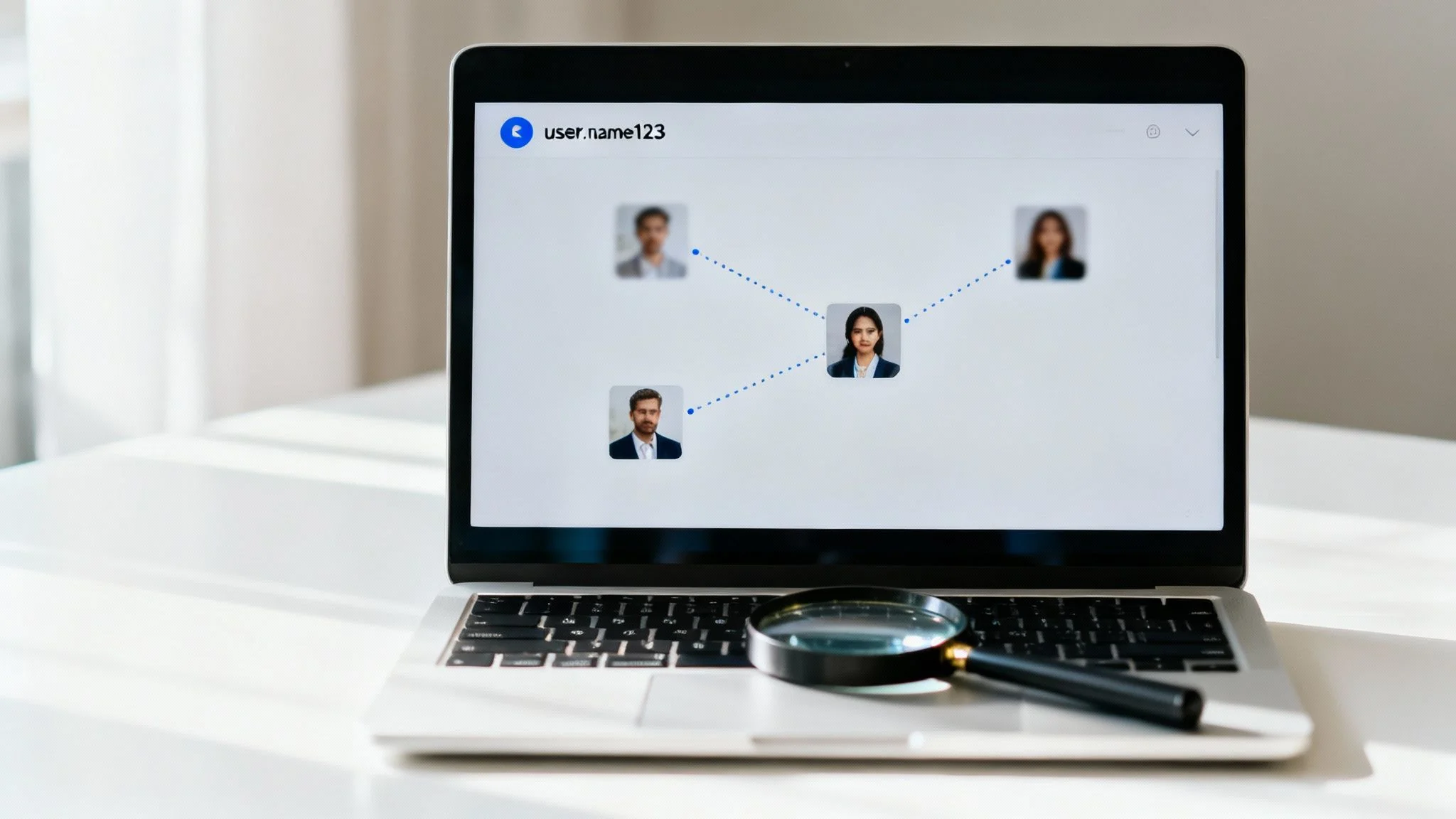
With a clear strategy locked in, the real hunt begins. This is where you connect the dots, turning isolated clues into a coherent story. The goal is to follow the digital breadcrumbs people leave across countless platforms, and your first stop should almost always be a search engine.
The sheer amount of information online is staggering. By 2025, it's projected that Google alone will process an incredible 13.6 billion searches every day. Somewhere in that universe of data are the answers you need for catfishing detection, online dating safety, and reputation management.
But just typing a name into the search bar and hoping for the best is a rookie mistake. An effective user search depends on using advanced OSINT tools and techniques to slice through the noise.
Mastering Search Engine Operators for Cybersecurity
Think of search engine operators as your secret weapons. They're simple commands that force search engines to be more specific, narrowing billions of results to the handful that actually matter for your cybersecurity investigation.
Here are the essentials for your toolkit:
- Quotation Marks (""): Non-negotiable for names. Searching for
"John Smith"gives you results with that exact phrase, filtering out noise where "John" and "Smith" appear separately. It's a major advantage for common names. - The Minus Sign (-): Use this to exclude words.
“John Smith” -accountantfinds every John Smith but removes any pages that also mention "accountant." Perfect for weeding out irrelevant results. site:Operator: This is a favorite for targeted searches. It limits your query to one specific website. For example,site:linkedin.com "Jane Doe" marketingonly shows you results for Jane Doe in marketing on LinkedIn.
Combining these operators allows for precise queries. A search like site:twitter.com "GamerPro123" OR "GamerPro_123" can quickly pinpoint a user's Twitter profile, a key step in checking gaming account security.
The Power of a Unique Username in Online Identity Protection
A name can be common, but a unique username is practically a digital fingerprint. People often reuse the same handle across dozens of platforms out of convenience. This creates a powerful thread that can tie their entire online identity together.
A username found on an obscure gaming forum could be the key to unlocking that person’s Instagram, Twitter, and even professional networking profiles. It's often the fastest way to build a complete picture of someone's digital life for catfishing detection or reputation management.
Let’s say you're checking a potential teammate in an online game who goes by ShadowSlayer99. Searching for that handle might instantly reveal:
- Their profile on other gaming platforms like Steam or Twitch.
- Old posts on forums about different hobbies.
- Public social media accounts where they used the same handle.
This one unique identifier can connect a constellation of seemingly unrelated accounts, giving you a richer view than a name search ever could.
Leveraging Email and Phone Number Lookups for Scam Prevention
Right behind usernames, email addresses and phone numbers are powerful connectors. These identifiers are used for account registration and security verification everywhere, making them crucial for scam prevention and digital privacy checks.
A reverse email lookup can reveal which social media platforms, e-commerce sites, or forums that email is tied to. This is especially useful in online dating safety to verify if a profile is legitimate or a front for romance scams. A phone number can do the same, linking directly to accounts on platforms like Facebook or Telegram.
If you're checking a seller from an online marketplace who only gave you an email, running it through a lookup tool can tell you if they have a long-standing digital presence or if the email was created yesterday—a major red flag for identity theft or scams.
Platform-Specific Search Tactics for a Deeper Investigation
Finally, remember that every social network has its own search functions. A one-size-fits-all approach doesn't work. Adapt your strategy to the platform.
- Facebook: Use filters to narrow by location, workplace, or school. You can even search for posts from a specific person containing certain keywords.
- LinkedIn: The "People" filter is your best friend for professional reputation management. Drill down by company, industry, and connections to verify job prospects.
- Instagram: Search by username, full name, or hashtags. People often tag photos with locations or events, providing critical context to confirm details for online dating safety checks.
By tailoring your search to each platform, you'll uncover profiles and posts that a general web search would miss. Following these digital breadcrumbs methodically turns a user search from a guessing game into a structured investigation for online identity protection.
Uncovering Deeper Insights: Public Records and Data Breaches

Social media profiles and forum posts are just the surface. For a effective user search, you must dig into the less visible—but far more revealing—parts of a person's digital life: public records and data breach logs. These OSINT tools provide a factual, often surprising look into someone's background, uncovering connections crucial for identity theft prevention and digital privacy.
Tapping into Public Records for Verification
While it sounds like something for private investigators, many public records are more accessible than you’d think. This is about accessing information that government bodies and courts make available by law.
Key public records for your user search include:
- Court Filings: Civil lawsuits or criminal records provide critical context, especially when vetting someone for a position of trust.
- Property Records: Ownership records can confirm an address and sometimes reveal names of family members or associates.
- Business Registrations: Public filings often list an owner's name, address, and other officers, giving you new leads.
- Professional Licenses: For many jobs, licensing boards keep public databases that verify credentials and list disciplinary actions, vital for checking job prospects.
This is where your user search graduates from looking at what someone says about themselves to verifying facts with official documentation, a key practice in reputation management.
The real power of a user search comes from cross-referencing information. A name from a business registration can be used to find a new LinkedIn profile, or a location from a court record can help you confirm you’ve found the right person on Facebook.
The goal is to build a mosaic of information from independent sources. That's how you create a reliable picture of someone's digital footprint.
The Strategic Value of Data Breach Information in Cybersecurity
Data breaches are an unfortunate reality, but for a user search, they are a rich source. When a website is hacked, lists of usernames, emails, and passwords are often leaked. Finding a target's email or username in a breach log can be a massive breakthrough for your cybersecurity investigation.
Let's say you're vetting a freelancer and have their email address. A quick search reveals that email was part of a data breach from a graphic design forum in 2018. Suddenly, you know two things:
- They had a clear interest in graphic design years ago.
- You have a new lead: search that forum for their email or any associated username.
This is an ethical way to uncover old, forgotten accounts. Data breaches act as pivot points, directing your investigation toward platforms you never would have checked.
This is also a vital step for your own online identity protection. You can easily find out where your own data has been exposed by using a trusted Have I Been Pwned alternative to check which breaches contain your personal information and see if you are at risk of identity theft.
Of course, even with these powerful techniques, most people still start their search on Google. While its dominance has been legendary, there are signs of change. As of November 2025, Google held 89.94% of the global search market share—a notable slip after falling below the 90% threshold for the first time in over a decade. You can explore more data about global search engine market share on gs.statcounter.com.
How to Verify Information and Stay Ethical in Your Search
Finding information is just the first step. The real skill is knowing what to do with it—confirming it’s accurate and handling it responsibly is what separates a sloppy search from a professional investigation. When you start digging, you'll uncover a messy mix of solid facts, outdated details, and sometimes, outright falsehoods. Your job is to tell them apart.
This process, known as validation, is arguably the most critical phase of any user search. It’s all about cross-referencing every piece of data you find against at least two other independent sources. If a LinkedIn profile lists a specific university, can you find a public alumni record or a post on another platform to back it up? Think of it this way: a single data point is just a hint, but three matching data points create a credible, verifiable fact.
Avoiding Misidentification Traps to Prevent False Accusations
The biggest risk in this line of work is misidentification, especially when you’re dealing with a common name. Mistaking one "John Smith" for another can have serious consequences, from unfairly torpedoing someone's reputation to making critical decisions based on wrong information. This is particularly important in online dating safety, where a mistake could lead to false accusations or overlooking genuine red flags in romance scams.
To prevent misidentification, you must find unique identifiers that act as the glue between different pieces of information.
- Look for Overlap: Does the "John Smith" on Facebook live in the same city mentioned on the LinkedIn profile? Little overlaps like this are your first clue.
- Connect Usernames: Is the username from a niche gaming forum the same one they use for their professional Twitter handle? This consistency is a strong indicator.
- Verify with Photos: Cross-reference profile pictures. People often use the same headshot or similar photos for years, which can be a strong visual confirmation for catfishing detection.
This kind of methodical verification isn’t optional. The goal is to build a confident, evidence-based picture of a person, not a flimsy collection of assumptions. Understanding robust comprehensive identity verification methods is a core part of doing this work ethically and effectively.
Navigating Legal and Ethical Boundaries for Digital Privacy
A responsible user search operates within very clear ethical lines. The guiding principle is simple: you are an investigator, not a spy. All your work should rely on Open-Source Intelligence (OSINT), which is strictly the collection and analysis of publicly available information.
The line between legitimate investigation and illegal activity is a bright one. OSINT uses information that is publicly accessible. Hacking, social engineering, or attempting to access private accounts is illegal, unethical, and crosses that line decisively.
Respecting privacy is paramount. Just because you can find something doesn’t always mean you should use it, especially when it could impact someone's job prospects or personal safety. Always adhere to the terms of service of every platform you search on and use the information you gather responsibly. For instance, when validating professional history, it’s crucial to use legitimate channels. You can learn more by checking out our guide on how to verify employment history ethically.
This need for careful validation is more important than ever in the age of AI search. According to a Google vs. ChatGPT market share report on firstpagesage.com, as of late 2025, ChatGPT accounts for 17.1% of all digital queries, with over 858 million monthly active users. What’s more, over 50% of all Google searches now end without a click to a website because users get answers directly on the search page. This trend means you have to dig deeper. Never take a summarized answer from an AI or a search snippet at face value—always seek out and verify the original data sources yourself.
Automating Your Search for Faster and Deeper Results

While manual searching is a crucial skill, let's be honest—it has one massive drawback: it's slow. Piecing together a digital footprint by hand can take hours, if not days, of meticulous, repetitive work. For anyone serious about digital privacy, online identity protection, or thorough reputation management, automation isn't just a luxury; it's the next logical step.
There are specialized tools designed to supercharge this entire process, condensing countless hours of manual labor into just a few minutes. At the heart of many of these platforms is a technology called Robotic Process Automation (RPA), which teaches software to perform the repetitive data collection and processing steps you'd otherwise do by hand, but across hundreds of sources at once.
The Power of an Automated Scan for Cybersecurity and Scam Prevention
These OSINT tools do far more than a faster Google search. They dig into sources that are either impossible or just wildly impractical to check manually at scale, which is essential for effective scam prevention and cybersecurity.
An automated user search platform can typically scan:
- Social Media Networks, including obscure and niche platforms.
- Public Records from countless jurisdictions, saving you from navigating clunky government websites.
- Data Breach Databases, instantly linking emails and usernames to known compromises to prevent identity theft.
- Dark Web Markets and forums where compromised data is often bought and sold.
Automation transforms a user search from a slow, painstaking task into a fast, efficient, and comprehensive analysis. It reveals hidden connections and visualizes data in ways that are nearly impossible to replicate manually, giving you a clearer picture in a fraction of the time.
For instance, our powerful username tracker can quickly trace a single handle across multiple platforms, a task that would take ages to do one by one, and is vital for checking gaming account security or detecting catfishing.
The difference between hours of manual effort and the speed of an automated scan is night and day. You can see it for yourself by running a free scan at Digital Footprint Check to instantly uncover what's publicly available about you online.
Common Questions About Performing a User Search
Diving into the world of user searches usually sparks a few important questions, especially around legality, privacy, and just where to begin. Getting clear, straightforward answers is the key to moving forward with confidence and making sure your investigation stays both ethical and productive. Let's tackle some of the most common queries we see.
Is It Legal to Perform a User Search on Someone?
Yes, it's generally legal to conduct a user search as long as you're sticking to publicly available information. This whole practice is a field known as Open-Source Intelligence (OSINT), and it's built on data that anyone could theoretically find—things like social media profiles, public records, and old forum posts. It's a key part of digital privacy and cybersecurity due diligence.
The line is drawn, however, when you try to access private information. This is a bright red line. Any attempt to hack into accounts, use deception to gain access (often called social engineering), or bypass security measures is illegal. Period. This is a critical distinction in identity theft and online identity protection.
Furthermore, how you use the information matters. Using your findings for things like stalking, harassment, or discrimination is strictly against the law. The golden rule here is simple: stick to public data and use what you find responsibly.
What Is the Best Starting Point for a User Search?
While a person's name seems like the obvious place to start, a unique username is often a far more powerful piece of the puzzle. People are creatures of habit. They tend to reuse the same handle across dozens of platforms, from their gaming profiles and social media to obscure hobby forums they forgot they even joined. This habit creates a digital thread that's easy to follow, linking otherwise disconnected accounts and is essential for catfishing detection and online dating safety.
An email address is a very close second. It’s the key used to register for most services online and is a primary identifier in data breach records. A quick search of an email in breach databases can instantly reveal a long history of websites and services a person has been associated with, providing clues for scam prevention.
The single most effective way to understand what a user search can uncover is to run one on yourself. Search for your own name, usernames, and emails to see what's out there. This isn't just an exercise—it's the first step to actively managing your own digital reputation.
For a fast, comprehensive, and automated view of your own public data, Digital Footprint Check can show you exactly what's exposed. Our scanner instantly checks hundreds of sources to build a picture of your public profile, helping you with everything from online identity protection to reputation management. Get your free, confidential report at www.digitalfootprintcheck.com/free-checker.