· Digital Footprint Check · Content Marketing · 13 min read
Identity Theft Monitoring: What It Tracks and How to Act
Identity theft monitoring explained: what services track, how alerts are ranked, and how to respond when your data shows up exposed online.
More than 1.1 million identity-theft reports reached IdentityTheft.gov in 2024, according to the Federal Trade Commission. Behind each report is a practical problem: someone needs to regain control of an account, challenge an unfamiliar debt, or stop another person using their identity. An alert matters only if it helps them do that.
Why Identity Theft Monitoring Matters in 2026
Identity theft monitoring watches for personal details appearing where they shouldn't, then sends a warning. Depending on the service, those details might include your email addresses, phone numbers, passwords, Social Security number, or home address.
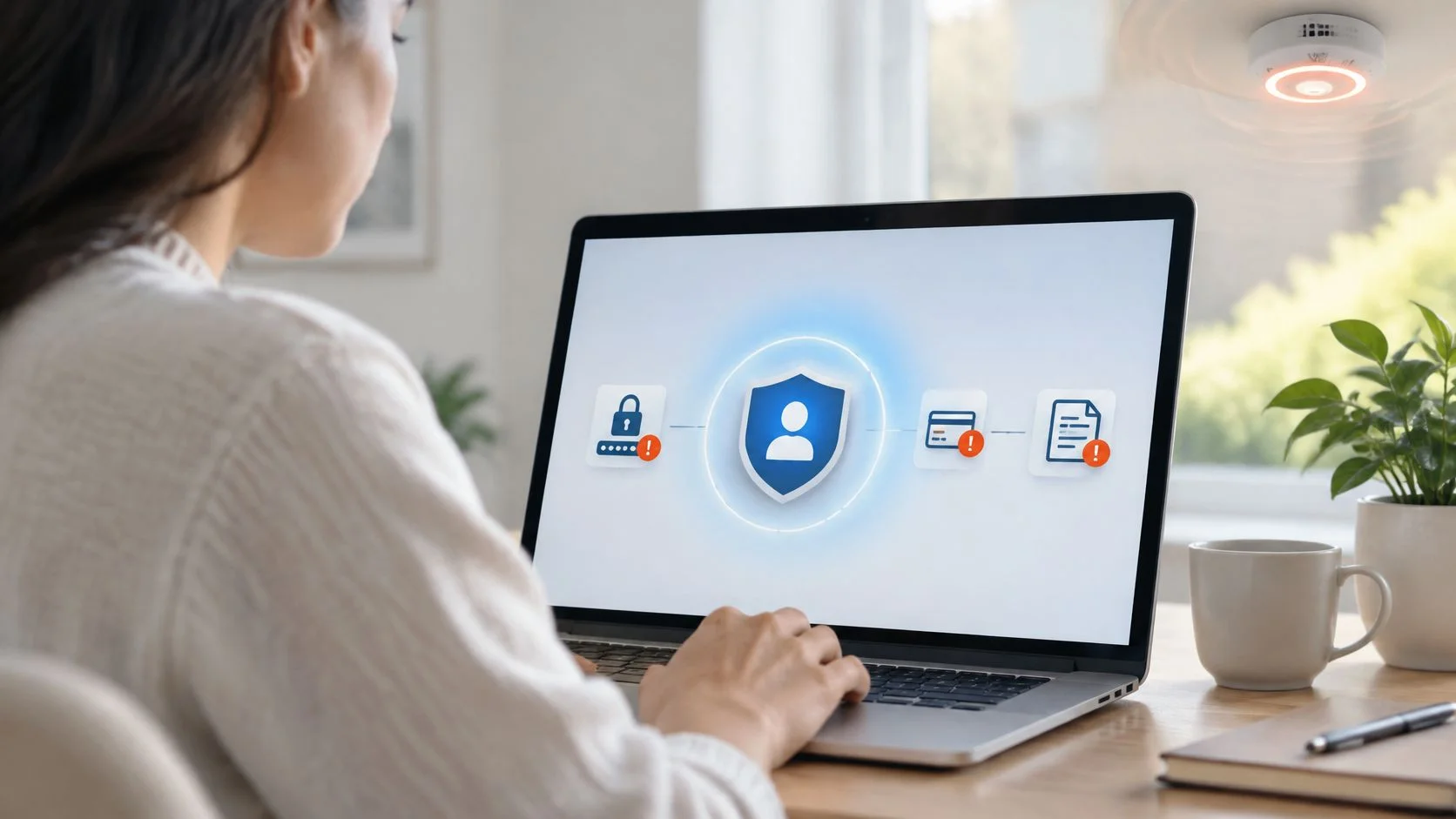
Think of it as a smoke detector. The detector doesn't extinguish a fire, but it can turn a silent hazard into a signal you can act on. Monitoring serves the same purpose for exposed information, provided someone receives the alert and knows what to do next.
The FTC's complaint records aren't a population survey or a complete count of victims. People who never discover or report misuse won't necessarily appear in them, and reports aren't independently verified, an important distinction explained in the Consumer Sentinel Network Data Book.
What the service actually does
Most monitoring involves three jobs:
- Scan sources: Look through covered breach records, public information, and other available datasets.
- Match identifiers: Connect a finding to an email, username, phone number, or other detail you supplied.
- Send an actionable warning: Explain what appeared, why it matters, and which action to take.
A common name alone isn't enough to establish a match. A useful alert includes supporting details without unnecessarily revealing more sensitive information.
Monitoring deserves attention if you have accounts you've forgotten, public profiles you haven't reviewed, or credentials you've reused. But it doesn't replace account protection. Judge it by containment and resolution, not notification volume: can you understand the warning, secure the affected account, and confirm the problem is resolved?
What Identity Theft Monitoring Tracks, Source by Source
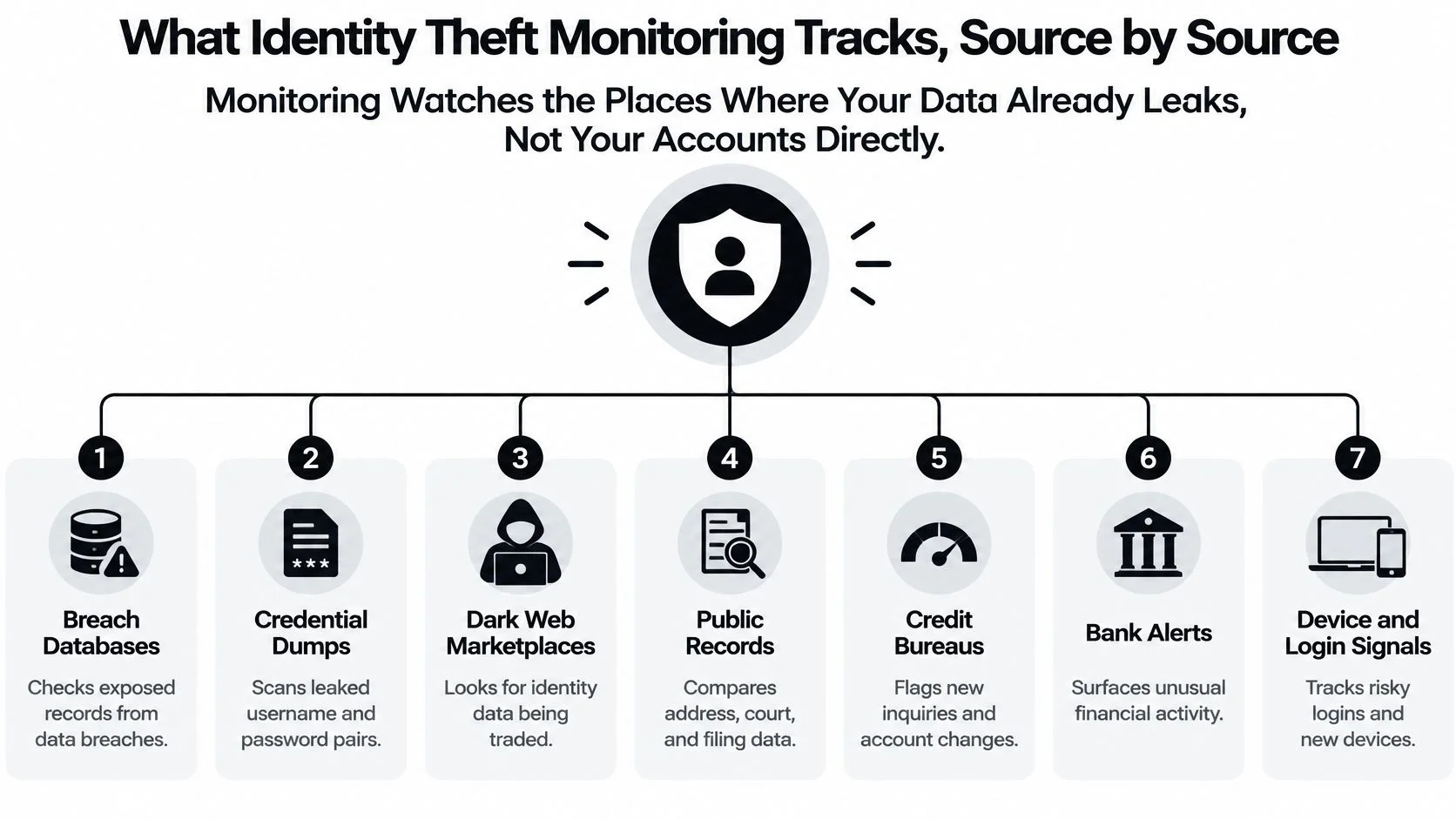
Monitoring generally watches places where information leaks or becomes public, rather than inspecting your accounts directly. Bank integrations and login-security tools can add account activity, but those are separate capabilities you should verify.
What each monitoring source checks and why it matters
| Data source | What is checked | Typical alert | What it signals |
|---|---|---|---|
| Data breach databases | Email and phone matches in published breach files | Your email appeared in a breach | Exposure, not yet misuse |
| Password and credential exposure | Login pairs from breaches and infostealer logs | A password was found with your email | Highest urgency if the password is reused |
| Dark web and paste sites | Marketplaces, forums, and paste sites for names, IDs, and card data | Your details listed in a forum post | Data is being traded or shared |
| Public records | Court filings, property, business registrations, and voter rolls | A new business filed in your name | Possible setup for fraud |
| Data broker listings | People-search sites aggregating addresses, relatives, and ages | Your profile on several people-search sites | Raw material for phishing and impersonation |
| Credit files | New inquiries, accounts, and address changes at the bureaus | An inquiry from a lender you never contacted | Strongest sign here of new-account fraud |
| Social and gaming profiles | Usernames, cloned profiles, and reused handles | A profile using your photo and name | Used to build trust for scams |
The visual below also includes complementary bank and device signals. Those require suitable integrations or account-security access, not just a search of public information.
Exposure isn't the same as misuse
A breach match says someone exposed your information. An unfamiliar credit inquiry suggests someone may already be trying to use it. Neither should be ignored, but they call for different responses.
Data broker listings matter even without stolen passwords. An attacker can use relatives' names, previous addresses, and ages to make a fraudulent call sound convincing. Removal reduces that readily available material.
For credential-specific checks, understand what dark web credential monitoring can surface before assuming a service sees every underground marketplace. Private groups and inaccessible records remain gaps.
Use the table as a coverage map. Before paying, compare the actual source list with the risks you want to address, not the breadth of the advertising.
How Alerts Are Ranked by Severity
Say you used the same password for a small online shop and your primary email. A shop breach becomes an email-security emergency, even if you haven't bought anything there for years.
Attackers test stolen login pairs against unrelated services, a technique called credential stuffing. Credential abuse accounted for 22% of initial attack vectors in Verizon's 2025 Data Breach Investigations Report executive summary. That finding concerns organizational breaches, but the reuse mechanism explains why a seemingly minor personal account can create a serious risk.
Alert severity levels and first response
| Severity | Example trigger | First action | Suggested window |
|---|---|---|---|
| Critical | Exposed password reused on email or bank, or active takeover signs | Change the password, end sessions, and secure email first | Within hours |
| High | Unauthorized credit inquiry or account | Freeze credit and contact the lender | Within 24 hours |
| Medium | Email in a breach with no password exposed | Change that service's password and enable MFA | Within 7 days |
| Low | Data broker listing or old public record | Request opt-out or removal | Within 30 days |
| Informational | Username on a site you no longer use | Close or secure the account | Next scheduled review |
These are suggested working deadlines, not legal requirements or permission to delay when money or personal safety is at risk.
Look for evidence of account access
Unfamiliar devices, distant logins close together, password-reset bursts, unsolicited MFA prompts, and new email-forwarding rules provide stronger evidence of takeover than a breach match alone. Check the account's own security history before concluding that an alert is a false positive.
The publication date also needs interpretation. An old breach can contain a password that still works today, so age alone doesn't make an alert harmless.
Practical rule: Rank an alert by what the exposed information can unlock, not by how important the breached website once seemed.
Prioritize email, financial, employment, and identity-verification accounts over an isolated, unused forum login. If you're unsure whether exposure has become misuse, compare the finding with these signs your identity has been stolen.
How to Respond to an Identity Theft Alert, Step by Step
The average time consumers spent resolving identity-fraud problems rose from approximately 6 hours in 2022 to nearly 10 hours in 2023, according to Javelin Strategy & Research. Recovery involves calls, evidence, and follow-up, not just replacing a password.
The visual summarizes the response categories; use the ordered checklist below for the detailed sequence.
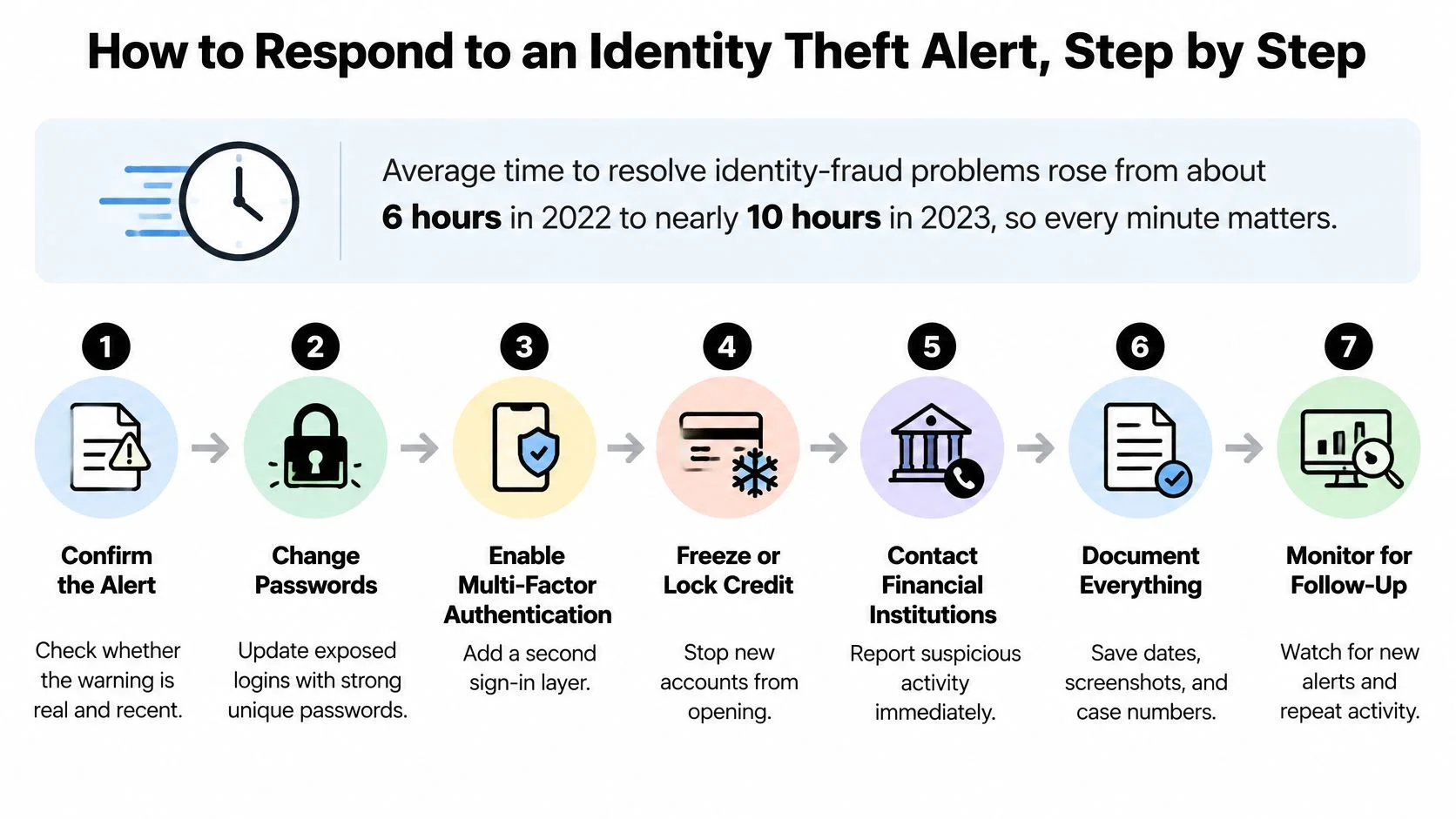
Follow this recovery order
-
Verify the match. Open the monitoring dashboard independently, check the source, breach date, and exposed fields, and rule out a namesake. This prevents you from responding to a false match or a phishing message disguised as an alert.
-
Secure your primary email first. From a trusted device, replace its password, enable phishing-resistant MFA where supported, and inspect recovery addresses and forwarding rules. Email often controls password resets for your other accounts.
-
Replace reused passwords. Use a password manager to generate unique replacements, starting with banking, cloud storage, and work or government portals. Otherwise, the exposed password remains a key to unrelated services.
-
End active sessions and remove unknown devices. Use each service's security settings to sign out other sessions and revoke unfamiliar access. A password change doesn't always invalidate an attacker's existing session.
-
Freeze credit and review records when identity misuse is suspected. In the United States, contact Equifax, Experian, and TransUnion, then review recent inquiries and accounts. A freeze helps restrict new-credit access but doesn't resolve existing fraudulent accounts.
-
Report confirmed identity theft. Use IdentityTheft.gov, file a police report when the recovery plan calls for it, and preserve reference numbers. Written records support disputes and escalation.
-
Request broker removals. Submit opt-outs to people-search sites displaying your details. This reduces information that someone could use for further impersonation.
-
Maintain a recovery log. Record dates, contacts, case numbers, disputes, and outcomes, then schedule a follow-up review in 30 days. A dated log helps you distinguish completed actions from unresolved promises.
If money is moving, call the financial institution's fraud team immediately rather than waiting to finish administrative tasks. Outside the United States, use your local credit-reporting and identity-fraud reporting channels.
For a more detailed recovery checklist, consult what to do after identity theft. Keep copies of evidence securely, and don't include passwords in your log.
This video offers an additional walkthrough of responding to identity-theft concerns.
Free Tools, Bank Alerts and Paid Suites Compared
Choose tools by the gap they fill. A bank notification and a breach search answer different questions, so neither replaces the other.
Monitoring options compared on cost, coverage and limits
| Option | Typical cost | Covers | Main limit |
|---|---|---|---|
| Free breach checker | Free | Email and phone matches where supported | One-time checks provide no continuous alerts |
| Bank and card alerts | Usually free with the account | Transactions on that account | Blind to new accounts opened elsewhere |
| Credit bureau monitoring | Free basic tier; paid tiers available | Covered credit files and inquiries | Doesn't track dark web or social misuse |
| Paid identity-protection suite | Provider-set subscription | Breaches, dark web, public records, and brokers; sometimes insurance and restoration | Compare actual sources and coverage terms |
| Manual DIY checks | Time only | Search results, username searches, and opt-out forms | Labor-intensive and misses sources |
Some free services also offer notifications, so distinguish a single search from an ongoing monitoring subscription. Likewise, verify which credit bureaus a particular plan covers.
Weigh convenience against responsibility
- Paid-suite advantages: Broader source coverage, automated rescans, and possible case support can reduce the work you coordinate yourself.
- Paid-suite drawbacks: Subscription costs, overlapping features, and false matches can make a bundle less useful than it looks.
- Free-tool advantages: No-cost checks provide a quick starting inventory without committing to a subscription.
- Free-tool drawbacks: A snapshot requires you to return, interpret findings, and organize follow-up.
Our process at Digital Footprint Check is to search a username or email, review potential matches, and act using step-by-step guides. Apply that same test to any tool: does it help you move from discovery to a decision?
Privacy belongs in the comparison. We never sell users' data. For any service, establish its retention period, rescan frequency, covered sources, and whether restoration involves a human case manager or only written instructions.
Device protection is a separate layer. If you're also evaluating defenses against credential-stealing malware, HearSmart's antivirus software buying guide provides a buying reference, not a substitute for identity recovery.
Start by comparing free identity-theft protection options. Pay only when the additional coverage or assistance addresses a clear need.
Real-World Scenarios Where Monitoring Changes the Outcome
These illustrative composite scenarios show how an alert can lead to containment. They aren't documented customer cases or guarantees of a particular result.
The image highlights the different situations in which a warning can prompt action.
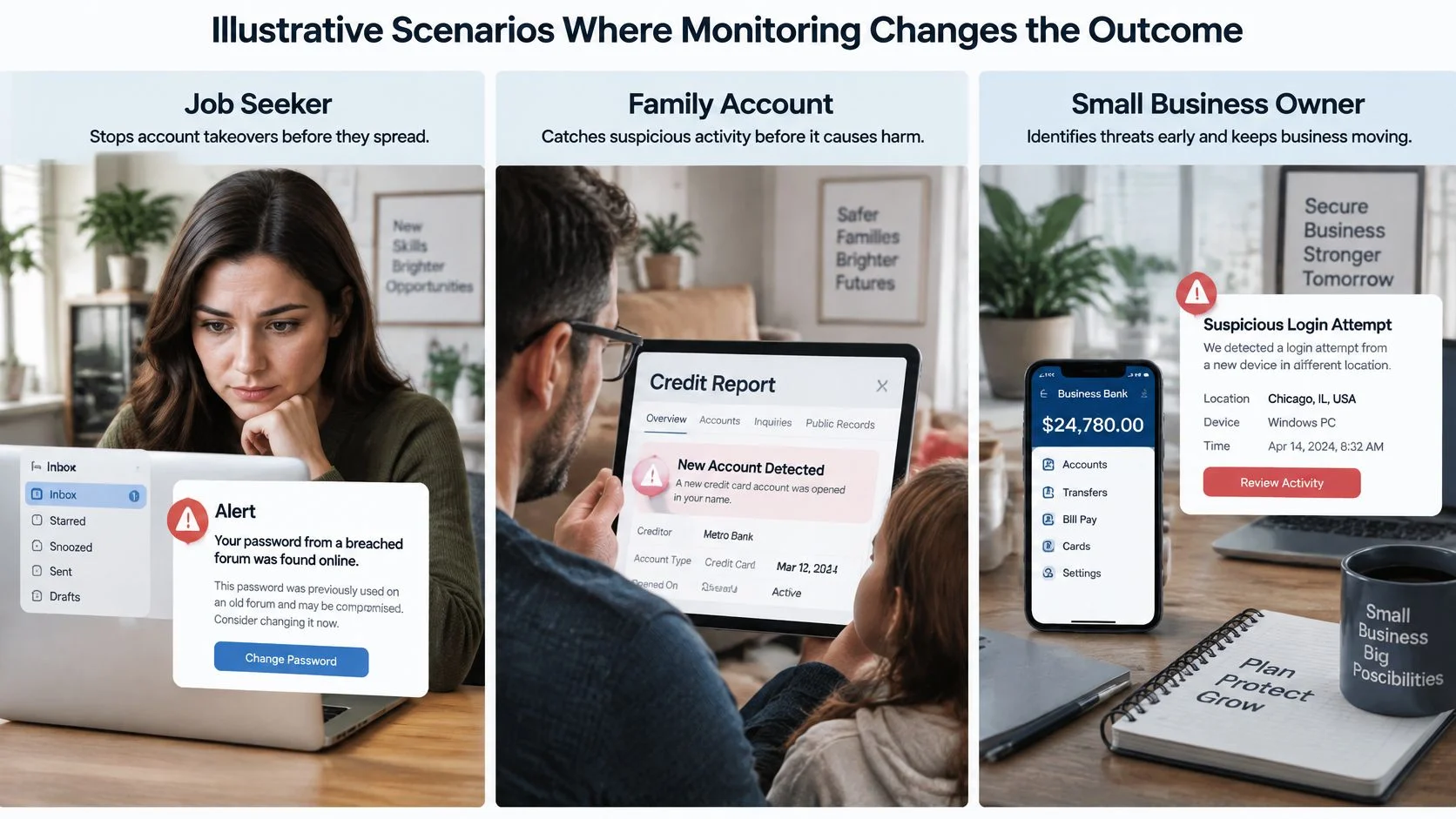
A job seeker protects professional correspondence
A job seeker receives an alert about an old forum password she also used for professional email. She changes it, then discovers an unfamiliar forwarding rule. The rule suggests someone may already have accessed the mailbox, even though she hadn't noticed a takeover.
Removing that rule and revoking sessions blocks a route to interview messages and banking-reset emails. The decisive moment is the dated credential alert: it prompts an account inspection before she loses access or misses important correspondence.
A gamer interrupts an impersonation scam
A gamer loses account access while someone uses a cloned profile to send friends fraudulent purchase links. A username alert helps him locate the impersonating account, but he verifies the profile before reporting it.
He preserves screenshots, warns contacts through another channel, starts platform recovery, and enables MFA after regaining control. The actionable moment is finding the exact profile URL, not merely learning that his username exists elsewhere.
A parent reduces a child's exposure
A parent finds a broker listing containing her child's name, birth date, and address. She requests removal and contacts the credit bureaus about the process for freezing a minor's credit file.
The listing isn't proof of financial fraud. It is a concrete reason to reduce exposure and investigate, especially if other identifiers appear. If necessary, follow the guidance for a compromised Social Security number.
An alert is the start of the response, not the end of the problem.
The same caution applies to dating apps: a matching photo or username is a lead, not identity verification. Confirm ownership independently, and never send money merely because a profile appears familiar.
Misconceptions and Limits to Know Before You Subscribe
Monitoring prevents identity theft. Monitoring detects covered exposures and suspicious signals; it doesn't stop every attacker or reverse unauthorized activity. A dashboard full of warnings can coexist with unresolved fraud if nobody owns the response.
Only credit matters. Someone can hijack a gaming account, impersonate you on a dating app, or misuse professional messages without opening credit. Credit-only tools won't necessarily reveal those harms to your reputation, contacts, or personal safety.
Authentication strength still matters
Two-factor authentication makes me safe. MFA improves protection, but methods aren't interchangeable. The NIST Digital Identity Guidelines distinguish phishing-resistant authentication from shared-secret methods that a fraudulent site can capture or relay.
Classify important accounts by their actual setup:
- Password only: A stolen password may be enough to sign in.
- SMS or email codes: Additional checks, but codes can be phished and the delivery account may be vulnerable.
- App-generated codes: Not dependent on text delivery, but still susceptible to real-time phishing.
- Passkeys or security keys: Phishing-resistant options where supported.
Multiple passwords or PINs don't become MFA just because there are several of them. They remain the same kind of factor: something you know.
Removed data stays removed. Brokers can collect information again from other sources. A successful opt-out is a completed action, not proof that the information can never reappear.
Measure outcomes rather than volume
Digital Footprint Check can't guarantee absolute security of personal data because no electronic storage or internet transmission method is entirely secure. That limitation should shape expectations for every provider.
Evaluate exposure-to-alert time, time to remediation, recurring identifiers, and whether affected accounts had phishing-resistant authentication. Also distinguish a closed notification from a resolved case: the meaningful result is restored control, corrected records, and evidence that follow-up actions were completed.
Choose and Set Up Monitoring for Your Situation
Start with your actual exposure and capacity to respond, not the largest feature bundle.
Identity protection practices for individuals and employers
| Practice | Individuals | Employers |
|---|---|---|
| Password management | Use a password manager for every login | Require managers for company and shared accounts |
| MFA strength | Prefer app codes or security keys over SMS | Require phishing-resistant MFA for admin and finance roles |
| Credit protection | Freeze credit at all three bureaus | Brief staff on freezes and fraud alerts during onboarding |
| Monitoring scope | Email, phone, usernames, bank, and public records | Corporate domains and senior leaders, with notice and consent |
| Alert response | Follow severity guidance and log actions | Assign an owner and response window |
| Data and privacy | Review storage and retention | Document lawful purpose and retention for screening |
| Review cadence | Repeat checks quarterly | Review exposures and incidents quarterly |
For a modest personal account inventory, begin with a free breach check, bank alerts, and credit freezes. Add paid coverage only when you need additional sources or restoration support.
Employers should monitor with notice, consent, and a documented purpose. Treat employment screening as regulated activity, and don't use an unverified namesake match to make a hiring decision.
Actions for this week
- Establish a baseline with the free digital footprint checker.
- Triage findings and address critical items the same day.
- Explore our free tools: Profile Checker, Username Search, Data Breach Checker, and Reverse Email Search. The free preview has limited features; paid plans provide more searches and full features, including phone and social network checks, gaming profile detection, and web reports.
- Seek coordinated help if several accounts or financial products are affected. Our Digital Security Consultation covers footprint analysis, identity protection strategies, reputation management, and customized security solutions.
- Schedule a quarterly review to check for returning exposure and unfinished recovery tasks.
Digital Footprint Check helps you discover exposed information and potential account matches, then take action with practical guidance. Visit Digital Footprint Check to begin assessing your footprint and turn the findings into a prioritized protection and recovery plan.