· Digital Footprint Check · Content Marketing · 12 min read
Dark Web Credential Monitoring: a Practical Guide
Learn how dark web credential monitoring works, what it catches, and how to respond fast. A practical guide for individuals and teams in 2026.
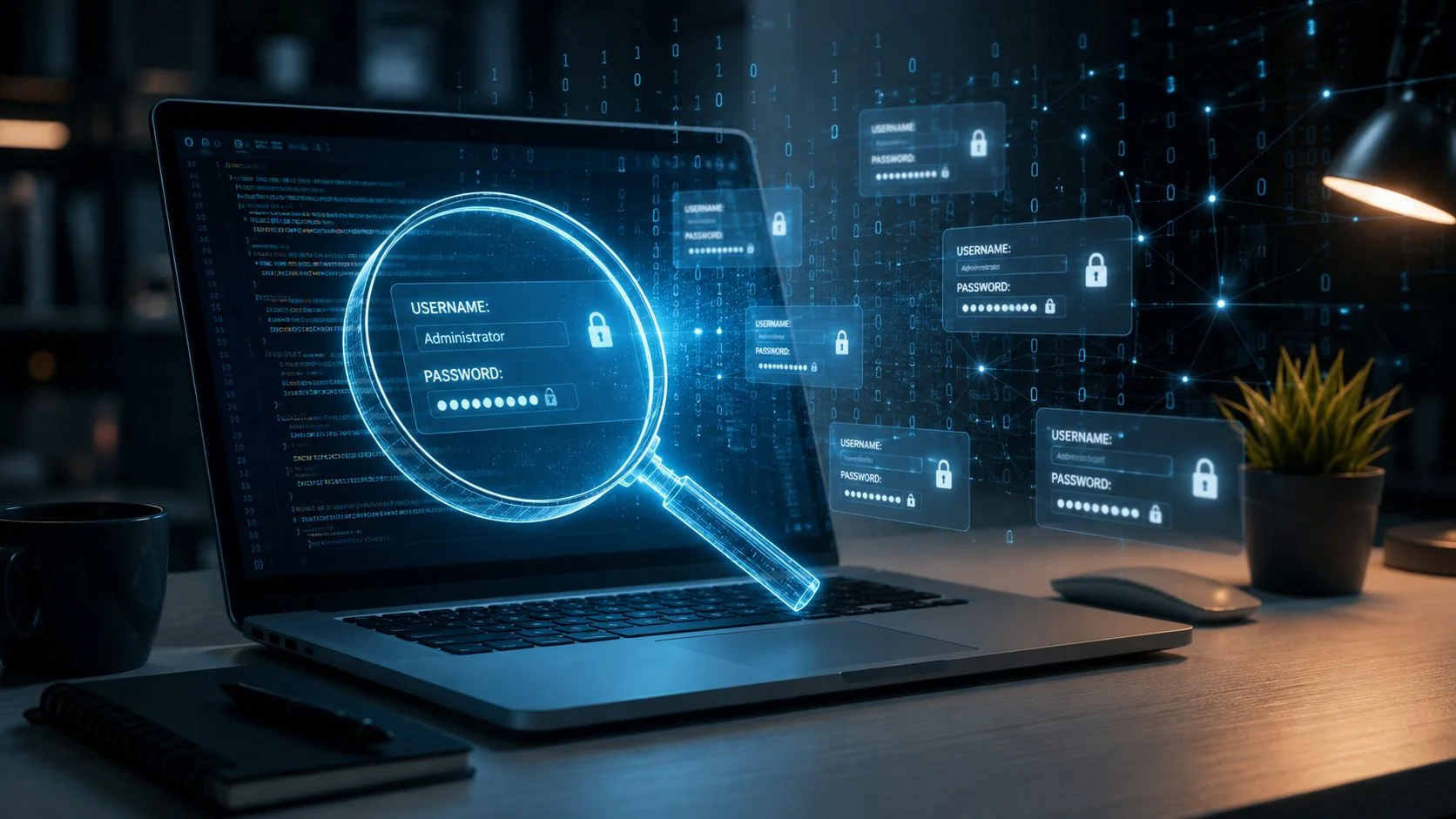
In 2025, Breachsense said infostealer infections added 1.56 billion fresh credentials to its corpus, captured from 2.85 million unique infected machines. That’s not a niche security issue, it’s a mass exposure problem, and it explains why dark web credential monitoring has become part of everyday identity defense, not an optional add-on. When attackers can pull usable logins from a growing underground market, the question stops being whether credentials will leak and becomes how fast you can find them and cut them off.
Think of the dark web as a giant underground library of stolen mail. Dark web credential monitoring is the librarian who checks every new shelf and flags anything with your name, email, username, password, cookie, or token on it before someone else can use it. The job isn’t to browse the internet in the abstract, it’s to watch criminal channels where stolen data gets posted, resold, repackaged, and reused.
If you want a plain-language primer on the underground ecosystem itself, the overview at what the dark web is and how it works helps frame why these collections exist in the first place. For organizations doing broader identity review work, the Accelerate IT Services Inc. identity review is another useful reference point for understanding how exposed identity data is evaluated in practice.
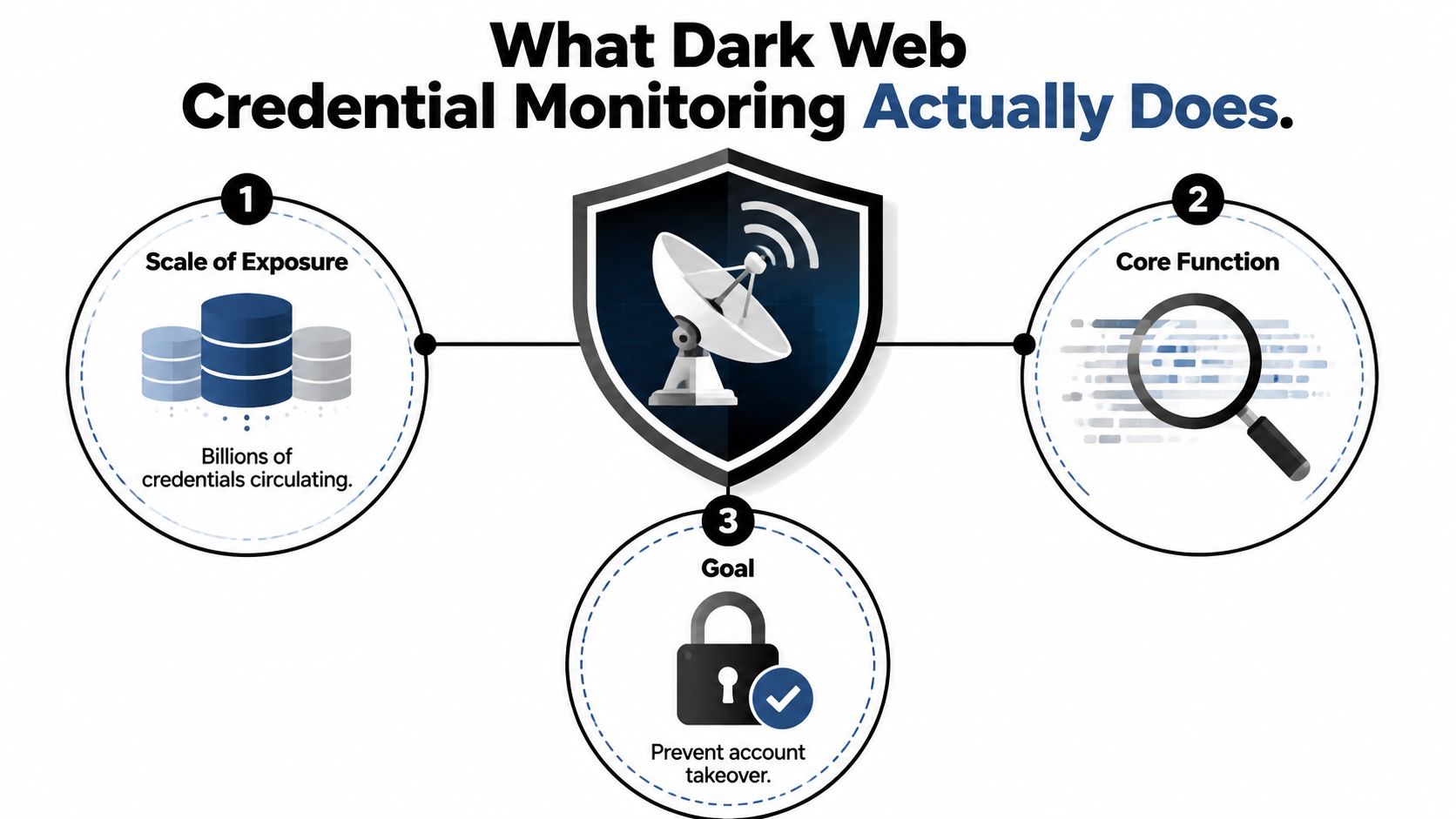
What Dark Web Credential Monitoring Actually Does
Dark web credential monitoring looks for stolen identity data after it leaves normal systems and enters criminal channels. That includes usernames, passwords, session cookies, tokens, and related access artifacts that can let an attacker sign in without needing to crack anything. In practice, the monitoring service is searching for your identity details in places where criminals trade data, then alerting you before those details are reused.
The simple definition
A good way to explain it to a colleague is this. It’s a continuous search across underground marketplaces, forums, leak sites, infostealer logs, paste-style dumps, and similar criminal repositories for signs that a specific email, domain, username, or account artifact has been exposed. That’s different from a one-time breach check, because exposure can appear later in a combo list, a malware dump, or a private channel after the original breach.
Practical rule: if the alert can’t tell you what was found, where it was found, and how recent it looks, it’s not very useful.
The reason this matters is scale. Breachsense reported that its corpus reached 90+ billion identity records in 2025 and that it harvested 1.07 billion cookies in the same year, which shows monitoring now has to cover more than passwords alone. Cookies and tokens matter because they can support immediate account takeover without waiting for a password reset.
Dark web credential monitoring is not the same thing as antivirus. Antivirus tries to stop malware on a device. Credential monitoring watches for the downstream result of compromise, the stolen identity data that gets sold or shared after the device has already been hit.
It’s also not just a generic privacy scan. A privacy scan might tell you where your email address appears publicly. Credential monitoring is narrower and more urgent, because it focuses on data that criminal actors can turn into login access, impersonation, or session abuse. That distinction is why security teams treat it as an early-warning control rather than a convenience feature.
How the Monitoring Pipeline Works
The monitoring process works like a mailroom that handles stolen letters instead of regular mail. First, it collects raw material from underground sources. Then it sorts the mess into readable records, checks whether a hit is real, and sends an alert to the right team or person.
Ingest, then clean the mess
The first stage is collection. Serious systems pull from multiple criminal streams, because stolen credentials don’t stay in one place. Breachsense’s guidance emphasizes that monitoring works best when it ingests combo lists, infostealer logs, ransomware leak sites, hacker forums, and breach repositories, because the same credential can circulate through several channels over time.
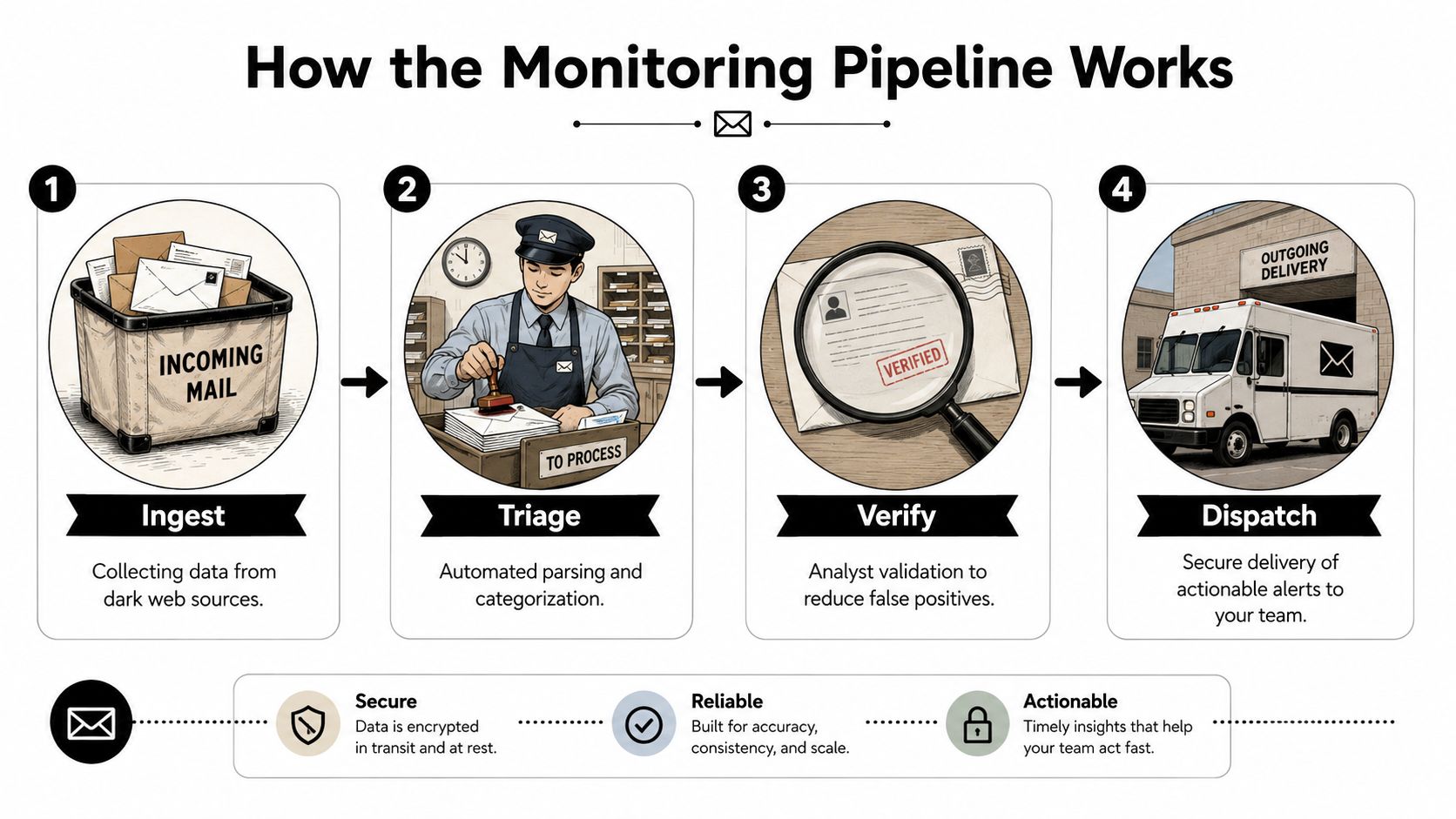
After collection comes normalization. Raw stealer logs are messy, and whiteintel’s guidance notes that they’re often organized by malware family, which means defenders need to deduplicate sightings and extract useful fields like domains and email patterns before they can compare anything. If a tool skips that step, you end up with noisy alerts that are hard to trust.
Attribution and enrichment are where value appears
The third stage is attribution. That’s the part where a system tries to connect a record to a real account, person, or organization by looking at email patterns, usernames, and domain links. Without attribution, a dump is just a pile of names and strings. With attribution, it becomes a recognizable risk tied to a specific identity.
The fourth stage is enrichment. Whiteintel highlights the importance of tagging sightings with metadata such as first-seen and last-seen time, stealer family, and infection context. That matters because a credential first seen yesterday is much more urgent than one that has been circulating for months. Temporal context changes the response.
A fresh hit in an infostealer log is a live security event, not a historical curiosity.
One more detail matters a lot. The best systems don’t stop at a dashboard. They send webhook or email alerts so response teams can reset passwords, revoke sessions, and move before an attacker reuses the credential. A monitored credential that sits unread in an inbox is just delayed damage.
For teams learning the broader discipline, the guide at OSINT tools for beginners is a useful complement because it explains how open-source intelligence methods fit into the same collection-and-triage mindset.
Where Most Scanners Quietly Miss Coverage
A lot of products market themselves as dark web monitoring, but they don’t all watch the same places. Some focus on historical breach databases and public, indexable posts. That sounds broad until you compare it with where stolen credentials move today, which is often faster, messier, and hidden behind private channels.
Public breach data isn’t the whole market
Bitsight’s underground-market tracking, as summarized in Stingrai’s 2026 analysis, found 2.9 billion unique compromised credentials in the underground ecosystem in 2024, up from 2.2 billion in 2023. It also reported that dark-web breach posts rose 43% year over year. Those numbers show the market keeps expanding, but they don’t tell you where a basic scanner is blind.
The blind spots are practical. Independent and vendor-neutral reporting increasingly points to infostealer log dumps, search-by-domain marketplaces, Telegram drop channels, combolists, and private forums as the live signals that matter most. If a product only watches paste sites and obvious marketplaces, it can miss the channels where fresh theft appears first.
Cookies changed the game
Many readers get confused. They think stolen passwords are the main problem, but a stolen session cookie can be just as dangerous. Whiteintel’s reporting says many scanners don’t capture full infostealer telemetry, and stolen cookies are now a primary authentication-bypass vector. In other words, an attacker may not need your password at all if the session token is already valid.
That’s why coverage questions matter more than branding. Ask a vendor which criminal streams they ingest, how fresh those streams are, and whether they capture cookies and tokens as well as passwords. If the answer only mentions public breach archives, you’re probably looking at a partial view.
The internal benchmark at free identity monitoring is a helpful reminder that consumer-grade tools often emphasize narrower data sources than enterprise systems. That doesn’t make them useless. It just means they serve a different job.
Choosing a Vendor That Actually Reduces Risk
A vendor should be judged on how quickly it turns exposure into action, not on how polished the dashboard looks. If the alert doesn’t lead to a password reset, session revocation, or identity review, it’s just a notification. The right buying process keeps the focus on source breadth, freshness, and response support.
A simple evaluation table
| Criterion | What to look for | Red flag |
|---|---|---|
| Source breadth | Multiple criminal streams, not just public breach dumps | Only public forums and static breach databases |
| Freshness | Clear first-seen and last-seen context | No date context, or stale recycled records |
| Alerting speed | Fast webhook or email delivery | Delayed batch reports that sit overnight |
| Deduplication quality | Ability to remove repeat hits and combo-list noise | Huge counts with no explanation of duplicates |
| Remediation support | Guidance that maps to resets, revocation, and containment | Alerts with no clear next step |
| Privacy posture | Clear retention, consent, and data handling terms | Vague policies or hidden retention windows |
Reading the table is straightforward. Source breadth tells you whether the vendor is watching live criminal activity or only historical residues. Freshness tells you whether the hit is actionable now. Deduplication tells you whether the count is meaningful or inflated by repeat records.
Integration matters more than people expect
The best programs connect alerts into the places where teams already work. That can mean ticketing systems, SIEMs, identity platforms, or help desk workflows. Once an exposure is confirmed, a ticket can trigger a password reset, session invalidation, or account review instead of leaving the case in an email thread.
For individuals, the picture is smaller but still useful. Digital Footprint Check fits that use case as a personal OSINT and breach-awareness tool that can check exposed data across public sources and breach-related collections. It won’t replace enterprise infostealer telemetry, but it can help a person see whether their email, phone, or username is already showing up in known exposures before they take the next step.
The page on best dark web monitoring services can also help readers compare consumer and business options without mixing up what each category is built to do.
Buying rule: if the vendor can’t explain how it turns a found credential into a containment action, keep looking.
Responding to a Credential Exposure the Right Way
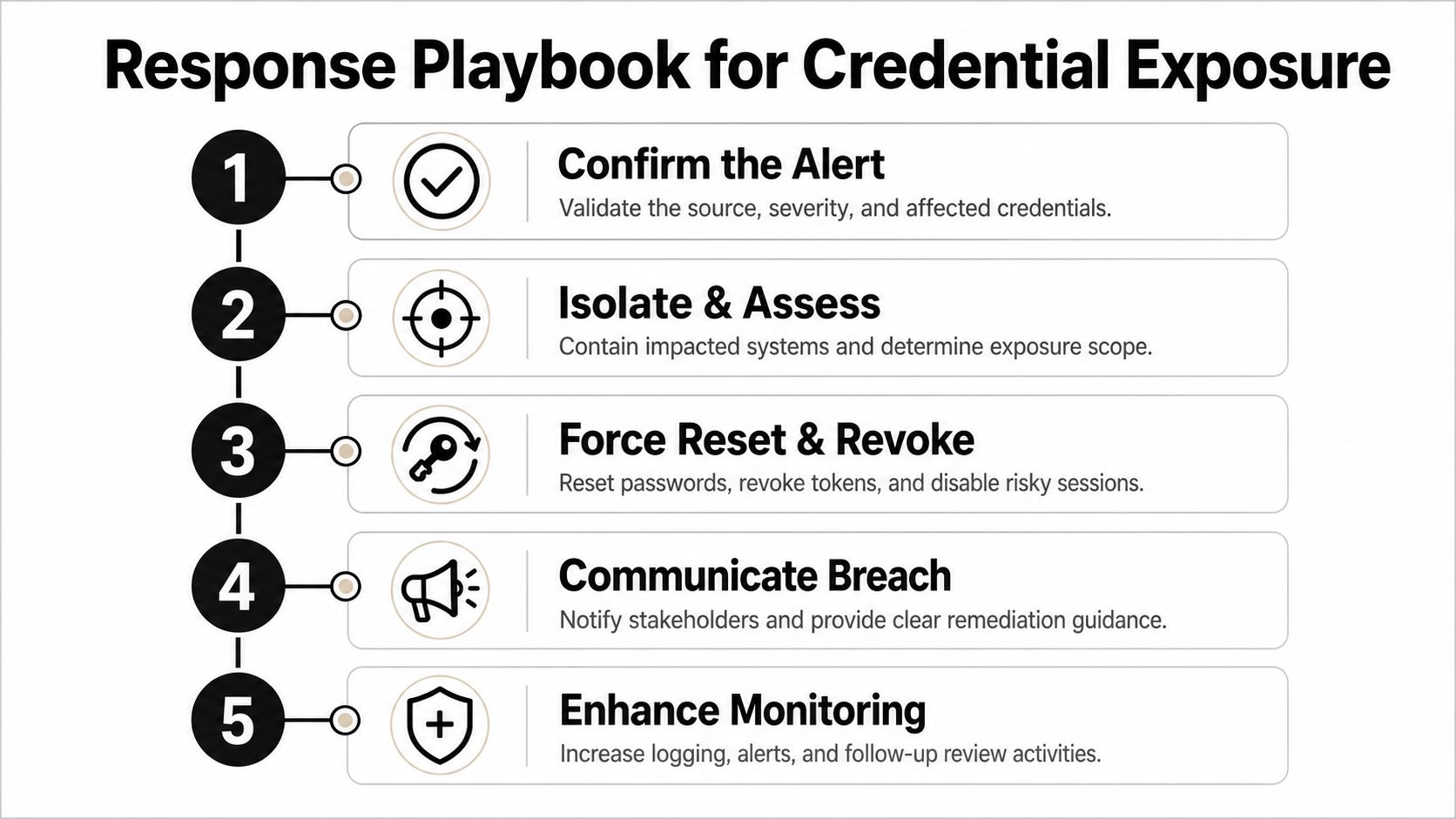
An alert is only useful if someone acts on it quickly. The response needs to be short, specific, and repeatable, because exposed credentials can show up in underground markets and be reused before a normal review cycle catches up. The goal is not to admire the alert, it’s to contain the exposure.
A practical response checklist
Confirm the alert. Verify that the exposed identifier really belongs to the account in question. The link check if email was hacked can help individuals start that verification process.
Reset the password. Use a long, unique replacement. A new weak password is just a fresh weak password.
Revoke active sessions. Log out all devices, rotate refresh tokens where possible, and clear active cookies so an attacker can’t keep using an old session.
Harden MFA. Use stronger factors where they’re available, not just SMS if a better option exists.
Watch for account abuse. Check for odd login locations, unfamiliar devices, or impossible-travel patterns in the days after exposure.
A freelance designer who finds her email in a stealer log shouldn’t wait for a full incident review cycle. She should reset the password immediately, sign out of every session, change any reused passwords tied to the same mailbox, and review connected accounts like payment tools, cloud storage, and social profiles. If the credential was reused anywhere, each of those accounts needs attention too.
The misconception to avoid is simple. Discovery alone doesn’t reduce risk. Time-to-remediation is what matters, because a found credential can still be abused if nobody resets access fast enough. One-time checks also miss fresh breaches and new infostealer records, so a follow-up scan or continuous monitoring is what closes the gap.
Privacy and Legal Boundaries of Monitoring Credentials
The legal line is clearer than many buyers assume. Monitoring your own accounts is one thing. Monitoring employee or contractor credentials is different, because consent, policy, and proportionality start to matter. Scraping someone else’s identity data without a lawful basis is a separate issue entirely.
What’s usually acceptable
A company can monitor corporate email addresses, work accounts, and employee credentials when there’s a legitimate security purpose and the policy is clear. In the EU, that usually means keeping the monitoring proportionate and documented. In the US and UK, the same common-sense principle applies, even though the legal frameworks differ.
Vendors also bring obligations of their own. Data residency, retention windows, breach disclosure, and access controls should all be written down before a contract is signed. If a provider can’t tell you how long it keeps exposure data or where that data lives, that’s a problem.
What to avoid
Don’t treat dark web credential monitoring like a license to collect everything about everyone. Don’t monitor personal accounts without a lawful basis. Don’t assume a service is infiltrating private criminal forums just because it says it watches the dark web, many services aggregate from public leaks and trusted partner feeds rather than entering every hidden channel directly.
Rule of thumb: if the person being monitored wouldn’t reasonably expect it, get legal advice and explicit policy coverage first.
The cleanest approach is to keep the scope narrow, the purpose documented, and the response controlled. That means clear consent language for staff, a defined retention policy, and a process for turning alerts into containment instead of surveillance for its own sake.
Putting It Together and Running Your First Check
The most effective habits are the simplest ones. Continuous monitoring beats one-off checks because stolen credentials move through multiple channels over time. Immediate rotation of any credential seen in a stealer log cuts off reuse. MFA everywhere it’s supported adds another barrier after the password is gone.
A free first pass makes sense for individuals who want a fast answer before choosing a larger program. The scan at Digital Footprint Check looks for exposed personal details across known breach corpora and related exposure collections, which can help you spot whether your email, phone, or username already appears in a risk set. If it does, the next move is to reset access, review reused passwords, and tighten MFA.
Quick FAQ. Re-run checks regularly, not once. Dark web monitoring doesn’t replace antivirus, because it solves a different problem. If a password manager entry is flagged, change that password everywhere it was reused and revoke any active sessions tied to it.
If you want a faster way to see whether your own identity data is already circulating, start with Digital Footprint Check. It can help you spot exposed emails, usernames, and breach-related traces before they turn into account takeovers, job-search damage, or scam risk.