· Digital Footprint Check · Content Marketing · 12 min read
Find All Accounts Linked to Email: 2026 Guide
Find all accounts linked to email - Learn how to find all accounts linked to email using manual OSINT, breach databases, and automated tools. Protect your priva

You notice it when a password reset email lands in your inbox for a site you barely remember. Maybe it was an old forum, a gaming account, a shopping site, or a dating app you tried once and forgot. The account still exists. It still points back to your email. And if it was ever breached, abandoned, or tied to a reused password, it still matters.
That’s why people try to find all accounts linked to email. Not out of paranoia, but because email sits at the center of almost everything you do online. It’s the recovery channel, the login identifier, the place where signups, alerts, invoices, and password resets all converge.
Most guides stop too early. They tell you to check Google, Microsoft, or Apple settings and call it done. That’s useful, but it only covers a slice of the problem. The harder part is uncovering the accounts on independent platforms that don’t show up in your provider dashboard at all.
Your Email Is the Key to Your Entire Digital Life
A forgotten account can become a live problem without warning.
I’ve seen the pattern repeatedly. Someone gets a reset email for a service they don’t recognize, ignores it, then later finds out the account still had public profile details, an old username, or a stale password connected to other services. Sometimes the risk is reputational. Sometimes it’s account takeover. Sometimes it’s a trail of old registrations that says more about a person than they realized.
The hidden account problem
Many users know how to look at the obvious places. They check connected apps in Gmail or Outlook, maybe scan recent security activity, then assume they’re done.
They’re usually not.
Recent OSINT reporting says over 70% of users overlook non-major platform accounts, and 15% of leaked credentials are tied to obscure services (YouTube reference). That matches what practitioners run into in real audits. The visible accounts are only part of the picture. The long tail is where old forums, niche gaming sites, dormant shopping accounts, throwaway signups, and forgotten communities live.
Why this matters in real life
A stale account isn’t just clutter.
- Job seekers can get blindsided by old usernames, forum posts, or public profile pages that still rank in search.
- Families can miss signs that an email has been reused across risky or unwanted services.
- Gamers often forget how many side accounts they created for launchers, marketplaces, Discord-adjacent communities, betas, and fan forums.
- People dating online may want to verify whether an email appears connected to public identities that don’t match the story they’re being told.
Practical rule: If an account can still send a reset email, it’s still part of your attack surface.
There’s also a cleanup angle. If your machine is already acting strangely while you’re checking old accounts, it’s worth reviewing a practical guide on how to remove viruses from your computer before you start logging into old services from an infected device.
A proper audit should cover both the accounts you know about and the ones you forgot existed. If you want a broader view of what’s attached to your online identity, this overview of your digital footprint is the right starting point.
Start Your Search Within Your Inbox and Email Provider
The first pass should happen inside systems you already control. This won’t find everything, but it gives you the cleanest baseline.
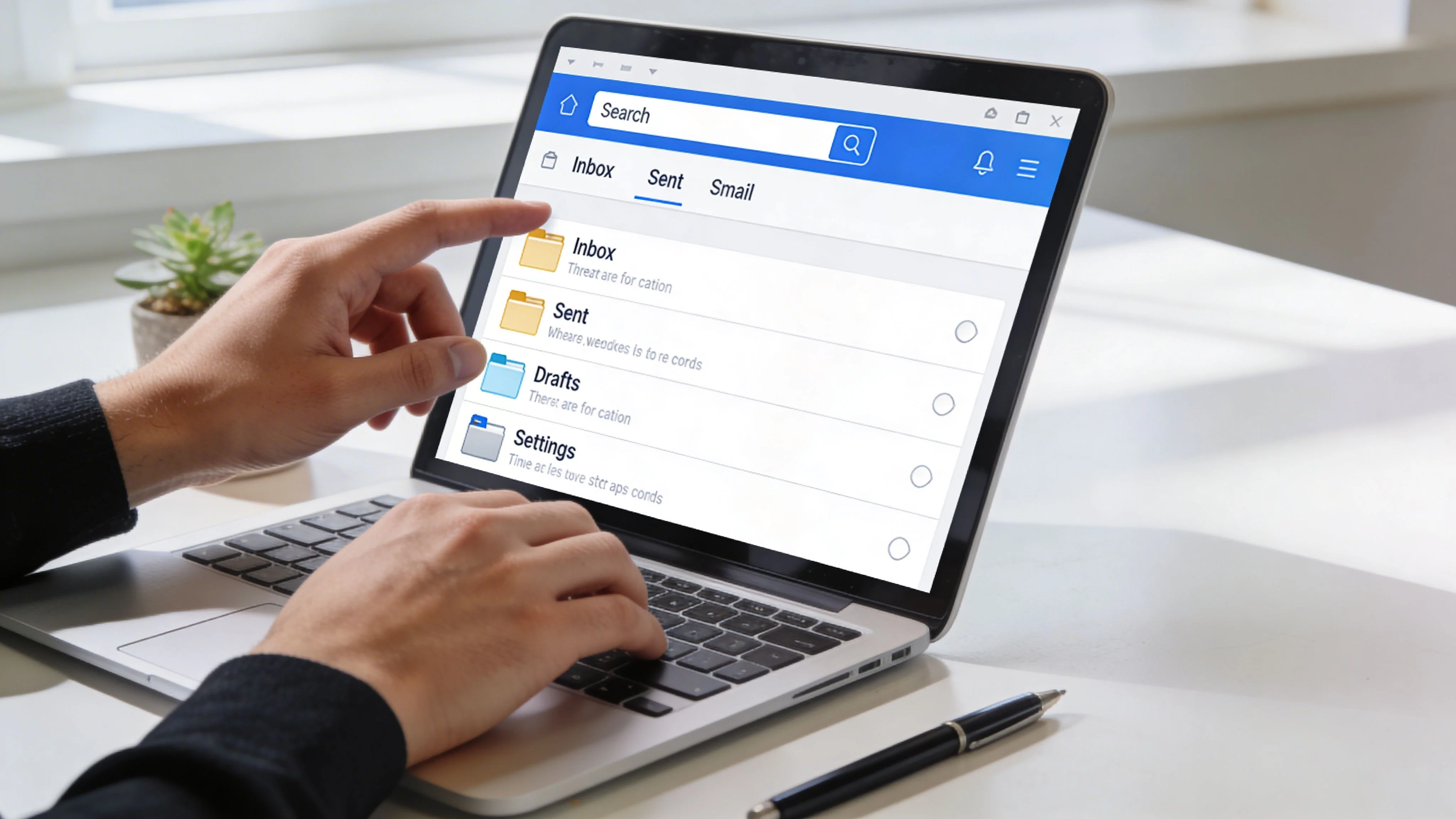
Check your provider dashboard first
Start with official app connections. These are services that have direct access through OAuth or similar permissions.
For Google, go to myaccount.google.com, open Security, then find Your connections to third-party apps & services and select See all connections.
For Microsoft, go to account.microsoft.com, then check the privacy and account areas for Apps and services.
These panels matter because they reveal apps that may still have access even if you haven’t used them in years. Look for anything with broad permissions, especially access to mailbox content, contacts, files, or profile data.
What works well here is speed and certainty. If a service appears in that dashboard, the linkage is real.
What doesn’t work is assuming the list is complete. It isn’t. Provider dashboards only show direct integrations with that provider. They won’t show every site where you signed up with the same email.
Use inbox forensics, not casual searching
The better method is a forensic search through your inbox, spam, and trash.
OSINT guidance notes that a systematic email inbox forensic search combined with provider-specific API queries achieves detection rates of 70-85% for active third-party integrations, and searches for terms like “welcome” or “confirm” can uncover 20-50 unique services on average (Cybernews).
Use searches like these:
- Registration terms
from:(welcome OR confirm OR verify OR activate) - Transactional terms
("password reset" OR "account created" OR subscription OR unsubscribe) - Identity clues your full name, common usernames, old usernames, gamertags
- Folder sweep rerun the same searches in spam, trash, archived mail, and promotions
Separate real accounts from noise
Inbox searching creates junk. Marketing emails look like account evidence when they aren’t.
Use a quick filter:
- Keep emails that mention account creation, verification, login alerts, invoices, receipts, profile completion, or password resets.
- Flag services you no longer use but still recognize.
- Ignore for now newsletters that don’t indicate an actual registration.
The inbox tells the truth more often than memory does.
For a stronger risk review, it also helps to check whether the same email has appeared in known breach data. A dedicated email breach lookup can help you sort harmless clutter from accounts that deserve immediate attention.
Advanced Manual OSINT Techniques for Deeper Discovery
Manual discovery gets harder once the easy signals are gone. OSINT discipline then becomes essential. You’re no longer just checking settings. You’re building and testing hypotheses about how your email may have been used across the open web.

Derive usernames from the email address
A lot of hidden account discovery starts with the local part of the email, meaning the text before the @.
If your address is john.smith@gmail.com, don’t search only for john.smith. Build variants:
johnsmithjsmithsmithjjohnsjohn_smith- old gamer-style names, shortened forms, or initials
This works because people reuse naming patterns. They may not use the same email everywhere, but they often carry the same username habits from one platform to another.
Verified OSINT reporting says advanced tools that use username derivation report 60-75% success in identifying hidden profiles across 500+ sites, with 65% success for social media and 50% for gaming and forum accounts (NordPass).
Manual searches are slower, but the logic is solid. Search those variants against social sites, gaming communities, niche forums, and cached profile pages.
Check public profile clues and reverse signals
Some services expose more than users realize.
A public avatar tied to an email, an old display name on a comment system, a profile URL indexed by search, or a username reused on a marketplace can all lead you to linked accounts that never appeared in your provider dashboard.
Look for consistency across:
- Avatars
- Usernames
- Bio fragments
- Location mentions
- Cross-posted handles
In this stage, investigators spend time comparing small clues rather than expecting one perfect hit.
Use password reset pages carefully and ethically
A password reset form can confirm account existence without logging in. That makes it useful, but it also means you need to handle it responsibly.
Enter your own email on major platforms you suspect you used. Watch the response:
- Some sites say the account exists and send a reset link.
- Some mask the response, but reveal enough through the follow-up email.
- Some show partial usernames or alternate hints.
Use this to confirm, not to probe other people’s accounts. Keep the scope to your own identity, your family’s safety review, or work you’re authorized to perform.
Field note: Reset flows are one of the fastest ways to validate a suspected account when inbox evidence is weak.
Here’s a video that walks through the investigative mindset behind this kind of account discovery:
Use breach records as an account map
Breach exposure is bad news, but it’s also useful evidence.
If your email appears in a breach, the breached service itself becomes a clue. Even if you forgot the account years ago, the breach record confirms you registered there at some point. That helps build a service list for cleanup.
Old assumptions also break down here. People think they remember every important account. They don’t. Breach data, inbox receipts, and reset flows often surface services that disappeared from memory long ago.
If you want to pivot from an email address into a broader identity investigation, a reverse search by email address can add context around where that identifier appears online.
Comparing Manual vs Automated Account Discovery
Manual methods work. They also hit a wall.
The wall is scale. A person can inspect inbox history, check app permissions, derive usernames, test reset flows, and search public traces. A person can’t do that efficiently across the full sprawl of modern internet accounts without missing things.
A 2024 Verizon DBIR reference states that 81% of breaches involved compromised email-linked credentials, and users averaged 170 passwords across linked accounts (Veepn). At that volume, the question isn’t whether manual discovery is useful. It is. The question is whether it’s complete enough.
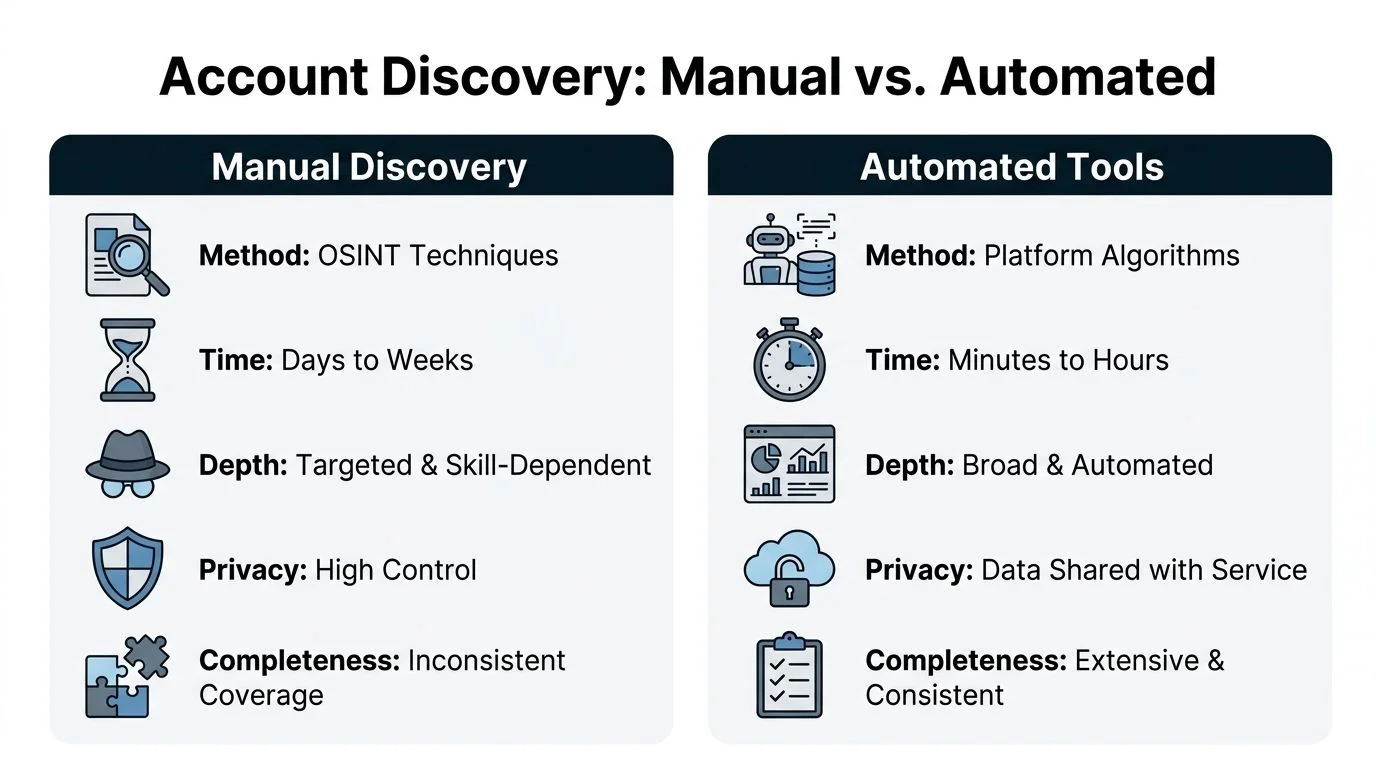
What manual work does well
Manual searching gives you control.
You choose which platforms to check, what evidence counts, and when to stop. That matters when privacy is a concern or when you want to validate findings one by one.
But it’s slow. It also depends heavily on skill. Two people using the same inbox can produce very different results.
Where automation changes the outcome
Automated discovery tools can scan large sets of platforms and datasets much faster than any individual can. That doesn’t mean they’re magic. They still need verification, and they may surface stale or partial matches.
What they do well is coverage. They broaden the search far beyond the major providers and obvious services.
| Factor | Manual Search | Automated Scanning (e.g., Digital Footprint Check) |
|---|---|---|
| Speed | Slow, often spread over multiple sessions | Fast, with broad checks handled in one workflow |
| Coverage | Limited to what you think to search | Wider platform and dataset coverage |
| Accuracy | Strong when findings are manually validated | Strong for discovery, still needs review |
| Effort | High. Repetitive and easy to abandon halfway | Lower user effort after setup |
| Best use | Deep validation, sensitive one-off checks | Broad audits, recurring footprint reviews |
A practical approach is to stop treating this as an either-or choice. Use manual methods to validate and interpret. Use automation to surface what your memory, inbox, and provider settings won’t reveal on their own.
If you’re assessing a public-facing identity, this kind of broader scan pairs well with a profile checker that helps identify visible traces attached to a name, handle, or account footprint.
Using Automated Tools for a Complete Digital Footprint Audit
At some point, manual work becomes a poor use of time.
The average internet user has 100 to 130 online accounts tied to a single email address according to Dashlane’s 2022 study (FootprintIQ). That’s before you account for duplicate signups, throwaway trials, forum registrations, old gaming communities, or services you joined through social login and forgot.
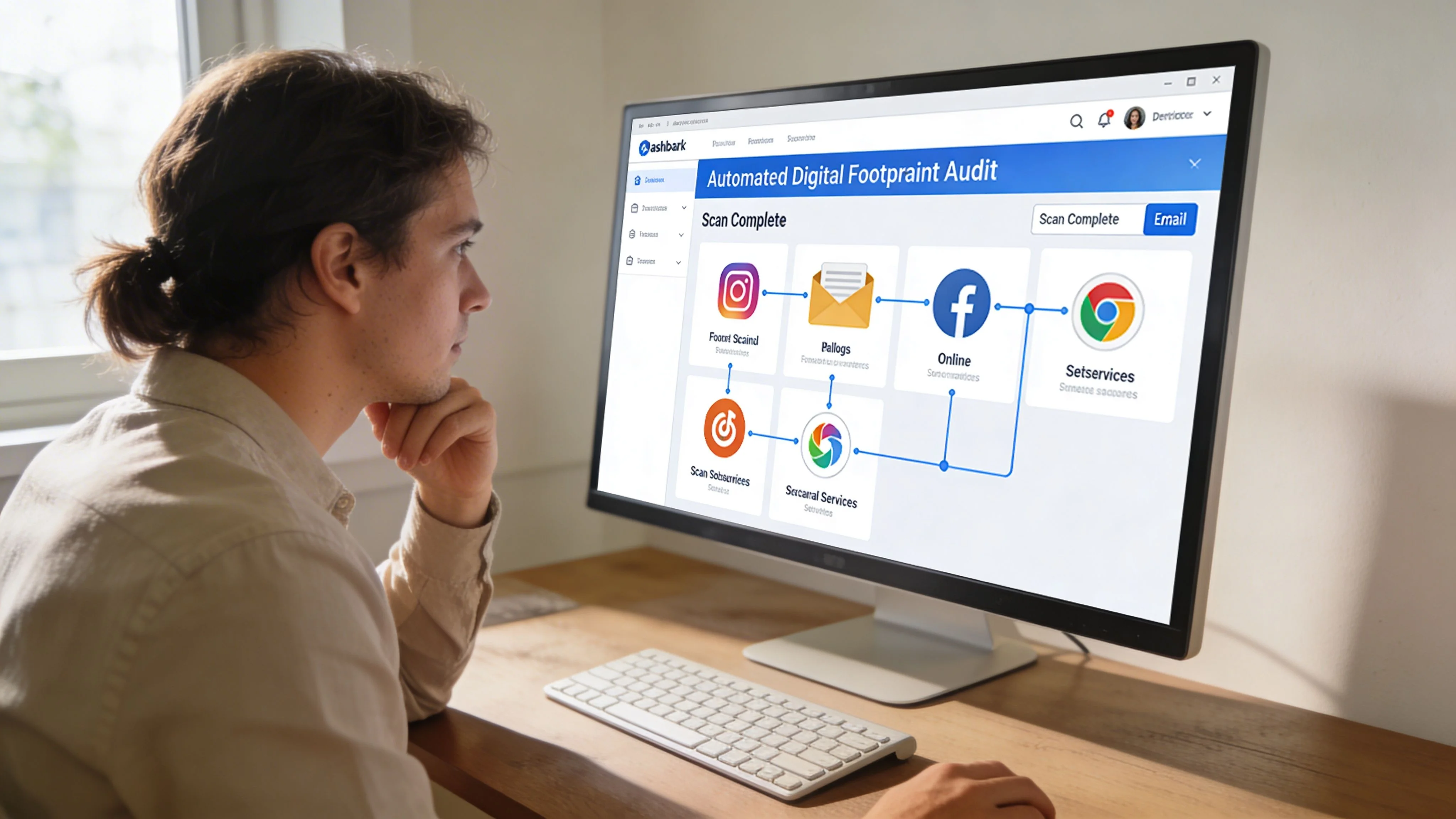
What an automated audit solves
An automated audit changes the job from search to review.
Instead of manually repeating the same checks across dozens of sites, the platform handles the discovery pass and returns a list of likely exposures, linked services, and public traces. Your role becomes deciding what’s real, what matters, and what to do next.
That’s useful in several situations:
- Job search cleanup when you need to find old profiles that could affect professional visibility
- Dating safety checks when you want to verify whether a digital identity is coherent
- Gaming security reviews when you suspect old accounts are still tied to the same email
- Identity theft prevention when you want a single audit before changing passwords and closing dormant services
One tool among several
Digital Footprint Check is one example of this approach. The platform states that it searches 500+ platforms across social networks, gaming profiles, breach data, professional sites, and public records, which fits the kind of broad audit that manual methods struggle to replicate at scale. For readers who want context before using a scanner, this primer on OSINT tools for beginners explains how these systems fit into ethical online investigations.
The practical advantage isn’t just convenience. It’s coverage across services that don’t show up in Gmail, Outlook, Apple, or your own memory.
What automation still doesn’t replace
You still need judgment.
An automated result may show a likely match on a platform you used once, a stale breach reference, or a public profile that shares your username pattern but isn’t yours. The tool helps you find. You still need to verify before you act.
That said, broad scanning is often the only realistic way to find all accounts linked to email when the goal is completeness rather than a quick spot check.
Stop guessing. Discover your complete digital footprint in minutes with a free scan at www.digitalfootprintcheck.com/free-checker.
What to Do With Your Findings Next Steps
Discovery is only useful if you act on it.
Once you’ve assembled a list of linked accounts, sort them by risk first, not by nostalgia. An old forum account with a reused password deserves faster attention than a current account protected with strong login security.
Prioritize the list
Use three buckets:
- Keep and secure active accounts you still need
- Review and update accounts that matter but have weak security or old profile data
- Delete or deactivate dormant accounts that add risk without giving you anything back
Work through a remediation checklist
Don’t try to fix everything at once. Move in order.
- Change passwords on any account that’s weak, reused, or appears in breach data.
- Enable 2FA wherever the platform supports it.
- Revoke old app access from your email provider and key services.
- Delete dormant accounts instead of just abandoning them.
- Clean public profiles by removing outdated bios, avatars, posts, and handles where possible.
Start with the accounts that can provide access to other accounts. Email, password managers, cloud storage, and major social profiles come first.
Keep it ethical and repeatable
These techniques should stay inside clear boundaries. Use them for your own accounts, your family’s protection, or authorized workplace reviews. Don’t use reset pages or OSINT workflows to test strangers out of curiosity.
Your digital footprint changes over time. New signups happen. Old services get breached. App permissions linger. A periodic review is part of normal digital hygiene now, not a one-time project.
Digital Footprint Check helps individuals and teams discover where an email, username, or profile appears online so they can review exposures, secure old accounts, and clean up public traces. If you want a fast starting point, run a free scan at Digital Footprint Check.