· Digital Footprint Check · Content Marketing · 22 min read
A Guide to Personal Information Removal and Protecting
Take control of your digital life with our practical guide to personal information removal. Learn how to find and delete your data from the web for good.

Personal information removal means finding your private data — name, address, phone number — across the internet and requesting that websites, data brokers, and search engines take it down. It’s a defense against identity theft, romance scams, and targeted attacks. With your online identity affecting job prospects and personal safety, controlling your data isn’t optional.
Why Your Personal Data Is Online and How It Puts You at Risk
If your personal details feel scattered across the web without permission, you’re right. Every sign-up, contest entry, dating-app verification, or public profile update adds another piece. This footprint is a detailed profile of your life, accessed, bought, and sold every day.
That makes personal information removal essential for anyone who values privacy. But there’s a gap between concern and action: while 85% of American adults worry about who can access their data, only 6% have used a service to remove it, according to a study on data removal service usage from Security.org. The fear is nearly universal; the knowledge of how to act is not.
The Main Sources of Your Exposed Information
Your data doesn’t end up online by chance. It’s collected and distributed through established channels, many operating just out of public sight. Pinpointing these sources is the first step toward taking back control.
The table below covers the primary ways your information gets out. Understanding these sources matters: you can’t fight what you can’t see.
| Common Sources of Your Exposed Personal Information | | :--- | :--- | :--- | | Information Source | Type of Data Exposed | Associated Risk | | Data Brokers | Full name, current and past addresses, phone numbers, email, relatives, income estimates, property records, purchase history. | Identity theft, targeted scams (phishing, vishing), physical stalking, doxxing, predatory marketing. | | Public Records | Court filings, property deeds, voter registration, business licenses, marriage licenses. Includes addresses and full legal names. | Stalking, harassment, identity theft, misuse of legal information for personal attacks. | | Social Media Profiles | Location check-ins, photos with geotags, full name, date of birth, employer, relationship status, personal interests, friends/family lists. | Social engineering attacks, account takeovers, reputational damage, physical safety threats from oversharing location. | | Corporate Data Breaches | Email addresses, passwords, Social Security numbers, credit card details, health information, driver’s license numbers. | Financial fraud, identity theft, credential stuffing attacks across other platforms, targeted phishing campaigns. | | Old Online Accounts | Outdated personal information, old email addresses, past interests, and forum posts that can be used for social engineering. | Reputational harm (old, unprofessional content), access point for hackers if passwords are reused. |
Each source is a different attack vector, from financial fraud after a data breach to physical threats from an exposed home address on a public records site.
Real-World Consequences of Data Exposure
Having your data online isn’t a theoretical problem — it leads to real consequences for your safety, financial security, and career.
The risk is not hypothetical. A publicly available home address can lead to stalking or physical harm. An exposed phone number can result in relentless scam calls and phishing texts. An old, unprofessional photo from a forgotten social media account could cost you a job opportunity.
These dangers are exactly why personal information removal is less about digital tidiness and more about essential self-defense. By actively managing what’s out there, you can shut down these avenues for attack. We explore this in more detail in our guide on the hidden dangers of your digital footprint.
The good news? Taking back control is entirely within your reach.
How to Find Where Your Personal Information Is Hiding Online
Before you can start scrubbing your personal info from the internet, you first have to figure out exactly what you’re up against. Think of it as a digital reconnaissance mission—a full audit of your online life to map out every place your data is exposed. Simply crossing your fingers and hoping for the best isn’t a strategy; you have to actively hunt down your own vulnerabilities to build a clear removal checklist.
This whole process kicks off with something you probably do every day, just with a more strategic game plan: searching for yourself online. Going beyond a quick search of your name is the key to uncovering the less obvious, but often more damaging, bits of data that are floating around for anyone to see.
Mastering Advanced Search Techniques
A basic search for your name is just the warmup. To really get a handle on your digital footprint, you need to use advanced search operators. These are simple commands that force search engines to get far more specific, and the results can be revealing.
Here are a few powerful examples to get you started:
- Exact Name Search: Pop your full name in quotation marks, like
“Jane Marie Doe”instead of justJane Doe. This simple trick filters out all the noise from people with similar names and focuses only on exact matches. - Username Search: Most of us recycle the same one or two usernames across dozens of platforms. Searching for your common usernames in quotes, like
“GamerTag123”, is a fantastic way to dig up old forum posts, forgotten gaming profiles, or ancient social media accounts you thought were long gone. - Combining Information: Get creative by searching for your name alongside other known data points. Try things like
“Jane Doe” + “San Francisco”or“Jane Doe” + “old-employer-name”. This can bring up profiles or public records you had no idea even existed. You can learn more by checking out our guide on how to find your complete digital footprint.
This initial sweep will almost certainly bring up results from the two biggest culprits in data exposure: data brokers and data breaches.
Investigating Data Brokers and People-Search Sites
Data brokers are companies that exist for one reason: to collect, package, and sell your personal information. Sites like Spokeo, Whitepages, and BeenVerified scrape data from public records, social media, and even your shopping history to build detailed profiles about you, which are then sold to anyone willing to pay.
Manually visiting these sites and searching for yourself is an essential, if unsettling, step. You will likely be shocked at the level of detail they have on you—from past addresses and phone numbers to the names of your relatives. Every one of these profiles is a security risk and needs to be a top priority for removal.
Your goal here is to methodically track down every data broker profile tied to your name. I recommend creating a simple list or spreadsheet with a direct link to each profile you find. This document becomes your action plan for the manual removal process.
Checking Your Exposure in Data Breaches
While data brokers compile public information, data breaches expose private information that was supposed to be kept safe. Breaches spill personal data on a massive scale, which is why cleanup is so urgent. Recent breaches impacted 422 million people globally through an average of 4.8 incidents per day, leaking critical data like names, Social Security numbers, and home addresses. A single surveillance leak in China amplified this problem, spilling over 4 billion records alone. You can find more of these staggering data privacy stats on ExplodingTopics.com.
You can use breach notification services to check if your email addresses or usernames have been caught up in any known incidents. Finding your credentials in a breach database is a major red flag. It likely means your password for that account is floating around on the dark web, putting every other account that shares that same password at immediate risk. This is particularly dangerous for gaming accounts, where a single breach can lead to the loss of valuable digital assets.
As you gather your findings from search engines, data brokers, and breach databases, your removal checklist will start to take shape. This organized approach turns what feels like an overwhelming task into a manageable project. For those who want a faster, automated way to map this exposure, using a tool like the Digital Footprint Check free scanner can instantly identify where your information is hiding and give you a head start on your cleanup.
A Practical Plan for Removing Your Information Manually
Okay, so you’ve mapped out where your personal data is exposed. Now it’s time to shift from discovery to action. Going the manual route to get your information removed is a methodical grind, one that definitely requires patience and a bit of persistence. When you decide to tackle this yourself, you’re engaging directly with all sorts of organizations, and each one plays by its own set of rules and timelines.
This process boils down to a few key phases: methodically searching for your data, hitting the data broker sites, and scanning for your info in known data breaches.
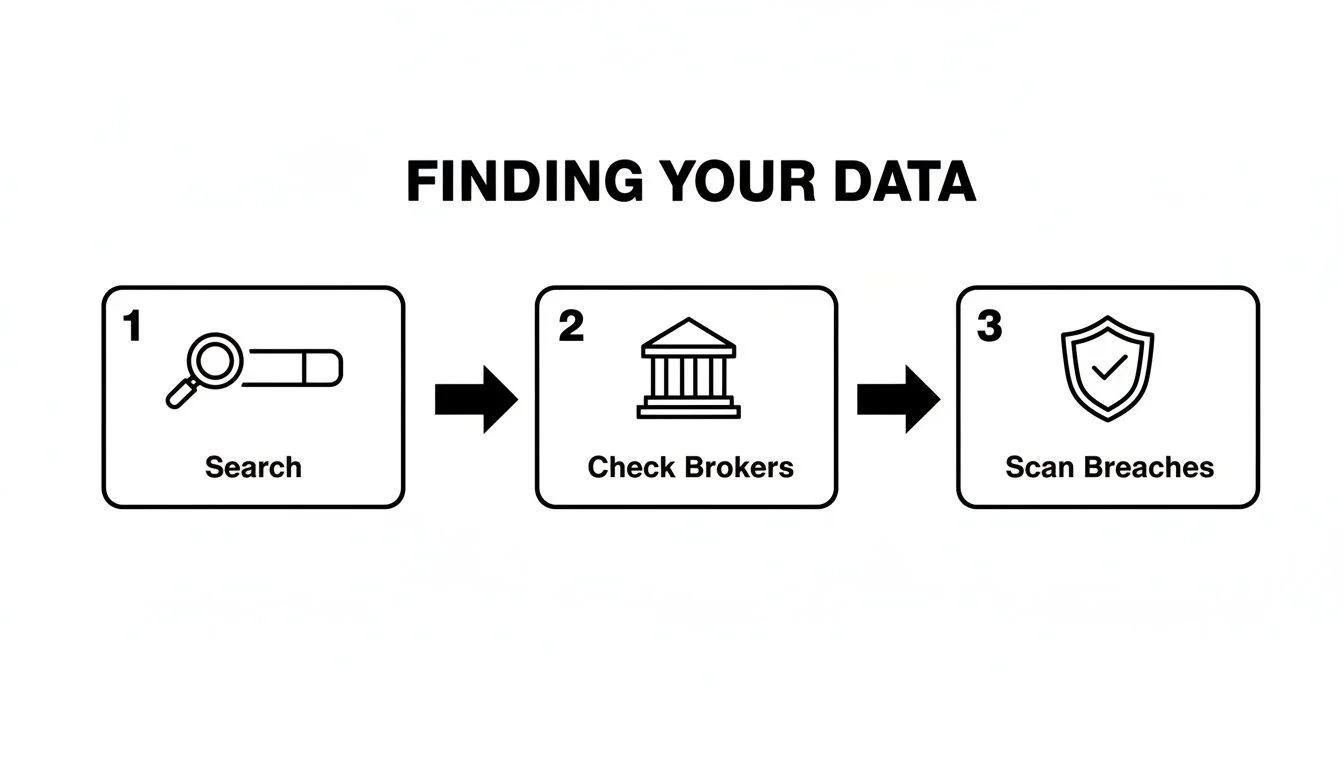
This flow really drives home a critical point: any successful removal strategy has to start with a thorough, multi-pronged search. You can’t remove what you don’t know exists.
Confronting Data Brokers Head-On
Data brokers are usually the biggest offenders, so they should be your first target. These companies make their money by collecting and selling your data, but most are legally required to give you a way to opt out. The catch? They often bury these opt-out pages deep within their websites, making them a pain to find.
Your best bet is to scroll to the footer of their website and look for links like “Privacy Policy,” “Do Not Sell My Personal Information,” or “Consumer Rights.” From there, the process usually looks something like this:
- Finding your profile: First, you’ll have to search their database to pinpoint your specific record.
- Submitting the request: This is typically a form where you’ll provide the URL of your profile.
- Verifying your identity: Most will send a confirmation link to an email address you provide. Pro tip: Never use your primary email for this. Set up a secondary or disposable email address to handle these requests and avoid attracting even more spam.
A frustrating reality of this process is that your data can reappear on these sites, even after you’ve successfully removed it. The data ecosystem is a messy place, which is why checking back periodically is essential to keeping your information private.
Securing Your Social Media Presence
Over the years, social media accounts become treasure troves of personal information, most of which we share voluntarily. The first step is to audit every platform you’ve ever used—especially the ones you’ve forgotten about. An old, unmanaged profile is a massive security liability just waiting to be exploited.
Your social media cleanup should follow two main strategies:
- Locking Down Privacy Settings: Go through the privacy and security settings on every active account. Limit who can see your posts, your friends list, and personal details like your birthday and location. Make sure you turn off ad personalization and any location tracking features.
- Deleting Old Accounts: If you’re not using an account anymore, don’t just let it sit there. Delete it permanently. This removes your data from that platform’s servers and prevents it from being scraped or exposed in a future breach. For a more detailed walkthrough, our complete data removal guide offers specific advice for different platforms.
Navigating Public Records Removal
Getting your information removed from public records—things like court filings or property deeds available on government websites—is easily the toughest part of the manual process. By definition, these records are public by law. However, you can sometimes request that sensitive details like your home address or Social Security number be redacted.
The procedure for this varies wildly by state and even by county. You’ll likely need to contact the clerk’s office or the specific government agency that holds the records. Be prepared to provide a compelling reason for the request, such as a direct threat to your personal safety. It’s a high bar to clear.
Thankfully, the global push for privacy rights is gaining momentum, reflecting a growing demand from people who want more control. As it stands, 144 countries have data privacy laws, covering about 79% of the world’s population. This shift has empowered individuals, with more than two-thirds of adults worldwide taking action by changing device settings or blocking third-party cookies.
And if you’re getting rid of old physical devices as part of your cleanup, make sure the data is gone. It’s worth getting familiar with professional benchmarks like the NIST SP 800-88 data sanitization standards to ensure your data is irrecoverable. The manual path is demanding, no doubt, but with a clear plan, it’s a powerful way to reclaim your digital privacy.
Manual Removal vs Automated Service
Doing it yourself gives you full control, but it’s a significant time commitment. Automated services, on the other hand, can handle the grunt work for you. Here’s a quick breakdown of what to expect with each approach.
| Feature | Manual Removal (DIY) | Automated Service (e.g., Digital Footprint Check) |
|---|---|---|
| Time Investment | High (20-40+ hours initially, plus ongoing monitoring) | Low (Initial setup is quick, the service handles the rest) |
| Effort Required | High. Requires research, form submissions, and follow-ups. | Minimal. The service automates searches and removal requests. |
| Effectiveness | Can be effective, but easy to miss sources or have data reappear. | More comprehensive, as it scans hundreds of brokers and monitors for new exposures. |
| Cost | Free (in terms of money), but costs you significant time. | Subscription-based (typically a monthly or annual fee). |
| Maintenance | Requires you to perform quarterly or semi-annual checks yourself. | Continuous monitoring and automatic re-submission of removal requests. |
Ultimately, the best choice depends on how much time you’re willing to invest. If you have the bandwidth and patience, the DIY method can work. But if you want a more comprehensive and hands-off solution, an automated service is often the more practical option for keeping your digital life clean over the long term.
Using Your Legal Rights to Force Data Removal
So you’ve tried the standard opt-out links and they’ve gone nowhere. It happens more than you’d think. This is the point where you need to shift from asking to demanding. Many people don’t realize they have powerful legal rights that can turn a polite request into a formal, legally-backed demand for personal information removal.
Knowing these rights is the key. It’s the difference between being ignored and getting an immediate, compliant response.
When you cite a specific regulation in your removal request, you’re not just some random user anymore. You’re signaling to a company’s legal department that you know your rights and, more importantly, their obligations. This simple step often bypasses the usual customer service runaround and lands your request in front of someone who understands the very real financial and reputational risks of blowing you off.
Key Privacy Laws You Should Know
The legal landscape is always shifting, but a few landmark regulations have changed the game for digital privacy. These laws give you the legal muscle to tell companies to delete the data they have on you.
The two big ones you need to know are:
- The GDPR (General Data Protection Regulation): If you’re in Europe, you’re covered by the powerful General Data Protection Regulation (GDPR). It includes the famous “right to be forgotten,” which allows individuals in the EU to demand that organizations erase their personal data, period.
- The CCPA/CPRA (California Consumer Privacy Act/California Privacy Rights Act): This law gives California residents a clear “right to deletion.” It forces businesses to get rid of any personal information they’ve gathered about a consumer as soon as they get a verifiable request.
Even if you don’t live in Europe or California, don’t tune out. These laws have had a massive global ripple effect. To make their own lives easier, many multinational companies apply these privacy standards to all their users, so there’s a good chance you can benefit no matter where you are.
A legally-grounded removal request is a whole different animal from a standard opt-out. You’re not just asking nicely; you’re formally exercising a legal right. This is the ace up your sleeve, especially with stubborn data brokers or companies that intentionally make their opt-out process a nightmare to navigate.
Crafting an Effective Data Deletion Request
When you send a formal request, keep it clean, professional, and straight to the point. Your goal is to make it dead simple for the company to find your data and process your demand without any back-and-forth.
Here’s a simple, no-fluff template you can adapt. Just swap out the bracketed info with your details.
Subject: Data Deletion Request Pursuant to [Your Local Law, e.g., CCPA/GDPR]
Body:
Dear [Company Name/Data Privacy Officer],
I am writing to formally request the permanent deletion of all personal information you hold about me. This request is made in accordance with my rights under [cite the relevant law, e.g., the California Consumer Privacy Act (CCPA) or the General Data Protection Regulation (GDPR)].
To help you identify my data, here is my information:
- Full Name: [Your Full Name]
- Email Address(es): [List any email addresses associated with your account]
- Physical Address: [Your Address, if relevant to the data they hold]
- Account Username/ID: [Your Username or Account Number, if applicable]
Please provide confirmation once my data has been permanently deleted from all your systems, including any archives or backups. I expect a response to this request within the legally mandated timeframe, which is [e.g., 30 days for GDPR, 45 days for CCPA].
Sincerely, [Your Name]
What to Do If They Don’t Comply
Most legitimate companies will fall in line. But what if your request is ignored or you get a denial without a valid legal reason? You still have options.
Your next move is to file a formal complaint with the relevant data protection authority. For GDPR violations, that would be the authority in the specific EU member state. For CCPA issues, you can file a complaint directly with the California Attorney General. Often, just the threat of a regulatory investigation is enough to get a non-compliant company to finally take you seriously.
If you want to get a better handle on how these processes work and when to escalate things, you might want to look into professional personal information removal services that deal with these headaches for a living.
Staying Private After Your Digital Cleanup

Successfully scrubbing your personal information from the internet is a huge win, but don’t mistake the finish line for the end of the race. The web never stops moving. Data brokers are constantly scraping for fresh information, and new apps and services are always asking for your details.
Lasting privacy isn’t a one-time project; it’s a shift in your daily habits. Think of personal information removal as a new mindset, not just a task you completed. If you don’t stay on top of it, all that hard work can be undone as your data slowly creeps back online.
Build Your Defense: Proactive Privacy Habits
The single best way to keep your info private is to stop handing it out so freely. It’s about building a defensive layer into your everyday online life by making small, smart choices that add up to a massive impact on your digital footprint.
Get into the habit of questioning every request for your data. When a new service asks for your details, pause and ask yourself: do they really need this? More often than not, the answer is no.
Here are a few powerful habits you can start building today:
- Use Email Aliases: Stop using your primary email for every new account. Services like Apple’s “Hide My Email” or Firefox Relay generate unique, random addresses that forward messages to your real inbox. If an alias starts getting spammed, you just delete it. Problem solved, and your main account stays clean.
- Get Stingy with App Permissions: Before you tap “allow” on a new app, really look at what it’s asking for. Does that simple photo editor need access to your entire contact list and microphone? Deny anything that isn’t essential for the app to do its job.
- Run Regular Audits: Set a calendar reminder every few months to do a quick check of your social media privacy settings. Platforms are notorious for changing their policies, and new updates can sometimes reset your settings to be less private. A five-minute review can keep your profiles locked down.
These practices are a great start, but they need to be paired with vigilant monitoring to work.
Why You Can’t Just “Set It and Forget It”
Here’s the frustrating part: data brokers don’t just add new profiles; they rebuild the ones you worked so hard to remove. They’re constantly buying data from different sources, and if your name pops up in a new marketing list or public record, they can resurrect your profile without you ever knowing.
Ongoing vigilance is non-negotiable. Data brokers operate on an industrial scale, constantly repopulating their databases. A successful removal today doesn’t guarantee privacy tomorrow, making continuous monitoring the only effective long-term strategy.
Let’s be realistic—manually checking hundreds of data broker sites every few months is impractical. The sheer volume of sources makes it an overwhelming, almost impossible task for one person. This is where automation shifts from a nice-to-have into a necessity. To get a better sense of what’s out there, you can explore our breakdown of essential internet privacy tools.
This constant whack-a-mole game is precisely why monitoring services exist. A platform like Digital Footprint Check automates the cycle of finding and removing your data. It constantly scans the web for your information, flags when it reappears on a broker’s site, and automatically sends removal requests for you. It turns a draining, repetitive chore into a background process you don’t have to worry about.
By combining proactive habits with automated monitoring, you build a sustainable defense. This two-pronged approach ensures your initial cleanup isn’t wasted, giving you lasting control over your digital identity. Take the first step by running a free scan at Digital Footprint Check to see where you stand today.
Frequently Asked Questions About Personal Information Removal
Diving into personal information removal can feel a little overwhelming, and it’s normal to have questions. From how long it all takes to whether it’s even possible to succeed, let’s filter the noise. Here are the real answers to the most common concerns we hear from people starting their privacy journey.
How Long Does It Take to See Results?
The honest answer? It varies wildly. You might see some quick wins. A handful of data brokers have automated systems that can process an opt-out request in as little as 24 to 48 hours. But that’s the exception, not the rule.
Most of the time, especially when you’re dealing with manual requests sent to smaller sites or government offices that manage public records, you have to be patient. It’s not at all unusual for these processes to stretch out over several weeks, and sometimes even months. Even companies that are legally required to respond within 30 to 45 days under laws like GDPR or CCPA might drag their feet, forcing you to follow up to make sure the job actually gets done.
The best way to think about personal information removal is that it’s not a one-time event—it’s an ongoing process. Data has a nasty habit of reappearing, so your greatest assets will be patience and persistence.
Is It Possible to Completely Erase Myself from the Internet?
Achieving 100% digital invisibility is a ghost story—it’s nearly impossible and isn’t a practical goal for most of us. Your information is likely tucked away in places you simply can’t touch, like a company’s private customer database, archived web pages from a decade ago, or official government records that are legally required to be preserved.
The real goal of personal information removal is to drastically shrink your public-facing digital footprint. We’re focused on scrubbing your data from the most visible and high-risk places, like data broker sites and public search results. This is what protects you from the most common threats out there—scams, identity theft, and all sorts of unwanted contact.
Will Removing My Information from Data Brokers Affect My Credit Score?
This is a big one, but I can give you a clear and simple answer: No. Removing your profiles from marketing data brokers like Spokeo or BeenVerified has zero impact on your credit score.
These people-search companies operate in a different universe from the major credit reporting agencies like Equifax, Experian, and TransUnion. The credit bureaus are governed by strict regulations like the Fair Credit Reporting Act (FCRA). The data removal process targets the marketing and lookup sites that trade your personal info for advertising, not the financial institutions that determine your creditworthiness.
What Is the Most Critical Information to Prioritize for Removal?
When you start this digital cleanup, you want to be strategic. Go after the data points that pose the biggest immediate risk to your safety and security first.
Start by focusing on this high-value information:
- Your physical home address to prevent stalking and unwanted mail or visits.
- Your personal phone number to cut down on the flood of scam calls and phishing texts.
- Your full date of birth, which is a golden ticket for identity thieves.
- The names of your family members, since this information is frequently used in social engineering scams to build false trust.
On top of that, any exposed login credentials found in data breaches should be at the absolute top of your list. This means you need to immediately change the passwords for all affected accounts, especially if you’re guilty of reusing passwords across different services. Tackling these high-risk items first gives you the biggest and most immediate boost to your personal security.
Ready to see where your information is exposed? The experts at Digital Footprint Check can help you discover and remove your data from the web. Start with a free scan at www.digitalfootprintcheck.com/free-checker to take the first step toward reclaiming your privacy.