· Digital Footprint Check · Content Marketing · 14 min read
Master Two Factor Authentication Twitter in 2026
Two factor authentication twitter - Secure your account with two factor authentication twitter. Our 2026 guide shows you how to protect your profile from

You don’t need to be famous for your Twitter account to matter. A hijacked account can still damage your reputation, send scam links to your contacts, expose private messages, and create a mess that follows you into work, dating, or job searches.
That matters because people often treat social accounts as casual spaces when they’re really identity assets. If someone gets control of your profile, they don’t just get a posting tool. They get your name, your audience, your trust, and often a path into your other accounts.
Your Twitter Account Is a Target Here’s Why
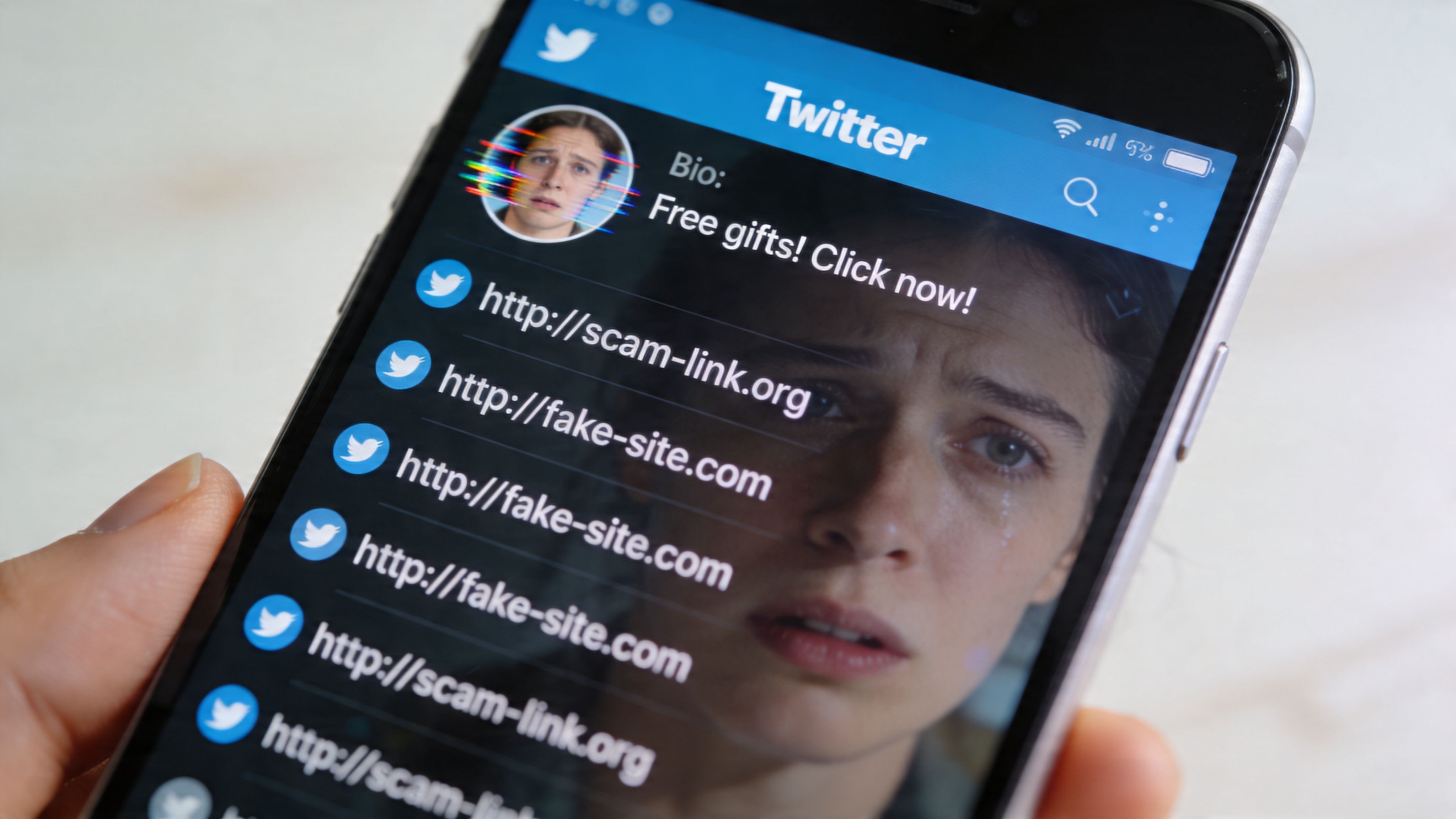
A Twitter takeover usually starts small. Your password gets reused from an old breach. A fake login page captures it. A phone number tied to the account becomes a weak point. Then the visible damage begins fast: changed profile photo, rewritten bio, scam posts, DMs to followers, and support messages you never sent.
For a lot of people, the worst part isn’t the technical breach. It’s the public fallout. Friends think you were careless. Clients see malicious posts under your name. Recruiters checking your profile may find crypto spam, extremist nonsense, or phishing links instead of your real work and voice.
Most users still leave the front door open
The uncomfortable reality is that basic protection still isn’t widely used. In a report discussed by WeLiveSecurity’s review of Twitter’s 2FA adoption, 97.7% of Twitter’s active users had not enabled two-factor authentication, while only 2.3% had it turned on. Among that small group, most relied on SMS, which is the weakest of the common options.
That’s why two factor authentication twitter searches keep climbing whenever another account takeover story goes viral. People usually look for it after something bad happens, not before.
Practical rule: If your Twitter account connects to your name, business, job search, or community, treat it like an email account, not like a disposable app.
A public profile creates private risk
Twitter also gives attackers plenty to work with. Your bio, posting habits, employer references, location hints, and contacts can all help someone build a convincing phishing message. The more visible your profile is, the more useful it becomes for impersonation.
That risk grows when your wider online presence is already exposed. A profile on one platform can connect to usernames, email addresses, breached credentials, and public records elsewhere. That’s why understanding the hidden dangers of your digital footprint and what hackers can learn about you matters just as much as locking down one account.
If you use X professionally, your security choices also affect your credibility. Publishing under your real name, building an audience, and networking publicly all increase the value of your account to an attacker. Teams working on thought leadership content strategy on X often focus on reach and consistency, but account protection belongs in that same conversation. A stolen voice can destroy trust faster than a good content plan can build it.
How a Compromised Twitter Account Can Ruin More Than Your Day
The idea that “it’s just social media” falls apart the minute an attacker starts posting from your profile. Your account carries borrowed trust. Followers assume your posts came from you. Colleagues assume your DMs are legitimate. Employers and clients often make snap judgments based on what they see in public.
That turns a compromise into a reputation event.
The 2020 hack proved status doesn’t protect anyone
The best-known example is the July 2020 Twitter breach. According to the Wikipedia summary of the 2020 Twitter account hijacking, attackers socially engineered employees, bypassed normal protections, and took over 69 high-profile accounts, including those of Elon Musk and Bill Gates, to run a bitcoin scam. The lesson wasn’t just that celebrities were targeted. It was that a trusted platform can be abused at scale when attackers gain the right access.
If a high-profile account can suddenly promote fraud, a smaller account can be turned into a useful scam channel.
A compromised account doesn’t need millions of followers to cause damage. It only needs enough credibility to fool the next person who clicks.
The fallout hits ordinary people in ordinary ways
Most victims don’t end up in headlines. They end up dealing with consequences like these:
- Job risk: Recruiters and hiring managers often review public social profiles. If your account is posting scams, abusive content, or suspicious links during an active job search, you may never get the chance to explain what happened.
- Friend and family scams: Attackers use trusted accounts to send urgent messages, fake investment links, or requests for money. People respond because they recognize your name.
- Exposure of personal details: Even without posting, an attacker may learn from your DMs, recovery email clues, phone number fragments, or contact lists.
- Long-tail reputation damage: Screenshots live longer than takedowns. A deleted scam tweet can still circulate in search results, private chats, and forums.
Why identity theft often starts with one weak account
Twitter isn’t usually the final goal. It’s a stepping stone.
An attacker who confirms your email, phone number, interests, and social graph can use that context elsewhere. They can impersonate you more convincingly, target your contacts, and test the same credentials on other services. If your Twitter account points to your business, portfolio, gaming identity, or dating profile, the compromise can spill across parts of your life that feel unrelated until they’re suddenly linked.
For professionals, the cost isn’t just embarrassment. It’s trust loss. For students, it can mean harassment. For parents, it can mean exposing family details. For anyone dealing with an abusive ex, stalker, or impersonator, the stakes are much higher than “my account got hacked.”
Comparing Twitter 2FA Methods SMS vs App vs Security Key
Not all two-factor authentication protects you equally. That’s the part many people miss. Turning on any second factor is better than relying on a password alone, but the method you choose changes what kind of attacker can still get through.
When people ask about two factor authentication twitter settings, they’re usually choosing between three options: SMS codes, an authenticator app, or a physical security key.

What each option really means
| Twitter 2FA Method Comparison | |||
|---|---|---|---|
| Method | Security Level | How It Works | Key Vulnerability |
| SMS | Lowest of the three | Twitter sends a login code by text message to your phone number | Phone-number attacks, carrier abuse, message interception, and SMS-specific platform weaknesses |
| Authenticator app | Strong | An app like Google Authenticator or Authy generates rotating codes on your device | Device loss or poor backup habits can lock you out if you don’t save recovery options |
| Security key | Strongest | A hardware device verifies the login physically | Easier to misplace if you keep only one key and no recovery backup |
Why SMS is the weakest choice
SMS feels convenient because everyone understands text messages. That’s also why it remains popular. The problem is that your phone number isn’t a secure possession in the way it is commonly believed.
A serious example came from security research covered by Bruce Schneier’s post on failures in Twitter’s two-factor authentication system. Researchers found that an attacker could spoof a user’s number and send a “STOP” message to Twitter’s service, which could disable SMS-based 2FA without the victim realizing it. Once that protection was gone, the account could fall back to password-based takeover.
That’s not a theoretical annoyance. It’s a reminder that SMS has weaknesses outside your control.
If your phone number is already easy to discover, the risk gets worse. Anyone trying to understand what hackers can do with your phone number should treat SMS-based login protection as a compromise, not as a highest standard.
Security takeaway: SMS is better than password-only access, but it isn’t the method I’d recommend for an account tied to your real identity.
Why authenticator apps are the best fit for most people
Authenticator apps strike the best balance for most users. They don’t depend on your mobile carrier, they work even when text delivery fails, and they’re much harder to abuse with phone-number tricks.
Apps such as Google Authenticator and Authy generate a short code on the device itself. That means an attacker can’t intercept a text or manipulate your number to get in. For most personal accounts, this is the practical default.
Authenticator apps work well when you want stronger protection without carrying extra hardware. They’re especially useful for freelancers, students, job seekers, and creators who use Twitter often but don’t want extra friction every time they sign in.
When a physical security key is worth it
A physical key such as a YubiKey is the strongest option for someone with high risk. That includes journalists, executives, public-facing founders, political staff, researchers, moderators, and anyone who could be targeted for harassment or impersonation.
A key helps because it ties login approval to a physical device in your possession. That makes phishing and account theft much harder. The trade-off is logistics. You need to keep track of the key, ideally have a spare, and make sure your account recovery path is solid.
If you’re choosing between convenience and resilience, the authenticator app is generally the right answer. If your Twitter account is part of your public identity or livelihood, move up to a security key.
Enabling Strong Two-Factor Authentication on Your Account
Good account security shouldn’t feel mysterious. Twitter’s settings are straightforward once you know what to choose and what to ignore. The biggest mistake isn’t failing to find the menu. It’s turning on a method without preparing for recovery if your device is lost, replaced, or wiped.
Start in your account settings and head to the security area where Twitter lists two-factor authentication options.

Securing your account with an authenticator app
For many users, the authenticator app option is the right call.
Twitter’s app-based setup process has been described in detail by Toby Lewis on the shift away from SMS 2FA on Twitter. In practice, you open Settings, go to Security and account access, open Security, choose Two-factor authentication, and select Authentication app. Twitter then shows a QR code. You scan that code with an app such as Google Authenticator or Authy, then enter the current code from the app to confirm setup.
The setup itself is quick. The important part is what happens right after.
Don’t skip backup codes
Twitter provides backup codes for account recovery. Many users rush past this screen because they assume they’ll never need it. Then they replace a phone, lose access to the app, or wipe a device and discover they’ve locked themselves out.
Use a password manager to store backup codes securely. Don’t save them in a random desktop text file, don’t email them to yourself, and don’t leave them in your notes app without protection. If you need a system, these password manager best practices are a better model than ad hoc storage.
A simple rule works well:
- Store one protected copy: Save backup codes in a reputable password manager.
- Keep access separate: Make sure the password manager itself has strong authentication.
- Review after device changes: If you replace your phone, confirm your authenticator still works before erasing the old device.
The best two-factor setup is the one you can still access after a broken phone, a rushed upgrade, or a stolen bag.
Achieving maximum security with a physical key
If your account carries professional, political, or financial value, use a physical security key instead of stopping at an app. Devices like YubiKey are built for this job.
The Twitter flow is similar. In the same security menu, choose the security key option and follow the prompt to register the device. Depending on your device, that may mean inserting the key, tapping it, or using NFC. The platform then links that specific key to your account as an approved login factor.
This approach gives you stronger protection against phishing because a fake page can’t usually complete the same verification path as the legitimate service.
Here’s a useful walkthrough if you want a broader refresher on MFA habits across accounts, not just Twitter: how to use two factor authentication to protect your digital life.
What to do after setup
The setup screen isn’t the finish line. Do these checks before you close the app:
- Log out and test the login flow. Make sure the app code or key works in real conditions.
- Check your recovery options. Confirm your backup codes are stored safely.
- Review active sessions. If anything looks unfamiliar, revoke it.
- Update your password if it’s old or reused. Two-factor authentication is not a substitute for a unique password.
A lot of people benefit from seeing the menu in action before doing it themselves. This visual guide can help:
What works and what doesn’t
What works is simple: a unique password, app-based or key-based 2FA, and recovery material stored safely. What doesn’t work is assuming a text message equals strong security, or believing that setting up 2FA once means you’re done forever.
If your phone is the only place your authenticator exists, you still have a fragile setup. If your backup codes are exposed, you also have a problem. Strong security is less about one feature and more about removing single points of failure.
Troubleshooting and Security Best Practices for 2026
Two-factor authentication reduces risk, but it doesn’t remove the need for maintenance. Devices change. Phones break. People switch numbers, lose keys, forget where they stored backup codes, or discover their authenticator app never migrated properly.
Most lockouts happen because recovery wasn’t planned.
If you lose your phone or change devices
If your old phone still works, open the authenticator app before doing anything else and verify whether your Twitter entry is present. Then confirm you can still generate valid codes. Only after that should you wipe or trade in the device.
If you’ve already lost the phone, your backup codes become your lifeline. That’s why storing them safely matters so much. If you have a physical security key enrolled, use it to get back in and update your settings from a trusted device.
Keep these habits in place:
- Test before replacing devices: Confirm your login method works on the new setup first.
- Remove old access paths: If a device is lost or sold, revoke sessions you no longer control.
- Review recovery information: Make sure your recovery email and linked details are still current.
The security paradox many users now face
Twitter’s decision to remove free SMS-based 2FA for non-paying users created a messy real-world problem. As noted in X’s update on SMS-based two-factor authentication, the change created a security regression because many users didn’t immediately move to stronger alternatives. That leaves a window where a compromised password can lead to account takeover, and that takeover can feed broader identity theft.
This is the paradox. Security professionals are right to prefer authenticator apps over SMS. But plenty of non-technical users were relying on SMS because it was the only method they felt comfortable using. Once that disappeared for many of them, some didn’t upgrade to a better option. They downgraded to no second factor at all.
Reality check: The strongest setting on paper doesn’t help if a user never turns it on.
Monitoring matters when prevention isn’t perfect
Even a well-secured account needs monitoring around it. If your email address or password shows up in a breach, your Twitter account becomes a more attractive target. If you’re worried that exposed credentials may already be circulating, checking whether your email was hacked is a smart first move.
For 2026, the best security posture is layered:
- Use an authenticator app or security key
- Keep a unique password for Twitter
- Store backup codes securely
- Watch for phishing and fake login pages
- Review unusual logins and recovery changes quickly
The point isn’t perfection. It’s shortening the window between exposure and response.
Take Control of Your Digital Identity Today
A secure Twitter account protects more than tweets. It protects your name, your credibility, your contacts, and the other parts of your digital life that attackers try to connect.
The practical answer is clear. Skip SMS if you have a better option. Use an authenticator app if you want strong security with minimal friction. Use a physical security key if your account is high value or high risk. And always store backup codes somewhere secure, not somewhere convenient for an attacker.
Your Twitter profile also doesn’t exist in isolation. It sits inside a wider digital footprint that employers, scammers, impersonators, and identity thieves can all piece together. Locking one account is important. Understanding your broader exposure is better.
If you’re serious about reducing risk, make account security part of online reputation management, not a one-time settings change. That’s especially true for job seekers, business owners, creators, parents, and anyone whose real identity is attached to what they post.
A stronger login is the start. Ongoing visibility is what keeps small problems from becoming public disasters. To build on the steps above, learn more about how to protect your online identity.
Digital Footprint Check helps you see what attackers, scammers, and employers may already be able to find about you online. Use the Digital Footprint Check free checker to uncover exposed profiles, breached data, and public identity clues before they turn into account takeovers, fraud, or reputation damage.