· Digital Footprint Check · Content Marketing · 13 min read
Number Not to Call: 7 Scam Types and How to Spot Them
Learn which number not to call, from one-ring Wangiri traps to fake bank and recruiter lines, plus how to verify unknown callers and report scams fast.
Your phone buzzes once, stops, and leaves an unfamiliar number in your call log. You're expecting a delivery, waiting to hear about a job, or wondering whether someone needs help. Calling back feels like the quickest way to settle it.
That curiosity is exactly what a callback scammer wants. A missed call can be harmless, but returning it without checking can expose you to unexpected charges, a convincing impersonator, or pressure to surrender an account. The number on the screen isn't proof of who's calling.
A useful number not to call rule focuses on behavior, not a permanent blacklist. Watch for a brief ring, a familiar-looking prefix, an unexpected security alert, or a stranger who immediately wants to move you onto another channel.
Your first-minute rule: Don't return the call, disclose a code, install software, or send money until you've verified the contact independently.
The patterns below cover everyday phone scams, plus a gaming-account variation that deserves separate attention. Each gives you an immediate action and a way to check the claim without trusting the caller.
1. One-Ring Callback Scams (Wangiri and Premium-Rate International Numbers)
First action in the first 60 seconds: leave the missed call unanswered and check whether you recognize the caller. A brief ring with no useful voicemail doesn't create an obligation to respond.
In a wangiri-style callback trap, the caller disconnects quickly and relies on you returning the call. An international or premium-rate destination can make that decision expensive, particularly if recorded messages or a long hold keep you connected.
Don't treat Caribbean-looking prefixes or unfamiliar country codes as a blacklist. A geographic code doesn't establish a price or prove fraud, and legitimate people use international numbers.
Check the destination before dialing
Say you receive a missed call from an unfamiliar overseas number while expecting a parcel. Open the retailer's order page instead of calling back, and check whether the delivery company needs anything.
- Inspect the full number: Use the international phone-number lookup guide to understand the destination rather than guessing from the opening digits.
- Ask about restrictions: Your carrier can explain available international and premium-rate calling blocks, including what legitimate calls they might prevent.
- Review unexpected charges: If you already returned the call, preserve the call log, inspect your bill, and dispute unfamiliar charges promptly.
You can also start with the free contact checker. Treat any results as context, not confirmation that the displayed number originated the call.
2. Neighbor Spoofing and Local Lookalike Numbers
A number shares your area code and opening digits. You answer because it looks like a nearby school, clinic, or neighbor, then someone asks you to confirm personal details.
First action in the first 60 seconds: stop the conversation before confirming anything and contact the organization independently. Don't supply your date of birth just because the caller already knows your name.
Ofcom's scam-call guidance explains that scammers can disguise a call's origin and make it appear to come from a trusted person or organization. That makes caller ID a clue to investigate, not an identity credential.
Verify the claim, not the resemblance
Suppose a local-looking caller claims your clinic has an overdue bill. End the call, open your patient portal, and use the clinic's published contact details to ask about the balance.
Enable your carrier's spam filtering, but understand the trade-off: aggressive filtering can also silence genuine calls from unfamiliar contacts. If you're job hunting or coordinating medical care, review voicemail rather than automatically returning every missed call.
A familiar number can belong to an innocent person whose caller ID was copied. Don't accuse the number's owner or publish their details.
The same caution applies to toll-free numbers. The guide to 877-number scams explains why a recognizable number format shouldn't substitute for checking who's contacting you.
3. Bank and Financial Institution Impersonation (OTP and Fraud Alert Scams)
A bank's real number can appear on a fraudulent call. The more useful warning signs are requests to read out a verification code, approve an unexpected login, or transfer money into a supposedly secure account.
First action in the first 60 seconds: hang up and open your banking app yourself. If you need assistance, dial the number printed on your card rather than a number supplied in the call or text.
The FTC's 2024 Consumer Sentinel Data Book recorded 845,806 imposter-scam reports, with $2.95 billion in reported losses. Those figures cover multiple kinds of impersonation, not bank calls alone.
Keep authentication inside the service
Say a caller describes a suspicious purchase and then asks for the code that just arrived. That code may authorize a password reset or transaction rather than cancel fraud.
- Don't relay codes: Read the message's purpose privately, and reject any approval you didn't initiate.
- Don't move money: A caller's reassurance doesn't make another account safe.
- If you already complied: Contact the bank's fraud team immediately, explain exactly what you shared, and review account access and transfers.
Use the Bank of America fraud-alert guide for a practical verification example. Whatever bank you use, an independently opened app or verified callback is more useful than a clean reverse-lookup result.
4. Government Agency Impersonation (Tax, Benefits, Immigration, and Police Scams)
An official-looking number appears, followed by a threat involving taxes, benefits, immigration status, or arrest. The caller insists that ending the conversation will make the situation worse.
First action in the first 60 seconds: end the call without confirming identifiers or making payment. Find the relevant agency's official website yourself, then check the claim through its published contact channel.
The pattern matters more than the badge number or department name. Urgency, secrecy, and demands for gift cards, cryptocurrency, or a caller-directed transfer are reasons to stop, not reasons to cooperate.
Separate a serious issue from a coercive caller
Suppose someone claims a family member needs an immediate immigration bond payment. Before paying, independently verify the person's situation and the organization accepting payment; this resource on protecting families from bond fraud offers additional context.
Don't assume every legitimate government contact must arrive by mail. Instead, insist on independent verification regardless of how the contact began.
- Keep identifiers private: Don't confirm your Social Security number, national ID, employer, or home address to an unsolicited caller.
- Record the claim: Save the voicemail and note the agency name, requested payment method, and alleged case reference.
- Get trusted help: Consult a qualified adviser through contact details you locate yourself.
A job seeker's public résumé can give an impersonator convincing background details. Keep a public professional profile useful for employers without publishing identity documents, private contact information, or unnecessary family information.
5. Tech Support and Remote-Access Scams
First action in the first 60 seconds: don't install anything, and don't call a number displayed in an alarming pop-up. Close the page if you can, then open your existing security software directly.
The number may appear in a browser warning rather than your call log. A logo, alarm sound, or message claiming your device is locked doesn't establish that the warning came from your operating system.
A typical scenario starts with someone calling the number on a fake security alert. The supposed technician asks them to install AnyDesk or TeamViewer, then requests access to banking, email, or payment screens.
Remote access changes the risk
Those applications have legitimate uses. The danger is granting an unverified stranger control, not seeing a particular software name.
If access has already been granted: Disconnect the affected device from the internet before attempting account recovery.
From a separate trusted device, change exposed passwords, review email recovery settings, and contact your bank if financial information was visible. Remove the remote-access software and run a security scan; consider professional assistance or a clean reinstall if you can't establish what was changed.
The following video provides additional scam-awareness context.
A free digital-footprint check can support a later exposure review. It won't inspect your computer for malware or undo remote access, so containment comes first.
6. Romance and Investment (Pig Butchering) Scam Numbers
A wrong-number message becomes a friendly conversation. Eventually, the stranger introduces a trading platform, an investment mentor, or a personal emergency that requires your money.
First action in the first 60 seconds: don't move the conversation into financial transactions or share identifying details. An international number is not automatically suspicious, and a domestic number is not necessarily reassuring.
The FTC's romance-scam warning reported $1.14 billion in reported romance-scam losses in 2023, with a median reported loss of $2,000. These losses concern romance scams broadly, not every unsolicited message or investment approach.

Verify identity without mistaking it for trustworthiness
Suppose a new dating contact recommends a cryptocurrency app and helps you make an initial deposit. A convincing dashboard, apparent profit, or successful small withdrawal doesn't establish that you control the funds.
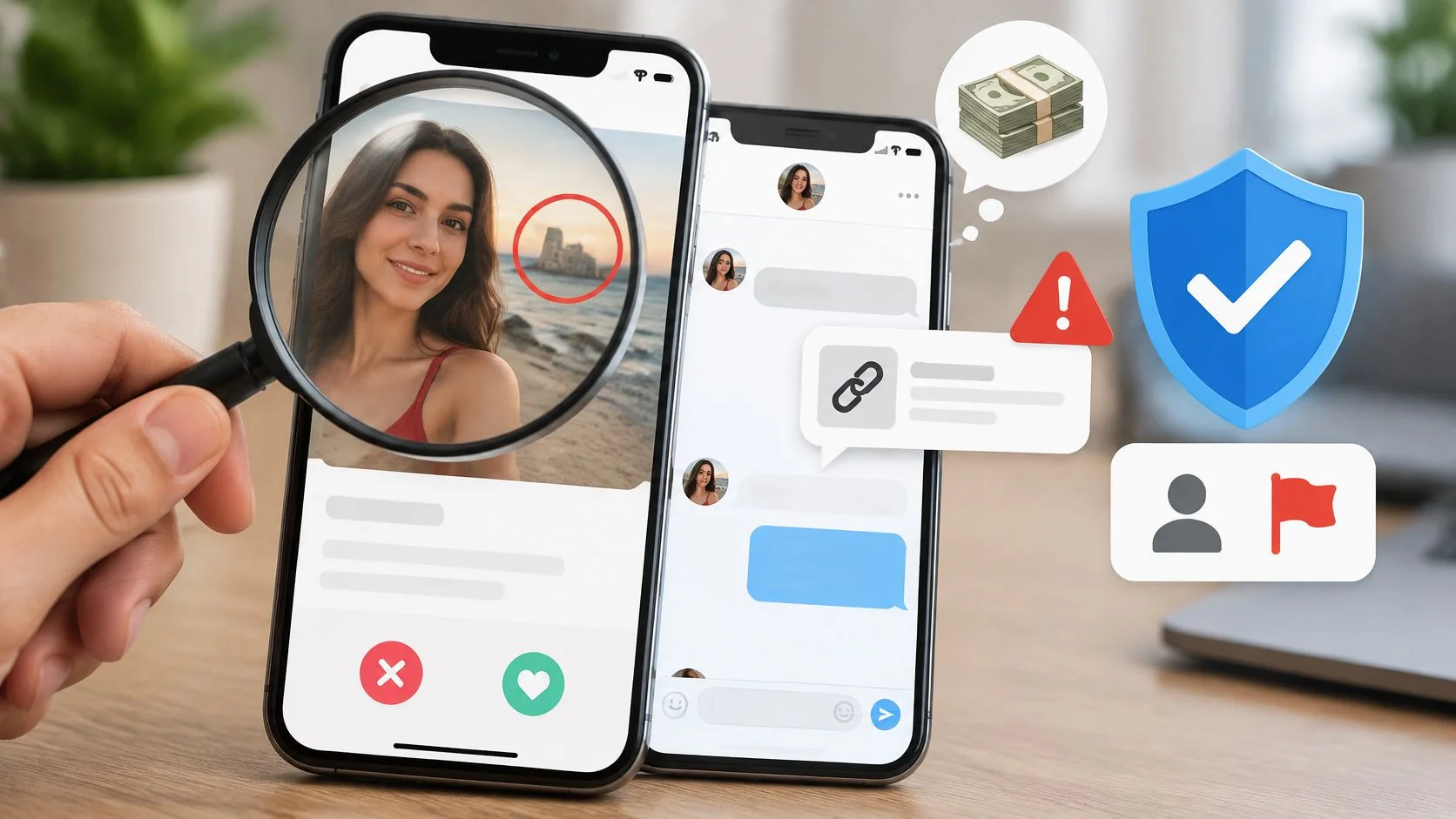
Use reverse image searches, dating-app verification, and consistency checks across profiles to investigate catfishing. A video call or verification badge still doesn't validate an investment.
- Keep money separate: Don't invest through a platform recommended by someone you've only met online.
- Ask an outsider: Show the messages to a trusted person before making a financial decision.
- Protect personal safety: Avoid sharing your address, workplace routine, or intimate material with an unverified contact.
The dating-app scam guide can help you assess the relationship pattern. Use OSINT ethically, and remember that missing search results don't prove deception or safety.
7. Fake Recruiter and Job Offer Scam Numbers
You receive a message offering remote work with little discussion of your experience. The sender moves quickly to a messaging app and asks you to purchase equipment, deposit cryptocurrency, or pay to access paid tasks.
First action in the first 60 seconds: stop before sending money, identity documents, or banking information. Locate the employer's careers page independently and check whether the role and recruiter can be confirmed.
Verify the employer before the onboarding
Say a recruiter offers product-rating work through a task platform. Your screen shows earnings, but you must deposit your own money to continue or withdraw them.
Paying to access work is not an ordinary hiring requirement. Don't send another payment because someone says it will release the earlier balance.
- Check the vacancy: Compare the job description with the company's official careers listings.
- Verify the person: Contact the company through its published switchboard or recruiting channel.
- Delay sensitive documents: Confirm the employer and onboarding process before supplying identification or payroll details.
Real recruiters can use outside agencies or unfamiliar phone numbers, so a mismatch deserves investigation rather than an automatic accusation. A free contact and profile check can provide leads, but it isn't an employment-verification certificate.
For your own reputation management, search your public résumé, usernames, and professional profiles. Remove unnecessary personal information and correct outdated job details that could confuse legitimate employers or help an impersonator build a more believable approach.
8. Gaming Platform and Account Recovery Impersonation Numbers
A message claims your gaming account faces a ban, needs urgent verification, or has won a tournament prize. The sender offers to resolve everything by phone, then asks for a login code or payment.
First action in the first 60 seconds: open the platform's support portal yourself and check your account notifications. Don't follow the caller's login link or hand over a recovery code.
Suppose someone posing as Steam support says your account was mistakenly reported. Sharing a code can give the impostor access to purchases, trades, linked payments, and friends who may trust messages sent from your account.
Secure the account and its recovery route
NIST's MFA guidance explains that multifactor authentication combines different credential categories, rather than merely adding another password. Enable an authenticator app, security key, or other strong option the platform supports.
- Use unique passwords: Protect the gaming account and its recovery email separately.
- Review sessions: Revoke unfamiliar logins, connected applications, and trading permissions.
- Keep recovery private: Support impersonators don't need your password, backup codes, or authentication approvals.
For linked social accounts, the Instagram account-recovery guide provides a separate recovery reference. If someone sends a headline such as the Rainbow Six Siege security breach, verify any claimed effect on your account through the publisher's official channels.
Audit reused gaming usernames too. Connecting a public gaming identity to your real name, phone number, and workplace can give impersonators unnecessary personal context.
How the Seven Number-Based Scam Types Compare
| Item | Primary Channel | Common Pretext | Biggest Risk | First Action |
|---|---|---|---|---|
| One-Ring Callback Scams | Phone calls | Missed call prompting an international callback | Unexpected premium-rate charges | Do not call back unfamiliar numbers that ring once and disconnect |
| Neighbor Spoofing and Local Lookalike Numbers | Phone calls | Local business, clinic, or emergency contact | Disclosure of personal or financial information | Hang up and call the organization using its official number |
| Bank and Financial Institution Impersonation | Phone calls and texts | Urgent account fraud alert or suspicious transaction | Account takeover or direct loss of funds | Hang up and call the number on your bank card or official website |
| Government Agency Impersonation | Phone calls | Threats of arrest, deportation, or benefit loss | Financial loss or identity theft | Verify the claim using the agency's official contact details |
| Tech Support and Remote-Access Scams | Phone calls and pop-ups | Claims that your device is infected or hacked | Device compromise and data theft | Do not install remote-access software at a caller's request |
| Romance and Investment Scams | Texts and messaging apps | Wrong-number message that develops into romance or investment advice | Large financial losses | Never invest through a platform recommended by someone you only know online |
| Fake Recruiter and Job Offer Scams | Calls, texts, and messaging apps | High-paying job with quick hiring | Upfront payment loss or identity theft | Verify the recruiter and company through official channels |
| Gaming Platform and Account Recovery Impersonation | Calls, texts, and messaging apps | Account suspension, recovery, or prize claim | Loss of account, purchases, or linked accounts | Never share passwords or two-factor codes with someone who contacts you |
Your Next Unknown Call Deserves a Two-Minute Check
Most number-based scams depend on getting you to act before you verify the contact. A number not to call is best understood as a contact you shouldn't engage with yet, not a permanently dangerous sequence of digits.
Start by preserving the call log, voicemail, or message. Check the contact for context, but verify the underlying claim through an independently opened app, a saved statement, or an organization's official website.
Make verification repeatable
- Pause the interaction: Don't return a suspicious missed call or continue a pressured conversation.
- Change the channel: Contact the claimed organization using details you already trust.
- Protect access and money: Don't share codes, install software, send documents, or transfer funds to satisfy an unsolicited caller.
- Contain any exposure: Contact your bank or platform, change compromised passwords, and review recovery settings.
An empty lookup result doesn't mean a caller is safe. A reported number doesn't prove its current owner made the call.
If you already engaged, report the incident to your carrier and your national fraud-reporting service. Preserve evidence before blocking the contact, and monitor your accounts for unfamiliar changes or follow-up approaches.
Do-not-call registration remains useful for reducing lawful telemarketing, but it isn't scam protection. The FTC's fiscal-year 2025 registry announcement reported more than 2.6 million consumer complaints about unwanted telemarketing calls and cautioned that complaint reports are unverified, not a representative measure of violations.
Repeated personalized calls also justify reviewing your broader online exposure. Start with the free digital-footprint checker, then review public profiles, forgotten accounts, reused usernames, and exposed contact details. Remove unnecessary information where possible, secure your primary email, and make the next callback a deliberate decision rather than a reflex.
Digital Footprint Check helps you investigate publicly accessible information associated with your phone number, email, usernames, and online profiles. Visit Digital Footprint Check to start a free check, review your exposed contact details, and identify accounts worth securing before another unfamiliar caller uses that information.