· Digital Footprint Check · Content Marketing · 16 min read
How to Recover Instagram Account: 2026 Guide to Access
Locked out? Learn how to recover instagram account if hacked, disabled, or you forgot your password. Our 2026 step-by-step guide has solutions.

Losing access to Instagram rarely feels like a simple login problem. For a lot of people, it hits like a personal security incident. Your photos, messages, contacts, brand history, gaming clips, dating signals, and public identity can all sit behind one password. If you're trying to figure out how to recover Instagram account access right now, you're probably dealing with one of three situations: you forgot your password, a hacker changed your details, or Instagram disabled the account.
The hard part is that Instagram uses different recovery paths for different causes, and the app doesn't always explain which path you are on. That confusion is why people waste days trying password resets on accounts that need an appeal, or submit appeals for accounts that were hijacked.
The stakes are bigger than inconvenience. An exposed or stolen Instagram account can affect your reputation, your job prospects, your dating app trust signals, and your personal safety if someone starts impersonating you. Standard recovery also isn't easy. According to industry data on Instagram account recovery outcomes, basic appeals and direct Meta Business support show a 15 to 20% success rate, which means the average user needs a more disciplined approach from the start.
Your Instagram Account Is Gone What Now
Most lockouts start with a small moment that feels wrong. Your password suddenly fails. A code doesn't arrive. Your username appears to exist, but your profile is missing from search. Then the panic kicks in, and people start tapping every recovery button they can find.
That instinct is understandable, but it often makes things messier. Instagram treats hacked accounts, deleted accounts, and disabled accounts differently. If you pick the wrong path, you can burn time and sometimes trigger extra friction in the recovery flow.
A better first move is to identify which problem you have.
Start by naming the incident
Use this quick triage list:
| Situation | What it usually looks like | Best first move |
|---|---|---|
| Forgotten password | Username still exists, no signs of changed details | Password reset |
| Hacked account | Email, phone, or password changed without your action | Security email check, then hacked account flow |
| Disabled account | Login shows policy or review message | Formal appeal |
| Deleted account | You deleted it, or it vanished after account removal | Try login and account recovery form if still eligible |
If you're not sure whether your account still exists, check whether your username appears from another device or another person's account. If your email has been reused across old projects, creator pages, gaming accounts, or side profiles, it also helps to review accounts linked to your email so you know what other assets might be exposed in the same incident.
Practical rule: Don't keep retrying random recovery forms until you know whether you're dealing with a hack, a disable, or a deletion.
Why the process feels so inconsistent
Instagram's recovery system is trying to answer one question: Are you the actual owner, and what exactly happened? The answer isn't obvious from the platform's side. A hacker may look like the owner for a short time if they're using the right device and a fresh password. A legitimate user may look suspicious if they're logging in from a new location after travel or after changing phones.
That mismatch is why people feel ignored. You're experiencing a crisis. Instagram is running a verification workflow.
Stay calm and move in order. The fastest fix is often available in the first few minutes after compromise. If that window has passed, you need to switch from speed to evidence.
Quickest Fixes Password Resets and Reverting Hacks
The fastest recoveries happen before the attacker finishes locking you out. If you still have access to your email, phone number, or connected Facebook login, start there.
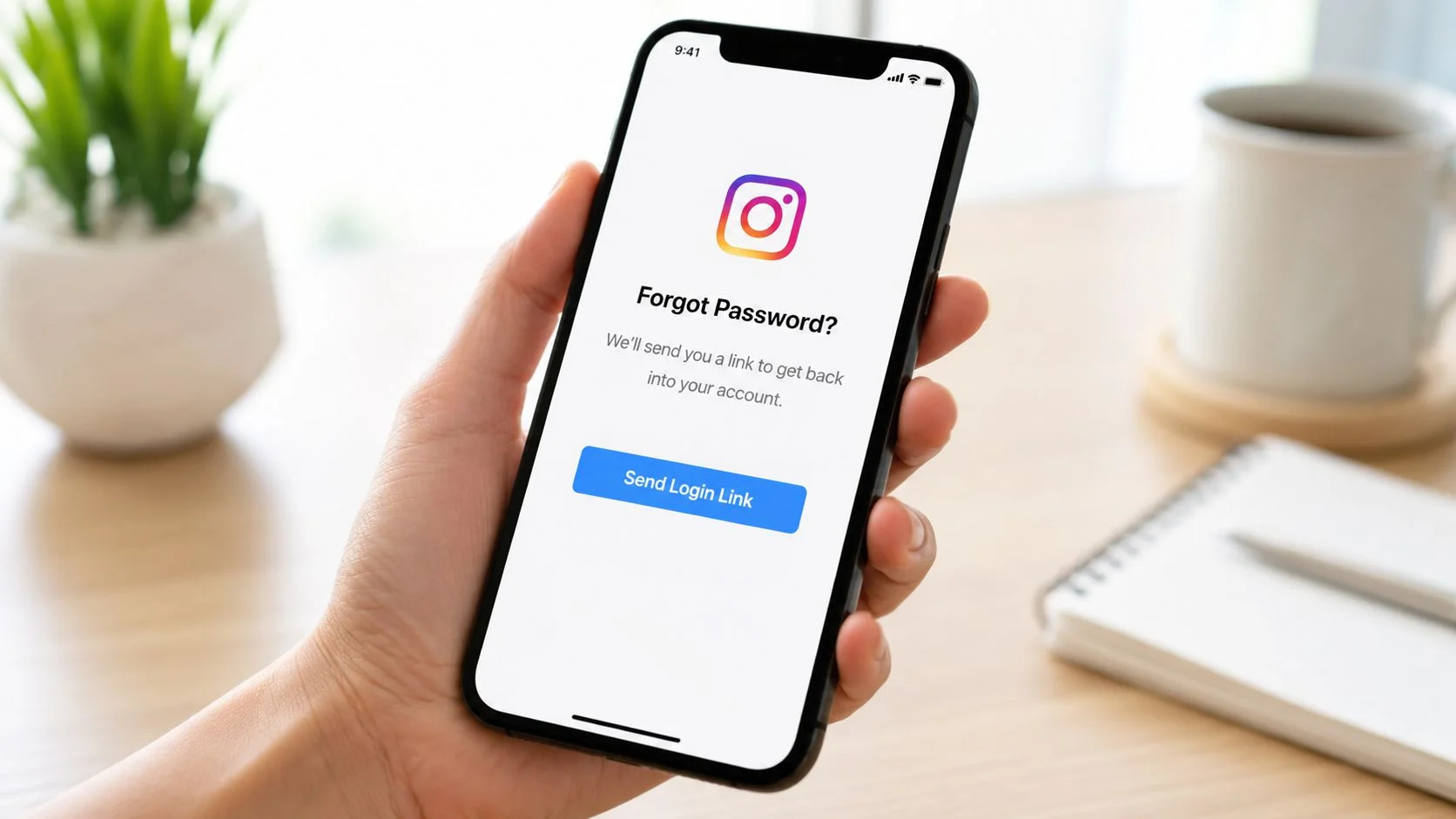
Use the standard reset first
If this is just a password problem, use Instagram's normal reset route and keep the process clean:
- Enter your username, email, or phone number on the login screen.
- Request the reset link once.
- Open the message only from your trusted inbox or SMS thread.
- Set a new password that you haven't used anywhere else.
This works best when the account details haven't been changed. If you're reusing passwords across services, fix that after recovery. A weak reset loses value if the same old password is floating around elsewhere. If you need a reset strategy for all your accounts, review these password manager best practices.
The highest-priority email to find
If a hacker changed your details, stop checking random folders and search your inbox for Instagram security alerts. This is the fastest route back when it's available.
According to guidance on recovering a locked Instagram account, if a hacker changes your email address, the fastest recovery method is to find the official Instagram security email with subjects such as "Your email was changed" or "Your password was changed" and click "revert this change" immediately.
Why this works is simple. Instagram already recorded the original action as sensitive. The revert link is tied to that security event, so it can roll back the change before the attacker fully stabilizes control.
Search your inbox for Instagram first. Search for the exact security message second. Search trash and spam third.
What works and what doesn't
Some actions help immediately. Others just waste your best window.
- Useful move: Search every inbox you control for Instagram security mail, including spam and deleted folders.
- Useful move: Reset from a device you've used before for Instagram. Familiar device history can reduce friction.
- Weak move: Repeatedly requesting reset links. Too many requests can create noise and confusion.
- Bad move: Clicking links from messages that only look like Instagram alerts. If the email feels off, don't trust it.
If the reset link works, change the password, review account details, and secure the account before posting anything. If the reset route fails because your email and phone were changed, you're no longer in simple password territory. You need the hacked account process.
Regaining Control When Your Email and Phone Are Changed
A full account takeover feels worse because the obvious doors are closed. Password reset won't help if the attacker already replaced your recovery points. Many users spiral at this point. They keep trying old email addresses and old phone numbers, then assume the account is gone for good.
It usually isn't. But at this stage, Instagram wants proof of identity, not proof that you remember the old password.
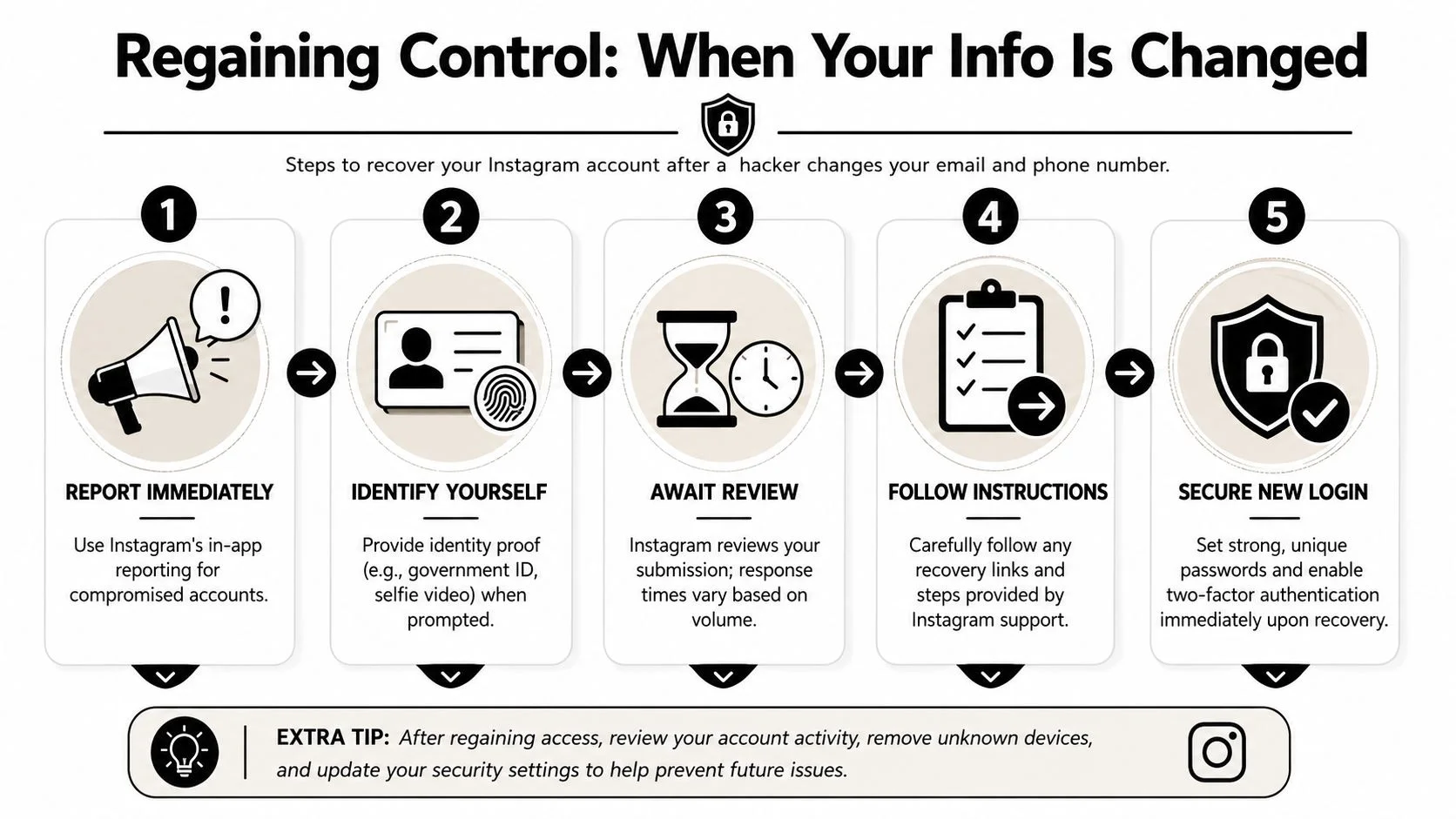
Use the hacked account route
For users who've lost access to both email and phone, Instagram's hacked account flow at instagram.com/hacked allows account identification by username and device type, followed by identity verification where users upload photos of themselves so Instagram can restore access and update the email to one they currently control.
That process exists because Instagram needs a way to separate a real owner from someone who merely possesses a stolen password. Once recovery details are changed, the old trust chain is broken. The platform has to build a new one.
Why Instagram asks for a selfie or identity proof
People often assume the video selfie is pointless or invasive. In practice, it's serving a security purpose. Instagram is looking for signs that the person requesting access is consistent with the account's known identity signals.
That doesn't mean every account is judged the same way. A creator account full of face photos gives Instagram more to compare than a meme page, pet account, gaming clip page, or anonymous theme account. If your face isn't on the account much, the process can feel harsher because the system has less visual context.
A few practical habits improve your odds:
- Use clear lighting: Instagram can't verify what it can't see.
- Match your normal look where possible: If your account shows glasses, facial hair, or a certain style, abrupt differences can add friction.
- Follow prompts exactly: If the app asks for movement or angle changes, don't improvise.
- Submit once, carefully: Rushed, sloppy retries can work against you.
The selfie isn't asking whether you're photogenic. It's asking whether your request matches the identity pattern attached to the account.
Choose the right evidence for the right account type
Not every account can rely on the same proof. Here's the practical distinction:
| Account type | Stronger recovery signal |
|---|---|
| Personal account with face photos | Video selfie |
| Personal account without face photos | Government ID if requested |
| Brand or business page | Original contact details, linked assets, prior device history |
| Theme or anonymous page | Consistent username, device history, earlier ownership records |
One overlooked risk
If your phone number was changed and you're not sure whether the problem began with SIM abuse or account compromise elsewhere, don't ignore mobile account security. A compromised number can affect more than Instagram. If that possibility fits your situation, review common SIM clone warning signs.
What to do while waiting
Instagram's review timing varies, so use the waiting period well:
- Secure your email account first: If your mailbox is weak, any recovered Instagram access can be stolen again.
- Check other linked services: Facebook, Threads, ad accounts, and creator tools may also be exposed.
- Document every change you noticed: New email, phone swap, strange login times, or altered profile details all help you tell a consistent story if support responds.
When users ask how to recover Instagram account access after a complete lockout, this is the stage where discipline matters most. You aren't convincing a friend. You're satisfying a trust-and-safety workflow.
Appealing an Account Disabled by Instagram
You open Instagram, expect a login prompt, and get a notice that the account was disabled. That message changes the job in front of you. Instagram is no longer asking only, "Are you the owner?" It is also asking, "Should this account be restored at all?"
That is why disabled-account recovery feels more confusing than a normal hack recovery. The review system blends identity checks, policy enforcement, and abuse prevention. If you send the right proof through the wrong channel, or tell the story inconsistently, the appeal can stall or fail even if the account is legitimately yours.
What Instagram is trying to verify
For disabled accounts, guidance on the Instagram appeal process points to a formal appeal flow that may include identity verification such as a video selfie or government ID. Those requests serve different purposes.
A video selfie helps Instagram compare a live person to photos already associated with the account. It works best for personal profiles with clear face photos. An ID request is different. It ties the account to a legal identity and is more common when the system needs stronger proof, the account has limited face content, or the review involves policy risk rather than a simple ownership dispute.
That distinction matters because people often assume Instagram is "making them jump through hoops" for no reason. In practice, the platform is trying to reduce two separate risks at once: restoring the wrong person, and restoring an account that its systems believe was used for abuse.
Write the appeal like an incident report
A strong appeal is short, specific, and internally consistent. The reviewer, whether human or automated, is looking for signals that line up.
Include:
- Your username
- The email address and phone number previously tied to the account
- The approximate date you saw the disable notice
- A direct statement that you believe the disable was an error, if that is true
- A brief explanation of any suspicious activity before the disable, such as takeover signs, spam posts, or changed profile details
If the account was hacked before it was disabled, say that plainly and early. Attackers often use stolen accounts for spam, scams, or mass messaging. The result is predictable. Instagram may disable the account for behavior you did not commit.
If your phone was acting strangely before the disable, check for device compromise too. A stolen session or malicious app can explain why an attacker got in without triggering the clues people expect. Use this guide on how to find spyware on your phone if you suspect the device itself may be part of the problem.
Why appeals get rejected fast
Auto-rejections usually come from pattern mismatches, not from a single bad sentence. Instagram's systems are built to filter abuse at scale, so they react badly to noise.
| Mistake | Why it hurts |
|---|---|
| Sending repeated appeals in a short window | Resembles scripted or abusive behavior |
| Changing your story between forms | Weakens the ownership and legitimacy signal |
| Uploading edited or questionable documents | Creates a trust problem that is hard to reverse |
| Blending "I was hacked" with "I broke no rules" without a timeline | Makes the case harder to classify correctly |
One practical trade-off: speed helps less than consistency. A single accurate submission usually performs better than several rushed ones. If the first appeal was sloppy, correct the facts before submitting again instead of piling on more messages.
Disabled by a rule, or trapped in automation
Some accounts are disabled through an automated enforcement path that does not behave like the standard appeal flow. A video discussing AI-flagged Instagram disables describes cases where users remain locked out for extended periods and may need to rely on in-app feedback when the usual appeal route is missing.
That explains why standard advice can feel mismatched to what you see on screen. Your account may be under a policy review state with limited options, not a straightforward disable queue with a visible appeal button.
Handle that situation methodically. Use one version of the facts. Keep screenshots of every notice. Save the exact wording of any error messages. If Instagram eventually surfaces a form or review prompt, those details help you submit a clean, credible timeline instead of trying to reconstruct events from memory under stress.
Why Hacks Happen and How to Find Proof
People often assume an Instagram takeover happened because they clicked one bad link. Sometimes that's true. Sometimes the cause sits outside Instagram entirely. Sometimes the weakness is on Instagram's side.
That matters because recovery improves when you understand the root cause. If you can show a credible compromise path, your story becomes more coherent. You're no longer saying only, "I lost access." You're saying, "Here's how the takeover likely happened."
A real example of platform-side failure
In a major incident affecting Instagram recovery infrastructure, Meta disclosed that 20,225 accounts were hijacked between April 17 and early June 2026 because of a flaw in its AI-assisted High Touch Support tool. Attackers could bypass email-to-account validation and take over accounts that lacked 2FA, according to reporting on the Instagram HTS recovery flaw.
The lesson isn't that users caused those takeovers. The lesson is that recovery systems themselves can become attack surfaces.
If you were compromised during a strange period, or your account changed hands even though you didn't click a phishing link, don't assume you must have made a mistake. Account takeovers can come from several directions:
- Credential reuse: Old passwords from unrelated sites get reused on Instagram.
- Mailbox compromise: An attacker controls your email, then resets Instagram.
- Phishing: Fake login pages capture your session or credentials.
- Platform weakness: Recovery or support workflows fail in ways users can't detect.
Using OSINT thinking during recovery
OSINT means using publicly available information to understand what happened. In an Instagram incident, that can include:
- breach exposure involving your email address
- other accounts tied to the same username
- impersonation profiles
- public evidence that your profile details changed
- signs that your device may have been compromised
If your email appears in breach records alongside an old password, that doesn't automatically prove the Instagram takeover. But it gives you a credible explanation for why a previously used password may have been tried successfully somewhere else. That can also help you decide whether the incident is isolated or part of a wider digital identity problem affecting gaming accounts, dating app profiles, or professional platforms.
Find evidence before you reset your life around one account
A practical investigation checklist:
- Review your email security history for unfamiliar reset messages.
- Check whether your username appears elsewhere with copied profile photos or cloned bios.
- Inspect your device health if the compromise followed suspicious downloads, browser prompts, or fake support messages. If that sounds possible, review signs of spyware on your phone.
- Map your exposure beyond Instagram. If the same email powers your work identity, creator profile, gaming handle, or dating account, treat the incident as cross-platform until proven otherwise.
A hacked Instagram account is often a symptom. The underlying issue may be a breached email, a stolen password, or a compromised device.
That broader view matters for reputation management too. A hijacked Instagram can be used to message contacts, impersonate your identity, or damage trust in other spaces where people know you by the same name.
Fortify Your Digital Identity After Recovery
Getting the account back is relief. Keeping it is the true win.
Most repeat compromises happen because users stop after the login works again. They don't change the security model that failed the first time. If you want to avoid running this process again, build a stronger recovery posture immediately.
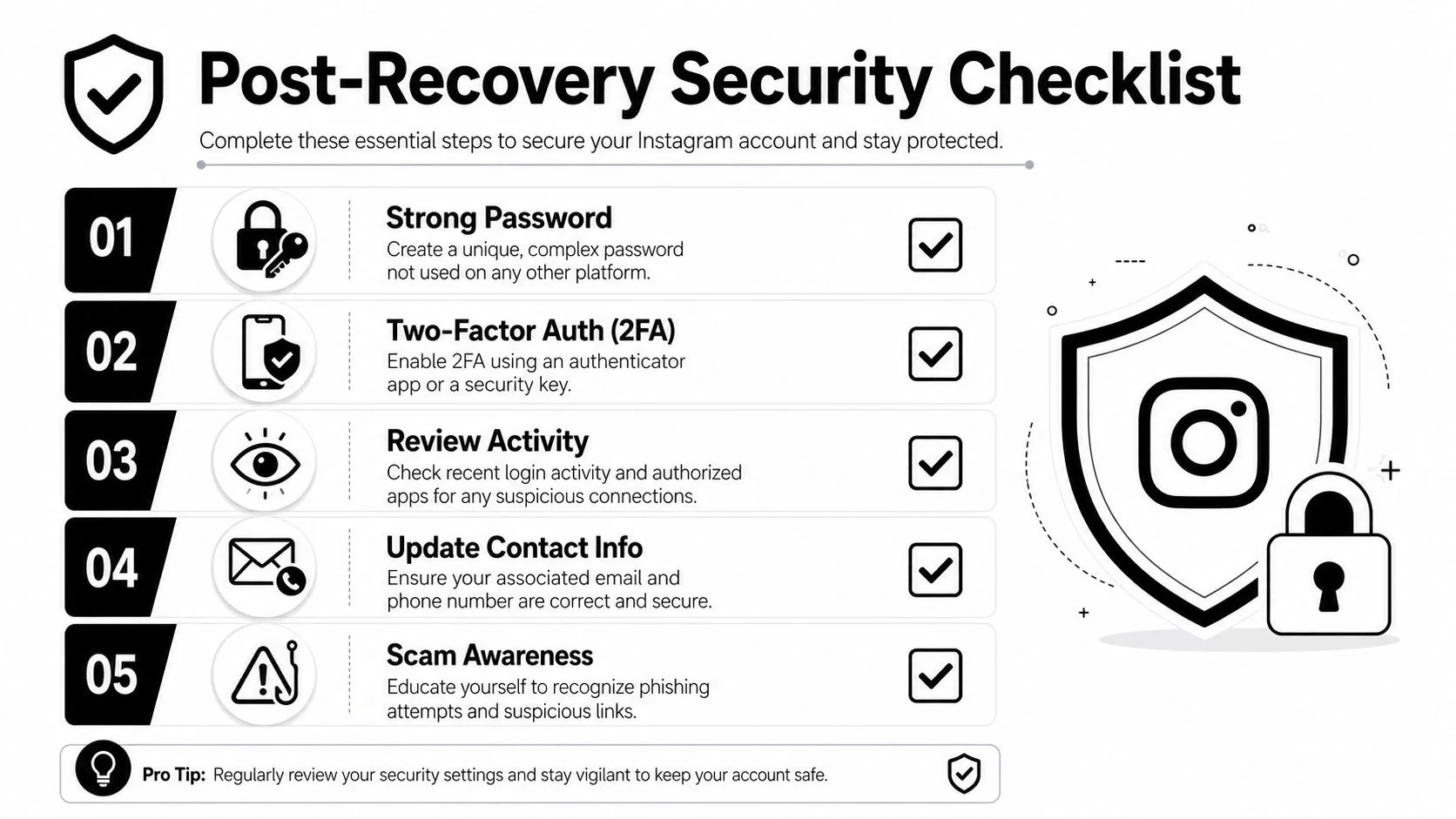
Change the controls that matter
Start with the basics, but do them well.
- New unique password: Don't recycle a familiar password with one new symbol added.
- Better second factor: Use an authenticator app or security key if available.
- Updated recovery details: Confirm your email and phone are yours and still secure.
- Session review: Log out unfamiliar devices and revoke suspicious app access.
A strong password matters because many Instagram incidents start with reused credentials. Better 2FA matters because it forces an attacker to defeat something beyond a password. Meta specifically recommended stronger 2FA methods such as authenticator apps or security keys in the wake of the recovery tool incident discussed earlier.
Why stronger 2FA is worth the friction
SMS codes are better than nothing, but they depend on the security of your phone number. Authenticator apps and security keys reduce that dependency.
Here's the trade-off in plain terms:
| Option | Convenience | Security |
|---|---|---|
| SMS code | Easy | Moderate |
| Authenticator app | Good | Stronger |
| Security key | Less convenient | Strongest practical option |
That extra step protects more than your photos. It protects your identity trail. Instagram now overlaps with business inquiries, employment screening, creator reputation, dating app verification, gaming communities, and public trust. A visible compromise can ripple outward.
Clean up your surrounding attack surface
Your Instagram account isn't isolated. Review the surrounding accounts that can be used to get back in or impersonate you.
Email first
Your email account is usually the master key. If it's weak, Instagram recovery can be undone quickly. Change the password, review forwarding rules, and remove anything you don't recognize.
Third-party apps second
Old growth tools, follower apps, and random social utilities create unnecessary risk. Disconnect anything you don't actively use.
Shared identity last
If you use the same handle across gaming platforms, side projects, dating apps, and professional profiles, check those too. Attackers love pattern reuse because people love convenience.
Recovering Instagram without securing the email behind it is like replacing a broken front-door lock while leaving the spare key outside.
Build habits that reduce the next crisis
If you're serious about how to recover Instagram account access and never need the guide again, adopt a few durable habits:
- Use a password manager so every important account has its own password.
- Watch for fake urgency in direct messages, sponsorship offers, and verification prompts.
- Keep recovery records current after changing phones or email providers.
- Review account activity regularly rather than waiting for a visible breach.
- Learn account takeover prevention basics across your wider identity footprint, not just one app. This guide on account takeover prevention is a good place to start.
Security isn't only about stopping hackers. It's also about protecting your reputation, your contacts, your employment image, and your personal safety. One hijacked Instagram account can touch all of them.
If you want to see what else is exposed around your email, username, or online identity, run a free scan with Digital Footprint Check. It helps you spot publicly exposed accounts, breach clues, and reputation risks before they turn into another lockout.