· Digital Footprint Check · Content Marketing · 14 min read
How to Delete Old Accounts and Reclaim Your Privacy
Learn how to delete old accounts for good. Our guide covers finding forgotten profiles, permanent deletion, data broker removal, and your legal rights.

You probably have one right now.
An old gaming profile tied to a username you still use elsewhere. A forgotten dating app account with stale photos. A shopping account from a brand you bought from once and never visited again. These accounts are often overlooked until one turns up in a search result, a breach notice, or a password reset email they didn't request.
That's when old accounts stop feeling harmless. They become a privacy problem with real consequences.
The Lingering Risk of Abandoned Accounts
The dangerous part of an abandoned account isn't just that it exists. It's that it often holds an outdated, unmanaged version of you. Old bios, old profile photos, old usernames, old friend lists, old purchase history, and sometimes old payment data all sit on platforms you no longer monitor.
A recruiter, client, estranged partner, scammer, or identity thief won't care that you forgot the account existed. They only care that it's visible, searchable, or vulnerable.
An abandoned profile is still part of your public identity, even if you stopped claiming it years ago.
Why forgotten accounts become high-risk
The first risk is account takeover. Older platforms often have weaker security hygiene, and users rarely update passwords on accounts they no longer use. If the platform suffers a breach or someone guesses reused credentials, that dormant account can become an entry point into your wider online life.
The second risk is reputation damage. I've seen people worry about their LinkedIn while ignoring old forum posts, meme accounts, and niche community profiles that appear in branded search results. A job application can be undermined by a profile you haven't touched since college, especially if it still shows immature posts, offensive jokes, or revealing personal details. This is why a broader digital footprint review matters, not just social media cleanup. If you want a deeper look at how exposed information gets used against people, read the hidden dangers of your digital footprint.
The personal safety angle people miss
Old accounts can also expose routines, affiliations, and relationships. A dormant parenting forum account may reveal your children's names. An old marketplace account may still show your town. A legacy fitness or gaming profile can connect your real name to the handles you still use today.
That matters in stalking cases, harassment cases, and breakup situations where someone is trying to map your digital life. It also matters if you're trying to separate personal and professional identities and an old account reconnects them.
Practical rule: If you no longer monitor an account, assume you no longer control how it represents you.
Financial risk is part of this too. Subscription accounts sometimes retain partial billing details, purchase histories, or support transcripts that include addresses and contact information. Even when the direct money risk is low, the identity value is high. Scammers build convincing impersonation attempts from scraps.
Deleting old accounts isn't about perfection. It's about reducing the number of places where strangers can find, misuse, or misread your information.
Unearthing Your Forgotten Digital Past
Many begin with the wrong question. They ask, “How do I delete old accounts?” when the primary first problem is finding them.
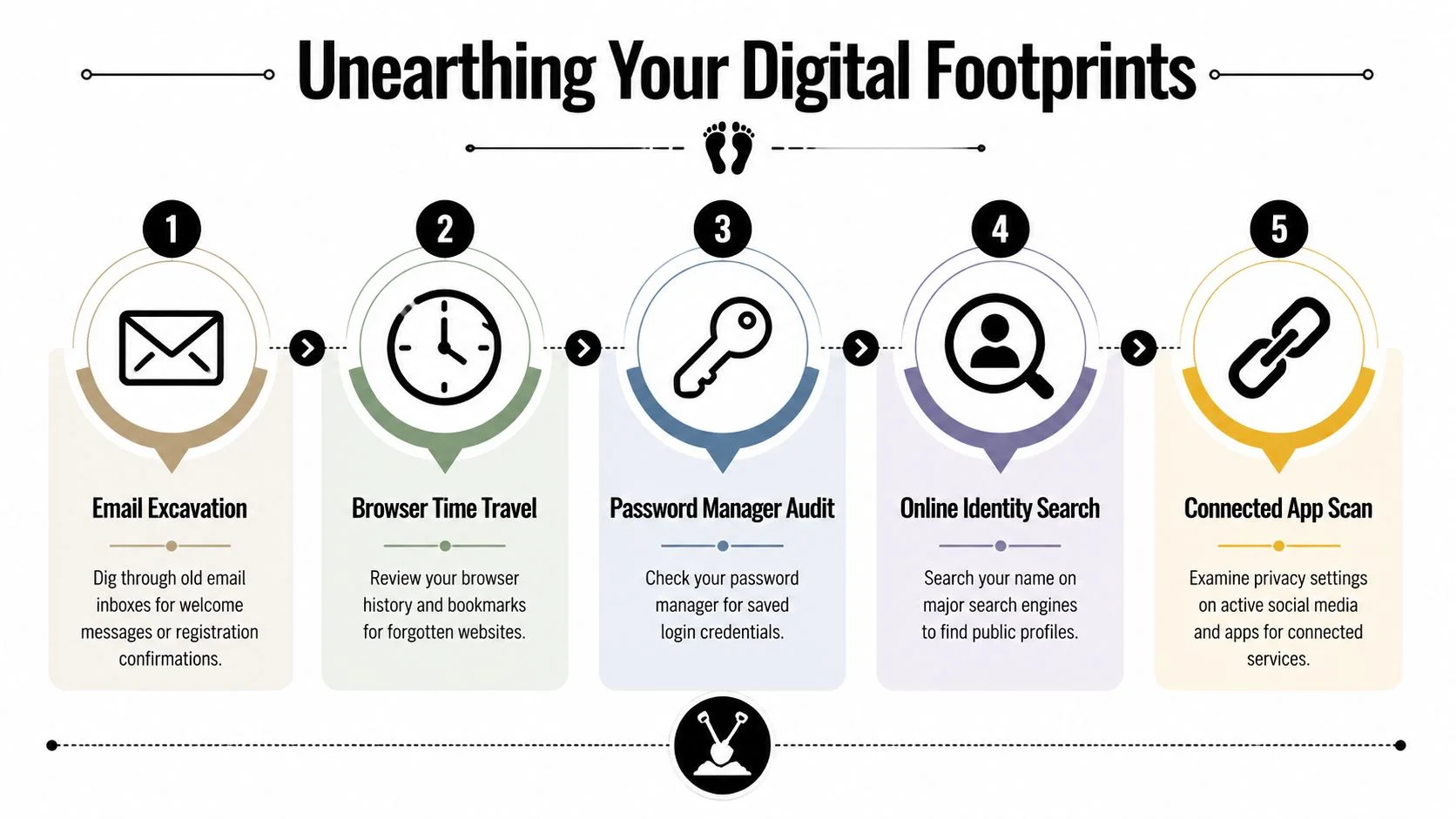
Modern privacy guidance consistently points to the same truth. The first operational challenge is discovery. That means searching inboxes for sign-up and verification terms like “welcome,” “verify,” and “confirm,” checking password managers, and then working through the service's deletion path or support channel if needed, as noted in Bitdefender's guidance on deleting old accounts.
Start with the inbox, not your memory
Memory is unreliable here. Email isn't.
Search every inbox you've used for account creation terms. Useful searches include:
- Onboarding messages such as “welcome,” “verify,” “confirm,” and “your account”
- Trial prompts like “free trial” or “getting started”
- Receipts and notices from apps, forums, marketplaces, and gaming platforms
- Username reminders hidden in old registration emails
If you've used more than one email address over the years, search all of them. A practical example in privacy guidance notes that account-finding tools can map old accounts across as many as five email addresses in one workflow, which shows why single-inbox searching often misses a lot of your history.
Check the systems that remember what you forgot
Your password manager is often a better archive than your browser. It can reveal account names, usernames, and old URLs long after the service faded from memory.
Then check sign-in providers and connected app pages. These pages often reveal many forgotten accounts hiding in plain sight.
| Discovery method | What it reveals | When it works best |
|---|---|---|
| Email search | Sign-ups, trials, confirmations | Old consumer accounts |
| Password manager audit | Saved logins and usernames | Accounts you once used regularly |
| Connected app review | Services linked to Google, Facebook, or X | Quick-sign-up accounts |
| Search engine lookup | Public profiles and indexed pages | Reputation and safety review |
| Browser history and bookmarks | Dormant sites you visited repeatedly | Legacy hobby, forum, or shopping accounts |
Build an inventory before you delete anything
Don't jump straight into deletion one account at a time. Make a list first.
Track:
- Platform name
- Username or email used
- Whether you still have access
- Whether the account appears public
- Whether payment data or personal info may still be stored
This simple inventory changes the cleanup from random guesswork into a controlled process.
For people who want a faster discovery pass, find all accounts linked to your email is a useful next step, and tools like Digital Footprint Check can help scan across many platforms to surface accounts and public traces that manual searching misses.
The accounts that create the biggest surprises are rarely the ones you used every day. They're the one-off signups, the old communities, and the services you thought had disappeared.
The Permanent Deletion Playbook
Your inventory tells you what exists. The next step is deciding what to remove first, and in what order.
Start with accounts that combine three risk factors: they are still accessible, they expose real personal details, and they connect to money, identity, or public visibility. In practice, that usually means social profiles, old shopping accounts, dating apps, forums, gaming platforms, and anything that stores payment history, home addresses, or private messages.
Deactivation is not deletion
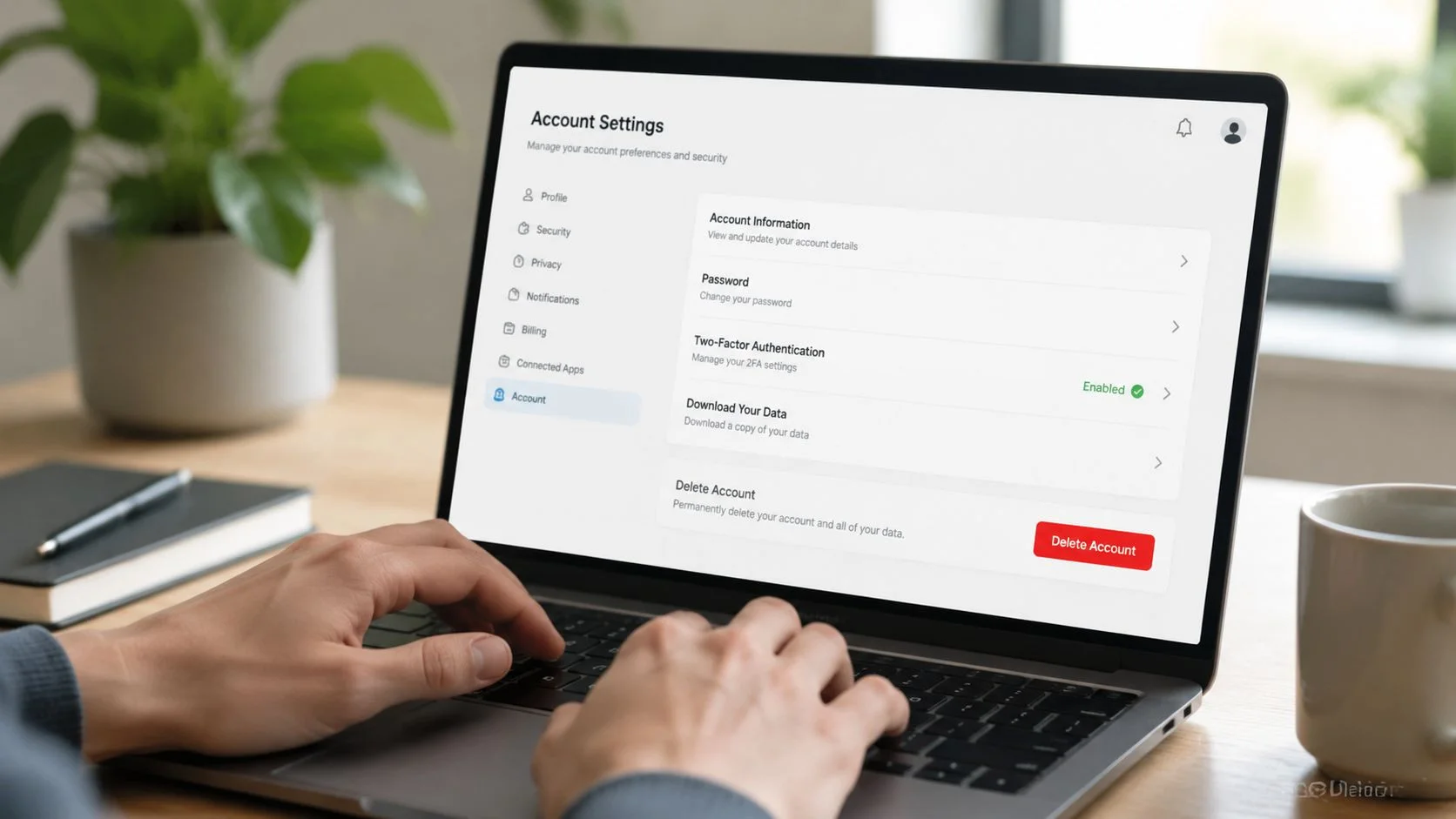
A hidden profile is still an account. A disabled login can still leave your data on the company's systems. If you can sign back in and restore everything, the account usually has not been erased.
Look for language such as:
- Delete account
- Close account
- Erase data
- Request deletion
If the setting is buried, check the platform's privacy policy, help center, or data rights page. Some companies separate “close account” from “delete personal data,” and that distinction matters. Closing the login may stop access while leaving support tickets, order history, device identifiers, or profile details in place.
Use a deletion sequence that reduces mistakes
Deletion goes more smoothly when you do the prep work first.
- Download anything you may need later. Purchase records, tax documents, messages, and photos may be gone for good once deletion finishes.
- Remove saved payment methods if the service allows it.
- Delete or overwrite profile content such as posts, images, saved addresses, bios, and connected apps.
- Start the permanent deletion request through account settings or support.
- Keep proof. Save screenshots, ticket numbers, and confirmation emails.
That last step matters more than people expect. I have seen accounts reappear after failed deletion requests, platform migrations, or simple support errors. A confirmation email gives you something concrete to point to if you need to push back.
If you're handling work systems, directories, or enterprise accounts, the process can involve identity infrastructure rather than just front-end account settings. For that scenario, F1Group's Active Directory removal guidance is a useful reference because directory-level removal has different risks and dependencies than deleting a consumer web profile.
Deleting the account is only half the job
The part many people miss is what happens after the main profile is gone.
Third parties may still hold copies of your data. That includes brokers, marketing partners, analytics vendors, and services that received your information before you closed the original account. Deleting a retailer login or social media profile can cut off direct access while your name, phone number, location history, or household data continues circulating elsewhere.
This is one of the biggest practical gaps in digital cleanup. Account deletion removes one door. It does not automatically remove every copy made behind that door.
If Facebook is on your list, this Facebook account deletion guide shows the difference between deleting the platform account itself and reducing the wider footprint that remains after the profile is gone.
A support request that gets to the point
When no clear delete option exists, send a direct written request and ask what data will remain after closure.
Subject: Request for account deletion and personal data erasure
Hello, I want to permanently delete my account and erase the personal data associated with it. Please confirm the steps required and notify me when the deletion request has been completed.
My account identifiers may include:
- Email address used for registration
- Username
- Full name
Please also confirm whether any profile, billing, or support data will be retained after closure.
Thank you.
This walkthrough is worth watching before you start on a batch of accounts:
When "Delete" Is Not an Option
Some accounts won't cooperate. That's normal.
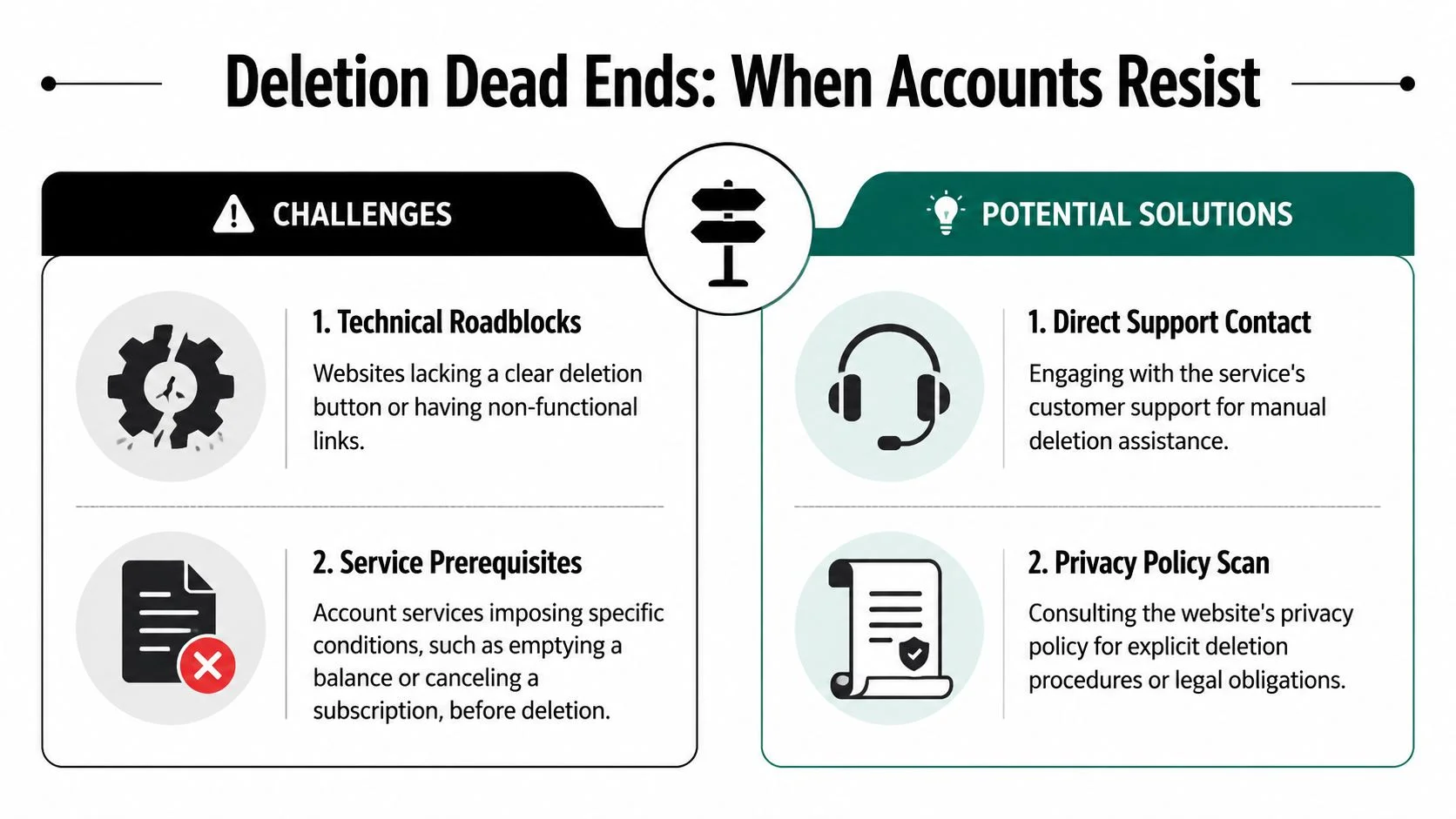
The failure point usually isn't the menu layout. It's recovery and retention. Many services require password confirmation, email-based final approval, or a 30-day reactivation window before permanent deletion, and some may auto-delete after long inactivity, according to McAfee's guidance on deleting old accounts.
Why deletion requests stall
The most common blockers fall into two categories.
| Blocker | What it means | Best fallback |
|---|---|---|
| Lost access | You can't enter the account or verify ownership | Try account recovery, then move to formal privacy request |
| Service friction | The site has no clear delete flow or imposes conditions | Contact support and document every step |
| Retention delay | The service allows cancellation but keeps data for a period | Mark a follow-up date and check again |
| Partial closure | The login closes but profile data remains | Scrub profile fields before final closure |
The fallback method that actually helps
When permanent deletion isn't available, switch to account neutralization. The goal is simple. Strip the account of anything useful.
Do this in a deliberate order:
- Remove personal identifiers like your real name, birthday, address, bio, and profile photos
- Unlink payment options and saved shipping information
- Revoke connected apps so the account can't keep pulling data from active services
- Change remaining fields to meaningless values where the platform allows edits
- Disable notifications so you can tell later if the account becomes active again
This isn't as clean as deletion, but it reduces exposure. In many cases, it's the only practical move available.
Fallback principle: If you can't remove the account, remove the value of the account.
There's also a hidden issue after account closure. Broker sites and people-search databases can keep displaying information long after the original service is gone. If you've hit that wall, data broker removal options are the more relevant next step than trying to revisit the original login over and over.
Keep records as you go. Save screenshots of settings pages, support tickets, and confirmation emails. When a company later claims no request was made, documentation strengthens your position.
Using Your Legal Rights to Force Deletion
You closed the account, lost the login years ago, and support keeps replying with canned instructions to sign in first. At that point, this stops being a customer service problem and becomes a privacy rights problem.
That distinction matters for abandoned accounts. The biggest obstacle is often not the missing delete button. It is proving ownership well enough for a company to erase data tied to an account you can no longer reach. After the account is gone, a second problem often remains. Data brokers and people-search sites may still hold copies, which is why account deletion and broader ways to protect your online privacy need to be treated as separate tasks.
What legal rights can actually do
Privacy laws such as the GDPR in Europe and state laws in the United States, including CCPA and CPRA, can give you a formal path to request deletion of personal data. The exact right depends on your location, the company's location, and whether the business falls under the law. In practice, the shift is simple. You stop asking support for help and send a formal privacy request to the team responsible for data handling.
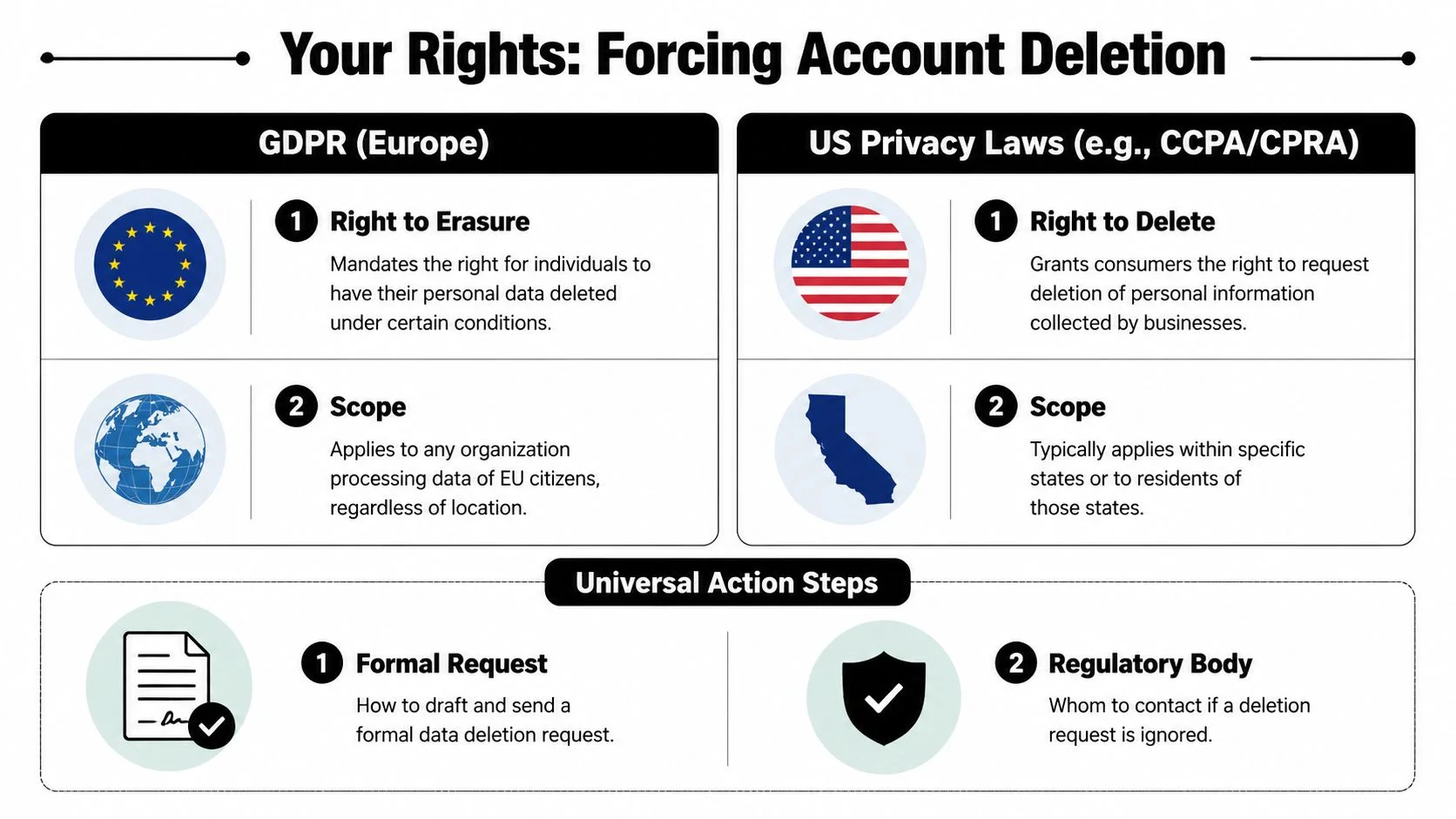
A good request uses the language privacy teams expect and gives them enough detail to find the record without forcing you through a dead login flow.
Include:
- Identifiers that can locate the account, such as full name, old email addresses, usernames, account IDs, and profile URLs
- A clear statement that login access is no longer available
- A direct request to delete personal data associated with the account
- A request for confirmation once deletion is complete
- Proof that ties you to the account, such as receipts, billing references, old screenshots, or prior support emails
Ownership proof is usually the hinge point. If you solve that, many stalled cases start moving.
A concise version looks like this:
Hello, I am requesting deletion of the personal data associated with my legacy account. I no longer have login access, but I believe the account is associated with the identifiers listed below. Please treat this as a formal privacy request and let me know what verification you require to process deletion.
Identifiers:
- Full name
- Prior email address
- Username
- Approximate account creation period
Please confirm receipt and next steps.
If the company ignores the request, use its privacy form, data protection contact, or legal contact instead of reopening ordinary support tickets. If it claims it cannot verify you, ask what specific evidence would satisfy verification. That question often gets a more useful response than another general plea to “delete my account.”
For readers handling employee offboarding, shared admin accounts, or business systems, the same identity and access problems show up at company scale. It helps to understand how organizations control legacy access and account ownership. See how to secure your business with top IAM tools.
One final point is particularly important. Deletion requests can protect more than inbox clutter. Old accounts can expose location history, purchase records, social connections, and recycled usernames that still tie back to you. For someone dealing with harassment, a job change, or a breakup, forcing deletion through the privacy channel is sometimes the fastest way to reduce existing risk.
Staying Clean with Proactive Digital Hygiene
Six months after a cleanup, the same problem usually comes back. A rushed checkout creates an account you never meant to keep. A free trial grabs your card. A game, forum, or AI tool gets one weekend of use, then sits untouched with your name, email, and recovery details still attached.
That is how abandoned accounts keep rebuilding your exposure. They also create the next hard problem: if you let them age out, you are more likely to lose access, and deletion gets slower, messier, and more dependent on support or privacy requests.
The goal is not another one-time purge. The goal is a system that makes future deletion easier and reduces how much data brokers and search results can tie back to you after the original account is gone.
The habits that keep account sprawl under control
A few habits do most of the work:
- Use a password manager for every signup so each account leaves a record you can review later.
- Avoid creating accounts for one-off transactions when guest checkout or a temporary purchase makes more sense.
- Review connected sign-ins in Google, Apple, Facebook, and Microsoft so old apps do not keep access long after you stop using them.
- Update recovery email addresses and phone numbers before you change jobs, lose a domain, or stop using a number.
- Keep a short deletion list for services you tested and do not plan to keep past the trial period.
This matters for more than tidiness. Old shopping accounts can expose home addresses. Dormant social accounts can reveal old photos, contacts, or usernames. Legacy accounts tied to a former employer or school can create real friction during a job change, and in stalking or harassment cases, they can expose details you assumed were gone.
For readers managing family logins, former employee access, or shared admin accounts, personal cleanup and identity governance start to overlap. If that is part of your problem, see how to secure your business with top IAM tools.
Make privacy review a recurring task
Schedule a recurring check, quarterly works well for many people. Review new accounts, revoke app connections you no longer use, and search your name, old usernames, and past email addresses to see what still surfaces publicly.
That last step is the part people skip. Deleting the account is only the first layer. Cached profiles, broker listings, and scraped directory pages often outlive the service you signed up for.
For a broader maintenance checklist, ways to protect your online privacy pairs well with a regular account review routine.
If you want a faster way to discover old accounts, exposed profiles, and publicly visible personal data, try the Digital Footprint Check free checker. It can help you spot the accounts and data trails worth removing before they affect your privacy, reputation, or safety.