· Digital Footprint Check · Content Marketing · 16 min read
How to Use a Social Media Username Availability Checker
Learn how a social media username availability checker works, its limits, and workflows to claim and protect handles. Try Digital Footprint Check’s free tool.

You pick a handle that fits everywhere. It looks clean on your résumé, your gaming profile, your creator page, and your future business. Then you try to register it and find a mess. It’s taken on one platform, inactive on another, and used by an unrelated account on a third.
That’s when a social media username availability checker stops being a convenience and starts becoming part of identity protection. A handle isn’t just a label. It affects how people find you, whether employers trust what they see, and how easily someone else can imitate you.
The challenge gets bigger fast. You’re not checking one site anymore. You’re checking social platforms, niche communities, gaming services, code repositories, and older accounts you may have forgotten. Basic checkers help with the first pass. Better workflows go further and ask harder questions: Is the username really available? Is a matching account dormant? Is someone already using that identity elsewhere? Could that overlap create privacy or impersonation risk?
Why Username Availability Checking Matters
A missed username can create problems long before you post anything.
A job seeker may use one handle on LinkedIn, another on GitHub, and a third on X. None of them are malicious. But to a recruiter, that inconsistency can look sloppy or confusing. An employer who’s already reviewing public profiles may struggle to tell which accounts are yours, especially if a similar username belongs to someone posting offensive or misleading content. If you're thinking about that risk from the hiring side, this guide on when employers review public profiles is useful: https://www.digitalfootprintcheck.com/do-employers-check-social-media
A founder runs into a different problem. The company name is available as a domain, but the main social handles are fragmented. That forces awkward workarounds like adding extra words, underscores, or regional tags. The result is a brand that looks different everywhere.
For individuals, the stakes can be more personal.
A reused username can tie together old forum posts, gaming activity, dating app traces, and public comments that were never meant to sit side by side. If someone else grabs a similar handle on a mainstream platform, people may assume the account belongs to you. That confusion can hurt your reputation or invite impersonation.
Where the risk shows up first
- Professional identity: Recruiters, clients, and collaborators often search your name or username before replying.
- Personal safety: A repeated handle can expose patterns across forums, social apps, and older communities.
- Gaming and creator accounts: Clan tags, creator names, and streaming handles often spread across multiple services quickly.
- Brand trust: Inconsistent usernames make it harder for customers to know which account is official.
Practical rule: If a username matters enough to print on a business card, add to a résumé, or use in public, it matters enough to check across platforms before launch.
A lot of people only search the one platform they plan to use next. That’s the mistake. Usernames travel. Once a name becomes attached to your job search, side project, relationship profile, or gaming identity, other people will connect the dots too.
Understanding Social Media Username Availability Checkers
A username checker sounds simple. Type a name, get a result. But the useful tools do more than run a search.
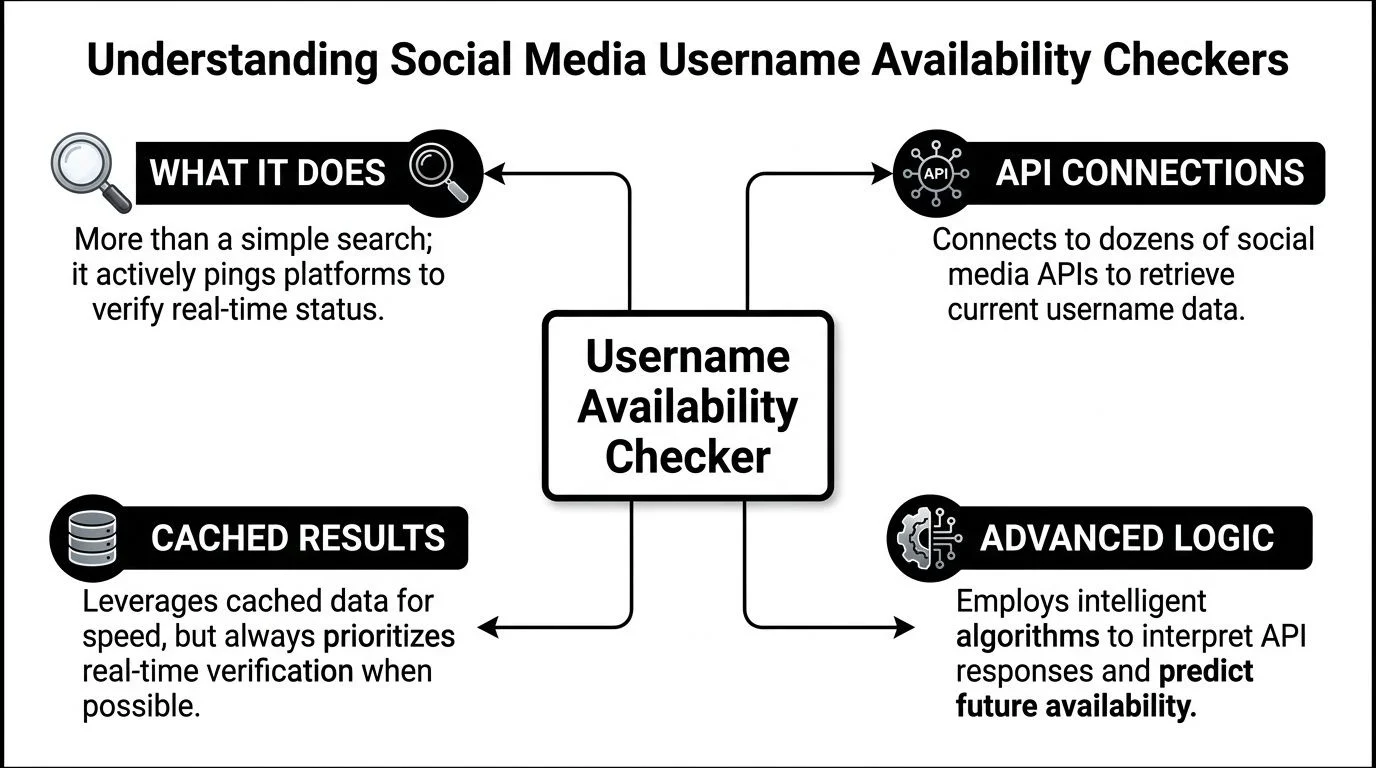
At the basic level, a checker asks a platform whether a username appears to be taken or available. Some tools do this one platform at a time. Others run batch checks across many services in parallel. The difference matters because the online identity space is crowded. The web includes 351 million registered domain names and counting according to Namechk, which is one reason digital naming conflicts are so common across web properties and social identities alike: https://namechk.com
What a checker is really doing
Think of a checker as a switchboard operator.
It receives your proposed username, sends requests to many destinations, reads the replies, and turns that into a simple interface you can understand. Under the hood, that can involve:
- Platform lookups: The tool asks a social site or service whether a username exists.
- Result interpretation: Platforms don't all answer the same way. One may return a profile page, another an error code, another a partial match.
- Caching: Tools often store recent results briefly so they don’t repeat the same expensive checks for every user.
- Batch handling: Better tools check many sites at once instead of making you repeat the search manually.
If you want to see what a multi-platform profile workflow looks like in practice, a public profile lookup tool like https://www.digitalfootprintcheck.com/profile-checker shows the broader idea of checking public identity traces across services.
Single-platform checks versus batch scans
A single-platform checker answers one narrow question: “Is this name free on this site?”
A batch checker answers a broader one: “Where does this username already appear, and where can I still claim it?”
Those are not the same task.
A creator choosing a handle for TikTok may only need the first answer. A job seeker, parent, HR team, or security-conscious user usually needs the second. They’re trying to prevent overlap, confusion, or exposure across many services, not just secure one registration.
Common misconceptions
People often get tripped up by three assumptions:
| Assumption | What it sounds like | What it actually means |
|---|---|---|
| Available means safe | No account exists, so there’s no issue | A similar or matching identity may still exist elsewhere |
| Taken means lost forever | Someone owns it, so there’s nothing to do | The account may be inactive, unrelated, or low-priority |
| Broad coverage means certainty | The tool checked many sites, so the result is final | Platform rules, hidden profiles, and API limits still affect accuracy |
An availability result is a snapshot, not a guarantee.
That’s why strong username checking combines speed with interpretation. The tool should help you decide what to claim, what to monitor, and what to verify manually before you commit to a name.
How Availability Checkers Work and Their Limitations
Good username tools feel instant. That speed comes from architecture, not magic.

A modern checker usually relies on multiple layers. The fastest layer handles obvious cases first. Slower, more authoritative layers step in only when needed. That design matters because username lookups are repetitive, and most candidate usernames turn out not to exist on at least some services.
The first filter layer
One common technique is the Bloom filter. In username systems, it acts like a quick gatekeeper. The algomaster architecture write-up describes this pattern and notes that a Bloom filter can represent about 1 billion usernames using roughly 1.2 GB of memory with a 1% false positive rate, allowing the system to reject many clearly unused names before touching slower storage: https://blog.algomaster.io/p/username-lookup-architecture
In plain English, it works like this:
- You search for a username.
- The Bloom filter checks whether that name is definitely not present or probably present.
- If it’s definitely not present, the system can stop early.
- If it’s probably present, the request moves to deeper checks.
That’s why these tools can feel so fast for negative lookups. They don’t always need to ask the full database or every downstream system.
Cache, database, and platform checks
After the first filter, systems usually move through other layers.
| Layer | Purpose | What can go wrong |
|---|---|---|
| Cache | Speeds up recent or repeated lookups | Stored data may be stale |
| Database | Confirms the service’s known records | Internal records may not match live platform changes |
| Live platform request | Checks the current platform response | APIs may rate limit, hide data, or respond inconsistently |
This is why a social media username availability checker may show a result that later changes when you try to register manually. The tool is balancing freshness, speed, and platform restrictions all at once.
Why concurrent checking matters
If a tool checks many platforms one by one, you wait for each response in sequence. That’s inefficient. Large systems use concurrent request patterns and layered load balancing so many checks happen at the same time. The referenced architecture overview on distributed request handling describes two-tier load balancing for real-time systems and discusses concurrent checks across 80+ platforms simultaneously rather than one after another: https://www.youtube.com/watch?v=_l5Q5kKHtR8
The practical effect is simple. Your wait time starts to resemble the slowest response in the batch, not the sum of every response.
That matters a lot when people want a broad scan. A deeper username search workflow, such as the one implied by https://www.digitalfootprintcheck.com/deep-username-search-free, has to cope with niche communities, slower services, and uneven platform behavior.
Why results can still be wrong
Even solid architecture can’t remove every blind spot.
API limits
Platforms often restrict automated checks. Some provide clear username lookup endpoints. Others don’t. Some change their responses without warning.
A checker may have to infer status from page behavior rather than receive a formal “available” or “taken” response. That introduces uncertainty.
Privacy and visibility controls
A valid account may be hidden by regional settings, age gates, privacy controls, or anti-bot systems. The username exists, but the tool can’t see it cleanly.
False positives and false negatives
A Bloom filter can say “probably taken” when the username isn’t. A live request can fail and make an account appear unavailable for checking. A platform can temporarily block requests and create noisy results.
The most accurate habit is simple. Treat automated output as triage, then manually confirm any username you care about before launch or enforcement.
Ethical limits
Batch checking at scale creates a separate issue. Just because a system can query many platforms doesn’t mean every use is appropriate.
There’s a difference between checking your own planned username, auditing your company’s public brand surface, and mass-enumerating identities in ways that invade privacy or violate terms. Ethical OSINT focuses on public information, narrow purpose, and minimal collection.
That line matters for HR teams, investigators, and security staff. A broad search should answer a defined question, not become an excuse to gather every trace you can find.
Tailored Workflows for Securing Usernames
The right workflow depends on why the username matters to you. A founder, a job seeker, an HR team, and a gamer all need different decisions from the same search.
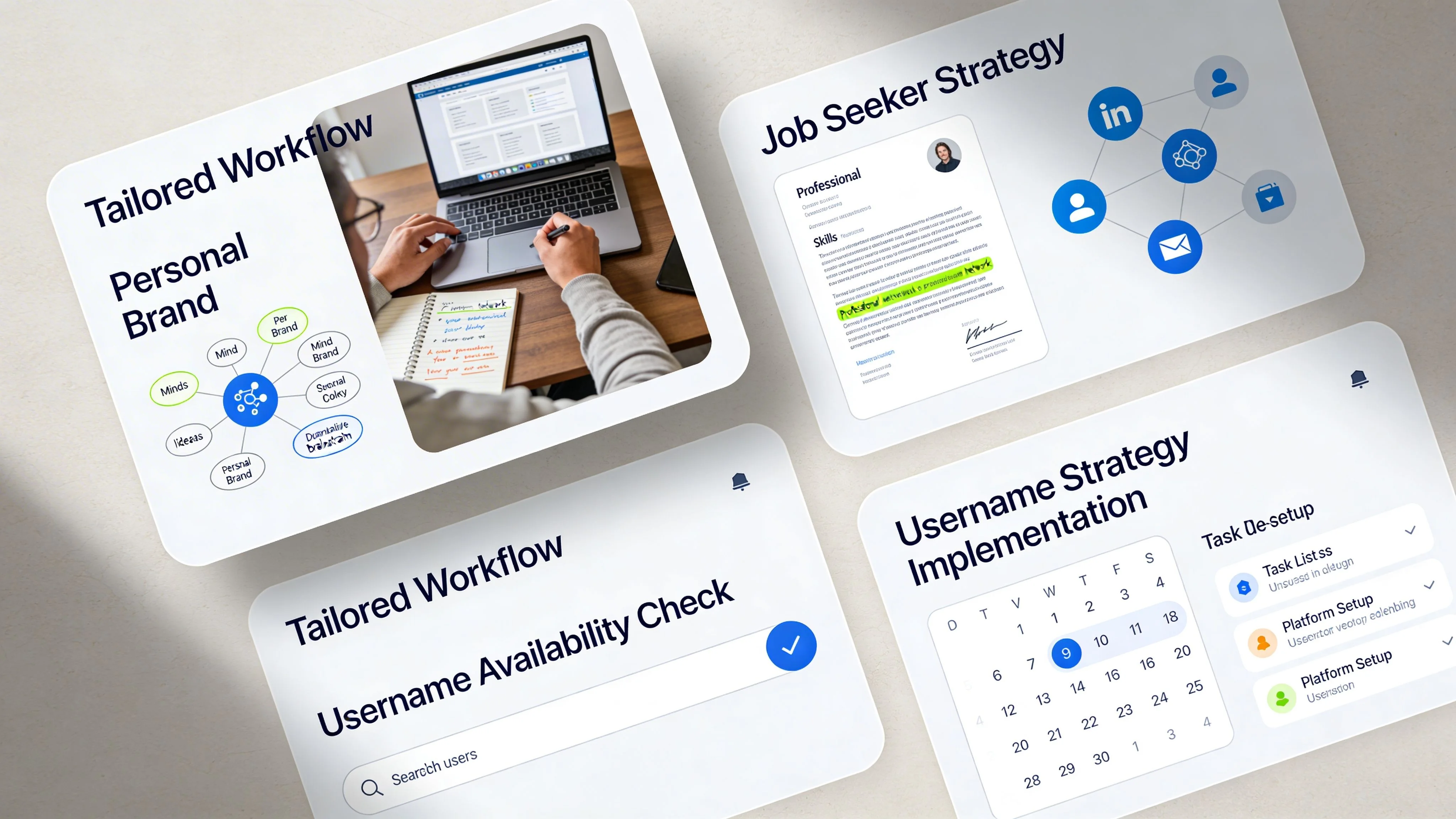
A lot of mainstream tools cover only the obvious destinations. The gap matters because many username conflicts don’t happen on the biggest apps. According to the referenced overview of existing checkers, common tools often focus on 10 to 50 major platforms and fall short on 500+ niche platforms, forums, gaming sites, and developer communities: https://dnschecker.org/social-media-name-checker.php
Workflow for individuals building a personal brand
Start with the name you want to live with for years, not just the one that’s free today.
Write down:
- your ideal handle
- one clean fallback
- one professional variant if your first choice is too casual
Then run a broad check and sort the results into three buckets:
| Bucket | What to do |
|---|---|
| Available on key platforms | Claim immediately |
| Taken by clearly unrelated users | Decide whether the platform matters enough to adapt |
| Taken by ambiguous or similar identities | Review manually before choosing a final version |
Use this rule. If the handle will appear on a résumé, portfolio, speaker bio, or email signature, prioritize consistency over cleverness.
A personal brand handle should also avoid accidental overlap with old accounts. Search the variants you’ve used before. Many people forget about old forum names, music accounts, or hobby profiles that still show up in search.
Workflow for job seekers and professionals
Professional username cleanup is less about creativity and more about reducing doubt.
-
Match your résumé identity
If your résumé says “Alicia Chen,” don’t use wildly different public handles unless there’s a reason. -
Check professional platforms first
LinkedIn, GitHub, portfolio sites, creator pages, and major social profiles usually matter more than novelty apps. -
Review what a recruiter might infer
A taken handle isn’t always a problem. A confusing lookalike account is. -
Claim dormant but useful channels
Even if you won’t post on every site, reserving the professional version of your name reduces impersonation risk.
If a recruiter searches your username and sees three different identity styles, they may spend their time resolving confusion instead of evaluating your work.
Later in the process, this short video gives a practical visual view of username search behavior and platform checking workflows.
Workflow for HR teams and compliance-conscious screening
HR teams need a narrower scope and a better paper trail.
Don’t start with broad curiosity searches. Start with a policy. Define which public sources are relevant to the role and what the team is trying to confirm.
A compliant workflow usually looks like this:
- Use a consistent identifier: Full name plus known professional username, not speculative matching.
- Stay on public information: Don’t attempt to bypass privacy settings.
- Document the reason for review: Hiring risk, impersonation concern, or résumé verification.
- Separate relevance from noise: Public professional misconduct is different from unrelated lifestyle content.
For broad public username discovery, a cross-platform lookup such as https://www.digitalfootprintcheck.com/find-username-across-platforms can support the first discovery step, but HR teams still need human review and role-based relevance before making decisions.
Workflow for gamers, moderators, and security teams
Gaming identities spread fast. A clan tag or player name can show up on streaming services, chat communities, marketplaces, and tournament pages.
The workflow here is more defensive:
Lock the core identity
Claim the main username on the services your team already uses, even if some accounts stay inactive.
Search variations and abbreviations
Attackers, impersonators, and trolls rarely copy the full name perfectly. They often use near matches.
Check adjacent communities
Forums, mod hubs, fan spaces, and seller accounts matter because that’s where scams and impersonation often surface first.
Create an escalation path
Decide in advance who reports fake accounts, who stores evidence, and who updates community members.
A gamer securing a tag and a security team protecting a brand have more in common than they think. Both need coverage beyond the biggest social apps. Both need fast triage. Both need a plan for what happens after the search result appears.
How Digital Footprint Check Outperforms Standalone Checkers
A standalone checker usually answers one narrow question: is the username taken?
That’s useful, but it leaves out the part users care about. If the name exists somewhere else, is it harmless, risky, forgotten, impersonating you, or linked to exposed data?
The gap shows up clearly in today’s market. The underserved problem, as summarized in the provided research context, is that tools like Handlematch and Social Searcher often stop at “available/taken” without assessing impersonation, dormant account, or data breach risks: https://www.handlematch.com
Feature comparison of tools
| Feature | Standalone Checker | Digital Footprint Check |
|---|---|---|
| Username availability result | Usually yes | Yes |
| Coverage focus | Often major social platforms only | Searches across 500+ platforms, based on the publisher description |
| Niche communities and developer spaces | Often limited | Included in broader OSINT-style discovery workflow |
| Breach context | Usually absent | Included in the platform’s broader digital footprint reporting workflow |
| Impersonation review | Usually absent | Supports investigation through public footprint discovery and monitoring workflows |
| Remediation guidance | Minimal | Actionable reports and follow-up workflow emphasis |
| Ongoing monitoring | Rare | Supports monitoring-oriented use cases across public web exposure |
| Broader identity inputs | Usually username only | Publisher states support for usernames plus related identifiers in broader searches |
The practical difference
A basic checker is like checking whether a parking spot is empty.
A broader OSINT workflow checks the entire block. It asks whether a similar car is parked nearby, whether someone copied your plate, whether the street is being watched, and whether that location has already appeared in incident reports.
That matters for several groups:
- Job seekers need to know whether a reused handle connects to old public content.
- Parents and families may want to identify forgotten or risky public accounts.
- Businesses need to spot unofficial or confusing profiles before customers do.
- People dealing with harassment or identity theft need more than green and red status labels.
The publisher’s platform description says Digital Footprint Check searches 500+ platforms and supports discovery across social media, gaming profiles, professional networks, and breach-related sources. That makes it a different category of tool from a simple availability page. If you want the broader context around what a digital footprint includes, this overview is a useful reference point: https://www.digitalfootprintcheck.com/digital-footprint
A handle check answers whether a name is open. A footprint check answers what that name already means in public.
That distinction is why standalone tools are fine for quick naming decisions, but weak for privacy review, hiring risk reduction, and impersonation response.
Advanced Monitoring and Remediation with OSINT Alerts
Claiming a handle is only the first move. Identities don’t stay still online.
New accounts appear. Old accounts get indexed. Public records shift. Credentials surface in breaches. A username you locked down last month can show up in a new context later, especially if someone is trying to mimic a person, a creator, or a company.
The technical side matters here because ongoing monitoring only works if the system can check repeatedly without collapsing under its own workload. Large-scale systems use two-tier load balancing and concurrent request handling to keep those checks fast enough for real-time workflows, as described in the referenced architecture overview: https://www.youtube.com/watch?v=_l5Q5kKHtR8
What to monitor after you claim a username
A useful monitoring routine tracks more than registration status.
New public profile appearances
Look for matching or closely related usernames showing up on platforms you don’t actively use.
Credential exposure signals
If a username is tied to older accounts, breach monitoring helps you notice when those credentials may have surfaced.
Impersonation patterns
Watch for profile names, bios, avatars, or linked websites that try to borrow your identity even if the exact username differs.
Dormant account reactivation
An old account can become relevant again if someone reuses it, repurposes it, or suddenly starts posting under a familiar identity.
A simple remediation cycle
When a new match appears, use a short decision chain:
-
Confirm the match
Is it you, a harmless duplicate, or a likely impersonator? -
Assess the risk
Does it affect reputation, job prospects, customer trust, or personal safety? -
Preserve evidence
Save screenshots, URLs, timestamps, and any visible profile details. -
Respond on the right channel
That may mean changing credentials, reporting the account, contacting platform support, or notifying internal stakeholders. -
Document the outcome
Keep a record of what was found and what action you took.
Ethical guardrails
OSINT monitoring should stay focused and proportionate.
That means:
- using public information only
- collecting only what’s relevant to the risk
- avoiding broad personal surveillance without a clear reason
- applying the same rules consistently across candidates, employees, or family monitoring contexts
Good monitoring reduces uncertainty. Bad monitoring creates more noise than protection.
For families, that may mean monitoring only usernames already known to belong to a child or vulnerable relative. For employers, it means checking public identity risks tied to a legitimate screening policy, not turning searches into informal investigations. For individuals, it means setting alerts around the identities that matter most instead of trying to track every mention on the internet.
The strongest workflow is continuous but restrained. Check, verify, act, and close the loop.
Next Steps for Protecting Your Online Identity
If you’ve read this far, the main takeaway is simple. A username search isn’t just about branding. It’s part of privacy, reputation management, and identity defense.
Start with a short checklist:
- claim the username variants that matter most
- check for matching accounts beyond the biggest social apps
- review old or forgotten profiles tied to the same handle
- monitor for impersonation and public exposure over time
- keep records of what you own and how each account is secured
If you’re choosing a business or creator handle, think about legal conflict too. Username disputes don’t always stay in the lane of platform policy. They can overlap with brand misuse and naming rights, so it helps to have a plain-English resource on understanding trademark infringement before a conflict grows.
For personal use, focus on consistency and exposure. For job searches, focus on trust and clarity. For HR and security teams, focus on narrow scope, documentation, and public-interest relevance.
The fastest next step is to run a broad check and confirm what already exists under your preferred handle. Don’t wait until after a launch, a job application, or an impersonation incident to find out where your username already lives.
If you want to check where a username appears across platforms and start reviewing your public identity exposure, try the free checker from Digital Footprint Check.