· Digital Footprint Check · Content Marketing · 17 min read
How Do I Remove My Information From Whitepages Easily?
How do i remove my information from whitepages - Wondering how do i remove my information from whitepages? Our 2026 guide makes it easy. Protect your privacy,

You search your own name because a spam call mentioned your street, or because a friend tells you they found your phone number online in seconds. Then you land on a Whitepages profile with your address, relatives, and old contact details sitting in public view. That moment feels invasive because it is.
If you're asking how do i remove my information from whitepages, the short answer is this: you can remove it manually through Whitepages' suppression request page, but that only solves the immediate listing. The harder part is making sure it stays gone.
This guide walks through the practical process people use, where it fails, and what to do after the opt-out goes through.
Why Your Personal Data on Whitepages Is a Major Risk
A Whitepages listing turns a quick name search into a map of your personal life. One page can connect your current address, old addresses, phone numbers, age range, and relatives in a way that saves strangers a lot of work.
Whitepages has been around for decades, and that long history matters. It is one of the best-known people-search sites in the U.S., built from public records and other commercial data sources. Because it is familiar and easy to use, it lowers the barrier for anyone who wants to profile you, whether that person is a scammer, an aggressive marketer, a curious acquaintance, or someone with worse intentions.

The risk is practical. A caller who knows your street name or an old address sounds more believable. A harasser can connect online information to an offline location. A stranger can use family associations to confirm they found the right person. I have seen this shift people from mild annoyance to immediate action, especially after spam calls start mentioning details they never shared directly.
Identity fraud fits into the same pattern. Whitepages data alone usually is not enough to steal an identity, but it helps criminals fill in gaps, verify records, and make phishing attempts sound convincing. That is often all they need to get someone to click, reply, or trust the wrong message.
Why people act fast after finding a listing
People rarely start this process because of abstract privacy concerns. They start because something happened.
- Spam gets more persuasive: Calls, texts, and emails reference your city, relatives, or prior addresses.
- Personal safety becomes part of the equation: Public listings make it easier to connect an online identity to a home address.
- Professional boundaries get weaker: Teachers, healthcare workers, executives, creators, and job seekers often want a clear line between public-facing work and home life.
A Whitepages profile is not just a directory entry. It is a research shortcut for anyone trying to learn more about you than they should.
What Whitepages visibility can expose in real life
The biggest mistake is treating Whitepages removal as a one-time cleanup task. It is only the first move.
Data broker sites share, refresh, and republish information over time. A listing can disappear from one page and reappear later through another broker, a data update, or a linked profile. That is why privacy work is about reducing repeated exposure, not chasing a single result once. For a broader view of how public records and broker data get used against people, read this guide to the hidden dangers of your digital footprint.
That ongoing cycle is the trade-off people need to understand upfront. Manual Whitepages opt-out is worth doing, and I recommend it. It just does not solve the larger problem by itself. Long-term control usually requires monitoring, repeat removals, and a wider digital footprint review so you can catch new exposures before they turn into another round of spam, fraud attempts, or unwanted contact.
Locating All Your Whitepages Listings Before You Start
Most failed opt-outs start with a simple mistake. People remove one listing, then discover another a week later tied to an old address, a nickname, or a separate report type.
If you want this process to go smoothly, don't rush to the removal form first. Search thoroughly and collect every relevant profile URL before you submit anything.

Start with name and location combinations
Use Whitepages' search with your full name plus city, state, or ZIP. Then widen the search if the first pass looks incomplete.
Check these variations:
- Current legal name: Your standard search should start here.
- Older versions of your name: Maiden names, shortened first names, middle-name variations, or common misspellings.
- Previous cities or states: Old moves often leave stale profiles behind.
- Phone-based listings: If Whitepages links a number to you, that may surface a separate result.
- Relative-linked searches: Sometimes your data is easier to find through a household or family association.
Free listing versus Premium report
A common point of confusion often arises. Whitepages can show a standard listing and also route you toward a more detailed report. Those aren't always the same thing from an opt-out perspective.
The safest approach is to open every result that appears to match you and inspect what type of page it is. Save each tab and note which results clearly belong to you. If you're trying to understand how data brokers piece these records together in the first place, this guide on how to find what data brokers have on you helps map the bigger picture.
Practical rule: Treat every matching result like a separate problem until you've verified otherwise.
Build a simple tracking list
Don't rely on browser tabs alone. Use a note, spreadsheet, or plain text file and track:
| What to save | Why it matters |
|---|---|
| Profile URL | You'll need it for the suppression request form |
| Name variation used | Helps you recreate the search later |
| Location shown | Useful when checking whether old records remain |
| Listing type | Lets you see whether you've handled free and other report types |
| Status | Mark as found, submitted, removed, or needs follow-up |
That small bit of organization saves a lot of frustration later.
Search like someone else would search for you
A lot of people search their own name too narrowly. Whitepages doesn't think like you do. It thinks in data fragments.
Try a broader search mindset:
- Search your full name with your current city.
- Search the same name with a former city or ZIP.
- Try a shortened first name.
- Check a known phone number if it's ever been public.
- Scan nearby results that show relatives you recognize.
If you find multiple likely matches, open each one in a separate tab before starting the removal flow. That way you can work through them one by one without losing your place.
The Manual Whitepages Opt-Out Process Explained
You find your Whitepages listing, submit the opt-out, and get the confirmation screen. Good. That still only removes one exposed record from one broker, and only if you submit the exact listing correctly.
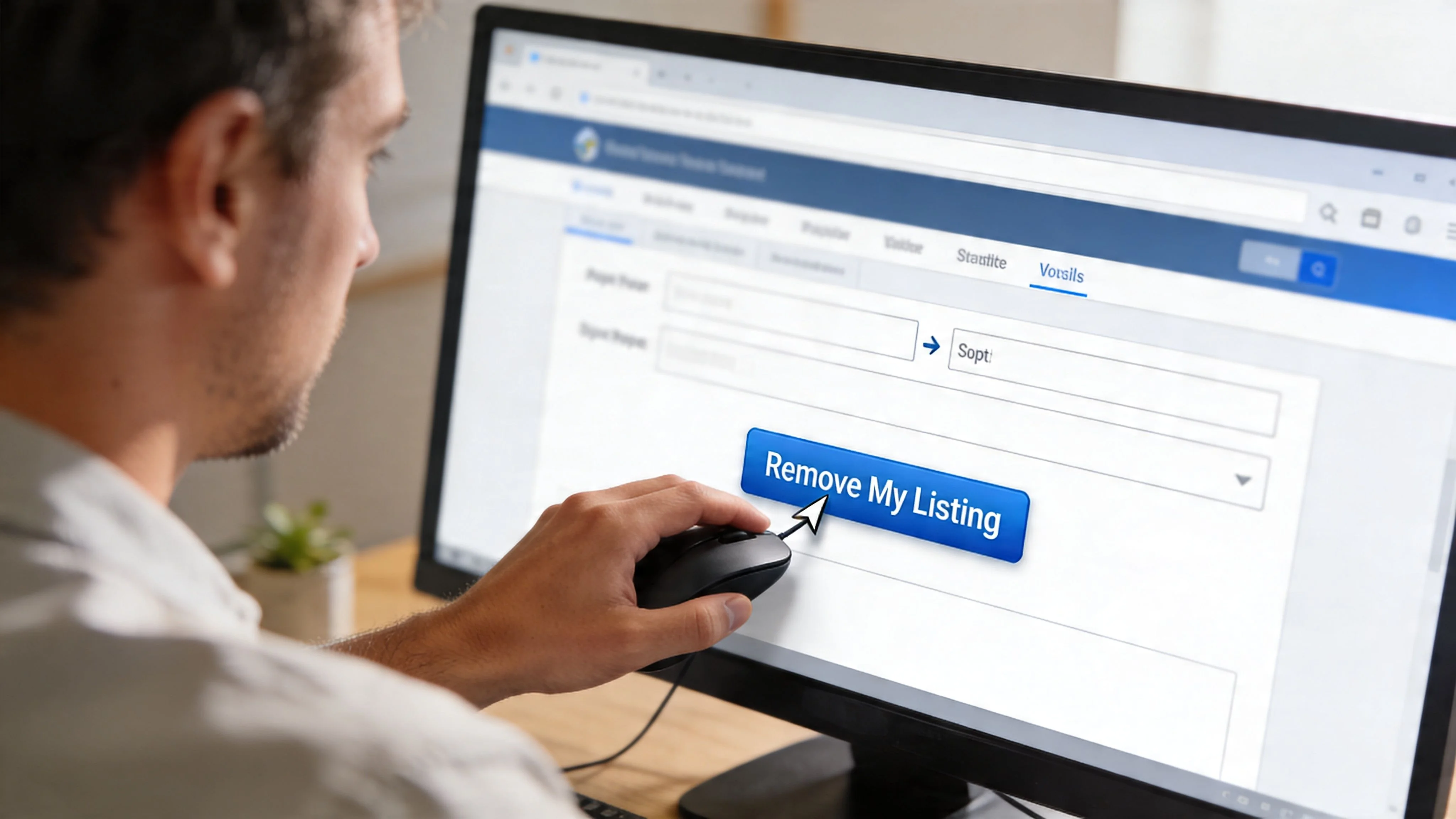
The manual process is workable, but it rewards careful execution. According to Privacy Bee's Whitepages removal guide, Whitepages usually asks you to locate the profile, copy the listing URL, submit it through www.whitepages.com/suppression-requests, choose a reason, and complete phone verification. That guide also notes that removals often fail for very specific reasons: people abandon the phone step, or they remove one listing and miss another related profile. Expect to spend real time on this if you have more than one result.
The exact flow that usually works
Open the specific Whitepages profile you want gone and copy that full page URL from your browser. Do not copy a search results page. The suppression form needs the actual profile link.
Next, go to the Whitepages suppression request page and paste in the URL. If the page recognizes the listing, Whitepages will show the profile details so you can confirm you are removing the right record.
Then choose the reason that fits your situation. Whitepages commonly offers privacy, harassment, spam, or accuracy-related options. The reason usually does not change the basic workflow, so focus on submitting the correct profile instead of overthinking that field.
The phone verification step
This is the step that trips people up.
Whitepages typically places an automated call and gives you a code to enter on screen. If the number is wrong, the call is missed, or the session times out, you may need to start again from the beginning. I have seen this happen even when the rest of the request was filled out correctly.
A few habits reduce the friction:
- Keep your phone in reach: Start the form only when you can finish it.
- Check the number before submitting: One typo can reset the whole task.
- Complete one listing at a time: Batch work sounds efficient until you mix up URLs and verification attempts.
- Use a private browser window if you prefer cleaner session handling: It will not change Whitepages' system, but it can make repeated checks less cluttered.
The usual failure point is not rejection. It is an unfinished request.
A step-by-step checklist
Use this order and you will avoid most avoidable mistakes:
- Open each matching Whitepages listing you identified earlier.
- Copy the exact profile URL for one listing.
- Visit the Whitepages suppression request page.
- Paste the profile URL into the form.
- Confirm the listing matches your information.
- Select the removal reason.
- Enter your phone number for verification.
- Answer the automated call and submit the code.
- Wait for the on-screen confirmation before closing the page.
If you are already realizing how repetitive this gets across multiple broker sites, that is the lesson. Whitepages is usually the first manual opt-out people finish, not the last. A broader data broker removal process makes more sense once you see how many separate sites need the same kind of attention.
What to watch for while submitting
Small mistakes cause most Whitepages opt-out problems. The form itself is simple. The surrounding cleanup work is what makes it tedious.
| Problem | What happens | Better move |
|---|---|---|
| You copied the wrong URL | Whitepages cannot match the right listing | Reopen the profile page and copy the full listing URL again |
| You removed only one record | Another listing stays public | Work through every saved profile URL one by one |
| You miss the verification call | The request does not finish | Restart immediately and keep the phone nearby |
| You skip a related report type | Some data may remain visible | Review all matching entries before marking Whitepages complete |
The video below demonstrates this flow visually.
What the success screen means
If Whitepages accepts the request, save proof. A screenshot with the date is enough.
That confirmation means the request was submitted for that listing. It does not mean your information is gone everywhere, and it does not guarantee it stays gone forever. Manual opt-outs help, but they are maintenance work. For anyone serious about digital privacy, this step is part of an ongoing cleanup and monitoring routine, not the finish line.
Verifying Removal and Handling Inaccuracies
Submitting the request is only half the job. You still need to confirm the listing disappeared and decide what to do if the profile contains false or damaging details.
The easiest mistake here is checking too casually. If your browser is serving cached pages or you're still logged into the same session state, you can get a misleading impression of what the public sees.
How to check whether your listing is gone
Use a clean verification routine instead of a quick refresh.
- Clear your browser cache or use private browsing: This helps avoid stale page results.
- Check from another device or network if possible: A second view gives you a cleaner read.
- Repeat the same searches you used earlier: Use the same name and location combinations from your tracking list.
- Look for the exact profile URL: If the URL no longer resolves publicly, that's a stronger sign than a general search alone.
If you want an easy way to sanity-check public exposure beyond just Whitepages, a free digital footprint check can help you spot what still appears in open web results.
Quick check: verify with the same search terms that originally exposed the listing. Otherwise you may think it's gone when you've only changed the query.
If the listing is still visible
Sometimes a request goes through, but the page remains visible for a while. Sometimes a duplicate profile was never submitted. Sometimes the wrong listing URL was used.
When a profile is still live after a reasonable wait, do this:
- Review your screenshot or notes to confirm you submitted the correct URL.
- Search again for duplicate profiles under alternate names or locations.
- Re-check that you completed phone verification fully.
- Contact Whitepages support if the request appears stuck or the listing remains unchanged.
Keep your notes simple but specific. Include the profile URL, the name shown, the approximate submission date, and what happened during verification. That gives support something concrete to match.
If the information is inaccurate
An inaccurate profile can create a different kind of problem. The listing may connect you to the wrong address, the wrong relatives, or another person's records.
In that situation, don't just shrug and assume it's harmless. Inaccurate records can still cause reputational trouble, confusion in background-style searches, and misdirected contact. Use the removal or inaccuracy option that best matches the profile, document what is wrong, and keep copies of any follow-up communication.
A calm, documented approach works better than a vague complaint. The more precisely you identify the bad data, the easier it is to push the issue forward.
Preventing Your Information from Reappearing
This is the part that frustrates people most. They remove a Whitepages listing, feel relieved, and then find a similar record again later.
That doesn't always mean Whitepages ignored you. It usually means the broader data broker system kept moving.
Why removed data comes back
Whitepages doesn't operate in isolation. According to Aura's Whitepages opt-out guide, Whitepages data recurs through aggregator loops involving over 100 other data brokers, and OSINT analyses show a 70% re-addition rate within 90 days if removal isn't monitored. The same source says manual suppression holds at about 75% sustained removal at 6 months, while automated services that continuously scan and submit requests raise sustained removal to 92-97% and can reduce overall exposure by up to 80%.
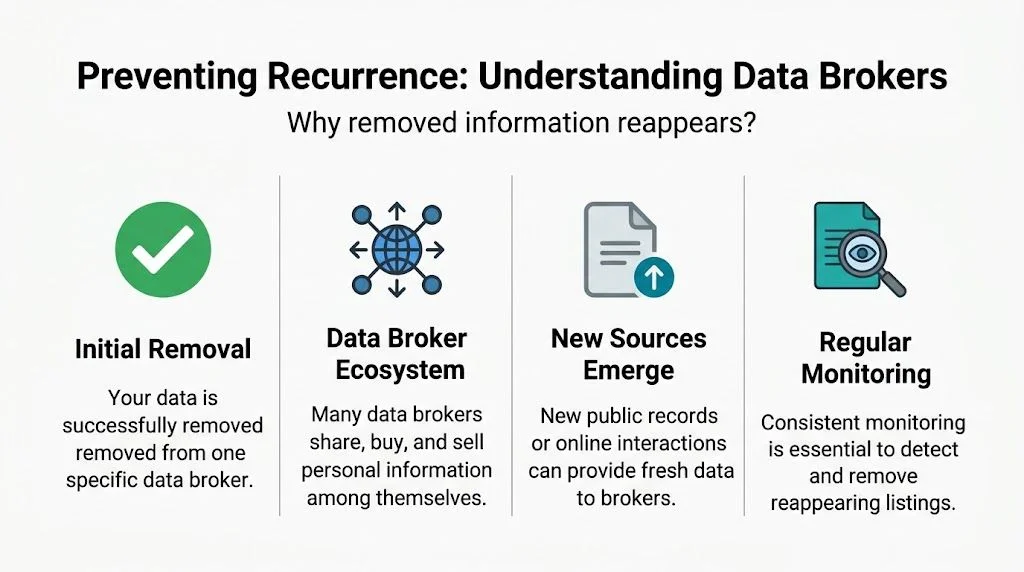
The key point is simple. A single opt-out removes one visible instance. It doesn't stop other brokers, public feeds, or refreshed records from feeding the ecosystem again.
The trade-off between manual checks and ongoing monitoring
You can manage this yourself. Plenty of people do. But it becomes a recurring maintenance job, not a one-time privacy fix.
Here's the comparison:
| Approach | Strength | Weakness |
|---|---|---|
| Manual re-checking | Full control over each submission | Easy to miss relisted profiles and mirror sites |
| Recurring DIY reminders | Better than forgetting entirely | Still depends on your time and consistency |
| Automated monitoring services | Ongoing scanning and repeated submissions across many platforms | Less hands-on control and typically involves paying for convenience |
What actually works over time
The practical answer is layered effort.
- Keep records of what you removed: Screenshots, dates, and URLs make repeat submissions easier.
- Recheck periodically: Whitepages isn't the only source that matters, and the data supply keeps refreshing.
- Think in ecosystems, not single sites: If your information is live elsewhere, it can flow back.
- Use automation if you don't want a recurring project: That's the realistic option for people who want sustained coverage across many broker platforms.
One Whitepages opt-out is a cleanup task. Ongoing privacy protection is a maintenance habit.
What doesn't work
Some people assume one successful request solves everything. It doesn't.
Other weak approaches include:
- Only removing the most obvious listing
- Ignoring linked brokers and people-search sites
- Skipping follow-up checks after the first confirmation
- Assuming old public records won't be repackaged again
If your goal is to make one visible Whitepages page disappear, manual suppression is enough. If your goal is to keep your personal data from circulating across broker networks, you need repeat monitoring. That's the difference between a single takedown and an actual privacy strategy.
Beyond Whitepages Your Broader Digital Footprint Strategy
Whitepages is one symptom of a larger problem. Your data can show up through people-search sites, breach data, old forum accounts, public social profiles, marketplace traces, and stale professional records.
That broader footprint matters because people don't just search one directory. Employers, scammers, estranged contacts, and casual investigators often piece together information from multiple places. Removing one Whitepages profile helps, but it doesn't tell you what else is exposed.
Think in layers, not single takedowns
A stronger privacy routine usually includes:
- Broker opt-outs: Start with the sites that expose direct contact or address data.
- Social profile cleanup: Review what strangers can see without logging in.
- Old account discovery: Retired usernames and inactive forums can still surface in search.
- Reputation review: Search your own name and aliases the way a recruiter or scammer would.
For some people, public records are part of the problem too. If search results are tied to past legal matters, it may help to understand whether you can clear your record through expungement or nondisclosure before focusing only on directory removals.
Privacy gets easier once you can see the full map
The hardest part of digital privacy is often visibility. People know one listing is a problem, but they don't know where the rest of their exposure lives.
If you want a fuller cleanup, the next logical step is to remove your digital footprint more systematically across search-visible profiles, public account traces, and broker records. Whitepages is worth handling. It just shouldn't be the last thing you check.
Common Questions About Whitepages Data Removal
Does Whitepages remove my info permanently
Not always. A successful suppression request removes the listing you submitted, but information can reappear later if broker networks refresh their data. That's why periodic checks matter.
How long does the Whitepages opt-out take
The submission itself is usually quick if you've already gathered the right profile URLs and you complete phone verification without interruption. The more profiles you have, the more time it takes because each one has to be handled carefully.
Why can't I find the same listing again after I submit
That can be good news, but verify before assuming success. Search using the same name and location combinations you used at the start, and check from a clean browser session. Some listings disappear from one search path before they vanish fully from public view.
What if I have more than one Whitepages listing
That's common. Old addresses, alternate name formats, and linked household records can create separate profiles. Treat each listing as its own removal request unless you've confirmed Whitepages merged or suppressed them together.
Can I remove a listing if some of the details are wrong
Yes. If the page is inaccurate, document what is incorrect and use the removal flow that best fits your situation. False information can still hurt you, even if the profile only partially matches.
Do I need to remove Whitepages Premium entries too
You need to identify every Whitepages result tied to you and handle each relevant listing carefully. A lot of frustration comes from removing the obvious free profile while missing another report tied to the same person.
What if the verification call never arrives
Check the phone number you entered and try again carefully. Missed calls and number-entry mistakes are a common reason people think the process failed when it was never completed.
Should I use my real phone number to verify
Whitepages' suppression flow relies on phone verification, so you need to complete that step for the request to go through. If you're uncomfortable, weigh that concern against the benefit of removing the public listing and keep a record of what you submitted.
Is Whitepages the only site I need to worry about
No. It's one of many sites that make personal data easy to find. If Whitepages has your details, other brokers often do too. That's why people who start with one opt-out often end up doing a broader digital footprint review.
What's the smartest next step after I remove my Whitepages listing
Recheck it later, search for similar listings on other broker sites, and audit what else is publicly exposed under your name, phone number, and old addresses. The best privacy moves usually start with visibility.
If you want to see where your personal data may be exposed beyond Whitepages, run a scan with Digital Footprint Check. It helps you uncover public traces across hundreds of platforms so you can spot risks early and take action before one listing turns into a much bigger privacy problem.