· Digital Footprint Check · Content Marketing · 10 min read
How to Find Secret Tiktok Accounts: Ethical Osint Guide
Learn how to find secret TikTok accounts using ethical OSINT methods. Discover tools and techniques for uncovering private profiles in 2026.

You’re probably here because a name, a profile photo, or a half-remembered handle doesn’t add up. A teen’s screen time jumped, a dating match seems oddly slippery, or a candidate’s public presence feels incomplete, and you want a way to check what’s there without crossing a line. On TikTok, that distinction matters, because “secret” doesn’t mean invisible, it usually means the account is privacy-restricted and only partially discoverable through public clues, not open access to private posts, follower lists, or likes.
Why People Search for Hidden TikTok Profiles
A parent usually starts with concern, not curiosity. A partner starts with a bad feeling they can’t quite explain. An HR reviewer starts with a practical question about whether the online identity in front of them matches the person on the application. Those are very different motives, but they all lead to the same challenge, how to find secret TikTok accounts without turning the search into surveillance.
TikTok’s own privacy model creates the first reality check. Even when an account is private, the profile name, username, and profile photo stay visible to anyone on or off TikTok, while other content is restricted to approved followers only, and private accounts can’t be Dueted, Stitched, downloaded, or added to Stories by non-approved viewers. The result is simple, but easy to miss, hidden accounts are often partially discoverable, not fully concealed. Public identifiers, reused usernames, and basic profile fields do more work than direct access ever will, especially when you’re trying to confirm whether a profile belongs to the same person across multiple platforms.
That’s why the ethical boundary has to come first. Consent-aware OSINT is appropriate for self-audits, parental safety checks, compliant screening, and digital-footprint review. It’s not appropriate for harassment, control, or trying to pry into a person’s private life just because you can. A useful reference point is this guide to discovering hidden accounts, which sits alongside the broader question of reputation management and why online identity work matters in the first place, especially when public profiles affect trust and professional judgment. For that, this overview of online reputation management helps frame why these searches are often about verification, not intrusion.
Practical rule: if your reason for searching wouldn’t still feel fair if someone did it to you, stop there.
Using TikTok’s Built-In Discovery Features
TikTok gives you a few native paths before you ever touch outside tools. The most basic is direct search. Open TikTok, tap the magnifying glass, enter the username, and filter the results to Users. That works best when you already know an exact identifier, because name-only searches pull in a lot of noise and usually reward you with the wrong profile first.
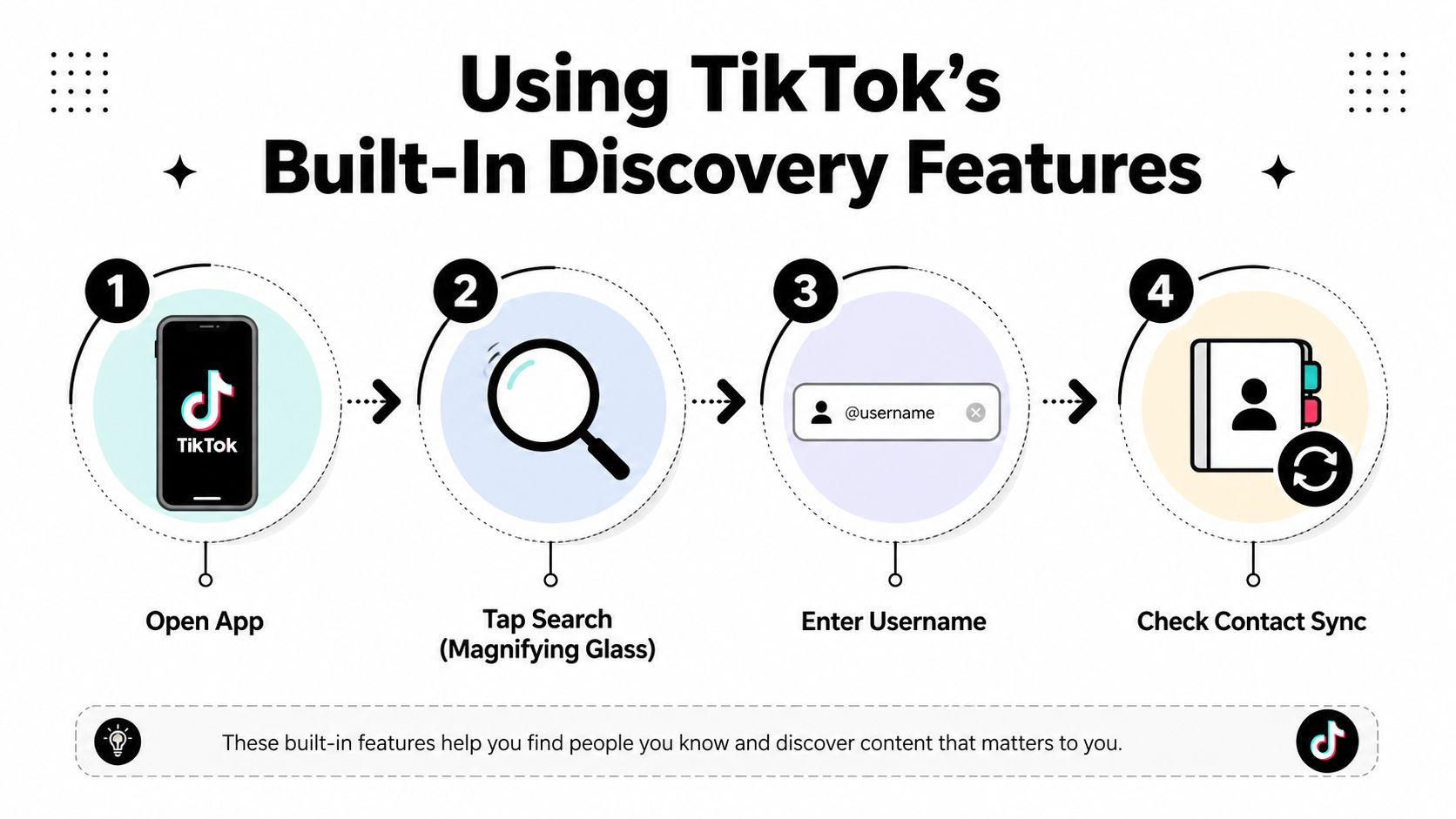
Exact identifiers are your friend here. Search the @username, try the version without the @ symbol, and use the profile URL or QR code if you already have it. That’s faster and more reliable than searching a public display name, because display names are reused constantly, while handles usually narrow the field much more cleanly.
TikTok’s contact-sync feature is another built-in route. Open Profile, tap Add friends, then tap Find next to Contacts the first time you sync, allow access, and review the matched accounts before tapping Follow. This is one of the few native ways the app surfaces accounts you might not locate through a public search alone, especially when a phone number is tied to the account.
The limitation is straightforward. Contact sync only helps if the person used the same phone number, and username search only helps if they kept a recognizable handle. If someone chose an unrelated handle and turned off discoverability settings, you won’t brute-force your way past that with the app’s own search bar.
If you’re auditing your own account discovery settings, this privacy settings guide is a useful companion because the search tools only matter as much as the visibility choices behind them.
Cross-Platform Username Matching and Reverse Image Search
The strongest OSINT habit is to stop treating a single clue as proof. Start with the handle. Search the exact @username, remove or add the @ symbol, then test small variants like underscores or number substitutions. After that, check whether the same bio phrase, niche, or linked page appears on more than one platform. A handle that shows up on TikTok and elsewhere, paired with the same distinctive bio wording, is much stronger than a display name that could belong to anyone.
That distinction matters because display names are easy to reuse. Handles and bio phrases are more discriminative, especially when they align with a niche interest or the same external link. If you’re trying to connect an account to a person rather than a fandom identity, the safe move is to stack evidence, not to chase the first result that looks familiar.
A useful companion tactic is reverse-image search. Upload the profile photo to Google Images, TinEye, or Duplichecker and see whether the same image appears in other places online. That can surface alternate accounts, reposted avatars, or cross-platform identities that don’t share a handle but do share a visual footprint. The same logic applies to the site: operator, which helps narrow a search to a specific platform or domain when you already have a candidate.
Practical rule: one shared name doesn’t identify a person, one shared photo doesn’t either, but a repeated handle, a matching bio phrase, and a linked external profile usually point in the same direction.
A common failure mode is over-trusting name-only matches. That’s how you end up with false positives from common names, fandom handles, or reposted content that looks convincing for the wrong reason. For a tighter workflow, this username search resource fits well with manual checking because it reflects the same cross-platform logic investigators use when they’re trying to connect one identity to several public traces.
| Search Method | What It Reveals | Main Limitation |
|---|---|---|
| Exact handle search | Direct account candidates | Fails if the handle was changed or hidden behind a random string |
| Handle variants | Near-matches and reused naming patterns | Creates noise if you don’t verify carefully |
| Reverse image search | Reused profile photos and alternate accounts | Doesn’t prove ownership by itself |
site: operator | Platform-specific traces | Misses accounts with little public indexing |
Avoiding False Positives and Verifying Real Matches
Most advice on hidden TikTok profiles stops at search tactics. That’s the weak spot. Finding a candidate is easy. Knowing you found the right person is harder, especially when handles are reused, names are common, and content gets reposted across platforms. TikTok is a large discovery surface, so even a small error rate can leave you with a lot of bad matches if you don’t verify carefully.
Build a verification hierarchy
Start with the soft signals, then require stronger corroboration. A source-code match or a contact-sync result is useful, but neither should stand alone. They become much more convincing when the profile photo, bio text, linked pages, and recent video themes all point to the same identity. That’s the right order of operations, because each new layer should reduce uncertainty instead of just adding more data.
A technical pivot can help when you already suspect a profile. One investigator guide describes opening the TikTok profile page, choosing View Page Source, and searching for userinfo in the HTML to locate the numeric ID. That’s valuable supporting evidence, not standalone proof. It works best when the source-code clue lines up with what you already saw in the profile photo, bio, or linked accounts.
| Verification Method | Signal Strength | Best Used With |
|---|---|---|
| Name-only match | Weak | Nothing, it’s too easy to misread |
| Contact sync | Moderate | Phone-number-linked profiles and profile-photo checks |
| Page-source numeric ID | Moderate | A known candidate profile and external corroboration |
| Matching bio plus profile photo | Strong | Cross-platform handle reuse and linked pages |
| Multiple independent platform matches | Strongest | Exact handle, image match, and consistent bio language |
A good way to think about it is this: the search gets you a candidate, the verification stack gets you confidence. If those two phases blur together, you’ll mistake familiarity for identity. For a more general framework on this, this person-finding guide lines up with the same caution, public traces should support a conclusion, not substitute for one.
Understanding Privacy Boundaries and Ethical Limits
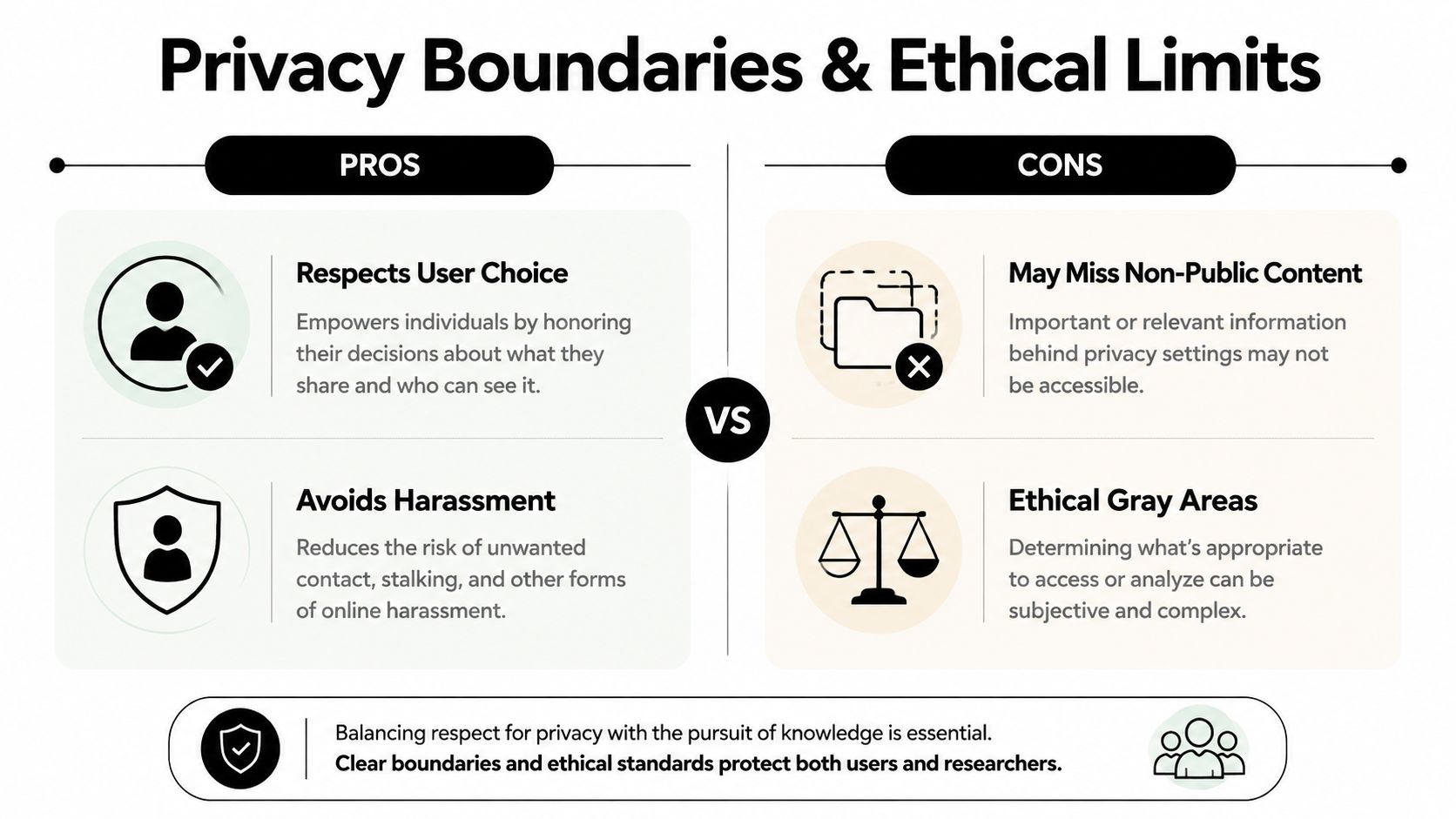
TikTok makes a lot of this harder on purpose. Users can decide whether their account is suggested to others, whether it’s searchable only by people they’re already connected with, and they can block strangers from seeing videos, LIVE content, bios, likes, follower lists, and following lists. Those controls define the boundary of legitimate discovery. If an account is private, that doesn’t make it fair game.
That’s also where the noise around private account viewer tools becomes a problem. Claims that a third-party service can reveal private TikTok content deserve skepticism, because the platform’s own privacy structure exists to block exactly that kind of access. At best, many of those tools are misleading. At worst, they’re scams, policy violations, or thinly disguised attempts to harvest data from anxious users.
Minors need extra care. TikTok safety guidance cited by security researchers notes that accounts for users under 16 are set to private by default, which is a meaningful privacy baseline for youth accounts. If you’re a parent, the right goal is protection and communication, not covert inspection for its own sake. If you’re a professional, the right goal is compliance and relevance, not digging through personal content that has nothing to do with the work at hand.
Practical rule: if the search depends on bypassing a privacy control instead of using public signals, it’s already outside the ethical lane.
Legitimate self-audit use is different. Checking your own footprint, reviewing public exposure before a job search, or confirming whether an online identity is yours or someone else’s are defensible reasons to look. Intrusive relationship searches, especially when they drift into monitoring or pressure, can cross into harassment or stalking territory fast. For a practical ethics lens, this OSINT overview fits the same boundary, use public information carefully, and respect the limits built into the platform.
Automating Your Digital Footprint Audit with Professional Tools
Manual searching is good for one person at a time. Automated OSINT is better when you need breadth. Digital Footprint Check searches 500+ platforms, including social media networks, data breach databases, gaming profiles, professional networks, and public records, to show what personal information is publicly accessible. It’s useful when a TikTok profile is only one piece of a wider digital identity that may also appear in gaming, dating, or professional contexts.
That’s the key advantage of automation. You can test a TikTok handle by hand, then use a wider scan to look for related profiles across email addresses, phone numbers, and usernames. The manual process helps you verify a specific account. The automated process helps you see the rest of the footprint around it, which is where a lot of privacy risk resides.
This matters in everyday situations. Parents use audits to understand family exposure. Job seekers use them before applications. HR teams use them for compliant pre-employment screening. People worried about identity theft use them to find exposed details before someone else does. Digital privacy isn’t only about one app, it’s about how one identifier travels across the web.
One practical option is to start with a free username check and then expand if you need a fuller report. That gives you a structured way to look for hidden accounts without relying on guesswork or intrusive tactics.
If you want a cleaner view of what’s publicly attached to your own name, handle, phone number, or email, start with Digital Footprint Check. It can help you connect the dots across TikTok and the wider web, so you can verify identities, spot exposed accounts, and protect your privacy with far less guesswork.