· Digital Footprint Check · Content Marketing · 19 min read
Online Reputation Checker: Clean Up Your Digital Footprint
Discover what your digital footprint reveals. Use an online reputation checker to find, fix, and clean up your data for career, dating, and personal safety.

You apply for a job, interview well, and feel confident. Later, you get a polite rejection. No one tells you why. It might have been your experience. It might also have been an old profile you forgot about years ago.
That’s the uncomfortable part of life online. Your reputation isn’t just your LinkedIn page, your current Instagram, or the posts you remember making. It also includes stale forum accounts, usernames tied to gaming communities, breach records, cached pages, people-search listings, and fragments of identity scattered across the web.
Many individuals consider a digital footprint to be only what they post. A better way to think about it is a digital shadow. It includes the things you created, the things others posted about you, and the things data brokers, search engines, and public websites connected on their own.
An online reputation checker helps you see that bigger picture before someone else does.
What Your Digital Shadow Says About You
A lot of people discover their digital shadow by accident.
A job seeker might clean up Instagram, update LinkedIn, and assume that’s enough. Then a recruiter finds an old username on a gaming forum, follows it to a profile bio, and from there lands on a public account the candidate forgot existed. Nothing about that chain is unusual. It’s how online identity works. One clue leads to another.

Your reputation is wider than your social media
People often ask, “What’s the worst that can show up?” Usually, they’re thinking about embarrassing posts. But the more practical risks are often less dramatic and more persistent:
- Old accounts: Dormant profiles can still expose your name, photos, friends list, or contact details.
- Gaming handles: A username you’ve used for years can link gaming accounts, forums, Discord-style communities, and other identities.
- Data breach records: Even if a leaked password is old, it can still tell someone which email addresses and services are connected to you.
- Public records and people-search pages: These can expose home addresses, relatives, or age ranges.
- Dating and relationship safety issues: Someone you’re talking to online may use the same clues to look you up, or you may need to verify that they are who they claim to be.
This is why your online reputation affects more than hiring. It touches privacy, identity theft risk, personal safety, and even who feels comfortable meeting you in person.
Why the blind spots matter
The hiring impact is direct. 70% of recruiters check candidates' online reputations before hiring, and 80% of employers have rejected a candidate based on what they found online, according to Erase’s online reputation statistics.
That doesn’t mean every old account ruins your chances. It means your visible record can shape someone’s decision before you get the chance to explain it.
Your online reputation isn’t a profile. It’s a trail.
The hard part is that many individuals only check the obvious places. They search their name once, skim the results, and move on. That’s like checking whether your front door is locked while leaving every window open.
If you want a deeper way to think about this, this guide to decoding your digital shadow is a good next read.
What Is an Online Reputation Checker
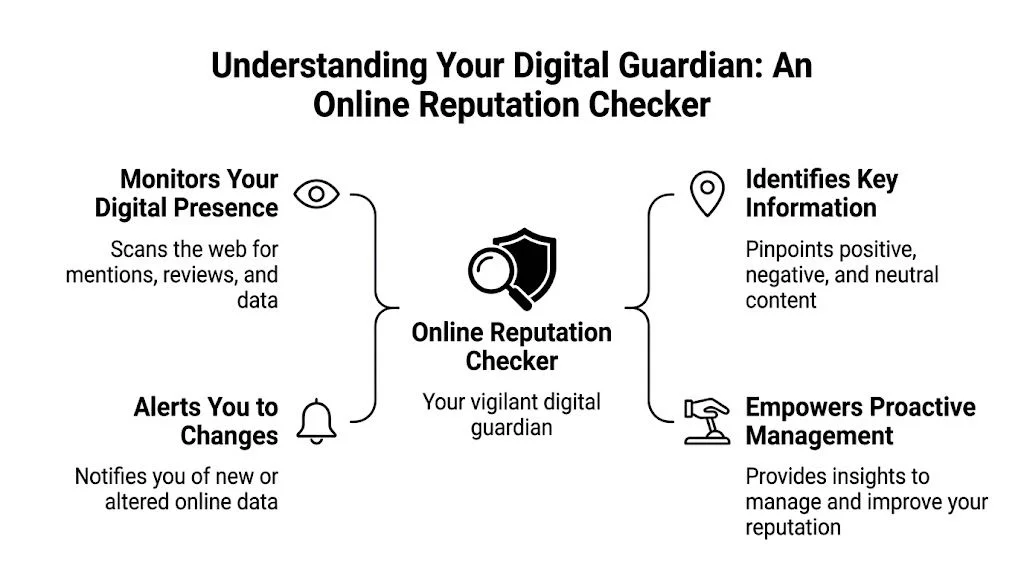
An online reputation checker is a tool that helps you find, organize, and evaluate the public information connected to your identity online.
The simplest comparison is a home inspection.
A basic Google search is like driving past a house. You can see the paint, the roofline, and whether the lawn looks tidy. You can’t see the pipes, the wiring, the cracks behind the wall, or the leak in the attic.
An online reputation checker is the inspection. It looks beyond the surface.
What it actually checks
A serious tool doesn’t stop at search engines. It may look across social platforms, review sites, forums, breach databases, public records, and username traces that can connect one account to another.
That matters because existing online reputation checkers predominantly focus on surface-level scans of social media, review sites, and search results, leaving a major gap in complete OSINT coverage of hidden digital footprints like gaming profiles, data breach databases, and public records. The same OtterPR source says 68% of professionals report “invisible” exposures in non-mainstream sources impacting job prospects, as noted in OtterPR’s discussion of online reputation management in 2025.
Why that’s different from searching your own name
When you search manually, you usually use one identifier at a time. Maybe your name. Maybe one email address. Maybe one username you still remember.
A good online reputation checker works more like an investigator using OSINT, or open source intelligence. It can connect multiple identifiers and look for patterns. That helps answer questions like:
- Which old usernames are still visible
- Whether an email appears in breach data
- What profiles are tied to a phone number or handle
- Whether public listings reveal more than you intended
- What content looks harmless to you but risky to an employer or stranger
The real output is context
The value isn’t just a pile of links.
You want a report that tells you what matters first. A stale account with no personal details is different from a profile that exposes your city, photo, contact info, and long-used username. A mention on a small forum is different from a page that ranks prominently in search.
Practical rule: If a tool only shows what you could find in five minutes on Google, it’s not really auditing your reputation. It’s summarizing your first page of search results.
If you want to see the kind of identity-based search this involves, the Digital Footprint Check profile checker shows the idea clearly.
The Technology Behind Digital Reputation Audits
An online reputation checker is often assumed to be just “search, then list results.” However, the process is more layered than that.
The first layer is collection. The tool gathers public data from many places at once. That can include social platforms, forum pages, review sites, breach repositories, and public-facing records. Instead of opening tabs one by one, the system queries multiple sources and pulls the results into one view.
It starts by gathering scattered clues
Think about the clues you leave behind online. Your real name appears in one place. A personal email appears somewhere else. A long-used gamer tag appears on a forum. A phone number might be attached to an older public listing.
Individually, these pieces don’t always look important. Together, they can reveal a lot.
This is why broad collection matters. A weak tool might catch only your obvious social profiles. A stronger one looks for the less visible pieces that often create significant risk.
Then it connects identities that don’t look connected at first
This step is where many readers get confused, because it feels a bit like magic. It isn’t.
The system compares identifiers and looks for likely matches. If the same username appears across a gaming platform and a discussion board, that’s a clue. If an email from a breach is associated with a public profile elsewhere, that’s another clue. If a profile bio mentions the same city and profession as another account, the confidence increases.
This process is often called entity resolution. In plain language, it means figuring out when separate records probably belong to the same person.
That’s what turns a random set of search results into a usable reputation audit.
Finally, it analyzes risk and tone
After the data is gathered and connected, the checker has to make sense of it.
Some tools use AI to classify mentions by sentiment. According to Qualtrics on online reputation management, advanced online reputation checkers employ AI-driven sentiment analysis across multi-channel sources, achieving up to 85-90% accuracy in classifying mentions as positive, neutral, or negative. The same source says these models can correlate negative sentiment spikes with 20-30% drops in local SEO rankings and conversion rates.
For an individual, the practical meaning is simple. A checker can help flag content that may create a negative first impression, even if you don’t see it that way at first glance.
For example:
- A sarcastic old forum comment may read differently to a recruiter who doesn’t know the context.
- A breach listing may not damage your reputation directly, but it raises privacy and account security concerns.
- A review or complaint thread may require a response, removal request, or fresh positive content to push it down.
The technology matters because your online identity is fragmented. The useful part isn’t finding one page. It’s connecting the pages that belong together.
If you want a more technical but still accessible look at this process, this OSINT guide for digital footprint checking is worth bookmarking.
Choosing the Right Online Reputation Checker
Not every online reputation checker does the same job.
Some are lightweight brand-listening tools. Some are review monitoring dashboards. Some are name-search tools with a nicer interface. If your goal is personal privacy, job protection, account security, or identity research, you need to look deeper than the homepage promise.
Start with coverage, not design
The first question is simple. Where does the tool search?
According to Whitespark’s reputation builder overview, multi-channel monitoring in reputation checkers scans 100-500+ platforms, including social media, review sites, forums, and data breach databases, uncovering 2-5x more exposure points than single-source searches. The same source notes that unmonitored gaming or professional networks expose 25% of personal data breaches, eroding job prospects by 15-20% in HR screenings.
That tells you what to prioritize. A tool that only checks a few social platforms may miss the very items that matter most.
What separates a serious tool from a shallow one
Here’s a simple checklist.
| Feature | What to Look For | Why It Matters |
|---|---|---|
| Source breadth | Coverage across social media, forums, review sites, breach data, gaming profiles, and public records | Your risk rarely lives in one place |
| Multi-identifier search | Ability to use name, email, phone, and usernames | Common names create noise. Multiple identifiers improve precision |
| Actionable reporting | Results ranked by risk or urgency | You need to know what to fix first |
| Monitoring | Ongoing alerts for new findings | Reputation changes after the first scan |
| Historical awareness | Visibility into old accounts or persistent references | Forgotten content often causes the surprise |
| Privacy focus | Ethical OSINT methods and clear data handling | A privacy tool shouldn’t create new privacy problems |
| Export or documentation | Reports you can save and review | Useful for HR workflows, cleanup projects, or recurring audits |
Essential features of a high-quality online reputation checker
Some features are essential. Others are nice extras.
- Must-have coverage: The tool should search broadly enough to include hidden accounts, breach exposures, and community platforms beyond mainstream social media.
- Clear matching logic: If a tool can’t explain why a result may belong to you, it’s harder to trust.
- Useful next steps: Good reports don’t just point at a problem. They help you decide whether to delete, lock down, request removal, or monitor.
- Nice to have analysis: Sentiment tagging, ranking by visibility, and change alerts can save time.
- Nice to have workflow support: This matters more for HR teams, researchers, and families managing more than one person’s footprint.
If you’re choosing between a flashy dashboard and broader source coverage, pick coverage.
A practical shortlist should always include the kind of tools discussed in this guide to top tools for monitoring your digital footprint and keeping your data safe.
Who Uses Reputation Checkers and Why It Matters
A hiring manager searches your name before an interview. A date checks whether your story lines up. A stranger pieces together your gaming handle, an old forum profile, and a people-search listing. Each person is looking at a different fragment, but they may all reach a conclusion about the same person: you.
That is why reputation checkers matter. Your online reputation is not just your current social feed. It is a web of visible and half-hidden clues that can affect work, relationships, and personal safety.

The job seeker
Sarah is applying for roles after several years of school and freelance work. Her LinkedIn looks polished. Her public Instagram is tidy. Then an older username connects her to a neglected forum account and a breach-related mention tied to an email she still uses.
For a recruiter, that can create questions Sarah never expected to answer. Is this really her account? Why was it left public? Does it suggest poor judgment, weak security habits, or an old mistake?
That is the key value of a reputation check for job seekers. It helps you find the loose threads before an employer pulls on them.
The HR professional
Mark works in hiring and wants a fair process. A simple search engine query can surface gossip, irrelevant personal details, or information that should never influence a hiring decision. A structured reputation check creates a more consistent review process by focusing on public signals tied to conduct, impersonation risks, or security concerns.
Used carefully, the tool acts like a filter, not a verdict. It helps HR teams separate meaningful findings from random noise and document what they reviewed. That matters for consistency, and it matters for fairness.
The parent
Maria is less worried about curated social media than about the trail her teenager leaves across gaming platforms, chat apps, and niche communities. A long-used handle can connect to profile photos, school references, friend lists, or location hints without a child realizing it.
Kids often treat usernames like nicknames. The internet treats them more like breadcrumbs.
A reputation checker helps a parent see how those breadcrumbs connect across sites. If you want a practical cleanup process after that review, this personal online audit guide is a useful next step.
A short explainer helps make this more concrete:
The online dater
David starts talking to someone online who seems genuine. Before meeting in person, he checks for basic consistency. Do the name, photos, usernames, and public bios point to one real person, or do they look stitched together from unrelated accounts?
A reputation checker cannot tell you whether someone is trustworthy. It can help you spot warning signs such as recycled photos, mismatched ages, conflicting locations, or a digital history that appears to start last week.
For dating, that is less about image and more about safety.
The business owner or local professional
A reputation checker also matters for people whose name is tied to a business. A consultant, dentist, realtor, or local shop owner may be judged by reviews before anyone visits a website or makes a call. One unanswered complaint can shape first impressions for months.
If negative reviews are part of the problem, it helps to know how to respond to negative Google reviews and protect your reputation. The response matters almost as much as the review itself because future customers read both.
The privacy-focused adult
Some people use reputation checkers for a quieter reason. They want to know what a stranger could assemble in twenty minutes with a name, an old email address, and a username from a gaming site.
That search can reveal much more than expected. A public record listing can add an address. A breach exposure can confirm an email. A hobby forum can reveal routines, interests, or social circles. Separate data points start acting like puzzle pieces.
A good reputation audit shows more than how you appear. It shows what someone else can connect.
A Step-by-Step Guide to Auditing and Cleaning Your Digital Footprint
A reputation audit works best when you treat it like a cleanup project, not a one-time search. The process is straightforward if you move in stages.
Discover what’s out there
Start with every identifier you can remember.
Use your full name, older names if relevant, main email addresses, backup email addresses, phone numbers, and usernames you’ve used on social, gaming, forum, or dating platforms. People often miss the oldest handle, and that’s exactly the one that opens the most doors.
A practical tip: make a simple list before you search. Memory gets fuzzy once you start clicking around.
If you want a structured worksheet approach, this personal online audit guide can help.
Analyze what actually matters
Not every result deserves panic.
Sort findings into three groups:
-
High risk Items that expose personal data, tie you to breach records, reveal your location, or create a strong negative impression.
-
Moderate risk Old accounts, outdated bios, inactive public pages, and profiles that reveal more than you’d like.
-
Low risk Neutral mentions, harmless directory listings, or accounts with little identifying information.
Context matters. An old blog comment may be irrelevant. A people-search page with your address is not.
Remediate the highest-impact items first
Work from most harmful to least harmful.
- Change passwords first: If an email appears in breach-related results, update the password anywhere it may still be reused.
- Delete or lock old accounts: If you can still access them, remove the content or tighten privacy settings.
- Request removals: For directories, stale pages, or content that shouldn’t be public, use the site’s removal or privacy request process.
- Update your current presence: Bring your active profiles up to date so they represent you well.
If part of your issue is review-related, this practical guide on how to respond to negative Google reviews and protect your reputation is useful because it focuses on response discipline rather than emotional reaction.
Monitor so the cleanup lasts
A cleanup isn’t permanent if you never check again.
Set alerts where possible. Revisit your footprint on a regular basis. Pay attention after major life events such as a new job, public project, breakup, move, or account breach. Those moments often create fresh traces online.
One concrete habit works well: keep a private note listing which usernames, emails, and platforms you’ve already reviewed. That turns the next audit into maintenance instead of rediscovery.
One good habit beats one big panic cleanup. Check regularly, fix small issues early, and your online reputation stays manageable.
Take Control with Digital Footprint Check
Users don’t need more noise. They need a clearer map of what’s connected to them online.
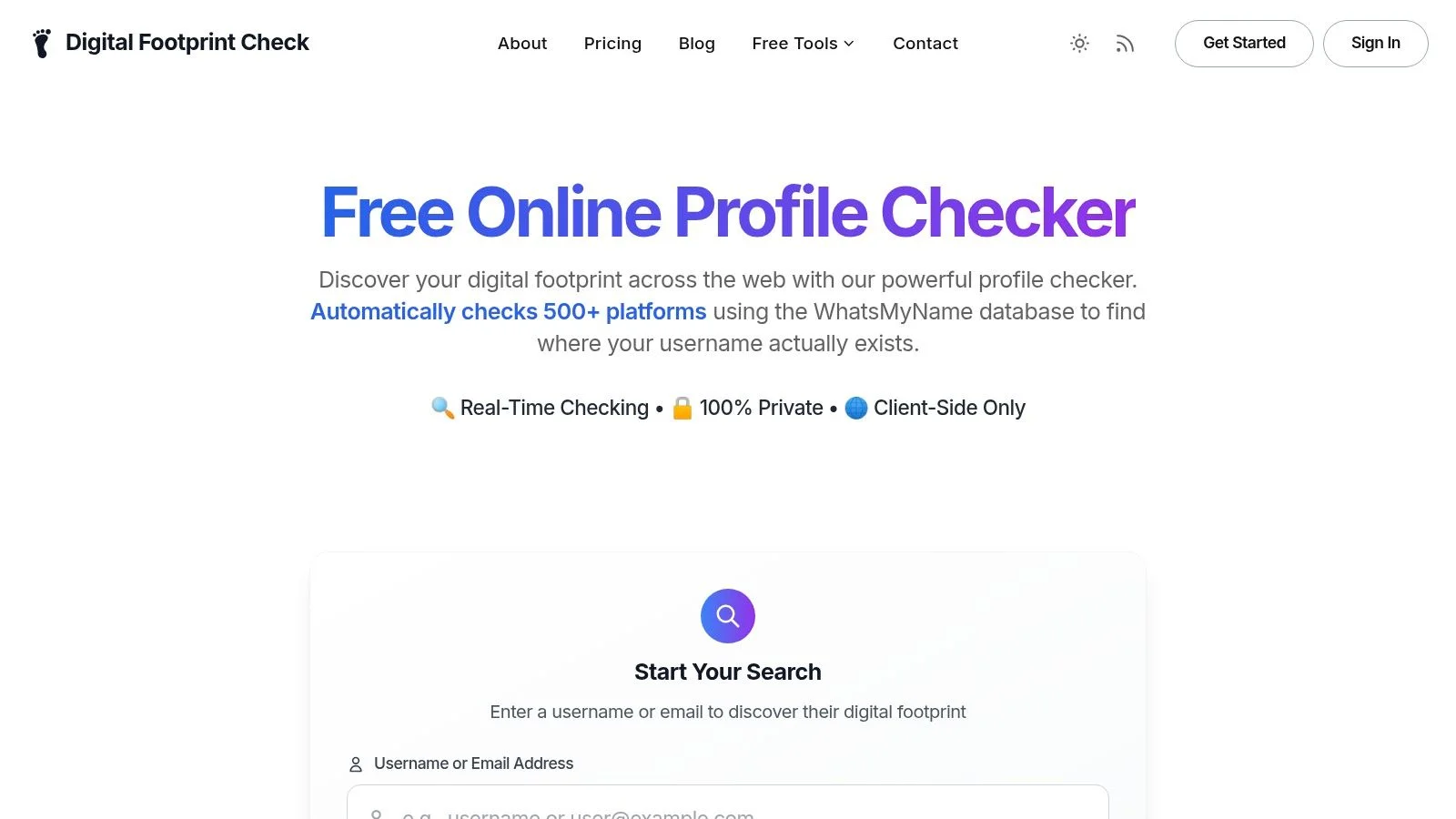
That’s where Digital Footprint Check fits well. It’s built around the problem covered throughout this article. Your online reputation isn’t limited to your visible social profiles. It’s spread across forums, gaming accounts, breach databases, professional networks, and public-facing records that are easy to miss when you search manually.
Why this approach is more useful
A surface-only checker may tell you what already shows up in obvious places. A broader OSINT-driven tool helps you find what you forgot, what got exposed, and what others may connect before you do.
That makes it useful for:
- Job seekers who want to avoid surprises during hiring
- Parents checking whether a child’s gaming identity leaks into public spaces
- Privacy-conscious adults reducing their exposure to data brokers and breach-linked risk
- HR teams doing more structured public-footprint reviews
- People dating online who want basic identity consistency checks before meeting
What makes the report valuable
The strongest part of any reputation tool is what you can do next.
Digital Footprint Check focuses on actionable results. The point isn’t to overwhelm you with scattered mentions. The point is to help you identify exposed data, hidden accounts, and reputation risks you can address.
It also matches the standard that matters most in this space: broad visibility, ethical OSINT methods, and practical next steps.
If you’ve read this far, you probably already know the main lesson. The question isn’t whether you have a digital shadow. You do. The question is whether you’ve seen it clearly yet.
See what’s out there. Run your free scan today at www.digitalfootprintcheck.com/free-checker.
Common Questions About Online Reputation Checks
What if I have a common name
A common name can make online reputation checks messy fast.
If your name is shared by dozens or hundreds of other people, a basic search may pull in the wrong LinkedIn profile, an old gaming handle that is not yours, or public records tied to someone in another state. It works like sorting mail when half the neighborhood has the same last name. Without enough details on the envelope, things end up in the wrong pile.
That is why a serious online reputation checker should look beyond a name. Email addresses, phone numbers, usernames, city, age range, and work history help separate your digital shadow from someone else’s. A mix-up is not just annoying; it can affect a hiring decision, create confusion on a dating app, or make you miss signs that your own information is exposed elsewhere.
Is it legal or ethical to check someone else
Usually, checking public information is legal. The harder question is how you use it.
Looking up a public profile before a first date is very different from harassing someone, digging for sensitive details you do not need, or making decisions based on protected traits. Employers have extra rules to follow, especially if screening could affect hiring. Private individuals still need judgment. Stick to public sources, verify carefully, and use what you find for safety or consistency checks, not for intimidation or gossip.
A simple rule helps here. If you would be uncomfortable explaining your search to the person involved, stop and reconsider your reason.
How is this different from a background check
An online reputation checker maps your public digital footprint. A background check follows a formal screening process that may include court, credit, employment, or other regulated records, depending on the purpose and local law.
The difference matters because they answer different questions. A background check asks, “What records are legally reportable for this decision?” An online reputation check asks, “What could another person connect about me from public clues across the web?” That can include old forum accounts, gaming usernames linked to social profiles, breach exposures, cached pages, and public mentions that shape how someone sees you before you ever speak to them.
One is a compliance tool. The other is a visibility tool.
Can I completely erase my online reputation
Usually, no.
The internet works more like wet cement than a whiteboard. Some marks can be cleaned up early. Others harden because they were copied, archived, reposted, or added to data broker databases. You can still improve the picture a lot by removing old accounts, tightening privacy settings, requesting takedowns where possible, and monitoring for new exposure.
A better goal is control, not perfection. Reduce what strangers can find, correct what is inaccurate, and keep checking so small problems do not turn into job, dating, or safety problems later.
Your online reputation can shape opportunities and risks long before you know someone is looking. Digital Footprint Check helps you find hidden traces across the web so you can address them early. Run a free scan at www.digitalfootprintcheck.com/free-checker and see what your digital shadow is really saying.