· Digital Footprint Check · Content Marketing · 13 min read
Opt Out Online Personal Information
Opt out online personal information. Learn how to opt out of online personal information across data brokers, people-search sites, and social platforms

You search your name after a colleague mentions a people-search site. There it is: your current address, phone number, and a list of relatives you don't recognize. You scroll through more results and find the same details on unfamiliar sites. The immediate urge is to click every removal button you can find. Resist it long enough to keep a record of what you found.
A profile on one site is often a sign of a wider data-broker footprint, not an isolated listing. Opting out effectively means identifying where your information appears, sending the right request, and checking what happened afterward. Treat it as a privacy project with evidence and follow-up, not a frantic sequence of forms.
The Moment You Find Yourself on a People-Search Site
The listing may feel personal, but its appearance doesn't necessarily mean you created an account or gave that particular company your details. Brokers can assemble records from commercial and public sources, then publish profiles that connect names, addresses, phone numbers, and relatives. A removal request to one site can address that listing, but it won't automatically reach every company with a similar profile.
Start by saving the page details and noting the exact name and identifiers shown. Don't share the listing publicly to ask for help, and don't assume a search-result snippet disappearing means the underlying profile is gone. You need to know which service holds the record and what its request process does.
For a broader discovery process, use this guide to find what data brokers have on you. The aim is to build a usable inventory, not to collect every search result indiscriminately. A match should be checked against more than a name whenever possible, since another person may share it.
Privacy practices matter in other online communities, too. For example, people using game-related utilities can review the privacy policy for WoW Forever tools to understand what information a service says it collects and how it handles it. The same habit applies when you assess an unfamiliar people-search site: read its policy and request instructions before providing more personal information.
The practical problem is not just finding a profile. It's knowing whether the right record was identified, whether the request was completed, and whether the profile later returns. That's why a reliable plan keeps receipts and schedules checks instead of treating a submitted form as proof of deletion.
Why Opting Out Is Harder Than It Should Be
You find your profile, submit an opt-out request, and receive a confirmation. Weeks later, the listing is still visible, or a similar profile appears on another site. That gap between submitting a request and verifying removal is why opt-outs take more work than filling out a form.
The broker market makes the problem wider than one listing. In a 2014 investigation of nine brokers, the Federal Trade Commission found that the industry held billions of data elements about nearly every U.S. consumer. One broker held information on more than 1.4 billion consumer transactions and approximately 700 billion data elements, while another added more than 3 billion data points each month. The FTC also found that opt-out choices could be hard to find and incomplete, leaving previously collected information or downstream sharing unaffected. The FTC's data-broker investigation explains why removing one visible profile may leave other copies untouched.
California residents have a centralized option through the Delete Request and Opt-Out Platform, or DROP. It became available on January 1, 2026, allowing residents to submit one verified request for registered brokers to delete non-exempt personal information and stop selling it. Brokers must begin accessing and processing requests through DROP every 45 days starting August 1, 2026. Exemptions and identity matching still apply, so a platform confirmation does not prove that every relevant record has been removed. California's data-broker program explains how the platform works.
Compliance is part of the workload
A 2025 assessment of 522 registered brokers found gaps in transparency and rights-request reporting. That matters because a privacy right can exist on paper while the request process remains unclear or difficult to complete. Understanding what data-broker sites are helps explain why removal may require dealing with multiple companies.
| California Data-Broker Compliance Snapshot | Percentage of Brokers |
|---|---|
| Fully met transparency-reporting requirements | 9.2% |
| Reported no rights-request metrics | 45% |
| Added friction through confusing interfaces, multiple forms, or excessive verification | 64% |
These figures come from the 2025 review of California-registered brokers. Treat a receipt as evidence that a request was submitted, not proof that a specific record was deleted. Save the confirmation and check the listing again.
Build Your Identifier Inventory Before You Submit Anything
Don't start sending requests until you know which versions of your identity a broker may have. A profile can be associated with a former address or an old phone number rather than the details you use today. An inventory helps you identify the correct record without providing a company with unnecessary new information.

Create one private, access-controlled file. Include current and former names, addresses, phone numbers, email addresses, usernames, and known aliases. Add only identifiers relevant to the records you're investigating, and avoid storing sensitive details in an unprotected document. If you're unsure what counts as personally identifying information, this overview of what PII means can help you think through the categories.
Normalize matches before requesting removal
For each possible listing, record the URL, the name displayed, and the matching details. A name alone is weak evidence. Pair it with an address, phone number, email, or another identifier to reduce the risk of asking a broker to act on someone else's record.
Keep two request types distinct:
- Deletion: Ask the broker to remove or suppress the stored record, subject to applicable legal exceptions.
- Sale suppression: Ask the broker to stop selling or sharing information where that right applies. The profile may remain available for other permitted purposes.
This distinction matters when you check the result. A record that stops appearing in public search may still exist internally, and a do-not-sell request isn't necessarily a deletion request. Write down which outcome you're asking for before you open a form.
Your inventory is the reference point for every later step. When a broker asks for details, compare the request with your record of the matching profile and provide only what's needed to identify it. This keeps your process consistent and makes it easier to explain a mismatch or incomplete response.
The Identity-Verification Paradox in Opt-Out Requests
A broker's verification form can ask for the very information you want removed. The right response is to provide enough to locate the matching profile, then stop. Don't send extra sensitive details just because a form offers a field for them.
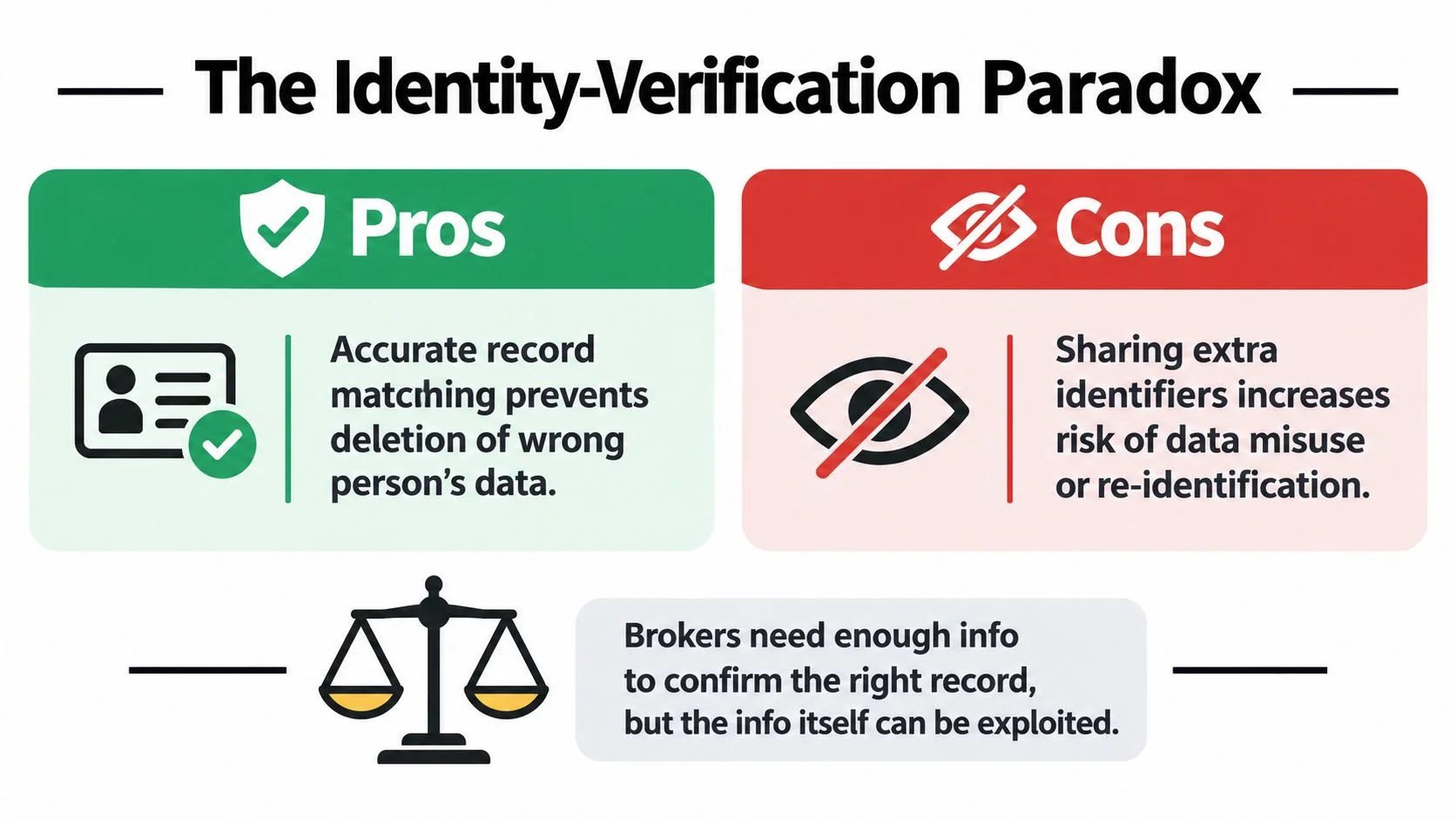
Use the minimum necessary
Use the broker's stated process, but question requests for a date of birth, Social Security number, or government ID image when those details aren't needed to match your profile. California's privacy regulator explains when businesses may request identity verification. Check the rules that apply where you live, and ask the broker whether it accepts a less intrusive identifier.
Pause before sending sensitive documents. Record what the form requests and why. If the explanation is unclear, contact the relevant regulator for guidance before submitting those details.
A dedicated privacy email address can keep opt-out correspondence separate from personal messages. A masked phone number may help too, if the broker accepts it. Track which companies receive your information and which fields you provide. If you're using a formal request process, learn what a data subject access request (DSAR) is before submitting it.
Decide whether removal serves your interests
Removal is not automatically the best outcome for every listing. A public professional profile may help recruiters find you, while a listing that exposes personal contact details may create unwanted risk. Choose based on the profile's purpose and the information it reveals:
- Keep it if it supports a professional role you want to be discoverable for and contains information you're comfortable sharing.
- Review it if it includes personal contact details or information unrelated to its purpose.
- Request removal or suppression if it exposes sensitive details or raises a safety concern.
Record your decision and the reason for it. Opt-out work should reduce exposure without removing a profile you choose to keep.
Submitting Requests With a Usable Audit Trail
A request only becomes useful evidence when it identifies the broker, the matching profile, and what happened afterward. Use the broker's stated opt-out channel, such as its web form or email process. California residents can submit requests to registered brokers through DROP and keep the platform's confirmation details with their records.
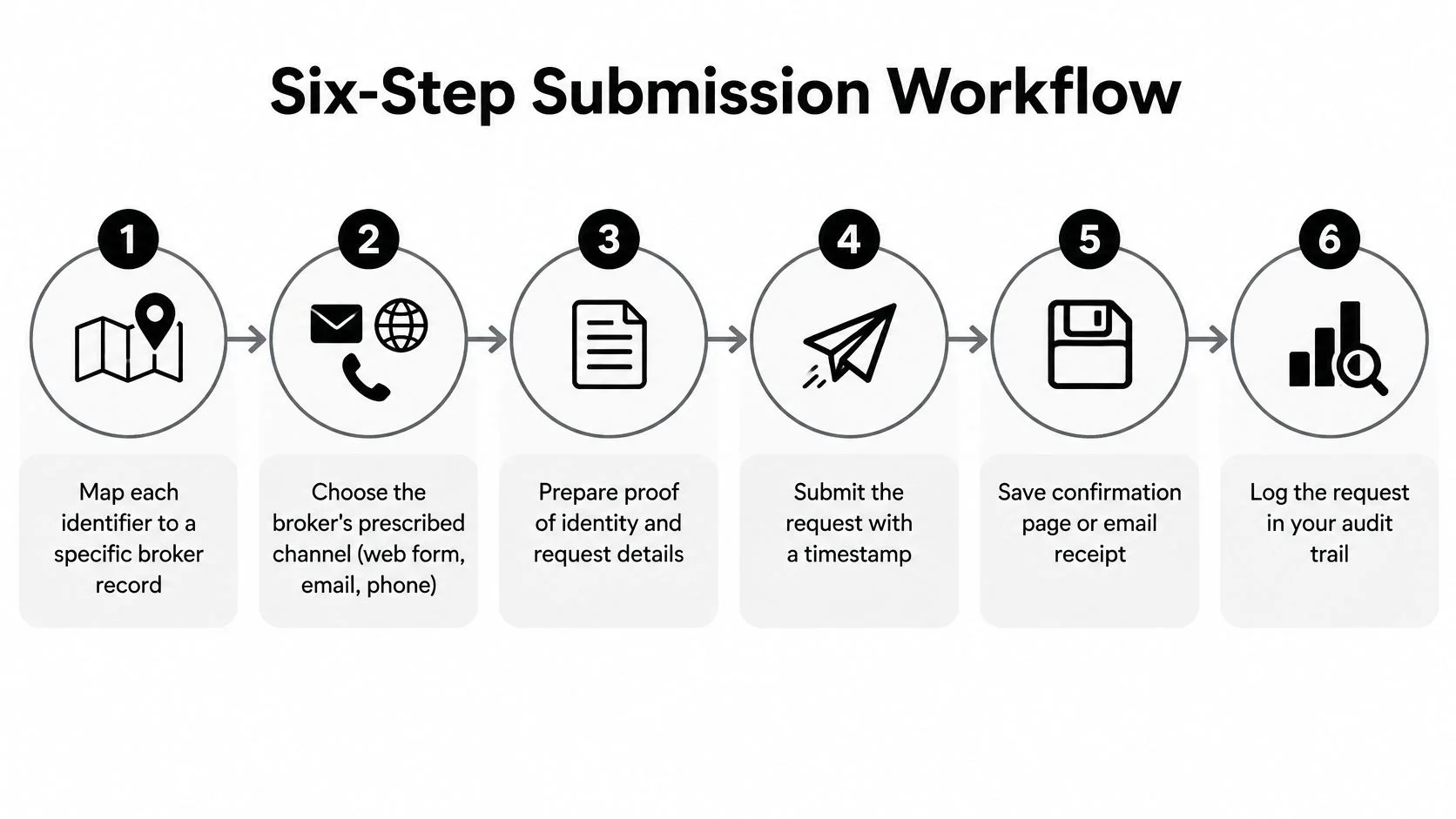
Make every request traceable
Keep a separate file for each broker, or use one log with a dedicated row for every request. Record the broker's name, profile URL, matching identifier, request type, submission date, expected response date, and outcome. Save confirmation emails or pages, request IDs, screenshots, and verification messages. A protected, up-to-date spreadsheet is enough.
Use this sequence:
- Match the record. Identify the specific listing and the detail that connects it to you.
- Choose the channel. Use the broker's stated privacy or opt-out process, not a general contact form.
- Limit submitted data. Provide only what the process requires to identify the profile.
- Capture proof. Save the submission date, confirmation, request ID, and a screenshot.
- Set a reminder. Record the applicable legal or stated processing deadline. Under California's Delete Act framework, brokers process DROP requests on a recurring 45-day schedule. The statute sets out the processing schedule.
- Record the result. Note whether the broker acknowledged receipt, completed the request, denied it, or did not respond.
An acknowledgment confirms receipt, not deletion. A completion notice is stronger evidence, but check whether the profile remains visible or reappears under another identifier.
Keep the receipts until you have checked the listing again. An organized inbox cannot confirm removal.
If a deadline passes without a meaningful response, use the broker's escalation channel and retain your original submission evidence. For California residents, keep the DROP request ID with any follow-up records so you can distinguish the centralized request from direct contact with a broker. The goal is a clear record of which company received each request and what evidence supports your next step.
Verifying Deletion and Handling the Sites That Hide Their Forms
Submitting a form is not proof that a broker removed your information. Research on California deletion requests found that roughly 70% of brokers did not report what happened after requests, while response rates were about 26%–38%. Nearly one-third of brokers that responded to opt-out requests exceeded the legal processing deadline, according to research on data-broker deletion requests. Build verification into the process instead of assuming silence means success.
After the applicable processing window, search for your exact name and repeat the check with your address and phone number. Check image variations if the listing uses a photograph. Compare the results against the original profile and note whether an affiliate or duplicate listing still exposes the same information. Guidance on removing personal information from Google can help with search-result exposure, but removing a search result and removing a broker's underlying record are different actions.

Check what changed, not just what disappeared
A profile may be deleted, suppressed from public display, or temporarily absent from search while the underlying record remains. A broker may also rebuild a profile from public sources or information received from another company. Record the difference between what the broker confirmed and what your own checks show.
Discoverability is part of the problem. Independent reporting found that more than 30 California-registered brokers hid deletion instructions from search engines, and a review identified 35 sites using code that kept certain pages out of search results. CalMatters' reporting on hard-to-find deletion instructions documents why a privacy process can be difficult to locate even when a company has one.
If you can't find an opt-out page, search the broker's privacy policy and help pages, check archived versions of the site, and document your attempts. If the process remains inaccessible or a company ignores a valid request, consider contacting the relevant regulator and moving the issue into a manual escalation queue. Prioritize brokers that publish the most sensitive information or repeatedly recreate a profile. A missing form isn't a completed opt-out.
Your 30-60-90 Day Opt-Out Maintenance Plan
Treat removal as ongoing maintenance, not a one-time cleanup. Personal information can be re-collected from public or commercial sources, and an old profile can return under a different identifier. A scheduled review gives you a way to catch that recurrence without checking every site constantly.
First 30 days
Start with discovery. Search for your name, current contact details, usernames, and known aliases. Build your identifier inventory, save evidence of the profiles you find, and submit initial deletion or sale-suppression requests to the relevant brokers and people-search sites. Keep the request type and confirmation for each company separate.
Don't try to solve every privacy problem in one sitting. Focus first on listings that expose a home address, personal phone number, or other information that creates a clear safety or privacy concern. If a match is uncertain, verify it before submitting a request.
Days 31 to 60
Recheck the highest-priority listings after the applicable processing window. Escalate non-responders with your saved receipt and request details. Search for duplicates and affiliate profiles, and record whether the original listing disappeared, changed, or remained accessible.
Use this period to review accounts beyond broker sites, including social platforms and gaming profiles. Check whether account recovery details are current and whether old usernames connect a public profile to your real identity. Search-engine results may need separate attention from the website that supplied the information.
Days 61 to 90 and beyond
Set a recurring re-audit, and repeat the workflow after a major change such as a new address, phone number, job, or username. Review your log for unresolved requests, newly discovered listings, and profiles that have reappeared. If you use a service to help monitor your footprint, assess what it searches, how it handles your information, and what evidence it provides for completed requests.
Professional monitoring and removal can be a rational choice when exposure is high, you don't have time to manage requests, or your safety concerns include stalking or doxxing. It doesn't remove your responsibility to review sensitive verification requests or confirm results. Compare any service's scope and reporting with the work you need done.
The stakes go beyond an untidy search result. The FBI recorded 859,532 complaints of suspected internet crime in 2024, with reported losses exceeding $16 billion, an increase of 33% from 2023. The FBI's annual internet crime report covers multiple types of online crime. That context makes it sensible to audit exposed identifiers alongside account security, especially where the same username or contact detail connects multiple profiles.
Run a free check to identify where your information appears, then use the results to prioritize requests and build your audit trail. A clear list of exposed profiles is a stronger starting point than another round of untracked searches.
Digital Footprint Check searches online sources for exposed personal information and provides practical guidance for removal and opt-out requests. Visit Digital Footprint Check to run a free check and take a specific list of findings into your privacy workflow.