· Digital Footprint Check · Content Marketing · 22 min read
The Top 12 Free Osint Tools for Protecting Your Digital
Discover the top 12 OSINT tools free to use in 2026. Explore our expert guide to open-source intelligence for privacy, security, and research.

Your personal and professional life is broadcast across hundreds of platforms, so understanding your footprint matters for security, privacy, and reputation. Old social posts can affect job prospects; gamers can lose valuable accounts. Open-Source Intelligence (OSINT) collects and analyzes data from public sources.
OSINT isn't only for spies and security experts. Many osint tools free for public use let anyone take control of their online identity — a parent monitoring a child's safety, a professional managing a public image, or a dater verifying a partner. A 2020 Statista survey found 43% of employers use social media to screen candidates. This guide covers the top free resources for mapping your digital presence, detecting vulnerabilities, and preventing threats like identity theft and catfishing.
Each tool listed has a direct link, a description of its function, and practical use cases, plus strengths and limitations. For an automated analysis of your exposure, use the free checker at www.digitalfootprintcheck.com/free-checker as a starting point.
1. Digital Footprint Check
Digital Footprint Check is a strong choice among free OSINT tools: a straightforward platform for digital identity discovery. It consolidates many data sources into one report, making professional-grade OSINT available to everyone from security-conscious individuals to HR professionals. Its core strength is scanning over 500 platforms, including social media, public records, and gaming networks like Steam and Xbox.
Unlike specialized tools that require technical expertise, it offers a free, instant profile check in about 60 seconds, no credit card needed. A basic step in checking your footprint is using the WHOIS database to see registration details for websites. Digital Footprint Check automates and expands that idea, aggregating data from breach databases, forums, and other public sources for a full view of your exposure.
Key Strengths and Use Cases
Digital Footprint Check is effective for proactive reputation management and identity theft prevention, with a privacy-first approach: GDPR compliance and 256-bit SSL encryption.
- For Job Seekers: Audit and clean up your online presence to present a professional image to potential employers. A stray comment or unprofessional photo can be the difference between getting an interview and being rejected.
- For Individuals & Families: Monitor personal and family members' exposure to reduce risks of identity theft, cyberbullying, or unwanted data collection.
- For Gamers: Uncover and secure accounts linked to gaming profiles, a common target for account takeovers which can result in the loss of hundreds of dollars in digital assets.
- For HR Professionals: Conduct compliant, ethical pre-employment screening to evaluate a candidate's public digital footprint.
While the one-time report is free, optional subscriptions add continuous monitoring and real-time alerts. Note that the service identifies risks and provides DIY removal guides but does not perform data takedowns for you. To see what your online presence reveals, get your free digital footprint report.
2. OSINT Framework
The OSINT Framework isn't a tool but a directory of hundreds of other free OSINT tools, presented as an interactive, mind-map-style interface organized by category: username, email address, domain name, or social networks. That structure makes it a useful starting point, especially for beginners.

What makes the OSINT Framework unique is its efficiency and comprehensive scope. Instead of spending hours searching for a functional tool, you can navigate its tree structure to find a curated list of relevant options. Icons next to each link indicate if a tool requires registration, a software download, or simply a URL edit to function, saving you valuable time. For example, if you're trying to verify a dating app profile, you can navigate to the "Username" section and find tools to check that username across dozens of social media sites instantly.
Key Use-Cases & Limitations
Primary Uses:
- Tool Discovery: Quickly find the right tool for a specific task, like locating social media profiles from a username.
- Investigative Workflow: Use the framework to structure your investigation, moving logically from one data point to the next.
- Learning: Explore different categories to understand the vast landscape of available OSINT resources.
Limitations: The primary drawback is that the framework only links to external, third-party sites. It doesn’t host or vet the tools themselves, meaning some links may become outdated, lead to paywalled services, or cease to function over time. Nevertheless, its value as a curated, time-saving directory is unparalleled among free OSINT tools. For those conducting deeper investigations, such as background checking using OSINT, this framework provides an excellent launchpad.
Website: https://osintframework.com/
3. Bellingcat Online Investigations Toolkit
Bellingcat's Online Investigations Toolkit is more than a list of links; it is a comprehensive, methodology-first resource for anyone serious about digital verification and investigation. Maintained by the renowned investigative journalism collective, this toolkit provides a curated collection of high-quality, free OSINT tools organized by practical use-cases like satellite imagery, transport tracking, and social media analysis. Its real value lies in the accompanying guides and workflows that teach the how and why behind the tools.
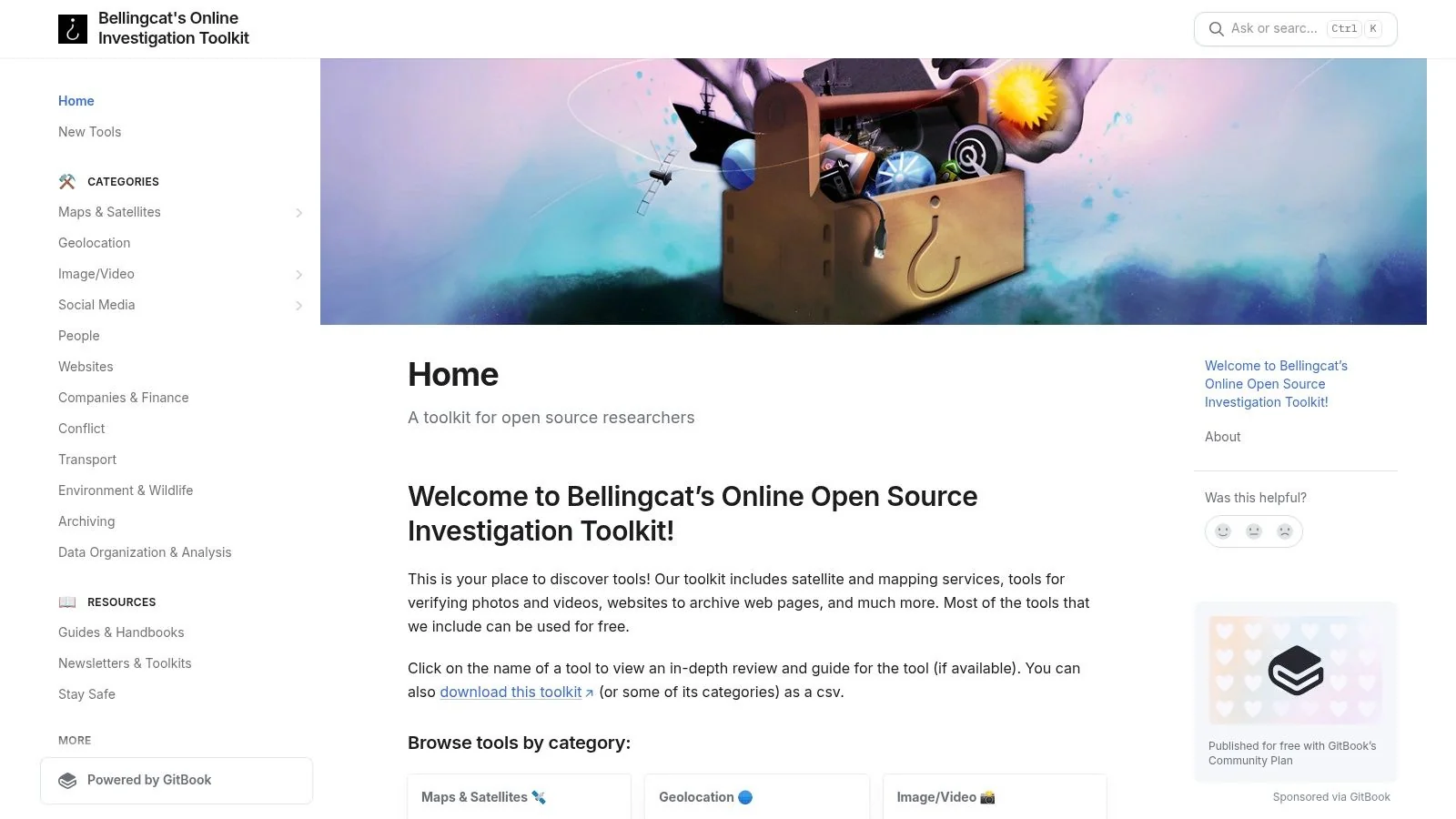
What sets this toolkit apart is its editorial quality and educational focus. Unlike simple directories, Bellingcat offers context and instruction, making it an invaluable learning platform. The inclusion of a geographic "tools map" helps investigators find localized data sources, such as country-specific business registries or public records, which are often crucial for effective online investigations. This makes it one of the most respected free OSINT tools for both aspiring and seasoned researchers who want to do everything from debunking fake news to detecting sophisticated romance scams.
Key Use-Cases & Limitations
Primary Uses:
- Verification: Excellent for fact-checking claims, geolocating images, and verifying video content—essential skills for identifying catfishing attempts.
- Structured Learning: Ideal for beginners looking to understand investigative methodologies, not just collect tools.
- Geographic Research: The country-specific tool map is invaluable for investigations that require local context.
Limitations: The toolkit's primary focus is on manual research, verification, and journalism, not automated or large-scale data collection. Users seeking tools for bulk username searches or continuous social media monitoring will find it less suited to their needs. It is designed to support deep, methodical investigations rather than rapid, wide-scale data sweeps.
Website: https://bellingcat.gitbook.io/toolkit/
4. SpiderFoot
SpiderFoot is a powerful open-source automation tool that excels at reconnaissance by collecting and correlating data from over 200 sources. It acts like an automated investigator, taking a single data point like a domain, IP address, or email and running it through hundreds of modules to uncover associated information. This makes it one of the most comprehensive free OSINT tools for building a complete picture of a target's digital footprint.
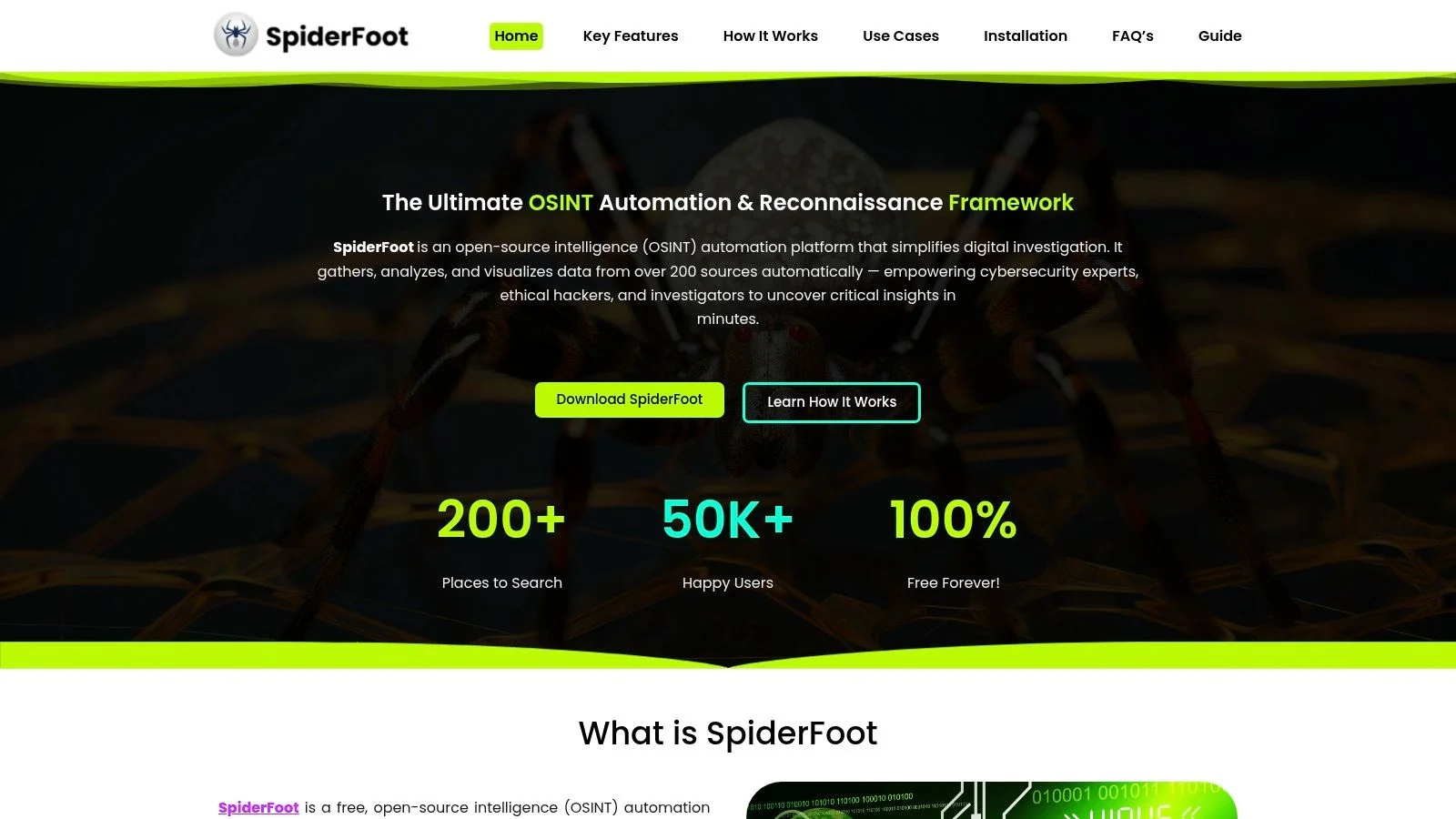
What sets SpiderFoot apart is its ability to visualize the connections between different data points, making complex relationships easy to understand. It’s highly suitable for both cybersecurity professionals conducting threat intelligence and individuals mapping their own exposure. The platform can be run locally on your machine or within a Docker container, offering flexibility for different technical comfort levels and ensuring your investigative data remains private.
Key Use-Cases & Limitations
Primary Uses:
- Automated Reconnaissance: Run "push-button" scans on a domain or IP to quickly gather subdomains, associated files, and server information.
- Digital Footprint Mapping: Discover what publicly accessible information is linked to your name, email, or company to identify potential privacy risks.
- Threat Intelligence: Identify potential attack vectors by uncovering infrastructure details, leaked credentials, and related online assets.
Limitations: The primary drawback is that many of the most powerful modules require you to input your own API keys for third-party services. Without these keys, the depth of information SpiderFoot can retrieve is significantly limited. The setup can also be more involved than a simple web-based tool, though its documentation is thorough. For those interested in how it measures up against other platforms, you can see a detailed comparison of OSINT tools like SpiderFoot.
Website: https://spiderfoot.org/
5. Kali Linux
While not a single tool, Kali Linux is a complete, free operating system designed for cybersecurity and penetration testing. It serves as an all-in-one arsenal, bundling hundreds of security tools, many of which are essential for OSINT. By installing the kali-tools-information-gathering metapackage, users gain immediate access to powerful applications like theHarvester, Maltego, and Recon-ng without needing to configure them individually.

What makes Kali Linux a cornerstone for serious investigators is its integrated environment. All tools are pre-installed, verified, and ready to use within a stable and well-supported Debian-based system. This eliminates the hassle of dependency issues and broken installations, allowing you to focus purely on your investigation. Its extensive documentation and large community make it one of the most reliable platforms for anyone serious about using free OSINT tools.
Key Use-Cases & Limitations
Primary Uses:
- Comprehensive Toolkit: Access a full suite of information-gathering and analysis tools in one place.
- Automated Reconnaissance: Leverage scripts and tools like theHarvester to automatically gather emails, subdomains, and host information.
- Structured Investigations: Use the built-in tools to create a systematic workflow for deep-dive digital footprint analysis.
Limitations: The primary drawback is its complexity. Kali Linux requires a solid understanding of the Linux command line and is overkill for users who only need one or two simple web-based tools. Setting it up in a virtual machine or as a main OS presents a learning curve that may be too steep for beginners.
Website: https://www.kali.org/
6. theHarvester
theHarvester is a powerful, open-source command-line tool designed for gathering emails, subdomains, employee names, open ports, and banners from various public sources. Written in Python, it's a staple for cybersecurity professionals and OSINT investigators during the initial reconnaissance phase of an engagement. It automates the process of querying search engines like Google and Bing, as well as specialized services like Shodan, to rapidly map out an organization's external attack surface.
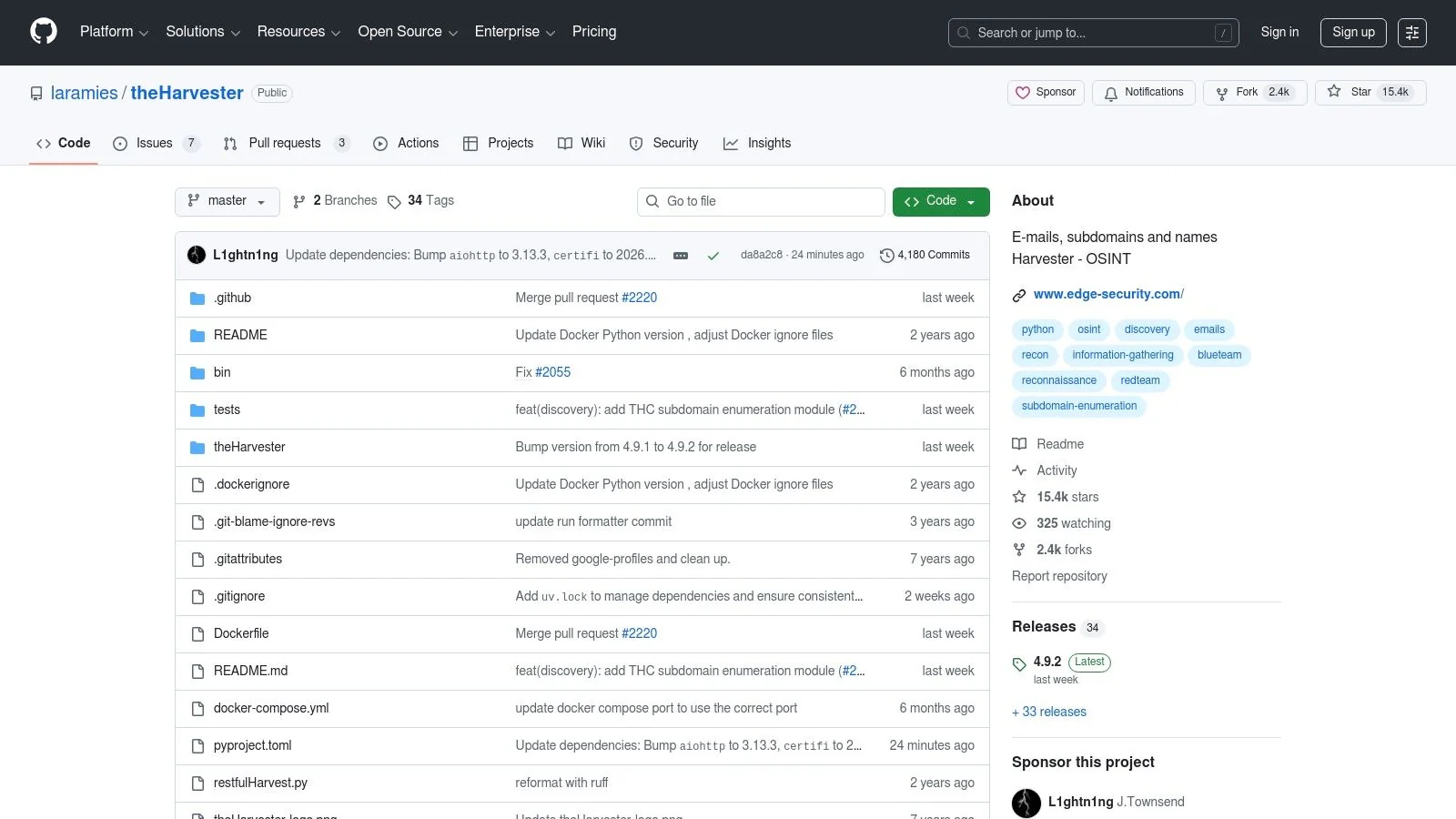
What makes theHarvester particularly effective among free OSINT tools is its speed and focus on passive reconnaissance. It aggregates data from over 20 different sources without sending any direct traffic to the target's servers, making initial information gathering discreet and efficient. For anyone comfortable with a terminal, it provides a wealth of actionable intelligence from a single command, consolidating what would otherwise require hours of manual searching.
Key Use-Cases & Limitations
Primary Uses:
- Domain Footprinting: Quickly discover subdomains, virtual hosts, and associated IP addresses for a target domain.
- Email Harvesting: Gather publicly listed email addresses associated with a domain for social engineering or contact purposes.
- Attack Surface Mapping: Identify open ports and system banners to understand potential vulnerabilities in the early stages of a security assessment.
Limitations: The primary drawback is its command-line-only interface, which presents a learning curve for those unfamiliar with terminals. Additionally, while many data sources are free, some of the most powerful ones (like Shodan or specific search engines) may require API keys to function effectively. It's a fantastic starting point, but a comprehensive social media investigation would require combining its findings with other specialized tools.
Website: https://github.com/laramies/theHarvester
7. Recon-ng
Recon-ng is a powerful and modular reconnaissance framework designed for professional OSINT investigations. Modeled after the popular Metasploit framework, it offers a command-line interface where users can load various "modules" to automate the process of gathering information. Each module is a specific task, like finding hosts related to a domain or extracting contact information, allowing for disciplined, repeatable, and scriptable investigations.
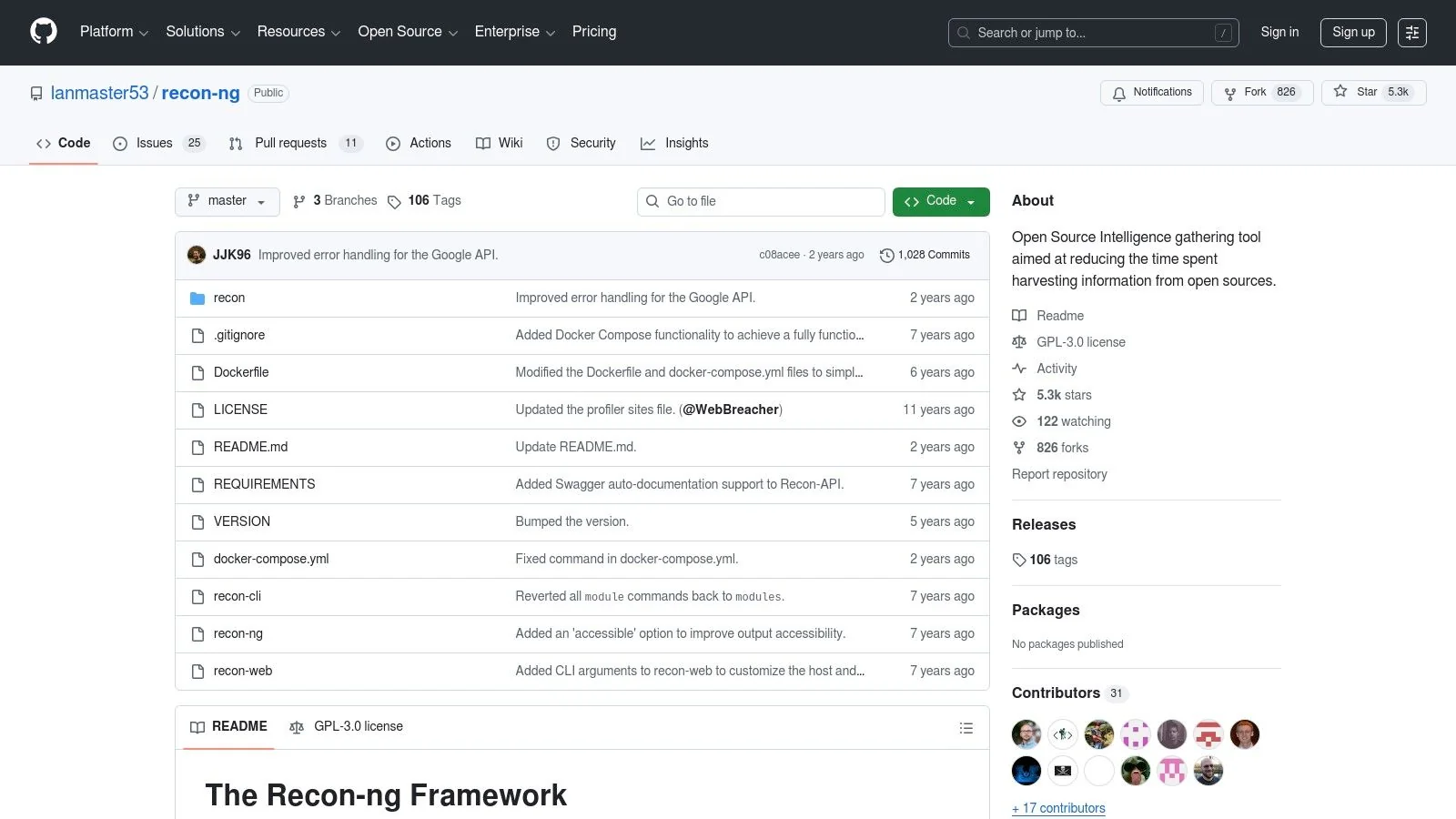
What makes Recon-ng stand out is its structured, database-driven approach. All collected data is neatly organized into a local database, preventing messy information overload and allowing investigators to easily query and manage their findings. Its marketplace of modules integrates with numerous external data sources and APIs, making it a highly extensible and potent tool for those willing to learn its command-line environment. It’s one of the more advanced free OSINT tools available.
Key Use-Cases & Limitations
Primary Uses:
- Automated Reconnaissance: Script and automate workflows for common tasks like subdomain enumeration or discovering associated social media profiles.
- Structured Data Collection: Organize findings from multiple sources into a unified database for better analysis and reporting.
- API Integration: Leverage dozens of external APIs by adding keys to modules, pulling in vast amounts of data programmatically.
Limitations: The primary drawback is its steep learning curve for users unfamiliar with command-line interfaces. Unlike GUI-based tools, it requires memorizing commands and understanding its workflow. Furthermore, the effectiveness of many powerful modules depends on acquiring and managing API keys for third-party services, some of which may be paid. This tool is best suited for technical users who need to perform repeatable, in-depth digital investigations.
Website: https://github.com/lanmaster53/recon-ng
8. Shodan
Often called the "search engine for hackers," Shodan finds internet-connected devices rather than websites. It crawls the internet to identify servers, webcams, IoT devices, and industrial control systems, indexing the information (or "banners") they send back. For OSINT investigators, it's a critical tool for mapping an organization's digital infrastructure, discovering exposed services, and understanding potential security vulnerabilities.
Unlike a typical search engine, Shodan allows you to search based on specific components like port number, country, organization, or server software. This capability is invaluable for cybersecurity professionals and researchers looking to assess their own or a target's attack surface. While many free OSINT tools focus on people, Shodan provides a unique and powerful lens into the hardware and services that form the internet's backbone.
Key Use-Cases & Limitations
Primary Uses:
- Asset Discovery: Identify all internet-facing devices and services associated with a specific organization or IP range.
- Vulnerability Research: Find devices running outdated software or using default credentials that could be exploited.
- Infrastructure Mapping: Gain a high-level overview of a company’s technology stack and geographical distribution of assets.
Limitations: The free version of Shodan is quite limited. It restricts the number of search results and filters you can use, making comprehensive investigations difficult. Advanced features, a higher query quota, and access to its powerful API require a paid membership. Its primary focus is on infrastructure, so it is less useful for investigations centered on individuals unless you are pivoting from a known IP address or server.
Website: https://www.shodan.io/
9. Censys
Censys is a powerful search engine that continuously scans the internet to provide a real-time, comprehensive map of hosts, services, and TLS/SSL certificates. Unlike standard search engines, it focuses on the technical backbone of the web, allowing investigators to discover servers, IoT devices, and other network assets. This makes it an essential tool for understanding the attack surface of an organization or investigating the infrastructure behind a specific domain or IP address.
What sets Censys apart is its deep focus on certificate transparency and cryptographic data. This allows users to pivot between domains, IP addresses, and SSL certificates, uncovering relationships that other tools might miss. While it offers a free account with generous access for community researchers, its true power is unlocked with paid plans that allow for more complex queries and on-demand scans, making it a staple for cybersecurity professionals. Its well-documented API and research access program further solidify its place as a top-tier free OSINT tool.
Key Use-Cases & Limitations
Primary Uses:
- Infrastructure Mapping: Identify all internet-facing assets associated with a specific organization or IP range.
- SSL/TLS Certificate Research: Find all domains associated with a particular SSL certificate, uncovering hidden connections.
- Vulnerability Discovery: Search for devices running outdated software or using weak cryptographic configurations.
Limitations: The free version limits the number and complexity of queries, and on-demand scanning requires purchasing credits. While the dataset is extensive, the most advanced features and deeper historical data are reserved for paid enterprise users. This can restrict the scope of investigations for those relying solely on the free plan.
Website: https://www.censys.com/
10. Intelligence X
Intelligence X is a powerful independent search engine and data archive that operates beyond the scope of traditional search engines like Google. It indexes a vast amount of information, including historical data, dark web content, and data leaks. The platform uses a selector-based search, allowing users to query specific data types like email addresses, domains, IP addresses, phone numbers, and even cryptocurrency addresses. Its strength lies in its ability to uncover connections and data points that are not publicly accessible on the surface web.
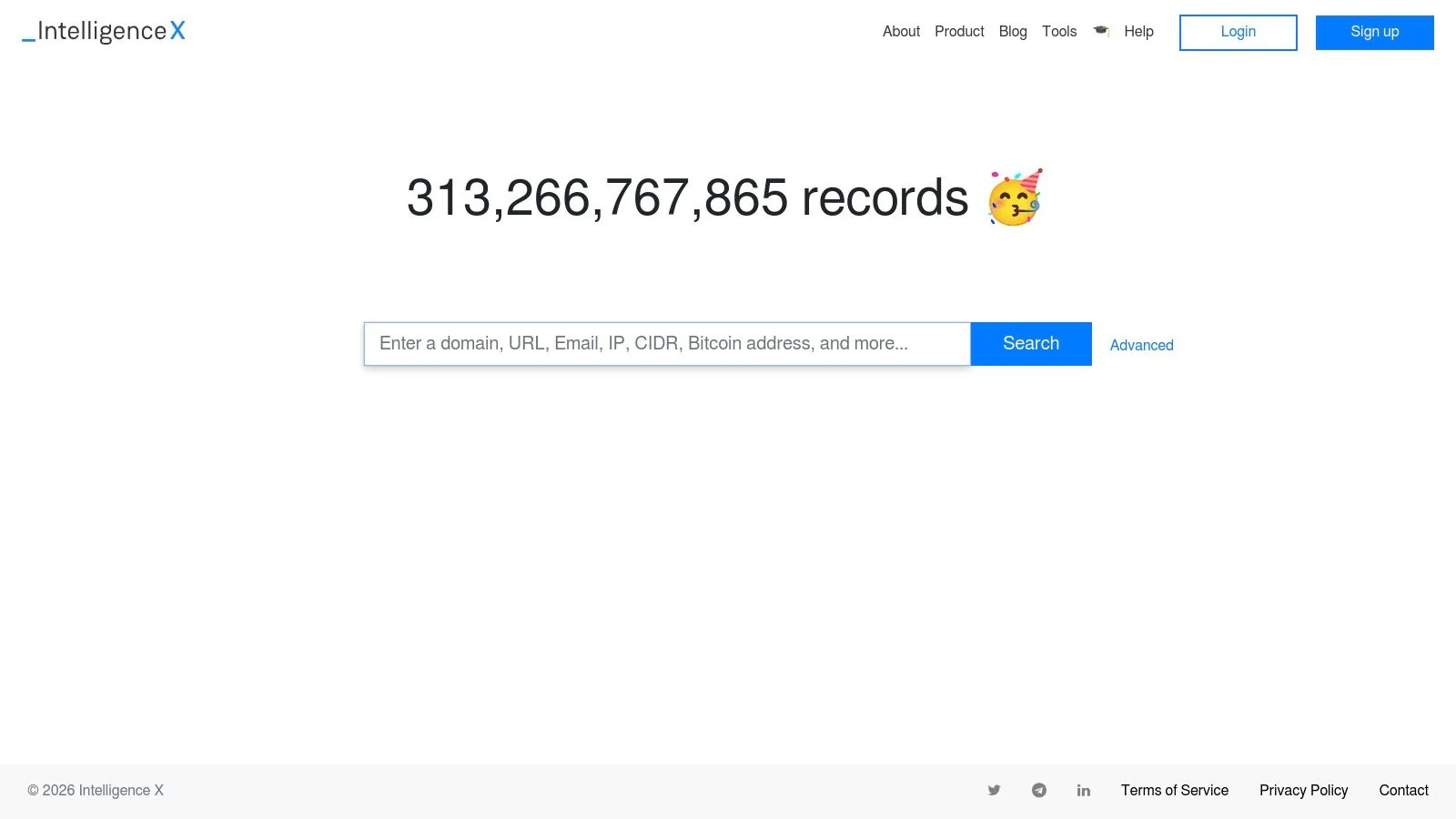
What makes Intelligence X one of the essential free OSINT tools is its archival nature. While other services might show current data, IntelX provides a historical snapshot, revealing how a website or data point appeared in the past. This feature is invaluable for tracking the evolution of a target's online presence or investigating data from past security breaches. The free tier offers generous daily search limits, making it highly accessible for initial reconnaissance.
Key Use-Cases & Limitations
Primary Uses:
- Breach Data Investigation: Search for email addresses or domains to see if they have appeared in publicly indexed data breaches or leaks.
- Historical Website Analysis: View archived versions of websites to uncover information that has since been removed.
- Dark Web Reconnaissance: Perform limited searches on indexed content from the dark web without needing to access it directly.
- Connecting Disparate Data: Find relationships between different selectors, like an email address and an associated domain or IP address.
Limitations: The most potent datasets, such as detailed stealer logs and advanced breach information, are reserved for paid subscribers. The free search capabilities are powerful but represent only a fraction of the platform's full potential. For individuals concerned about their exposure in such breaches, a comprehensive service is often necessary to interpret and act on the findings.
Website: https://intelx.io/
11. Have I Been Pwned
Have I Been Pwned (HIBP) is a foundational resource in the OSINT community, serving as a critical first stop for checking if an email address or password has been compromised in a data breach. Created by security expert Troy Hunt, this highly trusted service allows anyone to quickly query its massive database of credentials leaked from thousands of breaches. Its primary function is to enhance personal and organizational security by raising awareness of data exposure.
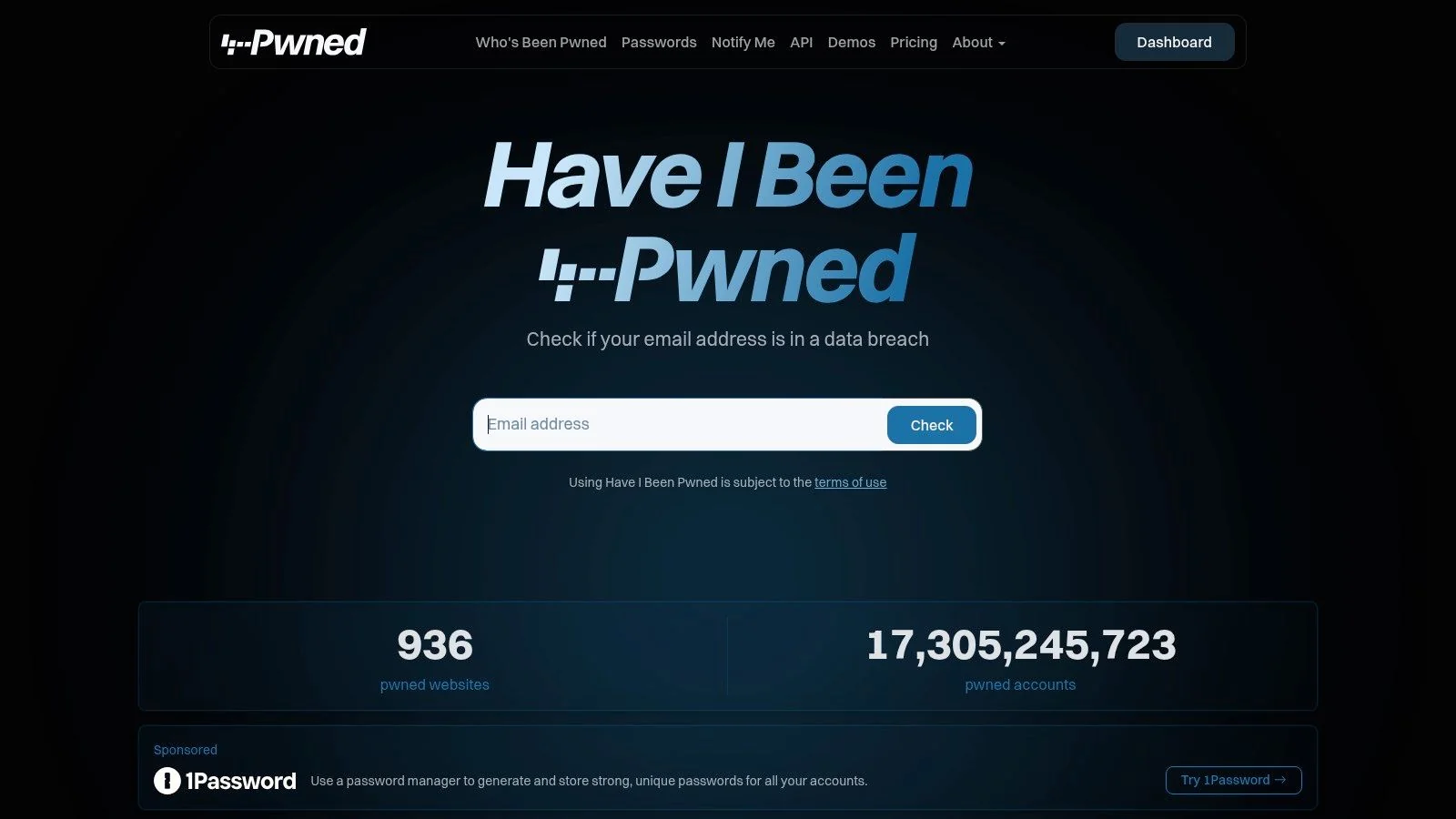
What sets HIBP apart is its reliability and commitment to data integrity. It only includes information from vetted breaches, making it a definitive source for verifying exposure. For an investigator, discovering that a target’s email appears in multiple breaches can provide clues about their online habits, past service usage, and potential password reuse patterns, which is invaluable for assessing security risks or building a profile. It stands as one of the most essential free OSINT tools for proactive security checks.
Key Use-Cases & Limitations
Primary Uses:
- Breach Verification: Instantly check if an email address was included in known, major data breaches.
- Password Security Check: Anonymously check if a specific password has appeared in a data leak.
- Proactive Security Monitoring: Sign up for notifications to be alerted if your email appears in a future breach.
- Initial Reconnaissance: Identify which services a target has likely used in the past based on breach data.
Limitations: While the public search is free and powerful, more advanced features like monitoring an entire domain for breaches or high-volume API access require a paid subscription. The service only tracks publicly disclosed breaches, so it won’t include data from private or undiscovered security incidents. For those seeking alternatives or more comprehensive breach analysis, it's worth exploring other options similar to Have I Been Pwned.
Website: https://haveibeenpwned.com/
12. Awesome OSINT (GitHub)
Similar to the OSINT Framework, Awesome OSINT is not a single tool but a massive, community-curated list hosted on GitHub. It serves as a comprehensive index, linking to hundreds of free OSINT tools, libraries, and resources. The list is meticulously organized by category, covering everything from username and social media analysis to dark web investigation and operational security, making it a rich source for both beginners and seasoned investigators.

What makes Awesome OSINT stand out is its open-source, collaborative nature. It is constantly updated by a global community of security researchers and OSINT practitioners, ensuring it remains relevant and often includes cutting-edge or niche tools not found in other directories. This makes it an invaluable resource for discovering specialized scripts or projects tailored to very specific investigative needs, far beyond typical people-search functions.
Key Use-Cases & Limitations
Primary Uses:
- Discovering Niche Tools: Find highly specialized, open-source tools for tasks like video forensics or wireless network analysis.
- Staying Current: Access the latest projects and scripts as they are developed and shared by the OSINT community.
- Learning and Exploration: Browse categories to deepen your understanding of the vast ecosystem of available free OSINT tools.
Limitations: As a GitHub repository, its primary drawback is the varying quality and maintenance of the linked projects. Many links lead to command-line tools that require technical expertise to install and use. Furthermore, some projects may be abandoned or outdated, requiring users to vet each tool's viability themselves. It serves more as a raw directory than a vetted framework.
Website: https://github.com/jivoi/awesome-osint
Top 12 Free OSINT Tools — Feature Comparison
| Tool | Core features | Quality & UX ★ | Price / Value 💰 | Target 👥 | Unique selling points ✨ |
|---|---|---|---|---|---|
| Digital Footprint Check 🏆 | Scans 500+ platforms (social, breaches, gaming), monitoring & remediation guides | ★★★★★ — Fast, user‑friendly; free 60s report | 💰 Free one‑time report; optional monitoring subs | Individuals, HR, job seekers, families, gamers | ✨ Broad source coverage, gaming detection, privacy‑first, 1k+ breaches tracked |
| OSINT Framework | Curated directory of hundreds of free OSINT tools by task | ★★★★☆ — Simple categorized tree for discovery | 💰 Free | Researchers, investigators, beginners | ✨ Quick discovery of working free tools and links |
| Bellingcat Toolkit | Curated tools, workflows, country‑by‑country tools map | ★★★★★ — High editorial quality and guides | 💰 Free | Journalists, researchers, verification teams | ✨ Methodology‑first resources and local data maps |
| SpiderFoot | Automated recon + 200+ modules, visualization, local/Docker runs | ★★★★☆ — Push‑button scans; visual correlations | 💰 Open‑source (free); paid hosted options may exist | Security teams, brand protection, researchers | ✨ Automated correlation, repeatable scans, visualization |
| Kali Linux | Full security distro bundling OSINT & pentest tools | ★★★★☆ — Powerful but requires Linux skill | 💰 Free | Pen testers, security pros, advanced users | ✨ One‑install toolkit + extensive docs and community |
| theHarvester | CLI enumeration of emails, subdomains, hosts from public sources | ★★★☆☆ — Fast, lightweight; CLI required | 💰 Free | Pen testers, sysadmins, investigators | ✨ Quick first‑pass footprinting via command line |
| Recon‑ng | Modular, scriptable OSINT framework with marketplace modules | ★★★★☆ — Scriptable; DB & key management | 💰 Free | Automation‑focused investigators, analysts | ✨ Modular marketplace and repeatable workflows |
| Shodan | Search engine for internet‑connected devices, API & monitoring | ★★★★☆ — Powerful web UI + API | 💰 Free tier; paid plans for deeper queries | Infra/security teams, researchers | ✨ Industry standard for device exposure intelligence |
| Censys | Internet‑wide host/service & TLS/SSL search for research | ★★★★☆ — Well documented for researchers | 💰 Free basic; paid credits for deep queries | Researchers, security analysts | ✨ Strong TLS/certificate research capabilities |
| Intelligence X | Selector search & archive (emails, domains, dark‑web, historical) | ★★★★☆ — Web/API access; daily limits | 💰 Free limits; paid licenses & API tiers | Breach investigators, researchers | ✨ Historical & some dark‑web archives; reverse lookups |
| Have I Been Pwned | Breach exposure lookup for emails/domains; domain monitoring | ★★★★★ — Trusted, simple UX | 💰 Free public lookup; paid domain monitoring/API | Everyone, IT/security teams | ✨ Highly trusted breach dataset and domain monitoring |
| Awesome OSINT (GitHub) | Community “awesome” list linking hundreds of OSINT projects | ★★★★☆ — Broad, community‑maintained index | 💰 Free | Tool hunters, researchers, hobbyists | ✨ Largest aggregated index for niche OSINT tools |
From Data to Defense: Building Your Personal Security Strategy
Throughout this guide, we have navigated the expansive landscape of Open Source Intelligence, exploring a powerful array of osint tools free for public use. From comprehensive resources like the OSINT Framework and Bellingcat's Toolkit to technical powerhouses like Kali Linux and theHarvester, you now have a clearer understanding of the capabilities at your disposal. These tools demonstrate, with startling clarity, just how much of your personal information is accessible online.
The journey, however, doesn't end with discovery. Finding scattered pieces of data is one thing; assembling them into a coherent picture of your digital exposure is the real challenge. The true goal is to transform this raw intelligence into a proactive personal security strategy that protects your reputation, finances, and personal safety.
From Technical Tools to Actionable Insights
For a cybersecurity professional, spending hours in a command line with tools like Recon-ng or analyzing network data from Shodan is part of the job. For the average individual, this is simply not feasible. The key takeaway is not that you need to become a professional investigator, but that you must recognize the type of information these tools can unearth about you.
Your digital footprint has a direct, real-world impact. It can influence a hiring manager's decision, affect your safety in the world of online dating, expose your family to risks, or make your gaming accounts a prime target for theft. A survey from the FBI’s Internet Crime Complaint Center (IC3) reported that victims of romance scams lost over $1 billion in 2022 alone, often due to scammers exploiting personal data found online. The information discovered through these tools, from breached passwords on Have I Been Pwned to publicly logged social media activity, forms the basis of your online vulnerability.
Choosing Your Path: Manual Investigation vs. Automated Analysis
Your next steps depend on your specific needs, technical comfort level, and the amount of time you can invest.
- For the Curious Learner: If your goal is to understand the fundamentals of OSINT, starting with resources like the OSINT Framework or exploring GitHub's Awesome OSINT list is an excellent entry point. These tools provide a structured way to learn without requiring deep technical knowledge.
- For the Technically-Minded: If you are comfortable with command-line interfaces and want to perform deep, specific investigations, installing tools like theHarvester or using the suite within Kali Linux will provide unparalleled control and depth.
- For the Proactive Individual: If your primary concern is managing your own digital footprint for privacy, reputation, or safety, the manual approach can be overwhelming. Sifting through endless search results and correlating data from dozens of sources is time-consuming. This is where an automated solution provides its greatest value, by consolidating the search and analysis process into a single, understandable report.
Regardless of the path you choose, the principle remains the same: you cannot protect what you do not know exists. Acknowledging and understanding your digital exposure is the foundational step toward securing your online identity. For a broader understanding of protecting your digital footprint, you might find valuable additional resources on security and privacy. Ultimately, using these osint tools free of charge empowers you to take control.
While the tools listed in this article are powerful for manual investigation, they require significant time and expertise to yield a complete picture of your online exposure. Digital Footprint Check automates this complex process, scanning hundreds of sources to provide a single, comprehensive report on your vulnerabilities. Take the first step towards proactive online protection and see what your digital footprint reveals by visiting www.digitalfootprintcheck.com/free-checker.