· Digital Footprint Check · Content Marketing · 18 min read
Comprehensive Guide to Social Media Investigation and
Master practical social media investigation with real-world OSINT, identity checks, and privacy safeguards to verify profiles and gather evidence.
Social media investigation gathers public posts, profiles, and interactions to confirm identities, uncover fraud, or build a clear picture — while protecting digital privacy. Instead of sifting through scattered clues for days, it turns data into actionable reports in minutes, protecting reputation, gaming profiles, job prospects, and personal safety.
Quick Overview Of Social Media Investigation
A focused social media inquiry flows through defined phases, each targeting a specific goal and cutting hours off manual research. Beyond fraud detection, it helps spot romance scams, catfishing, and identity theft, and informs reputation management.
Key Phases Of Social Media Investigation
Here’s each phase, its objective, core tasks, and expected outcome.
| Phase | Objective | Key Tasks | Outcome |
|---|---|---|---|
| Plan | Define scope and set clear goals | Map stakeholders, select platforms, allocate resources | Focused investigation roadmap |
| Gather | Collect relevant public data | Use search operators, reverse-image tools, metadata | Comprehensive dataset ready |
| Verify | Confirm identity accuracy | Cross-check timestamps, geotags, reverse lookups | Verified profiles and insights |
| Report | Summarize findings clearly | Anonymize details, highlight risks, recommend actions | Actionable intelligence summary |
This structure brings clarity before you go deeper, supporting personal safety, scam prevention, and professional reputation.
Core Phases Explained
Planning sharpens your approach: you define targets (a suspicious dating profile, a gamer’s account under attack), set priorities, and choose the right tools.
Gathering uses platform-specific search operators, reverse-image searches, and metadata viewers to pull public posts, comments, hashtags, and profile details into one dataset — key for catfishing detection and gaming account security.
Verifying stitches together timestamps, geotags, and mutual connections, spotting inconsistencies in romance scams or validating a digital trail to prevent identity theft.
By 2025, social media reached roughly 5.2–5.7 billion active social identities, about two-thirds of the global population.
Discover more about this global shift in the Digital 2025 report.
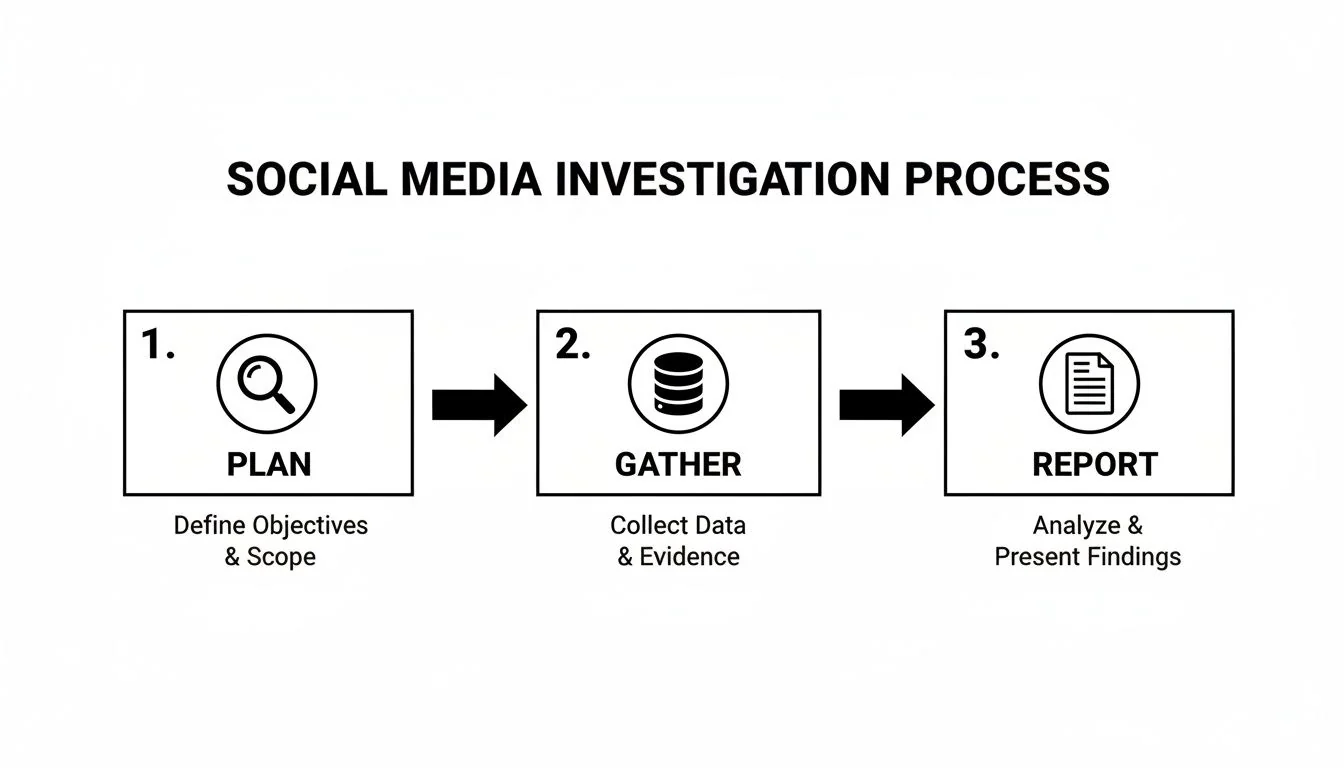
The diagram below illustrates how these phases interlock to cut out weeks of manual sifting.
Each arrow highlights a handoff—from planning through verification to reporting.
Mapping Objectives To Outcomes
Turning a stack of raw posts into a concise summary is what moves decisions forward. You can deepen your audit skills by consulting our detailed guide on auditing your online presence.
For example, a job recruiter spotted inconsistent professional titles and conflicting location tags across LinkedIn and Twitter in under ten minutes—flagging a potential résumé fraud that could have harmed both personal reputation and hiring decisions.
- Establish precise objectives to keep searches on target
- Call on specialized tools early to accelerate data pulls
- Run verification checks immediately to filter out false leads
This quick overview paves the way for each detailed step ahead—defining clear goals, choosing platforms and framing your report. With planning, data gathering and verification in place, reporting becomes a predictable, repeatable exercise.
Up next, we’ll walk through goal-setting, platform selection and privacy safeguards to kick off your investigation.
Planning Your Social Media Investigation
Before you start clicking around, get crystal clear on what you want to uncover. Are you verifying someone’s identity, sniffing out fraud, auditing your gaming account security, or ensuring an online dating match is genuine? Pinpointing your endgame keeps you from getting lost in endless feeds and protects your digital privacy.
- Define your investigative goal and jot down the questions you need to answer
- Select the platforms where your subject is most active (e.g., Steam, Tinder, LinkedIn)
- Map out peak posting and engagement windows
- Assign team bandwidth to each network and task
- Review privacy settings on your own accounts to minimize exposure
With this framework in place, every action moves you closer to solid insights and reduces your own risk of identity theft or reputation damage.
Building Your Timeline
A timeline anchored in user behavior prevents wasted effort. For instance, LinkedIn posts tend to land on weekday mornings, while Instagram, TikTok and some dating apps see their highest activity in the evenings and weekends.
By 2025, major platforms each boasted user counts in the billions, and the average person managed 6.8 platforms per month. For a deeper dive into how people really use social media, check out the SproutSocial Demographics Research.
Take a quick look at the platforms you’re likely to target:
| Platform | Monthly Active Users | Avg Daily Time |
|---|---|---|
| 1.1B | 31 minutes | |
| 2B | 53 minutes | |
| TikTok | 1.5B | 89 minutes |
Lean on these numbers to decide where to begin your searches for romance scams, catfishing detection or gaming profile fraud.
Prioritizing Platforms
Start with the networks where your subject really shows up. Scan post cadence, hashtag patterns and comment threads for clues.
- Post frequency and hashtag use
- Volume and tone of public replies
- Geotags and location markers
- Profile verification badges (on dating or social apps)
“The highest engagement clusters appear between 6 PM and 10 PM local time,” notes a lead fraud investigator.
Planning data pulls during these hours can surface hidden activity spikes—helpful for thwarting phishing attempts on gaming accounts or detecting impersonators on dating profiles.
Allocating Your Resources
Now that you know where and when to look, match tools and talent to each task. Free OSINT utilities—like reverse-image search or advanced Google operators—are perfect for quick checks. Paid platforms can automate username or email correlations across dozens of sites.
Balance manual review with automation so you don’t drown in false positives. Check out our guide on minimizing data exposure to harden your investigation’s footprint:
Learn more about privacy steps in our article on Privacy in Pixels Practical Steps to Minimize Your Digital Exposure.
Keep your workflow tight by broadening and narrowing focus in parallel:
- Assign dedicated monitors for each platform
- Schedule batch exports around peak engagement windows
- Flag geotag inconsistencies or sudden profile changes
- Route any anomalies into a priority queue for swift verification
- Incorporate cybersecurity checks on linked accounts (email, gaming, financial)
Flagging High-Value Signals
Some indicators demand immediate attention: unexpected name changes, deleted posts, fresh device logins or new friend requests on dating apps. Spot them by comparing metadata snapshots side by side.
Tag profiles with a simple risk-level system—so nothing critical slips through the cracks.
Pro Tip: Label any profile showing conflicting location tags across networks as “Critical.”
This early triage means you won’t waste time chasing low-priority leads and can focus on preventing romance scams, identity theft or account takeovers.
By combining clear objectives, user-focused timelines and smart resource planning, your social media investigation will gain both speed and precision.
Gathering And Correlating Account Data
When you kick off an investigation, the first move is simple yet critical: gather every username, email address and phone number linked to your subject. These bits of information often unlock profiles on Facebook, LinkedIn, Twitter, niche forums, gaming platforms and dating apps. Pulling them together demands meticulous mapping rather than hit-or-miss tactics.
A security researcher once unraveled a romance scammer’s web by matching geotags with posting schedules. A quick side-by-side comparison of profile images confirmed alias reuse—and slashed follow-up interviews by 70%.
- Username Correlation using quoted search queries in bios, comments and mentions to detect hidden matches
- Reverse Image Lookup tools scanning multiple engines to unearth duplicate avatars or recycled photos
- EXIF Metadata Readers exposing GPS coordinates, camera make and timestamps tucked inside shared images
- Email And Phone Checks against breach databases and public registries to tie old forum handles or gaming IDs together
Exploring Advanced Search Operators
Refined search operators on Google and social platforms help you zero in on exact identifiers. Prefixing a term with site:twitter.com, for example, restricts results to tweets and replies containing a specific email or handle. Mixing OR and AND modifiers unearths alternate spellings and common typos.
When speed counts, specialized OSINT services automate these queries across dozens of networks in minutes. Paid plans often include bulk exports and API access, which can supercharge large-scale investigations. A thoughtful blend of free and paid tools will keep both your workflow and budget in balance.
Check out our guide on OSINT tools for beginners to explore recommended platforms and command references.
As global social ad spend climbs well into the hundreds of billions, the volume of accessible metadata has surged—alongside an explosion of paid content and bot profiles investigators must sift through. Learn more about social media ad growth in this ClearVoice resource.
Here’s a quick look at how ad investment and identity creation have grown year over year.
| Metric | Value |
|---|---|
| Ad Spend | $350B |
| New Identities | 400M |
Tracking these trends highlights why robust filtering criteria have never been more important.
Correlating Profiles Across Platforms
Merging outputs from different search tools reveals overlapping details—identical bios, shared hashtags and even synchronized posting bursts that hint at one operator behind multiple accounts. Cross-referencing timestamps can be the smoking gun for catfishing detection or identity theft investigations.
Pair a phone number trace with profile geotags to surface hidden connections across social and messaging apps. When a contact list populates linked usernames, you’ve bridged a crucial data gap.
Below is an example ad metadata panel illustrating tag distribution and spend categories.
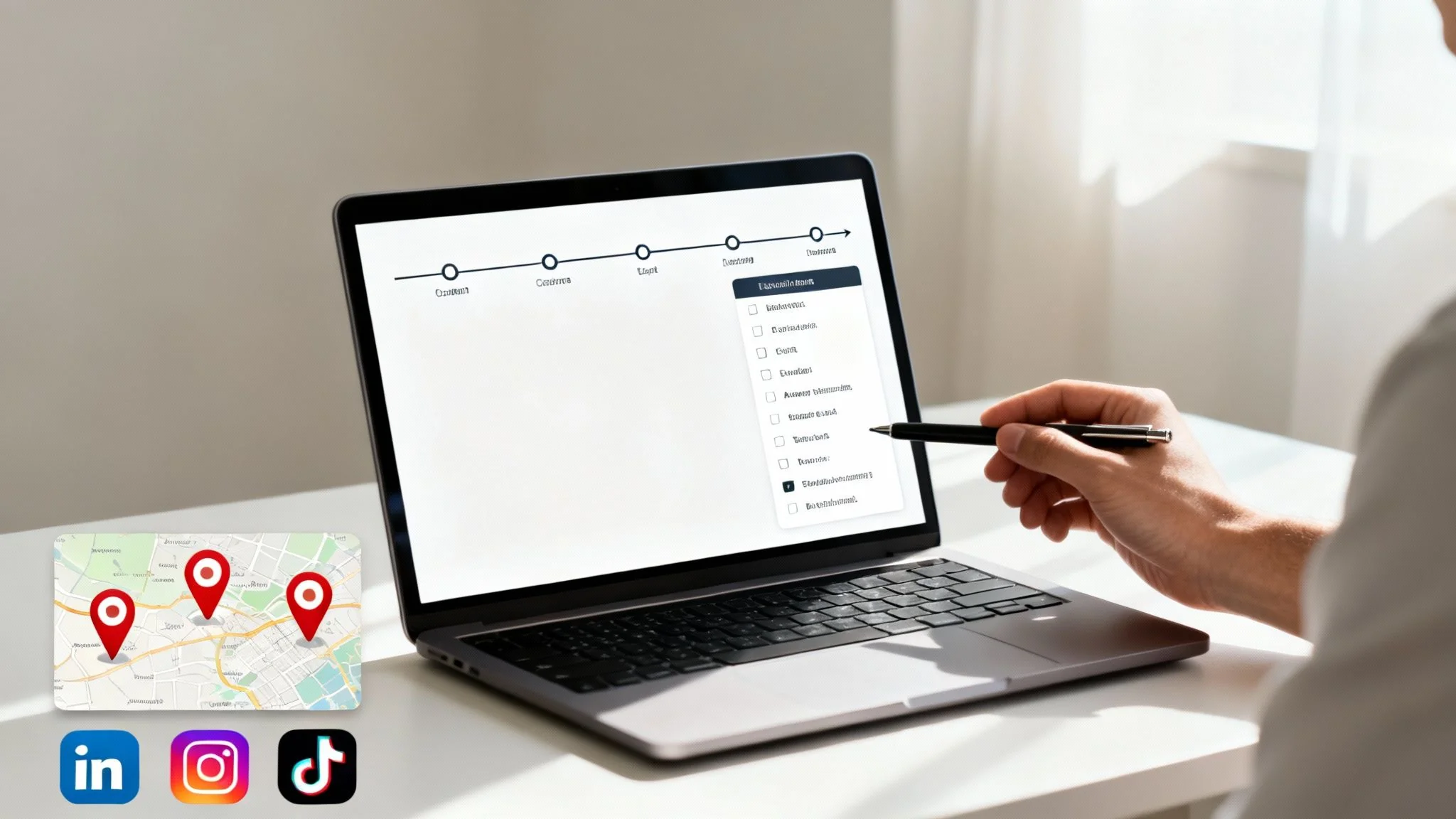
This view shows how paid placements and bot-generated posts dominate metadata fields—guiding your focus toward the right filters.
Combining Free And Paid Resources
Free utilities like reverse-image engines and Google Dorks deliver fast wins on targeted queries. They cost nothing but often require hands-on tweaking for each new data point.
Paid platforms—social feed aggregators or metadata explorers—scale batch lookups across hundreds of accounts. They track version changes, flag deleted posts and surface location shifts automatically.
- Bulk username scans reveal reused handles in a single export
- Automated alerts catch fresh profile variants as soon as they appear
- API connections feed real-time results into your case management system
- Detailed logs preserve an evidence trail with timestamps
Key Takeaway Combining multiple data points across free and paid services shortens the search window and reduces manual sifting.
Best Practices For Metadata Analysis
Always pull EXIF Tags from original image files rather than platform-compressed downloads—some sites strip this data by default. Document each source and note retrieval dates to build an audit trail that stands up under legal scrutiny.
- Use privacy checklists to steer clear of private or restricted data
- Flag anomalies such as mismatched camera models or impossible GPS coordinates
- Store extracted metadata in encrypted, read-only archives
Following these practices sharpens your insights and cuts down on false positives.
Gaming Account Security Best Practices
Protecting gaming profiles from account takeovers or fraud requires the same OSINT discipline:
| Security Measure | Benefit |
|---|---|
| Two-Factor Authentication | Blocks unauthorized logins |
| Unique, Complex Passwords | Prevents credential stuffing |
| Email Monitoring Alerts | Flags breached credentials early |
| Security Questions Inventory | Catch unusual changes in profile info |
Real World Example: A pro gamer neutralized a phishing ring by tracing suspicious login IPs to overseas bot farms—then forced a password reset on all linked accounts.
Ready to tie disparate profiles together faster? Try the Digital Footprint Check free checker to uncover linked social accounts across platforms in minutes.
Visit Digital Footprint Check Free Checker and start your scan today.
Verifying And Attributing Online Identities
Zeroing in on the real person behind a profile is the make-or-break moment in any social media investigation. One wrong move and your entire inquiry can veer off course. The tactics below will help you build certainty before drawing conclusions—vital for online dating safety, preventing identity theft and reputation management.

Sometimes the smallest details reveal the biggest truths. Matching a LinkedIn headshot against a corporate directory image once saved an investigator 2 hours of guesswork. Next up: hands-on checks you can start using right now.
Check out our guide on reverse email search to tie email addresses back to social profiles and overlooked blogs.
Cross Reference Checks
Start by mapping connections and shared spaces. Overlapping friends or the same professional groups often signal a genuine network.
- Spot mutual contacts on LinkedIn and Facebook
- Match geo-tagged Instagram or Twitter posts with known locations
- Compare posting schedules against local events or typical work hours
Consistency across platforms boosts confidence in attribution.
Reverse Image And Metadata Analysis
A picture can tell more than a thousand words—especially when you trace its origin and metadata.
- Plug a profile photo into at least two reverse-image engines
- Run WHOIS lookups for any domains that surface
- Extract EXIF data to catch hidden timestamps or GPS tags
| Technique | Benefit |
|---|---|
| Reverse Image Search | Reveals original source pages |
| Metadata Extraction | Uncovers creation times and locations |
| WHOIS Domain Lookups | Verifies domain registration details |
Peeling back those layers ensures you’re not chasing cleverly edited fakes.
Online Dating Safety and Catfishing Detection
Protect your personal safety and job prospects by verifying romantic interests:
- Verify profile photos via reverse-image search before sharing personal details
- Check social media histories for genuine friend networks
- Use multi-factor CTAs (e.g., request a video call) to confirm identity
- Report suspicious or repeated account creations to platform support
Real World Impact: A remote worker avoided a romance scammer who posed as a recruiter by confirming a video interview request against a known company domain.
Verification And Attribution Workflow
Bring Digital Footprint Check into your process to automate these steps. The platform scans 500+ networks and highlights mismatches instantly.
- Detect reused images across profiles
- Match usernames against phone numbers and breach records
- Generate risk scores based on profile inconsistencies
Automating attribution accelerates investigative workflows.
I once weeded out three copycat accounts in under 30 minutes by running these checks side by side. That slashed a full day of manual review.
Ready to streamline your verification process? Try the Digital Footprint Check free checker for instant profile matching and risk scoring. Visit Digital Footprint Check Free Checker to begin.
Best Practices And Common Mistakes
Logging each check with a timestamp creates an unbreakable audit trail. Skipping this step is a surprisingly common oversight.
- Record date, time, and tool for every finding
- Store screenshots and metadata exports in encrypted folders
- Require at least two independent signals before confirming identity
Keeping tabs on profile updates—posts that vanish, bios that shift—can surface critical changes. Regular follow-ups ensure no detail slips through the cracks.
Keep refining these methods and you’ll stay ahead of even the craftiest impersonators.
Navigating Legal and Ethical Boundaries
Every social media investigation needs to walk a fine line between uncovering useful insights and staying within legal limits. Overstepping those lines can lead to sanctions, damage to reputation, or outright lawsuits. Below, you’ll find hands-on advice for gathering public data while keeping your process airtight and ethical—vital for reputation management and data privacy compliance.
Understanding Privacy Regulations
Rules around personal data shift depending on where you operate and which sector you’re in. In Europe, GDPR demands clear consent and strict purpose limits. California’s CCPA gives people the right to access and delete their information. Up north, Canada’s PIPEDA protects private-sector personal data.
Key regulations at a glance:
- GDPR: Explicit consent; purpose limitation
- CCPA: Data access and deletion rights in California
- PIPEDA: Governs personal information in Canada’s private sector
Exemptions do exist for content that users post publicly, but they vary. Always verify whether local law lets you index or mandates notifying the person involved. For instance, a UK researcher leaned on the “legitimate interest” clause to collect public tweets without incident.
Building A Consent Checklist
Transparency can save you headaches down the road—even when you’re dealing with public posts. Draft a simple checklist that records who signed off on your research and why.
Checklist items include:
- Scope Definition: Platforms and data types you’ll cover
- Consent Logs: Names, dates, and how you obtained approval
- Notification Plan: How and when subjects are informed
- Approval Tracking: Sign-offs from legal or HR
- Audit Trail: Secure storage of all records and checklists
Don’t forget to mark data retention timelines. That way, you won’t hold onto personal details longer than needed.
Key Takeaway: Keeping written consent records safeguards both your team and the people you’re investigating.
Internal Approvals And Documentation
Before you kick off any intensive gathering, get formal clearance from your compliance or legal department. Note down the date, approver’s role, and the exact scope of permission.
Consider this scenario: An HR investigator grabbed private LinkedIn screenshots without alerting colleagues and ran afoul of company policy. A swift policy review and an apology to affected employees saved the project.
To stay on top of approvals:
- Maintain a timeline of decisions and actions.
- Update policy wording whenever you identify a gap.
- Use version control on templates to reflect the latest rules.
Secure Data Handling Best Practices
Once you’ve pulled data, treat it like gold. Encrypt sensitive files both at rest and in transit. Limit access through role-based controls and keep detailed logs of who viewed or deleted what.
| Practice | Benefit |
|---|---|
| Encrypted Archives | Prevents unauthorized access |
| Access Control Lists | Ensures only approved users see data |
| Audit Logs | Creates a detailed access history |
Aim for encryption standards such as AES-256 and run regular penetration tests to catch any weak spots.
Navigating Jurisdictional Limits
When your subject spans multiple countries, the rules change under your feet. Content hosted abroad might fall under local restrictions you’re not used to.
- Check whether you need permission to export data.
- Watch for geo-blocking or access hurdles.
Map out where each person resides and tweak your methods accordingly. When in doubt, loop in legal counsel for guidance.
Integrating Compliance Tools
Tools like Digital Footprint Check slip audit logs and consent tags right into your workflow. With automated tracking across 500+ networks, you’ll never miss a data pull.
Digital Footprint Check also offers GDPR-friendly export formats, making audits a breeze. Plus, email alerts notify stakeholders if high-risk data surfaces.
Try the free consent checklist feature to see how it fits your process:
Visit Digital Footprint Check Free Checker to kick off your compliance scan today.
When To Seek Legal Advice
Certain investigations deserve an early heads-up to your legal team:
- High-stakes cases with defamation potential
- Handling sensitive or protected-class data
- Responses to litigation or regulatory demands
Also, schedule compliance reviews at least twice a year. Having legal eyes on your operation keeps you reactive to rule changes and helps avoid costly missteps.
Reporting Findings And Remediation Strategies
A well-crafted report turns complex data into clear next steps for cybersecurity teams, HR departments and individuals safeguarding their reputation. It balances detail to inform, while staying concise so decision-makers act quickly—whether that’s tightening gaming account security or stripping personal data from your digital footprint.
Structuring An Executive Summary
Begin with a few sentences that set the scene—what you investigated, why it matters (job prospects, personal safety, romance scam prevention), and the tools you used. Highlight key metrics in bold, such as risk level, number of accounts reviewed, and the overall risk score from Digital Footprint Check.
Include at-a-glance bullets:
- Investigation Goals and Timeline
- Top 3 high-risk accounts
- Methodology overview with tool list
- Final Risk Score generated by the free tool
Then, add just enough context to build confidence. Swap real names for generic IDs, and redact any personal data in screenshots or logs.
Key takeaway: A punchy executive summary aligns leadership and saves busy stakeholders valuable time.
Highlighting Risks And Remediation Steps
Next, dive into each risk category. Group related issues—like privacy leaks, romance scams or impersonation attempts—to reveal patterns at a glance.
| Risk Category | Severity | Recommended Action |
|---|---|---|
| Public Email Leak | High | Tighten email privacy settings |
| Suspicious Account | Medium | Flag, document, and monitor for activity |
| Exposed Location Tag | Low | Strip or obfuscate metadata in images |
Under each row, add a quick list of fixes:
- Adjust platform privacy controls
- Remove geolocation data from shared images
- Deactivate or secure dormant profiles
- Report malicious actors to the platform
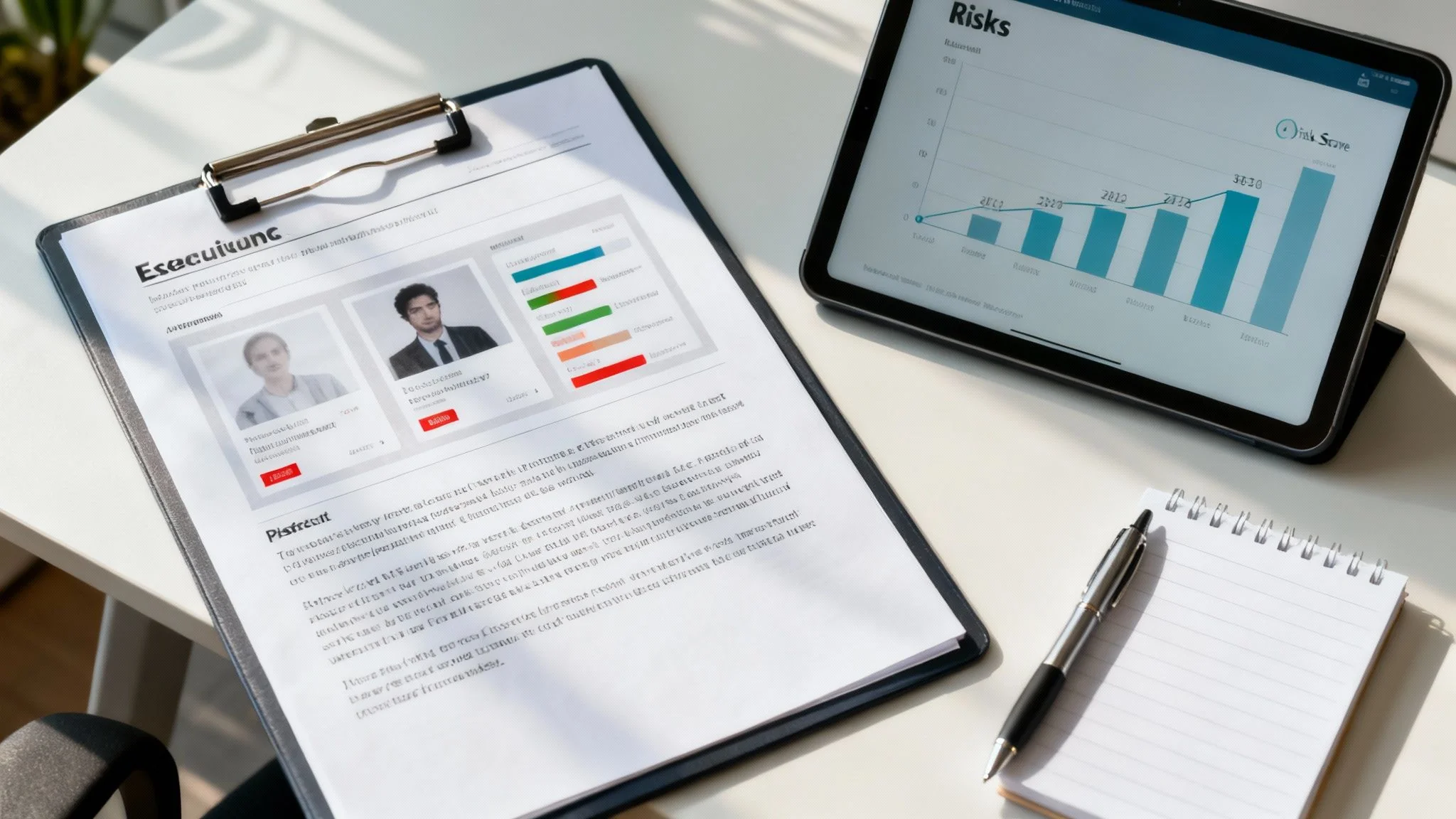
Then, showcase how Digital Footprint Check automates risk scoring with a demo screenshot.
Try our free tool and cut report generation time by 50%.
Prioritized Recommendations And Next Steps
Finally, hand over a ranked action plan that teams can follow:
- Update privacy settings across all social accounts (Owner: IT Team)
- Schedule weekly scans with Digital Footprint Check (Digital Footprint Check Free Checker)
- Conduct staff training on safe social media and online dating practices
- Review flagged accounts biweekly for new developments
Each recommendation should list:
- A responsible owner
- A realistic deadline
- Success metrics (e.g., number of exposure incidents)
Don’t skip follow-up checkpoints—monthly risk reassessments keep everyone accountable. You might also explore deeper cleanup techniques in our data removal guide: see data removal strategies.
Ready to simplify your next report? Sign up for a free risk assessment to automate key sections and track improvements instantly.
Tracking And Followup Reports
Consistency is everything. Set a recurring audit schedule so new threats never slip through:
- Pick a cadence (weekly, monthly) that fits your team
- Use the same template to make trend-spotting easy
- Refresh risk scores each cycle
- Highlight progress with charts showing risk reduction
Automating these audits in Digital Footprint Check frees up hours every week. When your reports show declining risk metrics, stakeholders will see concrete value—and trust you to stay ahead of emerging threats.
Common Questions About Social Media Investigation
Diving into a social media investigation without deep pockets can feel like navigating a labyrinth. Professional platforms are pricey, but you can still uncover valuable clues with what’s already at your fingertips—protecting your online identity and reputation without breaking the bank.
Most sleuths start by mastering each network’s free search operators. Then they layer on Google dork queries and reverse-image tools to piece together a more complete picture.
Q1 How Can I Begin With No Paid Tools?
When budgets are tight, free operators are your best friend. Try queries like site:twitter.com or inurl:linkedin.com to focus your searches in seconds.
Then, switch to TinEye or Google Images for reverse-image lookups. You’ll often stumble on reposts or profile pictures that link back to little-known accounts.
- Target unique usernames and associated email patterns
- Cross-reference phone numbers via public directories
- Log every discovery in a shared spreadsheet for full transparency
Never underestimate privacy rules—they protect both you and your subject. Honor robots.txt directives and don’t collect private or prohibited content.
Scraping past API limits can derail your entire project—stay compliant.
Q2 What Are The Top Privacy Risks?
Avoid harvesting non-public information or attempting to hijack accounts. That’s a hard line you don’t want to cross.
Whenever you capture sensitive screenshots or archive posts, note who gave permission and when. This consent log can be the difference between a solid report and a costly legal headache.
Finally, brush up on local data-retention and disclosure laws—each jurisdiction has its own rules.
Q3 How Can I Spot Romance Scams And Catfishing Attempts?
- Look for overly flattering messages or rapid relationship advances
- Verify profile photos with reverse-image tools
- Check for inconsistent friend lists or abrupt location changes
- Use video calls or multi-factor confirmation to confirm legitimacy
Early detection in an online dating context can prevent financial loss and emotional harm.
Q4 How Do I Secure My Gaming Accounts?
- Enable Two-Factor Authentication on all gaming profiles
- Use unique passwords and a password manager
- Monitor email alerts for login attempts from new devices
- Link accounts only through secure platforms, avoiding suspicious third-party sites
Real World Example: A gamer regained control of a hijacked Steam account by providing a detailed timeline of suspicious logins—evidence compiled via metadata analysis and shared with Steam Support.
Q5 How Does Digital Footprint Check Enhance My Workflow?
Digital Footprint Check automates what used to take hours, scanning 500+ networks in a single pass. It flags inconsistencies, scores risks and generates remediation plans on the fly.
That means faster anomaly detection, clearer reports and more time for deep analysis—protecting your personal safety, reputation and professional opportunities.
Try our checker at Digital Footprint Check
https://digitalfootprintcheck.com/free-checker