· Digital Footprint Check · Content Marketing · 21 min read
How to Remove Your Digital Footprint in 2026: a Practical
Learn how to remove digital footprint with this guide. Discover, delete, and protect your personal data online in 2026 for good.

If you’re serious about taking back your privacy, you can’t just start deleting things randomly. To effectively remove your digital footprint, you first need to understand what it contains, find all the data you’ve scattered across the web, and then methodically remove it. This guide provides a practical roadmap for auditing your online presence, cleaning house on social media, and tackling the harder-to-erase data held by brokers and public records sites, with real-world examples of why it matters.
Understanding Your Digital Footprint and Its Risks
Before you can erase your past, you have to know what you’re up against. Your digital footprint is the complete trail of data you leave behind every time you go online. This trail isn’t just a single stream of information; it’s split into two very different categories that, together, paint a detailed picture of who you are, affecting everything from your job prospects to your personal safety.
Think of it as your online life having both a public-facing persona and a hidden background profile. A crucial, though often overlooked, step is proactively reviewing privacy policies for every service you sign up for, as they spell out exactly how your data is being gathered and sold.

Active vs. Passive Data: What You Share vs. What They Take
Your footprint is a mix of active data—information you knowingly share—and passive data, which is collected quietly in the background, often without you even noticing. Getting a handle on this difference is the first real step toward regaining control. Both types of data have tangible, real-world consequences that can directly affect your life.
Active vs. Passive Digital Footprint At a Glance
| Footprint Type | How It’s Created | Common Examples | Real-World Impact |
|---|---|---|---|
| Active | You consciously create and share this data. | Social media posts, forum comments, online dating profiles, blog articles. | An old, unprofessional post could cost you a job. A public profile on a gaming site might reveal personal details to strangers. |
| Passive | Data is collected from your online activity. | Browsing history (cookies), IP address, app location tracking, data broker profiles. | Your location history could be used for stalking. Scraped data from public records can fuel identity theft and romance scams. |
The active footprint is what you do online, while the passive one is what’s done to you. Managing both is critical for online identity protection.
The Real-World Impact on Your Life and Career
Still think this is just abstract data? Consider this real-world scenario: a talented candidate applying for a competitive finance role was abruptly rejected. The reason? A decade-old forum post where he casually discussed an interest in high-risk, speculative investments. To the hiring manager, this signaled poor judgment, even though it was just an old, forgotten comment.
This isn’t an isolated incident. A 2025 CareerBuilder survey found that 79% of employers use social media and online searches to screen candidates, and 57% have found content that caused them not to hire someone. Your online past can, and often does, dictate your future job prospects.
A recent Pew Research study highlighted a startling truth: nearly 60% of Americans believe it’s not possible to go through daily life without having their data collected. This feeling of powerlessness fuels the desire to take action.
The risks go far beyond your career. In an alarming case from 2025, a woman using an online dating app became the victim of a real-life stalking incident. The perpetrator found her home address on a data broker site—information scraped from public records and other online sources without her ever knowing. This is a common tactic in romance scams and catfishing schemes, where criminals exploit public data to build trust or intimidate victims.
Exposed personal details, especially your date of birth, home address, and phone number, are prime targets for malicious actors. These data points are the primary fuel for identity theft, a crime that impacted over 1.5 million people in the US in 2024 alone, according to FTC data.
These examples show that failing to manage your online data isn’t just a privacy issue—it’s a matter of personal safety, online reputation, and financial security. As you begin the process to remove your digital footprint, remember that you’re taking a critical step to protect yourself from very real threats. The journey starts with a thorough audit to uncover exactly what information is out there.
Step 1: Audit Your Exposure with Advanced Search and Automated Tools
You can’t delete what you don’t know exists. Before you can start the cleanup, you have to play detective and figure out exactly where your personal information is hiding online. This audit is your starting point, showing you everything that needs to go—from that ancient gaming profile you forgot about to a cringey comment you left on a forum a decade ago. It all begins with a simple Google search, but to really find the skeletons in your digital closet, you need to dig much, much deeper using OSINT (Open-Source Intelligence) techniques.
Master Advanced Search Techniques
Think of advanced search operators as your secret weapons. These are simple commands that force search engines like Google to get specific, helping you unearth data that a standard search would miss. This is the first, and most eye-opening, part of your manual audit.
Here are a few powerful operators to get you started:
"Your Name" site:forums.com: This searches for your exact name, but only on a specific website. It’s perfect for checking old forums or community sites you used to be active on."Your Username" -site:twitter.com: This finds every place your common username appears online while excluding a site you already know about, like your active X account.filetype:pdf "Your Name": You’d be shocked at how many old résumés, newsletters, or even academic papers with your name on them are floating around as PDFs. This command finds them.
Try running these searches with every piece of data you can think of: old email addresses, past phone numbers, physical addresses, and all your common usernames. This is your initial reconnaissance mission to map your exposure.
Conduct Reverse Image and Username Searches
Your online exposure isn’t just about text. Photos of you can end up in the weirdest places, from a stranger’s blog post to a fake social media profile using your face for catfishing. A reverse image search (using tools like Google Images or TinEye) is where you upload a common profile picture of yourself, and the search engine shows you every other place that same image appears online.
Most of us are also guilty of recycling the same one or two usernames everywhere. A username check involves running your favorite handles through tools that search hundreds of websites at once. This is an absolute must for gamers, as profiles on platforms like Steam or Discord can hold years of personal chats and connections that are often public and can be a target for gaming account security breaches.
Doing this manual audit is a grind, there’s no way around it. But it’s also critical. You get a firsthand look at just how fragmented and scattered your information really is, often uncovering accounts and posts you have zero memory of creating.
Accelerate Your Audit with Automated Tools
Manual searches give you a good feel for your exposure, but they are painfully slow and will always be incomplete. It’s simply not possible to manually check the thousands of data broker sites, people-search engines, and niche communities where your information is bought and sold. This is where automated tools go from being a “nice-to-have” to an absolute necessity.
For instance, a dedicated scanning tool can take a single piece of information, like an email address, and instantly surface the accounts tied to it.
A service like Digital Footprint Check turns what would be a week-long manual slog into a quick, focused scan. By feeding it an email or username, the platform checks it against a massive database of over 150 data brokers and thousands of data breaches.
This automated approach gives you a complete inventory of your exposed data, creating a clear, actionable hit list of accounts and profiles you need to deal with. To start your audit, you can find all accounts associated with an email address and get your cleanup started. This initial audit is the most important step in the entire process—it’s the foundation for everything that comes next.
Step 2: A Tactical Guide to Deleting Your Data
With your digital audit complete, you should now have a hit list of exposed data. This is where the real work begins—methodically scrubbing your information from the web. The best way to approach this is to start with the low-hanging fruit (your old accounts) before moving on to the more stubborn targets like data brokers.
Pruning Your Old Accounts and Profiles
The first move is to tackle the accounts you directly control. Think of all those forgotten profiles you dug up during your audit—old social media, unused shopping sites, and defunct gaming accounts. These are the easiest wins because you already hold the keys.
Go through and permanently delete any accounts you no longer use. This means old social media profiles on platforms like Facebook or X (formerly Twitter), marketplace accounts on sites like eBay or Etsy, and even public wish lists on Amazon.
Each platform has its own deletion process, often buried deep in the settings menus. To save you some time, here are direct links to get you started on the major ones:
- Facebook: Use their Delete Your Account page. Just remember, deactivating only hides your profile; deleting it is permanent.
- X (formerly Twitter): You can Deactivate your account, which queues it for permanent deletion after 30 days.
- Instagram: You’ll need to access the Delete Your Account page from a web browser, not the app, to kick off the process.
- LinkedIn: Head into your settings to Close Your Account and wipe your professional history.
Getting rid of these accounts removes a huge chunk of the active data you willingly shared over the years. This single action can prevent old posts or photos from being used against you in a professional context or exploited by scammers.
The Battle Against Data Brokers
While deleting old accounts is a solid start, the next fight is against the passive data held by companies you’ve probably never heard of: data brokers and people-search sites. These are companies whose entire business model revolves around collecting, packaging, and selling your personal information.
They get your data legally by scraping it from all over the place:
- Public Records: Court documents, property records, and voter registration lists.
- Commercial Sources: Magazine subscriptions, customer loyalty programs, and old warranty cards.
- Web Scraping: Social media profiles, forum posts, and other publicly available online content.
The profiles they sell can include your full name, current and past addresses, phone numbers, email addresses, date of birth, and even the names of your relatives. This is the exact information that fuels identity theft, doxxing, and sophisticated phishing scams. Getting your data off these sites is a frustratingly manual, one-by-one process.
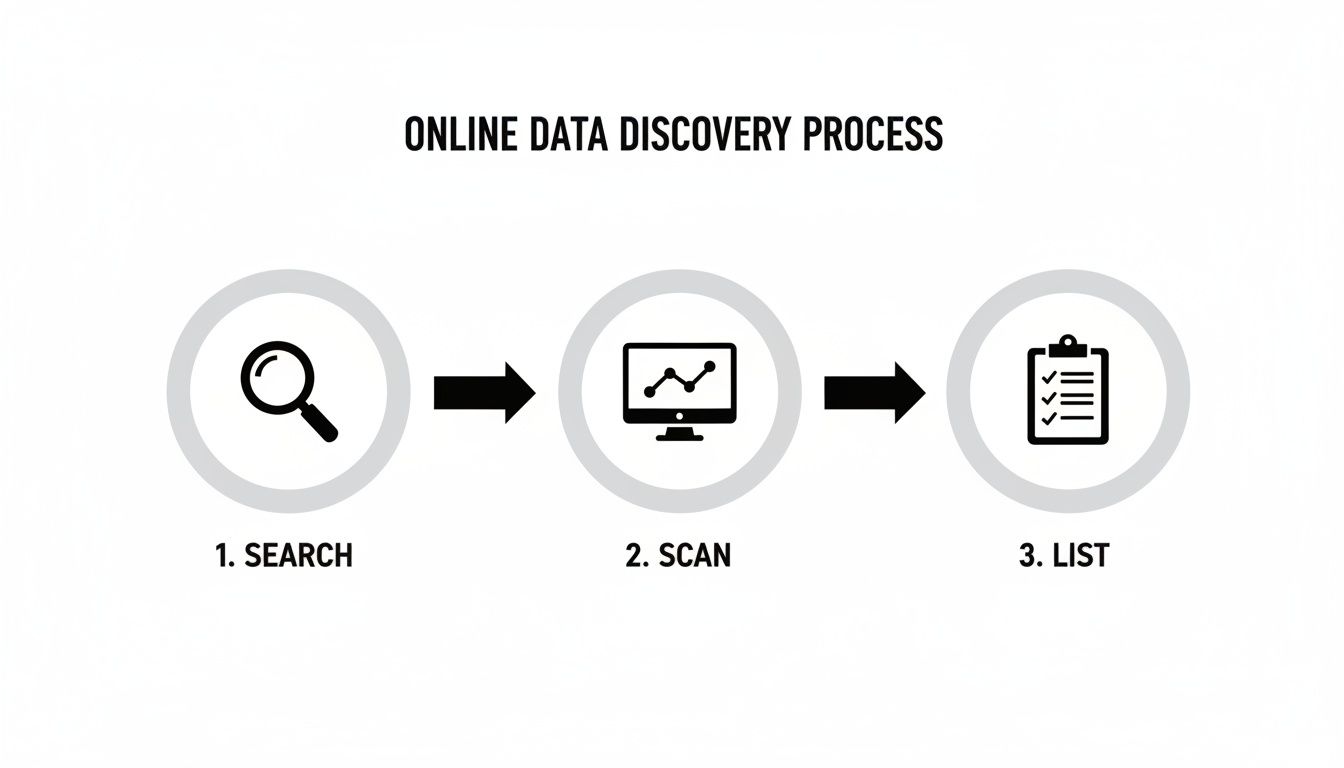
As you can see, this isn’t a one-and-done task. It’s a continuous cycle of searching for your data, submitting removal requests, and monitoring for its reappearance.
Submitting Opt-Out and Takedown Requests
Nearly every data broker is legally required to offer a way for you to “opt out” of their database. This usually means finding your profile on their site and submitting a removal request, which often requires you to verify your identity through an email link.
Here’s a basic template you can adapt for your opt-out requests. You can typically send it via email or use a form on their website:
Subject: Data Removal Request Under CCPA/GDPR
To Whom It May Concern,
I am formally requesting the removal of my personal information from your database pursuant to my rights under consumer privacy laws. The record I wish to have removed can be found at the following URL:
[Insert the direct link to your profile here]
My name is [Your Full Name], and my address is [Your Address, if listed on the profile].
Please process this opt-out request and remove all associated data promptly. Confirm once the deletion is complete. Thank you for your cooperation.
Sincerely, [Your Name]
If you live in a region with strong privacy laws like California (CCPA) or Europe (GDPR), citing these laws adds legal weight to your “right to deletion” request. If this manual process seems overwhelming, you can explore our detailed guide on data broker removal services that automate this for you.
Unfortunately, this is not a “set it and forget it” job. Data brokers frequently re-add your information a few months later as they vacuum up new public records. This frustrating reality means you have to keep monitoring things to remove your digital footprint and keep it clean over the long haul.
Step 3: Manage Data That Will Not Disappear
So you’ve done the hard work. You’ve scrubbed your old accounts, filed takedown requests, and waded through the murky waters of data broker opt-outs. But you’re going to hit a point where some information just refuses to budge. This is, without a doubt, the toughest part of cleaning up your online life: dealing with data that’s been archived, reposted, or baked into public records.
The internet isn’t designed to forget. Its very architecture is built on copying and archiving. The moment you delete a post, its “ghost” might live on in countless places—screenshots, data scrapes, and archive sites.
The Problem With Digital Echoes
Services like the Wayback Machine are constantly taking snapshots of the web. This means an old, embarrassing profile you nuked years ago could still be perfectly preserved in their archives. When you delete a tweet, you’re only removing it from your timeline; you’re not erasing it from the thousands of services that instantly scrape and store that data.
This is a very real problem. A 2024 study from Stanford University found that over 60% of data removal requests sent to platforms don’t result in the complete erasure of the data from all backend systems and third-party archives. Even with regulations in place, the original data often stays online. You can read more about the challenges of erasing online information. This is where your strategy has to pivot from simple deletion to active reputation management.
Using Legal Levers like the Right To Be Forgotten
When you can’t get rid of the source content, the next best thing is to make it difficult to find. If you’re in Europe or certain US states, regulations like the GDPR and CCPA give you a powerful tool called the “right to be forgotten” or “right to deletion.” This lets you request that search engines like Google delist links from search results tied to your name.
If your request is approved, Google will hide the link to the problematic content. While the original post or article still exists on its host website, it becomes practically invisible to anyone who isn’t digging for it. This is an essential move for handling things like:
- Outdated and negative news articles.
- Embarrassing forum posts on websites you have no control over.
- Personal info exposed on people-search sites that ignore your takedown requests.
Submitting a request through Google’s form is simple, but success isn’t a given. You have to build a solid case for why the information is irrelevant, outdated, or infringes on your privacy.
The Power of Online Reputation Management (Digital Dilution)
Another powerful strategy is digital dilution, a core principle of online reputation management. If you can’t remove negative search results, you can bury them. The idea is to create a wave of positive, professional, and high-quality content that you do control, pushing the unwanted stuff down to the second or third page of Google—where virtually no one ever looks.
This isn’t about faking it. It’s a reputation management technique focused on building a strong, positive online presence that shows who you are today, not who you might have been a decade ago.
Here are a few ways to start diluting your footprint:
- Optimize Your LinkedIn Profile: Create a complete, public profile with a professional headshot. Regularly share industry news and post thoughtful updates.
- Launch a Professional Blog: Write about your expertise on a platform like Medium or your own personal website.
- Get Active on Professional Forums: Find communities related to your career and contribute in a meaningful way.
- Create Public Social Profiles: Use a platform like X (formerly Twitter) to share professional news and insights.
Digital dilution is a long game, but it’s a proactive one. It’s especially critical for anyone on the job hunt, entrepreneurs, or professionals whose reputation is directly tied to what people find online. While managing this permanent data, it’s also wise to monitor for new threats. Check out our guide on the best dark web monitoring services to stay ahead of credential leaks.
Step 4: Build a Privacy-First Digital Life for the Future
After going through the wringer to scrub your old data, it’s tempting to dust off your hands and call it a day. But if you slip back into your old ways, you’ll be right back here in a year, facing the same mess. The real work isn’t the initial cleanup—it’s building a privacy-first mindset so your data doesn’t spill out all over again.
Think of it this way: removing your past footprint is reactive. Proactive protection is where you actually take back control for good. This means making a conscious shift in your daily online habits to be more secure and intentional. You’ll be building a future footprint by design, not by default.

Conduct a Full Account Security Audit
Your first order of business is to lock down every active account you decided to keep. This isn’t just about swapping out a password; it’s a complete security overhaul that creates your new baseline for digital safety.
Start with your social media profiles. Dive deep into the privacy settings on platforms like Facebook, Instagram, and LinkedIn. It’s time for some honest questions:
- Is my profile public or set to private?
- Who can actually see my friends list, photos, and personal posts?
- Are my posts being indexed by Google and other search engines?
- Are location services and photo geo-tagging turned off?
The idea is to shrink your public-facing self to the bare minimum. Sure, a public profile might be necessary for professional networking on LinkedIn, but for personal accounts, locking them down is almost always the right call. To get this right, you have to understand all the available privacy control options.
Fortify Your Account Access with a Password Manager and MFA
Once your settings are tightened up, it’s time to reinforce the gates. Weak or reused passwords are the front door for hackers. The Verizon 2025 Data Breach Investigations Report found that stolen credentials played a role in a staggering 49% of all breaches.
There are two non-negotiable habits you need to adopt immediately:
- Use a Password Manager: These tools generate and store strong, unique passwords for every site you use. This one change alone demolishes the risk of a breach on one site bleeding over and compromising all your others.
- Enable Multi-Factor Authentication (MFA): MFA is your digital deadbolt. It requires a second form of verification—usually a code from an app on your phone—before letting anyone in. It’s a simple, powerful barrier that stops attackers even if they manage to steal your password. Turn it on everywhere.
Adopting these two habits is the single most effective action you can take to protect your digital identity moving forward. It transitions your security from a game of memory to a fortified, automated system.
Adopt Mindful Online Habits
The best tech in the world won’t help if your habits are leaky. Data harvesting is a massive industry, and countless services are designed to trick you into oversharing. You need to become a more mindful digital citizen and learn to spot these traps.
A simple but powerful tactic is to start using email aliases. Instead of handing out your primary email for every newsletter, online store, or new app, create unique aliases with a service like SimpleLogin or AnonAddy. These forward to your real inbox. If an alias starts getting spammed, you know exactly who sold or leaked your data, and you can just nuke that alias.
Think twice before taking that “What ’90s Sitcom Character Are You?” quiz or entering a contest. These are almost always just cleverly disguised data harvesting operations. Before you install any new app, actually read its privacy policy and check the permissions it’s asking for. Does that photo editor really need access to your entire contact list and location history? Almost certainly not.
This ongoing vigilance is the key to keeping your digital footprint clean long-term. By establishing a solid baseline and staying aware, you can ensure your online presence stays secure.
Ready to see what’s exposed right now? Run a free scan at Digital Footprint Check. And for more proactive strategies, our guide to the top online privacy tools for 2026 will help you build out your new security toolkit.
Frequently Asked Questions About Removing Your Digital Footprint
Once you start the process of reclaiming your online data, a few big questions always seem to pop up. It’s a journey that involves wrestling with persistent data brokers and navigating a maze of platform rules. Let’s tackle some of the most common questions people have.
Is It Possible to Completely Remove My Digital Footprint?
Let’s be realistic: no. It’s practically impossible to erase 100% of your digital footprint. Think about information locked away in government public records, deep web archives, or data that’s been screenshotted and reposted by others. That stuff is often permanent.
The goal isn’t total digital invisibility—that’s a myth. The real objective is significant reduction and control.
By methodically auditing your presence, deleting old accounts you forgot you had, and filing takedown requests, you can remove the vast majority of your publicly available data. This is what lowers your risk of identity theft, doxxing, and the kind of reputational damage that can torpedo job prospects.
How Long Does It Take to See Results?
This is where patience and persistence become your best friends. The timeline for seeing your data disappear can vary wildly depending on who has it and what kind of request you’ve made.
Here’s a rough idea of what to expect from my experience:
- Deleting Old Accounts: This is often the most satisfying because it’s usually instant. Once you hit “delete” on that old social media or forum profile, the public content is typically gone for good.
- Data Broker Opt-Outs: This is a much wider window. Some brokers process requests in 48 hours, while others can take several weeks. The frustrating part? Your data can reappear later, which is exactly why you need an ongoing monitoring plan.
- Search Engine Delisting: If you’re filing a “right to be forgotten” request under laws like GDPR or CCPA, prepare to wait. It can take a month or even longer for a search engine like Google to review your case and take action.
What Is the Single Most Important First Step?
Without a doubt, the most critical first step is to conduct a thorough audit of your online presence. You can’t remove what you don’t know exists. This initial deep dive is the foundation for your entire privacy strategy.
An audit gives you an immediate, actionable roadmap. It shines a light on your biggest vulnerabilities, showing you exactly where to focus your efforts for the greatest impact on your privacy and security.
Start with advanced Google searches using your name, old usernames, and past email addresses. From there, run reverse image searches and use username checkers to find abandoned accounts. However, a manual search will miss hundreds of data broker sites. This is where an automated tool like the one at www.digitalfootprintcheck.com/free-checker is a major advantage, giving you a comprehensive map of your exposure in minutes.
What Stays Public Even After a Big Cleanup?
Even after a meticulous cleanup, some data will likely persist. Information that’s been screenshotted and shared on social media, content captured by services like the Wayback Machine, and public records are notoriously difficult to scrub completely.
For this kind of data, your strategy has to shift from deletion to management. You can work to get these links delisted from search engine results and use techniques like online reputation management to bury outdated or negative information with newer, positive content. But your best move is always to remove the original source first, as this makes it much harder for archives and scrapers to find and republish it.
The journey to reclaim your online privacy is a marathon, not a sprint. It’s an ongoing process of vigilance. By understanding what’s out there, you can take deliberate, powerful steps to protect your identity, reputation, and safety.
Get a head start with Digital Footprint Check. Run a free, instant scan to uncover your exposed data and begin your privacy journey today. Start your free scan at www.digitalfootprintcheck.com/free-checker.