· Digital Footprint Check · Content Marketing · 21 min read
Uncover Your Digital Footprint: How to Find All Accounts
Use advanced OSINT methods to find all accounts with email address. Protect your identity and manage your digital footprint with our essential 2026 guide.

To understand your digital identity, first find all accounts linked to an email address you own. Your email is a universal key: it unlocks social media, shopping sites, gaming profiles, dating apps, and the other services that make up your footprint. This guide shows a practical path to uncovering those connections, protecting yourself from identity theft, and managing your reputation.
Why Your Email Is the Key to Your Online Identity and Real-World Safety
Your email address is more than a way to send messages. It’s the central pillar of your online identity. Every sign-up, from LinkedIn to Tinder to Netflix, ties that profile back to your email, creating a large, interconnected web of personal data.
This web — your digital footprint — holds personal details, shopping habits, private chats, and professional connections. See what shapes it in our guide on digital footprint. Each new account adds another thread and more exposure.
The Hidden Dangers in Forgotten Accounts: From Job Prospects to Personal Safety
The real trouble comes from accounts you’ve forgotten. An old profile on a gaming forum or a dating site you tried once can be a security and reputational risk. Dormant accounts often use weak, recycled passwords, making them prime targets for hackers.
A single compromised or forgotten account can have real consequences:
- Job Prospects: A 2020 survey found 70% of employers use social media to screen candidates. An old, unprofessional profile could cost you an offer.
- Personal Safety & Dating: A leaked address or phone number from an old e-commerce breach can expose you to physical risk, and old dating profiles can be used for catfishing or stalking.
- Identity Theft: Scammers can use data from one breached account to impersonate you, open credit lines, or run romance scams. The FTC reported consumers lost nearly $10 billion to fraud in 2023, with identity theft a major contributor.
The scale is large. With the average person juggling multiple email addresses, there are over 8.3 billion email accounts worldwide, which is why old or unknown accounts get lost so easily.
Taking Control of Your Online Identity for Cybersecurity and Reputation Management
Knowing where your email has been used is the first step to taking back control. It lets you secure the accounts you use and delete the ones you don’t. This is a cornerstone of personal cybersecurity and reputation management.
It’s more than cleanup: hunting down every account tied to your email lets you manage your digital life instead of letting it manage you.
Uncovering Accounts with Foundational Search Methods
Before jumping to automated tools, start with basic methods. You can find all accounts with an email address — or a surprising number of them — using techniques anyone can try.
Manual methods find the low-hanging fruit: public profiles, old forum sign-ups, and forgotten accounts. Treat this as a first pass that builds a baseline before digging deeper with OSINT tools.
Your email address is the key that unlocks your entire digital world. As this flowchart shows, that digital identity has a direct line to your personal life, influencing everything from your reputation to your security.
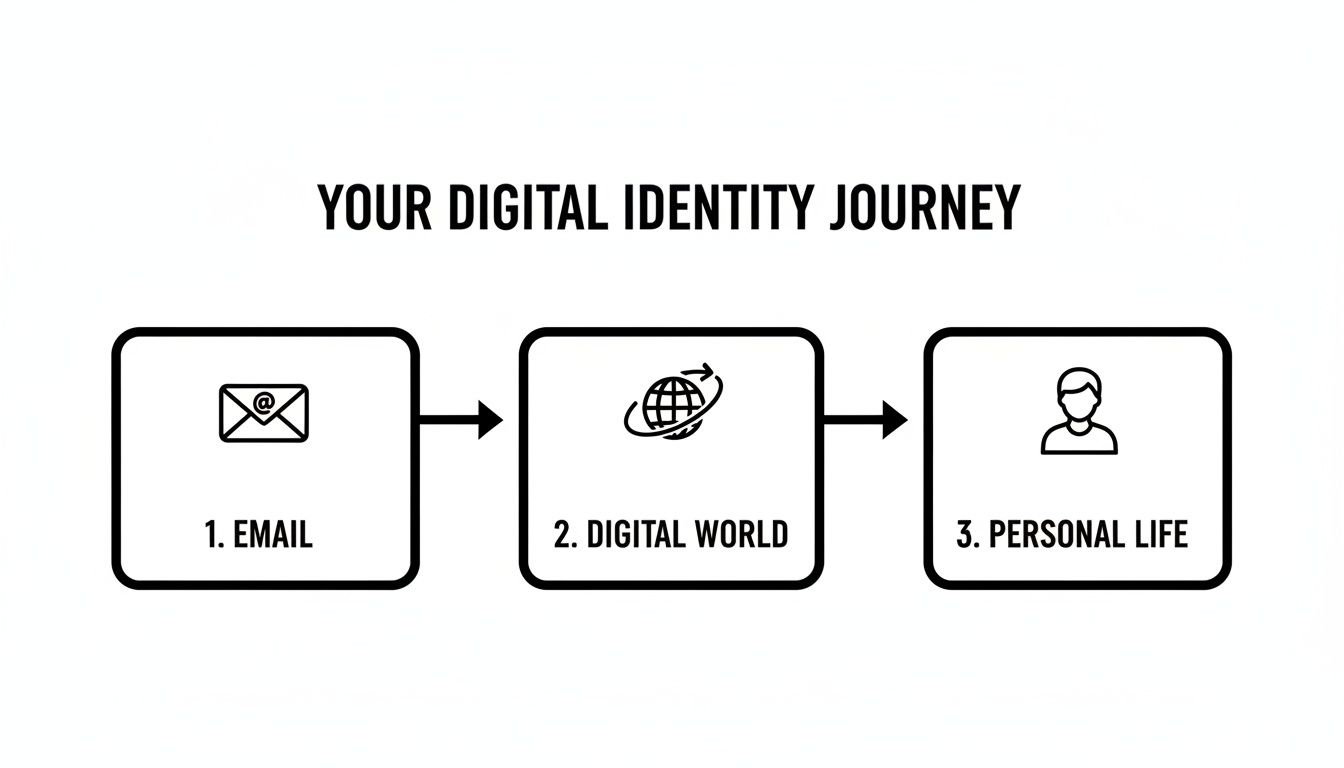
What happens in your inbox rarely stays there. It branches out, affecting your job opportunities, personal relationships, and safety in the real world.
Harnessing Search Engines with Precision
Your first stop should be your favorite search engine, but a simple search won’t cut it. Just typing in an email address will give you a flood of junk results. You need to tell the search engine exactly what to look for by using search operators.
The most effective operator here is the simplest: quotation marks.
By wrapping the email address in quotes, like "your.email@gmail.com", you’re forcing the search engine to find that exact string of text. This one trick is powerful for filtering out noise and zeroing in on public web pages where your email has been exposed.
You’ll be surprised what you might find:
- An old forum profile where you used your email as a username.
- A publicly listed member directory for an organization you joined years ago.
- A comment you left on a blog that still displays your email.
This is a fantastic way to find data that’s been indexed and made public. Keep in mind, it won’t uncover accounts hidden behind a login or on platforms that keep user data private.
The ‘Forgot Password’ Trick for Account Verification
Here’s one of the most direct and reliable ways to confirm if you have an account on a specific website: the “Forgot Password” feature. This is a go-to trick for cybersecurity pros when they suspect an old, dormant profile exists on a major platform.
First, make a list of the big players you might have signed up for over the years.
- Social Networks: Facebook, X (formerly Twitter), Reddit, TikTok
- Professional Platforms: LinkedIn
- E-commerce Giants: Amazon, eBay, Shopify stores
- Gaming Services: Steam, Epic Games, EA, Ubisoft Connect
- Dating Apps: Tinder, Bumble, Hinge, Match.com
Go to the login page for one of these sites and click the “Forgot Password” or “Account Recovery” link. When it asks for an email, type in the one you’re investigating. The site’s response is your answer.
Real-World Impact: If you get a message like, “A password reset link has been sent to your email,” you’ve just confirmed an account exists. If it says, “No account found with this email,” you can cross that site off your list. This is a low-risk method to verify accounts without actually logging in.
These foundational steps are a great starting point. For those who want to take their manual investigation further, it’s worth reading a full guide on how to reverse search an email address to learn more advanced strategies.
Just be aware of the downside. This process is slow and relies on you remembering every potential website you might have used. It’s impossible to check the thousands of services out there manually, which is where more systematic approaches and OSINT tools come into play.
Using OSINT Tools for a Comprehensive Search
Manual searches and the “forgot password” trick are decent starting points, but they only scratch the surface. Their effectiveness depends entirely on what’s publicly indexed and which sites you can even remember to check. To find all accounts linked to an email address—especially the hidden, forgotten, and downright embarrassing ones—you need to go deeper.
This is where Open Source Intelligence (OSINT) tools come into play. It’s a term that sounds like something out of a spy movie, but it’s really about collecting and analyzing publicly available information. In our case, it means using specialized services to automatically map out your digital identity across the vast, messy landscape of the internet.
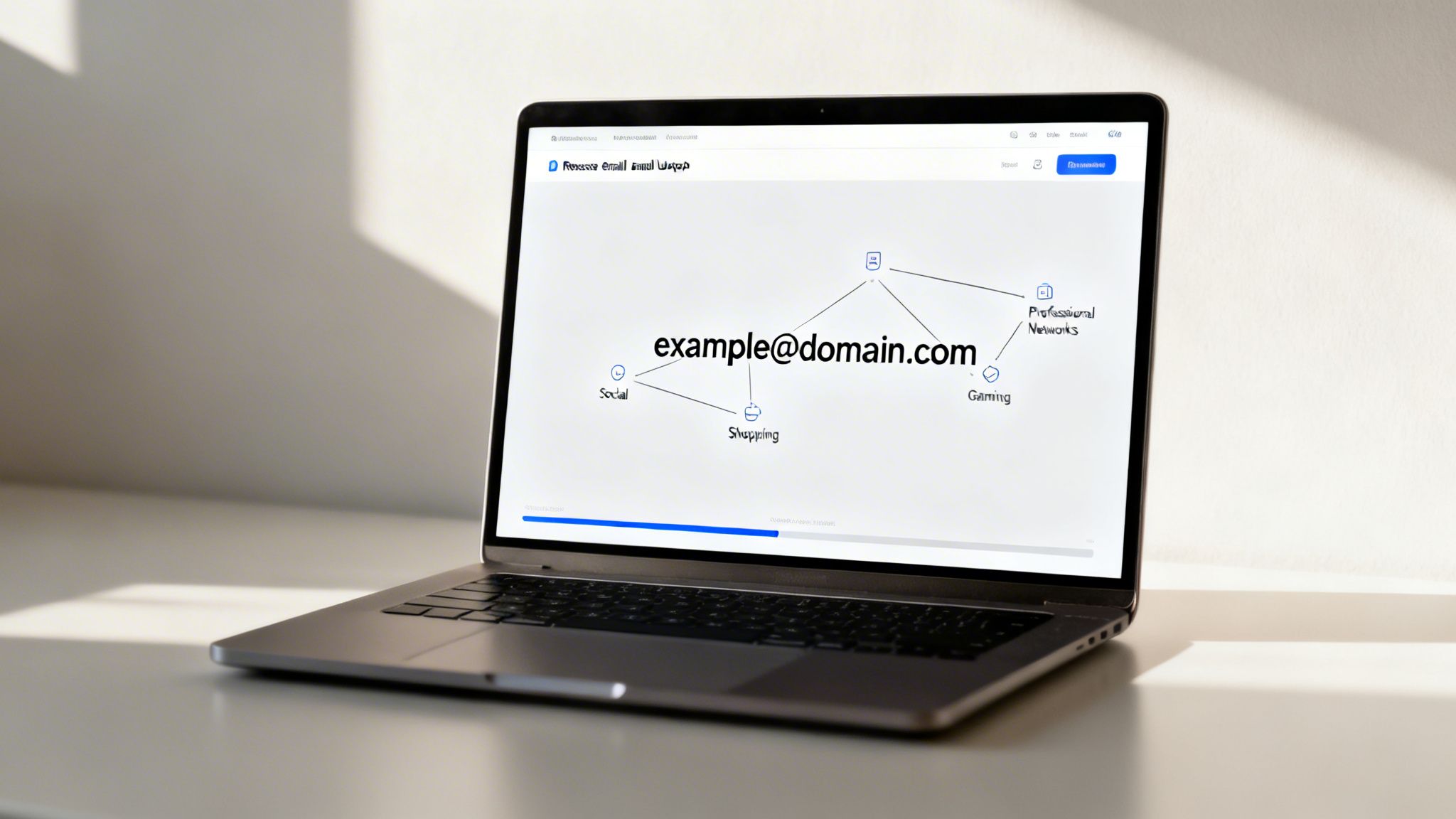
How Automated Reverse Email Lookups Work
Think of an automated OSINT tool as a highly efficient private investigator for your digital life. Instead of spending hours or days manually plugging your email into hundreds of websites, these tools do all the work for you in minutes.
Services like our own Digital Footprint Check work by running your email address against a massive, constantly updated database of websites, services, and data breach records. This scan covers a huge array of platforms you’d probably never think to check on your own.
- Social Media Networks: Beyond the usual suspects like Facebook and Instagram, these tools scan for profiles on niche social sites, forums, and community boards where you might have left a comment a decade ago.
- Gaming Profiles: They check popular services like Steam and Epic Games, plus countless other gaming platforms. That old, inactive account with an edgy username from your teenage years could be a major liability during a background check or a target for account hijacking.
- Dating and Lifestyle Apps: Uncovering old dating profiles is crucial for preventing catfishing and managing your personal life. An old profile on a site you no longer use can be scraped by scammers.
- Shopping and E-commerce: Your email is likely tied to dozens of online stores you used once and forgot about. Each one is another potential target for a data breach, leaving your financial information exposed.
This automated process uncovers a far more complete picture of your online exposure than any manual search ever could. If you want to dive deeper into the methods, you can explore our guide to OSINT tools for beginners.
Manual Search vs. OSINT Tool Comparison
The difference between poking around on Google and using a dedicated tool is like night and day. While manual methods have their place for quick checks, they are narrow in scope and demand a ton of time. Automated OSINT tools, on the other hand, offer incredible speed, breadth, and depth.
Here’s a quick breakdown of how they stack up.
| Feature | Manual Search (e.g., Google, ‘Forgot Password’) | Automated OSINT Tool (e.g., Digital Footprint Check) |
|---|---|---|
| Scope | Limited to public-facing websites and a handful of platforms you can remember. | Scans thousands of sources, including social, gaming, dating, and professional networks. |
| Efficiency | Extremely time-consuming; requires checking each site one by one. | Very fast; returns a detailed report in minutes. |
| Depth | Finds surface-level connections only. Misses breached data and non-indexed profiles. | Uncovers hidden or long-forgotten profiles, including those found in data breaches. |
| Ease of Use | Requires persistence and remembering advanced search operators. | Simple to use; just enter the email address and run the scan. |
| Completeness | Very likely to miss many accounts, leaving significant security gaps. | Provides a much more comprehensive inventory of your digital footprint for true risk assessment. |
Ultimately, a manual search is a good first step, but an OSINT tool provides the comprehensive audit you need for real security and reputation management.
Real-World Impact: The main advantage of an OSINT tool is its ability to cast a wide net, catching accounts you had no idea even existed. It’s the difference between looking for a needle in a haystack by hand and using a powerful magnet to pull it right out.
Why a Broader Search Is Critical for Your Safety and Reputation
Finding these forgotten accounts isn’t just an exercise in digital spring cleaning; it’s a critical security measure. A 2023 report revealed that data breaches exposed over 42 billion records, and many of these incidents hit smaller, less secure websites. That old forum account you made a decade ago is far more likely to have been compromised than your primary email.
Consider this real-world scenario. A talented professional we’ll call “Jane” was interviewing for her dream job. Her resume was perfect. However, a routine background check using an OSINT tool unearthed an old gaming forum account linked to her email. The profile contained inflammatory language and unprofessional posts she’d made as a teenager.
This forgotten account, invisible to a standard Google search, created a huge red flag for the employer. It painted a picture of poor judgment that was at odds with her polished professional image. This is a perfect example of how your past digital self can directly sabotage your future opportunities. The same principle applies to dating—an old, cringey profile from a decade ago can cause serious embarrassment or misunderstandings in a new relationship.
Ultimately, using an OSINT tool gives you the true inventory you need to start securing your digital identity. It puts the power back in your hands, allowing you to identify vulnerabilities, remove risky old profiles, and present a clean, controlled image to the world.
Checking Data Breaches and Shadow Profile Databases
While Google searches and OSINT tools are great for uncovering what’s public, some of the most revealing information about your email address isn’t on a live website. It’s buried deep in databases compiled from massive data breaches and inside the “shadow profiles” that data brokers build and sell.
These hidden datasets are a rich source when trying to find all accounts linked to an email address. They show you connections you’ve forgotten about—or never even knew existed in the first place, providing crucial intelligence for identity theft prevention.
Many services you’ve signed up for over the years eventually get hacked. When a data breach happens, a snapshot of user data—including usernames, emails, and sometimes even passwords—gets stolen and passed around online. These leaked databases become a permanent, historical record of your activity.
The Alarming Value of Data Breach Databases in Catfishing and Scams
Data breach databases are exactly what they sound like: enormous collections of information stolen from compromised websites. A few reputable services gather and index this leaked data so you can check if your information has been exposed. For our purposes, they’re an invaluable, if unsettling, research tool.
When you run your email through a secure breach-checking service, you can instantly get a list of websites where that email was found in a leak. This doesn’t just confirm you had an account; it often tells you when the site was breached, giving you a timeline for your online history.
This is a critical step for a few key reasons:
- Discovering Ghost Accounts: It quickly unearths accounts you don’t remember creating. Think old forums, one-off software trials, or e-commerce sites that went out of business a decade ago.
- Assessing Password Risk: It’s a harsh reality check. If your email is in a breach, any password you used on that site is now compromised. If you reused that password elsewhere, you have an urgent problem. This is how hackers easily take over gaming, social, and financial accounts.
- Preventing Romance Scams and Catfishing: Scammers mine data breaches from dating sites to create fake profiles or to target individuals for romance scams. Finding your email in such a breach is a red flag that your data could be used for malicious purposes.
Finding your email in a breach is powerful proof that an account existed. For a deeper dive, check out our guide on how to perform a secure email breach lookup and what to do with the results.
Pulling Back the Curtain on Shadow Profiles
Beyond direct breaches, your email lives in another hidden world: shadow profiles. These are detailed dossiers assembled by data brokers and marketing companies you’ve probably never even heard of. They scrape and buy data from thousands of sources—public records, social media, your shopping history, app usage—and stitch it all together to create a scarily accurate picture of you.
These profiles are designed to link your email address to other personal details, including:
- Current and past physical addresses
- Every phone number you’ve ever had
- All the different usernames you’ve used across the web
- Inferred interests, from your political views to your spending habits and potential vulnerabilities
A shadow profile is like a ghostly digital twin you didn’t know you had. It’s built from data fragments you leave behind across the internet, pieced together to create a cohesive, and often marketable, identity used for targeted advertising and, in the wrong hands, social engineering attacks.
Uncovering these profiles can be a real eye-opener. You might find your professional work email linked to a personal hobby forum, or a very old home address connected to a recent online order. This is how your data is silently tracked, bought, and sold, usually without you ever clicking “I agree.”
The email marketing industry is projected to hit USD 17.9 billion by 2027, and that massive number is fueled by the value of your email address. It’s the universal key to our online lives, which is why companies are so aggressive about collecting and linking data. With 1.8 billion users, Gmail’s dominance only makes the email address a more valuable target for this kind of data aggregation. You can see more surprising email statistics on Bayelsawatch.com.
Ultimately, digging through breach databases and understanding shadow profiles isn’t just about finding old accounts. It’s about facing the true extent of your digital exposure, pinpointing your biggest security risks, and finally taking informed steps to lock down your identity and protect yourself from identity theft and other online threats.
How to Secure Your Digital Footprint: A Practical Guide
Alright, you’ve done the detective work and unearthed the sprawling network of accounts tied to your email. That was the easy part. Now it’s time to roll up your sleeves and secure your digital life, moving from discovery to defense. This is where cybersecurity meets practical reputation management.
This isn’t just about changing a few passwords. It’s about taking back control and making deliberate choices about what parts of your online self you want to keep and which ones need to be erased for good to protect your job prospects, personal safety, and financial security.
Let’s get tactical and turn that list of accounts into a fortified digital footprint.
Audit and Triage Your Account List
Once your search to find all accounts with an email address is done, you’ll be looking at a potentially long list of profiles. The first thing to do is sort them into three buckets to make the process manageable.
- Delete: These are the no-brainers. Old forums, services you tried once, forgotten dating profiles, and accounts you don’t even recognize. They’re pure digital deadweight and represent nothing but risk.
- Secure: This is your active list—primary social media, online banking, professional profiles, main gaming accounts, and anything else you use regularly. These are the keepers.
- Review: This is the “maybe” pile. It might be an old account with some sentimental value or a service you think you might need again someday. Park them here for now.
This simple triage lets you focus your energy where it’s needed most, starting with the biggest liabilities first.
The Purge: Deleting Your Ghost Accounts to Prevent Identity Theft
Those old, forgotten accounts are like unlocked doors to your digital life. They probably use weak, recycled passwords and are never monitored, making them a prime target for credential stuffing attacks where hackers use your breached credentials to try and log into more valuable accounts. Deleting them is one of the most impactful things you can do to shrink your attack surface.
Work your way through that “Delete” list. Visit each site, head to the account settings, and look for a “delete account” or “close account” option. Be ready for a fight, though—some services make this difficult on purpose. You might have to dig through their help section or even contact support directly.
Cybersecurity Pro Tip: Deleting an account is always, always better than just abandoning it. An abandoned account can still be compromised in a data breach, spilling your personal info all over the web without you ever knowing it happened, feeding the data pools for identity thieves and scammers.
If you want to go even deeper on proactive security, our guide on how to secure your digital footprint in 2024 covers these strategies in much more detail.
Fortifying the Keepers: Best Practices for Active Accounts
Now for the accounts you decided to keep. Just having an account isn’t the problem; an unsecured account is. It’s time to lock them down using cybersecurity best practices.
Run through this security checklist for every profile in your “Secure” bucket.
Your Account Security Checklist
- Create Unique, Strong Passwords: Never reuse passwords. If one site gets breached, criminals will hammer that same email and password combo everywhere else. Get a password manager (like Bitwarden, 1Password, or LastPass) to generate and store complex, unique passwords for every account.
- Enable Two-Factor Authentication (2FA): For any important account (email, banking, social media, gaming), this is non-negotiable. 2FA requires a code from your phone or an authenticator app in addition to your password, adding a critical security layer. It’s proven to stop an estimated 99.9% of automated attacks.
- Review Privacy Settings: Dive into the privacy and security settings for each account. Who can see your information? Turn off ad tracking. Limit data sharing. And most importantly, review any third-party app permissions. You’ll be shocked at what you granted access to years ago and forgot about.
Stay Vigilant: Ongoing Management and Monitoring
Cleaning up your digital footprint isn’t a one-and-done project. It’s a habit. The internet is a living thing, with new threats, scams, and data breaches popping up every day.
Think about the real-world fallout from a forgotten account. I’ve seen job seekers lose out on a great role because an old, unprofessional gaming profile surfaced. I’ve seen people in committed relationships face tough questions when a defunct dating profile was discovered by their partner, sometimes used by others for catfishing. These aren’t just hypotheticals; this stuff happens all the time.
The best defense is a proactive one. Get into the rhythm of doing a digital footprint audit at least twice a year. Better yet, use a monitoring service that alerts you to new accounts or data breaches as they happen, so you’re never caught off guard.
By taking these steps, you stop being a passive victim of data harvesting and become the active guardian of your own identity. You get to decide what the world sees, and you put strong locks on the doors to your digital life.
Frequently Asked Questions
As you start digging into your online accounts, a few common questions always seem to pop up. Let’s tackle the most important ones head-on so you can move forward with confidence.
Is It Legal to Find Accounts Linked to an Email?
Yes, it is 100% legal and ethical to search for accounts connected to your own email address. The whole point of the OSINT techniques and tools in this guide is to conduct a personal security audit—it’s all about taking back control of your own online identity and protecting your digital privacy.
The story changes completely, however, if you’re looking into an email that isn’t yours. Using these methods to snoop on someone else’s digital life without their explicit consent crosses serious legal and ethical lines and could violate privacy laws like the GDPR or CCPA. Always use these tools responsibly and only for yourself.
What Are the Biggest Risks of Old, Forgotten Accounts?
Those old, forgotten accounts are one of the biggest, most overlooked threats to your online safety. Think of them as ticking time bombs, usually locked down with old, weak passwords that you’ve probably used on other sites.
The real danger is that these dormant accounts are sitting ducks for data breaches. Once a hacker gets into an old forum profile or a defunct shopping site, they have a foothold to launch all sorts of attacks.
These risks aren’t just theoretical. They include:
- Identity Theft: Scammers piece together personal details from multiple breached accounts, building a detailed profile they can use to impersonate you or open fraudulent lines of credit.
- Reputation Damage: That embarrassing or unprofessional content on an old MySpace or gaming profile can resurface at the worst possible moment—like when a potential employer runs a background check.
- Romance Scams and Catfishing: A compromised dating profile becomes a tool for scammers to impersonate you to defraud others, or to gather your personal information to target you in a romance scam.
- Account Takeover: A breach on a minor site can reveal a password you reused on a more important account, like your email or online banking, leading to a complete takeover.
Simply put, a forgotten account is an unmonitored back door into your digital life, just waiting to be kicked open.
How Often Should I Check for Linked Accounts?
Managing your digital footprint isn’t a one-and-done chore; it’s an ongoing security habit. The internet is always shifting, with new services and data breaches hitting the news constantly.
As a good rule of thumb, you should perform a deep-dive audit of your email addresses at least twice a year. Think of it like a semi-annual check-up for your digital health.
You should also run a check whenever you’re about to go through a major life event.
When to Run an Extra Check:
- Starting a Job Search: You need to know what a potential boss might find online.
- Applying for a Loan or Mortgage: Lenders sometimes use online data to help assess risk.
- Entering a New Relationship: It’s smart to make sure no old, misleading dating profiles are floating around to prevent misunderstandings or potential catfishing issues.
- After a Major Data Breach is Announced: If a service you’ve used gets hacked, it’s the perfect time to reassess your total exposure.
For real peace of mind, an automated monitoring service is your best bet. It can alert you in real-time when a new account tied to your email is found or when your info shows up in a new breach, letting you take action immediately.
Ready to take that first step and lock down your online identity? The Digital Footprint Check free scanner helps you quickly discover where your email has been exposed across the web, including social media, data breaches, and more. Get clarity and control over your personal information today.
Find all accounts linked to your email now at www.digitalfootprintcheck.com/free-checker.