· Digital Footprint Check · Content Marketing · 14 min read
Search Public Records by Name: Your Free Guide
Search public records by name for free. Our guide covers court, property, vital records, plus tips on verifying results & protecting your privacy.
You meet someone online who seems legitimate. They have a steady job, active social profiles, maybe even mutual contacts. Or you’re about to rent a room to a stranger, buy a used console from a marketplace seller, hire a contractor, check a new gaming clan recruit, or see what a recruiter could find when they search your own name. In every one of those situations, public records can answer questions that social media can’t.
That doesn’t make a name search voyeurism. It makes it due diligence.
Used carefully, public records research helps people reduce fraud risk, spot romance scams, check for serious court history, understand property ownership claims, and manage reputation before someone else does it for them. A common mistake isn’t searching. It’s assuming one database, one result, or one matching name tells the full story. It rarely does.
Why You Might Search Public Records by Name
A lot of searches start with friction. A landlord wants to verify a renter. A parent wants to check who their teenager is meeting from a dating app. A job seeker wants to know whether an old court filing still appears online. Someone buying a gaming account or high-value item from a stranger wants more than screenshots and promises.
Those are practical reasons to search public records by name. The goal isn’t to collect gossip. The goal is to answer narrow, real-world questions that affect safety, money, and trust.
Common situations where a name search matters
Public records become useful when online identity and real identity need to line up.
- Dating and personal safety: If a new partner’s story doesn’t match their age, marital status, or address history, public records may reveal inconsistencies.
- Marketplace scams: Sellers who keep changing names, locations, or business entities often leave traces in court or business filings.
- Job and reputation management: Before an employer sees something old or misleading, it’s smart to search your own name and understand what appears in public databases.
- Family and household decisions: Roommates, caregivers, tutors, and contractors all create risk if you skip basic due diligence.
For people reviewing criminal history concerns, a practical primer on understanding DUI convictions and background checks helps clarify how one record can affect screening outcomes and why context matters.
A manual name search also fits into broader digital privacy work. If you’re trying to understand what your identity exposure looks like online, this guide on how public records shape your digital footprint is a useful companion.
Practical rule: Search your own name before you search anyone else. You learn what records are easy to find, what details are exposed, and how easily a false match can happen.
Public records are about context, not just discovery
A court case without dates, a deed without parcel context, or a marriage record without county confirmation can point to the wrong person. That’s why a public records search isn’t just lookup work. It’s analysis.
That matters in identity theft, online dating safety, gaming account security, and reputation management. A wrong match can damage a hiring decision. A missed match can expose you to fraud. The name is only the starting point.
Mapping the Maze of Public Record Databases
Most beginners expect one national search box. That isn’t how this works.
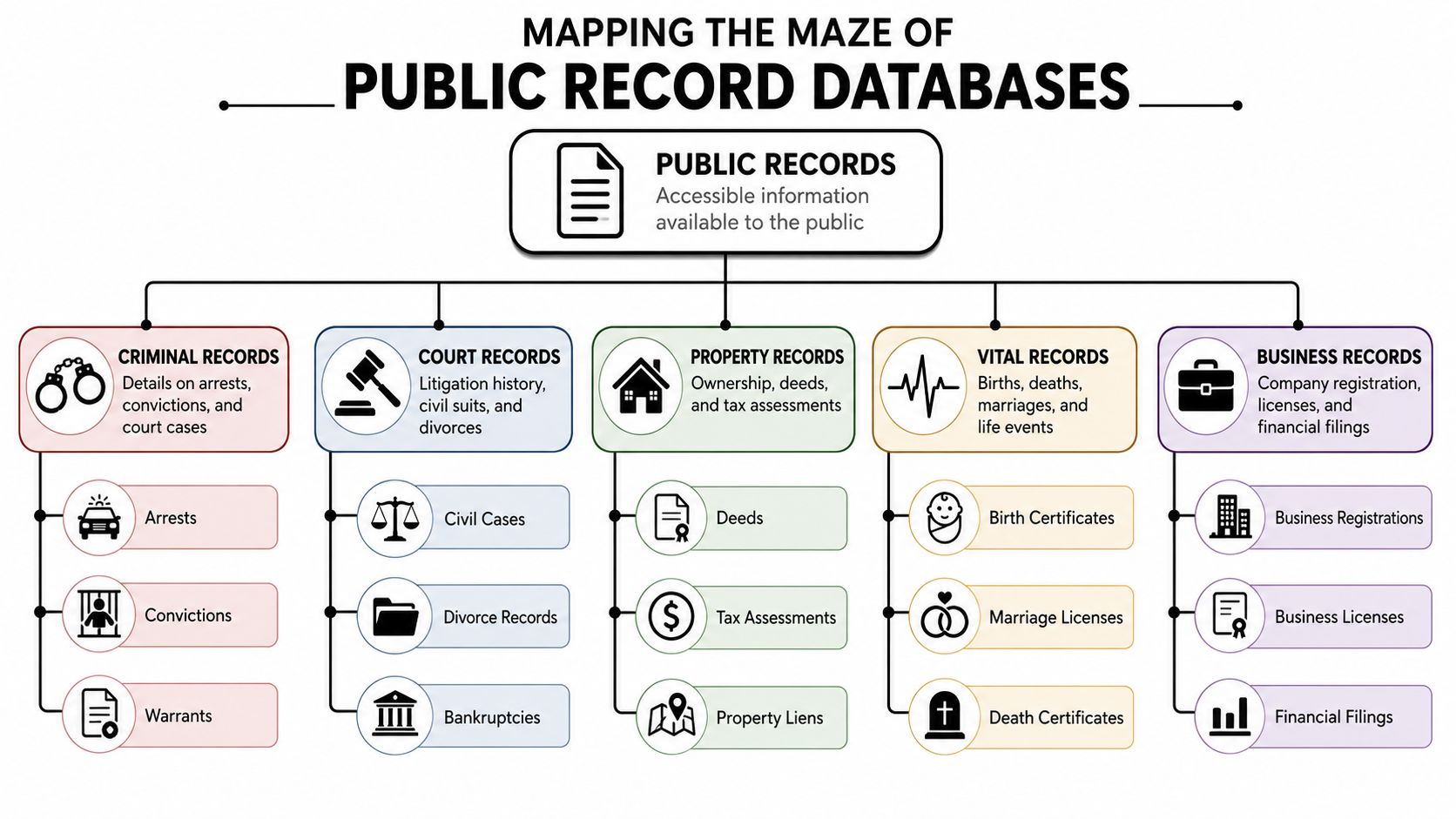
In the United States, public records searches by name span over 3,200 county-level government databases across all 50 states, with court records, criminal histories, property deeds, and vital records accessible through official government portals. This decentralized system means that a name search in one county may not yield results for the same individual in another, so you have to understand jurisdictional boundaries before you assume you’ve searched thoroughly (SearchSystems).
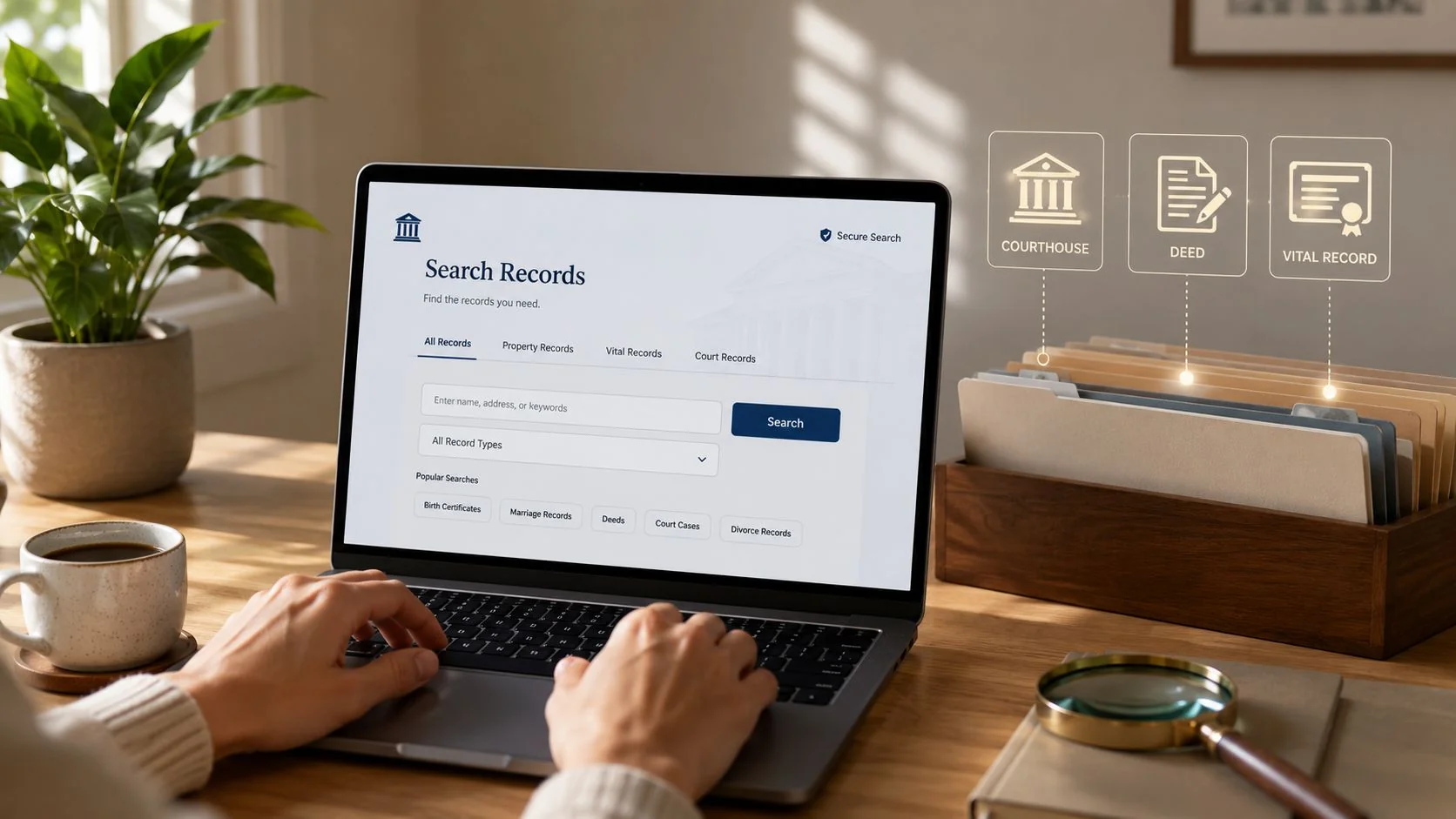
What each database category actually gives you
Different record types answer different questions. Treating them as interchangeable wastes time.
| Record category | What you may find | Best use case | Main limitation |
|---|---|---|---|
| Court records | Criminal, civil, family, traffic, probate filings | Checking litigation history or criminal case activity | Coverage varies by county and by case age |
| Property records | Deeds, ownership transfers, tax assessment details | Verifying ownership claims or address ties | Doesn’t prove current residency by itself |
| Vital records | Birth, death, marriage records | Confirming life events and relationship claims | Access rules often vary and some records are restricted |
| Business records | Entity filings, registered agents, status | Checking whether a company is real and active | Owners may use agents or related entities |
| Professional licenses | License status, discipline, expiration | Validating claimed credentials | Not every field uses one central lookup |
| Registry databases | Specialized public safety or status records | Narrow compliance or safety checks | Easy to misuse if you ignore jurisdiction and context |
Court records usually come first because they surface disputes, judgments, and criminal proceedings. Property records are excellent for confirming whether someone really owns the house they say they own. Business filings are useful in marketplace fraud, contractor screening, and due diligence around side hustles, shell entities, and dissolved companies.
If you’re evaluating financial exposure or bankruptcy visibility, the LifeBack Law Firm bankruptcy guide is a practical example of how public filings can remain discoverable and why people are often surprised by what stays visible.
State, county, and federal are not the same search
The biggest operational mistake is searching one state portal and stopping. Many useful records are county-managed. Others live with clerks, assessors, secretaries of state, licensing boards, or separate court systems.
That fragmentation is why people often combine manual public-record searching with tools that help identify likely people-search surfaces first. A comparison of people finder websites and what they actually surface can help you understand where aggregator results end and official record validation begins.
One county portal can be accurate and still be incomplete for your purpose.
A practical map before you begin
Use this order when you’re trying to search public records by name efficiently:
- Start with the most likely jurisdiction. Use the person’s current or recent county first.
- Choose the record type based on your question. Court for disputes, property for ownership, business filings for company claims.
- Check whether the database is official. County clerk, recorder, assessor, court, or state agency beats a third-party summary every time.
- Log what you searched. Counties checked, spellings used, and date ranges matter when you revisit a search later.
- Expect gaps. Missing online results don’t prove the record doesn’t exist.
This is also where digital privacy intersects with OSINT and cybersecurity. A public record can expose address history, legal name changes, and business ties that scammers, stalkers, or identity thieves can connect with social media and breach data.
Advanced Search Techniques for Accurate Results
Typing a full name into a court portal and clicking search is the simplest part of the process.
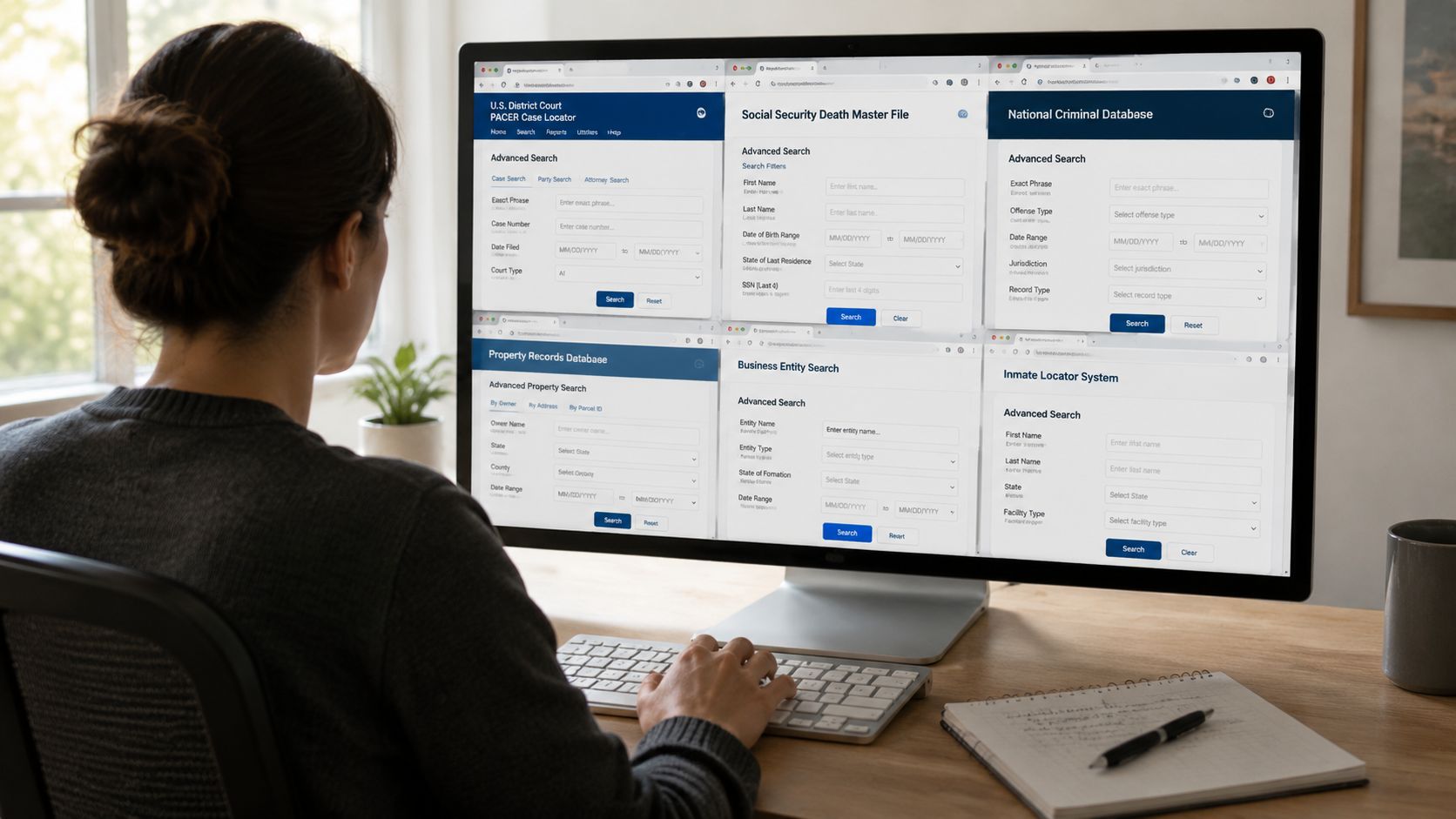
Disambiguation is the primary challenge. When searching common names like John Smith, noise overwhelms results fast. To increase data accuracy in court records, experts recommend cross-referencing with a Middle Name or Date of Birth. Wild-card searches, such as three characters plus an asterisk, can help with partial names, but they generate a lot of irrelevant results unless you filter by a specific Date Range or Case Category (Pinellas Clerk search guidance).
How to narrow a common-name search
A common name becomes manageable when you add structure.
- Add middle identifiers: A middle initial or full middle name can eliminate a large amount of clutter.
- Use date windows: If you’re checking a recent lawsuit, don’t search open-ended records.
- Choose the right case bucket: Criminal, civil, family, probate, and traffic records each produce very different result sets.
- Test variants: Hyphenated names, maiden names, aliases, and spacing differences often matter.
- Search by jurisdiction before searching broadly: County-first is usually faster than state-wide guessing.
If you’re newer to this kind of workflow, a beginner-friendly overview of OSINT tools and search habits that actually help gives useful context for organizing your searches instead of jumping between tabs randomly.
Wildcards help, but they’re easy to misuse
Wildcard searches are useful when names are misspelled, abbreviated, or inconsistently indexed. They are not a replacement for targeted search logic.
Search “Joh*” and you’ll often pull in dozens of irrelevant records. Search the likely county, then narrow by case type, then add date range, then review individual names. That’s slower than one broad search, but it’s far more accurate.
A related example comes up with family court research. State-by-state procedures differ, and guides like how to find Texas divorce records are useful because they show how local court systems label and expose records differently.
Here’s a walkthrough that shows the search process in action:
A field-tested workflow
When I need reliable results, I don’t bounce from Google result to Google result. I use a repeatable pattern:
| Step | What to do | Why it works |
|---|---|---|
| First pass | Search exact full name in the most likely county portal | Establishes whether the person appears at all |
| Second pass | Add middle name, DOB, or category filters | Removes false positives |
| Third pass | Try aliases, maiden names, and partial variants | Catches indexing differences |
| Validation pass | Compare with property, business, or license records | Confirms the record belongs to the right person |
Search wide only after you’ve searched smart.
That approach matters beyond research. In online dating safety, scam prevention, and gaming-account sales, one bad assumption can cost you money or expose you to someone using a recycled identity.
Connecting the Dots to Verify Your Findings
A matching name is not a verified identity. It’s a lead.
Many government agencies remove personal identifiers like birth dates from web-accessible records to comply with privacy laws, which makes name-only searches ambiguous. According to a 2024 FTC report, 18% of public record misidentifications stemmed from a lack of proper verification protocols (BRB Publications).
What a real verification process looks like
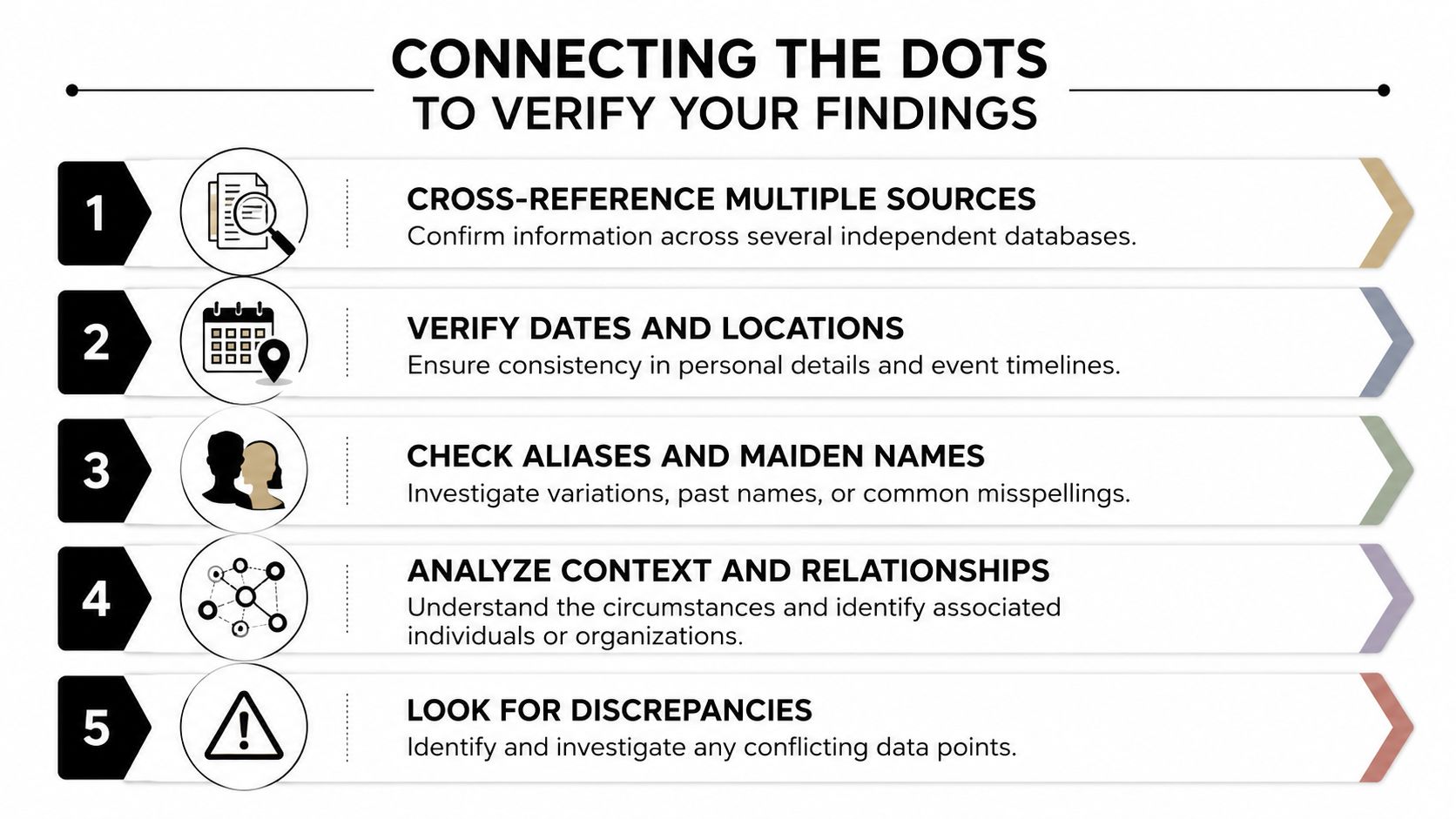
The fix is cross-referencing. You don’t prove identity from one database. You build confidence from several independent points that line up.
- Address consistency: Does the court filing city line up with a property ownership record or business filing?
- Name variation consistency: Does a maiden name, alias, or middle initial repeat across records?
- Timeline consistency: Do the dates make sense with known moves, marriages, licenses, or company registrations?
- Relationship consistency: Do spouses, co-owners, or business associates appear across multiple records?
- Jurisdiction consistency: Is the subject tied to the county where the record was filed?
Many DIY searches fail when someone finds “Michael Turner” in a civil case, assumes it’s the same person from LinkedIn, and stops. That’s not verification. That’s pattern matching.
A practical checklist for false positives
Use this sequence before you treat a record as belonging to a specific person:
- Anchor one reliable detail first. Current city, prior county, or full legal name.
- Pull a second independent record type. Property, business, license, or court.
- Look for overlap, not coincidence. One matching city means little. Several matching details matter.
- Flag contradictions immediately. Different age range, impossible timeline, wrong spouse name, unrelated business sector.
- Leave uncertain matches unconfirmed. “Maybe” is better than a wrong conclusion.
If you’re checking your own exposure, a self-audit with a background check on yourself is often the fastest way to see what someone else could assemble from fragmented public sources.
If a record fits the name but not the life details, keep digging.
What works when identifiers are missing
Public portals often suppress dates of birth and similar details. That doesn’t end the search. It changes the method.
You verify through surrounding facts. Street names, filing dates, related entities, parcel ownership, case participants, and recurring counties all help. So do aliases and prior names. This matters in identity theft response, romance-scam checks, and professional screening, where a false match can hurt an innocent person just as much as a missed record can hide a real risk.
Navigating the Legal and Ethical Boundaries
The fact that something is public doesn’t mean every use of it is wise, legal, or fair.
The legality of a search depends on purpose and location. In Massachusetts, public records law explicitly exempts “intimate details of a highly personal nature” from disclosure unless a paramount public interest exists, and a 2025 Pew Research study found that 42% of users attempting private background checks were unaware of these state-specific requirements (Massachusetts public records law).
Purpose changes the legal risk
Looking up a record for personal awareness isn’t the same as using that information to deny employment, reject housing, or publish accusations online. Once a decision affects someone materially, legal compliance matters more than search skill.
That distinction is where many people get careless.
- Personal safety checks: Narrow fact-finding for dating, roommate screening, or scam prevention is one thing.
- Employment or tenant screening: Formal decisions may trigger rules beyond ordinary public access, including obligations around accuracy and permissible use.
- Public shaming or harassment: Even true information can be misused in ways that create real harm.
Ethical use matters as much as access
A public record can be old, incomplete, sealed in part, or misleading without context. Family court records, dismissed cases, or administrative filings often look more alarming than they are. That’s why responsible researchers don’t publish screenshots first and ask questions later.
One area people often overlook is downstream exposure. Once your name, address history, or legal filing appears online, data brokers can mirror or summarize that information elsewhere. If you’re trying to reduce that spread, practical data broker removal steps can help limit how widely those records are repackaged.
Public access gives you the ability to look. It doesn’t give you permission to overstate what you found.
A simple ethical test
Before you act on a record, ask three questions:
| Question | Why it matters |
|---|---|
| Am I sure it’s the right person? | Misidentification can damage jobs, relationships, and reputations |
| Am I using this for a fair purpose? | Safety and due diligence differ from retaliation or harassment |
| Would I defend this decision if challenged? | Good process is your best protection |
Search public records by name with restraint. In privacy work, cybersecurity, online dating verification, and reputation management, the biggest mistakes usually come from overconfidence, not lack of data.
Streamline Your Search with an Automated Footprint Check
Manual searching works, but it gets messy fast. County sites differ. State agencies classify records differently. Name variations multiply. The moment you add dating safety, gaming profiles, social media, breach exposure, and reputation management into the same review, the research load expands well beyond courthouse portals.
When searching a government index, providing additional identifiers like a maiden name or alias is a critical practice to verify you have the correct person, because every available piece of information improves search accuracy (BRB search techniques).
That is why many people pair manual verification with a broader OSINT scan. Digital Footprint Check searches 500+ platforms including social networks, breach databases, gaming profiles, professional networks, and public-record surfaces to show what information is publicly accessible. The practical advantage isn’t replacing judgment. It’s reducing blind spots and helping you find where to verify next.
When automation helps most
Automation is useful when you’re trying to:
- Audit your own online exposure before a job search or public-facing role
- Check identity consistency across usernames, email traces, public records, and social platforms
- Spot privacy risks tied to old records, exposed profiles, and reused aliases
- Support scam prevention when someone presents a polished identity that doesn’t fully line up
If you want to see what your name, usernames, and public-facing data reveal, use the free checker at Digital Footprint Check.
Frequently Asked Questions About Public Record Searches
What should I do if the person has a very common name
Start with jurisdiction, not the broadest possible search. Use the county or state most closely tied to the person, then add middle names, aliases, maiden names, date windows, and record category filters. Common names become manageable when you stop treating every database like a general search engine.
Are all public records free to access
No. Some portals are free to search but charge for copies or certified documents. Fees also vary by jurisdiction and agency. It’s common to find one office that offers online indexes while another requires an in-person request or paid document retrieval.
Can I search public records without someone’s consent
Often yes, because many records are public by law, but your legal risk depends on your purpose and the jurisdiction involved. Access doesn’t automatically authorize every use. Be careful if your search feeds employment, housing, lending, or any other formal decision.
Can I tell whether a record has been sealed or expunged
Sometimes only indirectly. A missing online case doesn’t prove sealing or expungement, and some systems do not publish older or restricted files. If the matter is important, check the court’s rules for access and request procedures rather than assuming that a blank search result answers the question.
What’s the smartest first search to run on myself
Use your full legal name in the counties where you’ve lived, worked, married, owned property, or filed business paperwork. Then test prior names and common misspellings. This is one of the best ways to understand job-screening risk, online reputation exposure, and whether old records still connect to your identity in public systems.
If you want a faster way to see where your public-facing information appears online, including public-record surfaces, social profiles, breach exposure, and other discoverable traces, try the free scan from Digital Footprint Check. It’s a practical starting point for privacy reviews, reputation management, dating safety checks, scam prevention, and self-audits before someone else searches your name.