· Digital Footprint Check · Content Marketing · 13 min read
What Is Credential Compromise and How
What Is Credential Compromise. Learn what credential compromise means, how attackers exploit stolen passwords and session tokens, and the practical steps you
Compromised credentials were the initial access vector in 22% of confirmed breaches, making them the leading entry point for cyberattacks. Credential compromise means an attacker has obtained or can use authentication information, including passwords, session cookies, API keys, or tokens, to impersonate you or one of your systems.
That definition matters because the familiar question, “Was my password stolen?” is now too narrow. An attacker may never need to learn your password if they can take over an already authenticated browser session. They may also use a leaked login from an old breach against your email, gaming profile, workplace account, or dating app. Modern account security is therefore an identity and session protection problem, not just a password problem.
Understanding Credential Compromise in Plain Language
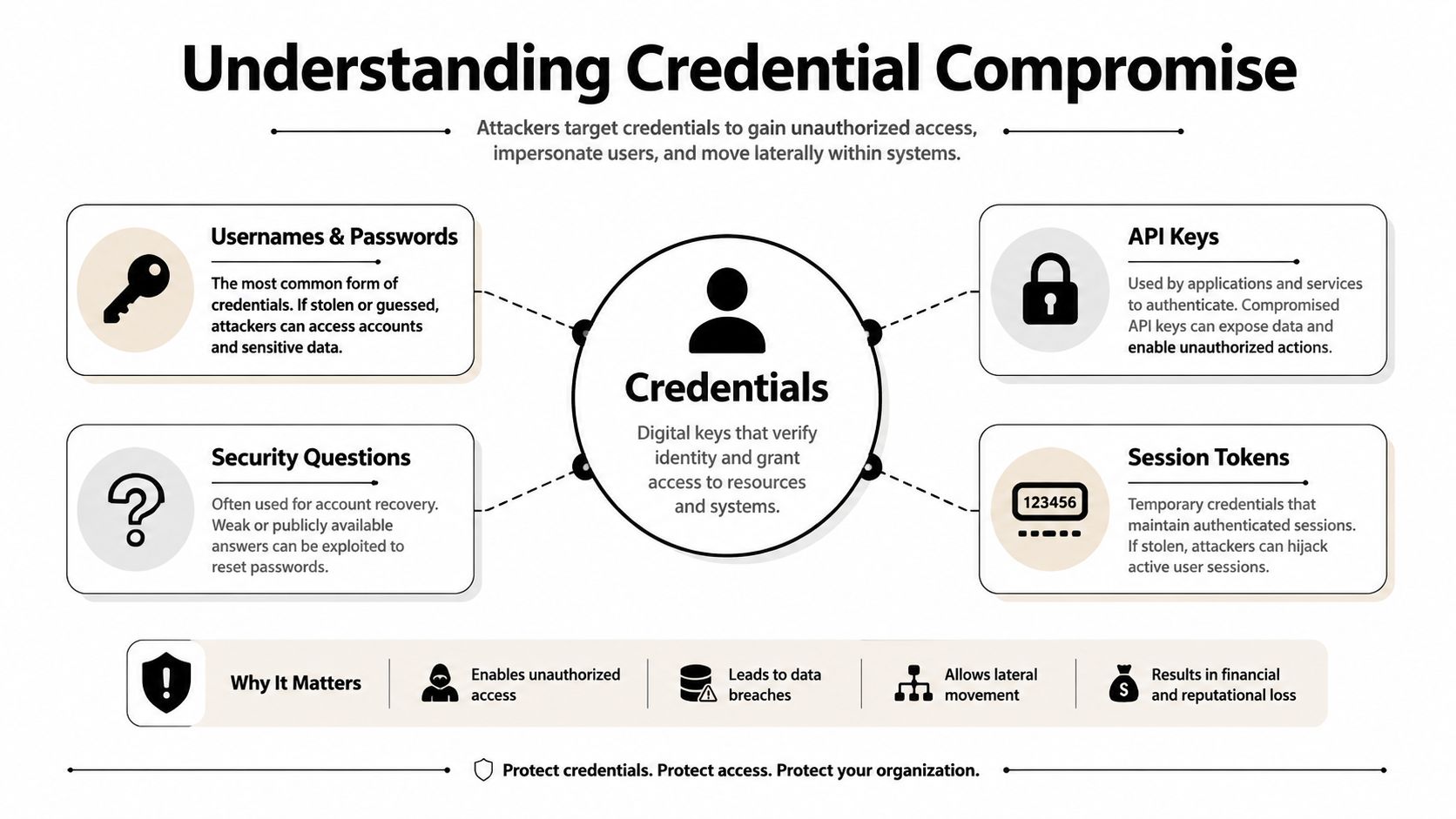
Credential compromise means an attacker has obtained, exposed, or misused information that a digital service accepts as proof of identity. That information can be a password, an API key, a session cookie, a token, or an account-recovery detail. A concise way to group these credentials is login secrets, software access keys, and authenticated session tokens.
A credential works like a key that proves you belong somewhere, but digital keys can behave differently. A reused password may open several unrelated services. A stolen session cookie may give an attacker an already authenticated browser session, allowing access without learning the password at all. That makes credential compromise a session-hijack and token-theft problem as well as a password problem.
Why valid access changes the threat
Valid credentials let attackers enter through the normal login path and inherit the account’s existing permissions. They may read email, change recovery settings, access private messages, create forwarding rules, download files, or impersonate the account owner. An administrator account, or a mailbox connected to other services, can then expose additional systems.
This access can remain difficult to spot because the service may see a familiar account completing an accepted authentication process. MFA can reduce the value of a stolen password, but it does not automatically invalidate a stolen session cookie or access token. Defending identity therefore requires controls that protect sessions and tokens, detect unusual activity, and revoke access when compromise is suspected.
Credential compromise also differs from a data breach. A data breach is an incident in which protected information is exposed or taken from an organization. Credential compromise describes the point at which authentication information becomes usable by someone who should not have it. A breach can cause credential compromise, but phishing, malware, password reuse, and session theft can expose credentials without a new breach at the target service.
MITRE ATT&CK credential stuffing describes the use of credentials obtained from unrelated breach dumps, relying on overlap between accounts. That overlap turns one old leak into a wider access problem. Once identity information works in one place, attackers can test it elsewhere.
How Attackers Steal Your Login Credentials
Phishing remains a direct route to account access. A message may appear to come from your email provider, warn that your account will be suspended, and offer a sign-in button. The page can look genuine, while the address is easy to overlook. Once you enter your username and password, the attacker has a usable credential pair. Suspicious activity may appear only later, after messages are sent or settings change.
That is phishing. The attacker avoids breaking the service’s encryption and persuades you to submit the information through a fake login page, support conversation, document, or message. You can browse phishing training tips to recognize urgent requests, mismatched domains, unexpected attachments, and attempts to obtain authentication codes.
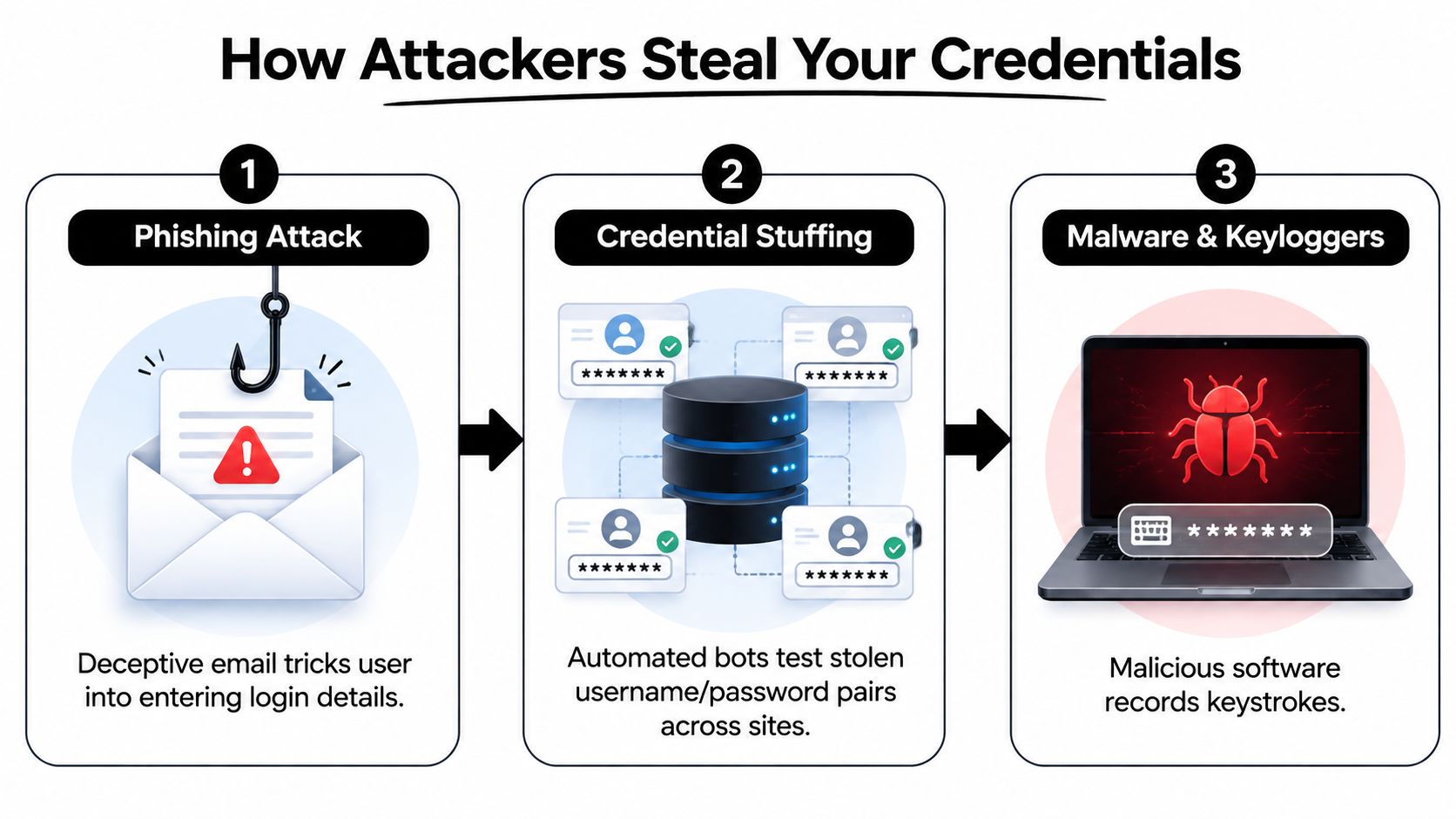
Credential stuffing turns old leaks into new attacks
An old shopping-account password can become a key to a social media profile if you reused it. Criminals load stolen username and password pairs into automated tools, which test them across many services. Successful logins are identified without someone manually trying each account.
This pattern is common in authentication activity, and stolen credentials also appear frequently in basic web application attacks, according to Verizon’s analysis. The figures describe a working attack method rather than an unusual edge case (Verizon’s credential stuffing analysis).
Credential stuffing is different from guessing. The attacker uses a username and password pair obtained from another site’s breach, counting on people to reuse credentials. MFA can reduce the value of a reused password, while rate limits, breached-password checks, device signals, and monitoring help identify automated attempts.
Infostealers collect more than keystrokes
Infostealer malware may arrive through a pirated application, fake browser update, game modification, malicious attachment, or deceptive download. After installation, it can search browser storage for saved passwords, cookies, autofill data, wallet information, and tokens. Performance may slow, but the infection can also remain unnoticed.
A keylogger records what you type. Modern theft can happen without capturing every keystroke because a stolen browser profile, cookie, or session artifact may let an attacker use a service that already trusts the browser. The broader routes scammers use to obtain personal information are described in how scammers get your information.
The distinction matters: a password is one credential, while a cookie or token can act like an already accepted pass. That is why credential compromise is also a session-hijacking problem. Password changes help, but defenders may need to revoke active sessions, invalidate tokens, inspect browser devices, and remove the malware that collected them.
This short video provides a visual explanation of how phishing, automated login abuse, and malware connect in a credential theft chain:
Why MFA Alone Does Not Stop Modern Credential Attacks?
MFA remains one of the strongest protections against password-only attacks. It does not guarantee safety after an attacker steals an authenticated session, so it should be treated as one layer of account defense rather than the entire solution.
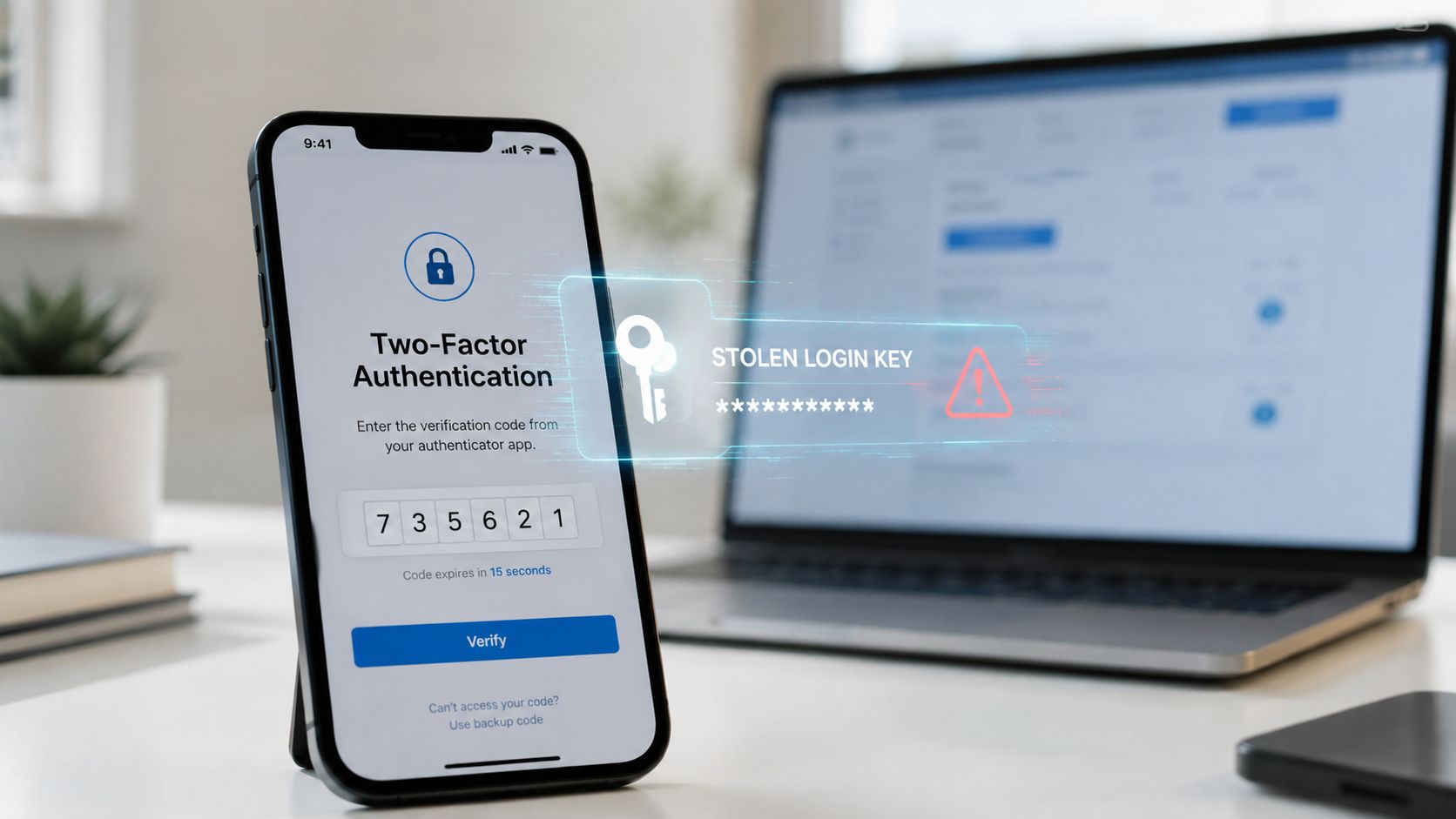
A stolen session can bypass the next MFA prompt
After sign-in, a service often gives your browser a session cookie or token. It works like a temporary pass that tells the service authentication has already happened. If malware copies that artifact, an attacker may replay the session from another device and appear trusted without entering the password or completing MFA again.
Recent reporting identified 276 million indexed stolen records that include an active session cookie, while Recorded Future found that 63.2% of 7 million credentials with identifiable authorization URLs were tied to authentication systems (CybelAngel’s reporting on credential exposure). The figures show why changing a password may leave an active intrusion in place.
Practical rule: If compromise is suspected, reset the password and revoke every active session. Include tokens, cookies, connected applications, and recovery methods in the account’s security perimeter.
A complete response means signing out unknown devices, terminating active sessions, removing unfamiliar app permissions, rotating API keys, and reviewing forwarding rules. High-value accounts should use phishing-resistant security keys where supported. For Microsoft 365, follow guidance on how to set up MFA securely with Ollo.
MFA can block an attacker who has only a password. It may fail against someone holding a valid session, which makes session hygiene and token revocation as important as password management. Mobile numbers and recovery processes need review too, since attackers may target phone-based access through methods such as a SIM card clone.
Warning Signs Your Credentials Have Been Compromised
Credential theft often leaves clues in account activity. No single alert proves an account takeover, but several unfamiliar events together should prompt immediate action.
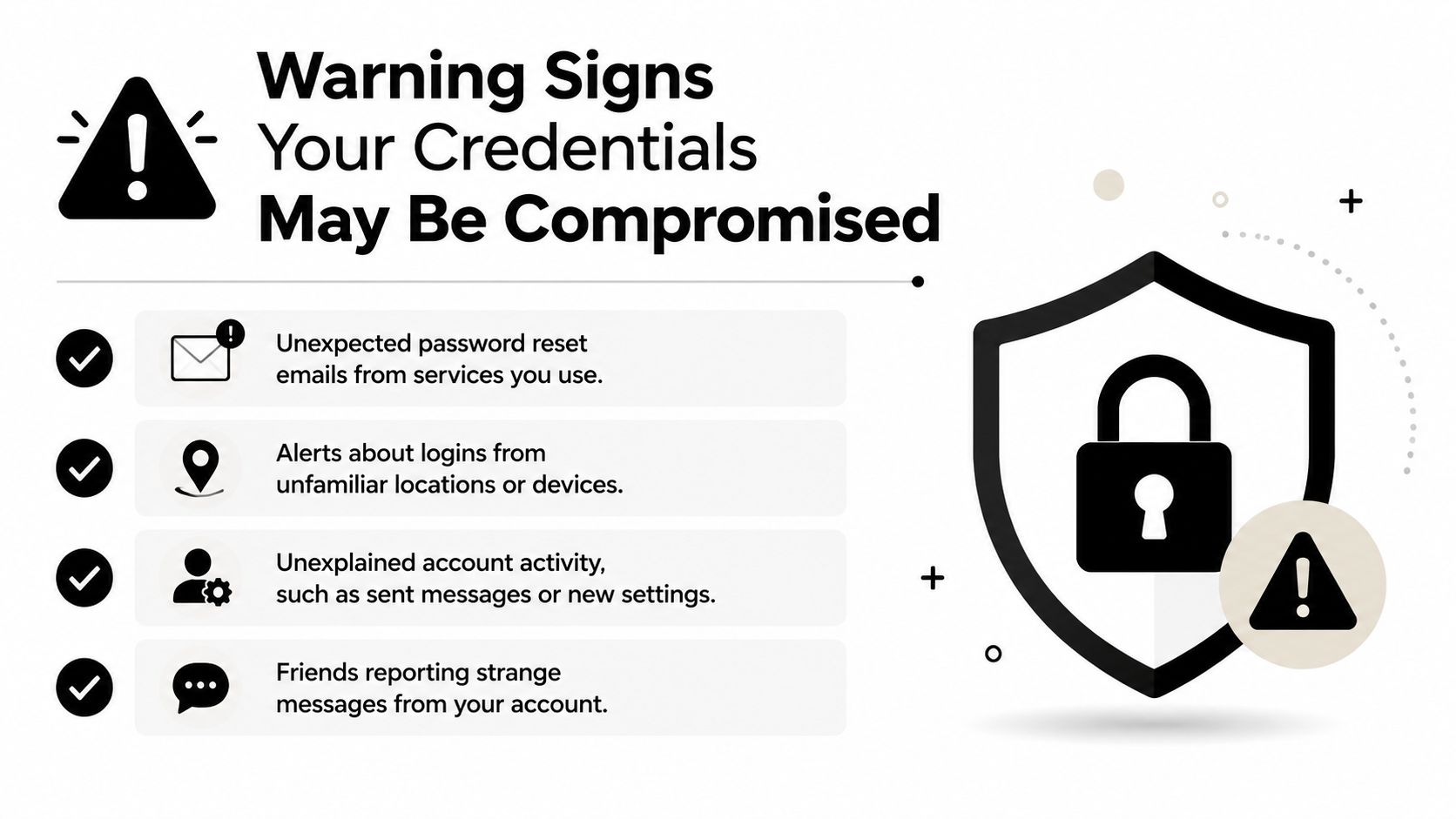
Start with account notifications
Review recent security emails and notifications rather than dismissing them as spam. Look for:
- Unexpected reset messages: A password reset email you didn’t request may mean someone is testing or trying to take over the account.
- Unfamiliar locations or devices: Check the service’s sign-in history for browsers, phones, or regions you don’t recognize.
- Repeated failed attempts: Account locks or alerts about unsuccessful logins can indicate automated password testing.
- New security settings: Watch for changed recovery addresses, phone numbers, MFA methods, or newly registered devices.
A notification can also be delayed or incomplete, so inspect the account directly through the official application or a manually entered website address. Don’t use the button in a suspicious message to investigate the warning.
Check what the account has done
Open sent mail, deleted items, direct messages, cloud storage activity, payment history, subscriptions, and connected applications. Unfamiliar messages, new forwarding rules, changed profile details, unauthorized purchases, or strange contacts can reveal that someone used the account after authentication.
Friends may also tell you that your account sent strange messages. That signal matters because attackers often use trusted accounts to distribute phishing links or target personal contacts.
You can follow a structured process in how to check if your email has been hacked. If a breach database identifies your email, don’t assume the listed password is still current or that the account itself was hacked. Treat the result as an exposure warning, then change unique passwords, revoke sessions, and examine account activity.
Take action in the right order
Secure the email account first if it controls password resets for other services. Use a clean device, change the password, enable MFA, revoke sessions, remove unfamiliar recovery options, and contact the provider if you can’t regain control. Then repeat the process for financial, work, gaming, social, and dating accounts.
The Cascading Impact of a Single Leaked Password
Password reuse turns one exposure into a chain reaction. One analysis cited 65% of people reusing passwords across sites, an average reuse of 14 times, and 73% using the same password for personal and work accounts (Enzoic’s password reuse analysis). Those figures explain why a login from an old forum or shopping service can matter years later.
The consequences vary by account, but the pattern is consistent. An email account can reset other passwords. A gaming account can expose purchases, social connections, and valuable virtual items. A dating profile can be used to message contacts, request money, or support a romance scam. A professional account can damage trust with colleagues, clients, or recruiters.
Cloudflare reported that, based on traffic observed from September to November 2024, 41% of successful logins across websites it protects involved compromised passwords (Cloudflare’s analysis of password reuse). That makes credential compromise an active account takeover concern, not merely an old breach problem.
| Account Type | Immediate Risk | Downstream Consequences |
|---|---|---|
| Attacker reads messages or changes recovery settings | Password resets across other accounts, impersonation, privacy loss | |
| Banking and shopping | Unauthorized access to payment and order information | Fraud investigations, disrupted finances, exposed purchase history |
| Workplace | Attacker uses a trusted identity | Data exposure, internal phishing, professional reputation damage |
| Gaming | Profile takeover, unauthorized purchases, lost virtual items | Lost progress, social engineering of friends, damaged gaming identity |
| Dating and social | Messages or profile details are controlled by someone else | Catfishing, romance scams, harassment, and personal safety concerns |
The professional and personal blast radius
A hijacked professional profile can create confusion during a job search. Attackers may send inappropriate messages, alter profile information, or impersonate the account owner. Recruiters and colleagues may encounter the fraudulent activity before the owner knows anything is wrong.
Gaming profiles deserve the same attention as work accounts. They contain identity signals, payment details, friend networks, voice-chat relationships, and sometimes years of progress. Dating accounts carry a different risk because an attacker can exploit emotional trust, private conversations, and profile verification cues.
The safest assumption is that every reused password creates a connection between accounts. Breaking those connections with unique passwords limits how far one exposed credential can travel.
Building a Layered Defense Against Credential Theft
Effective protection combines separate controls. A password manager creates unique credentials, MFA blocks many password-only attacks, session reviews remove lingering access, and exposure monitoring helps you respond when information appears in a breach collection.
Begin with unique credentials
Use a reputable password manager to generate and store a different password for every service. The master password should be long, unique, and protected with MFA where available. Don’t copy a workplace password into a personal account, and don’t reuse your email password anywhere else.
The reason is simple. A unique password makes a stolen login less useful outside the service where it was exposed. For practical setup guidance, review password manager best practices.
Add strong authentication
Enable MFA on email, financial, workplace, gaming, social, and dating accounts. Prefer authenticator applications or phishing-resistant security keys over weaker recovery methods when a service supports them. Store recovery codes offline in a protected location, and don’t approve an unexpected login prompt just because it arrives on your phone.
MFA should protect the account, but it shouldn’t end your review process. Check active sessions after suspicious activity, remove unknown devices, and investigate unfamiliar connected applications.
Treat sessions and tokens as credentials
Open each important account’s security dashboard and review signed-in devices. Revoke sessions you don’t recognize, remove old devices, and disconnect applications you no longer use. If you manage software integrations, rotate API keys and examine access scopes so an old key can’t retain unnecessary permissions.
A password change protects the next login. Session revocation addresses access that may already be in progress.
Organizations also need access controls, logging, endpoint protection, secure recovery workflows, and tested incident response. Teams can compare those broader controls with guidance on how businesses stop data breaches.
Monitor exposure over time
Breach monitoring can alert you when an email, username, phone number, or other identifier appears in exposed collections. Monitoring doesn’t replace unique passwords or MFA. It gives you an opportunity to investigate before an attacker successfully reuses the information.
Digital Footprint Check can scan public sources, breach databases, social platforms, gaming profiles, professional networks, and public records to identify information associated with an individual or business. Use any result as a prompt to verify the affected service directly, secure the account, and avoid entering passwords into an unfamiliar checker.
Take Control of Your Digital Identity Today
Credential compromise usually begins with a small failure, such as a reused password, a convincing phishing page, an unsafe download, or an unrevoked session. The damage grows when one account can reset another, impersonate you, access private conversations, or expose work and financial information.
Start with your primary email account. Give it a unique password, enable MFA, review active sessions, remove unknown connected apps, and check recovery settings. Repeat those steps for financial, workplace, gaming, social, and dating accounts, then use breach monitoring to identify new exposure instead of relying on a one-time review.
A practical first step is the free checker at www.digitalfootprintcheck.com/free-checker. It can help you discover whether personal information or account identifiers are publicly exposed, so you can prioritize password changes, session revocation, and privacy improvements.
Digital Footprint Check helps you search across public sources, breach-related collections, social networks, gaming profiles, and professional platforms for information connected to your identity. Visit Digital Footprint Check to check your exposure and turn credential compromise concerns into a concrete account-security plan.