
· Digital Footprint Check · Content Marketing · 15 min read
What Is Credential Stuffing Attack and How to Stop It
Wondering what is credential stuffing attack? See how bots reuse leaked passwords, spot warning signs, and stop takeovers with MFA and breach monitoring.
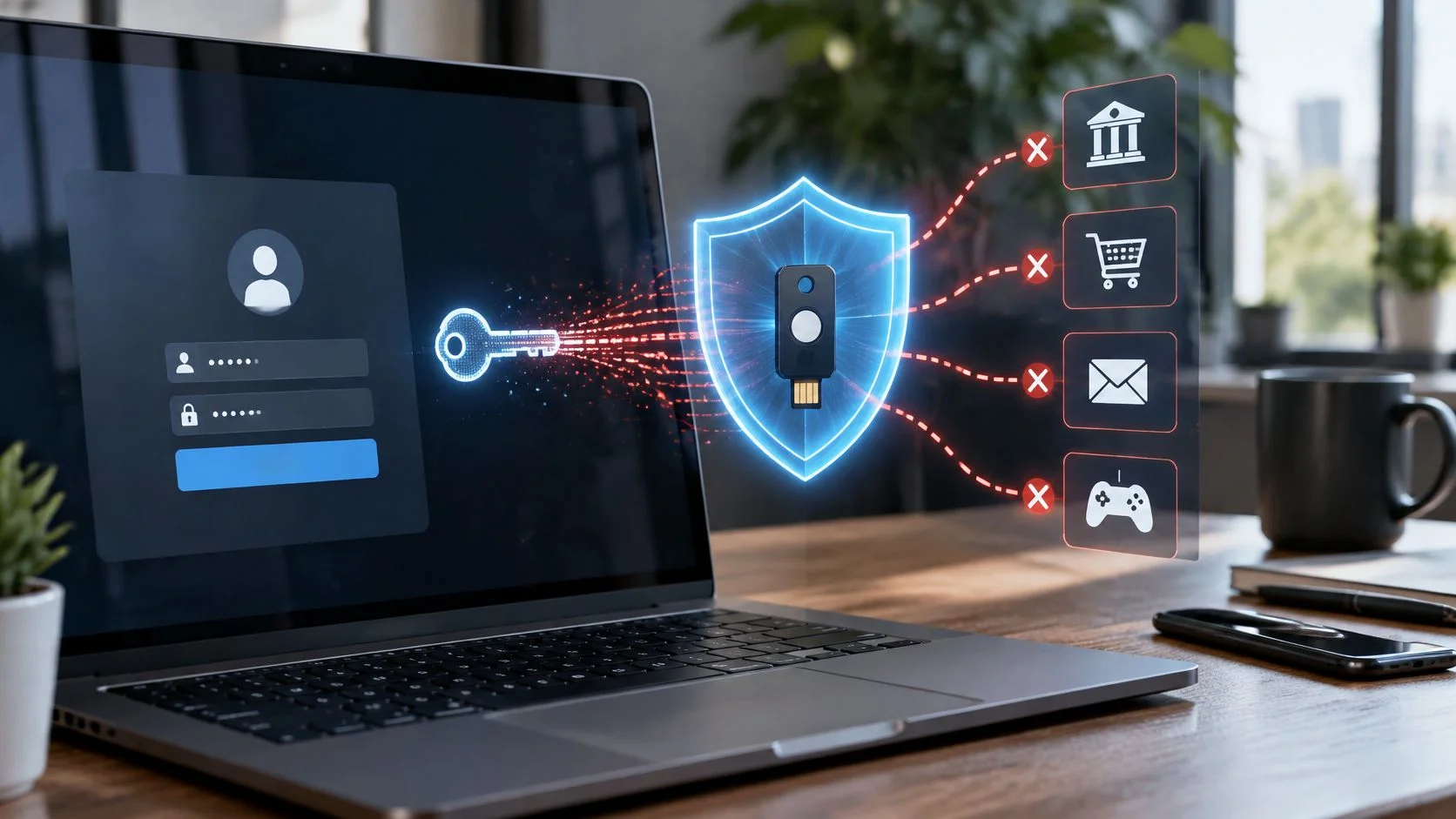
Your email address and an old password surface in a breach dump from a site you forgot about years ago. Within days, an automated script tries that same pair on your bank, your email provider, your workplace login. That is a credential stuffing attack: automated attempts to log in to unrelated websites with username and password pairs stolen from an earlier breach. It works because people reuse passwords, and attackers now run these attempts on a very large scale, with volumes that have grown sharply in recent years.
You already know which password it would be. The one from the old forum, the takeaway app, the game launcher you haven't opened since spring. It was convenient and memorable, and it probably ended up protecting something that matters.
The asymmetry is what makes this hard to feel. The attacker isn't researching you. They're running a list of a few million stolen pairs against a few thousand sites and keeping whatever opens. No one picked you out of a crowd. The pair you reused did the picking. Your real job is narrower than it feels: make sure the credentials already sitting in those lists don't fit anything you still use.
What Credential Stuffing Means and Why Reuse Makes It Work
Say a thief lifts a ring of keys from a cleaner's trolley in a hotel. He doesn't know which key opens which door, so he walks the corridor trying them one at a time. Most fail. One opens a supply cupboard, another opens a guest room.
That's credential stuffing, translated to the internet. It's an automated account-takeover technique in which attackers test usernames and passwords stolen from one breach against accounts on unrelated websites, and the FBI's advisory on the attack frames it exactly that way. Nothing is broken in the second website. The lock works as designed. The problem is that a key from somewhere else already fits.
The FBI describes credential stuffing as the use of automated tools or botnets to attempt authentication across online platforms with stolen credentials. The agency's reporting record shows the damage behind that sentence. From 2017 onward it received reports involving nearly 50,000 compromised accounts at U.S. financial institutions, and the threat represented 41% of security incidents affecting the financial sector from 2017 through 2019, the largest reported incident category in that period.

Guessing and stuffing are different attacks
A password guesser sits on your login page and throws combinations at it. Long, unusual passwords defeat that quickly, and rate limits slow it down.
Stuffing skips the guessing entirely. The attacker holds email and password pairs that already worked somewhere, so every attempt starts from a real, valid-looking key. Bots then try large collections of those pairs across banking, retail, gaming, social media and professional platforms in a single run. Reuse is what turns old pairs into access, which is why attacker supply chains focus on billions of leaked credentials sitting in criminal marketplaces and other underground channels rather than on cracking anything.
Where reuse bites, it bites across your whole life. A password leaked from a game forum can open a shopping account. The same string can sit on a work email, a streaming subscription and, in the worst case, a bank login. One reused password links the parts of your digital footprint you assumed were separate.
The lesson that matters: no breach notification is required for you to be at risk. If you reused the password, a leak you never heard about has already reached you.
If you searched what is credential stuffing attack expecting a story about hacked servers, this is the correction. The vulnerability is the overlap between accounts, not the code on the site. That's why the boring advice works: give every account its own password, starting with the ones that hold money and messages. The password security best practices guide sets out an order for doing that without locking yourself out of anything you rely on daily.
How the Attack Works From Combo List to Takeover
Attackers don't improvise this. The work runs as a pipeline, and each stage leaves a different trace on your side of the screen.
The flow below shows the six stages in sequence, from the first stolen list to a working takeover.
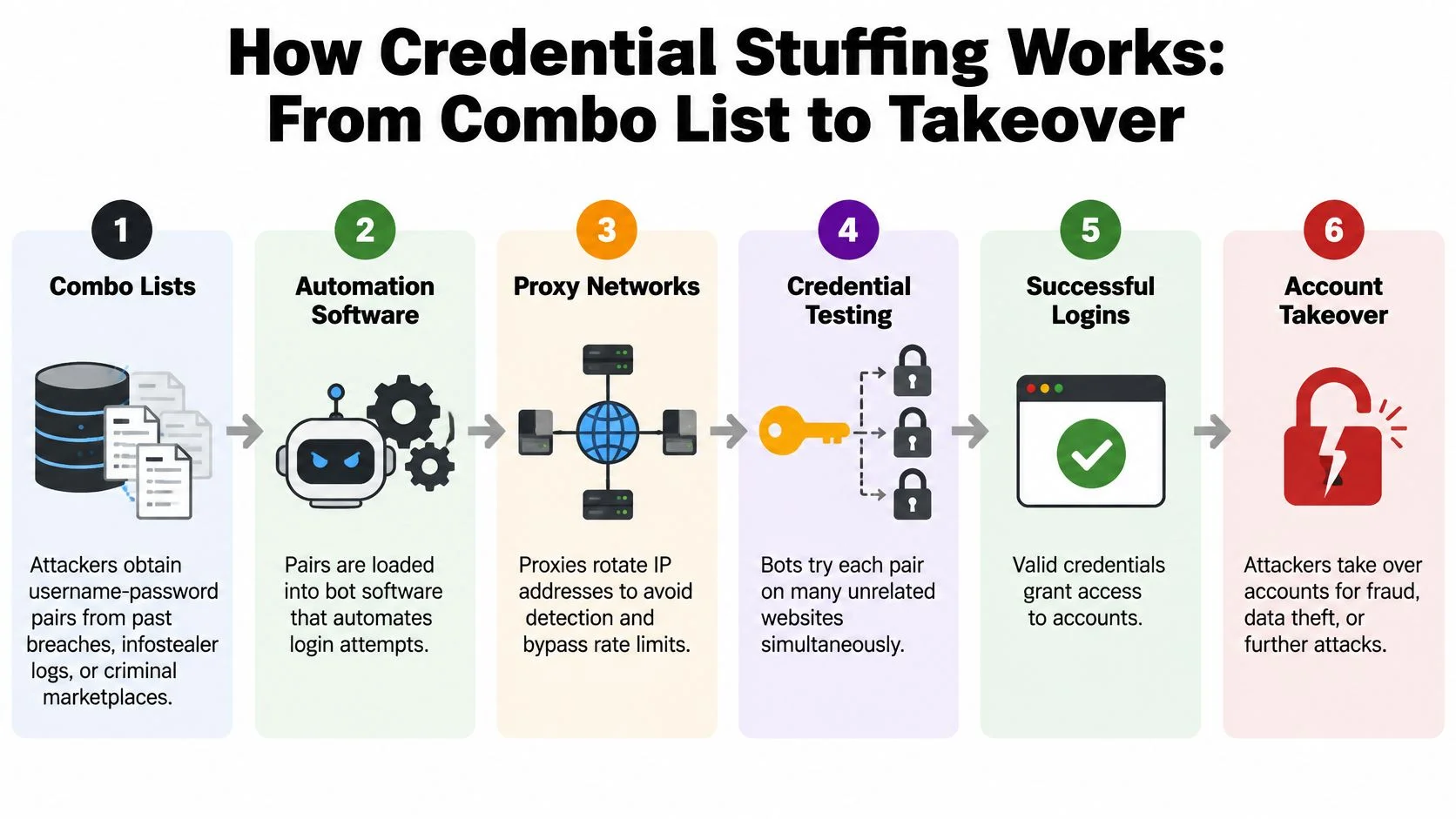
1. Collect the pairs. Attackers assemble combo lists from past breaches, from infostealer malware logs pulled off infected computers, and from marketplaces that sell both. Nothing on your side stops this stage, because the password already exists in someone else's file.
2. Load them into automation. The list goes into software that submits each pair to a target login form, often thousands of times a minute. The habit that breaks the chain here is a unique password, because a pair that never worked on the target site can't be loaded usefully.
3. Spread requests across proxies and botnets. One address hammering a login page gets blocked, so requests are routed through rented proxies and hijacked machines to look like ordinary traffic from everywhere at once. The habit that helps is multi-factor authentication, which doesn't care where the request came from.
4. Record the hits. The software logs which pairs returned a successful login and discards the rest. You may notice nothing at all, because a valid login looks exactly like a valid login. The habit that helps is a login alert on every account that offers one.
5. Take control. The attacker changes the recovery email or phone number, creates an app password, or sells the working access to someone else. The habit that helps is keeping recovery details current and protected by the same second factor as the login.
6. Reuse the access. Verified accounts get used to send phishing from a familiar address, reset passwords elsewhere, or reach stored payment details.
Combo lists start upstream, with a database that was stored badly. The guide to how data breaches happen explains the mechanics, and the short version is that your password often leaks months before anyone tells you.
Here's the pipeline in a form that's easier to scan than to read.
| Component | Role in the attack | Where it comes from |
|---|---|---|
| Combo lists | Pairs of email and password to test | Earlier breaches and criminal marketplaces |
| Infostealer logs | Saved browser logins pulled from infected devices | Malware installed on victims' computers |
| Automation scripts | Submit thousands of pairs to a login form | Off-the-shelf or custom bot software |
| Proxy networks and botnets | Spread requests across many IP addresses | Rented proxies or hijacked devices |
| Headless browsers | Mimic a real user to pass basic bot checks | Standard browser automation tools |
None of these components requires advanced skill. They're bought, rented or downloaded, which is why the attack shows up against small retailers and hobby forums as often as against banks. Cheap tools plus a reused password is the whole business model.
Warning Signs That Someone Is Testing Your Accounts
The alert that matters most isn't the one saying someone tried. It's the one saying someone got in. A login notification from an unfamiliar country or device is the clearest evidence of a successful hit, and it deserves action within minutes, not at the weekend.
Everything else is a lesser signal, but a useful one. Match what you see against the table below before you start resetting things at random.
| Symptom | Likely meaning | What to check first |
|---|---|---|
| Password reset emails you did not request | Attacker testing or resetting after a hit | Login history, then sign out all sessions |
| Login alert from a new country or device | A successful login with valid credentials | Change the password and turn on MFA |
| Lockout notices from several services | Automated testing of your email address | Which services share the same password |
| Changed recovery email or phone number | Takeover in progress | Recovery settings and the provider's account recovery route |
| Messages or purchases you did not make | Account already used for fraud | Secure the account, then contact the service and your bank |
| Breach alert for an email you rarely use | An old password may still work elsewhere | Every account that used the same password |
Organisations see the same event from the other side. A flood of failed logins looks like noise and often gets filtered as such. What should raise alarm is the opposite pattern: a high number of successful logins with few failures, because that shape suggests the requests already carry valid credentials.
The order to check things in
- Open the login history for the account in question and look for locations, devices and times you don't recognise.
- Sign out of all active sessions, including the ones labelled with your own device names, since an attacker can rename a session.
- Change the password on that account and on every account that shared it.
- Review recovery settings last, because an attacker who still controls the recovery address can undo everything above.
A breach alert landing on an old email address isn't proof of a current takeover. It's a prompt to check every account that used that password. The distinction matters, and the account takeover prevention guide covers what to do when a check comes back positive.
Three signs need action today rather than this week: a password reset you didn't request, a changed recovery method, and messages sent from your account that you didn't write.
Account Takeover, Fraud and the Real-World Cost
The first thing an attacker does with a working login is look for a bigger one. Your email account sits at the top of that list, because every other service sends its password resets there. An inbox works like a master key: open it once, and the attacker can request a reset on a shopping account, a social profile or a bank, click the link in your name, and never touch your password again.
A typical chain starts somewhere small. A player reuses the same password on a game launcher and on a personal email account. The launcher leaks, the pair gets tested elsewhere, and the email account opens. From inside that inbox the attacker requests a bank reset, completes it, and moves money before the owner notices anything.
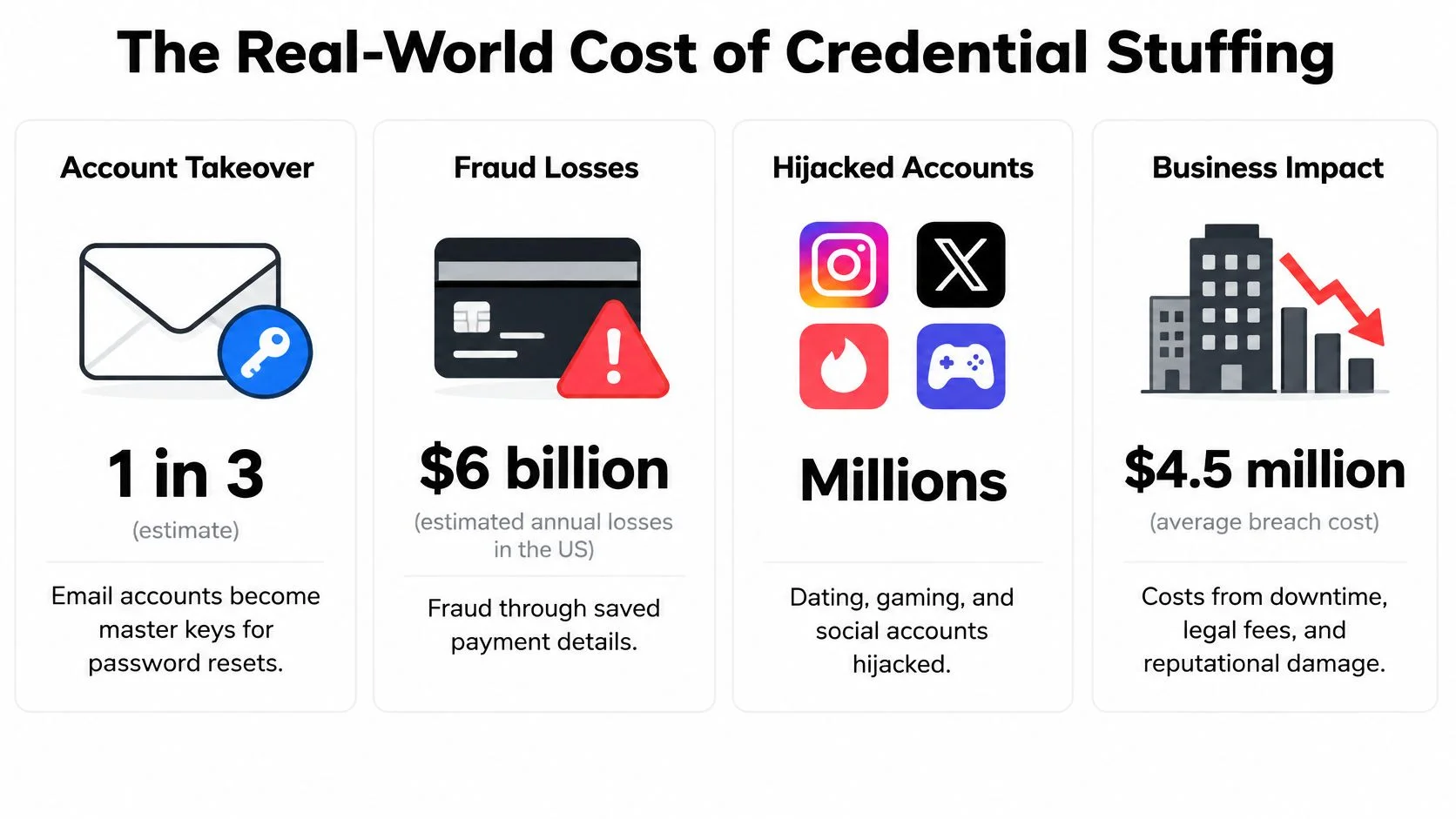
For organisations, the damage stacks in the same order each time: account takeover first, then fraud, unauthorised data access, privacy exposure and reputational damage. For individuals the losses are personal: a drained balance, a hijacked gaming or dating profile used to scam friends, private messages read by a stranger.
Reading the scale honestly
The numbers below measure attempts and exposures, not confirmed compromises. That distinction matters, because it explains why a low success rate still ruins plenty of afternoons. Even a small fraction of hits across billions of attempts produces a large pile of working logins.
| Measure | Figure | Source and period |
|---|---|---|
| Malicious login attempts | More than 30 billion | Akamai, Nov 2017 to Jun 2018 |
| Malicious logins per month | About 3.2 billion | Akamai, Jan to Apr 2018 |
| Bot login attempts | More than 8.3 billion in two months | Akamai, May and Jun 2018 |
| Annual login attempts | 47 billion in 2019; 193 billion in 2020 | Akamai, up more than 310 percent |
| Share of login traffic | More than 90 percent on many large sites | 2017 study cited by NIST |
| Share of daily authentication attempts | Median 19 percent; 25 percent enterprise; 12 percent small business | Verizon enterprise SSO logs |
| Average credential spill before public knowledge | 15 months | F5 Labs |
The growth curve is worth attention. Akamai counted more than 30 billion malicious login attempts between November 2017 and June 2018, with bots generating more than 8.3 billion attempts in May and June alone, roughly a 30% rise in the monthly average, according to Akamai's credential stuffing research.
Exposure also lasts longer than commonly assumed. F5 Labs found the average credential spill took 15 months to become public, and annual spill incidents nearly doubled from 2016 to 2020 while average spill size fell from 63 million records to 17 million. Smaller, more frequent breaches mean a steady supply of fresh material.
Fresh collections of breached email and password pairs keep circulating, so new material is always entering the market.
The cause isn't a single old breach you can point to. Reuse is what lets one leaked pair reach accounts that had nothing to do with the original service, and reuse is the one part of this you fully control.
Prevention Controls That Actually Stop Credential Stuffing
Start with the control that changes the maths. Multi-factor authentication means a stolen password alone no longer completes a login, because the attacker also needs a hardware key, an authenticator approval, a one-time code or a biometric check, none of which travel inside a leaked list.
The impact is measured. OWASP's credential stuffing prevention guidance cites Microsoft analysis estimating that MFA could have prevented 99.9% of account compromises in the cases studied. That single control outperforms everything else on this page.
| Control | What it stops | Main limitation |
|---|---|---|
| Multi-factor authentication (phishing-resistant where possible) | A reused password alone no longer completes a login | Can be bypassed by phishing if the second factor is weak |
| Unique passwords and breached-password screening | Reuse of leaked pairs across services | Depends on users adopting a password manager |
| Rate limiting per account and per IP | Fast, high-volume testing of many accounts | Attackers rotate IP addresses, so IP limits alone fail |
| CAPTCHA or step-up MFA on risk signals | Simple bots that cannot pass a challenge | Adds friction and can be solved by bot farms |
| Behavioural bot detection | Automation fingerprints and unnatural login patterns | False positives can lock out real users |
Layers, not a single wall
OWASP recommends graduated responses rather than one CAPTCHA or one IP threshold. In practice that means screening submitted passwords against breach blocklists, applying token-bucket or sliding-window limits at both the network and the identity level, and escalating to a challenge when risk signals accumulate. Record authentication history, and watch successful logins as closely as failures, since a quiet failure rate can mean the credentials are valid.
On password rotation, OWASP's authentication guidance is clear that routine periodic changes add little without evidence of compromise. Screen new passwords against known-breached lists instead, and push unique, strong passwords plus MFA.
If you do one thing this month: turn on MFA for your email account. Everything else you own can be reset through that inbox.
Your practical order is email first, then banking and work accounts, then gaming and shopping, with a different password on each. The email security best practices guide covers the settings worth changing on the inbox itself.
Pair the two controls. MFA without unique passwords still leaves an attacker inside any account that lacks the second factor, and unique passwords without MFA still fall to infostealer malware that lifts saved logins straight off a device. Together they close the path this attack depends on.
Detect Exposure and Lock Down Reused Passwords
You can't fix a password you don't know is loose. Detection comes before resets, and the useful question isn't whether a breach happened, it's which of your accounts share the password that leaked.
Defenders separate ordinary behaviour from automated attempts by watching account and device velocity, IP and ASN reputation, TLS or HTTP fingerprints, impossible-travel patterns, repeated failures across many accounts, and successful logins followed by odd session activity. Attackers route requests through proxy infrastructure to hide their origin, and their automation files specify the target login endpoint and request headers, which is why simple per-IP blocking fails on its own and the layered controls above carry the weight. The Verizon analysis of credential stuffing in SSO logs sets out that telemetry picture for defenders.
For you, the equivalent is a breach lookup. Exposure found before an attacker tests it is exposure you can neutralise. We've monitored more than 1,000 data breaches at Digital Footprint Check, and the email breach lookup checks an address against known breach exposure.
Three steps to run the check
- Search your email address or username in the free breach checker.
- Review the potential matches and note every service that appears, including ones you'd forgotten you joined.
- Take action using the step-by-step guides, starting with the accounts that hold money and messages.
Sort what you find by risk. Email and banking first, because those give access to everything else. Work accounts next, since a compromised workplace login exposes colleagues. Then gaming, dating and shopping, which are the accounts people reuse passwords on most casually and the ones an attacker uses to reach friends.
If a match shows active takeover signs, such as a changed recovery method or a login alert you didn't trigger, work through the triage order from the warning signs section before you reset anything.
What a match actually proves: that a credential is exposed, not that an account is compromised. Password reuse and active sessions tell you how urgent the response is.
A clean result at your main email provider means very little on its own. An obscure account you signed into once can hold the same password and none of your attention. That's the gap between receiving a breach notification and checking.
Three changes to make this week: enable MFA on your email, replace every reused password with a unique one stored in a password manager, and run the check again in a month to confirm the matches have dropped.
Digital Footprint Check watches more than 1,000 data breaches and searches 500+ sources to show you which of your email addresses, usernames and gaming profiles are already circulating, which is exactly the raw material a credential stuffing run feeds on. Start with the free breach check on the email address you use most, then work through the accounts it surfaces in the order that protects your money and messages first. You can begin at Digital Footprint Check and see what's already out there in your name.