· Digital Footprint Check · Content Marketing · 14 min read
Is Someone Using My Phone Number? Signs and Fixes
Is someone using my phone number? Learn the warning signs, how to tell spoofing from SIM swaps, and the steps to secure your number and accounts.
It starts small. A stranger calls back and asks why you rang them. A friend texts to say your number just sent them a link. Or a verification code arrives from an app you haven't opened in years, and you delete it without thinking.
Then the questions pile up. Could somebody be inside your account? Is your carrier about to cut you off? Should you change every password tonight, or is this one of those glitches that sorts itself out?
Is someone using my phone number is really three questions wearing one coat. Someone is borrowing the appearance of your number. Someone has taken control of the number itself. Or your number is still tied to the person who had it before you. From the outside these look almost identical, and they call for completely different responses.
Which Problem Is It? Triage and Spoofing Checks
Here is the version that deserves speed. A text arrives asking for a verification code you never requested. You ignore it, and twenty minutes later your phone drops off the network: no calls, no data, and a carrier app that reports your line is no longer active.
That pairing, an unrequested code plus unexplained loss of service, points toward a number takeover rather than a nuisance call. One sign on its own rarely proves anything. Matching your symptoms to the right scenario tells you whether the next hour belongs to your carrier or to a report about a spoofed call and a normal evening.
| Symptom | Most likely scenario | First action |
|---|---|---|
| Calls or texts you did not make, absent from your call history | Caller ID spoofing, where your number is displayed but not used | Do not call back; report it and ask your carrier about call filtering |
| Sudden loss of cellular service with no explanation | Possible SIM swap or number port | Call your carrier on its official number and request a SIM change review |
| Password-reset or verification codes you did not request | Account or number takeover | Secure your email first, then switch to an authenticator app |
| Strangers replying to messages meant for you | Recycled number still linked to a previous owner | Ask your carrier whether the number was reassigned; remove it from old accounts |
| Port-out or SIM-change alerts you did not trigger | Unauthorized number porting | Escalate to your carrier immediately and follow the first-hour steps |
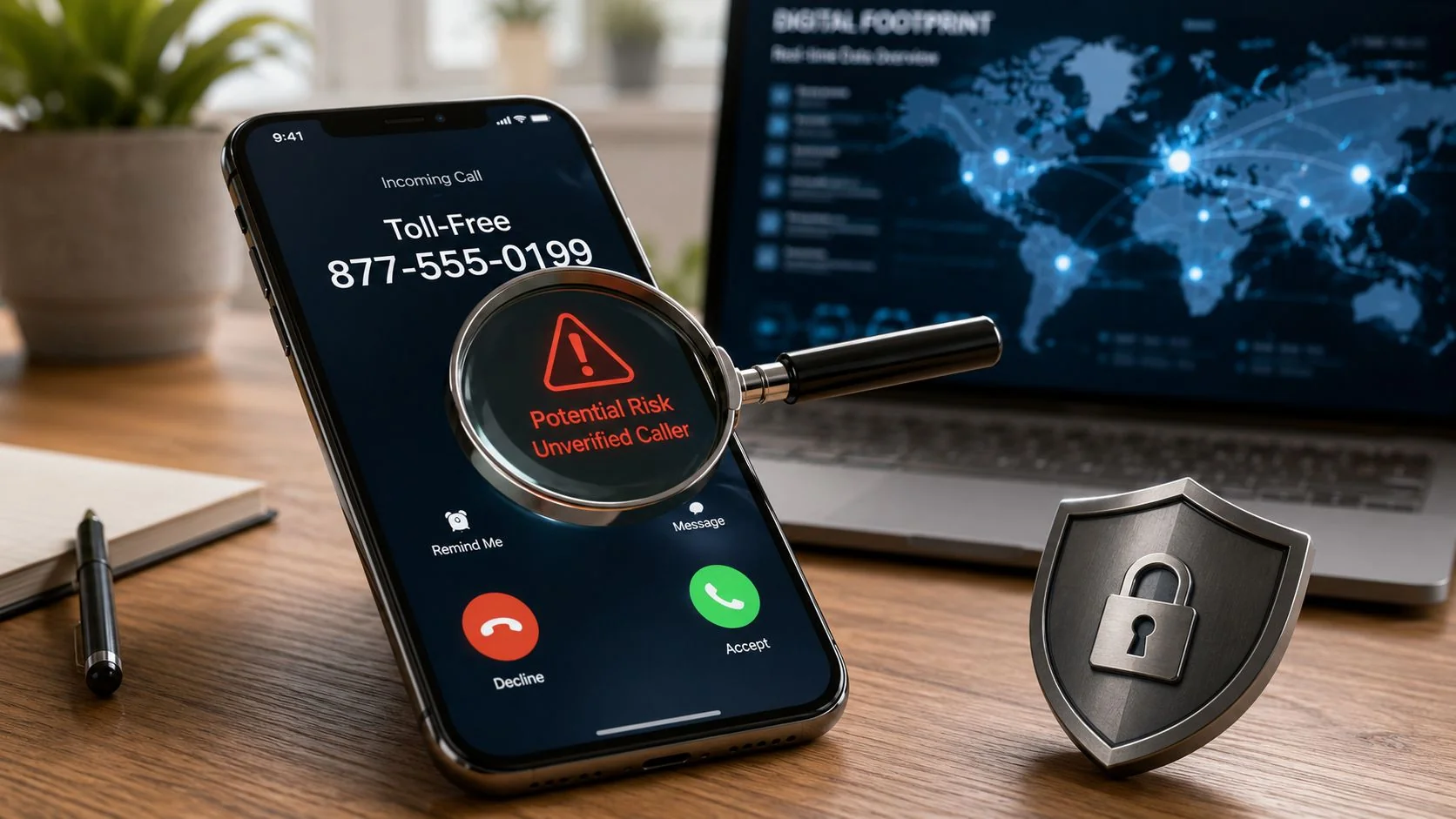
Common advice collapses those rows into one. The FCC's robocall mitigation report tracks how carriers police illegal robocalls, and the distinction underneath it is the one that matters here. A spoofed caller ID is not genuine control of the account behind the number, and a call originating abroad can display a U.S. number. Your number can sit on a stranger's screen while your SIM, your handset and your accounts stay untouched.
The FCC's consumer guidance on spoofing approaches the same point from the other direction. Complaints about calls you never made can indicate spoofing rather than a compromised account, and an ordinary caller ID display cannot establish who placed a call.
Run the Three-Check Diagnostic
Compare three records before you change a single password. Pull the call detail records from your carrier account, open your voicemail log, and scroll back through the call history on the handset itself. The three records work like separate receipts for the same transaction, and only one of them shows what travelled over your line.
Suspicious calls in the carrier record. Someone is placing calls on your line. Treat it as possible account access and move to the carrier steps, even when the handset shows nothing unusual.
Suspicious calls missing from both the handset and the carrier record. Spoofing is the far more likely explanation. The call never touched your line, so a password change will not stop the next one.
Calls on the handset but not in the carrier record. That is usually an app, a second VoIP number or a call-back service, not your mobile account.
If the trail points to your number being displayed rather than used, how text message spoofing works explains what the person on the other end gets out of it and why blocking a single number rarely ends it.
Rules That Stop the Damage Spreading
- Don't call the number back. A call-back confirms a live line, and the person who answers now has your voice, your name and your number.
- Don't press keys to reach a representative or to be removed from a list. Pressing a digit confirms that a real person is holding the phone, which is exactly what an automated campaign is testing for.
- Don't confirm anything to a caller who reached you first, including the last four digits of an account. Hang up and dial the organisation on a number you looked up yourself.
- Do ask your carrier for call blocking and anti-spoofing controls through a channel you verified, such as the number printed on your bill.
Practical rule: If a call is missing from your carrier's records, your number is being displayed rather than used, so report it and filter it. If you also received unrequested verification codes, or your service dropped, secure your email first and follow the carrier steps below.
Two or more signs together are the exception. Lost service plus a code you never requested, or a port-out notice you did not trigger, means triage is over and the first-hour steps start now.
Why Your Phone Number Unlocks Your Accounts
Think of your phone number as a spare key you handed to everyone who asked for one. Banks, email providers, social networks, delivery apps, game stores and dating apps all accepted it as proof of who you are, and most still send a code to it when you forget a password. Whoever holds that number walks through every door that still trusts it.
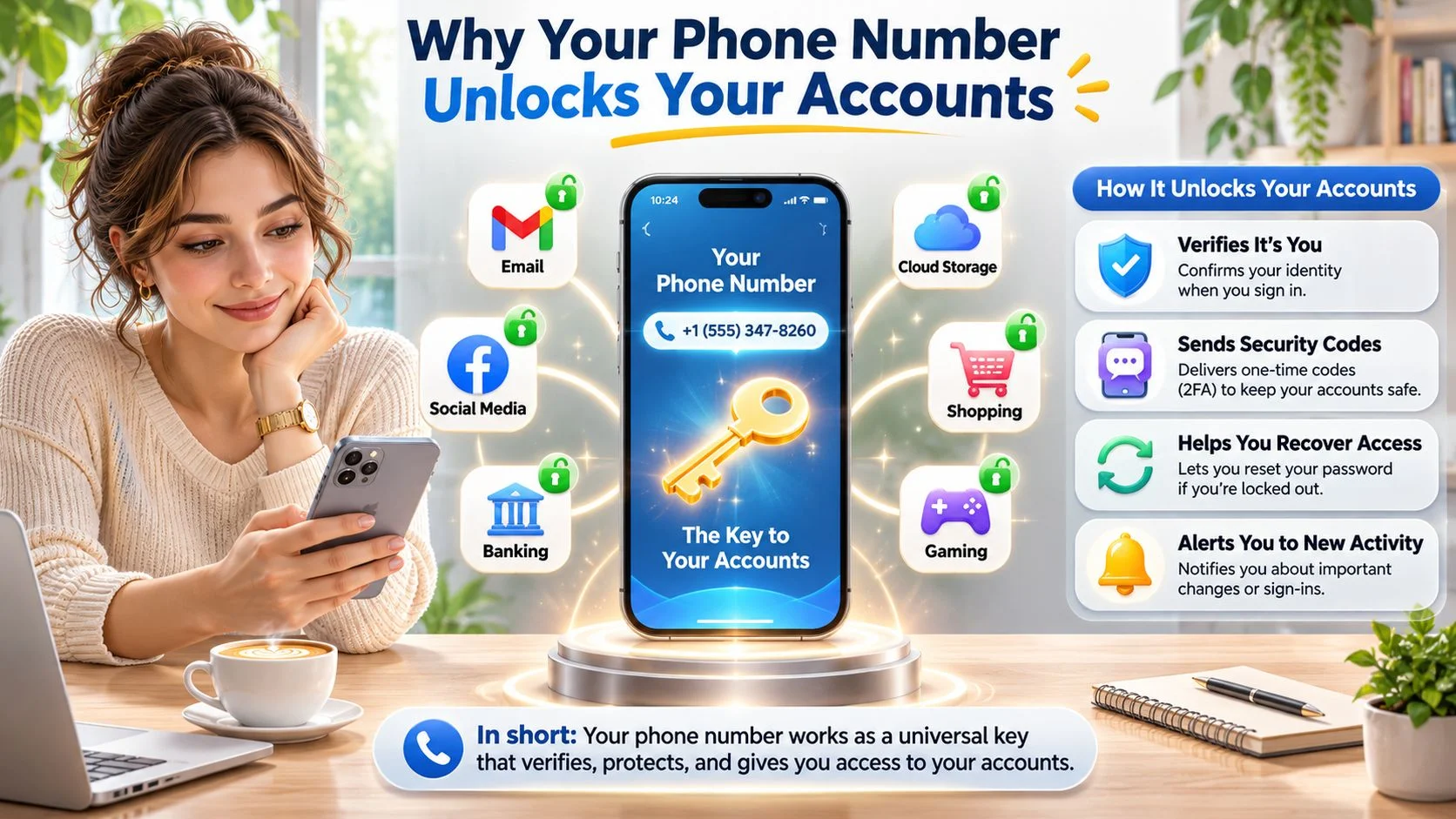
The damage follows a predictable order. An attacker takes the number, requests a password reset on your email, reads the code from the intercepted text, then uses the email account to reset everything else. Banking, crypto wallets, social profiles and gaming accounts fall in sequence because each one treats the email address, or the phone number, as the recovery route. That chain is why the order of your response matters more than the speed of it.
The FBI's Internet Crime Complaint Center recorded 320 SIM-swapping complaints with about $12 million in reported adjusted losses between January 2018 and December 2020, then 1,611 complaints and more than $68 million in losses during 2021 alone, according to its public service announcement on SIM swapping.
Reporting patterns have shifted since. The IC3 logged 1,075 SIM-swap complaints in 2023 against $48,798,103 in reported losses, per a case review of the annual IC3 figures, then 982 complaints and $25,983,946 in 2024, per a roundup of SIM-swap fraud statistics, and 971 complaints with $17,366,758 in 2025, per a 2025 statistics review.
| Year | SIM-swap complaints | Reported losses |
|---|---|---|
| 2023 | 1,075 | $48,798,103 |
| 2024 | 982 | $25,983,946 |
| 2025 | 971 | $17,366,758 |
Those counts measure reports submitted to the IC3, not every incident, and they're U.S. figures. The method travels: anywhere a mobile number is accepted for recovery or login, the same chain is available to an attacker.
Phone numbers also sit inside romance and confidence fraud. The FBI's 2024 Internet Crime Report recorded 17,910 complaints classified as confidence or romance fraud, against 17,823 in 2023 and 19,021 in 2022, according to the IC3 2024 Internet Crime Report. A number lets a scammer move a conversation off a dating app, pose as someone the victim already trusts, or ask for a verification code that hands over an account.
Here's the mechanics of what a number buys an attacker.
The short version is that your number is only as safe as the weakest account that still trusts it, and what a hacker can do with your phone number is mostly a list of services that never asked for anything stronger.
First-Hour Steps If Your Number Stops Working
These steps run in a fixed order because control moves down a chain. Your carrier controls the number, your email controls password resets for everything else, and the remaining accounts follow whichever of those two is weakest. Calling the carrier before you touch passwords is what stops an attacker from resetting them again while you work.
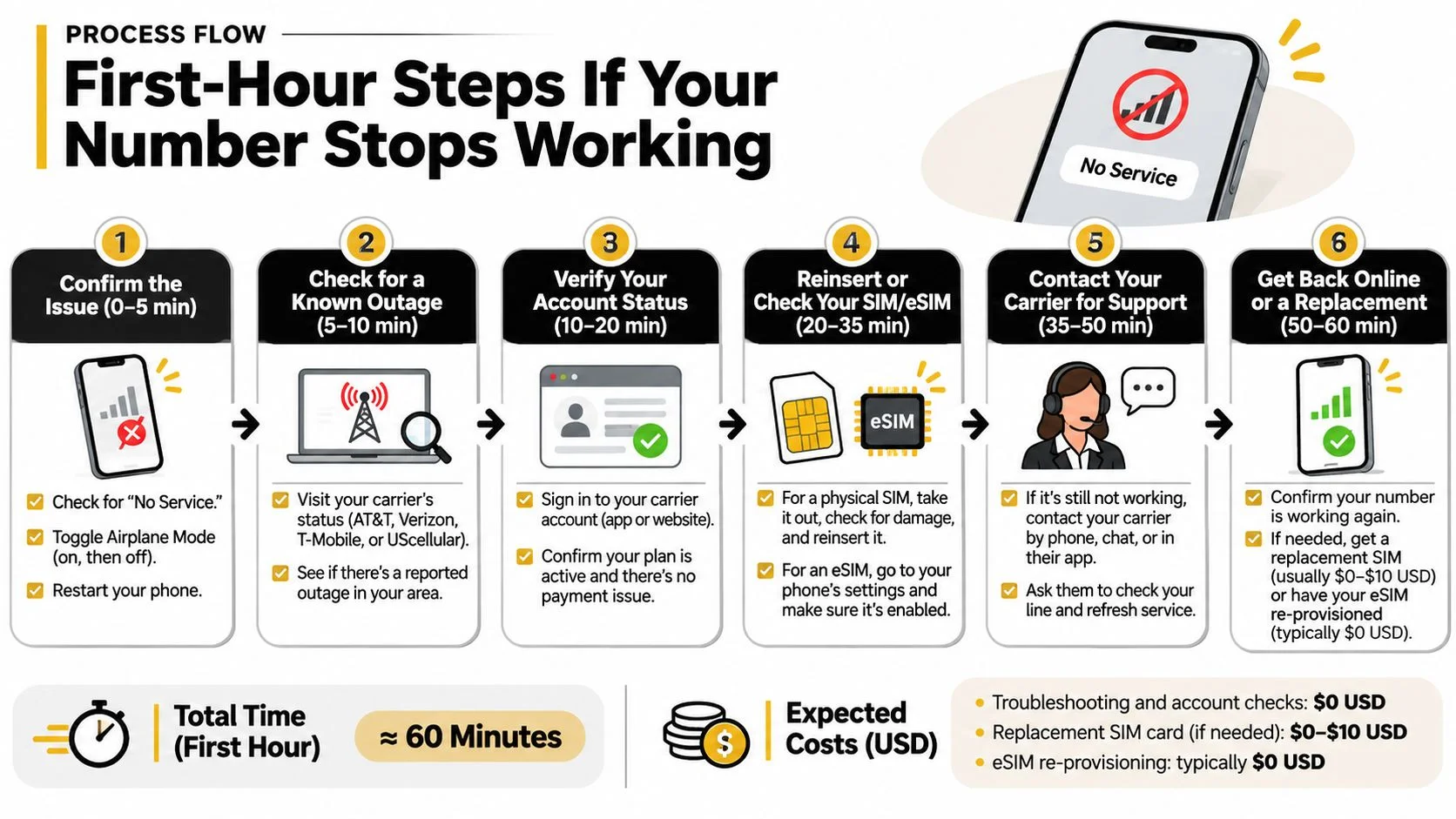
- Call your carrier from a number you verified yourself. Use the contact number printed on your bill or listed in the carrier's official app, never one that arrived in a text or a voicemail.
- Ask it to reclaim the number and review recent SIM changes and port-out requests. You want the date and time of the change and the channel it came through, because that tells you whether someone walked into a store or called in.
- Set a carrier account PIN or passcode. Providers commonly require it for sensitive operations such as porting a number, which is exactly the operation you're trying to block.
- Request a port-out lock where your carrier offers one. It stops a transfer to another carrier without your approval, and it costs nothing to ask.
- Change your email password first, from a device that isn't the affected phone. Email is the recovery route for almost everything else, so it comes before banking, social and shopping.
- Then work through banking, cryptocurrency, social, gaming and dating accounts that use this number for login or recovery.
- Sign out of all sessions and remove unknown devices from each account's settings. A password change alone often leaves an active session behind.
- Turn on an authenticator app or a security key before you return to normal use, so a second takeover can't replay the same trick.
- Keep a written log of times, numbers, messages and reference numbers from each call.
- Report it. Spoofed calls go to the FCC, and SIM-swap or account fraud goes to the FTC and the FBI's Internet Crime Complaint Center. A complete log with times and numbers makes each report faster to act on.
The NIST guidance on authentication explains why those codes are worth so much to an attacker: SMS authentication is weaker than device-based authenticators because texts can be redirected or intercepted, so it shouldn't stand alone in front of a high-value account.
Success looks like this: service restored, calls and texts flowing, and no new reset requests in the following day. If codes keep arriving after the number is back, an active session survived step seven.
If you want the technical picture of how a number ends up in someone else's handset, SIM cloning and how it's detected covers the mechanics without the jargon.
Recycled Numbers and Leftover Account Links
A number that is new to you can still be old to somebody else. Carriers deactivate lines and hold them before reassigning, but the accounts behind those lines don't get the same housekeeping. A Princeton-led study of 259 mobile numbers made available to new U.S. subscribers found that 171 of them, about 66%, remained linked to accounts on the services tested, and 100 were associated with leaked credentials, as reported in a summary of the recycling research.
That finding reframes the question. It isn't always "is someone using my phone number" in the sense of an attacker. It's "which identity is this number still attached to, and what can be untangled safely". For a new owner, the answer often involves a stranger's bank alerts, delivery notices and a steady drip of password resets.
If You Just Got the Number
Never open or use another person's account, even to check whether it works, because using it looks like takeover from the platform's side. Document misdirected messages by time and sender without copying their contents, then tell the sender or the platform that the number has changed hands. Ask your carrier whether the line was recently reassigned, which also tells you roughly how long the noise will last.
If You're the One Giving Up a Number
The former owner carries the bigger risk, because a forgotten recovery number works as a permanent backdoor. Remove the number from old accounts before you port or cancel, starting with email, banking and anything that could reset the others. Where a service lets you delete the number rather than replace it, delete it. Working through how to delete old accounts you no longer use closes the loop properly.
The number you abandon keeps working as a password reset route long after you stop thinking about it.
Families share this problem most often, along with job seekers who change numbers between contracts and anyone moving carriers or countries.
Lock Down Your Number and Connected Accounts
Texted codes are convenient, and that convenience is the problem. A code that arrives by SMS travels over a channel never designed to carry secrets, so anyone who ends up in control of your line receives it in your place.
| Protection | Guards against | Main weakness |
|---|---|---|
| SMS code | Basic password theft | Can be redirected through a SIM swap or intercepted |
| Authenticator app | Most password and SMS-based attacks | A lost phone without backup codes locks you out |
| Passkey or FIDO security key | Phishing and SIM-swap takeover | Needs a supported service and a backup key |
| Carrier account PIN | Unauthorized number porting | Must stay private; weak if reused elsewhere |
| Port-out lock | Number transfer to another carrier | Only available where the carrier offers it |
CISA lays out the trade-off in its guidance on mobile communications security: SMS messages aren't encrypted and can be read by an attacker who gains access to a telecommunications provider's network, and SMS-based MFA can be bypassed through phishing or a carrier-level number transfer. The same document names FIDO/WebAuthn as the widely available phishing-resistant option and recommends moving important accounts toward security keys, passkeys or authenticator-based methods.
The Order to Do This In
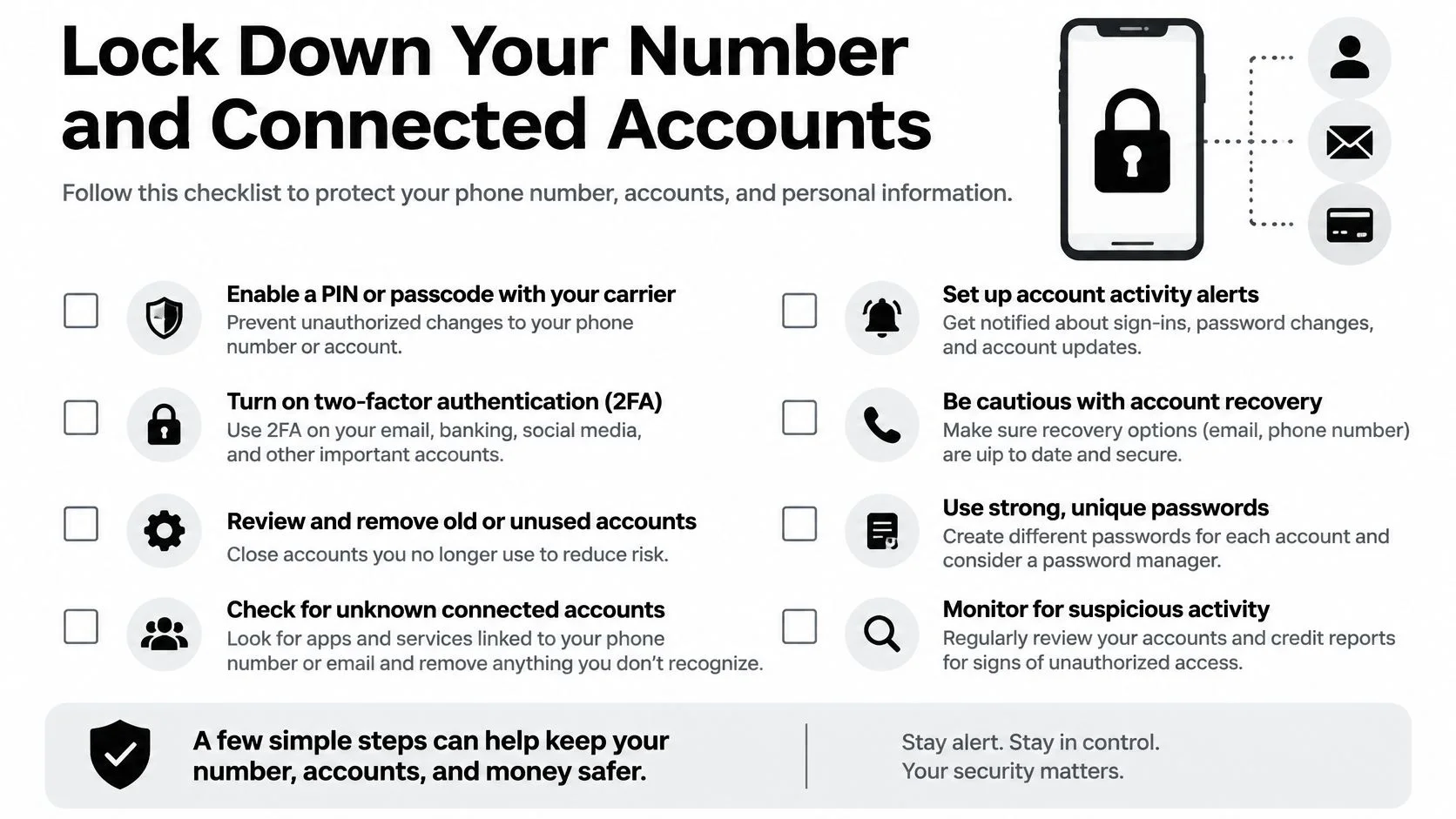
- Carrier PIN and port-out lock. They protect the number that everything else depends on.
- Email, with a passkey or authenticator. This is the account that resets the rest.
- Banking and crypto. Money moves fastest and reverses slowest.
- Gaming accounts. They hold payment methods, chat history and a public profile worth stealing.
- Dating and social apps. Verification and recovery here often depend on the number alone.
Checks That Take Five Minutes
Strip the number from recovery settings wherever another method exists, and keep the fallback method current. Store backup codes offline, printed or in a password manager, never in the email account they protect. Treat any urgent request for a code as phishing, and if a message might be genuine, verify by calling the person on a number you already have rather than replying. Ask your carrier about SIM-change alerts so you hear about a port-out at the moment it happens rather than after your email is gone.
The one rule that matters most: Never read a code aloud or type it into a page that opened from a link, even when the link came from a friend's number.
Planning beats improvising. SIM swap incident response steps from GoSafe's dark web monitoring team sets out the escalation order in detail, including what to do in the first few minutes after a port-out notice lands. The wider pattern, where one compromised recovery route opens access to a dozen services, is covered in account takeover prevention.
Confirm Your Number Is Safe and Act Today
Verification here is a short list, not a second investigation.
- Confirm the carrier PIN and port-out lock are both active. Ask the carrier to read them back to you rather than trusting a note taken during a stressful call.
- Confirm your email uses a passkey or authenticator, and that its recovery address isn't an old inbox you can no longer open.
- Review recent login and device activity on the three accounts that would hurt most, and sign out anything unfamiliar.
- Check the number saved in your banking and payment profiles matches the line in your hand.
If you counted two or more of the warning signs from the triage table, run the carrier steps before anything else. A number that's still being taken over will undo every password you change behind it.
When you're ready to widen the search, our free digital footprint checker works in three steps: search a username or email address, review the potential matches, then act on the step-by-step guides. The free tools include a Breach Checker, a Profile Checker and a Username Search.
One limit worth stating plainly. The checker works from email addresses and usernames, so it can't confirm whether a phone number has been taken over. What it does show is where your details surface publicly, which often explains how a reset code found its way to someone else. Review each match personally, because similar details don't always identify the same person.
Digital Footprint Check turns that wider audit into something you can finish. Our free tools check an email address or username against breach records and public profiles, and our paid checks add phone number checking, gaming profile detection, dark web scanning and social media checking, so you can see which details about you are exposed after a scare like this one. Start with Digital Footprint Check and work through the matches at your own pace.