· Digital Footprint Check · Content Marketing · 16 min read
Data Breach Monitoring Service: How to Choose One in 2026
Learn how a data breach monitoring service works, which features matter, how to triage breach alerts and how to judge providers before you subscribe in 2026.

Your phone buzzes with an email from a company you haven't thought about in years. The subject line says something about a security incident, and buried in the third paragraph it admits your email address and password were exposed. The message closes by thanking you for your trust.
That's the entire support you get. No ranking of what matters, no sense of whether this deserves twenty minutes of your evening or a shrug.
A data breach monitoring service exists to close that gap, but only if you understand what it's doing. Here's how the leak-to-alert chain works, what a useful alert contains, where the ethics get complicated, and what monitoring cannot do for you.
How a Data Breach Monitoring Service Finds Your Data
Think of a monitoring service as a smoke detector for your personal data. It doesn't stop the leak, and it can't reach into a company's servers to seal one. What it does is sound an alarm quickly, while you still have time to change a password and shut a door.
Your information escapes in three main ways. A company you handed it to gets breached. Malware on a laptop or shared work computer scrapes saved logins and the resulting log gets sold. Or an old dump resurfaces years later in a marketplace where stolen credentials trade hands. That last path explains why an alert can name a company you've never heard of.
Records also move slowly. IBM's 2025 breach study puts the mean breach identification-and-containment lifecycle at 241 days, so a company may not know it lost your data for months before it tells you (IBM Cost of a Data Breach Report). Independent monitoring shortens that window from your side.
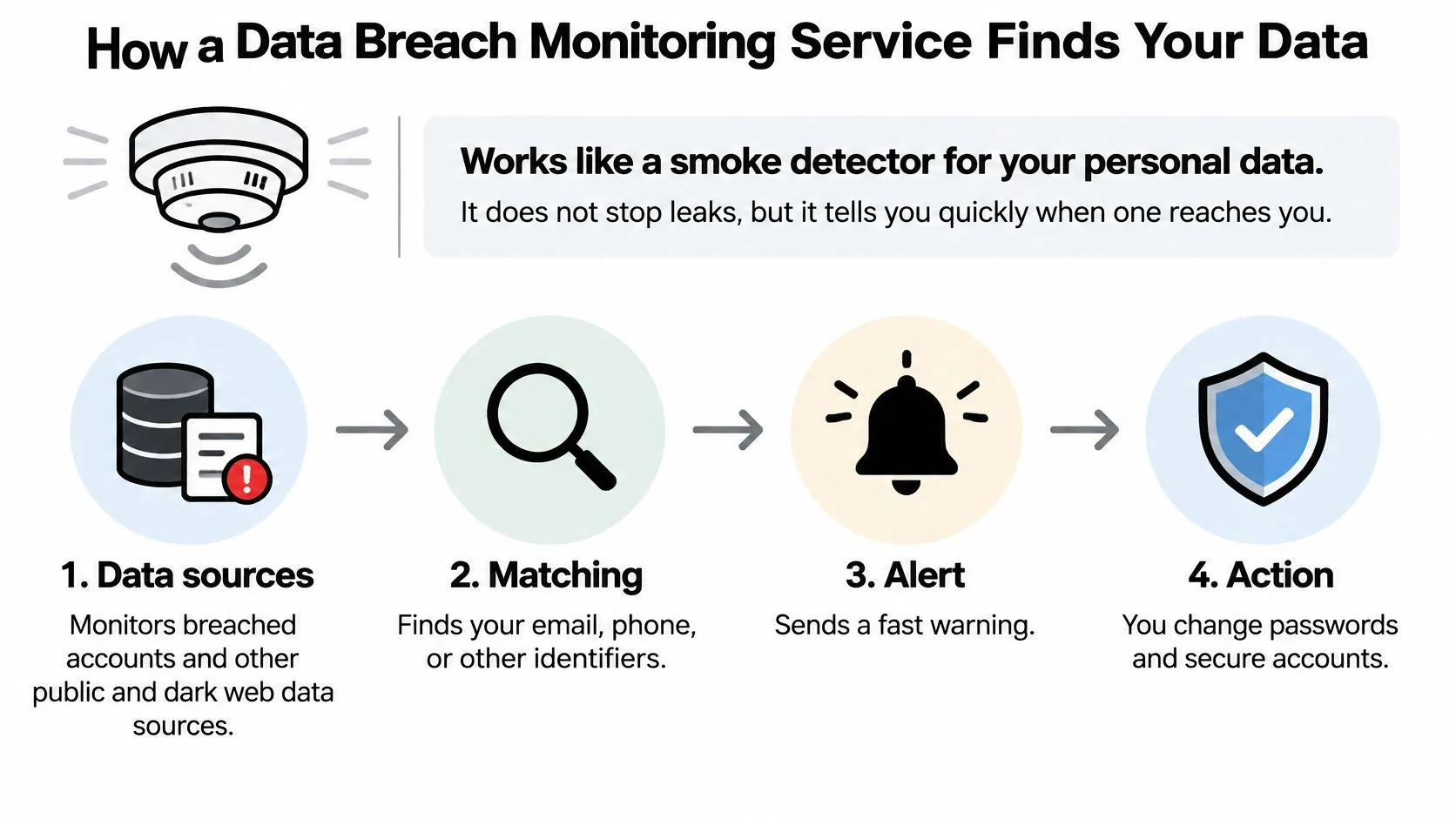
The six stages behind a single alert
- Collection. The service pulls breach datasets and dark web sources continuously, including forums and marketplaces where stolen logins are traded. Our own dark web credential monitoring works this way, checking identifiers against new records as they surface.
- Normalization. Identifiers get cleaned up so matching is reliable. An email typed with stray capitals, a phone number saved with an old country code, a username reused across four sites: each needs standardizing before a match means anything.
- Matching and deduplication. Your identifiers are compared against new records and repeats are collapsed. Skip this and one old breach generates the same alert for years.
- Scoring. Each hit is weighted by data type and account importance. A leaked forum handle and a leaked government ID are not the same event, even when they land on the same day.
- Alerting. A useful alert names the affected identifier, the source, the date observed and the data exposed.
- Response. The final stage is the only one that changes your risk: reset the password, revoke active sessions, turn on multifactor authentication. If you're working through a reused password, account protection tips from Gini Help set out the recovery order in plain language.
Digital Footprint Check runs continuous monitoring of data breaches and dark web activity to flag potential identity theft risk, which is the pipeline above with a report attached at the end.
The point of the whole chain: an alert is only worth the action it triggers. A breach name on a screen is trivia. A password reset within the hour is protection.
Who Uses Breach Monitoring and What They Watch
A marketing manager opens her inbox on a Tuesday and finds a notice from a retailer she ordered from once, back in 2019. Her email address and a password hash were exposed. She needs to know within about a minute whether that password still guards her bank or her work email.
Here's who ends up using these services, and what each group watches.
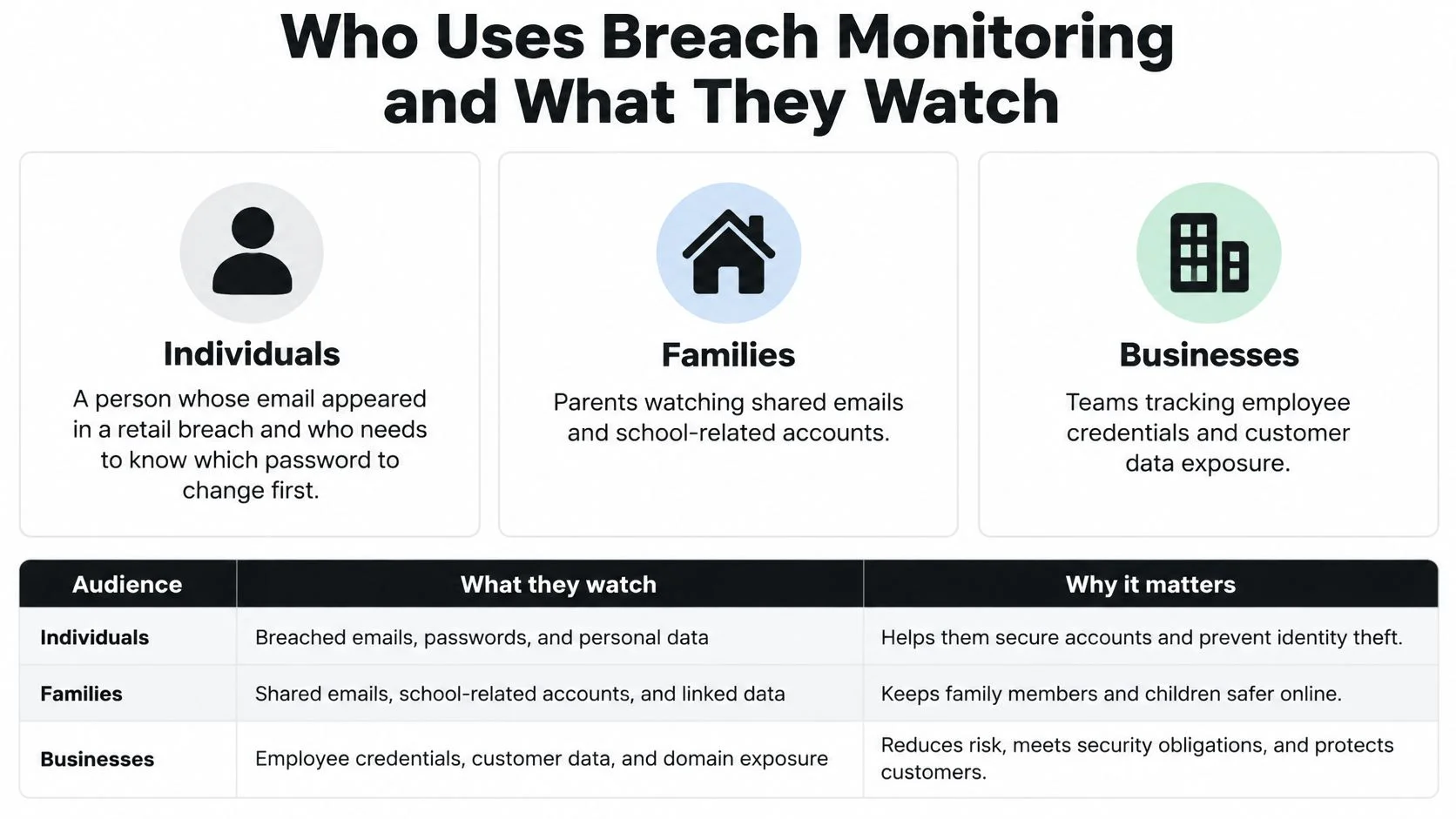
A parent carries a different list: a child's username on a gaming platform, a school portal login, a phone number shared with a sports club. Kids rarely notice the phishing email that follows a leak, and they rarely mention it to an adult.
An HR lead carries the most constrained list of all. Company domains, privileged admin accounts, and the work addresses of staff who reuse passwords on personal sites. Nothing beyond that.
None of this is rare. The U.S. Federal Trade Commission's Consumer Sentinel Network received more than 6.47 million consumer reports in 2024, including roughly 1.1 million identity-theft reports, which the FTC counted precisely at 1,135,291 (FTC Consumer Sentinel Network Data Book 2024). Identity theft represented about 18% of everything reported, and 86% of those reports included the consumer's age information. That's a single country's reporting system, and it still clears a million cases a year.
What each audience actually watches
- Individuals track the email address that everything routes through, the phone number tied to two-factor codes, and password reuse across shopping, banking and social accounts.
- Families watch a child's usernames alongside the shared household address, with the child told what's being checked. Consented visibility holds up better than quiet surveillance when a teenager later needs to report something.
- Employers watch corporate domains and privileged accounts, and stop there. Screening a candidate's personal life is a legal exposure, not a security feature.
If reading a list is slower than watching one, this walkthrough covers how exposure checks work in practice.
Households usually need more than one profile covered. We offer family plans and monitoring tools for multiple profiles so a partner or a teenager doesn't require a separate subscription and a separate login.
Before you compare providers, name your role. An individual needs one identity watched closely. A family needs three or four. An organization needs domain-level visibility with a written policy attached. Scope follows the role, not the pricing page.
Privacy and Ethics When Monitoring Other People
Checking your own email address against a breach database is a defensive act. Running someone else's address through the same tool without telling them is a different act entirely, and the difference isn't technical. It's consent.
Consent is not a formality you can wave through. It means the person knows monitoring happens, knows roughly what is checked, and can ask you to stop. That applies to employees, to teenagers, and especially to partners.
A privacy checklist is worth writing down before you start, so the boundaries survive the first uncomfortable finding.
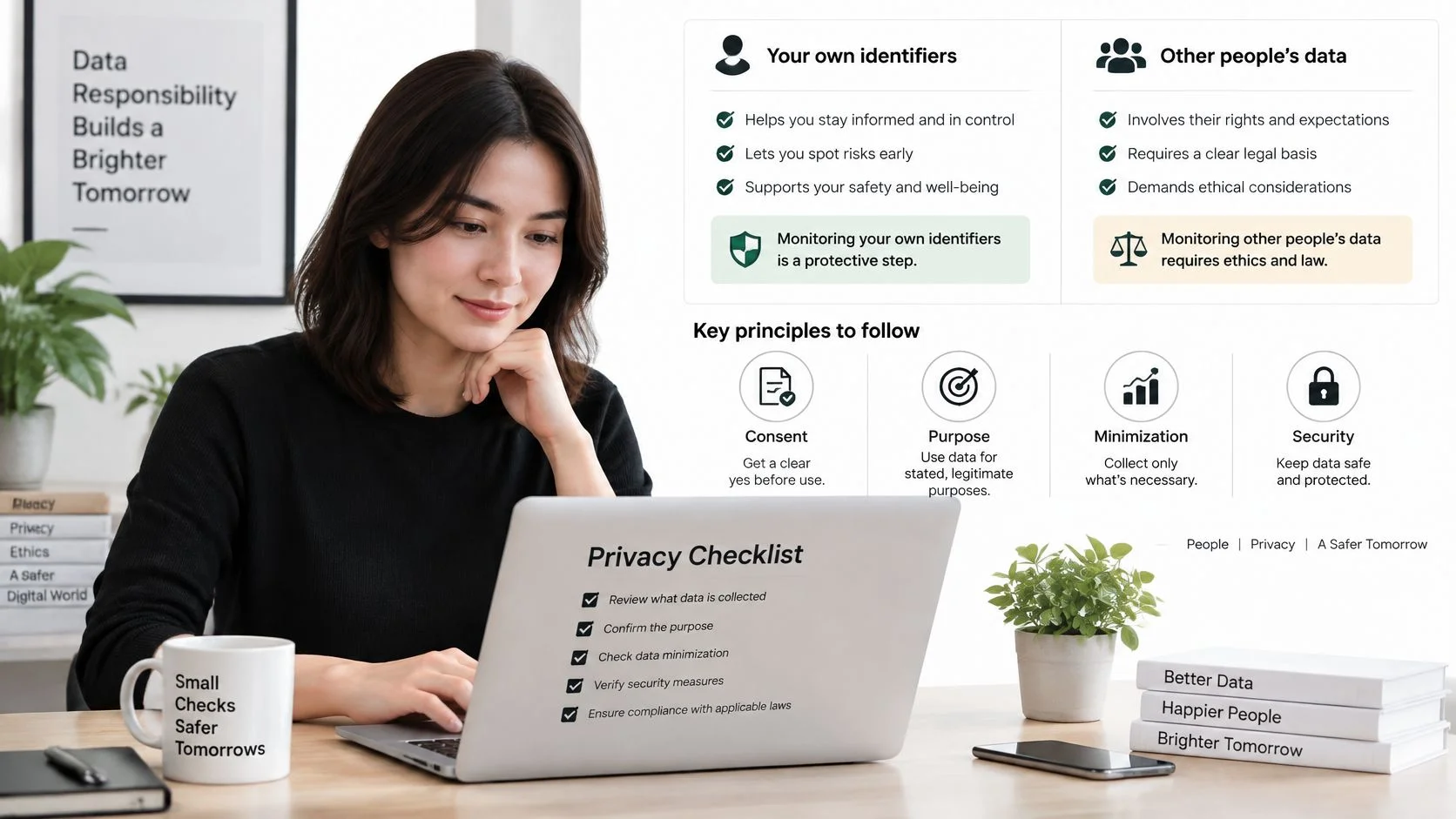
The four limits that keep monitoring lawful
- Consent. The person is informed and agrees. Secret monitoring of a partner is an invasion of privacy and, depending on where you live and how you do it, may be unlawful.
- Purpose limitation. Collect only what the purpose requires. Screening a candidate means checking professional history, not mapping their family.
- Data minimization. Work with identifiers and breach records, never with private messages or content. If a tool offers to read someone's inbox, close the tab.
- Retention limits. Delete results once the purpose ends. A file of old findings is a liability with no upside.
The clearest red flag in hiring is a manager scanning a candidate's personal social media for protected traits such as religion, pregnancy or nationality. That isn't diligence, and it creates legal risk for the employer. The difference between a parent and a spy comes down to disclosure: "I check whether your gaming username shows up in breaches, and I'll show you what I find" is a household agreement. A hidden keylogger is not.
Provider terms matter here too, and they're worth reading rather than assuming. The rules that shape what a monitoring company can do with your data are set out in its policy, not its homepage.
Our own terms are a reasonable benchmark to compare against. Service providers working with us have limited access to user data and are bound by confidentiality agreements, we give notice before a user's personal data is transferred in a merger, acquisition or asset sale and becomes subject to a different privacy policy, and the service is GDPR compliant. If a provider can't show you equivalent statements, ask why. For the boundary between legitimate research and overreach, this guide to whether OSINT is legal covers the practical lines.
More monitoring is not automatically safer. Alerts a person cannot act on don't reduce risk; they relocate anxiety to a new inbox.
Three questions to ask before you look anyone up
- Is there consent? Would this person say yes if asked directly, today?
- Is the purpose narrow? Can you state in one sentence what you're checking and when you'll stop?
- Would the person be surprised? If the answer is yes, you've reached the edge of ethical monitoring, whatever the tool allows.
Features That Separate Useful Monitoring From Noise
A breach alert is a starting point, not a verdict. Its value depends on whether it identifies what was exposed, how serious the exposure is, and what action makes sense. Credit monitoring covers one part of that picture: changes involving credit files. A broader exposure audit can also check email addresses, phone numbers, usernames, social profiles and other online accounts.
| Feature | What It Should Do | Why It Matters |
|---|---|---|
| Breach database coverage | Check known breaches and state how many sources it searches | Wider coverage can reveal more exposures |
| Dark web scanning | Check for identifiers in dark web activity | May surface exposure beyond public breach notices |
| Identifier matching | Check email, phone number, username and social accounts | Email-only checks miss other identifiers |
| Gaming and social profile detection | Find accounts linked to your identity | These accounts may carry separate takeover risks |
| Alert detail | Show data type, source, date and confidence | Helps you judge severity and choose a response |
| Remediation guidance | Give steps matched to the breach type | Makes alerts easier to act on |
| Privacy and data handling | Limit provider access and state notice rules | Monitoring data also needs protection |
| Family or team coverage | Cover multiple profiles in one plan | Extends monitoring to dependents or staff |
Where credit monitoring stops short
Free credit monitoring is sometimes offered after a breach, but it focuses on credit-file activity such as new accounts and credit inquiries. It does not check whether someone accessed a gaming profile, social account, workplace login or email account.
The consequences reported after breaches often extend beyond credit. In the Identity Theft Resource Center's 2025 findings, 88% of breach-notice recipients reported at least one negative consequence, including 49% who experienced more spam or robocalls, 40% who saw increased phishing or scam attempts, and 40% who encountered an attempted takeover of an existing account (ITRC 2025 Annual Data Breach Report). Credit monitoring requirements for people affected by breaches also vary; they are not a universal remedy.
A useful service should therefore show what was exposed beyond financial identifiers. Usernames, emails, phone numbers, public profiles and reused credentials can all matter, though an alert alone cannot confirm that an account was misused.
A provider should explain where it searches and how many breaches it monitors.
Digital Footprint Check monitors more than 1,000 breaches. Its free and paid plans include data breach checking, online profile checking, gaming profile detection, phone number checking, web reporting, geolocation, dark web scanning and social media checking. For a closer look at the differences between data breach notification services, compare what each service reports and what it helps you do next.
Three features determine whether alerts are useful:
- Timely alerts. Earlier notice gives you more opportunity to secure an exposed account, though monitoring cannot prevent every misuse.
- More than email matching. Phone numbers and usernames can connect to accounts that an email-only search misses.
- Clear next steps. An alert should identify the exposed data and point to an action that fits the risk. A reused password calls for a password change; a public profile may call for a different response.
Comparing Plans and Choosing a Provider
A household that buys credit monitoring after a bank letter is answering one problem. A reused password on a forum, or a gaming profile tied to the same email, is another. Choosing a plan means deciding which of those you can see, and how many people one subscription can cover.
| Plan | Price | Searches | Notes |
|---|---|---|---|
| Free | $0 per month | 1 free search | Preview of the digital footprint with limited features |
| PRO Annual | $93 per year | 30 per month (360 per year) | Saves $27 per year compared with monthly billing |
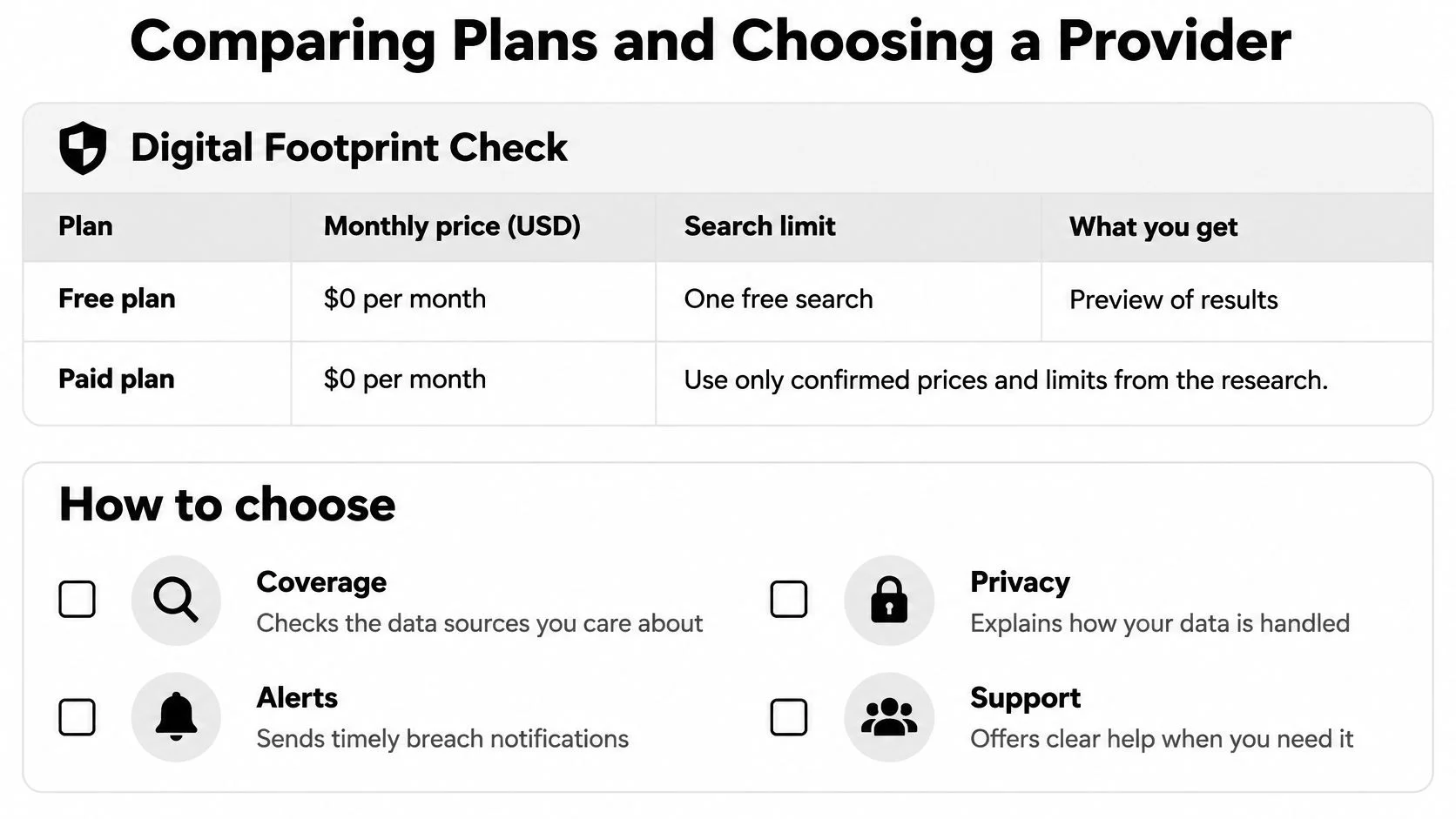
Price only picks the tier. Coverage decides whether that tier is useful. The free plan costs $0 per month and includes one search: a preview of the digital footprint with limited features. PRO Annual costs $93 per year, includes 30 searches per month (360 per year), and saves $27 per year compared with monthly billing. After the free search, paid plans add searches and full features such as phone and social network checks, gaming profile detection, and web reports.
Ask two questions before you pay. Can you test matching quality on your main email before a card is charged? One free search answers that better than a feature grid. Does one subscription cover several people? Family plans and monitoring tools for multiple profiles change the maths. Separate logins for a parent, a teen, and a work identity take more attention than one multi-profile plan.
A report is an exposure audit, not a credit file. Digital Footprint Check reports can show social media profiles, gaming accounts, forum activity, data breach exposures, public records, email address appearances, dark web mentions, and more across 500+ data sources. Treat each hit as the start of a response: rank what appeared by how easily someone else could use it, and handle the severe items first. The search does not prove who a person is, and it does not take the data down.
Small offices should tighten the basics before they shop for staff checks. Small business cybersecurity checklist steps cover patching, backup, and access, which cut breach risk before any monitoring subscription. Scope differences across services are set out in this identity theft protection comparison.
No tool proves who someone is, and no tool removes your data from the web. Discovery and reporting tell you what's exposed. The response is still yours to carry out.
Individuals who only need a first look should stay on the free search. Families and HR teams covering several identities should budget for a paid multi-profile plan. A single purchase this year should buy coverage you can act on, not a notice that only watches a credit file.
Triaging Breach Alerts Without Panic
Repeated notices create their own problem. When the fourth message this month arrives, the temptation is to file it and move on, and that's exactly the wrong response to the one alert that matters.
The scale explains the fatigue. The Identity Theft Resource Center's 2025 survey found that 80% of 1,040 consumers had received a breach notice during the previous 12 months, and nearly 40% received three to five notices (ITRC 2025 Annual Data Breach Report). Some people did act: 60% changed the affected password, 49% adopted passkeys, 47% stopped reusing passwords. Among those who did nothing, 46% said they felt nothing they did would protect their data.
That last number is the one to beat. It's a triage failure, not an apathy problem, so here's a ranking to work from.
| Exposed Data | Urgency | First Action |
|---|---|---|
| Government ID | Urgent | Contact the issuing agency and consider a credit freeze |
| Financial data or card number | Urgent | Contact the bank and replace the card |
| Reused password | Within 24 hours | Reset every account using it and enable a passkey or multifactor authentication |
| Security answers | Within days | Change the answers and treat them like a password |
| Phone number | High | Add a SIM PIN and watch for SIM swap or 2FA changes |
| Gaming or social account | High if linked to payment or contacts | Reset the password and review active sessions |
| Email address alone | Medium | Check for reuse and turn on multifactor authentication for email |
| Username only | Low | Review public profiles and remove unneeded details |
How to tell a real notice from a phishing email
- Don't click the link in the message. Open a new tab, type the company's address yourself, and look for a security or account notice after you log in.
- Check the sending domain, not the display name. Attackers copy logos perfectly and get the domain wrong.
- Treat any request for your password, PIN or a payment as fake. A genuine breach notice never needs your credentials to tell you about a breach.
- Preserve the message if it might be real. Screenshot it before deleting, then verify through the account directly.
Once you've confirmed an exposure, the steps to take after a data breach cover the order of work: email first, then financial accounts, then everything reusing the same password.
Rank before you react. A leaked username can wait until the weekend. A reused password on your bank, your email and your work login should not wait until morning.
Confirm Your Next Step Before You Subscribe
You get an alert at 9 p.m. that an old email showed up in a breach. That message is the start of a response, not a reason to buy a plan before you know what leaked. The free breach checker checks an email address for known breach exposure. The Profile Checker, Username Search and Reverse Email Search are all free to run. Run those first. A thin result can wait. A reused password on email, banking and work cannot.
Work the response in this order:
- Reset reused passwords first. Any account that appeared in a breach gets a new, unique password, starting with the one you've used in more than one place.
- Secure your email right after resetting reused passwords, since email controls password resets for everything else. Multifactor authentication on that inbox then protects the accounts that depend on it.
- Apply the triage table the same day. Government ID, card numbers, reused passwords and security answers all move to the top, ahead of cosmetic profile cleanup.
- Decide on continuous monitoring afterwards. Count the identifiers, family members or staff you need covered, and let that number pick the plan.
A breach alert and a credit-monitoring ping are not the same job. Credit monitoring watches new loans and cards. A broader exposure audit asks what else is public: profiles, gaming accounts, phone numbers and dark web mentions. Monitoring will not rewind a leak that already happened, and it will not change passwords for you. It only keeps watch so the next alert arrives while you can still rank it.
If you're making this decision for a team rather than a household, reduce your company's data breach risk covers the organizational side before you commit to individual subscriptions.
Digital Footprint Check searches more than 500 data sources, monitors over 1,000 breaches and dark web activity, and turns what it finds into a readable report covering breach exposure, public profiles, gaming accounts and social media activity. If you want to know what's already circulating before you decide on a plan, run the free check and see your own results first. Visit Digital Footprint Check to start.