· Digital Footprint Check · Content Marketing · 19 min read
Online Identity Search: Your 2026 Guide to Protecting
Conduct a complete online identity search to protect your privacy & manage your digital footprint. Your expert guide to finding & controlling your data.

An online identity search is a methodical process for uncovering all the public information associated with you online. It's more than 'Googling yourself'—it's a comprehensive audit of your digital footprint designed to manage your reputation, enhance your personal safety, and protect you from identity theft and sophisticated scams. In today's hyper-connected world, understanding and controlling your online identity isn't just a good idea; it's an essential life skill.
Why Your Online Identity Search Matters More Than Ever in 2026

Have you ever stopped to consider what the internet truly knows about you? Your online presence is a sprawling mosaic of data—a detailed profile built from social media activity, public records, old forum comments, and data collected by countless companies. This isn't just random trivia; it's a living, breathing profile that anyone from a potential employer to a malicious actor can piece together.
This collected information has tangible, real-world consequences. A study by the Society for Human Resource Management (SHRM) found that a significant majority of employers use social media to screen candidates. A single out-of-context post or unprofessional photo from a decade ago can be enough to land your resume in the rejection pile before you even get a chance to interview.
The Real-World Impact of Your Digital Footprint
What's posted online doesn't stay online. It directly influences your career opportunities, personal safety, and even your relationships. Let's break down the real-world impacts.
| Area of Impact | Real-World Consequences | Example Scenario |
|---|---|---|
| Job Prospects | Employers conduct online searches as standard practice. A negative or unprofessional online presence can lead to missed job opportunities. | A recruiter finds old, inflammatory political comments and decides you're not a good cultural fit, removing you from the candidate pool. |
| Personal Safety | Publicly available information like your address, phone number, or daily routine can be exploited by stalkers, burglars, or doxers. | A seemingly harmless check-in on social media reveals your vacation schedule, alerting criminals that your home is empty. |
| Online Dating | Potential partners will perform a quick online search to verify your identity and look for red flags. Inconsistencies can erode trust and jeopardize relationships. | Your dating app profile says you love hiking, but your public Instagram is filled with photos of clubbing, creating suspicion about your authenticity. |
| Scam Prevention | Scammers and identity thieves use personal details found online to craft highly personalized and convincing phishing attacks, romance scams, or catfishing schemes. | A scammer uses your mother's name and your pet's name (found on Facebook) to build rapport and trick you into a "family emergency" scam. |
| Gaming Security | Your gaming profiles can reveal personal information or be targeted for takeover, leading to the loss of valuable accounts and digital assets. | An old, forgotten gaming forum post links your gamer tag to a personal email address, which is then used to hack your Steam account. |
An online identity search is not a vanity project. In 2026, it is a fundamental act of digital self-defense and proactive reputation management. You cannot protect what you don't know exists.
From "Googling Yourself" to Essential Digital Hygiene
The impulse to see what the internet says about us is not new, but its urgency has skyrocketed. This practice has evolved in lockstep with our digital lives. Back in 2002, a Pew Research study found only 22% of internet users had searched for their own name. By late 2007, that figure had more than doubled to 47%, mirroring the explosion of user-generated content on platforms like YouTube, blogs, and early social media.
This trend highlights a critical shift in mindset. What began as simple curiosity has now become a necessary chore for managing the vast and often invisible trail of personal data we've left across the web.
In the following sections, we will provide a practical, step-by-step guide to conducting a thorough and effective online identity search.
Mastering Manual Search Techniques with OSINT Principles
The first step in any online identity search is to leverage the power of search engines. Before exploring specialized tools, you must master basic Open-Source Intelligence (OSINT) techniques on platforms like Google, Bing, and DuckDuckGo. This isn't about simply typing your name; it's about thinking like an investigator to uncover information hiding in plain sight.
A highly effective technique is using advanced search operators. These are simple commands that compel a search engine to be more specific. For example, enclosing your full name in quotation marks—like "Jane Doe"—tells the engine to search for that exact phrase. This simple trick reduces irrelevant results and is the foundation of a targeted search.
Refining Your Search for Actionable Intelligence
To build a clear picture, you must add context. Consider the digital breadcrumbs you've left over the years. What keywords would link a search result specifically to you and not another person with the same name?
Let's follow a real-world example. Imagine Maria is preparing for a job hunt in the tech industry and needs to see what a hiring manager might discover.
- Initial Search: A simple
Maria Garciaquery returns millions of irrelevant results. - Refined Search: She starts using operators. A search for
"Maria Garcia" + "software engineer"immediately narrows the results to her profession. - Location-Specific Search: Adding her city,
"Maria Garcia" + "software engineer" + "Austin", refines the list even further. - Company-Specific Search: She also tries
“Maria Garcia” + “TechCorp”to find any content related to a former employer.
By layering these search terms, Maria is methodically mapping the most visible elements of her professional online identity. She is no longer just another "Maria Garcia"; she is the one who worked at a specific company, in a specific city, in a specific field. This is precisely the process a curious recruiter would follow.
Documenting Your Visible Digital Footprint
As you conduct these searches, it is critical to document your findings. A simple spreadsheet is the perfect tool for this. Create columns for the link, a brief description of the content, and your own risk assessment (e.g., "Positive," "Neutral," "Negative").
During her search, Maria discovered:
- Her professional LinkedIn profile (Positive).
- A news article mentioning a team project from her last job (Positive).
- An old, public social media profile with unprofessional party photos from her college days (Negative).
- A comment she left on a tech blog five years ago that now seems naive (Neutral/Negative).
This documentation forces you to view your online self through an objective lens. The vague anxiety about your online presence transforms into a concrete action plan. If you're struggling to track down old accounts, our guide on how to find a person on social media offers more targeted strategies.
The goal of a manual search is to build an inventory of your most prominent online assets and liabilities. This inventory becomes the foundation for your entire digital reputation management strategy.
Remember that the internet has a long memory, but websites change and content gets deleted. When investigating, utilize the Archive.org Wayback Machine to view historical versions of websites. This is a rich source for uncovering information on deleted profiles or old blog posts that might still reflect on you, allowing you to see what was once public, even if it’s no longer live.
Uncovering Your Hidden Digital Identity with OSINT Tools
You’ve conducted basic searches and found the obvious results. That's a great start, but it's only the surface. To understand your online identity, you need to dig deeper using techniques from the world of Open-Source Intelligence (OSINT). This is how you uncover forgotten accounts, hidden profiles, and potential security risks that form the rest of your digital story.
Think of it this way: your initial search was a quick walkthrough of your house. Now, it's time to grab a flashlight and inspect the attic, basement, and crawl spaces. This is where significant risks often hide—like old accounts with weak passwords or data breaches that have exposed your personal details.
This investigative process is straightforward if you remain organized. It boils down to three phases: searching, refining your findings, and documenting everything.
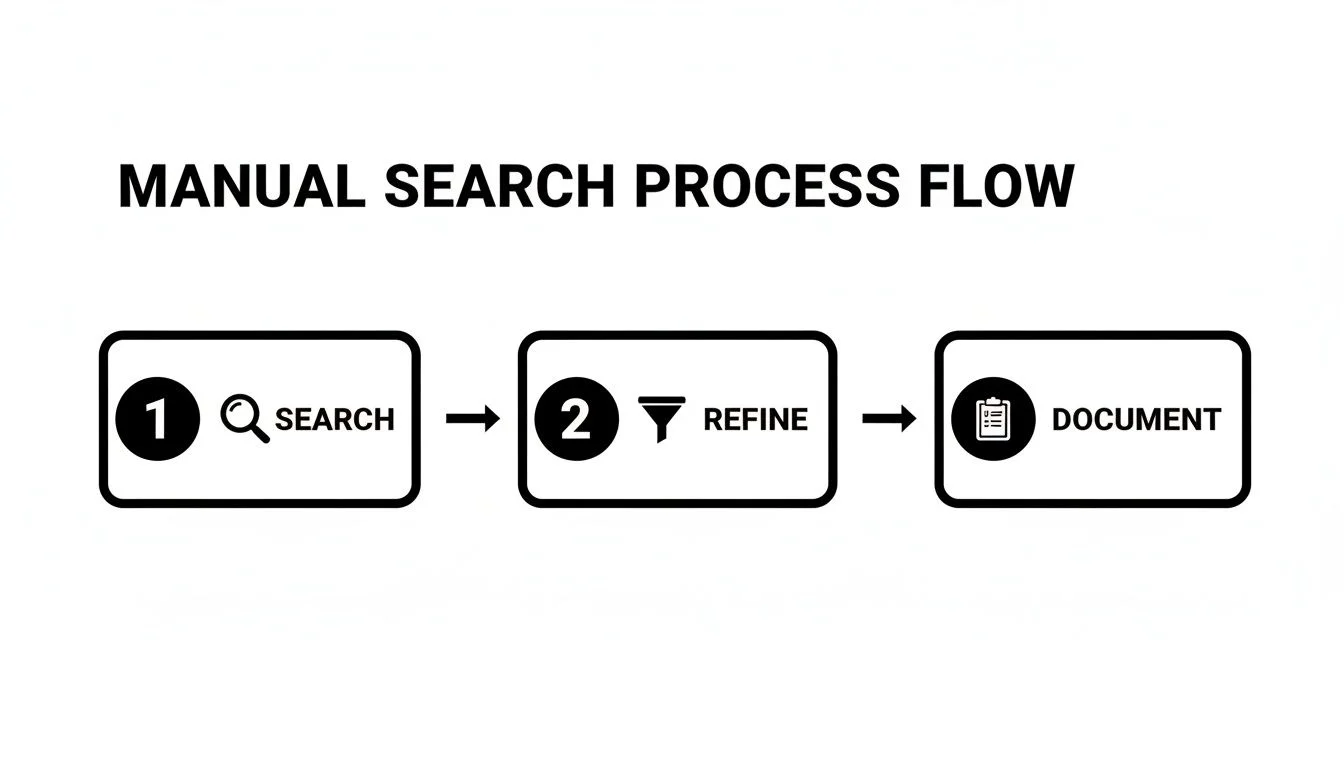
Following this simple Search, Refine, and Document workflow will keep your investigation methodical and ensure you don’t miss anything important.
Hunting Down Old Usernames and Emails
Over the years, you’ve likely accumulated dozens of usernames and email addresses. That gamer tag from 2008 or the Hotmail account you used for college applications can still be floating around, tied to data you’ve long forgotten.
Start by creating a comprehensive list of every username and email address you can remember. Then, systematically search for them in quotation marks—for example, "cooldude99". This forces the search engine to look for that exact phrase, and you’ll be surprised by what it can unearth.
Look for them on:
- Old Forums and Message Boards: Comments made years ago can contain opinions or personal details that no longer represent you.
- Gaming Sites: Forgotten Steam, Xbox Live, or PlayStation Network profiles often reveal friend lists, gaming habits, and may link to other social accounts.
- Early Social Media: Remember MySpace, Bebo, or Friendster? These accounts are often still live and represent a huge security risk, especially if you reused those old passwords.
Forgotten accounts are like unlocked back doors to your digital life. They are goldmines for attackers, filled with outdated information and weak, recycled passwords that are easy to crack.
This is a widespread problem. A Statista report revealed that the average internet user has over 100 online accounts. This number climbs significantly for younger generations, who grew up creating profiles on countless platforms. The potential for exposure adds up quickly.
Using Reverse Image Search to Track Your Photos
What about your photos? This is where a reverse image search becomes an indispensable OSINT tool. It's a powerful technique that allows you to upload a picture—such as a profile photo—and find every other place it appears online. Google Images and TinEye are excellent free tools for this purpose.
This is a non-negotiable step for several key reasons:
- Spotting Impersonators & Catfishing: It’s the fastest way to find out if someone has stolen your photos to create a fake profile on Facebook, a dating app, or another platform for catfishing or scams.
- Finding Unauthorized Use: You can discover if a company, blog, or website is using your image without your permission.
- Mapping Your Visual Footprint: It provides a clear map of all the public places your face appears, often leading to old profiles you forgot you made.
For any serious online identity audit, you should run a reverse image search on your primary profile pictures from LinkedIn, Facebook, and any other key accounts.
Checking for Data Breach Exposure
This is arguably the single most critical step you can take for your cybersecurity. Data breaches are a constant threat, and your information has almost certainly been exposed in one by now, no matter how careful you've been. When a service you use is hacked, attackers often leak everything—emails, usernames, and passwords.
The definitive tool for checking your exposure is Have I Been Pwned?. It is a trusted, globally respected service run by security expert Troy Hunt. Simply enter your email address, and it will report if that email has appeared in any known data breaches.
Once you know which accounts have been compromised, you must take immediate action. The first priority is to change the password on that account. Equally important, you need to change the password on any other site where you might have reused the same one.
To take it a step further, you can try to find all accounts tied to a specific email. If you discover one of your emails in a breach, our guide on how to find all accounts associated with an email address is the perfect next step.
How to Analyze and Prioritize Your Findings
Discovering the scattered pieces of your online identity is one thing; understanding what it all means is another. You now have a mountain of search results, old photos, and forgotten accounts. It’s time to sort through it all with a clear strategy.
The real work begins here: analyzing your findings and deciding what to tackle first. Not all information carries the same weight. A polished, professional profile is an asset, while an exposed password from a data breach is a ticking time bomb.
This isn't just a sorting exercise. It’s about connecting the dots between a piece of data and its real-world impact.
Categorizing Your Findings by Risk Level
The most effective way to get organized is to categorize everything into three simple buckets: high, medium, and low risk. This framework transforms overwhelming data into a clear, actionable plan. Think of it as digital triage: stop the bleeding before you worry about the scrapes and bruises.
High-Risk Findings: These are digital emergencies requiring your immediate attention. They pose a direct and imminent threat to your security, finances, reputation, or personal safety.
- Exposed passwords or credentials from data breaches.
- Leaked Personally Identifiable Information (PII) like your Social Security Number (SSN), driver's license, or bank account numbers.
- Active impersonation accounts (fake profiles) used to scam your friends, family, or professional contacts.
- Publicly visible sensitive location data such as your home address or real-time whereabouts.
Medium-Risk Findings: This category includes items that may not be a five-alarm fire today but could cause significant reputational damage or escalate into a bigger problem.
- Unflattering, unprofessional, or compromising photos and videos.
- Old, controversial, or inflammatory comments on blogs, forums, or social media.
- Forgotten, insecure accounts on defunct platforms that are prime targets for hijacking.
- Outdated professional information that misrepresents your current skills or career trajectory.
Low-Risk Findings: These are the benign, neutral, or positive elements of your digital footprint. They generally require no action.
- Your public LinkedIn profile or professional website.
- Positive news mentions or articles featuring you or your work.
- Standard directory listings that don’t contain sensitive details.
Verifying Information and Spotting Fakes
As you sift through your findings, you'll likely encounter information that is inaccurate or outright false. Misinformation and even fake profiles can become part of your online identity, sometimes by accident and sometimes with malicious intent.
It is crucial to verify what you find. If you see a social media profile using your name and photos but the posts seem out of character, investigate further. Is it another person with a similar name, or is someone actively impersonating you to engage in catfishing or fraud?
Your first move should be to document everything. Take dated screenshots of the fake profiles or false information. This evidence is your first step toward getting them removed. For a more structured view of your public records, you may find it helpful to run a background check on yourself.
The process of analyzing your online identity search findings is where you transform raw data into a strategic defense plan. It's about understanding what poses a real threat versus what's just digital noise.
Understanding Your Digital Identity's Reach
It's surprisingly common for people to be unsure of what "digital identity" means. An international study found that only 58% of people felt they understood the term, with the number dropping to just 45% in the US.
Even among those who felt knowledgeable, the definitions varied widely. While 42% correctly identified it as "any information that exists about me online," others guessed it was merely their email address. You can read more about these insights on digital identity perception from iProov. This confusion is precisely why a structured analysis is so vital—it helps connect all that scattered data back to a unified picture of you.
By thoughtfully analyzing and prioritizing your search results, you create a clear roadmap for the cleanup process. You'll know exactly what to tackle first, giving you the focus you need to manage your online reputation and security effectively.
Taking Control: Your Action Plan for a Secure Online Identity
You’ve done the deep dive and now have a map of your digital presence. The search is over. It’s time to take action. This is where you shift from discovery to control, turning that prioritized list into a tangible plan. The goal isn't to vanish from the internet, but to manage your presence with intention. You're about to neutralize risks, secure your accounts, and start building the online reputation you want.

Prioritizing Your Cleanup Efforts
First, tackle the high-risk items you identified. These are the digital emergencies that could lead to identity theft, financial loss, or severe reputational damage.
Your immediate actions should focus on these threats:
- Change Compromised Passwords: If your search revealed credentials in a data breach, change those passwords immediately. Crucially, you must also change that same password on every other site where you've reused it.
- Secure Exposed Personal Information: Did you find your Social Security Number, bank details, or home address online? You must act fast. This typically involves contacting the website administrator directly to demand its removal.
- Report Impersonation Accounts: Fake profiles on social media or dating apps are a direct threat. Use the platform’s specific reporting tools for impersonation to get them taken down immediately.
Once you've neutralized these immediate dangers, you can shift your focus to medium-risk items, like unflattering old photos or controversial comments from years ago.
Removing Unwanted Content and Accounts
Getting content removed from the internet can feel like an uphill battle, but you have more power than you think. Your approach will depend on who controls the content.
Content on Your Own Profiles This is the low-hanging fruit. Simply log in to the account and delete the post, photo, or comment yourself.
Content on Other People's Profiles If a friend posted a picture of you that you'd rather not have online, the easiest path is to ask them to remove it. If that isn't an option, platforms like Facebook and Instagram allow you to "untag" yourself, which breaks the direct link to your profile.
Content on Third-Party Websites This is where it gets trickier. For comments on a blog, posts in a forum, or your information on a company site, you'll need to contact the site owner. Find their "Contact Us" page and send a polite but firm email explaining what you want removed and why.
When requesting content removal, be specific and professional. Always include the exact URL of the page and a clear description of the content. A polite request gets a much better response than an angry demand.
Deactivating and Deleting Old Accounts
Those forgotten accounts you created years ago are significant security risks waiting to be breached. A key part of your action plan is cleaning up these old profiles, which means figuring out if you can delete a Tinder account permanently or get rid of that ancient MySpace profile.
The process varies for every platform but usually involves logging in and finding account settings. Be mindful of the difference between "deactivating" (which often just hides your profile) and "deleting" (which is permanent). Always opt for full deletion.
If you’re buried in profiles on data broker sites, our guide on data broker removal provides the step-by-step instructions you need to get your information off those lists.
Building a Positive Online Presence
What happens when you can't remove something? Perhaps it’s a negative news article, a public record, or a stubborn website owner who won't cooperate. When removal isn't an option, your best strategy is suppression.
The idea is to create so much positive, high-quality content associated with your name that the negative items are pushed down and buried in search results.
Here’s how you can start building a stronger, more positive digital identity:
- Optimize Your LinkedIn Profile: This is your professional storefront and often the top search result for your name. Ensure it's 100% complete, professional, and clearly showcases your current skills.
- Create Professional Content: Start a blog, publish articles related to your field on Medium, or answer questions on industry forums. Creating valuable content establishes your expertise and gives you more control over your search results.
- Engage Thoughtfully: Don't just lurk. Participate in relevant discussions on LinkedIn or in professional groups. Smart comments and shares build your network and reinforce the positive, expert image you're creating.
By taking these steps, you turn the insights from your identity search into a powerful tool for managing your reputation and securing your personal information for the long haul.
A Few Common Questions About Online Identity Searches
Diving into your own online identity can feel a bit overwhelming, and you're bound to have questions. Let's clear up some of the most common queries to give you the practical, no-nonsense answers you need to take control.
How Often Should I Really Be Doing This?
For a deep, comprehensive manual search, consider it an annual or semi-annual check-up. This provides a solid baseline snapshot of your public-facing information. In between, a quarterly check-in using basic search terms is a good habit to spot any new or surprising information.
However, your digital identity is not static. It evolves with every new account, comment, and data breach. For real-time protection, an automated service that monitors the web 24/7 is the only way to get immediate alerts about new risks and achieve genuine peace of mind.
Is It Legal to Search for Someone Else Online?
Generally speaking, yes. Using publicly available information to look someone up—the foundation of Open-Source Intelligence (OSINT)—is legal. It's what researchers, journalists, and hiring managers do daily. The information is already in the public domain.
The crucial question isn't if you can search, but why. Your intent is what matters. Using public information for illegal acts like stalking, harassment, fraud, or discrimination is, of course, against the law. This guide is focused on the ethical, defensive act of searching for yourself to protect your own privacy and security.
What if I Find Something That's False or Malicious?
Finding malicious or false information tied to your name is distressing, but you have options. First, document everything. Take dated screenshots as evidence.
Then, take action:
- Contact the Source: Report the information to the website administrator or platform support, clearly explaining why it’s false or defamatory.
- Get Professional Help: For seriously damaging content, consult a lawyer specializing in online defamation.
- Build a Positive Presence: While working on removal, start creating positive content about yourself to suppress the negative results in search rankings.
Can I Actually Be Anonymous Online?
In 2026, true, complete anonymity is nearly impossible. So much of modern life, from banking and employment to social interaction, requires an online presence tied to our real-world identities. The goal of an identity search isn’t to become a digital ghost; it’s to understand and control what people can see.
It's about shifting your mindset from chasing total anonymity to practicing active, informed management of your public persona. By auditing your footprint, securing your privacy settings, and being mindful of what you share, you can shield yourself from the vast majority of online threats. That is the true key to digital safety.
Answering these questions is a great start, but taking action is what makes the difference. For a deep, automated analysis that scours the web for your hidden accounts, data breach exposures, and public records, Digital Footprint Check can do the work. Get started with a free scan of your online identity today.