· Digital Footprint Check · Content Marketing · 14 min read
Identity Theft Protection for Business: Step-by-step Guide
Learn practical identity theft protection for business with real steps, OSINT tools, and compliance strategies to secure your company data today.

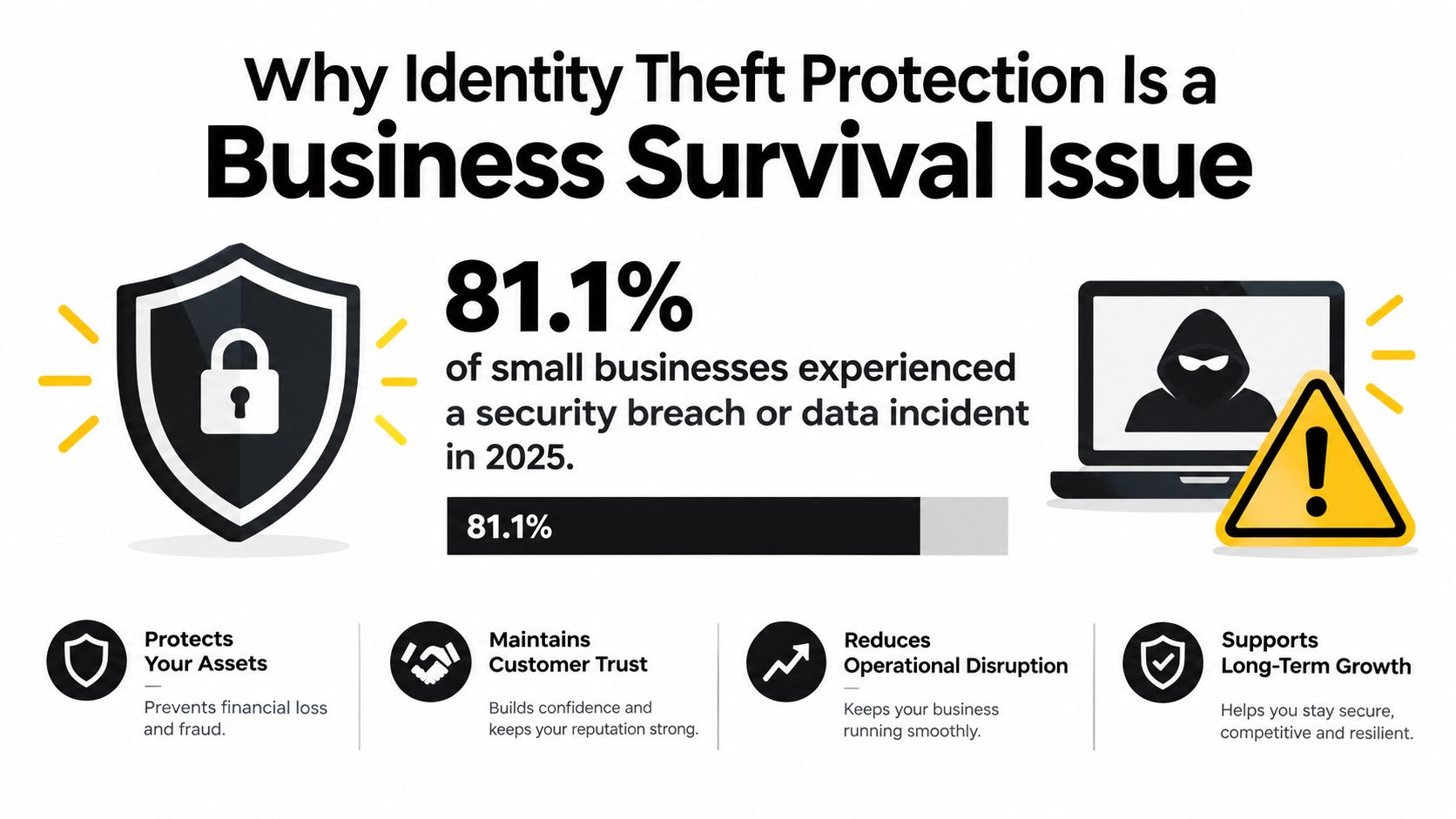
81.1% of small businesses experienced either a security breach or a data breach within the prior 12 months, and that figure remained nearly unchanged at 81.0% in 2025. Identity theft protection for business must therefore be an ongoing monitoring practice, not a one-time setup.
A firewall, antivirus product, and password policy still matter, but they won’t tell you when an employee’s exposed email address is being used to create a fraudulent account, when an EIN appears in a suspicious filing, or when a vendor’s compromised credentials put payroll data at risk. The practical objective is to find identity exposure early, verify whether it represents a real threat, and trigger containment before an attacker can impersonate your company.
Why Identity Theft Protection Is a Business Survival Issue
Business identity theft reaches far beyond the IT department. An attacker with an EIN, payroll credential, executive email account, or employee record can impersonate your organization, redirect payments, file fraudulent tax returns, or target staff with convincing social-engineering messages.
The risk is both frequent and expensive. The ITRC 2025 Business Impact Report found that 81.1% of small businesses experienced a security or data breach within the prior 12 months, with a nearly unchanged figure of 81.0% in 2025. Among businesses breached in 2025, 62.5% reported financial impact above $250,000, while 36.7% reported costs above $500,000. These findings make identity protection an operating requirement for small businesses, not an occasional IT project.
The financial damage reaches beyond stolen funds
The bill can include investigation, legal work, customer notification, operational disruption, account recovery, lost revenue, and remediation. A payment diversion may be the first visible loss, but the broader cost comes from restoring trust and proving that compromised identities no longer control business processes.
Exposure often begins with ordinary information. A public employee profile can reveal a payroll manager’s role. A reused password can open a vendor portal. A leaked W-2 file can provide enough information to impersonate staff or submit fraudulent documents. Attackers do not need access to every system. One usable identity and a process that accepts it may be enough.
Practical rule: Treat EINs, payroll records, executive identities, and employee credentials as business assets requiring continuous oversight.
Identity protection is an operating process
A one-time security review captures exposure only at that moment. Risk changes when employees join or leave, vendors alter their software, credentials appear in breaches, or staff publish new information online.
Build the program around three actions:
- Reduce exposure: Restrict access to sensitive information and remove unnecessary public details.
- Detect misuse: Monitor business identifiers, employee exposure, compromised accounts, and impersonation signals across public sources.
- Respond quickly: Lock accounts, reset credentials, verify transactions, and contact affected people through a defined workflow.
Continuous public-web monitoring gives these controls practical reach. It can surface a suspicious domain, exposed credential, fraudulent business listing, or misuse of an executive’s identity before a customer or bank reports the problem. Password policies protect access. OSINT monitoring shows how exposed identities are being used outside your systems.
The Middesk’s summary of IRS business identity theft data reports 350 corporate tax returns flagged for potential business identity theft in 2015, about 4,000 in 2016, and 10,000 in the first six months of 2017, with roughly $137 million in damages at that point. Those historical figures do not predict your exact exposure. They show why monitoring business identifiers must be continuous, not limited to crisis response.
Starting with Employee and Vendor Identity-Risk Triage
Don’t buy a monitoring service before you know which identities and data flows matter. Start by building a working inventory of the information an attacker could use to impersonate your company or its employees.
Map the identities that carry authority
Create a list of:
- Business identifiers: EINs, tax credentials, registration records, banking details, licenses, and account-recovery information.
- People with sensitive access: Payroll staff, finance leaders, HR administrators, executives, IT administrators, and contractors with high-level permissions.
- Employee information: Work and personal email addresses, phone numbers, home addresses, SSNs, W-2 data, job titles, and public profile details.
- Critical accounts: Email administration, payroll, banking, cloud storage, customer relationship management, tax portals, and payment platforms.
Record where each item lives, who can access it, and whether a third party handles it. A spreadsheet is enough to begin, provided it has an owner and a review schedule.
A payroll administrator’s personal email appearing in a breach can create a business risk even when the company domain remains secure. Attackers may use that exposed identity to send a plausible request to finance, imitate a manager, or attempt password recovery against a payroll service.
Trace vendors and shared access
Vendors deserve the same scrutiny as employees. List payroll providers, accountants, managed service providers, benefits platforms, cloud applications, payment processors, and software companies that store or process sensitive data.
For each vendor, ask:
- Does the vendor require access to employee, customer, tax, or banking information?
- Does every user have an individual account, or do people share credentials?
- Does the vendor support authenticator-app MFA?
- Can you remove access immediately when a contract ends?
- Does the vendor notify you about breaches and suspicious account activity?
- Can the vendor show which user accessed or changed a record?
Shared accounts destroy accountability. If a vendor insists on them, restrict the account, document the exception, and add compensating controls such as approval requirements and activity reviews.
Start with authority, not volume. The identity of one person who can change payroll or approve payments deserves more attention than a large collection of low-privilege accounts.
Use OSINT to verify exposure
Search for company names, executive names, work emails, phone numbers, office addresses, usernames, and known aliases across public websites, social platforms, breach notifications, and business directories. Don’t collect information merely because it’s available. Record only what helps you assess a realistic impersonation or access risk, and handle findings lawfully.
A business-oriented background review can help HR and security teams distinguish legitimate public information from exposure that needs action. Use background check services for businesses where appropriate, with a clear purpose, consent process, and documented access rules.
For access governance, review essential IAM advice from F1Group. Identity and access management is where your inventory becomes enforceable policy. Every sensitive account should have a named owner, an appropriate access level, and a reliable offboarding process.
Finish triage by ranking risks according to potential impact and ease of exploitation. An exposed executive email with access to payment approvals is urgent. An outdated public listing with no system access may be lower priority. This ranking keeps a small team focused on identities that can cause immediate operational harm.
Technical Controls That Actually Prevent Impersonation
Technical controls should make stolen identities less useful. They won’t eliminate every attack, but they can block common takeover paths and limit what an attacker can do after obtaining one credential.
Start with account controls
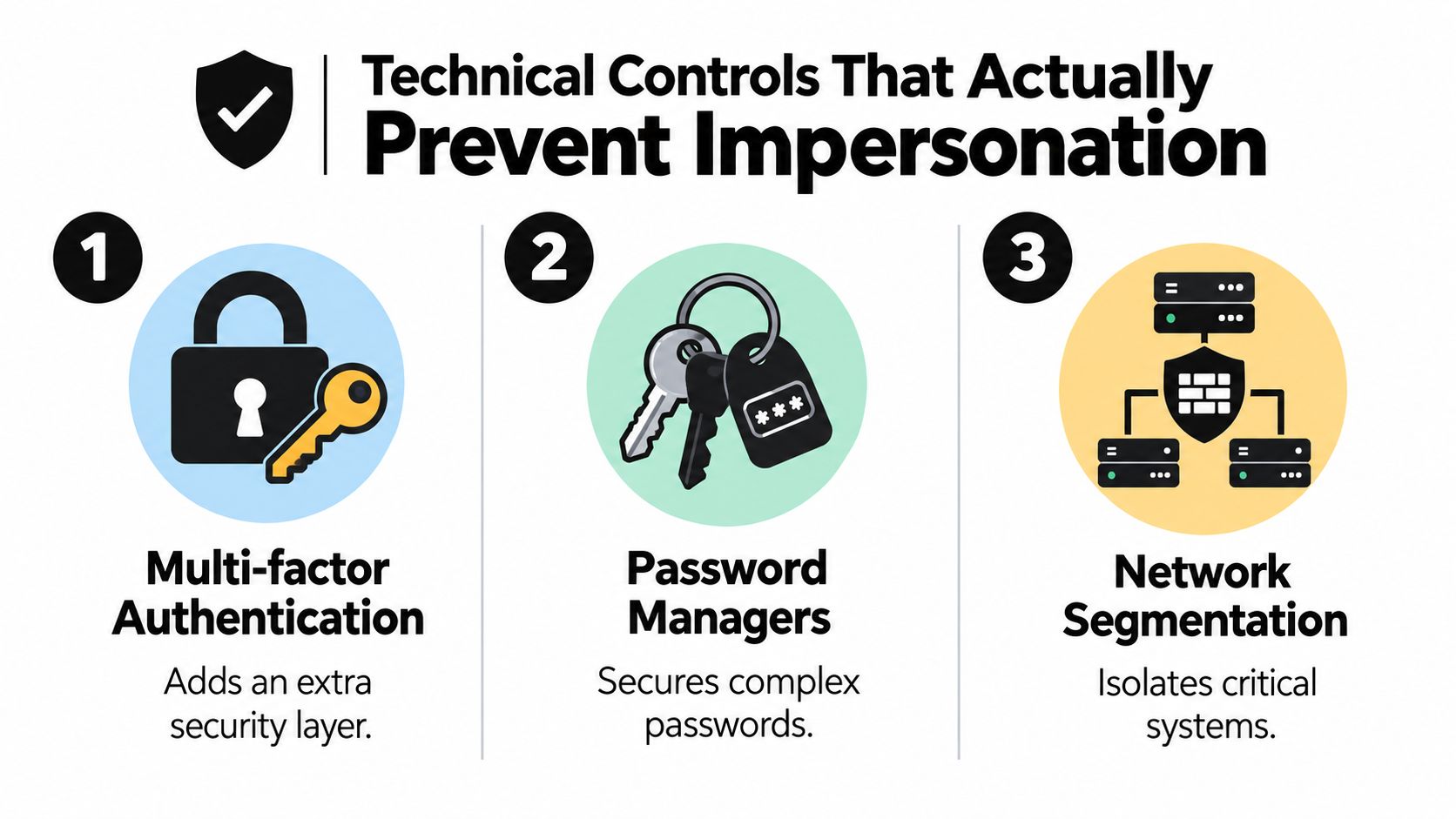
The IRS recommends strong, unique passphrases of at least 12 characters, authenticator-app MFA where possible, and limiting access to sensitive data to employees who need it (IRS business identity theft guidance). Apply those recommendations to email, payroll, banking, tax portals, cloud storage, and administrator accounts first.
Use a password manager such as 1Password, Bitwarden, or another business-managed option to generate unique credentials. Don’t allow staff to reuse a personal password for a business system. When an employee leaves, disable the account, revoke sessions, remove recovery methods, and rotate shared secrets immediately.
MFA deserves careful implementation. Authenticator apps are generally preferable to relying on easily intercepted codes. Require MFA for administrators and remote access, then expand coverage until every system containing sensitive information is protected.
Limit the blast radius
Least privilege means an employee receives only the access required for current duties. A bookkeeper may need payroll access but not domain administration. A marketing contractor may need a content platform but not customer exports. Review these distinctions instead of assigning broad roles for convenience.
Network segmentation supports the same objective. Separate payment, payroll, administrative, production, and guest environments where practical. If an attacker compromises a low-risk workstation, segmentation can prevent direct movement into systems containing tax or employee records.
Encryption protects stored and transmitted information, but it doesn’t replace access control. Encrypt sensitive files, manage keys carefully, and avoid keeping unnecessary copies in shared drives, email attachments, or local downloads.
Close the impersonation gap
Attackers often exploit email trust rather than break into a protected application. Train finance staff to verify unusual payment instructions through a known phone number or an independent channel. Require a second approver for changes to bank details, payroll destinations, and tax information.
Domain email authentication also deserves attention. Before assuming a message from your company is legitimate, check SPF and DKIM records with MailGenius to identify configuration issues that can make spoofing easier to detect or prevent.
A practical control set looks like this:
| Control | What it blocks or limits | Implementation priority |
|---|---|---|
| Authenticator-app MFA | Password-only account access | Highest for administrators, finance, payroll, and email |
| Password manager | Reused and weak credentials | Deploy across the business |
| Least privilege | Unnecessary access after compromise | Review sensitive roles first |
| Segmentation | Movement between systems | Separate critical environments |
| Encryption | Exposure of stored or transmitted data | Apply to sensitive records |
| Independent payment verification | Executive and vendor impersonation | Require for unusual requests |
For account-specific safeguards, use this account takeover prevention guidance to turn the controls into a documented workflow. The goal isn’t to accumulate security products. It’s to remove the shortcuts attackers rely on.
Moving From Perimeter Defense to Continuous OSINT Monitoring
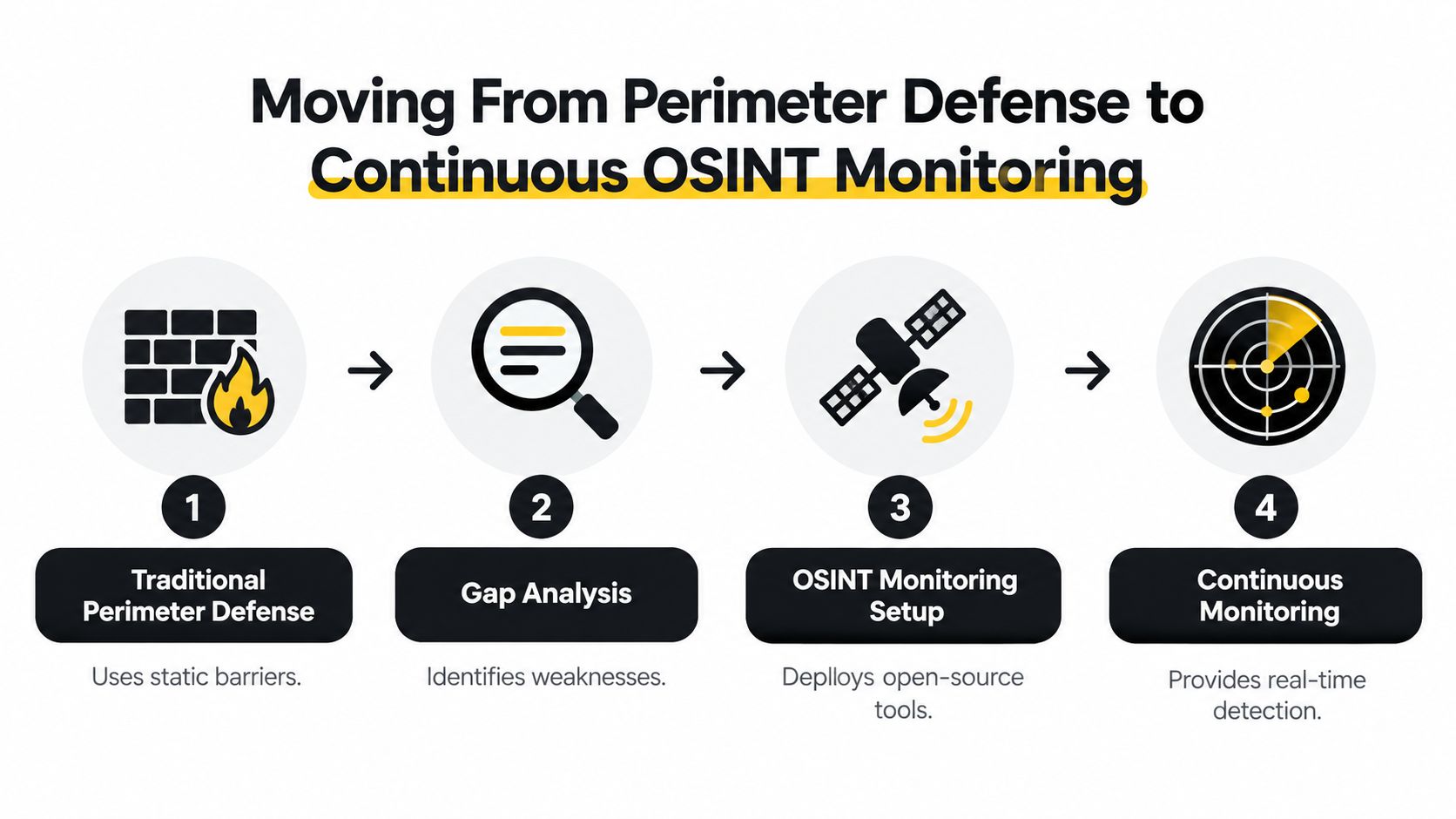
A firewall watches traffic reaching a network. Antivirus watches files and processes. Neither one reliably tells you that an employee’s exposed address, phone number, or email is being combined with company information to impersonate the business.
Compare static defense with active intelligence
Traditional perimeter defense is necessary, but it protects a boundary. An OSINT-driven pipeline watches the identity layer outside that boundary.
| Traditional perimeter model | OSINT monitoring pipeline |
|---|---|
| Focuses on network and device events | Focuses on exposed identities and public signals |
| Often reacts after an attempted intrusion | Can identify exposure before confirmed misuse |
| Watches company infrastructure | Watches company, employee, vendor, and lookalike exposure |
| Produces technical alerts | Correlates alerts with verification actions |
| Depends on known attack paths | Adapts as public information and compromised credentials change |
The need for this shift is reflected in fraud pressure. Nearly 60% of U.S. businesses saw higher fraud losses in 2025, driven by more advanced attacks and legacy security gaps, according to Experian’s 2025 U.S. Identity & Fraud Report. Static rules can’t carry the full burden when attackers change tactics and exploit legitimate identities.
Build the pipeline around decisions
Monitoring is useful only when an alert leads to an action. A workable pipeline has four stages:
- Collect: Watch business names, EINs, domains, employee emails, phone numbers, exposed SSNs where legally permitted, vendor identities, and known executive aliases.
- Correlate: Compare findings across breach databases, public records, social platforms, lookalike accounts, and account-creation signals.
- Verify: Confirm whether the alert relates to your organization, an employee, a former employee, or an unrelated person with similar information.
- Contain: Lock an account, reset credentials, contact a vendor, challenge a fraudulent registration, or notify an affected employee.
Don’t monitor only the official company domain. Employee-level exposure often creates the path to business impersonation. A compromised personal email, public job title, or reused username may give an attacker enough context to make a fraudulent request look authentic.
The actionable measurement is the time from exposure discovery to verification, account lock, credential reset, and notification. An alert without a response owner is just delayed information.
Choose coverage over dashboard decoration
Evaluate monitoring tools by the sources they cover and the actions they support. Ask whether a product can monitor employee identities with appropriate authorization, identify compromised credentials, distinguish real findings from false matches, retain an audit trail, and route urgent alerts to a responsible person.
A service such as Digital Footprint Check can scan 500+ platforms, including social networks, gaming sites, data breach databases, data brokers, and public records, to show what information is publicly visible about individuals or employees. Use dark web credential monitoring as one component of a broader process, not as a substitute for MFA, access reviews, or incident response.
The right cadence depends on risk. High-privilege identities need frequent checks and clear escalation. Lower-risk identities can follow a scheduled review. Either way, define what happens when the system finds a compromised email, an exposed business identifier, or a fraudulent account.
The following video provides additional context on identity exposure and monitoring:
Meeting Compliance Requirements and Training Your Team
Identity theft protection fails when employees don’t know which requests require verification. A written policy helps, but daily behavior determines whether someone approves a fake invoice, forwards a W-2 file, or enters credentials into a convincing login page.
The FTC’s Red Flags Rule requires many businesses and organizations to maintain a written identity theft prevention program designed to detect identity-theft red flags in day-to-day operations, prevent the crime, and mitigate its damage (FTC Red Flags Rule guide). Treat that requirement as an operating advantage. It gives you a reason to document ownership, escalation, and review instead of leaving identity protection as an informal promise.

Turn red flags into workflows
Your written program should define:
- Signals: Unexpected password resets, new payment instructions, unfamiliar tax notices, strange account-creation requests, and employee reports of exposed information.
- Owners: The person who receives the alert, the person who verifies it, and the person authorized to contain the incident.
- Verification: Approved callback numbers, known vendor contacts, dual approval, and identity checks for sensitive requests.
- Records: What happened, when the team detected it, what evidence it retained, and which corrective actions it completed.
- Review: How the business updates controls after a vendor incident, employee departure, or confirmed impersonation attempt.
Your data breach notification requirements should also be part of the response documentation. Legal obligations vary by jurisdiction and by the type of information involved, so assign responsibility before an incident and obtain qualified legal advice when needed.
Train for pressure, not theory
Employees remember short rules that match real work. Teach them to stop when a request creates urgency, secrecy, or a change from normal payment behavior. Finance staff should independently verify bank changes. HR should use approved secure channels for payroll records. Managers should never ask employees to bypass approval procedures through an informal message.
Include identity protection in onboarding, access reviews, vendor onboarding, and recurring security meetings. Run practical exercises using realistic examples, but don’t shame employees who report a suspicious request. Early reporting gives the business a chance to contain exposure before an attacker succeeds.
Compliance becomes useful when employees can answer three questions immediately: What counts as a red flag? Who do I contact? What must I avoid doing while the request is being verified?
Responding When Identity Theft Strikes Your Business
Assume an incident will eventually reach your organization. The response plan must be short enough to use under pressure and specific enough to prevent delay.
Contain first
- Preserve evidence: Save emails, headers where available, screenshots, transaction details, account alerts, and messages. Don’t delete the material an investigator may need.
- Secure accounts: Disable compromised users, revoke active sessions, reset credentials from a clean device, and enforce MFA. Review forwarding rules and recovery settings in affected email accounts.
- Stop financial activity: Contact banks, payment providers, payroll providers, and vendors through verified channels. Pause suspicious transfers and confirm recent account changes.
- Protect employees: If payroll or W-2 information was exposed, notify affected employees immediately, explain what happened, and provide clear steps for securing their accounts.
- Report the misuse: The IRS advises filing Form 14039-B promptly when business identity theft is suspected (IRS business identity theft guidance).
Fast response matters because unresolved identity incidents can expand into remediation, fines, and lost revenue. Use a documented data breach victim response process to coordinate evidence, communication, and recovery instead of improvising.
The FTC provides online assistance through IdentityTheft.gov and operates a call center where counselors explain protective and recovery steps. The FTC also says consumers can file a complaint to create an identity theft report that may support recovery actions (FTC identity theft assistance). Where a company has relevant transaction records, legal obligations may apply. FTC enforcement material notes that Amazon agreed to pay $2.25 million to settle allegations involving refusal to provide records to consumers whose information identity thieves used for fraud (FTC identity theft enforcement material).
Digital Footprint Check helps businesses discover publicly exposed information, monitor breach and dark web signals, and review employee or company identities across 500+ platforms. Start with the Digital Footprint Check free checker, document the findings, and turn each relevant alert into a defined verification and containment action.