· Digital Footprint Check · Content Marketing · 12 min read
Amazon Account Email Changed? Secure Your Account Now
Amazon account email changed - If your Amazon account email changed without warning, act fast! This critical security alert needs immediate attention. Follow
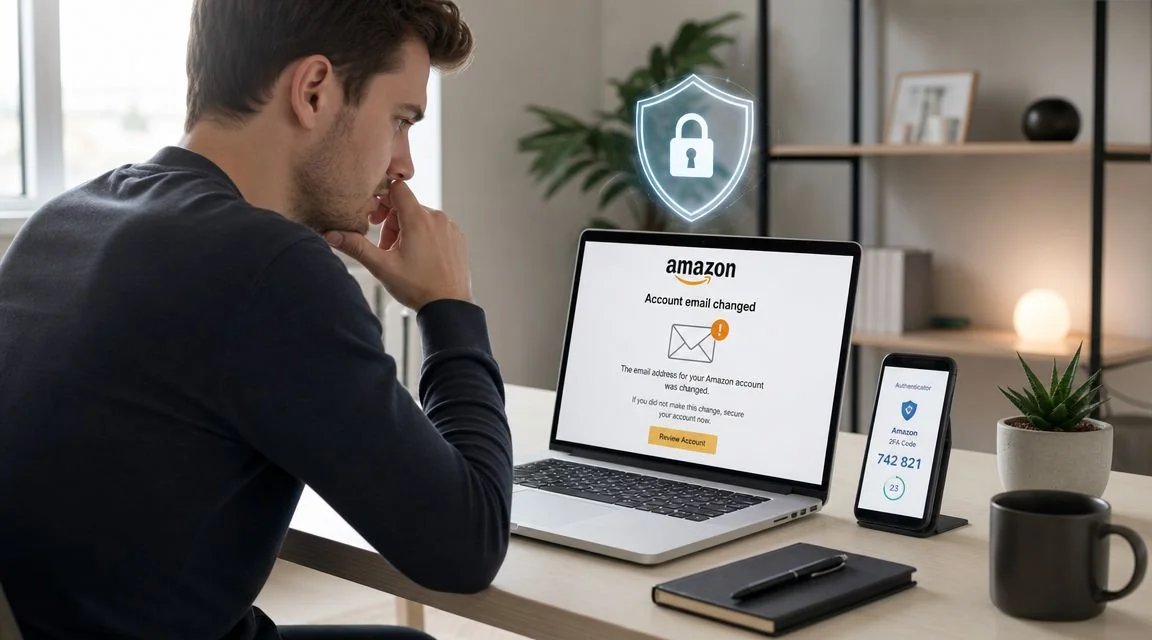
That email lands in your inbox and your body knows something is wrong before your brain catches up. “Your Amazon.com email has been changed.” You didn’t request it. You didn’t touch your settings. Now you’re wondering whether someone just got into your account, your payment methods, your orders, and maybe more.
Treat that alert as a live security incident, not a harmless profile update. An unexpected Amazon email change should always be taken seriously, and a U.S. survey cited by Pew Research Center found that 18% of internet users had experienced a major online account compromise, including account takeover, as noted in this account recovery breakdown. If you’re trying to confirm whether this is part of a wider exposure, it’s smart to check if your email was hacked before you assume it’s an isolated Amazon problem.
That Sinking Feeling When Your Amazon Email Changes
The reaction is often the same. First comes denial. Maybe it was a typo. Maybe Amazon sent the message by mistake. Then you try to sign in and realize this probably isn’t a glitch.
A changed email on an Amazon account usually points to account takeover. The attacker’s goal is simple. Lock you out, control order activity, preserve access long enough to place purchases, and sometimes pivot into other accounts that rely on the same email or password habits.
What makes this alert different
A normal settings change is something you recognize because you made it. This alert is different because it affects the foundation of account recovery itself. Once the account email changes, password reset messages may stop going to you. That means the attacker hasn’t just entered the house. They may have changed the locks.
Practical rule: If your amazon account email changed and you didn’t authorize it, stop treating it like a customer service inconvenience. Treat it like someone has control of your identity inside that account.
That’s why speed matters more than perfection in the first few minutes. You don’t need a complete theory of what happened. You need containment.
What’s actually at risk
Amazon accounts hold more than a shopping cart. Depending on your setup, an attacker may see:
- Order history that reveals buying patterns and household details
- Saved addresses that show where you live, work, or send gifts
- Stored payment methods that can support fraudulent purchases
- Digital subscriptions and devices tied to the same account ecosystem
For sellers, the stakes can be much worse. Public reporting on seller-side incidents shows that a changed admin email can disrupt payouts, operations, and bank details, not just personal shopping access. One public case alleged losses of $230,000 per day after repeated account changes in Seller Central, described in this seller-focused report.
The good news is that recovery is often possible. The better news is that the same incident can become the moment you tighten your entire online footprint instead of just patching one password.
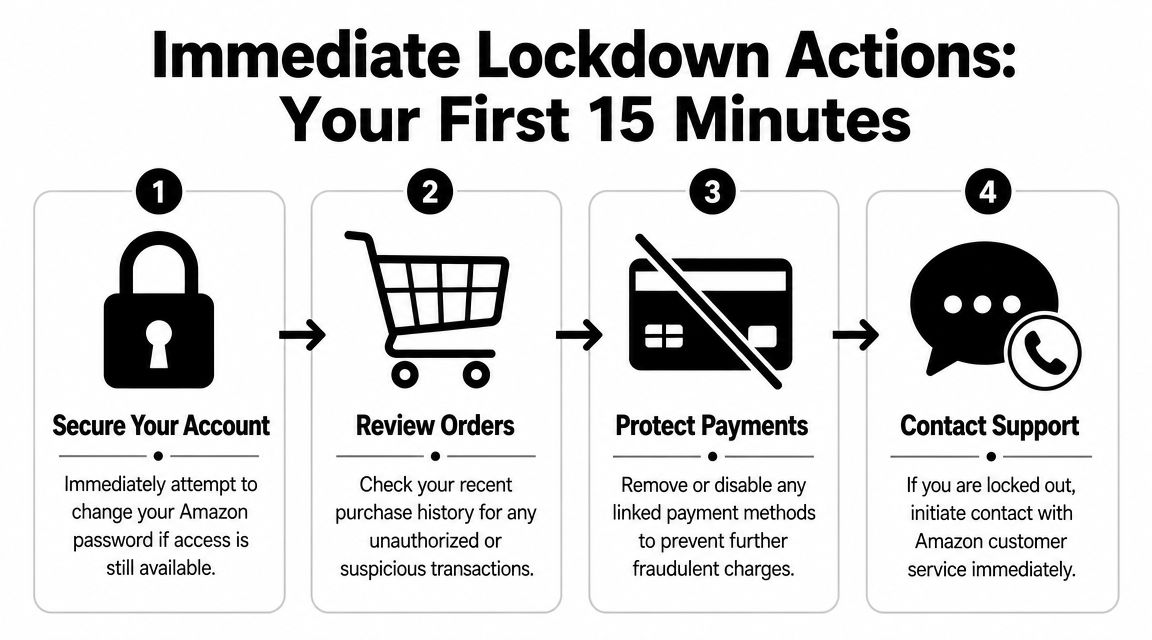
Your First 15 Minutes Immediate Lockdown Actions
The first quarter hour matters because attackers rarely stop after one change. If they’re still active, they may place orders, alter addresses, add payment methods, or start changing adjacent accounts. Your job is to stop the bleeding fast.
If you can still sign in
This is the cleaner recovery path. Use it immediately.
Amazon guidance discussed in this firsthand recovery write-up says that if you still have access, go to Account → Login & Security, change your password, and enable Two-Step Verification right away. That same guidance warns that recovery links can be time-sensitive, so acting quickly works better than repeatedly retrying failed steps.
Use this sequence:
Change the password first
Don’t start by browsing around. Replace the password with a unique one that you’ve never used anywhere else.Check Login & Security details
Look for unfamiliar email addresses, phone numbers, or backup methods. If the attacker added anything, remove it.Turn on Two-Step Verification
This adds friction the attacker probably won’t be able to clear, even if they still know the old password.Review shipping addresses and payment methods
A common pitfall after password reset is assuming the account is clean. It may not be. Attackers often add shipping destinations or billing details that stay behind unless you manually inspect them.
Don’t trust a password reset by itself. If you don’t audit addresses, cards, and subscriptions, the attacker may keep a foothold inside the account.
If you’re locked out
This is more stressful, but the priorities are still clear.
First, secure the email account that was tied to Amazon. If that mailbox is compromised too, the attacker can intercept recovery attempts and move into your other accounts. Change that email password, review forwarding rules, and enable two-factor authentication there as well.
Then work through containment:
- Check your bank or card app for pending Amazon charges
- Review recent text messages and emails for account recovery prompts
- Take screenshots of the Amazon email-change alert and any failed sign-in attempts
- Write down the old email address that was linked to the account
- List recent legitimate orders so you can use them later for verification
A lot of people lose time by hammering the reset button over and over. That rarely helps once the attacker has changed the account email. Better to preserve evidence, secure related accounts, and prepare for support.
For broader guidance on securing the mailbox that often sits upstream from everything else, review these email security best practices.
What not to do in the panic window
A few mistakes show up again and again:
- Don’t keep retrying expired links because you may miss delayed recovery messages
- Don’t ignore unauthorized address changes just because no order has shipped yet
- Don’t use an old reused password when resetting access
- Don’t log in from random devices you don’t trust, especially if you suspect malware
You’re not trying to do everything. You’re trying to establish control.
How to Contact Amazon Support and Prove Your Identity
Once standard password reset stops working, support is the necessary path forward. This part feels intimidating because you’re suddenly trying to prove ownership of an account you’ve used casually for years. The fix is preparation. A calm, precise support request usually works better than a frantic one.

What Amazon is likely to ask for
When normal reset steps fail, support escalation is recommended. A recovery guide summarized in this video source notes that Amazon commonly verifies ownership using the old email address, original payment instrument details, and recent order history.
Have this ready before you open chat or call:
| Verification detail | Why it matters | Best way to present it |
|---|---|---|
| Old email address | Links you to the account before the takeover | State the exact prior email first |
| Payment instrument details | Helps confirm long-term ownership | Use identifying details you know |
| Recent order history | Shows normal account activity patterns | Mention recent items or delivery addresses |
| Screenshots of alerts | Documents the unauthorized change | Keep timestamps visible |
How to frame the conversation
Lead with facts, not theories.
A useful script sounds like this:
My Amazon account email was changed without my permission. I can no longer access the account. The prior email on the account was [your old email], and I can verify ownership using payment details and recent order history.
That does three things well. It identifies the incident, explains the current access problem, and tells the agent you’re prepared for verification.
Phone versus chat
Chat is useful because it creates a written record. Phone support can move faster when the issue is urgent or the chat agent keeps looping through standard reset instructions. If one path stalls, try the other, but stay consistent with your facts.
Common support mistakes include:
- Giving the wrong region-specific contact path
- Forgetting the original email address
- Failing to check unauthorized orders before the call
- Explaining too much irrelevant detail
The cleaner your timeline, the easier it is for the agent to route the case correctly.
A short explainer on account recovery helps if you want a visual walk-through before contacting support:
If the first support interaction doesn’t fix it
Escalation sometimes takes more than one attempt. That doesn’t always mean support is failing. It may mean the first layer can’t validate ownership strongly enough to reverse a changed email.
Use this approach:
- Ask for escalation clearly if standard reset steps have already failed
- Reference the unauthorized email change as the triggering event
- Provide screenshots and notes rather than paraphrasing from memory
- Cancel unauthorized orders immediately if you regain partial account visibility
Keep your tone steady. Support agents are looking for consistent ownership signals, not a dramatic story.
After Recovery A Security Hardening Checklist
Getting back in is relief. It isn’t the finish line. If an attacker changed your account email, assume they looked for persistence. Your post-recovery work is to remove every trace they may have left behind and close the route they used to get in.
The non-negotiable account audit
Start with a full review inside Amazon. Don’t rely on the fact that access has been restored.
| Action Item | Why It’s Critical | Status |
|---|---|---|
| Change password to a unique one | Cuts off the old credential path | ☐ |
| Enable Two-Step Verification | Adds a second barrier against reuse of stolen credentials | ☐ |
| Review Login & Security details | Removes unfamiliar emails, phones, or backup methods | ☐ |
| Audit shipping addresses | Finds attacker-added destinations for fraudulent orders | ☐ |
| Review saved payment methods | Removes cards or billing data you don’t recognize | ☐ |
| Check recent orders and cancellations | Spots fraud, test purchases, or subscription abuse | ☐ |
| Review digital services and subscriptions | Finds hidden purchases beyond normal retail orders | ☐ |
| Sign out of sessions where possible | Breaks lingering access on unknown devices | ☐ |
A lot of people stop after changing the password. That’s the cybersecurity version of locking the front door while leaving the side gate open.
Secure the device you used
If malware or a browser compromise played a role, account-level fixes won’t be enough. Scan the device you used to access Amazon, especially if you noticed strange pop-ups, unauthorized autofill behavior, or browser extensions you didn’t install.
If you suspect the machine itself might be part of the problem, these CTF’s expert virus removal tips are a practical starting point for cleaning a Windows or Mac system before you trust it with fresh passwords.
Clean up adjacent exposure
Attackers rarely think in single-account terms. If your Amazon login reused a password from another site, those other accounts are now suspect too.
Prioritize these accounts next:
- Your primary email inbox, because it controls resets everywhere
- Banking and card portals, because Amazon often overlaps with stored payment data
- Apple, Google, or Microsoft accounts, because they anchor device trust and password storage
- Other shopping and delivery accounts, where reused credentials often work
Recovery mindset: Assume the Amazon incident is the visible symptom, not necessarily the whole problem.
For a broader reset plan beyond Amazon itself, review this guide on account takeover prevention. It’s the right next step when you want to lock down the rest of your online identity with the same urgency you used for the initial recovery.
Finding the Source Why Your Account Was Targeted
Once the account is stable, the question changes from “How do I get back in?” to “Why did this happen?” That answer matters because it affects every other account tied to the same email, habits, and devices.
The most common root cause
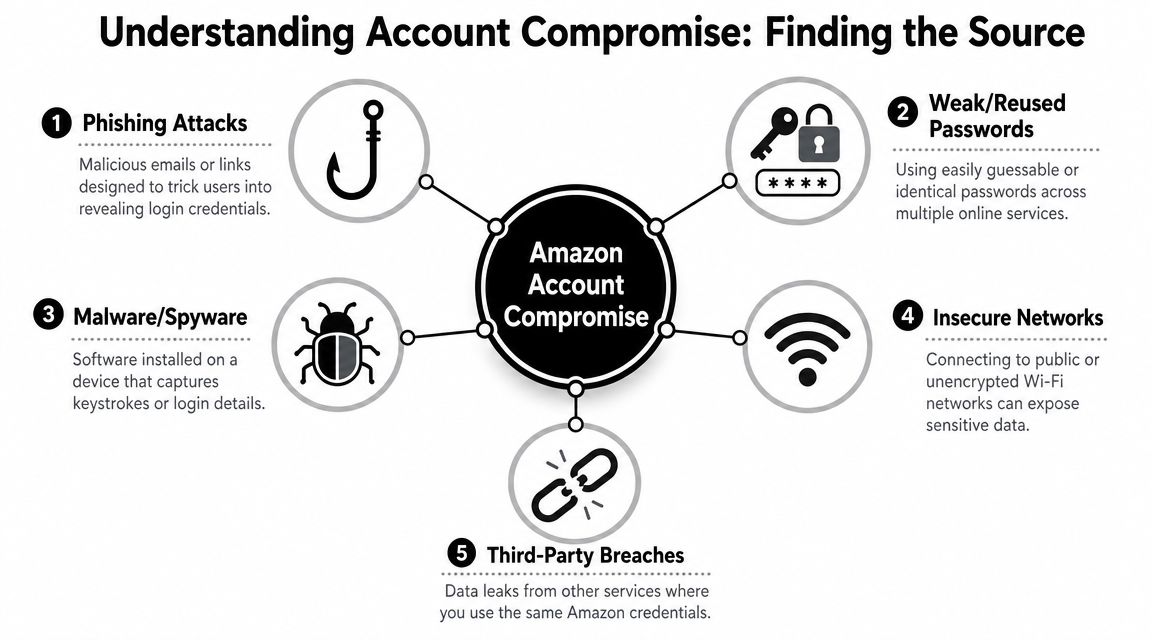
The biggest pattern in real-world takeovers is still password weakness and reuse. Verizon reports that over 80% of hacking-related breaches use stolen or weak passwords, according to the Verizon DBIR. That’s why credential reuse is such a common path into accounts like Amazon. A password leaked on one site gets tried on another, and suddenly your shopping account becomes the one that falls.
This is why the phrase amazon account email changed often points to a bigger digital footprint problem. The attacker may never have targeted Amazon first. They may have started with an old forum login, a breached app account, or a phishing email that captured credentials you reused.
Other realistic entry points
Not every takeover starts with a breach dump. Some begin with direct deception or device compromise.
- Phishing emails that imitate Amazon, your bank, or a delivery provider
- Malware or spyware that captures keystrokes or saved passwords
- Insecure networks or devices where logins are exposed or sessions are hijacked
- Email account compromise that lets the attacker reset multiple downstream accounts
If email-based phishing is part of the story, it’s worth brushing up on practical mailbox defenses. These TechiePlus Outlook security tips are useful if you use Outlook and want a simple way to identify and report suspicious messages.
Why this turns into a digital footprint issue
People think of a hacked Amazon account as one isolated event. It usually isn’t. It’s often one visible consequence of data that’s already floating around in places you forgot about. Old accounts, recycled usernames, public profiles, previous breaches, and exposed contact details all create context an attacker can use.
That’s why one of the smartest follow-up steps is to map where your email appears across the web and what other accounts may be connected to it. If you’ve never audited that, find all accounts linked to your email before the next attacker does the same homework for you.
The account that gets hijacked first isn’t always the account that caused the problem.
Frequently Asked Questions About Amazon Account Security
Can someone place orders after changing my Amazon email?
Yes, that’s possible if they still control the account and payment methods remain active. Check pending orders, archived orders, subscriptions, and saved addresses. If you spot anything unauthorized, document it and contact Amazon and your card issuer promptly.
What if my primary email account was compromised too?
Treat that as the higher priority account. Secure the mailbox first because it controls password resets across much of your digital life. Then work through financial accounts, cloud storage, and shopping accounts in order of damage potential.
Will changing my Amazon password fix everything?
No. It restores one layer of control, but it doesn’t automatically remove attacker-added addresses, billing details, or other security changes. That post-recovery audit matters just as much as the password reset.
Should I report the incident outside Amazon?
If the attacker placed orders, used your payment details, or triggered wider identity abuse, report it to your bank or card provider right away. If the incident expands into broader identity theft, keep records, screenshots, and timestamps in case you need to file a formal report in your jurisdiction.
How can I tell whether my email was exposed elsewhere?
That’s the right question after an account takeover. If one login was compromised, others may be vulnerable for the same reason. Run an email breach lookup and then change any reused passwords tied to that address.
If your Amazon account was taken over, don’t stop at recovery. Check what else is exposed across your online identity with Digital Footprint Check. It’s a practical way to see where your email, accounts, and public data may be visible so you can reduce the chance of the next takeover before it starts.